Best Selling Products

Adobe Photoshop Copyright - Full App
120 USD

Genuine Cheap Canva Pro
39 USD

Freepik Premium Account
59 USD

Upgrade Duolingo Super
29 USD

Adobe Premiere Pro Account
99 USD

Autodesk All App Account Copyright
120 USD

MidJourney Account
29 USD

Upgrade Genuine Office 365
49 USD

Capcut Pro 1 Year
39 USD

Windows 10 & 11 Pro Key
36 USD

Copyright Adobe Lightroom Account
59 USD

Genuine Adobe Illustrator account
99 USD

Plugin Retouch4me
69 USD

Upgrade genuine Capture One account
120 USD

ChatGPT Plus Account (GPT-4)
16 USD
Adobe Animate Account
Nội dung
- 1. What is Adobe Animate?
- 2. Why should you use a licensed Adobe Animate account?
- 3. Differences between Adobe Animate and other tools
- 4. The value of owning an Adobe Animate account for creators.
- 5. Key features of Adobe Animate
- 6. Applications of Adobe Animate software
- 7. Reliable Adobe Animate upgrade addresses
- 8. Conclusion
- 1. What is Adobe Animate?
- 2. Why should you use a licensed Adobe Animate account?
- 3. Differences between Adobe Animate and other tools
- 4. The value of owning an Adobe Animate account for creators.
- 5. Key features of Adobe Animate
- 6. Applications of Adobe Animate software
- 7. Reliable Adobe Animate upgrade addresses
- 8. Conclusion
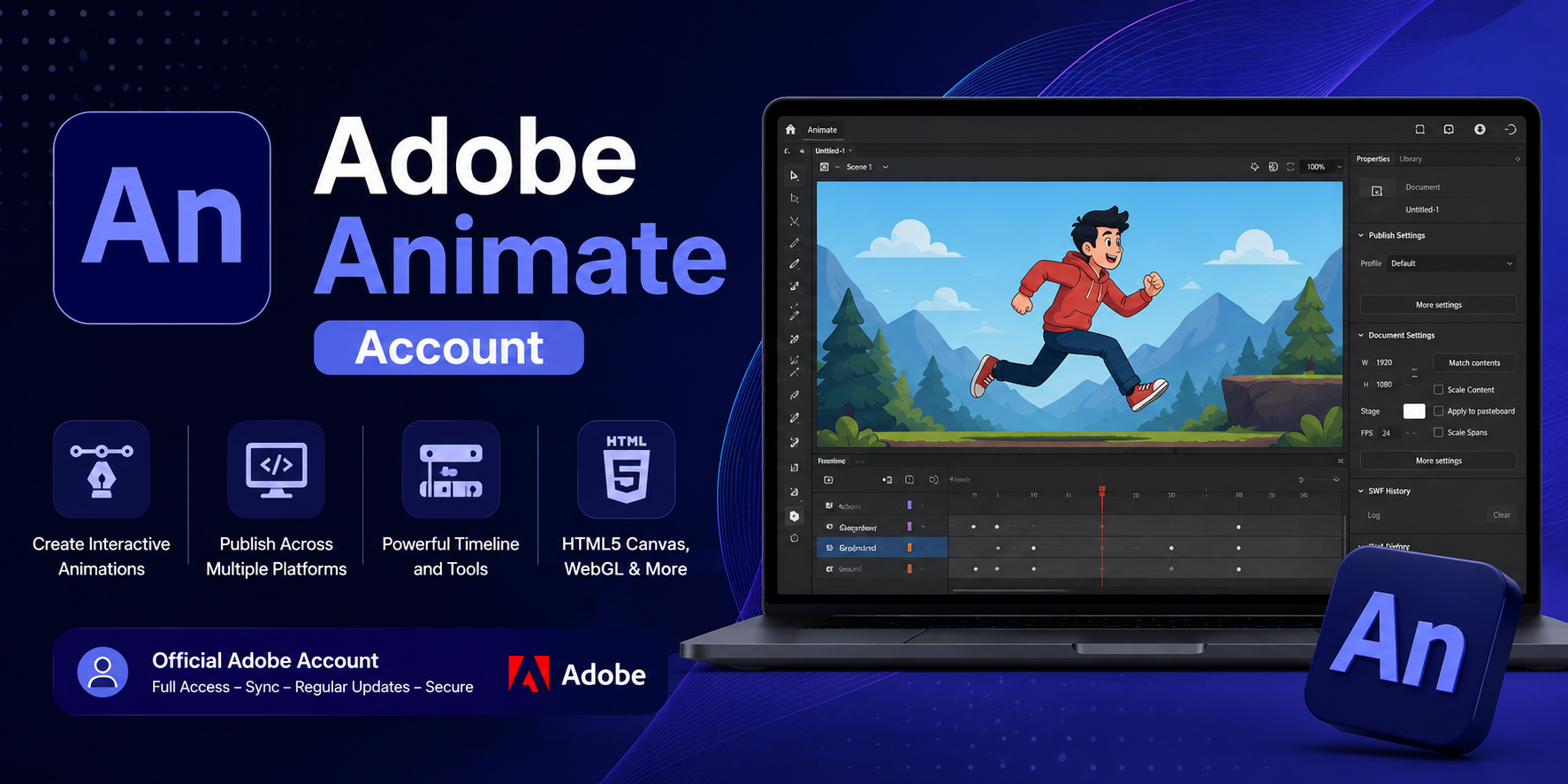
An Adobe Animate account is a powerful animation and interactive design software that allows users to create vibrant content, from 2D animation to interactive web graphics. It's the ideal tool for designers, filmmakers, and programmers who want to deliver engaging visual experiences to viewers.
1. What is Adobe Animate?
Adobe Animate is animation and multimedia design software developed by Adobe, for those who want to create professional animations. Unlike many traditional tools that focus on a specific area, Adobe Animate supports a wide range of formats from HTML5 and SVG to WebGL. This allows your product to be compatible with many different platforms, from web browsers and mobile applications to social media platforms. With Adobe Animate, you don't need to be a programming expert to build smooth and beautiful animations.
2. Why should you use a licensed Adobe Animate account?
A licensed Adobe Animate account offers many significant advantages over using unofficial software. First, it provides absolute stability and security during your work. With a licensed version, you receive regular updates, allowing you to experience all the latest features. Furthermore, licensed users benefit from direct technical support from Adobe, something that cracked or unofficial versions completely lack. Most importantly, using licensed software gives you peace of mind legally, avoiding unnecessary problems when working with large partners or participating in professional projects.
3. Differences between Adobe Animate and other tools
In today's market, there are many different animation design software programs, but Adobe Animate still maintains its unique position. Its biggest differentiator is its multi-platform publishing capability and tight integration with the Adobe ecosystem. While many software programs are only suitable for a specific format or purpose, Animate offers maximum flexibility, from designing for web browsers and mobile applications to social media platforms. Furthermore, its large user community and abundant learning resources make it easy to improve your skills using Animate.
4. The value of owning an Adobe Animate account for creators.
For graphic designers, owning an Adobe Animate account is a worthwhile investment. It helps professionalize your workflow, improve product quality, and expand collaboration opportunities. With Animate, you can not only create visually stunning products but also easily share and commercialize them across multiple platforms. This is why many freelancers, agencies, and large companies choose to use licensed Animate instead of other software.
5. Key features of Adobe Animate
Adobe Animate provides users with a comprehensive creative environment where every idea can be transformed into vibrant animation or diverse interactive content. With its modern toolset, the software is not only suitable for professional designers but also very user-friendly for beginners. Here are some notable features:
- Professional 2D animation creation : Use freehand drawing tools like Brush , Pencil , and Pen to design detailed characters and backgrounds . You can apply frame - by - frame animation or tweening to create smooth effects and save production time .
- Smart character design and rigging : Animate supports rigging , allowing you to attach a skeleton to your character , making it easy to control and customize movement , ideal for animation or game production .
- Create interactive web content : Easily design dynamic banners , user interfaces , and highly interactive web elements with HTML5 Canvas , WebGL , and ActionScript standards , ensuring compatibility across many modern browsers .
- 2D Game Development : Not limited to animation , Animate also supports ActionScript or JavaScript programming , allowing you to build simple 2D games and export them to mobile platforms quickly .
- Audio and video integration : You can insert audio , background music , voiceovers , and live video clips into your project to enhance the vibrancy and professionalism of your product .
- Designing animations for video insertion and broadcasting : Animate provides solutions for creating high - quality animations for advertising videos , television programs , or live broadcast projects with superior image accuracy .
- Rich content library : Possessing many ready - made character templates , backgrounds , and effects helps shorten design time while still ensuring individual creativity .
- Supports multiple publishing formats: Export your product as HTML5 , WebGL , animated GIF , MP4 video , or SVG for easy sharing on social media , websites , or integration into mobile applications .
- Synchronized with the Adobe ecosystem : Animate connects seamlessly with Photoshop , Illustrator , and After Effects , enabling easy import and export of resources and optimizing workflows .
- Virtual Camera tool : Provides the ability to create impressive camera movement such as zoom , pan , or tilt to add depth and emotion to your footage .
- Cloud storage integration : Supports saving and synchronizing projects across Adobe Creative Cloud , allowing you to work anytime , anywhere without worrying about data loss .
6. Applications of Adobe Animate software
Adobe Animate is not just a simple animation design tool; it's a powerful assistant that enhances visual and interactive experiences in many fields. With its ability to create smooth motion, support multiple formats, and user-friendly interface, Animate opens up a range of impressive practical applications:
- Animation and video advertising production : Easily create unique characters , settings , and motion effects for animations , TV commercials , advertising videos , or short clips for social media .
- Animated banner design : Create professional , dynamic , and optimized HTML5 banners for online advertising campaigns , capturing viewers ' attention at first glance .
- Create interactive and dynamic websites : Integrate dynamic logos , transition effects , interactive buttons , or mini - games directly onto the website , providing a unique experience and keeping users engaged for longer .
- Online education and training : Transform dry lectures into visually engaging and attractive content by incorporating animated images , effects , and lively sounds , helping learners absorb knowledge more easily .
- 2D Game Development : Supports the design of characters , backgrounds , and interactive elements to build simple 2D games for mobile or web platforms .
- Creating presentation and event content : Use Animate to build impressive intros , outros , and transition effects for seminars , exhibitions , and live events , making your product more professional .
7. Reliable Adobe Animate upgrade addresses
Choosing a reputable provider for Adobe Animate upgrades will give you peace of mind regarding quality, price, and support policies. Tong Kho Phan Mem is a reliable destination, offering users fast and professional solutions for licensed software.
- We provide licensed Adobe Animate accounts with full features and regular updates , ensuring stable performance .
- Competitive and transparent pricing helps you save costs while still using genuine software .
- Dedicated technical support from a team of experienced specialists helps to quickly resolve any issues that arise .
- The installation instructions are detailed and easy to understand , suitable even for those with little technological experience .
- We are committed to protecting customer information and data , ensuring safety throughout the service usage process .
8. Conclusion
Adobe Animate is a powerful and versatile tool, suitable for everyone from beginners to design professionals. Owning a licensed Adobe Animate account not only allows you to fully enjoy the software's features but also provides peace of mind, professionalism, and opportunities for creative career development. If you are looking for a solution to enter the world of animation design in a systematic and effective way, Adobe Animate is definitely a choice you shouldn't miss.
1. What is Adobe Animate?
Adobe Animate is animation and multimedia design software developed by Adobe, for those who want to create professional animations. Unlike many traditional tools that focus on a specific area, Adobe Animate supports a wide range of formats from HTML5 and SVG to WebGL. This allows your product to be compatible with many different platforms, from web browsers and mobile applications to social media platforms. With Adobe Animate, you don't need to be a programming expert to build smooth and beautiful animations.
2. Why should you use a licensed Adobe Animate account?
A licensed Adobe Animate account offers many significant advantages over using unofficial software. First, it provides absolute stability and security during your work. With a licensed version, you receive regular updates, allowing you to experience all the latest features. Furthermore, licensed users benefit from direct technical support from Adobe, something that cracked or unofficial versions completely lack. Most importantly, using licensed software gives you peace of mind legally, avoiding unnecessary problems when working with large partners or participating in professional projects.
3. Differences between Adobe Animate and other tools
In today's market, there are many different animation design software programs, but Adobe Animate still maintains its unique position. Its biggest differentiator is its multi-platform publishing capability and tight integration with the Adobe ecosystem. While many software programs are only suitable for a specific format or purpose, Animate offers maximum flexibility, from designing for web browsers and mobile applications to social media platforms. Furthermore, its large user community and abundant learning resources make it easy to improve your skills using Animate.
4. The value of owning an Adobe Animate account for creators.
For graphic designers, owning an Adobe Animate account is a worthwhile investment. It helps professionalize your workflow, improve product quality, and expand collaboration opportunities. With Animate, you can not only create visually stunning products but also easily share and commercialize them across multiple platforms. This is why many freelancers, agencies, and large companies choose to use licensed Animate instead of other software.
5. Key features of Adobe Animate
Adobe Animate provides users with a comprehensive creative environment where every idea can be transformed into vibrant animation or diverse interactive content. With its modern toolset, the software is not only suitable for professional designers but also very user-friendly for beginners. Here are some notable features:
- Professional 2D animation creation : Use freehand drawing tools like Brush , Pencil , and Pen to design detailed characters and backgrounds . You can apply frame - by - frame animation or tweening to create smooth effects and save production time .
- Smart character design and rigging : Animate supports rigging , allowing you to attach a skeleton to your character , making it easy to control and customize movement , ideal for animation or game production .
- Create interactive web content : Easily design dynamic banners , user interfaces , and highly interactive web elements with HTML5 Canvas , WebGL , and ActionScript standards , ensuring compatibility across many modern browsers .
- 2D Game Development : Not limited to animation , Animate also supports ActionScript or JavaScript programming , allowing you to build simple 2D games and export them to mobile platforms quickly .
- Audio and video integration : You can insert audio , background music , voiceovers , and live video clips into your project to enhance the vibrancy and professionalism of your product .
- Designing animations for video insertion and broadcasting : Animate provides solutions for creating high - quality animations for advertising videos , television programs , or live broadcast projects with superior image accuracy .
- Rich content library : Possessing many ready - made character templates , backgrounds , and effects helps shorten design time while still ensuring individual creativity .
- Supports multiple publishing formats: Export your product as HTML5 , WebGL , animated GIF , MP4 video , or SVG for easy sharing on social media , websites , or integration into mobile applications .
- Synchronized with the Adobe ecosystem : Animate connects seamlessly with Photoshop , Illustrator , and After Effects , enabling easy import and export of resources and optimizing workflows .
- Virtual Camera tool : Provides the ability to create impressive camera movement such as zoom , pan , or tilt to add depth and emotion to your footage .
- Cloud storage integration : Supports saving and synchronizing projects across Adobe Creative Cloud , allowing you to work anytime , anywhere without worrying about data loss .
6. Applications of Adobe Animate software
Adobe Animate is not just a simple animation design tool; it's a powerful assistant that enhances visual and interactive experiences in many fields. With its ability to create smooth motion, support multiple formats, and user-friendly interface, Animate opens up a range of impressive practical applications:
- Animation and video advertising production : Easily create unique characters , settings , and motion effects for animations , TV commercials , advertising videos , or short clips for social media .
- Animated banner design : Create professional , dynamic , and optimized HTML5 banners for online advertising campaigns , capturing viewers ' attention at first glance .
- Create interactive and dynamic websites : Integrate dynamic logos , transition effects , interactive buttons , or mini - games directly onto the website , providing a unique experience and keeping users engaged for longer .
- Online education and training : Transform dry lectures into visually engaging and attractive content by incorporating animated images , effects , and lively sounds , helping learners absorb knowledge more easily .
- 2D Game Development : Supports the design of characters , backgrounds , and interactive elements to build simple 2D games for mobile or web platforms .
- Creating presentation and event content : Use Animate to build impressive intros , outros , and transition effects for seminars , exhibitions , and live events , making your product more professional .
7. Reliable Adobe Animate upgrade addresses
Choosing a reputable provider for Adobe Animate upgrades will give you peace of mind regarding quality, price, and support policies. Tong Kho Phan Mem is a reliable destination, offering users fast and professional solutions for licensed software.
- We provide licensed Adobe Animate accounts with full features and regular updates , ensuring stable performance .
- Competitive and transparent pricing helps you save costs while still using genuine software .
- Dedicated technical support from a team of experienced specialists helps to quickly resolve any issues that arise .
- The installation instructions are detailed and easy to understand , suitable even for those with little technological experience .
- We are committed to protecting customer information and data , ensuring safety throughout the service usage process .
8. Conclusion
Adobe Animate is a powerful and versatile tool, suitable for everyone from beginners to design professionals. Owning a licensed Adobe Animate account not only allows you to fully enjoy the software's features but also provides peace of mind, professionalism, and opportunities for creative career development. If you are looking for a solution to enter the world of animation design in a systematic and effective way, Adobe Animate is definitely a choice you shouldn't miss.





















VIP Products








Best Selling Products
Adobe Photoshop Copyright - Full App
120 USD
Genuine Cheap Canva Pro
39 USD
Freepik Premium Account
59 USD
Upgrade Duolingo Super
29 USD
Adobe Premiere Pro Account
99 USD
Autodesk All App Account Copyright
120 USD
MidJourney Account
29 USD
Upgrade Genuine Office 365
49 USD
Capcut Pro 1 Year
39 USD
Windows 10 & 11 Pro Key
36 USD
Copyright Adobe Lightroom Account
59 USD
Genuine Adobe Illustrator account
99 USD
Plugin Retouch4me
69 USD
Upgrade genuine Capture One account
120 USD
ChatGPT Plus Account (GPT-4)
16 USD