Best Selling Products

Adobe Photoshop Copyright - Full App
120 USD

Copyright Adobe Lightroom Account
59 USD

Upgrade genuine Capture One account
120 USD

Windows 10 & 11 Pro Key
36 USD

Genuine Adobe Illustrator account
99 USD

Freepik Premium Account
59 USD

ChatGPT Plus Account (GPT-4)
16 USD

Autodesk All App Account Copyright
120 USD

Upgrade Duolingo Super
29 USD

Plugin Retouch4me
69 USD

Adobe Premiere Pro Account
99 USD

Capcut Pro 1 Year
39 USD

MidJourney Account
29 USD

Genuine Cheap Canva Pro
39 USD

Upgrade Genuine Office 365
49 USD
Benefits of Using a Licensed Version of Photoshop 2025 Instead of a Free Version
Nội dung
- 1. What is a licensed version of Photoshop 2025?
- 2. System requirements for installing and using a licensed version of Photoshop 2025.
- 3. Key features of Photoshop 2025
- 3.1 Improved Remove Tool
- 3.2 Generating Workspace and Advanced Generating Images
- 3.3 Harmonization
- 3.4 Generating Resolution (Generative Expand)
- 3.5 Variable Value Support
- 3.6 Superior performance and security
- 4. Comparison between licensed Photoshop 2025 and previous versions
- 5. Where can I get a cheap Photoshop 2025 license upgrade?
- 6. Conclusion
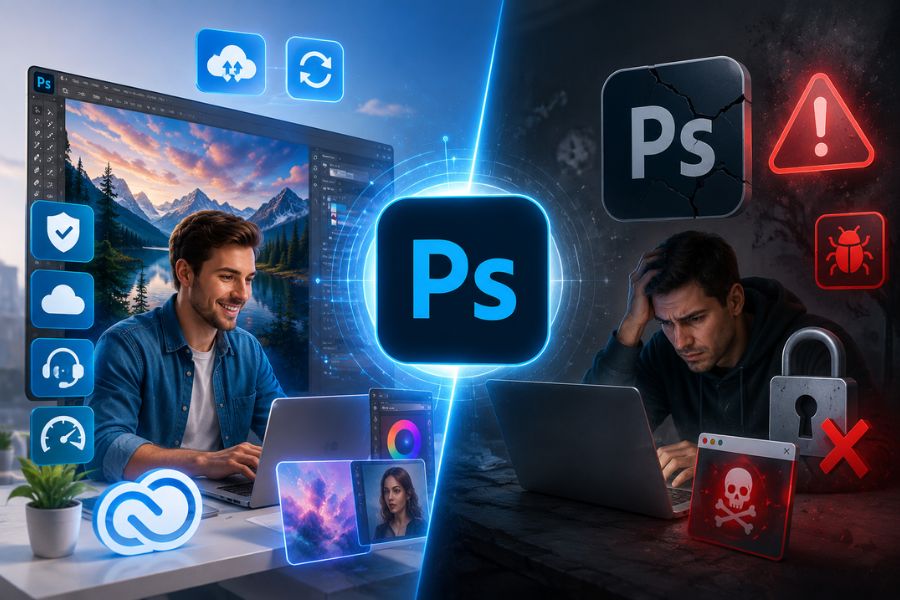
In fact, using a licensed version of Photoshop 2025 not only gives users full access to the latest features but also ensures stability, data security, and superior performance.
1. What is a licensed version of Photoshop 2025?
Photoshop 2025 licensed version is the official version of the popular photo editing and graphic design software released by Adobe, legally registered and used by users through Adobe's subscription package. Owning a licensed version allows users to access all the latest features, receive regular updates, and utilize Adobe's powerful creative ecosystem without the limitations often found in free versions or unofficial software.
The highlight of the licensed version of Photoshop 2025 lies in its integration of a range of advanced AI technologies, enabling faster, more accurate photo editing and significantly saving working time. In addition, users can synchronize data across multiple devices, securely store it in the cloud, and receive direct technical support from Adobe when needed. This is a suitable choice for both beginners and professional designers who want to fully utilize the power of the world's leading photo editing software.
2. System requirements for installing and using a licensed version of Photoshop 2025.
To fully utilize the power of a licensed version of Photoshop 2025 , users should equip themselves with a sufficiently powerful computer configuration to ensure smooth photo editing, graphic design, and AI feature usage. A system that meets hardware requirements not only ensures stable software operation but also shortens processing time, increases work efficiency, and provides a more professional creative experience.
-
Operating system: Windows 11 (64-bit) or macOS 13 Ventura or later.
-
Processor (CPU): Intel Core i7 or AMD Ryzen 7 (or equivalent), supporting 64-bit architecture.
-
RAM: A minimum of 16 GB is required to handle large image files and multitask efficiently.
-
Graphics card (GPU): The GPU must have at least 4 GB of VRAM, support DirectX 12 and OpenGL 4.1 or higher (e.g., NVIDIA GeForce GTX 1660 or AMD Radeon RX 580).
-
Storage capacity: A minimum of 10 GB of free space is required, preferably a high-speed SSD for faster boot times and data processing.
-
Display: Full HD (1920 x 1080) resolution or higher, supporting a wide color gamut such as sRGB or AdobeRGB for more accurate color reproduction.
3. Key features of Photoshop 2025
3.1 Improved Remove Tool
One of the notable upgrades in the licensed version of Photoshop 2025 is the new generation Remove Tool. Thanks to the power of AI, users can quickly remove people, objects, or unwanted details from photos with just a few simple steps. This tool also effectively handles complex details such as wires, cables, or objects obstructing the frame, making the photo cleaner and more professional without requiring extensive manual editing.
3.2 Generating Workspace and Advanced Generating Images
The licensed version of Photoshop 2025 integrates Generative Workspace and the latest Adobe Firefly technology, allowing users to create images or design elements entirely using text commands. This feature unlocks unlimited creative possibilities, helping designers quickly realize their ideas, save time searching for resources, and create highly realistic products in just seconds.
3.3 Harmonization
The Harmonization feature makes image merging look more natural than ever. When adding a new object to the frame, Photoshop 2025 automatically analyzes the surrounding environment to adjust the color, lighting, and shadows to match the original image. As a result, the final product has a high degree of realism, minimizing the unnatural look of the merged image.
3.4 Generating Resolution (Generative Expand)
Generative Expand is a powerful tool for those who want to expand the frame or change the aspect ratio of an image while maintaining image quality. With AI support, licensed Photoshop 2025 can automatically add details that match the existing content, allowing the expansion to blend naturally and seamlessly as if it were an inherent part of the image.
3.5 Variable Value Support
The Variable feature offers an optimal solution for projects requiring multiple design versions. With just one initial template, users can change content, images, or information according to individual variables to create a series of products in a short time. This is a particularly useful tool for marketers, advertising designers, and businesses that frequently launch large-scale campaigns.
3.6 Superior performance and security
When using a licensed version of Photoshop 2025 , users gain access to Adobe's rich creative ecosystem, including Adobe Fonts and Adobe Stock with millions of high-quality resources. Furthermore, the licensed version receives regular security patches, bug fixes, and performance optimizations, ensuring stable software operation, data security, and maximizing the power of modern hardware.

4. Comparison between licensed Photoshop 2025 and previous versions
The difference between the licensed version of Photoshop 2025 and previous versions lies not only in the addition of new features but also in how Adobe applies artificial intelligence to the entire image editing process. While older versions focused on traditional editing tools, Photoshop 2025 aims for automation, optimized performance, and an enhanced creative experience. This significantly saves users time and allows them to create high-quality products with less effort.
| Criteria | Previous versions of Photoshop | Photoshop 2025 licensed version |
| AI technology | AI support is at a basic level, mainly in some image selection and editing tools. | Integrate next-generation Adobe Firefly with powerful AI-powered image creation, enlargement, and editing capabilities. |
| Remove Tool | Deleting objects manually requires many fine-tuning steps. | Automatically detect and quickly remove people, objects, wires, or unwanted details. |
| Create images using text | No or limited support available. | Create highly realistic images directly from text commands. |
| Harmonization | Adjust color and brightness manually. | Automatically balances color, light, and shadows to blend seamlessly with the original image. |
| Generative Expand | No support or limited operation | Expand your image with AI for seamless and natural detail. |
| Work process | It relies heavily on manual operation. | Automating many processes with AI. |
| Processing speed | Slower when working with large files. | Optimized for faster and more stable processing. |
| Hardware support | Utilizing the GPU at a basic level | Optimized performance on next-generation CPUs and GPUs. |
| Data synchronization | Support is available, but it's limited. | Seamless project and cloud data synchronization. |
| Adobe Fonts & Adobe Stock | Basic access | Quick access to a rich library of creative resources. |
| Security and updates | You won't receive all the patches if you're using an older version. | Continuous updates, bug fixes, and regular security enhancements. |
| Collaboration capabilities | Project sharing is limited. | Supporting more effective teamwork and collaboration. |
| User experience | The interface is familiar but lacks innovation. | Modern interface, optimized creative workflow. |
| Suitable candidates | Basic users and traditional photo editing | Professional designers, marketers, photographers, and content creators. |
5. Where can I get a cheap Photoshop 2025 license upgrade?
If you're looking for a reputable place to upgrade to a licensed version of Photoshop 2025 at a reasonable cost, AppVip.ai is a trusted choice for many individuals, designers, marketers, and businesses. Aiming to provide users with access to genuine, licensed software at optimal prices, AppVip.ai offers flexible service packages to suit various needs. The quick registration process, dedicated support, and transparent commitment make it easy for customers to obtain a licensed version of Photoshop without complicated procedures.
When upgrading to a licensed version of Photoshop 2025 at AppVip.ai , users can enjoy all the latest features from Adobe, including Adobe Firefly AI technology, Generative Fill, Generative Expand, along with continuous updates and security. In addition, our support team is always ready to advise you throughout the usage process, helping customers maximize the software's power. This is the ideal solution for those who want to use a stable, secure, and cost-effective licensed version of Photoshop for the long term.
6. Conclusion
Choosing a licensed version of Photoshop 2025 instead of free or cracked versions offers many practical benefits. Users not only get to experience the full range of advanced AI technologies and continuous feature updates, but also benefit from data protection, stable performance, and official support from Adobe. For professional designers, marketers, photographers, and content creators, this solution helps improve work quality and optimize project processing time. In the long term, the investment in a licensed version of Photoshop is entirely worthwhile for the value the software provides. If you are looking for a professional, secure, and always up-to-date photo editing tool, a licensed version of Photoshop 2025 is a worthwhile option.





















VIP Products








Best Selling Products
Adobe Photoshop Copyright - Full App
120 USD
Copyright Adobe Lightroom Account
59 USD
Upgrade genuine Capture One account
120 USD
Windows 10 & 11 Pro Key
36 USD
Genuine Adobe Illustrator account
99 USD
Freepik Premium Account
59 USD
ChatGPT Plus Account (GPT-4)
16 USD
Autodesk All App Account Copyright
120 USD
Upgrade Duolingo Super
29 USD
Plugin Retouch4me
69 USD
Adobe Premiere Pro Account
99 USD
Capcut Pro 1 Year
39 USD
MidJourney Account
29 USD
Genuine Cheap Canva Pro
39 USD
Upgrade Genuine Office 365
49 USD