Best Selling Products

Genuine Cheap Canva Pro
39 USD

Adobe Premiere Pro Account
99 USD

ChatGPT Plus Account (GPT-4)
16 USD

Upgrade Duolingo Super
29 USD

Upgrade Genuine Office 365
49 USD

Upgrade genuine Capture One account
120 USD

Adobe Photoshop Copyright - Full App
120 USD

Plugin Retouch4me
69 USD

Copyright Adobe Lightroom Account
59 USD

MidJourney Account
29 USD

Autodesk All App Account Copyright
120 USD

Capcut Pro 1 Year
39 USD

Freepik Premium Account
59 USD

Windows 10 & 11 Pro Key
36 USD

Genuine Adobe Illustrator account
99 USD
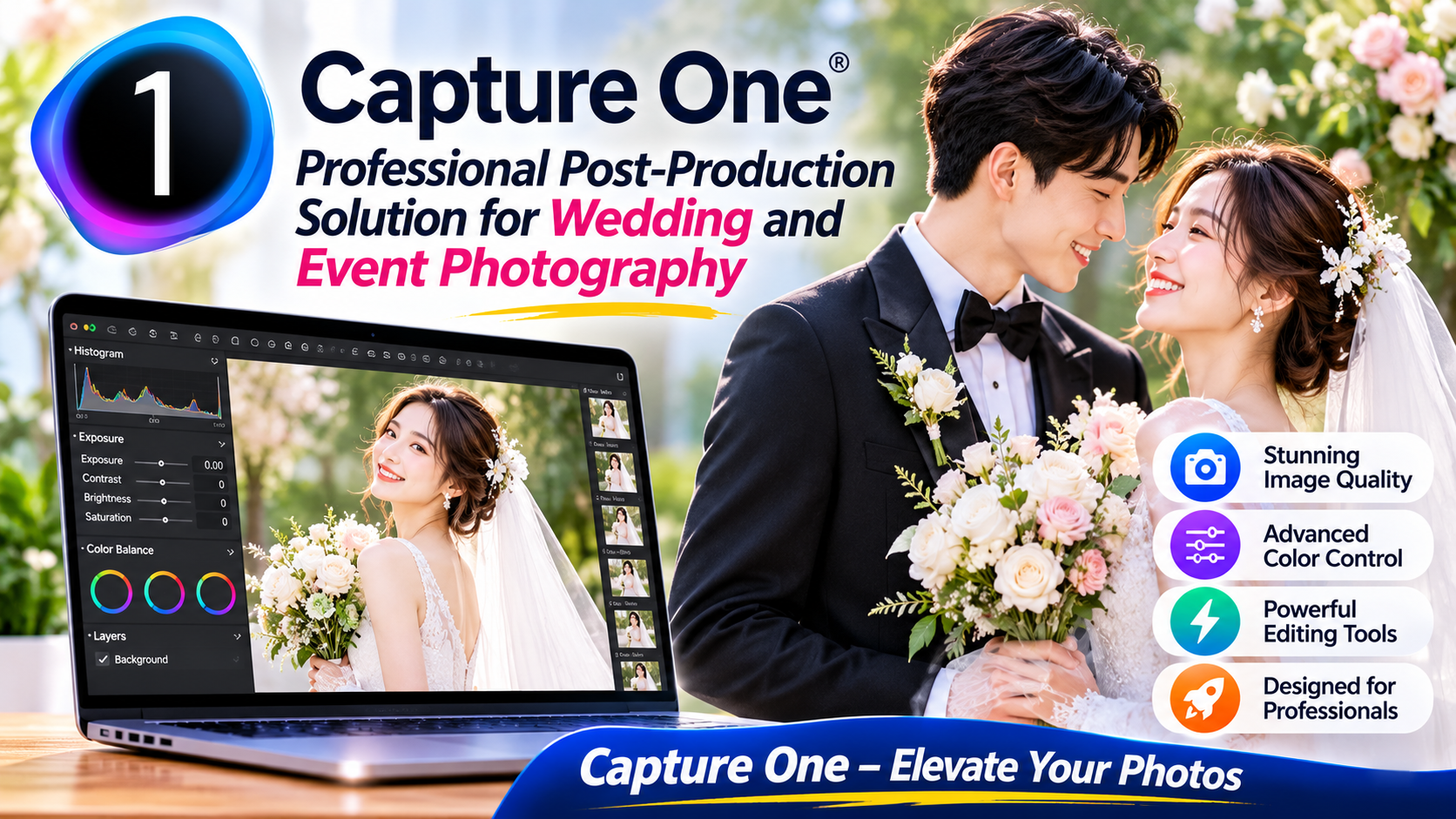
Capture One: Professional Post-Production Solution for Wedding and Event Photography
Nội dung
- 1. Key features of Capture One for wedding and event photography
- 1.1. Quickly select and categorize images
- 1.2. Synchronize color and editing style across the entire album.
- 1.3. Reduce noise and retain detail in low-light conditions.
- 1.4. Retouch portraits of the bride, groom, and guests.
- 1.5. Skin tone control under various lighting conditions
- 1.6. Optimize editing speed with keyboard shortcuts and batch processing tools.
- 1.7. Data management and organization of scientific image collections
- 1.8. Flexible image output and on-time product delivery.
- 2. Conclusion
This section introduces how Capture One helps wedding and event photographers process images, synchronize colors, reduce noise, retouch portraits, and optimize the delivery process.
1. Key features of Capture One for wedding and event photography
1.1. Quickly select and categorize images
Capture One supports the image selection process with tools such as Face Focus, Group Overview, star ratings, color tags, and image filters. These tools help users check facial sharpness, compare similar frames, and categorize images according to their own criteria.
For example, when photographing a wedding, the photographer may need to choose between multiple photos capturing the same moment of exchanging rings. Checking the expression, sharpness, and composition helps determine the most suitable frame to include in the album. For large events, the ability to quickly review photos also significantly saves initial processing time.
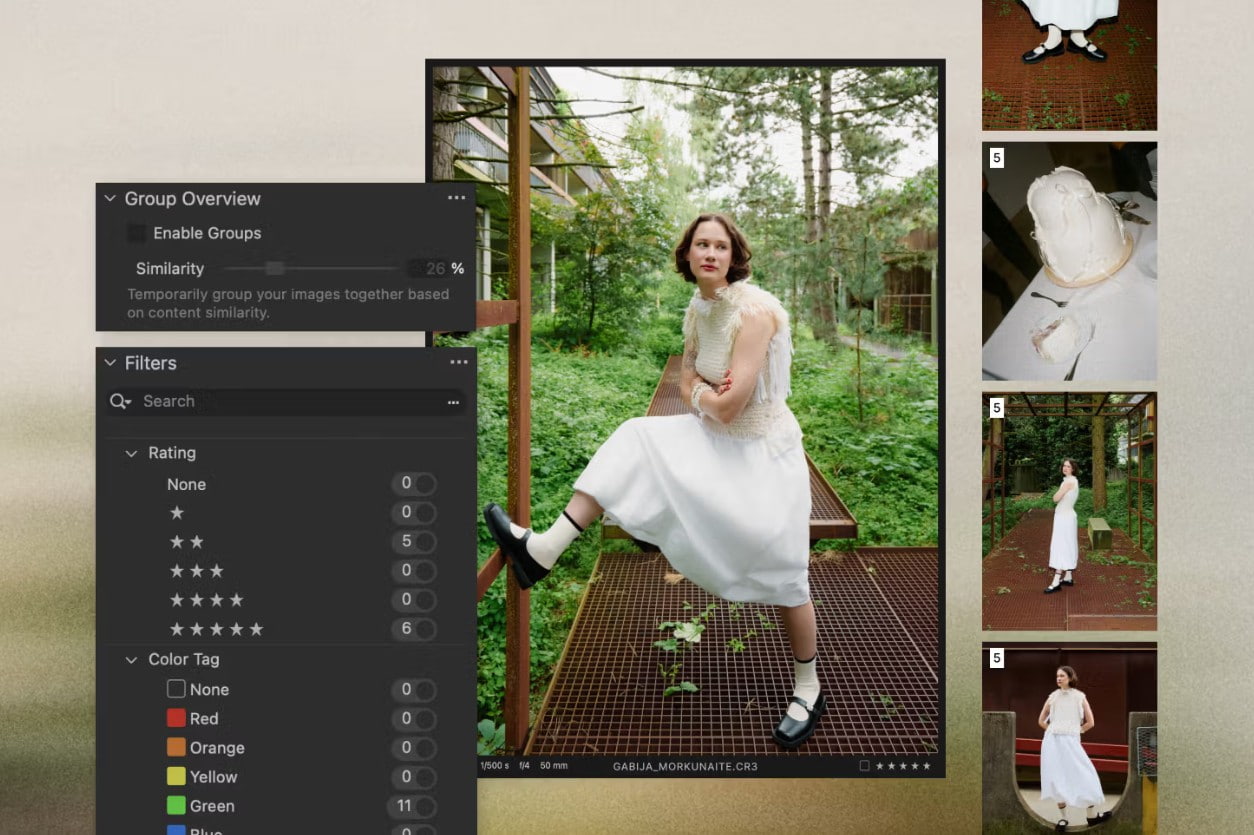
By organizing the image selection process scientifically, users can focus resources on the images that actually need editing, instead of spending too much time processing entire image files manually.
1.2. Synchronize color and editing style across the entire album.
Capture One allows users to apply editing settings to multiple images, helping to maintain a consistent color style throughout the photo set. After perfecting a representative frame, the photographer can copy and apply the appropriate adjustments to other images, then fine-tune each one individually as needed.
For example, with an outdoor wedding album, users can create a warm, gentle color tone to highlight the romantic atmosphere. Meanwhile, indoor wedding photos may require adjustments to white balance and contrast to suit the stage lighting.
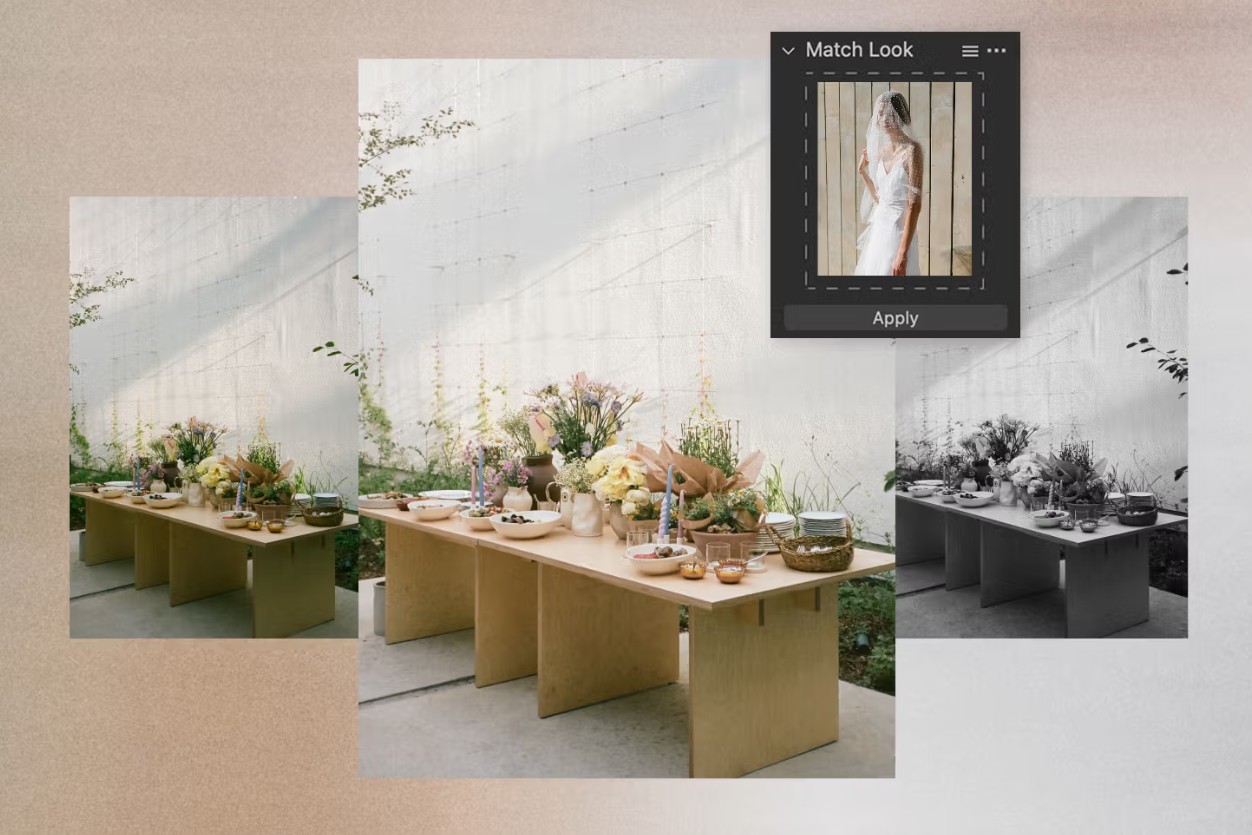
It's crucial not to apply the same settings mechanically to all photos. Each frame still needs to be checked to ensure the colors match the lighting conditions and the characteristics of the subject. A combination of batch editing and selective fine-tuning enhances consistency without losing the uniqueness of each moment.
1.3. Reduce noise and retain detail in low-light conditions.
Capture One offers an Enhanced Denoise tool to reduce noise in supported RAW files, while preserving skin texture and fine details. This is a useful solution when processing photos taken in low light conditions, especially for capturing the emotions of the bride, groom, and guests.
For example, in an evening wedding, a photographer might need to retain the warm lighting on faces while minimizing noise in the dark background. Proper noise reduction results in a cleaner image without sacrificing the realism of the setting.
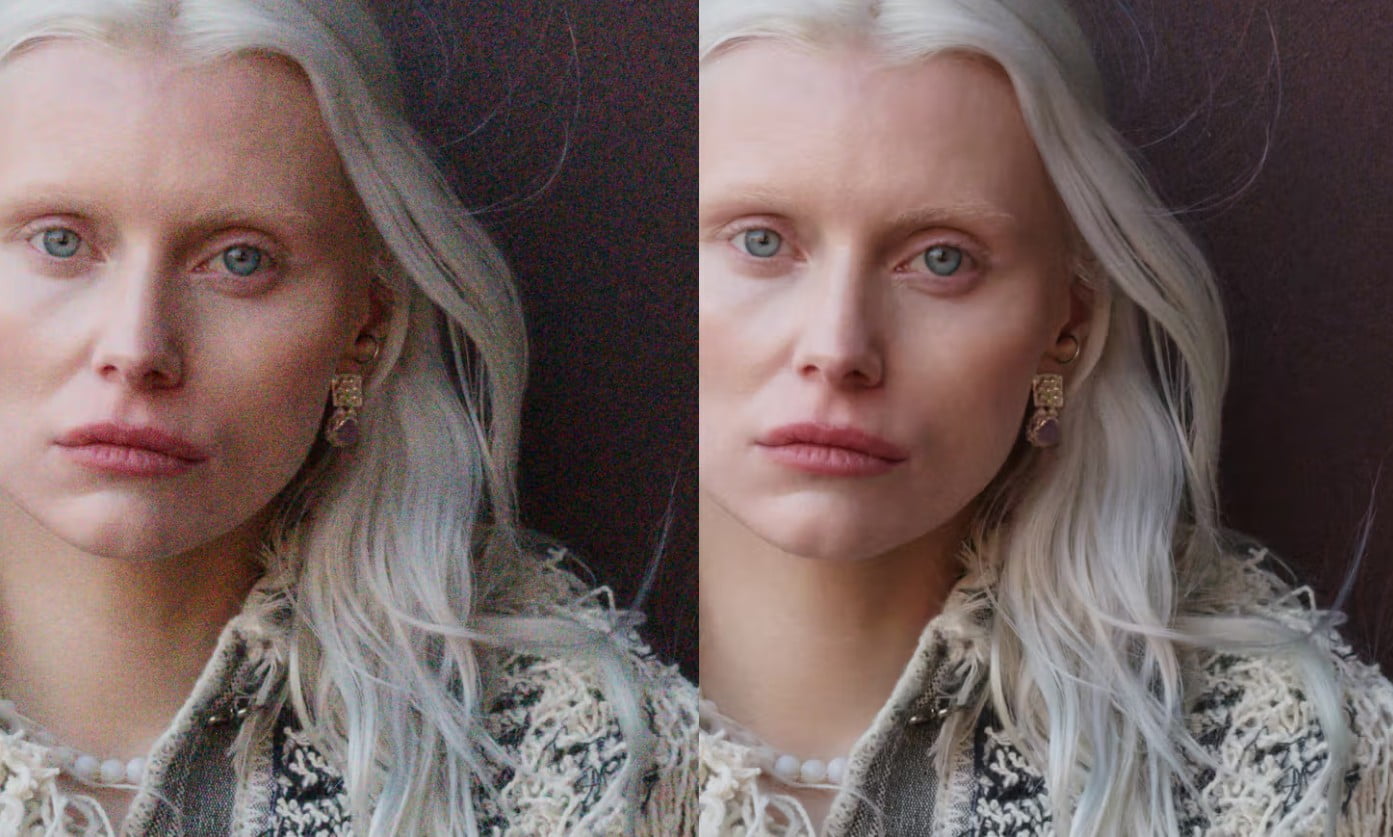
Note that Enhanced Denoise has compatibility requirements regarding image format and sensor type. Users should check image file compatibility before applying this tool.
1.4. Retouch portraits of the bride, groom, and guests.
Capture One provides facial retouching tools that help users address skin imperfections, reduce dark circles under the eyes, balance skin tone, and refine details such as eyes and teeth. These adjustments can help the face look fresher while maintaining natural features.
For bridal photos, controlling skin tone and maintaining makeup texture are top priorities. For groom or guest photos, post-production should focus on necessary adjustments, avoiding drastic changes to the original appearance.
A key principle in wedding photo retouching is preserving the subjects' genuine emotions. Skin doesn't need to be completely flawless; instead, the image needs a balance between aesthetics and authenticity. Using appropriate editing tools, the photographer can enhance the image quality without making the faces appear artificial.
1.5. Skin tone control under various lighting conditions
Capture One supports color and skin tone adjustments to help create more harmonious images. Users can process areas of discolored skin, balance color tones, and create uniformity across frames.
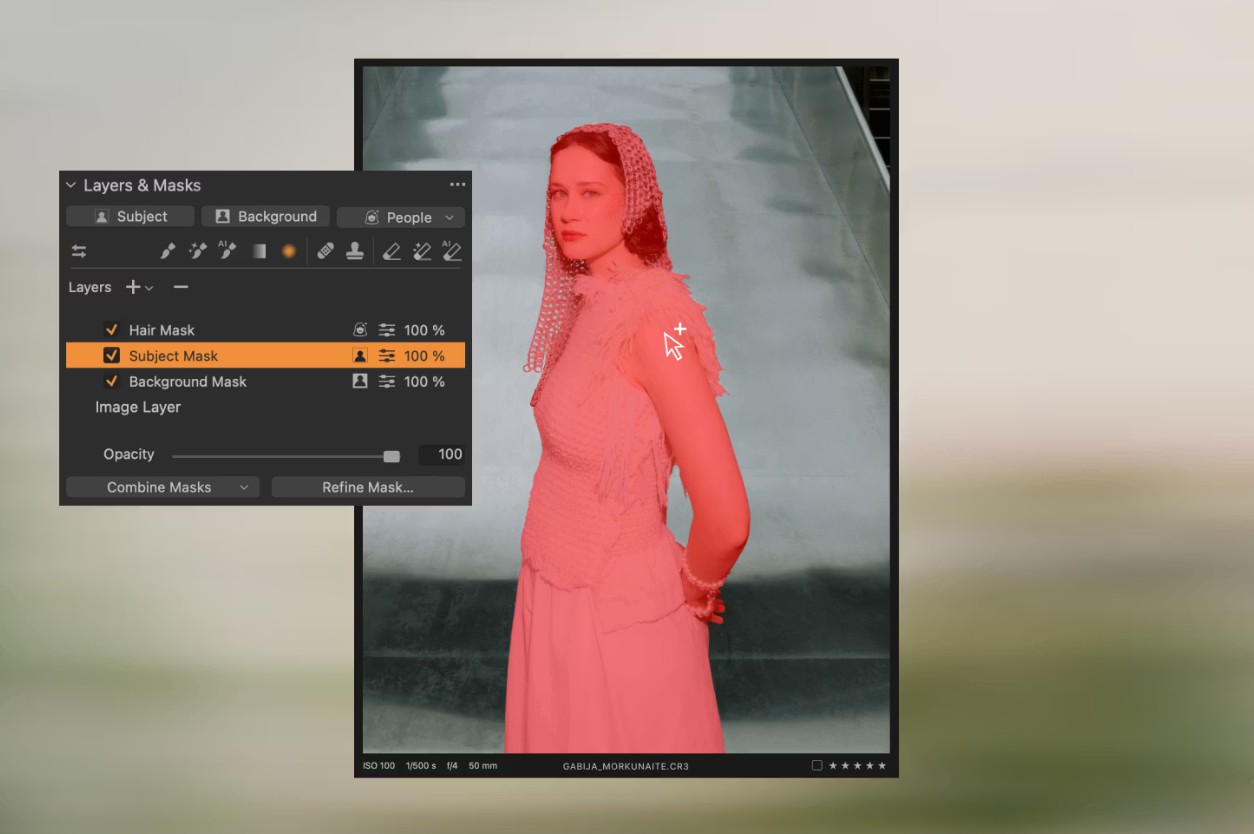
For example, outdoor photos taken during prime time often have a natural, warm tone, while photos taken in a banquet hall may be affected by yellow lighting or mixed lighting. Without careful control, the skin tone of the same person can vary significantly between photos.
By deliberately checking and fine-tuning the colors, photographers can create a more consistent album while preserving the unique lighting characteristics of each scene. This is crucial for studios looking to develop their own post-production style and maintain consistent quality across projects.
1.6. Optimize editing speed with keyboard shortcuts and batch processing tools.
Capture One supports a fast editing workflow through keyboard shortcuts, intuitive manipulation tools, and the ability to apply settings to multiple images. Users can build a repeatable workflow, such as selecting images, white balance, exposure adjustment, color correction, and exporting images.
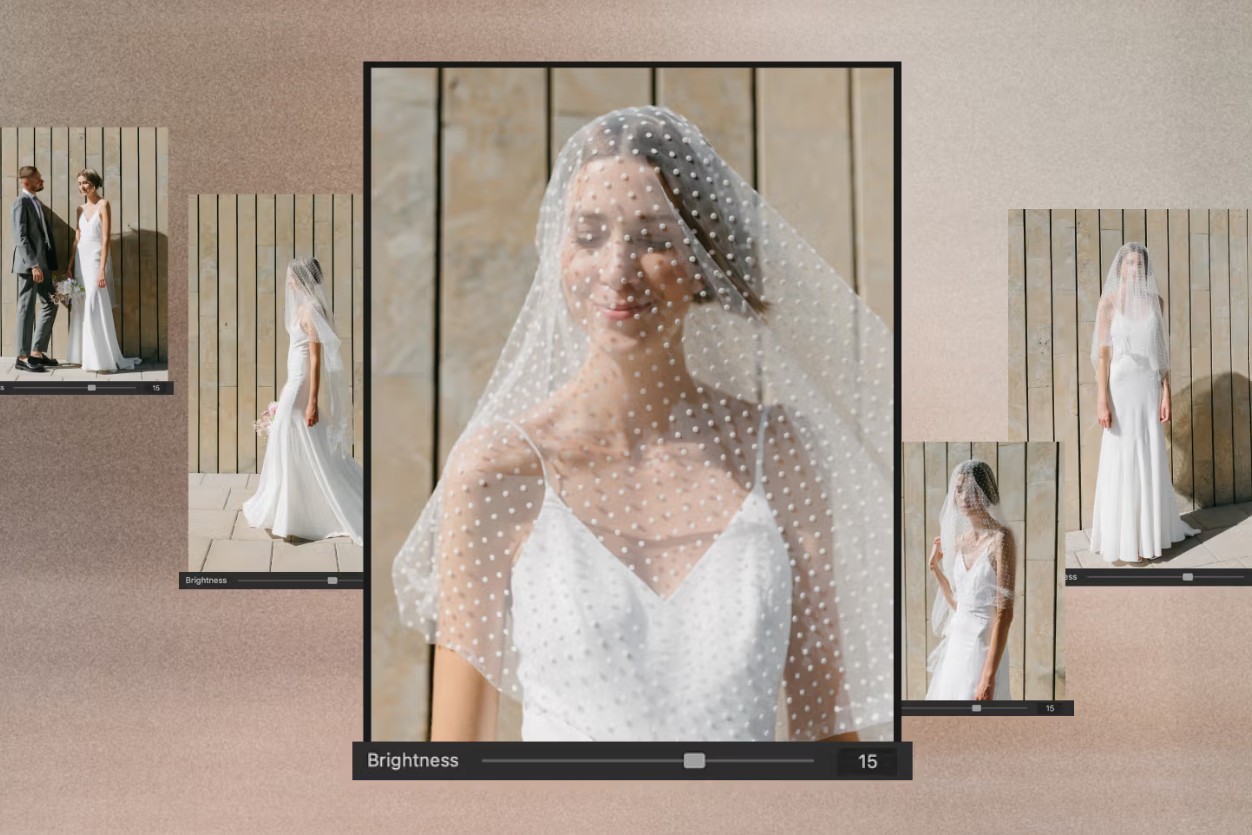
After determining the editing style for a group of photos, the photographer can apply the corresponding settings to images taken under similar conditions. Reviewing each image afterward helps identify cases requiring specific adjustments.
This approach is particularly well-suited for studios that need to handle multiple weddings or events in a short period of time. When the process is standardized, the post-production team can reduce repetitive tasks, allocate time more efficiently, and be more proactive in meeting deadlines.
1.7. Data management and organization of scientific image collections
Capture One supports organizing images into content groups such as preparation, ceremony, wedding reception, or portraits. Users can combine keywords, star ratings, and color tags to quickly identify important images.
For example, when a client requests to add family photos or retrieve a specific moment from an event, categorizing the data from the outset will help shorten search time. Organizational methods like Sessions and Catalogs also allow users to choose a management approach that suits the project size and workflow.
Additionally, Capture One supports copying images to a second storage location during the import process. This is a useful measure to enhance data security, although users should still maintain independent backup procedures and check file integrity.

1.8. Flexible image output and on-time product delivery.
Capture One supports exporting multiple versions of images with different settings within the same process. Users can prepare full-resolution files, web preview images, and cropped versions for online platforms.
Besides saving time, this method also helps reduce errors when manually exporting images multiple times. However, photographers need to carefully check the size, format, compression quality, and color space requirements of the printing company or platform being used.
By combining a standardized image output process with consistent naming and storage methods, studios can deliver more professional-looking results, while also making it easier for clients to find or reuse images.
2. Conclusion
In wedding and event photography, product quality is determined not only by the moments captured but also by how the images are selected, edited, and delivered. As the volume of photos increases and deadlines become tighter, establishing a scientific post-production process becomes crucial for professional photographers and studios.
With tools for image selection, color synchronization, noise reduction, portrait retouching, data management, and exporting in multiple formats, Capture One assists users in handling critical stages of post-production. The software is particularly useful when maintaining consistency across multiple frames, optimizing repetitive tasks, and meeting deadlines.
However, technology is only effective when combined with aesthetic sense and a proper workflow. Photographers still need to check each image, maintain natural skin tones, choose appropriate levels of editing, and carefully back up their data.
SaDesign hopes this article has helped you better understand the features of Capture One in wedding and event photography. If you are looking for solutions to improve image quality and optimize post-processing, you can learn more about the software, experiment with suitable tools, and build an editing workflow that meets your actual needs. Continue following SaDesign for more knowledge, guides, and useful solutions in the field of professional photography, design, and image creation.





















VIP Products








Best Selling Products
Genuine Cheap Canva Pro
39 USD
Adobe Premiere Pro Account
99 USD
ChatGPT Plus Account (GPT-4)
16 USD
Upgrade Duolingo Super
29 USD
Upgrade Genuine Office 365
49 USD
Upgrade genuine Capture One account
120 USD
Adobe Photoshop Copyright - Full App
120 USD
Plugin Retouch4me
69 USD
Copyright Adobe Lightroom Account
59 USD
MidJourney Account
29 USD
Autodesk All App Account Copyright
120 USD
Capcut Pro 1 Year
39 USD
Freepik Premium Account
59 USD
Windows 10 & 11 Pro Key
36 USD
Genuine Adobe Illustrator account
99 USD