Best Selling Products

Capcut Pro 1 Year
39 USD

Genuine Cheap Canva Pro
39 USD

Adobe Photoshop Copyright - Full App
120 USD

Upgrade genuine Capture One account
120 USD

Plugin Retouch4me
69 USD

Upgrade Genuine Office 365
49 USD

Genuine Adobe Illustrator account
99 USD

Upgrade Duolingo Super
29 USD

Freepik Premium Account
59 USD

Autodesk All App Account Copyright
120 USD

ChatGPT Plus Account (GPT-4)
16 USD

MidJourney Account
29 USD

Adobe Premiere Pro Account
99 USD

Windows 10 & 11 Pro Key
36 USD

Copyright Adobe Lightroom Account
59 USD
Color correction for photos helps improve image quality.
Nội dung
- 1. What is Color Correction for Photos?
- 2. Why is it important to adjust the colors of photos to look good?
- 2.1 Improving Image Quality
- 2.2 Creating Visual Focal Points
- 2.3 Conveying Emotions
- 2.4 Marketing and Sales Support
- 2.5 Building a Personal Brand
- 3. Important Principles for Beautiful Color Correction in Photos
- 3.1 Prioritize Natural Colors
- 3.2 Light Balance
- 3.3 Preserving Image Details
- 3.4 Style Consistency
- 4. Currently Popular Color Shades
- 4.1 Vintage Color Tones
- 4.2 Korean Color Tones
- 4.3 Cinematic Color Tones
- 4.4 Orange-Blue Tones
- 4.5 Moody Dark Tones
- 5. Guide to Beautiful Color Correction for Photos, From Basic to Advanced
- 5.1 Adjusting Brightness
- 5.2 Increase Contrast
- 5.3 Adjusting White Balance
- 5.4 Increasing Saturation
- 5.5 Adjusting HSL
- 5.6 Applying Color Filters
- 6. Common Mistakes When Adjusting Photo Colors for a Beautiful Look
- 7. Effective Color Correction Tools for Beautiful Photos
- 7.1 Adobe Lightroom
- 7.2 Adobe Photoshop
- 7.3 Snapseed
- 7.4 Canva
- 7.5 CapCut
- 8. Introducing Appvip.ai, a web application that supports photo color correction using AI.
- 9. Tips for Adjusting Colors to Make Your Photos Look More Professional
- 9.1 Take High-Quality Original Photos
- 9.2 Using RAW Files
- 9.3 Learning How to Analyze Color
- 9.4 Referencing Styles from Photographers
- 9.5 Creating Your Own Presets
- 10. Future Trends in AI-Based Photo Color Correction
- 11. Factors Affecting the Effectiveness of Photo Color Correction
- 11.1 Original Image Quality
- 11.2 Lighting Conditions When Shooting
- 11.3 Camera Equipment
- 11.4 Experience and Aesthetic Taste
- 11.5 Editing Tools Used
- 12. Conclusion
Discover how to beautifully adjust the colors in your photos to enhance image quality, create a professional look, and attract viewers. Detailed instructions from basic to advanced levels for all levels.
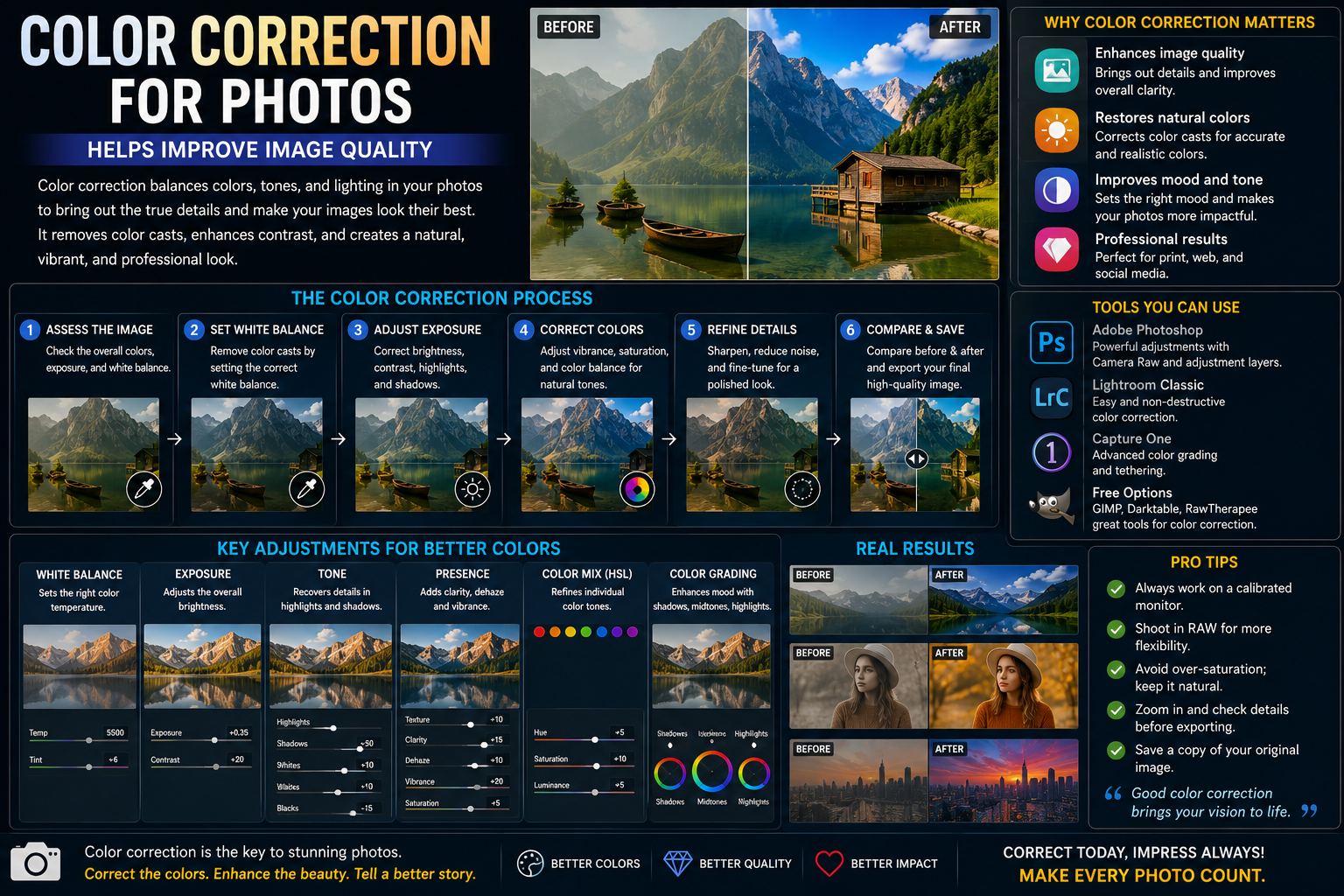
1. What is Color Correction for Photos?
Color correction for photos is the process of adjusting the color elements in an image to improve harmony, enhance aesthetics, and convey the desired emotion.
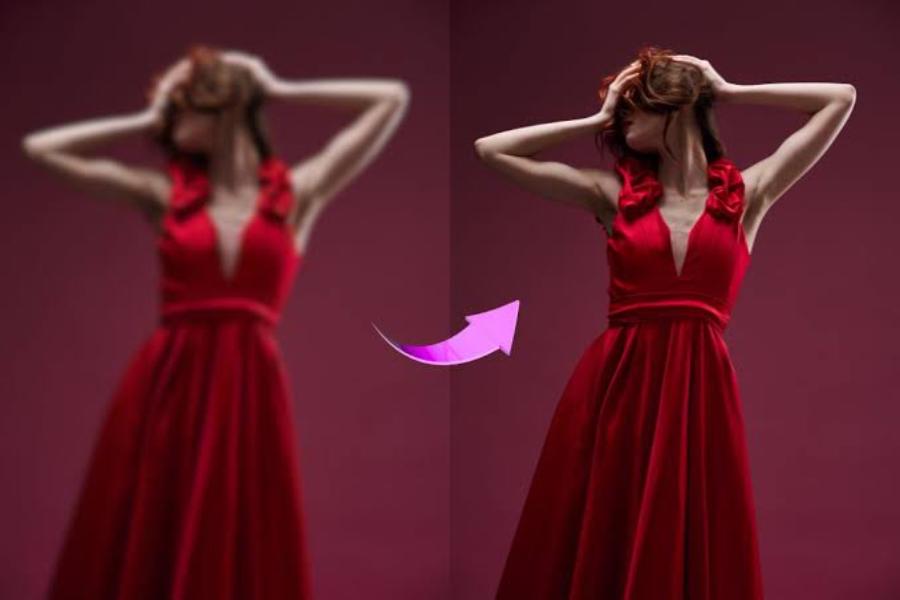
Through photo editing tools, users can change:
-
Brightness
-
Contrast
-
Color saturation
-
Color temperature
-
Hue color tone
-
Light and dark areas
-
The unique color of each object
This process helps to make the photos more vibrant, professional, and suitable for their intended purpose.
2. Why is it important to adjust the colors of photos to look good?
Color is one of the most important factors determining the appeal of an image. Even if taken with modern equipment or with a beautiful composition, a photograph can still be lackluster if the colors lack harmony or fail to convey the desired emotion.
2.1 Improving Image Quality
Many photos taken in less-than-ideal lighting conditions often appear dark, washed out, or have inaccurate colors. Color correction effectively addresses these issues.
2.2 Creating Visual Focal Points
Color is the first thing that catches the eye. A photograph with vibrant colors will be more likely to make an impression on viewers.
2.3 Conveying Emotions
Cool tones tend to create a modern, mysterious feel, while warm tones evoke a sense of closeness, friendliness, and positivity.
2.4 Marketing and Sales Support
Professionally color-corrected product images help increase credibility and customer conversion rates.
2.5 Building a Personal Brand
Using a consistent color scheme helps create a unique identity on social media platforms.
3. Important Principles for Beautiful Color Correction in Photos
3.1 Prioritize Natural Colors
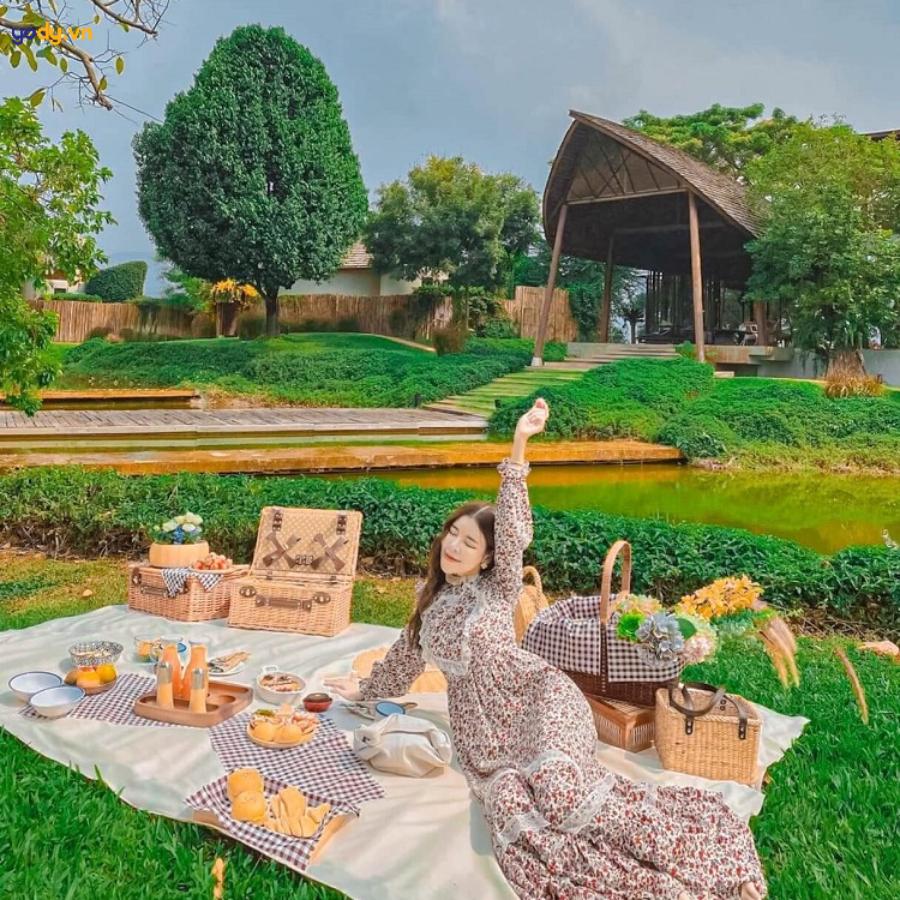
Avoid overusing effects that can make colors look artificial or cause a loss of detail.
3.2 Light Balance
A good photograph requires a balance between light and shadow.
3.3 Preserving Image Details
When contrast or color saturation is increased too much, images can easily lose important details.
3.4 Style Consistency
For brand photos or images, maintaining consistency in color tone is essential.
4. Currently Popular Color Shades
4.1 Vintage Color Tones
Classical style evokes a sense of nostalgia and artistry.
Characteristic:
-
Light yellow
-
Low contrast
-
Film effects
4.2 Korean Color Tones
This trend is popular among many young people.
Characteristic:
-
Bright, clear colors
-
Smooth and rosy skin
-
Soft light
4.3 Cinematic Color Tones
It gives off a professional vibe, just like in the movies.
Characteristic:
-
High contrast
-
The colors have depth.
-
Create strong emotions
4.4 Orange-Blue Tones
One of the popular styles in modern photography.
Characteristic:
-
The skin tone stands out.
-
The sky is a deeper blue.
-
The image has depth.
4.5 Moody Dark Tones
Suitable for art photography or portraits.
Characteristic:
-
Low light
-
High contrast
-
A sense of mystery
5. Guide to Beautiful Color Correction for Photos, From Basic to Advanced
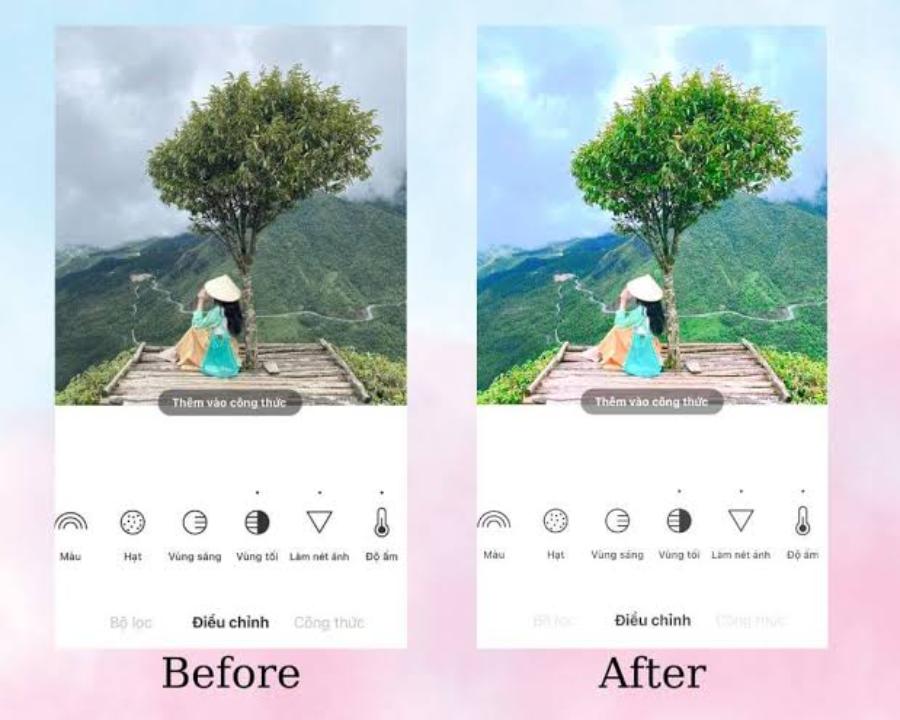
5.1 Adjusting Brightness
The first step is to balance the overall lighting.
Note:
-
Don't overexpose the image.
-
Avoid losing detail in white areas.
5.2 Increase Contrast
Contrast helps to create depth in an image.
However, adjustments are needed to avoid eye strain.
5.3 Adjusting White Balance
White Balance helps to make colors more accurate.
If the image has a yellow tint:
-
Reduce color temperature
If the image has a blue tint:
-
Increase color temperature
5.4 Increasing Saturation
Saturation helps colors stand out more.
The increase should be moderate so that the image still retains its natural look.
5.5 Adjusting HSL
HSL allows for the adjustment of each color individually.
Include:
-
Hue
-
Saturation
-
Luminance
This is an important tool for creating professional color styles.
5.6 Applying Color Filters
Presets or filters help save editing time.
However, adjustments should be made to each individual photo instead of using a template.
6. Common Mistakes When Adjusting Photo Colors for a Beautiful Look
6.1 Saturation Abuse
The overly vibrant colors make the photo look unnatural.
6.2 Excessive Contrast Increase
It causes a loss of detail in bright or dark areas.
6.3 Correcting Incorrect Skin Tone
Skin that is too red or too yellow will detract from its aesthetic appeal.
6.4 Inconsistent Tones
The photos lack cohesion, making the overall effect disjointed.
6.5 Using Inappropriate Filters
Each type of photograph requires its own unique color style.
7. Effective Color Correction Tools for Beautiful Photos
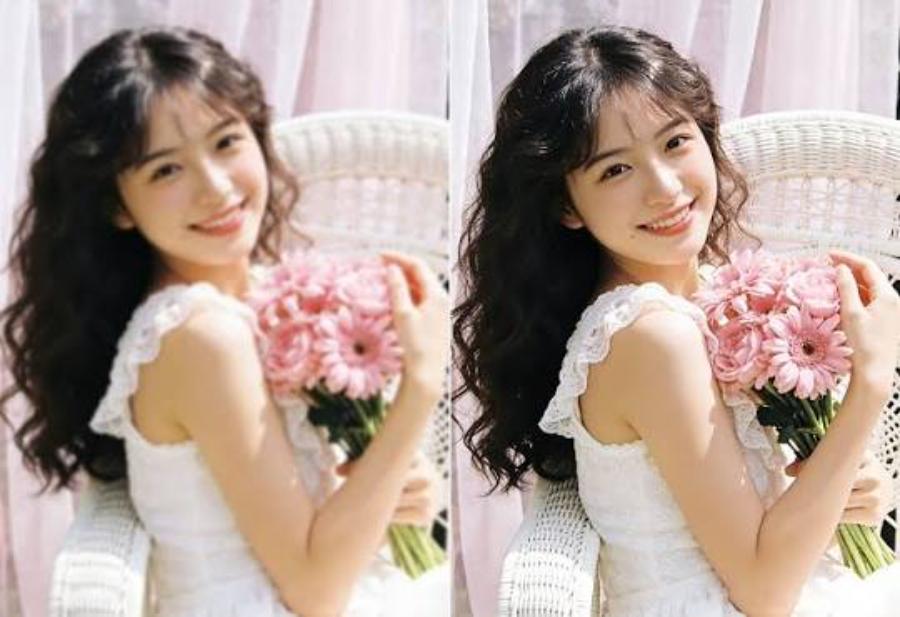
7.1 Adobe Lightroom
Advantage:
-
Professional color correction
-
Preset support
-
Good image management
7.2 Adobe Photoshop
Suitable for advanced users.
Key features:
-
Color layer
-
Color Grading
-
Raw Camera
7.3 Snapseed
A free mobile app with many powerful tools.
7.4 Canva
Suitable for beginners.
7.5 CapCut
In addition to video editing, CapCut also supports quite effective photo color correction.
8. Introducing Appvip.ai, a web application that supports photo color correction using AI.
Appvip.ai is an artificial intelligence-powered application platform that helps users edit images, optimize colors, and enhance image quality with just a few simple steps.
Some notable advantages:
-
The interface is user-friendly and easy to use.
-
Automatically detects and optimizes colors.
-
Supports fast image processing.
-
Suitable for both beginners and professional content creators.
-
Saves time on manual editing.
Thanks to the application of modern AI technology, Appvip.ai helps users create photos with more harmonious and eye-catching colors without needing extensive design knowledge.
9. Tips for Adjusting Colors to Make Your Photos Look More Professional
9.1 Take High-Quality Original Photos
The better the original photo, the easier it is to edit.
9.2 Using RAW Files
RAW format retains more data than JPG.
9.3 Learning How to Analyze Color
Understanding the color wheel helps in creating more effective color combinations.
9.4 Referencing Styles from Photographers
Studying famous photo series helps improve color perception.
9.5 Creating Your Own Presets
Personalized presets help maintain consistency throughout the editing process.
10. Future Trends in AI-Based Photo Color Correction
AI technology is dramatically changing the image editing industry.
Key trends include:
-
Automatic subject detection.
-
Optimize colors according to the image content.
-
Customize your colors in an artistic style with just one click.
-
Personalize colors based on user preferences.
-
Combining AI with professional graphic design.
In the future, color grading for photos will become faster and simpler thanks to the development of artificial intelligence.
11. Factors Affecting the Effectiveness of Photo Color Correction
To achieve the best color correction results for your photos, you need to understand the factors that directly affect image quality after editing. Understanding these factors will not only save processing time but also create photos with more natural and professional colors.
11.1 Original Image Quality
The original image is always the foundation that determines the final result. A high-resolution, well-lit image with minimal noise is much easier to color correct than a blurry or underexposed image. In the case of a low-quality original image, excessive color manipulation can lead to image distortion or loss of detail.
11.2 Lighting Conditions When Shooting
Lighting directly affects the colors in a photograph. Pictures taken under natural light tend to be more realistic and easier to process. Conversely, yellow or mixed lighting can cause color casts, requiring the editor to carefully adjust the white balance before proceeding with the next steps.
11.3 Camera Equipment
Professional cameras and modern smartphones generally have better color capture capabilities. This helps retain more image data, facilitating post-processing. However, with the support of current AI tools, even photos taken with ordinary phones can be significantly improved.
11.4 Experience and Aesthetic Taste
Even with the same photo, each person will have a different way of adjusting the colors. Experience and the ability to perceive color play a crucial role in creating impressive images. Regularly referring to beautiful photo collections, researching design trends, and practicing editing will significantly improve your skills.
11.5 Editing Tools Used
Each software program has its own advantages in color correction. Professional tools like Lightroom or Photoshop offer deep customization capabilities, while AI platforms automate many complex processes. Choosing the right tool to suit your needs and skill level will make the process of achieving beautiful color correction for your photos easier and more effective.
12. Conclusion
Color correction for photos is a crucial skill for enhancing image quality and creating a unique style in the digital age. Understanding color principles, choosing the right tones, and using the right tools will make each photo more professional and appealing. Besides traditional software, AI-powered platforms like Appvip.ai are offering optimal solutions, allowing users to save time and easily create impressive images in just a few simple steps.





















VIP Products








Best Selling Products
Capcut Pro 1 Year
39 USD
Genuine Cheap Canva Pro
39 USD
Adobe Photoshop Copyright - Full App
120 USD
Upgrade genuine Capture One account
120 USD
Plugin Retouch4me
69 USD
Upgrade Genuine Office 365
49 USD
Genuine Adobe Illustrator account
99 USD
Upgrade Duolingo Super
29 USD
Freepik Premium Account
59 USD
Autodesk All App Account Copyright
120 USD
ChatGPT Plus Account (GPT-4)
16 USD
MidJourney Account
29 USD
Adobe Premiere Pro Account
99 USD
Windows 10 & 11 Pro Key
36 USD
Copyright Adobe Lightroom Account
59 USD