Best Selling Products

Capcut Pro 1 Year
39 USD

Adobe Premiere Pro Account
99 USD

Autodesk All App Account Copyright
120 USD

ChatGPT Plus Account (GPT-4)
16 USD

Upgrade Genuine Office 365
49 USD

Copyright Adobe Lightroom Account
59 USD

Genuine Cheap Canva Pro
39 USD

Upgrade genuine Capture One account
120 USD

Windows 10 & 11 Pro Key
36 USD

Upgrade Duolingo Super
29 USD

Genuine Adobe Illustrator account
99 USD

Plugin Retouch4me
69 USD

Adobe Photoshop Copyright - Full App
120 USD

MidJourney Account
29 USD

Freepik Premium Account
59 USD
Comparing Substance 3D Painter and Substance 3D Designer
Nội dung
- 1. What is Substance 3D Painter?
- 2. What is Substance 3D Designer?
- 3. The difference between Substance 3D Painter and Substance 3D Designer
- 4. Comparing the features of Substance 3D Painter and Substance 3D Designer
- 5. The workflow between Painter and Designer
- 6. When should you use Substance 3D Painter?
- 7. When should you use Substance 3D Designer?
- 8. Should I use both Painter and Designer at the same time?
- 9. Conclusion
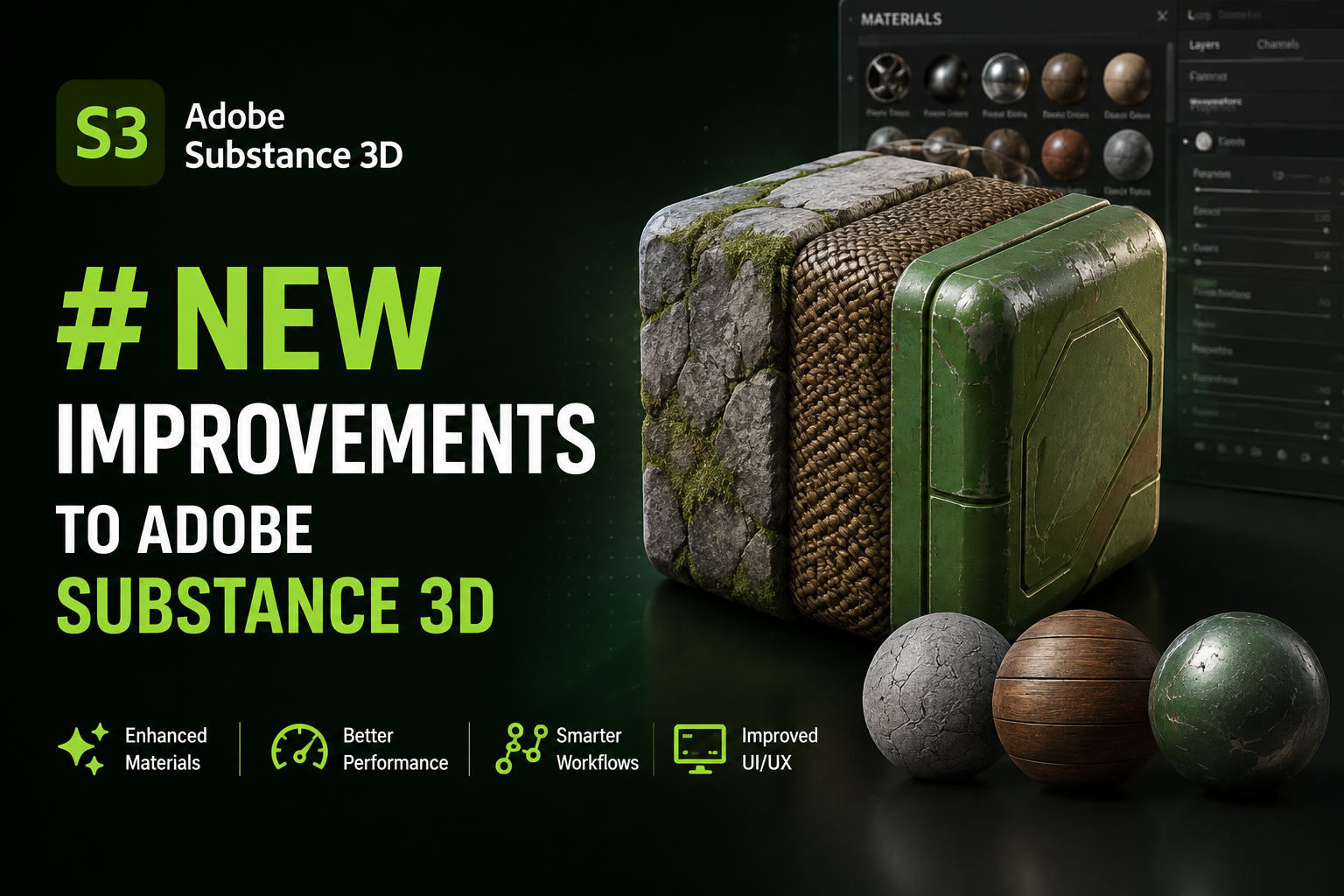
Substance 3D Painter and Substance 3D Designer are both powerful tools within the Adobe Substance 3D ecosystem, but they serve different purposes.
1. What is Substance 3D Painter?
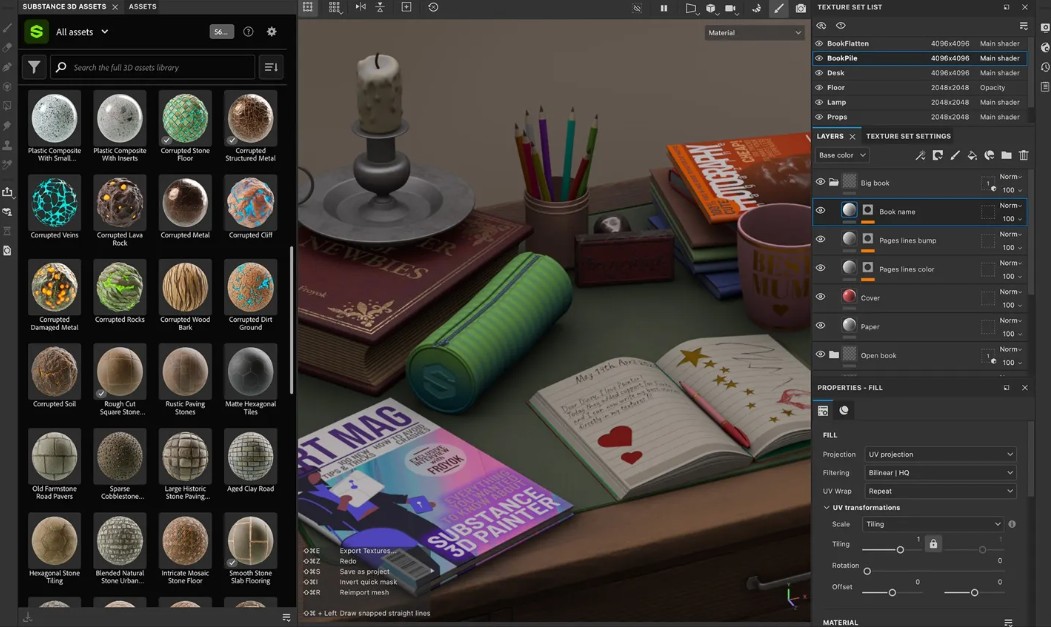
Substance 3D Painter is real-time 3D texture painting software developed for creating colors, materials, and surface effects directly on 3D models.
Unlike traditional 2D image texture editing methods, Painter allows users to directly manipulate the model and observe the results immediately under a PBR (Physically Based Rendering) lighting system. This makes texture creation more intuitive, precise, and saves a significant amount of time.
Users can easily create effects such as oxidized metal, old wood, dirt, scratches, peeling paint, leather, or other complex materials simply by using Smart Materials and Smart Masks.
Thanks to its non-destructive workflow, every action can be edited or undone at any time without affecting the original data. Therefore, Substance 3D Painter is now considered the industry standard in texture painting and is widely used in game development, animation, and visual effects studios.
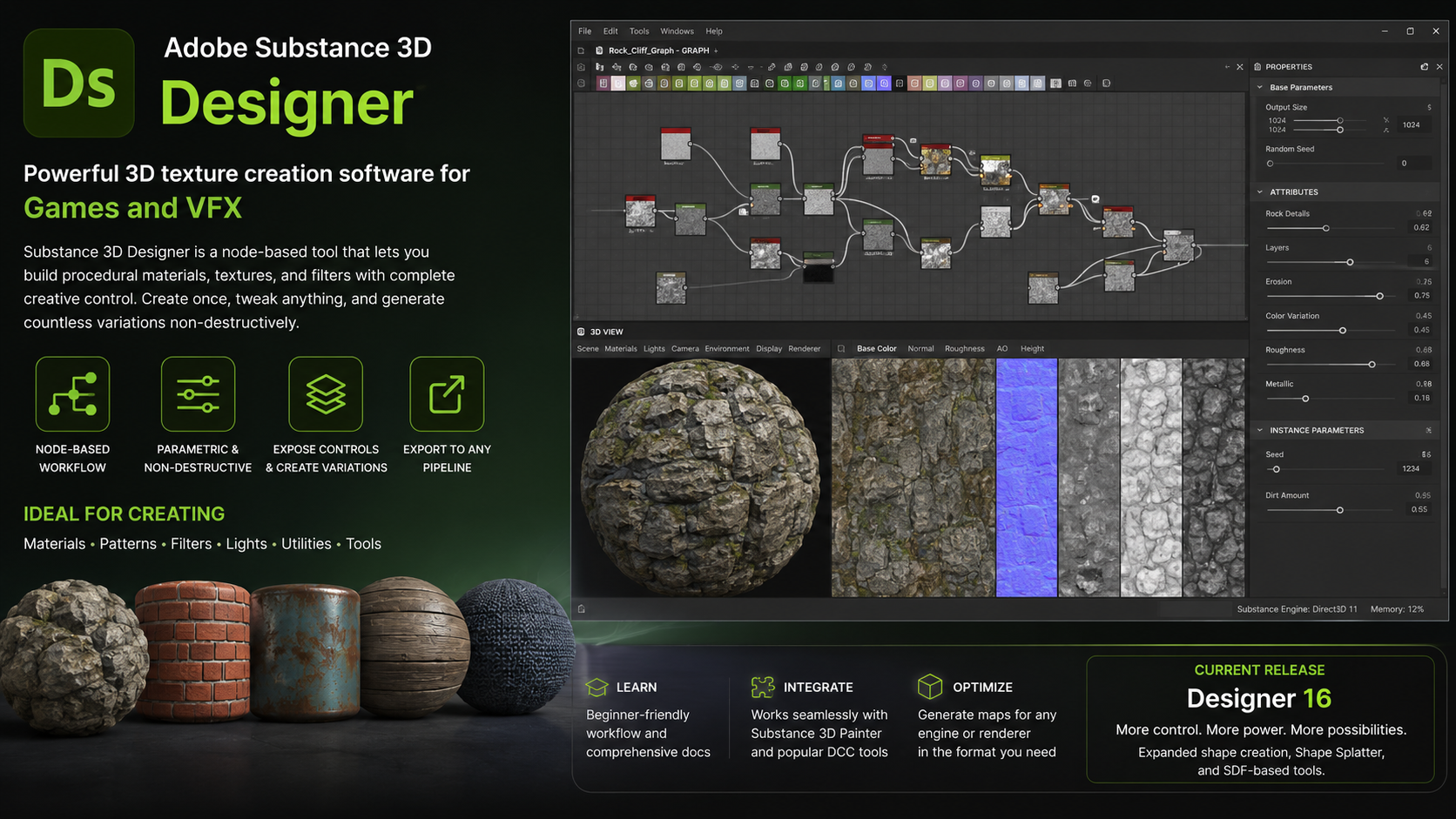
2. What is Substance 3D Designer?
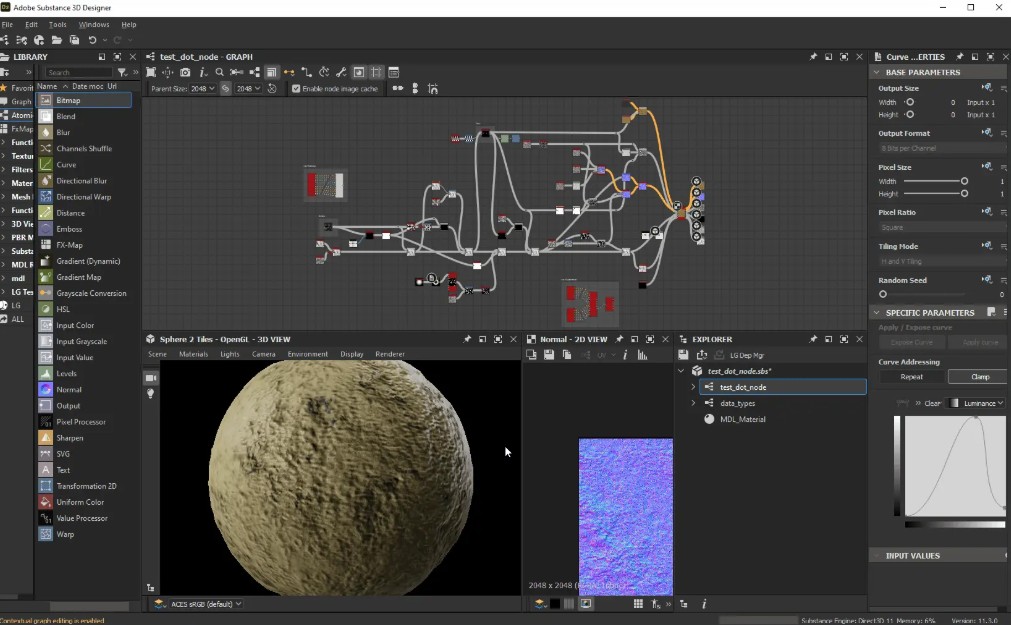
Substance 3D Designer is software specializing in creating procedural materials and textures using a node-based graphing system instead of drawing directly onto the model.
Instead of using brushes like a Painter, a Designer works by connecting Nodes to create a complete material. Each Node performs a specific function such as shaping, creating noise, adding patterns, adjusting colors, creating roughness, or simulating material properties.
Thanks to this approach, users can create highly customizable materials. By simply changing a few parameters, the entire texture will be automatically updated without having to start over.
Designers are particularly well-suited for building libraries of reusable materials in large projects. Game studios often use Designers to create hundreds of different materials such as concrete, stone, brick, soil, metal, wood, or fabric with virtually unlimited reuse possibilities.
Another notable advantage of Designer is its ability to create textures with unlimited resolution. Because textures are generated by algorithms rather than bitmap images, users can export them at various quality levels while maintaining sharpness.
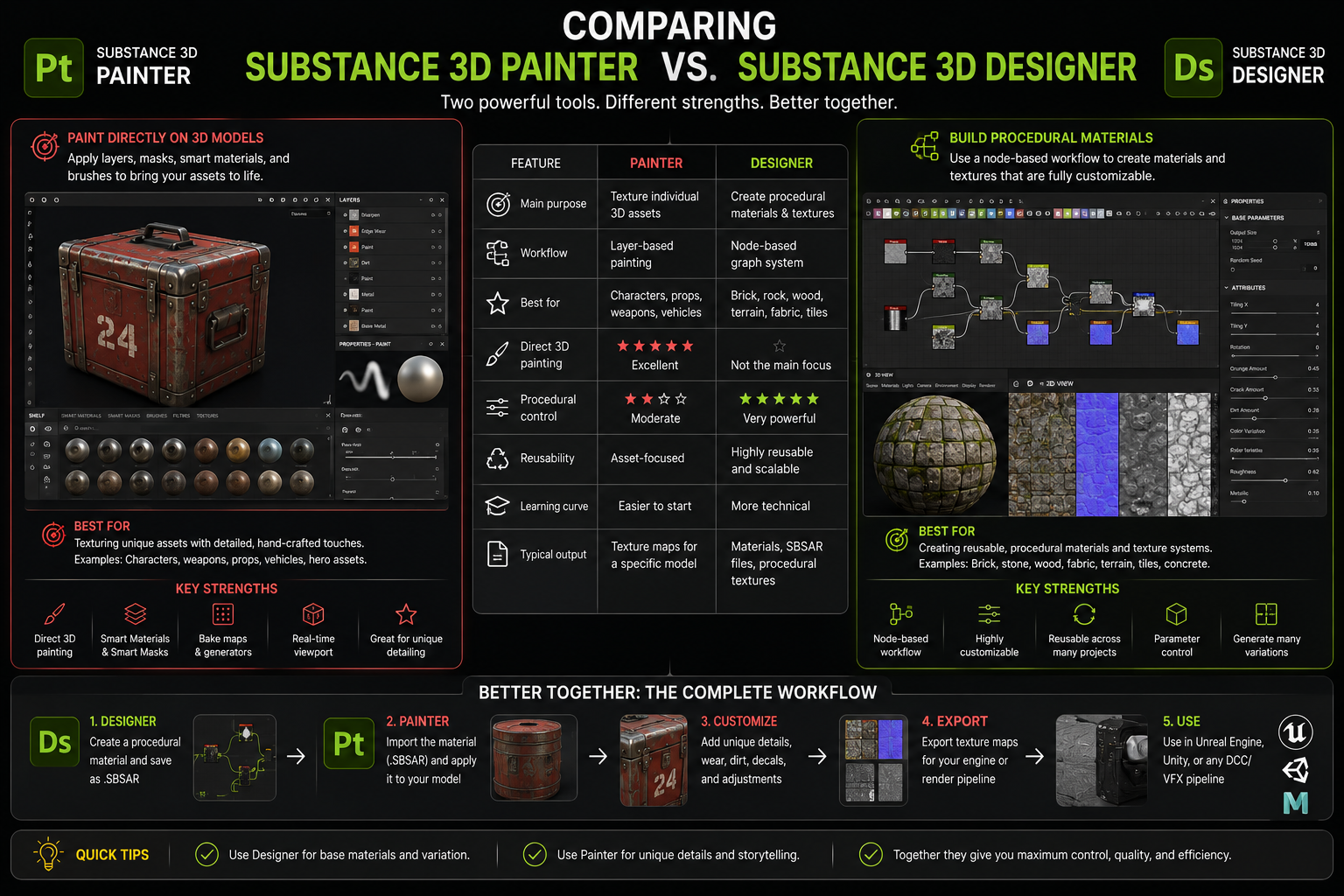
3. The difference between Substance 3D Painter and Substance 3D Designer
Although both belong to the Adobe Substance 3D suite, Painter and Designer are built to serve two completely different stages in the 3D content creation process.
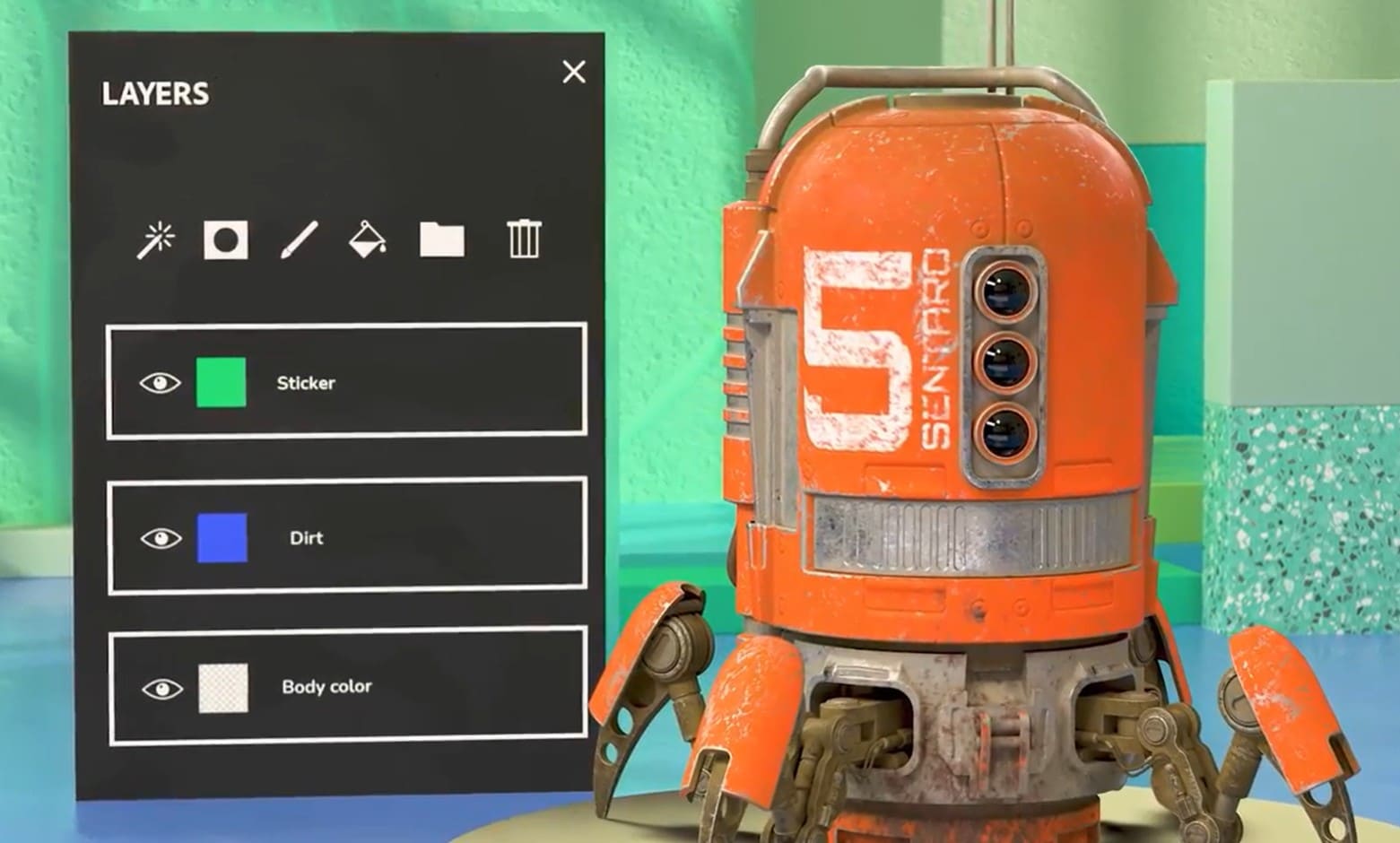
Substance 3D Painter focuses on perfecting the surface of an existing model. Users import a 3D model into the software and then directly paint texture layers, colors, dirt effects, wear marks, and materials onto the object. All changes are displayed in real time, making the creative process fast and intuitive.
Meanwhile, Substance 3D Designer doesn't focus on drawing models but rather on creating materials and textures from scratch using a Node system. Users build each material component through the processing Nodes and combine them to create a complete texture. Once completed, these materials can be exported to Painter or used directly in Unreal Engine, Unity, or many other modeling software.
Simply put, a designer can be likened to a "material production workshop," while a painter is like a "product surface finishing workshop."
4. Comparing the features of Substance 3D Painter and Substance 3D Designer
Substance 3D Painter stands out with its real-time texture painting capabilities. The software supports a layer system similar to Photoshop, Smart Materials, Smart Masks, Particle Brush, Projection Painting, Fill Layer, and many automation tools to make texture creation quick and easy. Painter also features a modern PBR viewport, allowing users to accurately view results under real-world lighting conditions before exporting to a Game Engine or Render Engine.
Meanwhile, Substance 3D Designer focuses on creating procedural materials. The Node Editor system allows you to build materials from basic components, combining noise, patterns, filters, blends, and image processing tools to create textures with almost limitless customization possibilities. Designer also supports creating SBSAR, an intelligent material format whose parameters can be modified directly within Unreal Engine, Unity, or other design software without needing to edit the original file.
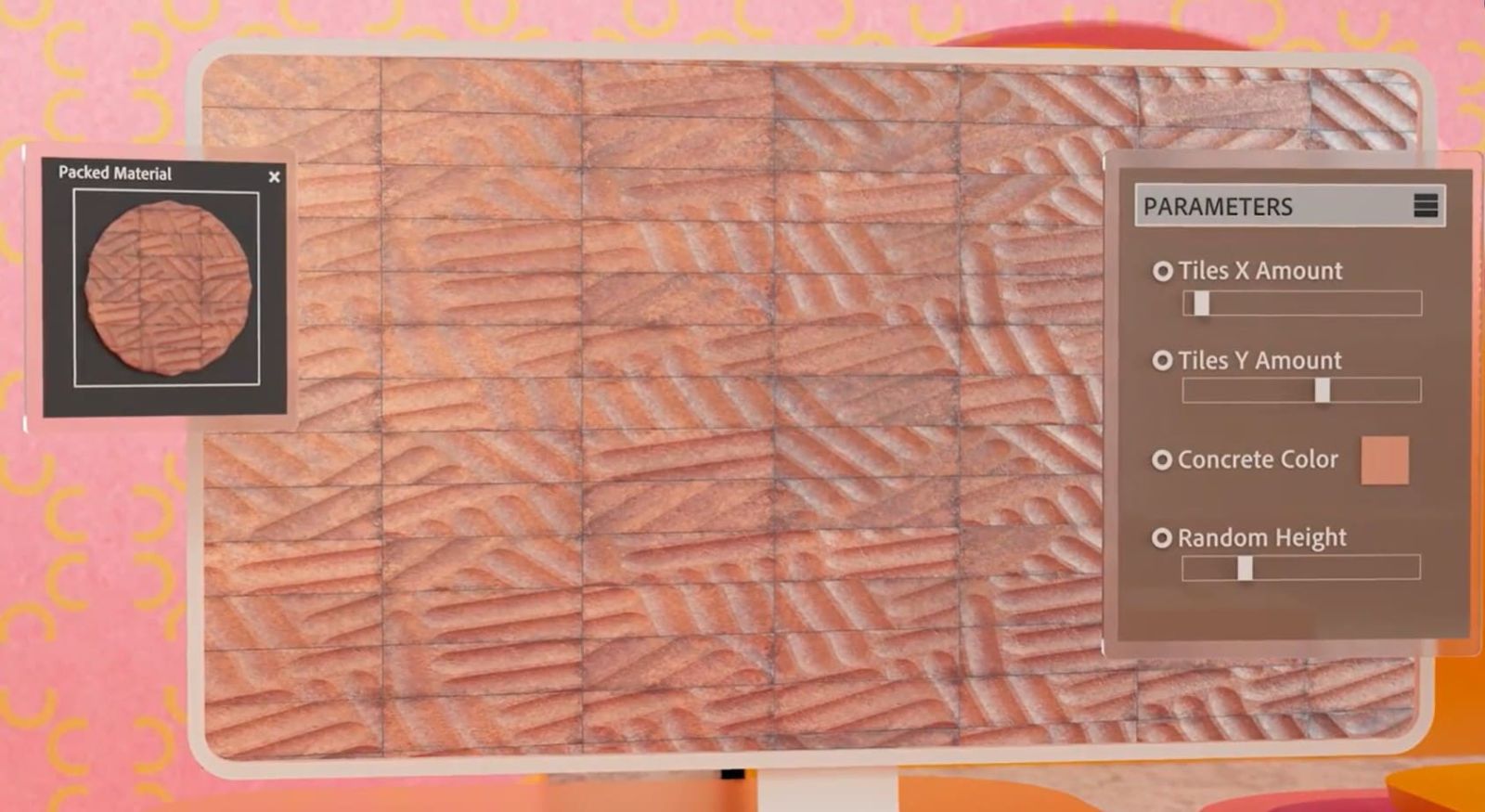
Painter offers an intuitive workflow, suitable for artists who want detailed control over each area of their model. Conversely, Designer focuses on technical aspects and the process of building a library of highly reusable materials.
5. The workflow between Painter and Designer
A unique aspect of the Substance 3D ecosystem is the ability of the two software programs to integrate seamlessly with each other.
Typically, technical artists or Material Artists will use Substance 3D Designer to create procedural materials such as concrete, wood, brick, metal, stone, plastic, or other natural surfaces. These materials are then exported as Substance and imported into Substance 3D Painter.
In Painter, the newly created materials are applied directly to the 3D model. Users can combine them with Smart Masks, Layers, and weather effects to create the finished product.
Thanks to this process, businesses only need to build a single material library in Designer but can use it for hundreds of different models through Painter. This saves time, ensures consistency, and significantly reduces production costs.
6. When should you use Substance 3D Painter?
Substance 3D Painter is a suitable choice if your goal is to quickly and visually refine the appearance of your 3D model.
This software is particularly effective for creating textures for game characters, vehicles, weapons, furniture, industrial products, or architectural models. With its Smart Materials and Smart Masks systems, users can easily create effects such as dirt, rust, peeling paint, or signs of use without manually drawing each detail.
If you are a 3D artist, character artist, or environment artist, Substance 3D Painter is almost an indispensable tool in your daily workflow.
7. When should you use Substance 3D Designer?
Substance 3D Designer is suitable for those who want to build highly reusable materials or need to create many variations from the same data source.
This is a tool used by Material Artists and Technical Artists to develop material libraries for games, films, and visualization projects. Thanks to its node-based workflow, Designer allows for precise control over each material attribute and easy modification as project requirements change.
If your work involves developing professional PBR materials or managing hundreds of different textures, the Designer will deliver outstanding results.
8. Should I use both Painter and Designer at the same time?
For professional projects, the answer is yes. The two software programs don't compete but complement each other in the same production process.
Designers are responsible for creating base materials that are highly editable and reusable. Painters then take these materials and apply them to the model, adding handcrafted details and finishing the surface according to the requirements of each 3D asset.
This combination allows the design team to maintain consistency across products while ensuring each model retains its own unique and realistic details. This process is also widely used in many AAA game studios, animation studios, and VFX companies worldwide.
9. Conclusion
Substance 3D Painter and Substance 3D Designer are both essential tools within the Adobe Substance 3D ecosystem, but each plays a distinct role. Substance 3D Painter excels at painting textures directly onto 3D models in real time, enabling quick and intuitive surface finishing. Meanwhile, Substance 3D Designer focuses on building materials and textures using a parametric, node-based workflow, offering reusability, customization, and scalability for large-scale projects.
If your goal is to create textures for specific models, Painter is the right choice. If you need to develop a professional material library with flexible editing capabilities, Designer will maximize its strengths. By combining both in the same workflow, users will have a comprehensive solution for creating high-quality 3D products, optimizing both performance and creativity.





















VIP Products








Best Selling Products
Capcut Pro 1 Year
39 USD
Adobe Premiere Pro Account
99 USD
Autodesk All App Account Copyright
120 USD
ChatGPT Plus Account (GPT-4)
16 USD
Upgrade Genuine Office 365
49 USD
Copyright Adobe Lightroom Account
59 USD
Genuine Cheap Canva Pro
39 USD
Upgrade genuine Capture One account
120 USD
Windows 10 & 11 Pro Key
36 USD
Upgrade Duolingo Super
29 USD
Genuine Adobe Illustrator account
99 USD
Plugin Retouch4me
69 USD
Adobe Photoshop Copyright - Full App
120 USD
MidJourney Account
29 USD
Freepik Premium Account
59 USD