Best Selling Products

Freepik Premium Account
59 USD

Genuine Cheap Canva Pro
39 USD

ChatGPT Plus Account (GPT-4)
16 USD

Windows 10 & 11 Pro Key
36 USD

Adobe Premiere Pro Account
99 USD

Upgrade Duolingo Super
29 USD

Autodesk All App Account Copyright
120 USD

Upgrade Genuine Office 365
49 USD

Genuine Adobe Illustrator account
99 USD

Plugin Retouch4me
69 USD

Adobe Photoshop Copyright - Full App
120 USD

MidJourney Account
29 USD

Copyright Adobe Lightroom Account
59 USD

Upgrade genuine Capture One account
120 USD

Capcut Pro 1 Year
39 USD
New improvements to Adobe Substance 3D
Nội dung
- 1. Unlimited access to the 3D resource library.
- 2. Substance 3D Designers are becoming increasingly powerful.
- 2.1. Substance 3D Sampler with integrated artificial intelligence
- 2.2. Substance 3D Painter optimizes work performance.
- 3. Improve performance and processing capabilities.
- 4. Substance 3D Stager upgrades the product modeling workflow.
- 5. Strong connectivity with popular 3D software.
- 6. Substance 3D Connector: Simplifies the workflow
- 7. Better support for Unity, Unreal Engine, and the USD standard.
- 8. Substance 3D Viewer: A next-generation model viewing tool.
- 9. Substance 3D is increasingly perfecting the creative ecosystem.
- 10. Conclusion
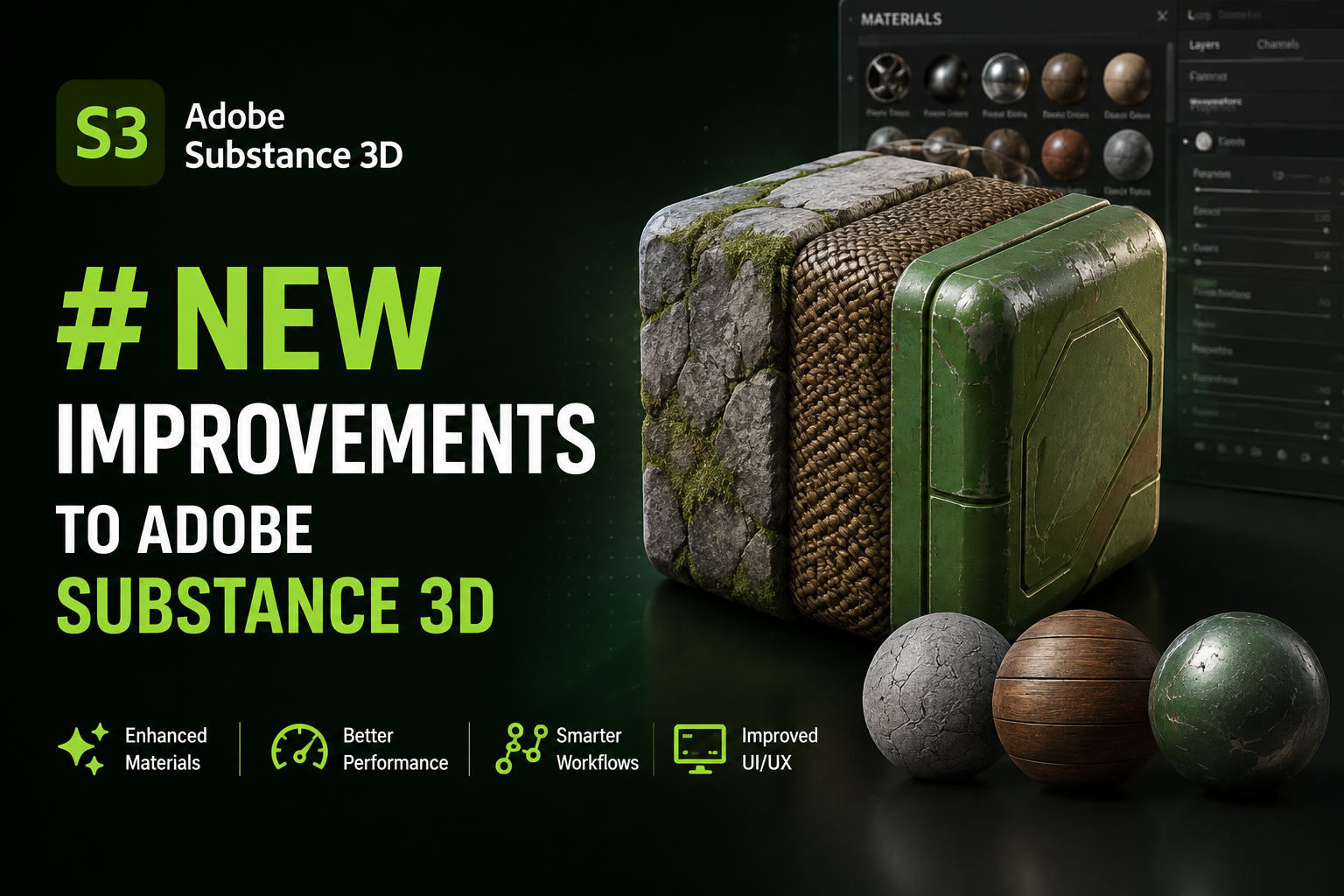
Adobe Substance 3D continues to receive significant upgrades with a host of improvements in AI, performance, integration capabilities, and an unlimited library of Substance 3D Assets.
1. Unlimited access to the 3D resource library.
One of the most notable changes in Adobe Substance 3D is the shift to an Unmetered Asset Access model for the Substance 3D Assets library.
Previously, users were only allowed to download between 30 and 100 resources per month, depending on their subscription plan. This forced many 3D artists and businesses to carefully consider each resource usage, especially for large projects requiring many different materials and models.
With the new policy, download limits have been completely removed. Users can access and download unlimited amounts of over 20,000 high-quality 3D resources , including scanned materials, procedural materials, pre-built 3D models, and professional HDRI libraries for scene creation and rendering.
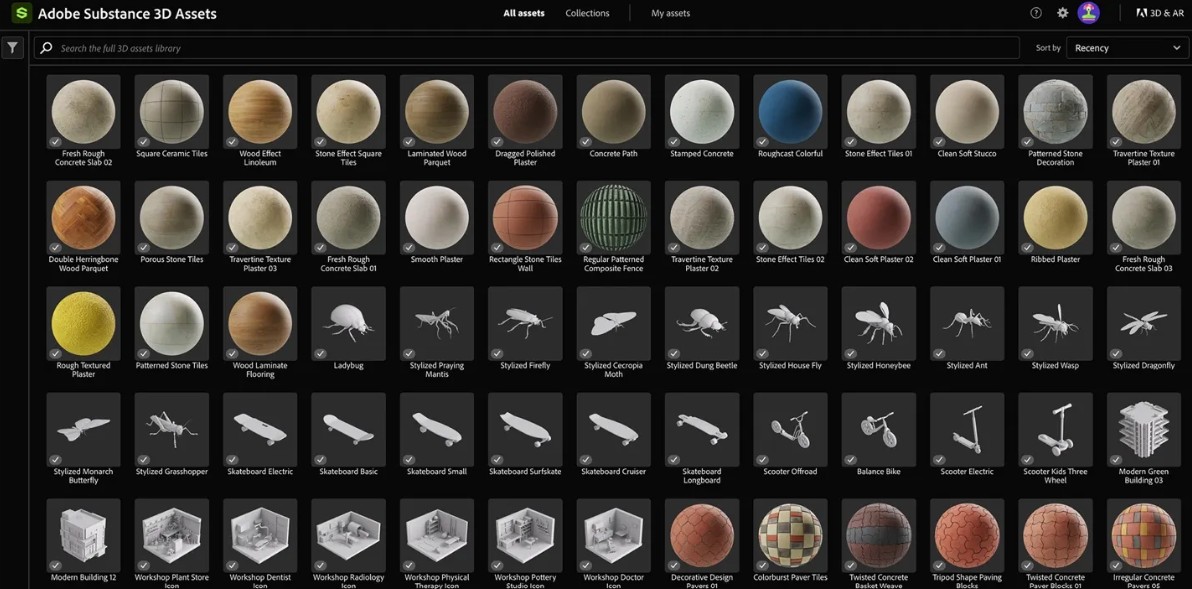
This is a major step forward, allowing artists to focus entirely on the creative process instead of managing download counts or optimizing resource costs.
Notably, this entire library has been directly integrated into software such as Substance 3D Painter and connects with many popular modeling software programs. Users can search, download, and apply materials directly during their work process without switching between different platforms.
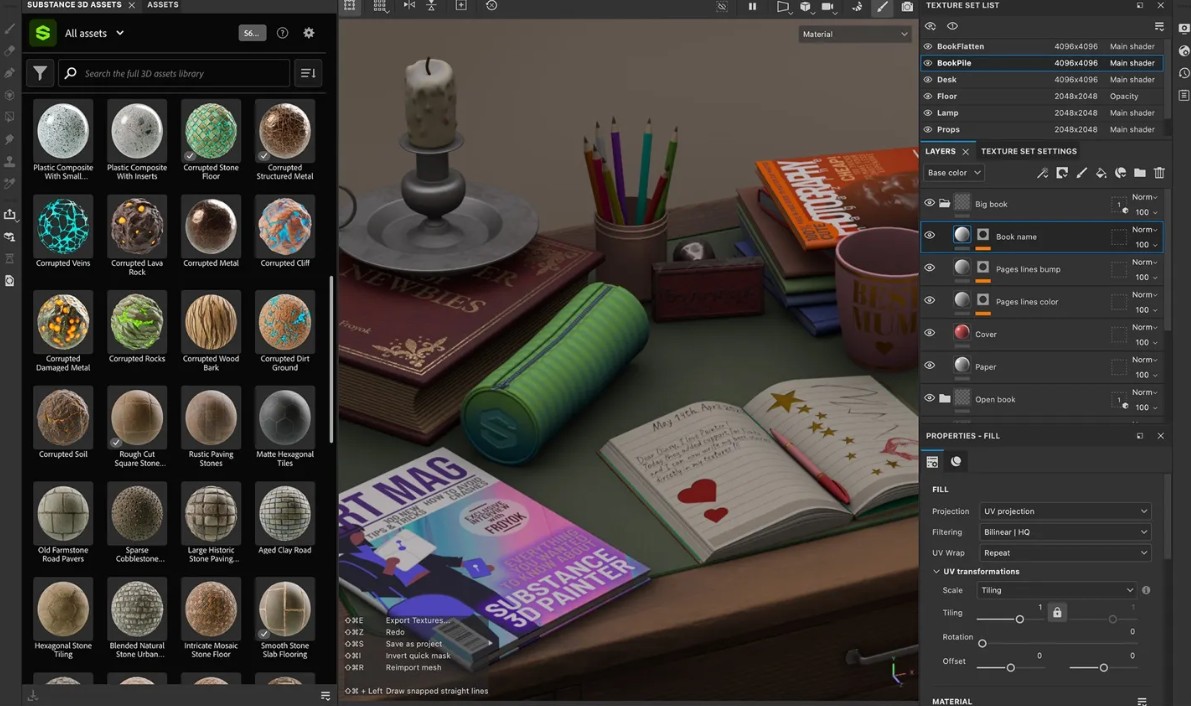
For businesses involved in game development, product design, or architecture, the new policy significantly shortens resource preparation time and improves the efficiency of the entire production pipeline.
Alongside expanding its resource library, Adobe is also continuously improving applications within the Substance 3D ecosystem to deliver a more modern, faster, and smarter work experience.
2. Substance 3D Designers are becoming increasingly powerful.
Substance 3D Designer has been enhanced with many new tools that make the creation of procedural materials more flexible.
Spline Nodes and Path Tools enable the creation of complex organic curves and shapes that were previously difficult to achieve. Adobe has also improved node layout, making diagrams more intuitive and optimizing the material design workflow in large projects.
As a result, Designer is not only suitable for creating textures but also becomes a platform for building professional material libraries for studios.
2.1. Substance 3D Sampler with integrated artificial intelligence
One of the most notable features of the current ecosystem is the development of the Substance 3D Sampler.
Adobe has improved its Image to Material technology, enabling faster and more accurate conversion of real-world images into PBR materials.
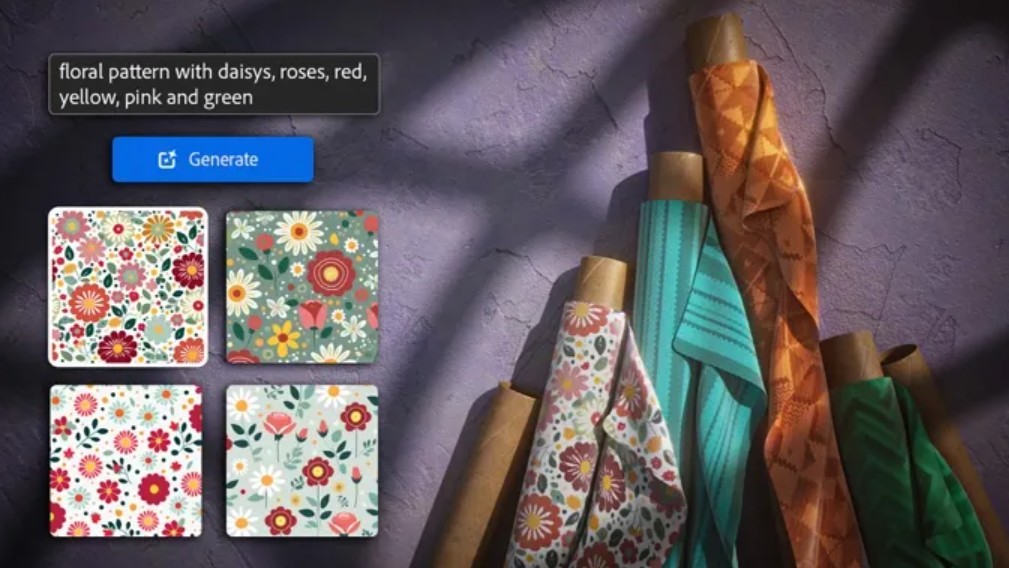
In particular, the emergence of AI technologies based on Adobe Firefly, such as Text to Texture and Text to Pattern, has completely changed the way materials are created. By simply entering a text description, users can quickly generate textures or patterns that match their design ideas without having to build them manually from scratch.
This is a significant step forward that helps shorten creative time and increases the ability to experiment with different styles.
2.2. Substance 3D Painter optimizes work performance.
Substance 3D Painter continues to receive numerous updates that enhance the productivity of 3D artists.
The Paint Along Path tool, along with its new path control system, makes creating details such as stitching, patterns, metal borders, or repeating details simpler and more precise.
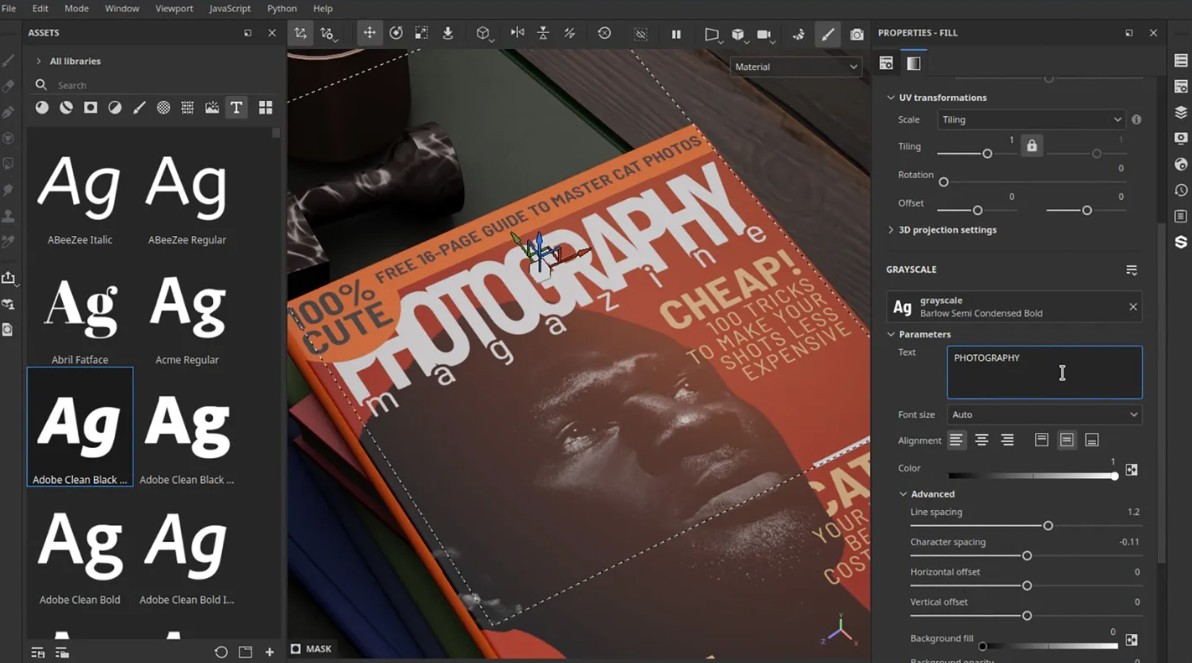
These improvements are particularly useful for game projects, product design, and character modeling that require a high degree of detail.
3. Improve performance and processing capabilities.
Adobe not only focuses on creative features but also invests heavily in processing performance.
Project opening times have been significantly reduced, especially for files containing a large number of brush strokes or layers.
Intelligent Tessellation Optimization technology automatically adjusts the level of model detail in the viewport, speeding up rendering while maintaining quality in the final data output.
For technical artists, Adobe extends its Python API system, enabling the creation of automation tools and the customization of workflows to meet the specific needs of each studio.
Additionally, the software directly supports Adobe Illustrator files with multiple artboards and adds new text resources, enhancing collaboration between 2D and 3D design teams.
4. Substance 3D Stager upgrades the product modeling workflow.
Substance 3D Stager also received a number of important improvements.
The most notable feature is the AI Fast Denoiser technology , which reduces rendering time by up to 40 times compared to traditional denoising methods in many cases, while still maintaining production-standard image quality.
This is especially useful when you need to create multiple previews or present design options to clients in a short amount of time.
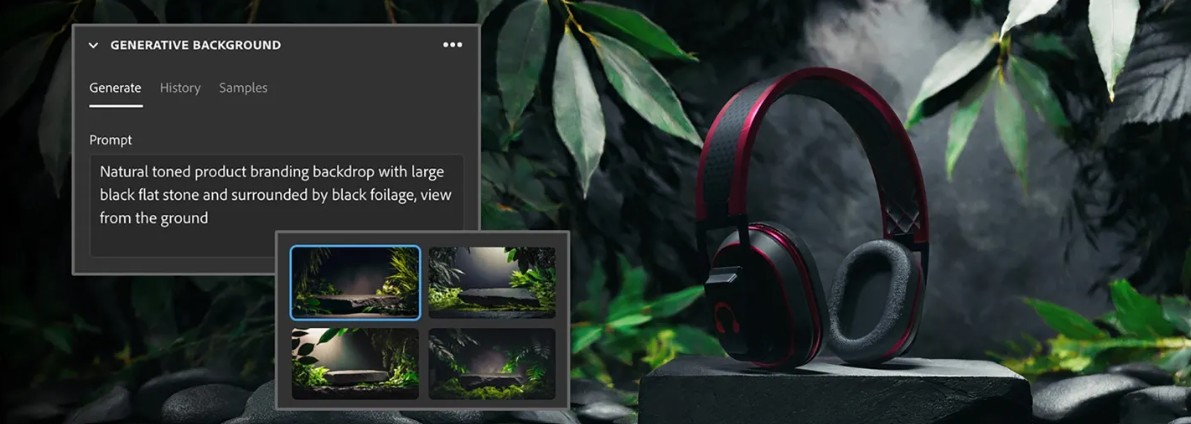
Adobe has also added the Generative Background feature , which allows users to create AI-powered background environments in conjunction with a professional HDRI library to build product scenes more quickly and intuitively.
5. Strong connectivity with popular 3D software.
Adobe continues to expand its integration capabilities with popular rendering software and game engines such as Maya, Blender, Cinema 4D, Unreal Engine, and many other platforms.
This allows users to maintain consistency in materials, colors, and textures throughout the entire production pipeline without needing to convert or reprocess data multiple times.
This is a major advantage for businesses with multiple departments involved in a single project.
6. Substance 3D Connector: Simplifies the workflow
One of the notable new technologies is the Substance 3D Connector .
This is an open-source framework that simplifies data exchange between applications through a Send To mechanism .
Users can transfer materials, textures, or models between software programs while retaining the same editing parameters.
In the future, Adobe is also developing the Live Connection feature , which allows for real-time data synchronization between various applications, helping to shorten the gap between production stages.
7. Better support for Unity, Unreal Engine, and the USD standard.
For the game development industry, Adobe continues to expand its integration capabilities with Unity and Unreal Engine.
In parallel, full support for the Universal Scene Description (USD) standard helps studios build modern pipelines, easily sharing data between multiple software programs while preserving the procedural nature of the Substance material.
This is a crucial foundation for large-scale projects that require collaboration between multiple development teams.
8. Substance 3D Viewer: A next-generation model viewing tool.
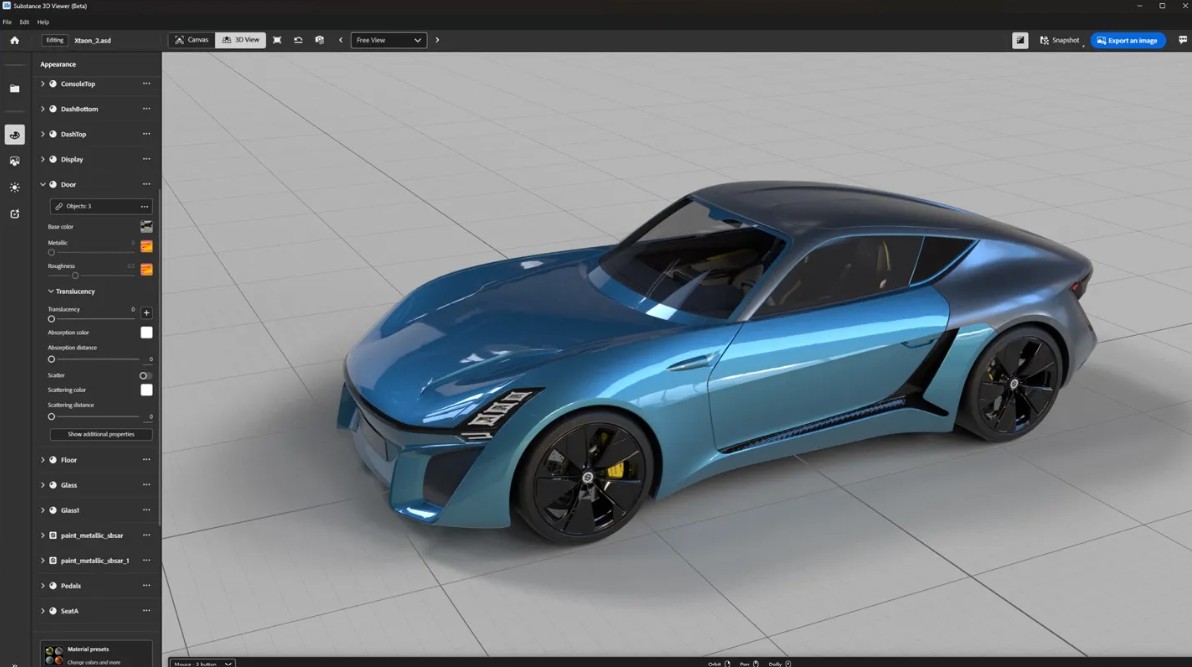
Adobe also introduced Substance 3D Viewer (Beta) to make sharing and inspecting models simpler.
The application supports over 70 3D file formats , allowing you to open, view, adjust, and render models without installing specialized modeling software.
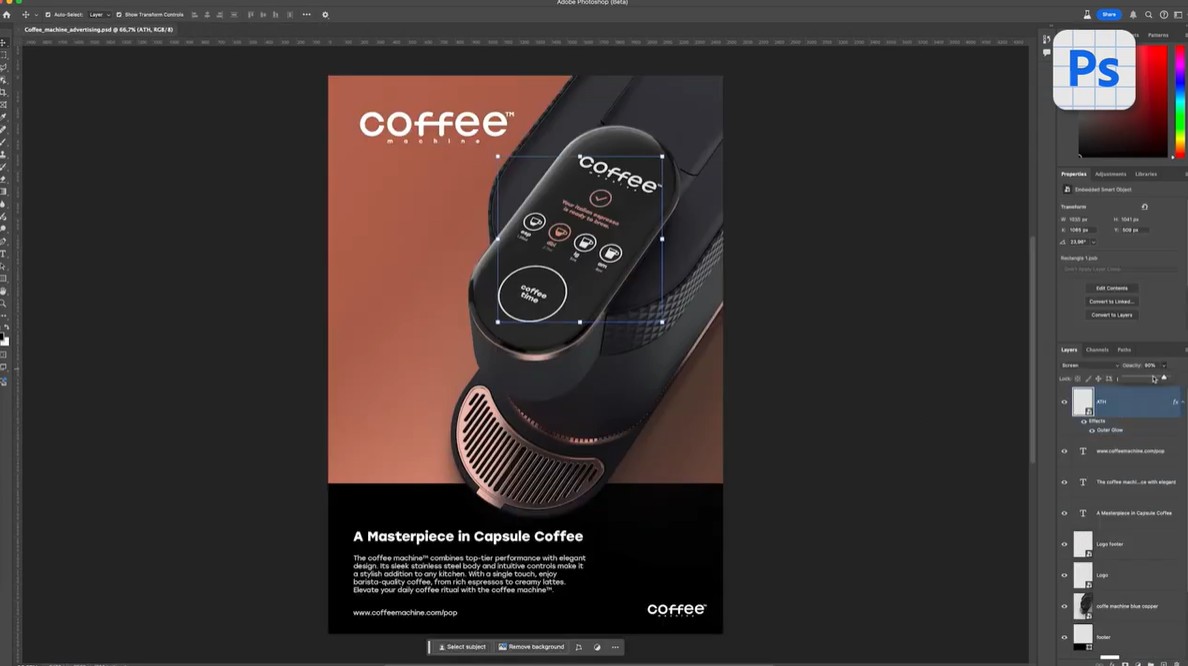
For graphic designers, Viewer also supports a workflow that connects with Photoshop, allowing them to directly drag 3D models into documents as Smart Objects for quick editing.
Meanwhile, game development and VFX teams can use Viewer as a unified platform to test models from multiple sources, supporting more efficient evaluation and collaboration across departments.
9. Substance 3D is increasingly perfecting the creative ecosystem.
These improvements demonstrate that Adobe is not only developing individual software programs but also aiming to build a unified creative ecosystem. From creating materials in Designer, processing textures with Painter, converting images with Sampler, creating scenes in Stager, to sharing data through Connector and Viewer, the entire process is tightly interconnected to reduce operation time and improve work efficiency.
For businesses, this means the ability to build a stable, scalable pipeline that can effectively handle large-scale projects. Deep integration with popular tools like Blender, Maya, Unreal Engine, and Unity also allows design teams to maximize existing resources without changing current processes.
10. Conclusion
Adobe's expansion of unlimited access to Substance 3D Assets, along with a host of improvements in artificial intelligence, performance, connectivity, and workflows, has taken the Substance 3D ecosystem to a new level. Users not only have access to more resources but are also supported by intelligent tools that accelerate design, optimize processes, and enhance product quality.
As a partner providing licensed Adobe software solutions, SaDesign constantly updates with the latest changes to offer customers suitable 3D Substance packages along with in-depth consulting, implementation, and support services. If your business or individual is looking for a modern, flexible, and cost-effective 3D design ecosystem, 3D Substance is a worthwhile option to elevate your creative process in the digital age.





















VIP Products








Best Selling Products
Freepik Premium Account
59 USD
Genuine Cheap Canva Pro
39 USD
ChatGPT Plus Account (GPT-4)
16 USD
Windows 10 & 11 Pro Key
36 USD
Adobe Premiere Pro Account
99 USD
Upgrade Duolingo Super
29 USD
Autodesk All App Account Copyright
120 USD
Upgrade Genuine Office 365
49 USD
Genuine Adobe Illustrator account
99 USD
Plugin Retouch4me
69 USD
Adobe Photoshop Copyright - Full App
120 USD
MidJourney Account
29 USD
Copyright Adobe Lightroom Account
59 USD
Upgrade genuine Capture One account
120 USD
Capcut Pro 1 Year
39 USD