Best Selling Products

Upgrade genuine Capture One account
120 USD

Capcut Pro 1 Year
39 USD

Autodesk All App Account Copyright
120 USD

Plugin Retouch4me
69 USD

Upgrade Genuine Office 365
49 USD

MidJourney Account
29 USD

Adobe Photoshop Copyright - Full App
120 USD

Genuine Cheap Canva Pro
39 USD

Genuine Adobe Illustrator account
99 USD

Adobe Premiere Pro Account
99 USD

Copyright Adobe Lightroom Account
59 USD

ChatGPT Plus Account (GPT-4)
16 USD

Windows 10 & 11 Pro Key
36 USD

Upgrade Duolingo Super
29 USD

Freepik Premium Account
59 USD
Dropbox vs iCloud in 2026: Which cloud storage service should you choose for your Mac?
Nội dung
- 1. Dropbox and iCloud: The two leading cloud storage services in 2026
- 2. Key features of Dropbox
- 3. Key features of iCloud
- 4. Dropbox or iCloud, which is the better choice?
- 5. Who is Dropbox suitable for?
- 6. Who is iCloud suitable for?
- 7. Other cloud storage services worth considering
- 8. Should you choose Dropbox or iCloud in 2026?
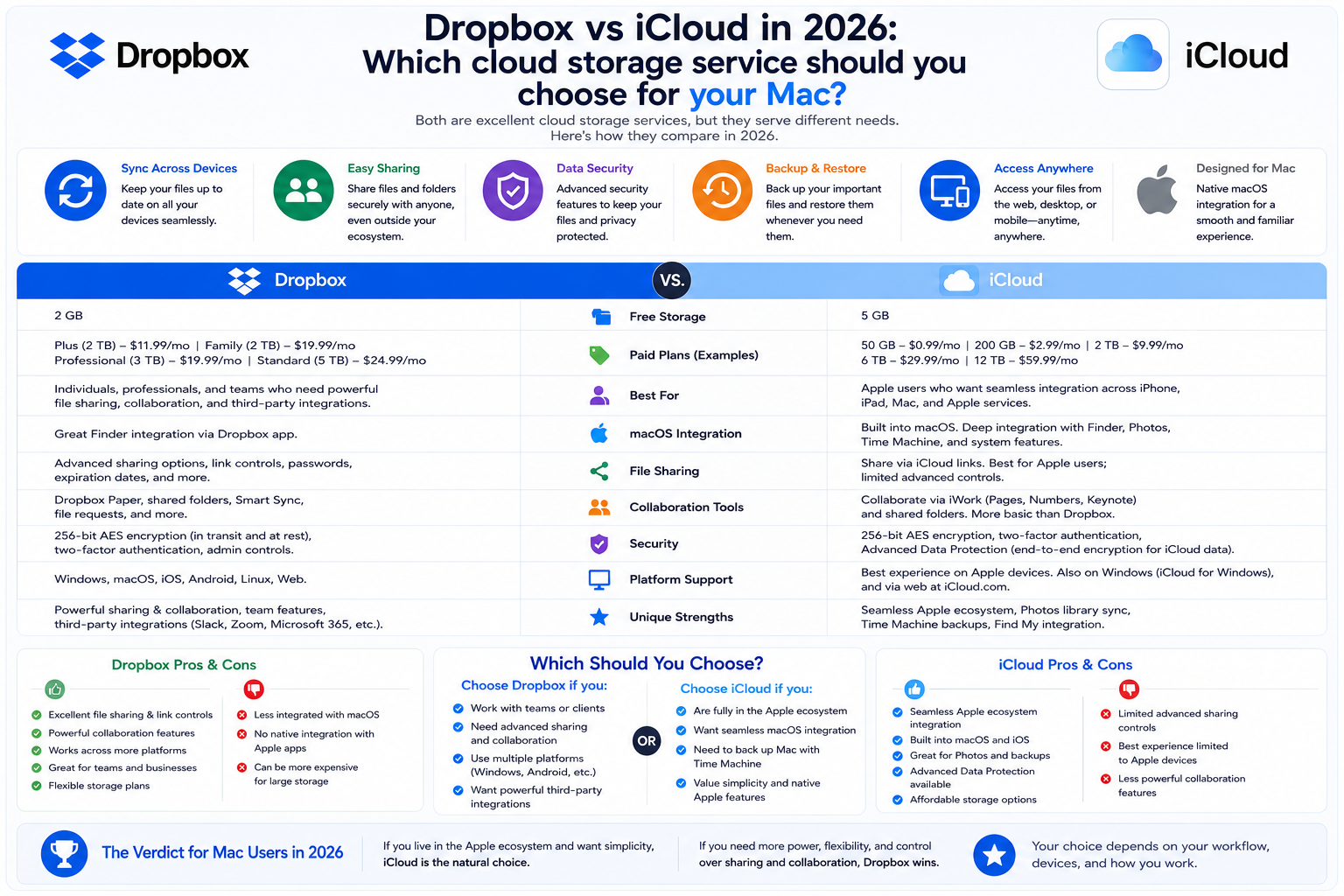
Dropbox and iCloud are both popular cloud storage services, but each platform has its own advantages in terms of data synchronization, file sharing, collaboration, and ecosystem integration.
1. Dropbox and iCloud: The two leading cloud storage services in 2026
Cloud storage has become an indispensable part of life for Mac, iPhone, and iPad users. Not only does it provide secure data backup, but these platforms also allow for file synchronization across multiple devices, fast data sharing, and support for remote work. As the size of photos, videos, and documents continues to grow, using online storage services has become essential for both individual users and businesses.
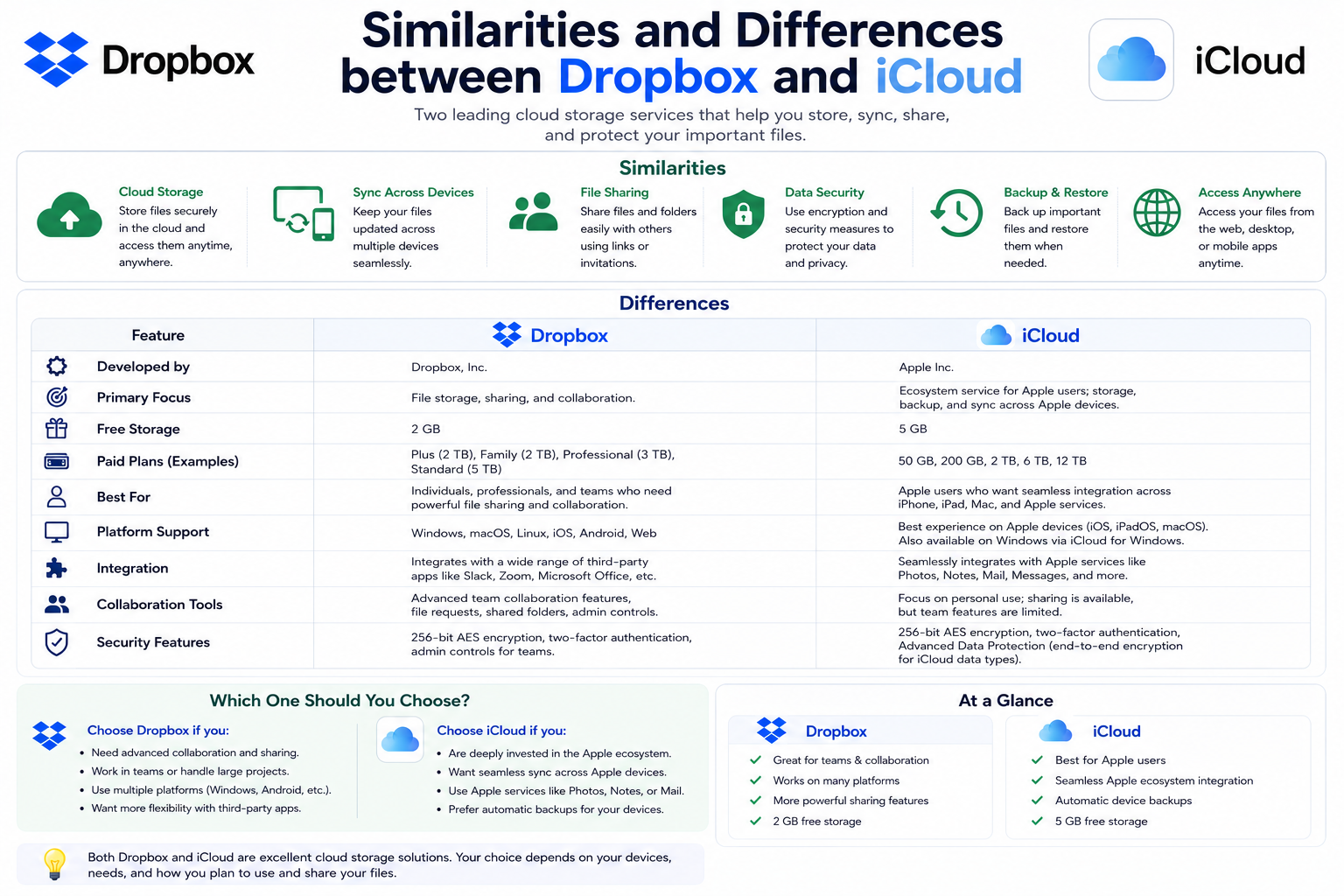
Among the many services available today, Dropbox and iCloud remain two of the most prominent. While iCloud was developed by Apple to work seamlessly within its ecosystem, Dropbox focuses on cross-platform compatibility and a range of professional collaboration tools. Both are solutions that have been on the market for many years and boast hundreds of millions of users worldwide.
In 2026, both services continued to improve with numerous upgrades in synchronization performance, security, and collaboration capabilities. However, each platform targets a different user group. While iCloud focuses on providing a simple, automated experience for Apple users, Dropbox stands out for its flexibility across multiple operating systems. Therefore, the right choice will depend on the device you use, your data storage needs, and your daily workflow.
2. Key features of Dropbox
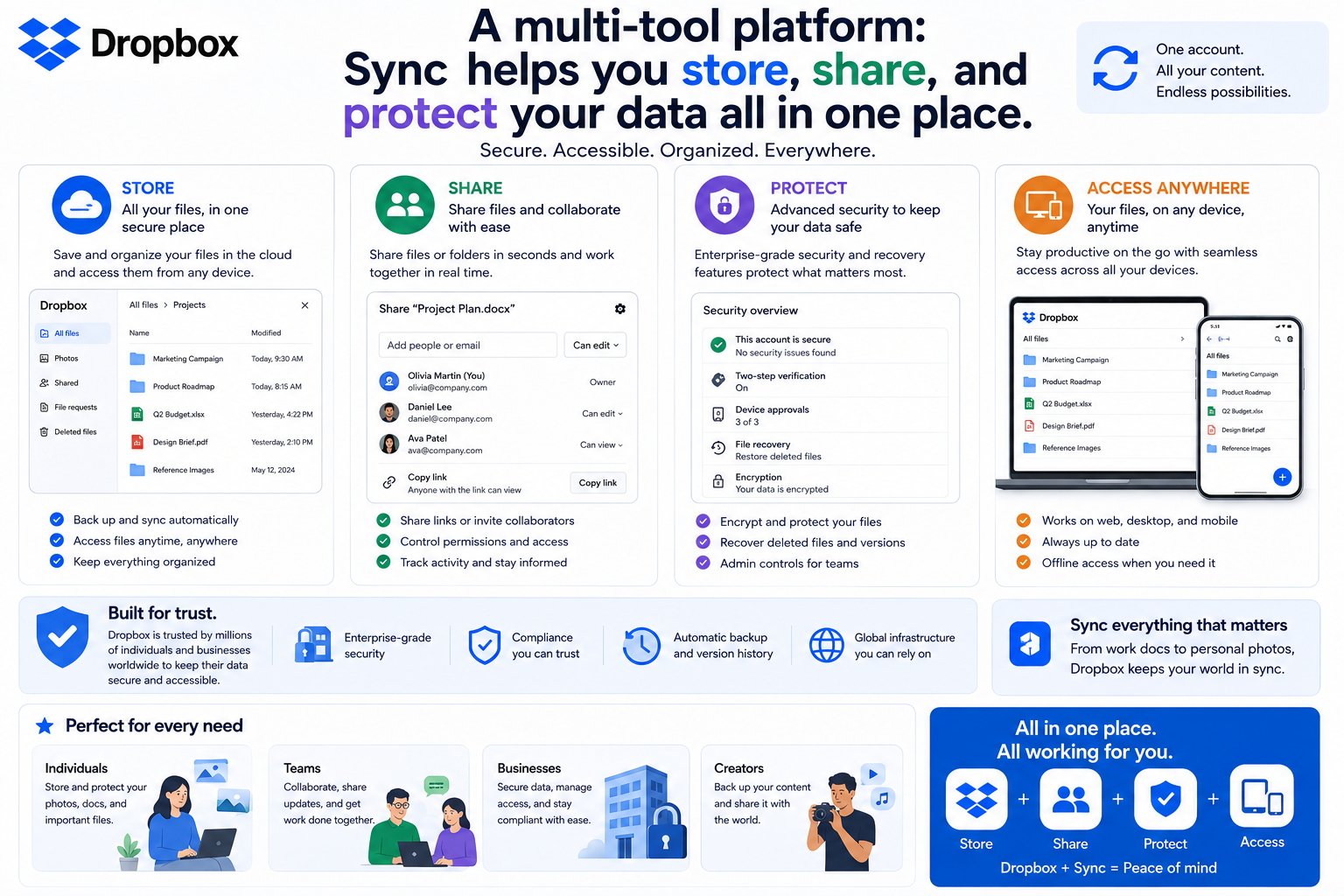
Dropbox is considered one of the most powerful cloud storage platforms for both individual and business users. Its most notable feature is its fast and stable file synchronization capabilities, especially when working with large files or requiring frequent updates.
Dropbox uses block-level sync technology , meaning the system only uploads the data that has just been edited instead of re-uploading the entire file. This significantly improves sync speed, saving time and network bandwidth, which is especially useful for designers, video editors, and programmers.
The service also supports Selective Sync and Online-only Files , allowing users to choose whether to save files to their computer or only to the cloud. This saves hard drive space while still allowing file access when needed.
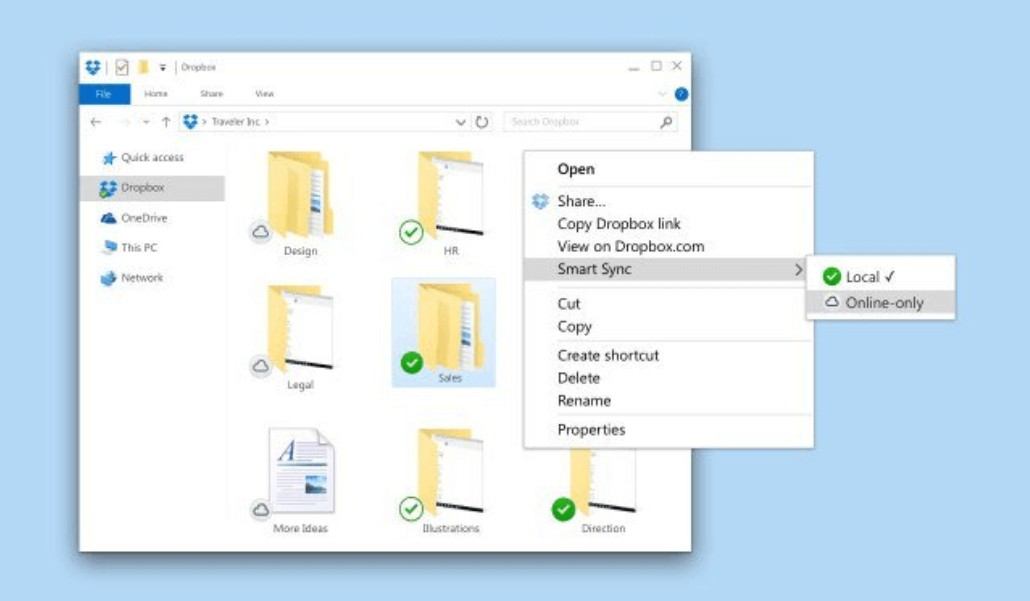
File sharing capabilities are also a strength of Dropbox. Users can send files via email or create sharing links, and customize access permissions such as view-only, edit-only, set link expiration dates, or password-protect on some service plans. This makes sharing data with colleagues or clients more convenient and secure.
Another advantage is the file versioning management feature. Dropbox doesn't limit the number of times you can save versions, only the time you can store your edit history. Depending on the service plan, users can restore versions within 30 days, 180 days, or up to 365 days if needed.
Furthermore, Dropbox integrates with Dropbox Paper , Google Workspace , and Microsoft 365 , allowing users to create, edit, and collaborate directly on documents. This is why Dropbox remains a top choice for many businesses and professional teams.
3. Key features of iCloud
iCloud is a cloud storage service that Apple has integrated into most of its devices, including Macs, iPhones, iPads, and Vision Pro. Simply logging into your Apple Account allows users to immediately access 5 GB of free storage without needing to install any additional software.
iCloud's biggest strength is its near-instantaneous synchronization between Apple devices. Photos, videos, contacts, notes, calendars, passwords, Safari, app data, and much more are updated automatically, allowing users to continue working on any device without manually copying data.
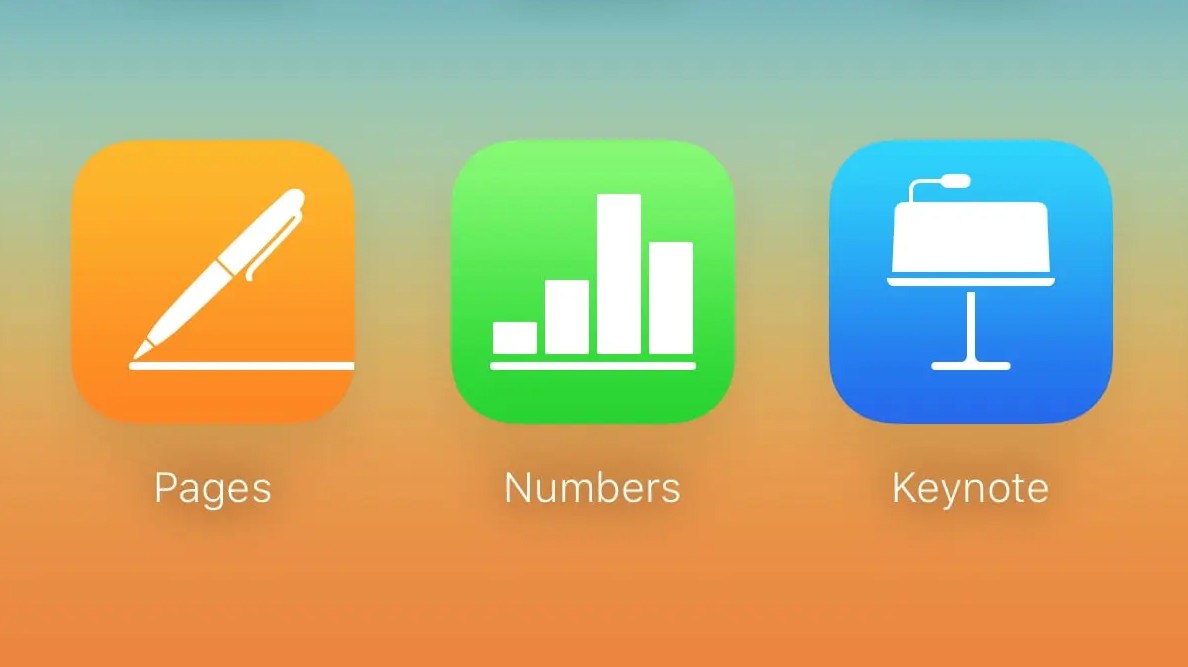
Through iCloud Drive , users can store documents and access them directly from Finder on macOS or the Files app on iPhone and iPad. Additionally, when logged into iCloud via a web browser, users can also use Apple's office applications such as Pages , Numbers , and Keynote to create or edit documents online.
Apple also offers various storage plans ranging from 50 GB to several TB at prices suitable for individuals, families, or those with large storage needs. In particular, the Family Sharing feature allows multiple members to share iCloud storage, optimizing costs and making data management more convenient.
More than just a storage service, iCloud integrates many important features such as iCloud Photos for syncing photo libraries, iCloud Backup for automatic device backups, Find My for locating lost devices, and app data synchronization between Apple devices. Thanks to its deep integration into the ecosystem, iCloud provides a seamless, stable, and very easy-to-use experience for Mac, iPhone, and iPad users.
4. Dropbox or iCloud, which is the better choice?
When considering its multi-platform compatibility, Dropbox is a superior choice. The service supports macOS, Windows, Linux, Android, and iOS, making it easy for users to work across various devices.
Dropbox also has advantages in data sharing, team collaboration, and integration with Google Workspace and Microsoft 365. These are very useful features for businesses, software development teams, designers, or anyone who frequently works with clients.
Meanwhile, iCloud scores points for its deep integration with the Apple ecosystem. If you only use a Mac, iPhone, iPad, and Apple Watch, almost no complicated setup or configuration is needed. All data will automatically sync between devices via your Apple Account.
It can be said that Dropbox excels in flexibility and cross-platform capabilities, while iCloud offers the simplest, most stable, and optimized experience for Apple users.
5. Who is Dropbox suitable for?
Dropbox is particularly well-suited for professional users who need to process large amounts of data daily. Features such as fast synchronization, file version management, advanced sharing, and team collaboration make it a popular choice for many businesses.
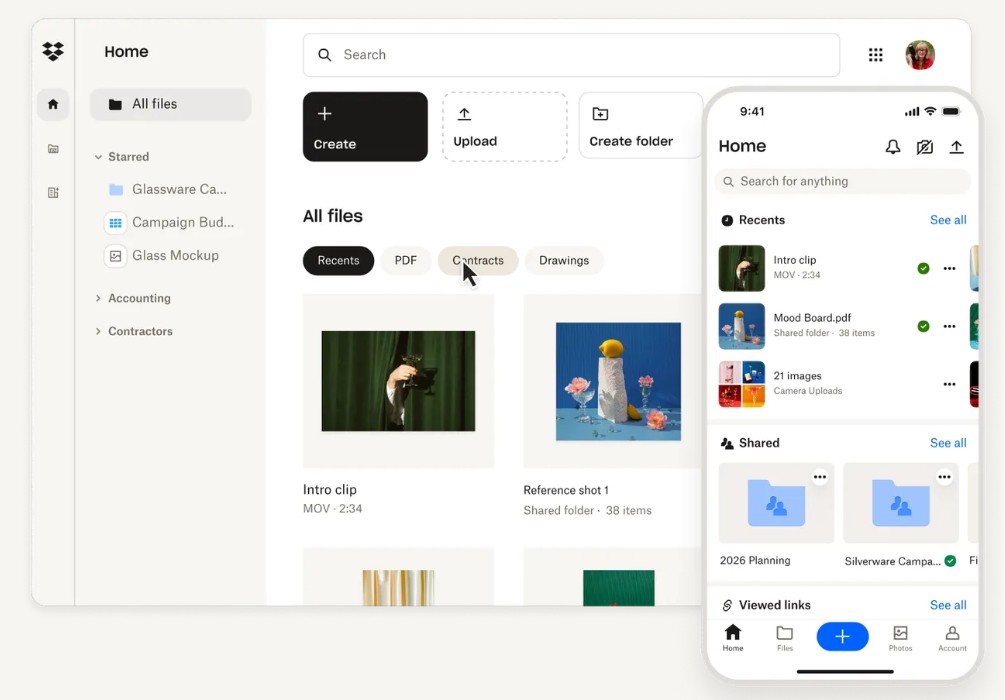
This is also an ideal solution for those who frequently use Google Workspace or Microsoft 365. Users can create, edit, and save documents directly without switching between multiple platforms.
If you use a Mac, a Windows computer, and an Android phone simultaneously, Dropbox will be much more convenient than iCloud thanks to its stable performance across all operating systems.
6. Who is iCloud suitable for?
For Apple users, iCloud is practically the default choice. The service is deeply integrated into macOS, iOS, and iPadOS, making data backup and synchronization completely automatic.
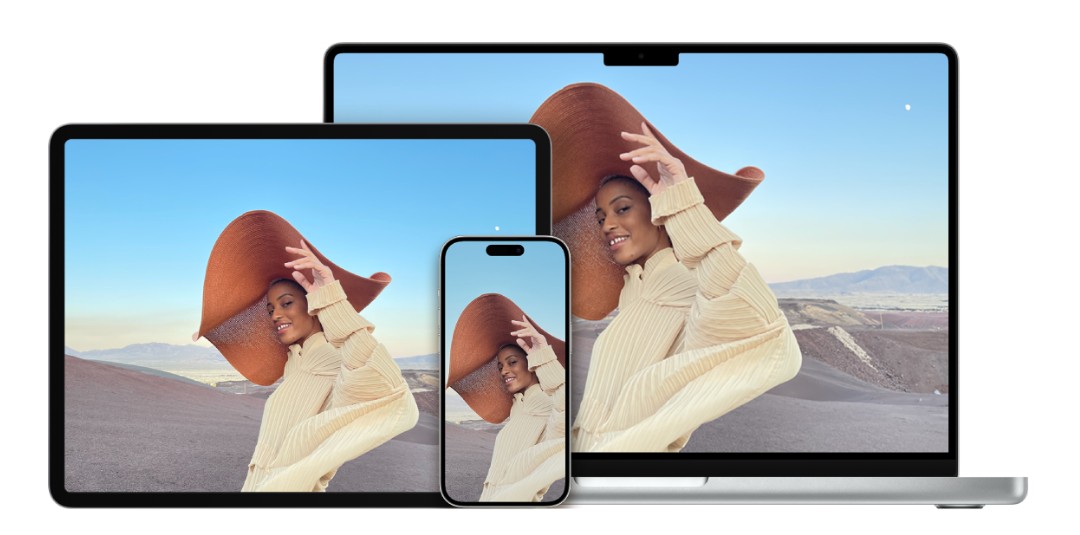
iCloud is especially suitable for those who want a simple, minimally configurable solution. Simply log in with your Apple account, and all your photos, documents, contacts, and app data will be synced across all your devices.
Furthermore, iCloud's pricing remains relatively competitive if you only need basic storage capacity. For those who primarily use Apple devices and don't require complex collaboration, iCloud is still a very worthwhile option.
7. Other cloud storage services worth considering
Besides Dropbox and iCloud, Mac users have many other quality options.
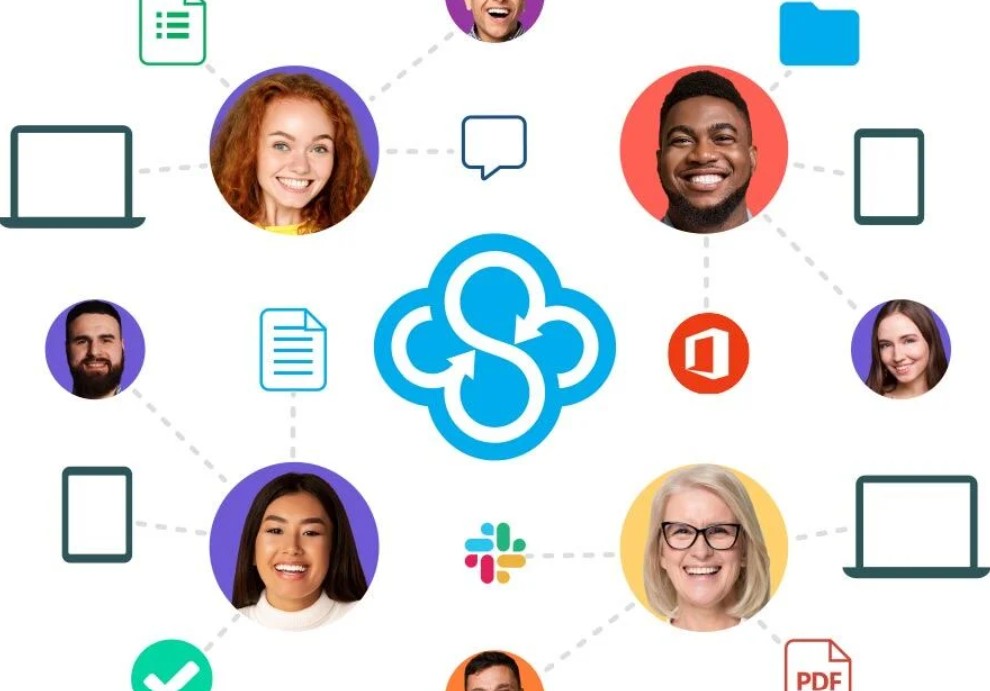
Sync.com stands out for its high level of security with end-to-end encryption technology using a zero-knowledge encryption model . This means only the user has the decryption key, enhancing privacy.
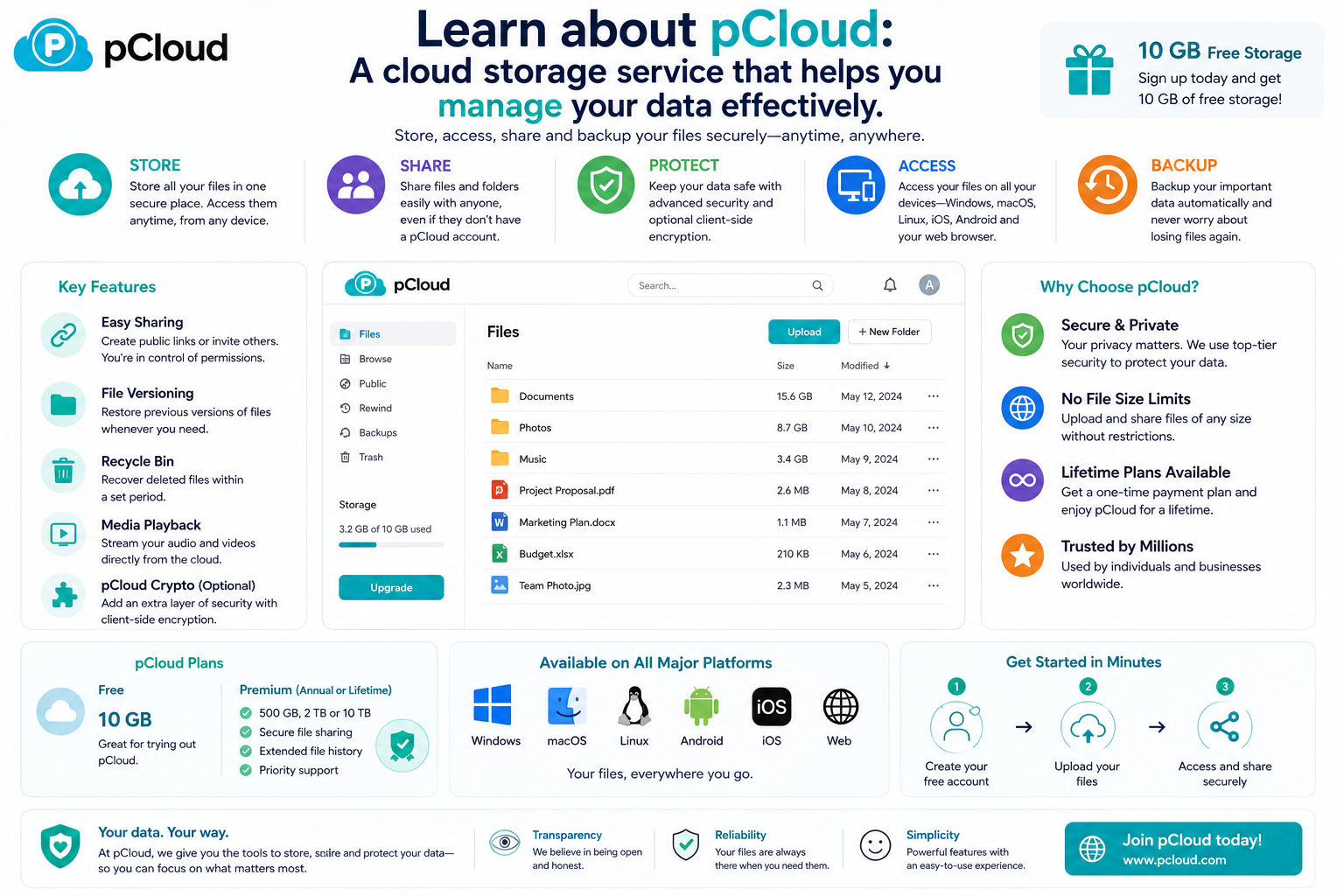
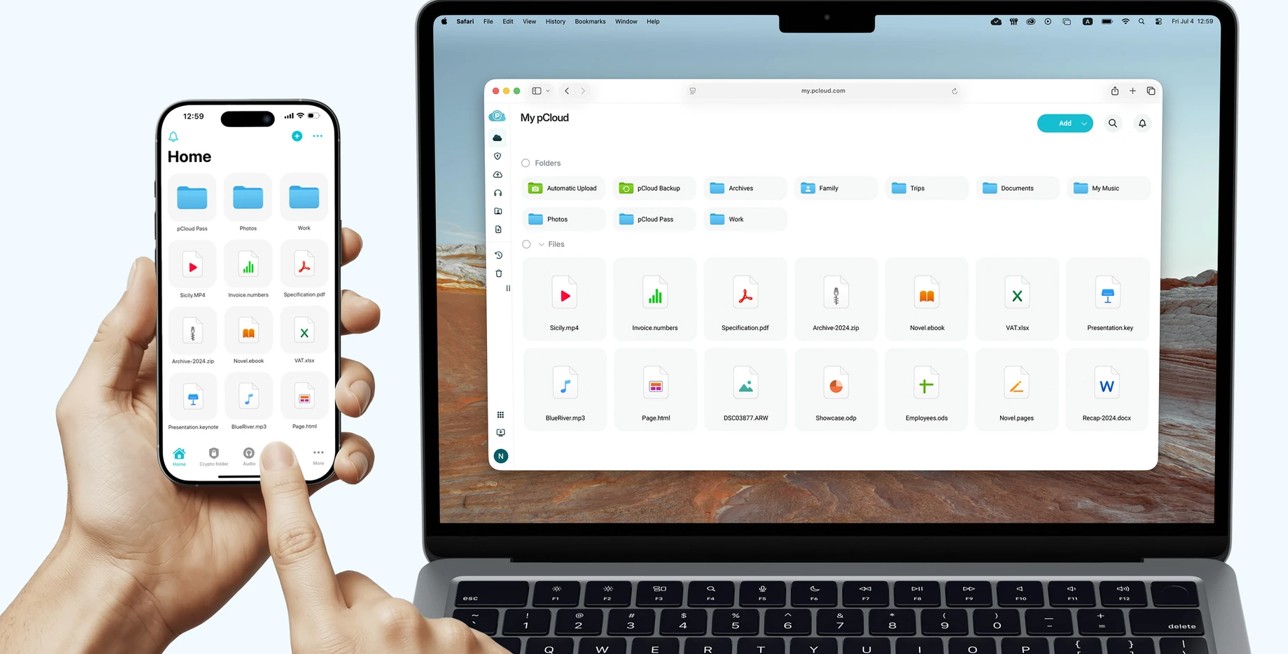
pCloud is highly regarded for its powerful virtual drive functionality on computers. Users can purchase pCloud Crypto to protect important folders with zero-knowledge encryption technology.
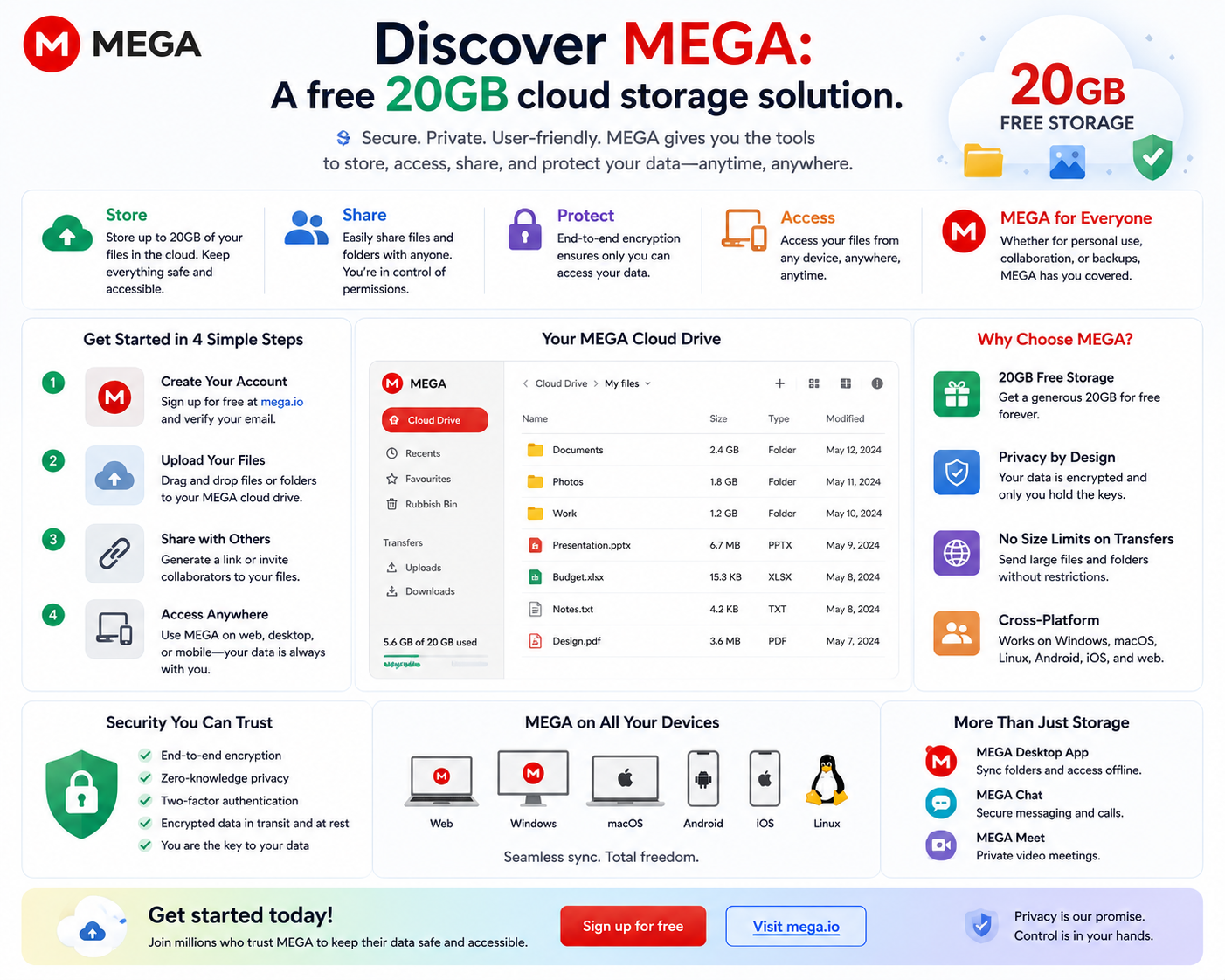
MEGA continues to be an attractive option with its large free storage capacity and flexible file sharing capabilities. The service also employs end-to-end encryption to protect user data from information leaks.
If security is a priority, Sync.com and pCloud are worthwhile options. If you want a large amount of free storage, MEGA remains one of the most attractive services currently available.
8. Should you choose Dropbox or iCloud in 2026?
There is no one-size-fits-all answer because each service caters to different needs.
If you're an Apple user, primarily using Macs, iPhones, and iPads, and need a stable, easy-to-use service with automatic synchronization, iCloud is the best choice. Its deep integration with the Apple ecosystem ensures all your data is always up-to-date with minimal effort.
Conversely, if you frequently work across multiple operating systems, need to share files with clients, collaborate with colleagues, or use Google Workspace and Microsoft 365, Dropbox offers more advantages. Its fast synchronization capabilities, file version management, and cross-platform support make Dropbox a reliable tool for professional work.
Overall in 2026, iCloud remains the optimal choice for most Apple users , while Dropbox is more suitable for professionals and cross-platform work environments . The choice of which service to use should be based on the ecosystem of devices you are using and your actual data storage and sharing needs.





















VIP Products








Best Selling Products
Upgrade genuine Capture One account
120 USD
Capcut Pro 1 Year
39 USD
Autodesk All App Account Copyright
120 USD
Plugin Retouch4me
69 USD
Upgrade Genuine Office 365
49 USD
MidJourney Account
29 USD
Adobe Photoshop Copyright - Full App
120 USD
Genuine Cheap Canva Pro
39 USD
Genuine Adobe Illustrator account
99 USD
Adobe Premiere Pro Account
99 USD
Copyright Adobe Lightroom Account
59 USD
ChatGPT Plus Account (GPT-4)
16 USD
Windows 10 & 11 Pro Key
36 USD
Upgrade Duolingo Super
29 USD
Freepik Premium Account
59 USD