Best Selling Products

Upgrade genuine Capture One account
120 USD

Copyright Adobe Lightroom Account
59 USD

Upgrade Genuine Office 365
49 USD

ChatGPT Plus Account (GPT-4)
16 USD

Genuine Adobe Illustrator account
99 USD

Capcut Pro 1 Year
39 USD

MidJourney Account
29 USD

Plugin Retouch4me
69 USD

Freepik Premium Account
59 USD

Upgrade Duolingo Super
29 USD

Adobe Premiere Pro Account
99 USD

Adobe Photoshop Copyright - Full App
120 USD

Autodesk All App Account Copyright
120 USD

Windows 10 & 11 Pro Key
36 USD

Genuine Cheap Canva Pro
39 USD
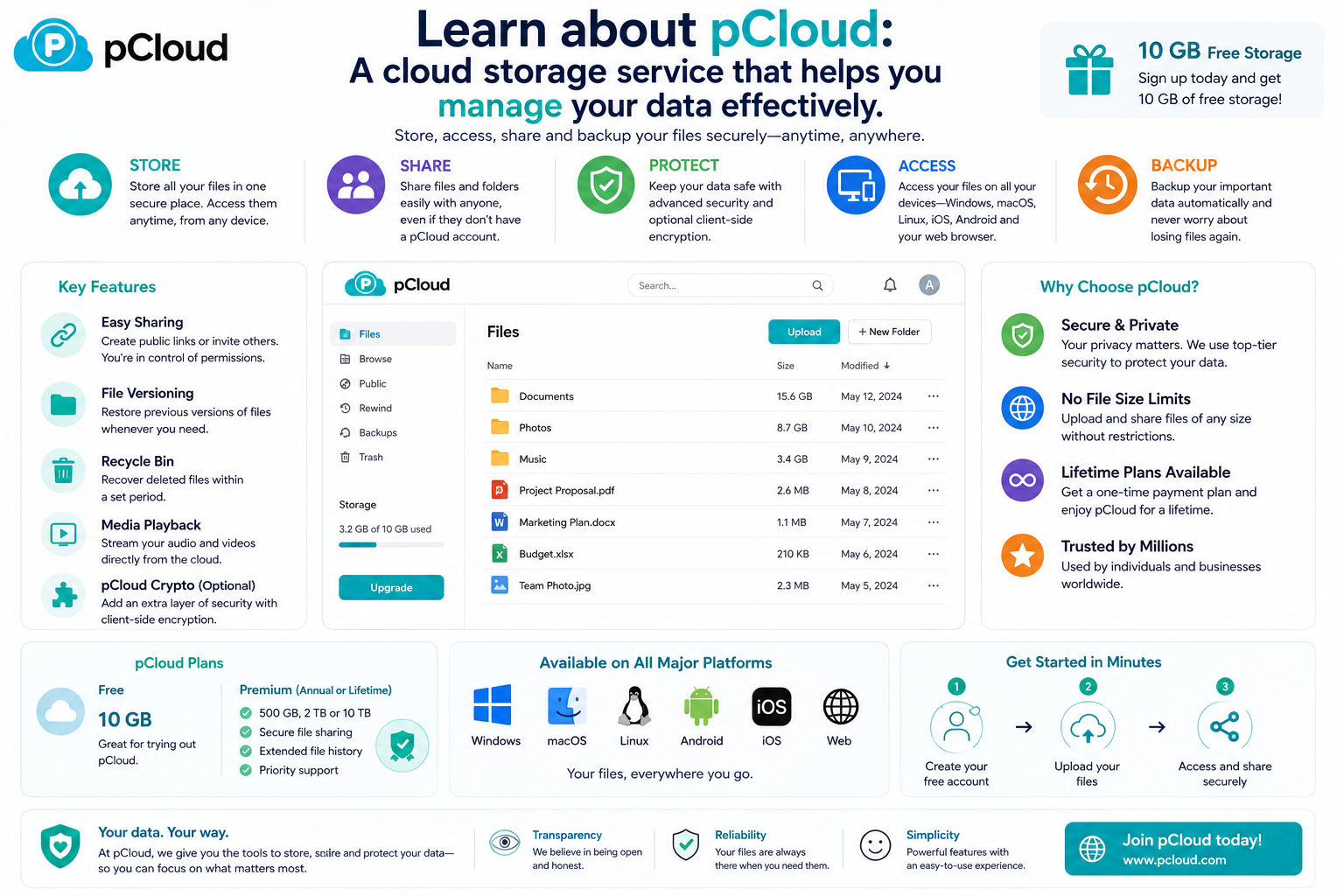
Learn about pCloud: A cloud storage service that helps you manage your data effectively.
Nội dung
- 1. Learn about pCloud
- 2. Store and synchronize data quickly across all devices.
- 3. Back up data securely and minimize the risk of information loss.
- 4. Share data easily while ensuring security.
- 5. Comprehensive entertainment and data management experience.
- 6. Why is pCloud a worthwhile option to consider?
- 7. Conclusion
pCloud not only helps store data but also provides a comprehensive ecosystem for managing, sharing, and backing up data. Let''s explore why pCloud is becoming a worthwhile option for those who need a professional cloud storage platform.
1. Learn about pCloud
pCloud is a cloud storage platform founded in 2013, providing data storage, synchronization, and management solutions for both individual and business users. To date, the service has over 24 million users in more than 130 countries, becoming one of the most highly regarded cloud storage platforms thanks to its combination of performance, security, and user-friendly experience.
Instead of storing data on hard drives, USB drives, or other physical devices, pCloud allows users to store all their files in the cloud and access them from anywhere with an internet connection. The platform fully supports Windows, macOS, Linux, Android, iOS, and web browsers, making switching between devices seamless without manual data copying. This is a suitable solution for those who frequently work remotely or need to access documents from multiple locations.
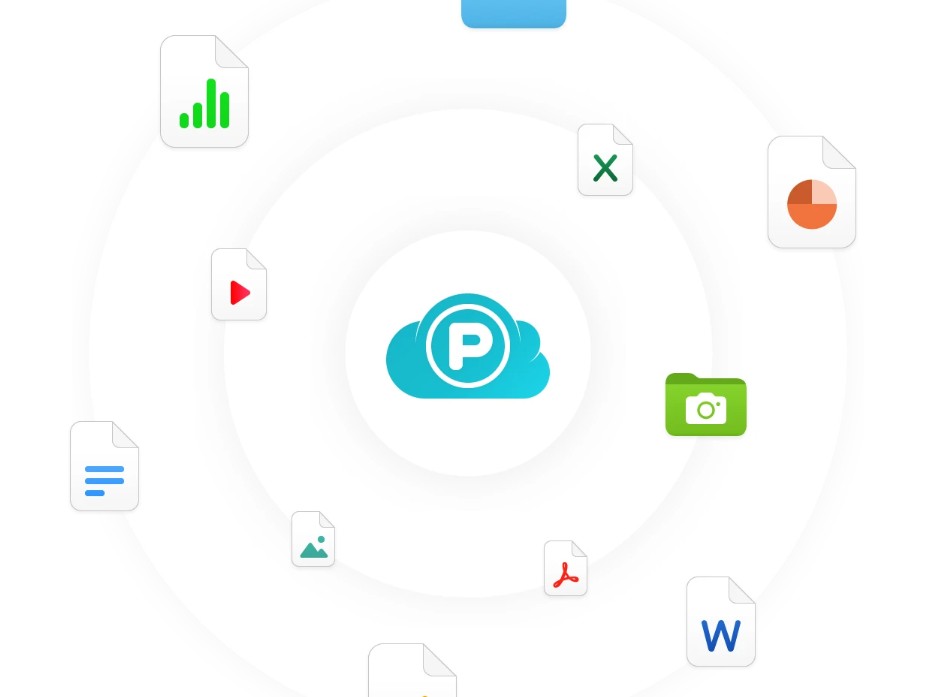
One of pCloud's strengths is its focus on privacy and data security. The company is based in Switzerland, a country known for its strict regulations on personal data protection. In addition to standard security mechanisms, users can utilize end-to-end encryption through pCloud Encryption to further protect important documents. Furthermore, pCloud is one of the few platforms offering a lifetime storage plan, saving users money compared to recurring subscriptions.
2. Store and synchronize data quickly across all devices.
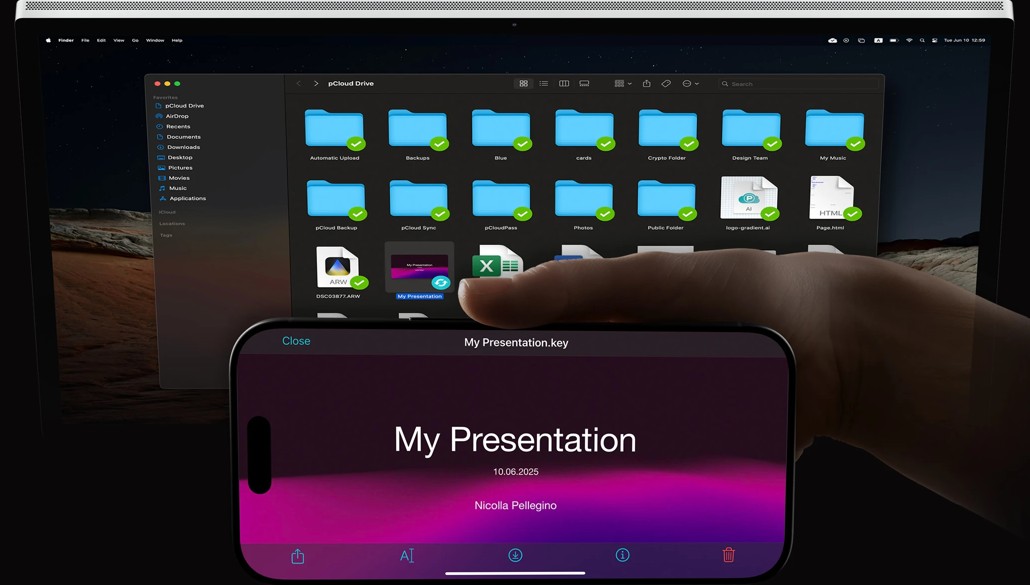
One of pCloud's standout advantages is its real-time data synchronization capability. Whenever a user uploads, edits, or deletes a file, all changes are updated almost instantly across all devices logged in with the same account. This ensures users are always working with the latest version of the document, while also minimizing data duplication or loss.
Thanks to cross-platform support, users can start editing documents on their office computer, continue working on their home laptop, and review the content on their phone without sending files via email or using external storage devices. The synchronization process happens automatically, contributing to improved work efficiency and saving time.
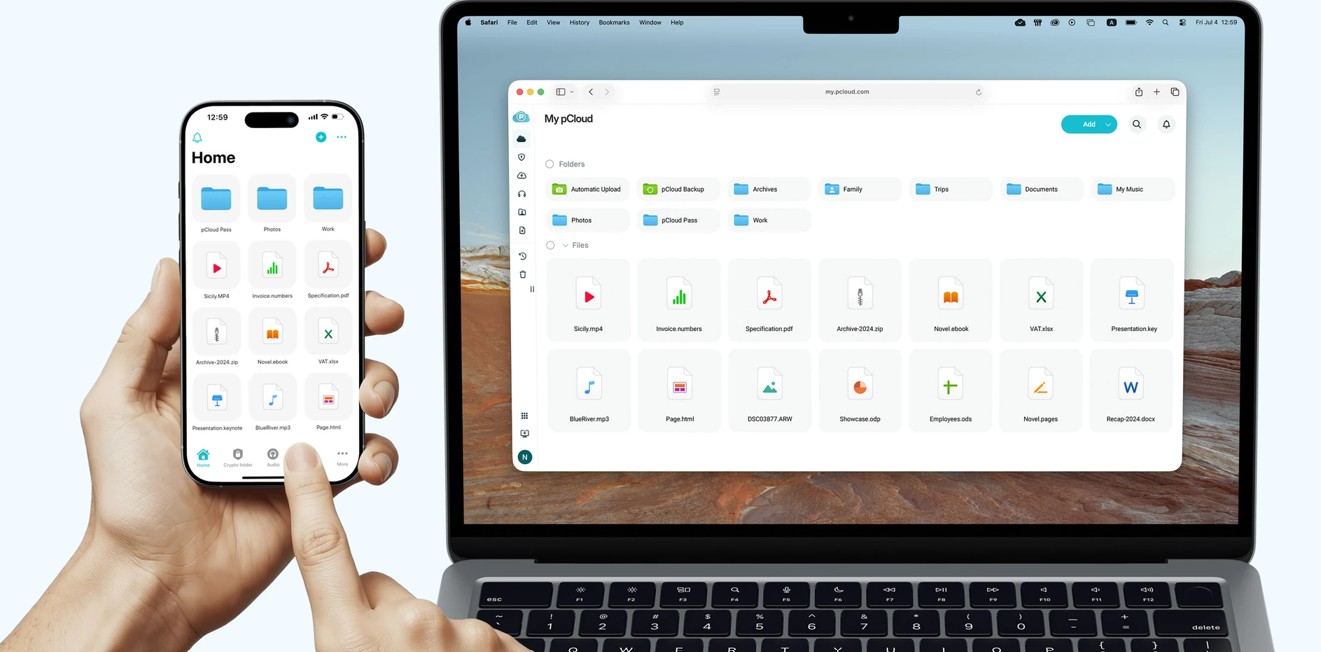
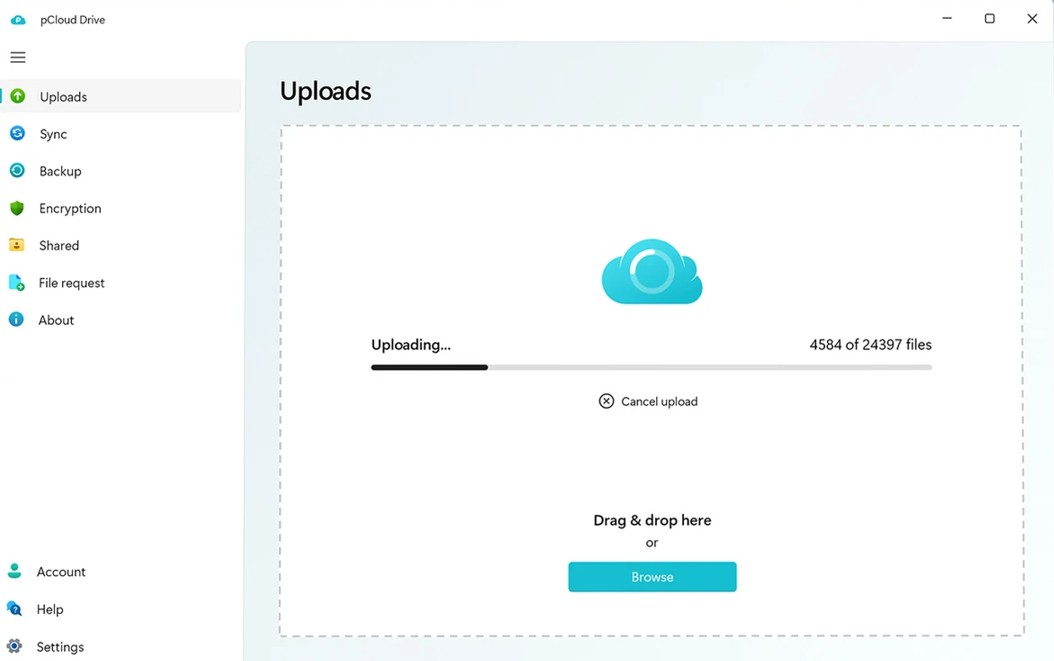
Specifically, pCloud Drive acts as a virtual hard drive on your computer. Users can open, edit, or manage files directly from the cloud without downloading all the data to their device. This solution significantly saves hard drive space while still providing a familiar user experience. Furthermore, pCloud does not limit file upload sizes and supports storing high-quality videos, RAW images, design projects, CAD files, and large data files. The system also optimizes synchronization speed by only updating the changed data, reducing bandwidth and shortening upload times.
3. Back up data securely and minimize the risk of information loss.
During work, data can be lost due to hardware failures, viruses, ransomware, or accidental deletion. Therefore, data backup is one of the most important features that pCloud offers. Users simply select the folders to back up, and the system will automatically synchronize all changes to the cloud without requiring manual intervention after each edit.
Beyond just data storage, pCloud integrates numerous tools to aid in data recovery in case of problems. The File Versioning feature saves the history of each file, allowing users to revert to previous versions if they accidentally edit or overwrite important content. Meanwhile, File Recovery helps recover accidentally deleted files, reducing the risk of permanent data loss.
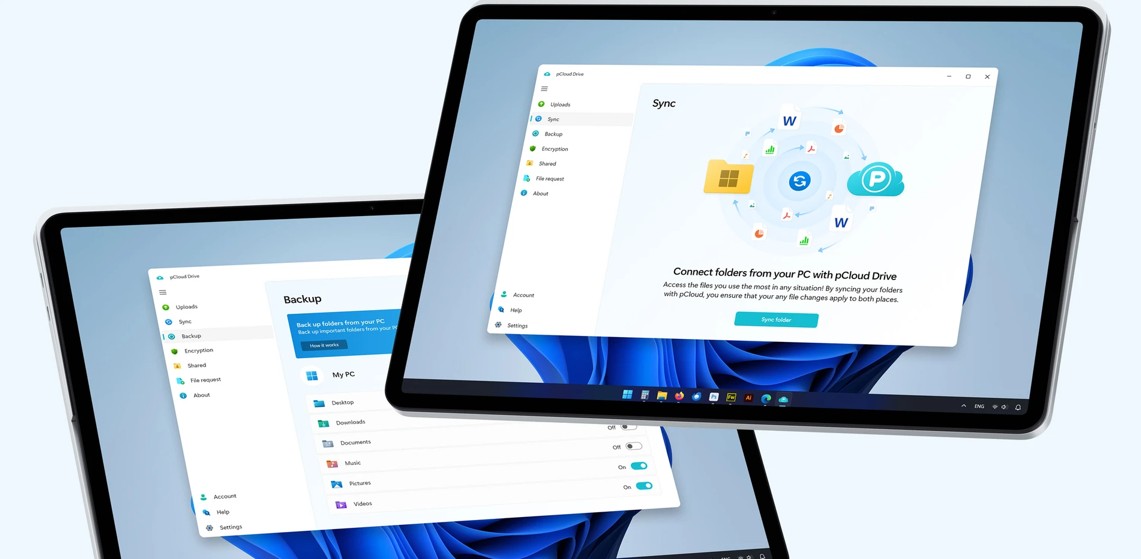
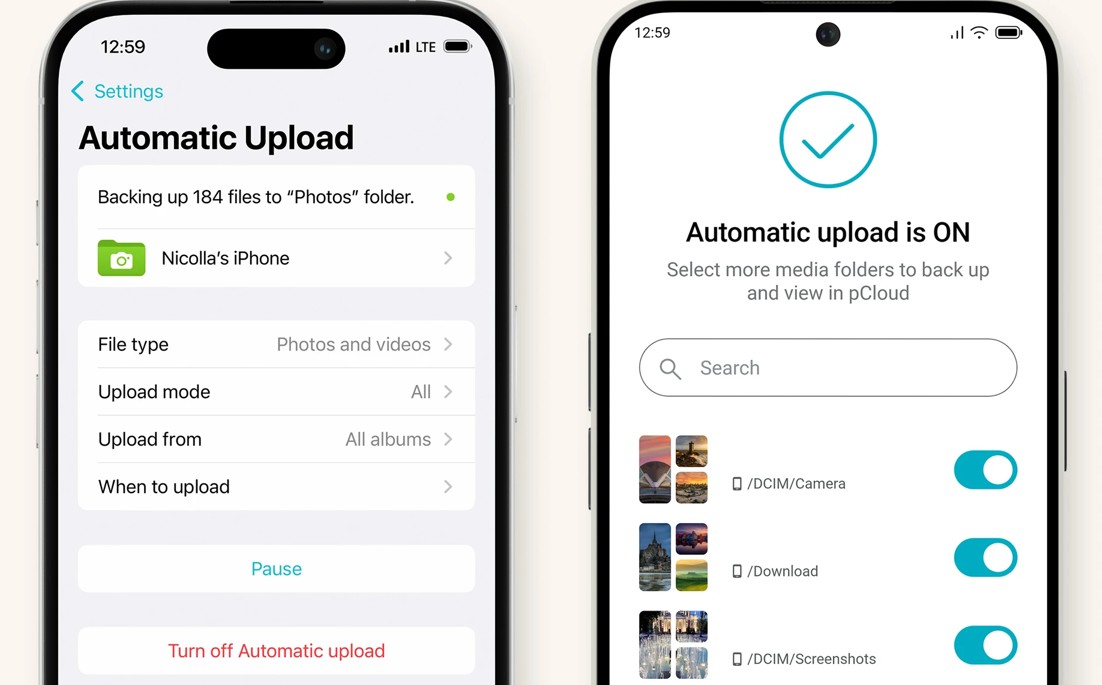
Another notable feature is Account Rewind. This tool allows you to restore your entire account to its state before an incident occurred, especially useful in cases where the device is attacked by ransomware or data is altered in bulk. Additionally, the pCloud app on your phone supports automatic backup of newly captured photos and videos to the cloud, freeing up device storage while ensuring important data is always stored securely.
4. Share data easily while ensuring security.
More than just a storage platform, pCloud also provides many convenient data sharing tools to support online work and collaboration. Users can create sharing links for individual files or entire folders with just a few clicks. Recipients can view or download data without creating a pCloud account, making information exchange quick and convenient.
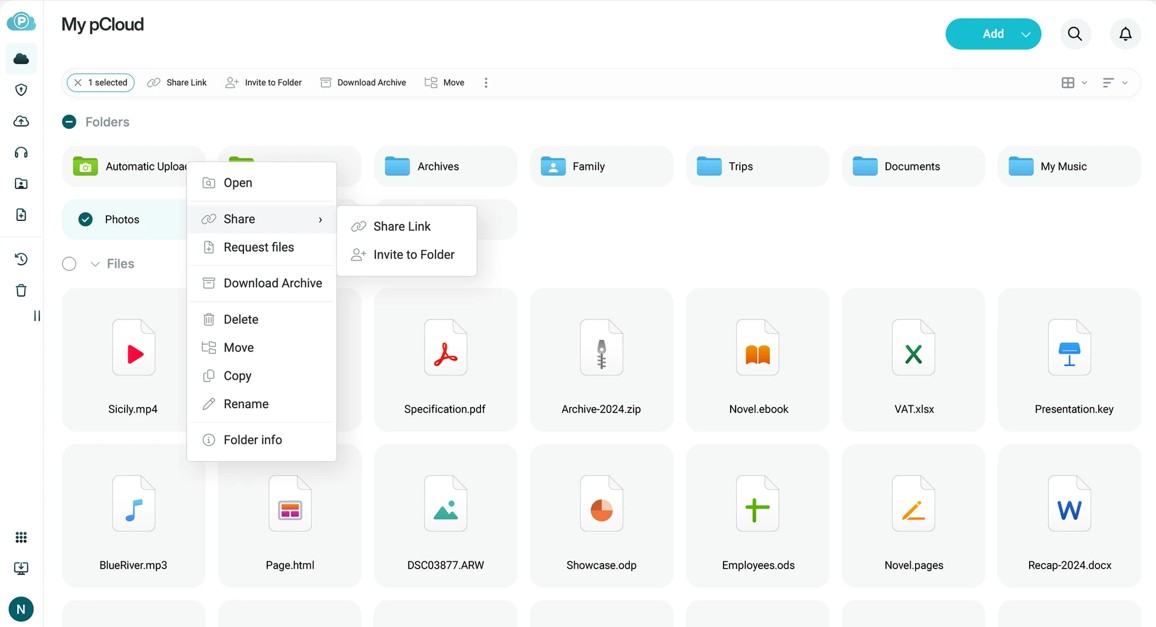
For important documents, pCloud offers various security options such as password-protecting shared links, setting time limits, or managing access permissions. This allows owners to better control data sharing and reduce the risk of information leaks.
In addition to sharing via links, pCloud also supports creating collaborative folders so that multiple people can work together on a shared storage space. Administrators can assign permissions to each member, such as view-only, edit-only, or download-only, helping to make collaboration between work teams more efficient and organized. With its combination of fast sharing and multi-layered security, pCloud effectively meets the needs of individuals, project teams, and businesses in managing and exchanging digital data.
5. Comprehensive entertainment and data management experience.
More than just a cloud storage platform, pCloud offers numerous features to help users manage and utilize data effectively for both work and leisure. Besides document storage, users can manage images, videos, and multimedia files on a single platform, and access them easily from various devices.
One of pCloud's standout features is its ability to stream music and video files directly without downloading them to your device. This saves local storage space and provides a seamless entertainment experience. Users can also conveniently organize and manage their media library.
Additionally, the Remote Upload feature allows you to directly upload files from an internet link to your pCloud account without needing a computer. This is a useful solution for storing large files, saving both time and bandwidth.
For mobile devices, pCloud supports automatic backup of new photos and videos to the cloud, helping to protect data and free up phone memory. In addition, the Offline Access mode allows users to mark important files for access even without an internet connection. When the device reconnects to the network, all changes will be automatically synchronized, providing a more flexible and convenient user experience.
6. Why is pCloud a worthwhile option to consider?
pCloud's strengths lie not only in its storage capacity but also in its product development philosophy focused on simplicity, security, and flexibility. The intuitive interface allows even beginners to quickly get acquainted with the product without needing extensive technical knowledge.
With its fast synchronization capabilities, multi-platform support, and numerous data protection features, pCloud is suitable for a wide range of users, from students and office workers to photographers, content creators, and businesses.
Another advantage is that pCloud offers a variety of flexible service packages, including lifetime data options alongside monthly or annual subscription plans. This gives users more choices to suit their needs and budget.
In a data-driven world where data is increasingly valuable, investing in a reliable storage platform not only helps protect information but also enhances work efficiency and collaboration in the digital environment.
7. Conclusion
If you're looking for a cloud storage service that's both user-friendly and packed with modern features to replace or complement traditional platforms, pCloud is a very worthwhile option. With its rich data management ecosystem and stable performance across multiple devices, pCloud is steadily establishing itself in the global cloud storage market.





















VIP Products








Best Selling Products
Upgrade genuine Capture One account
120 USD
Copyright Adobe Lightroom Account
59 USD
Upgrade Genuine Office 365
49 USD
ChatGPT Plus Account (GPT-4)
16 USD
Genuine Adobe Illustrator account
99 USD
Capcut Pro 1 Year
39 USD
MidJourney Account
29 USD
Plugin Retouch4me
69 USD
Freepik Premium Account
59 USD
Upgrade Duolingo Super
29 USD
Adobe Premiere Pro Account
99 USD
Adobe Photoshop Copyright - Full App
120 USD
Autodesk All App Account Copyright
120 USD
Windows 10 & 11 Pro Key
36 USD
Genuine Cheap Canva Pro
39 USD