Best Selling Products

Windows 10 & 11 Pro Key
36 USD

Freepik Premium Account
59 USD

Plugin Retouch4me
69 USD

Genuine Adobe Illustrator account
99 USD

Copyright Adobe Lightroom Account
59 USD

Autodesk All App Account Copyright
120 USD

Genuine Cheap Canva Pro
39 USD

ChatGPT Plus Account (GPT-4)
16 USD

Upgrade Genuine Office 365
49 USD

Upgrade Duolingo Super
29 USD

Adobe Premiere Pro Account
99 USD

Adobe Photoshop Copyright - Full App
120 USD

Capcut Pro 1 Year
39 USD

Upgrade genuine Capture One account
120 USD

MidJourney Account
29 USD
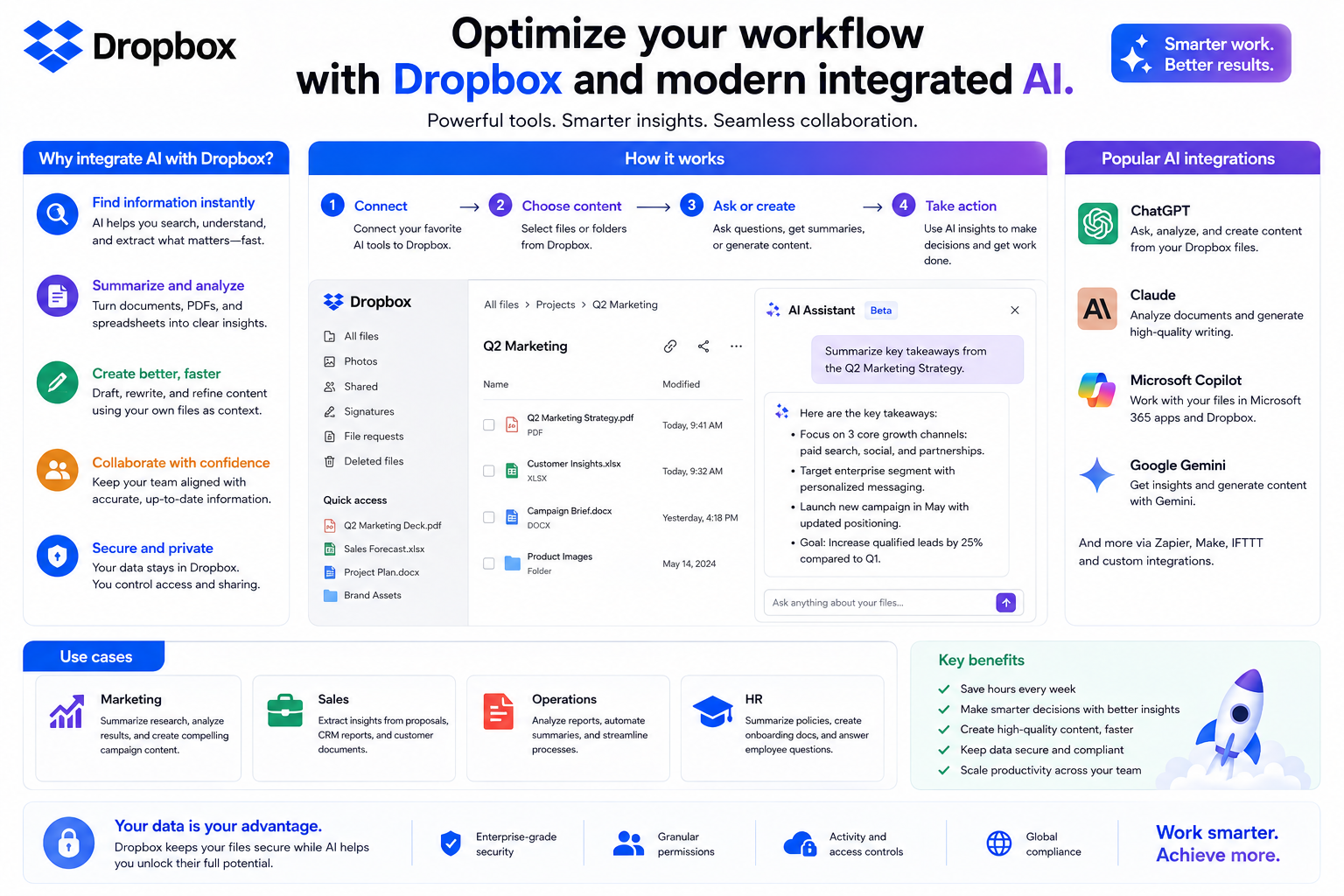
Optimize your workflow with Dropbox and modern integrated AI.
Nội dung
- 1. Smart workspace
- 2. Connect Dropbox with leading AI platforms.
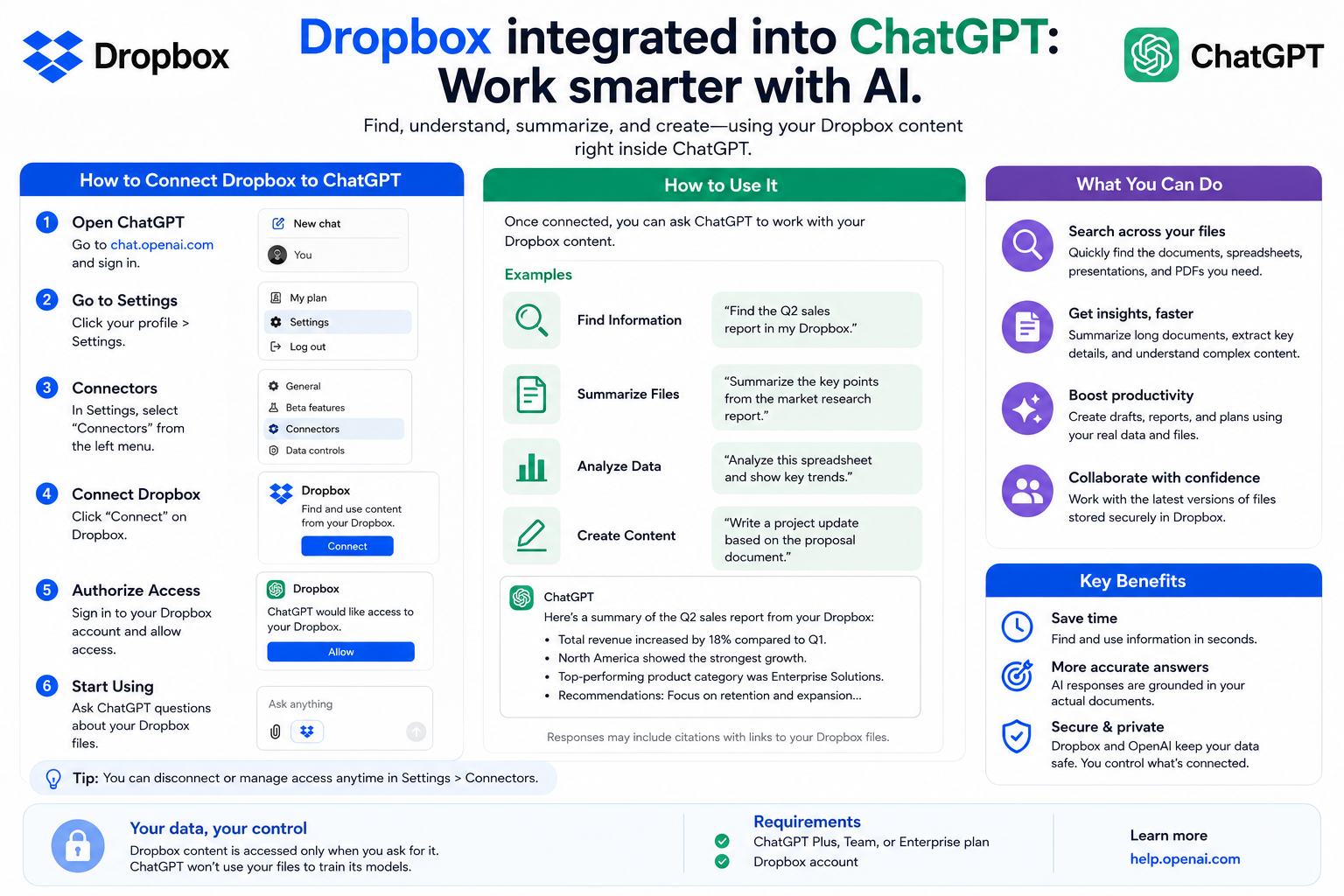
- 2.1. Work smarter with ChatGPT
- 2.2. Dropbox integrates with Anthropic Claude
- 3. Quickly find all the necessary information.
- 4. Manage scientific documents and ensure consistency across the entire team.
- 5. Share quickly, collaborate securely.
- 6. Security is always the top priority.
- 7. Dropbox supports many different industries.
- 7.1. Construction Industry
- 7.2. Media and Creative Industries
- 7.3. Technology Sector
- 7.4. Professional Service
- 7.5. Production
- 7.6. Education
Dropbox is not just a familiar cloud storage platform; it has also become an intelligent workspace powered by AI, helping businesses reduce manual workloads, increase productivity, and ensure the security of all their data.
1. Smart workspace
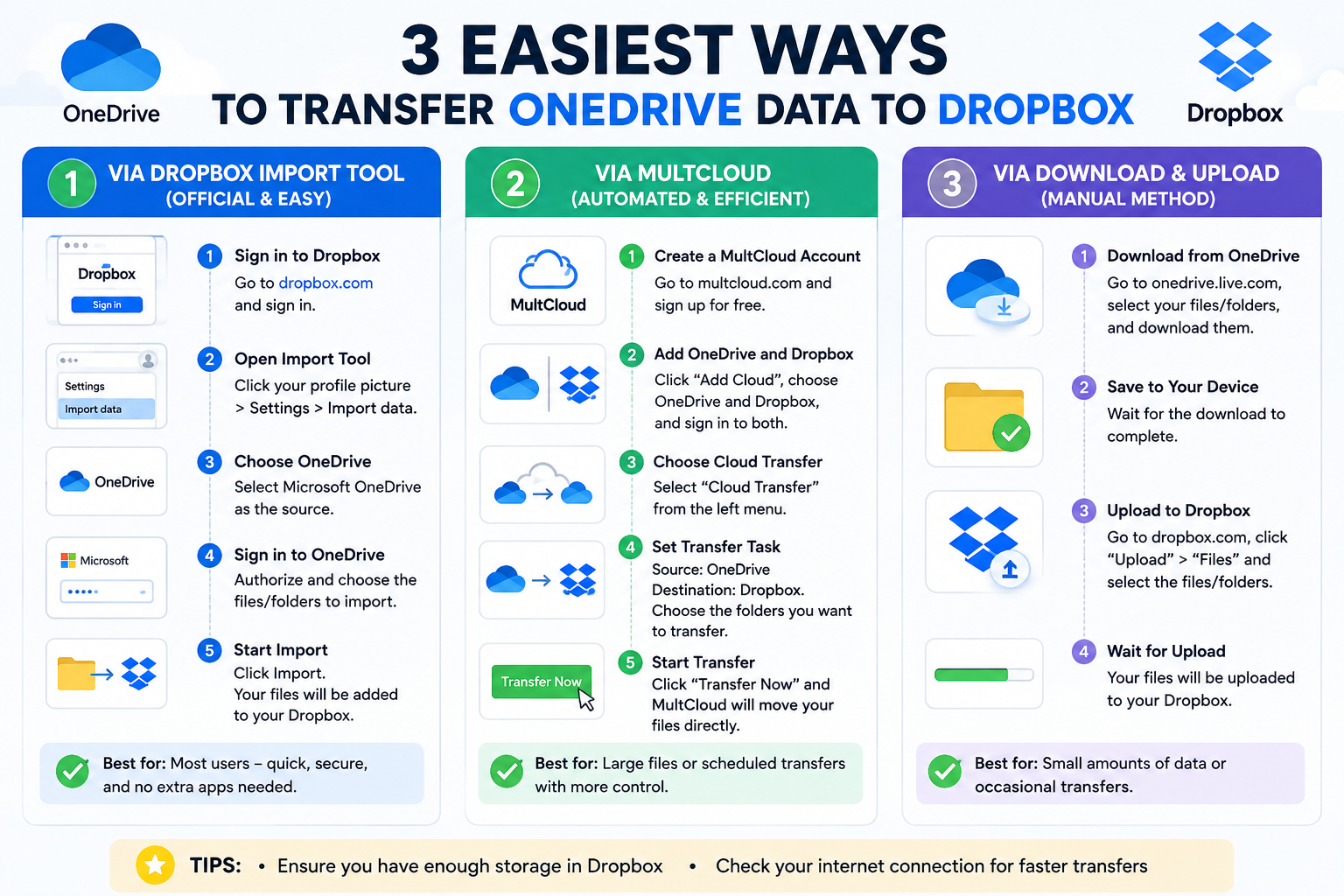
For many years, Dropbox has been known as one of the most popular cloud storage platforms in the world. However, as the demand for remote work, cross-departmental collaboration, and artificial intelligence applications grows, Dropbox is also continuously expanding its ecosystem to become a comprehensive work management platform.
Today, Dropbox not only helps store files but also supports businesses in managing documents, sharing data, coordinating projects, integrating AI, and protecting critical information all within a single, unified platform. This significantly reduces the time spent on repetitive tasks, minimizes switching between multiple applications, and allows teams to focus more on value-generating work.
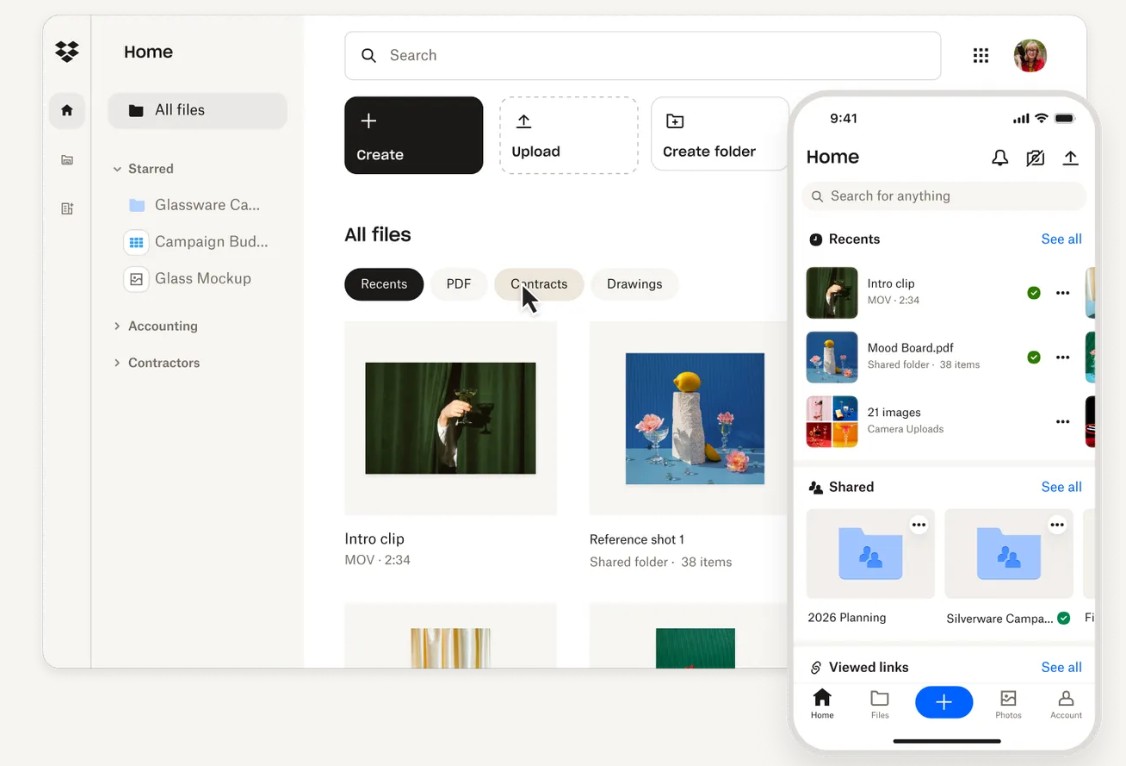
Dropbox's development philosophy is clear: to help users collaborate more easily, accelerate workflows, and protect all of a business's digital assets.
That's also why Dropbox is trusted and used by millions of individuals, businesses, and educational institutions worldwide.
2. Connect Dropbox with leading AI platforms.
Integrating AI makes workflows much more seamless. Users can summarize documents, create sharing links, analyze content, or save results back to Dropbox without switching back and forth between multiple software programs.
2.1. Work smarter with ChatGPT
The integration between Dropbox and ChatGPT brings about a whole new way of working.
Instead of spending hours searching for documents or compiling information, users can simply ask questions in natural language. ChatGPT can assist in searching for relevant documents in Dropbox, analyzing content, creating summaries, writing reports, building project plans, or quickly completing content.
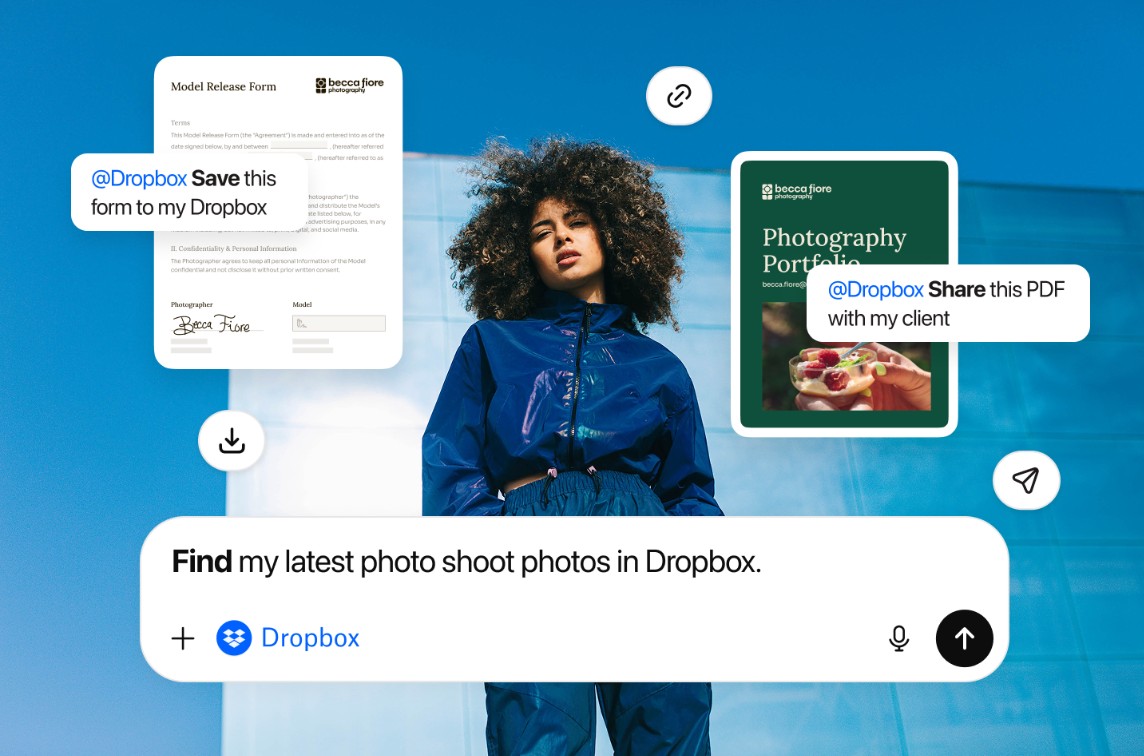
For example, a Marketing team might request ChatGPT:
-
Summary of the previous quarter's campaign report.
-
Find all images related to the new product.
-
Write a draft email based on the documents saved in Dropbox.
-
The ideas are compiled from various sources.
Instead of spending tens of minutes on manual operations, the entire process takes only a few seconds.
For businesses that regularly handle large volumes of documents, this is a significant advantage for improving efficiency.
2.2. Dropbox integrates with Anthropic Claude
Besides OpenAI, Dropbox also integrates with Claude from Anthropic.
Claude is known for his ability to read and understand long documents, conduct in-depth analysis, and provide answers with clear context.
When Dropbox is connected to Claude, the AI can use the company's own data repository as a reference source to:
-
Search for information within thousands of documents.
-
Contract analysis.
-
Evaluate the report.
-
Compare multiple versions of the document.
-
Support for pre-release content review.
The strength of this solution is that the AI not only responds based on general knowledge but also on internal data that the business manages in Dropbox. This helps to provide more accurate, contextual, and relevant results for each organization.
3. Quickly find all the necessary information.
One of the biggest problems in businesses is that employees spend too much time searching for documents.
According to numerous studies, office workers can spend hours each week just trying to find the right version of an important file or email.
Dropbox solves this problem through its intelligent search system.

Users can search by:
-
Document title.
-
The contents inside the document.
-
Keywords.
-
The person who shared it.
-
Project.
-
Editing time.
-
File type.
The search capabilities are not limited to Word or PDF files but also support many other formats.
This allows users to quickly access the necessary documents instead of having to open each folder to check.
Finding the right information at the right time speeds up the decision-making process and significantly reduces waiting time among team members.
4. Manage scientific documents and ensure consistency across the entire team.
A business can generate thousands of documents every month. Without proper management, version mix-ups or data loss are very likely to occur. Dropbox solves this problem with its intuitive data organization system. Every member can access the correct, latest version of a document thanks to real-time synchronization. Group folders are constantly updated, ensuring everyone works on the same data source.
In particular, Dropbox supports previewing over 175 different file formats without the need to install specialized software.
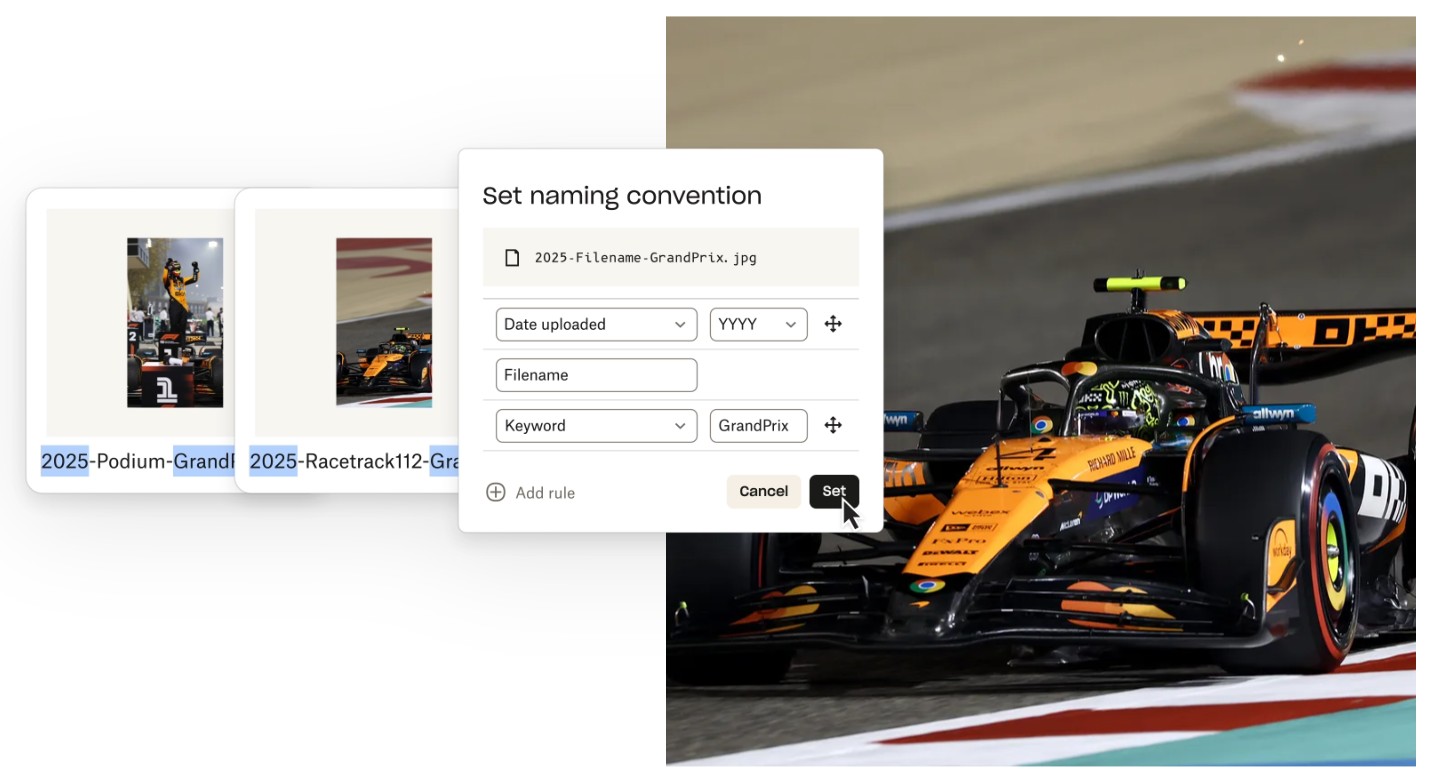
Users can watch live:
-
PDF
-
Photoshop
-
Illustrator
-
Video
-
Audio
-
CAD
-
Office documents
-
Image
-
And many other formats
Previewing files directly in the browser speeds up the communication process, reduces the need for multiple file downloads, and minimizes reliance on applications installed on the computer.
5. Share quickly, collaborate securely.
In the modern workplace, document sharing is a constant process. Dropbox simplifies this process while maintaining a high level of security. With just a few clicks, users can send files or entire folders to colleagues, clients, or partners.
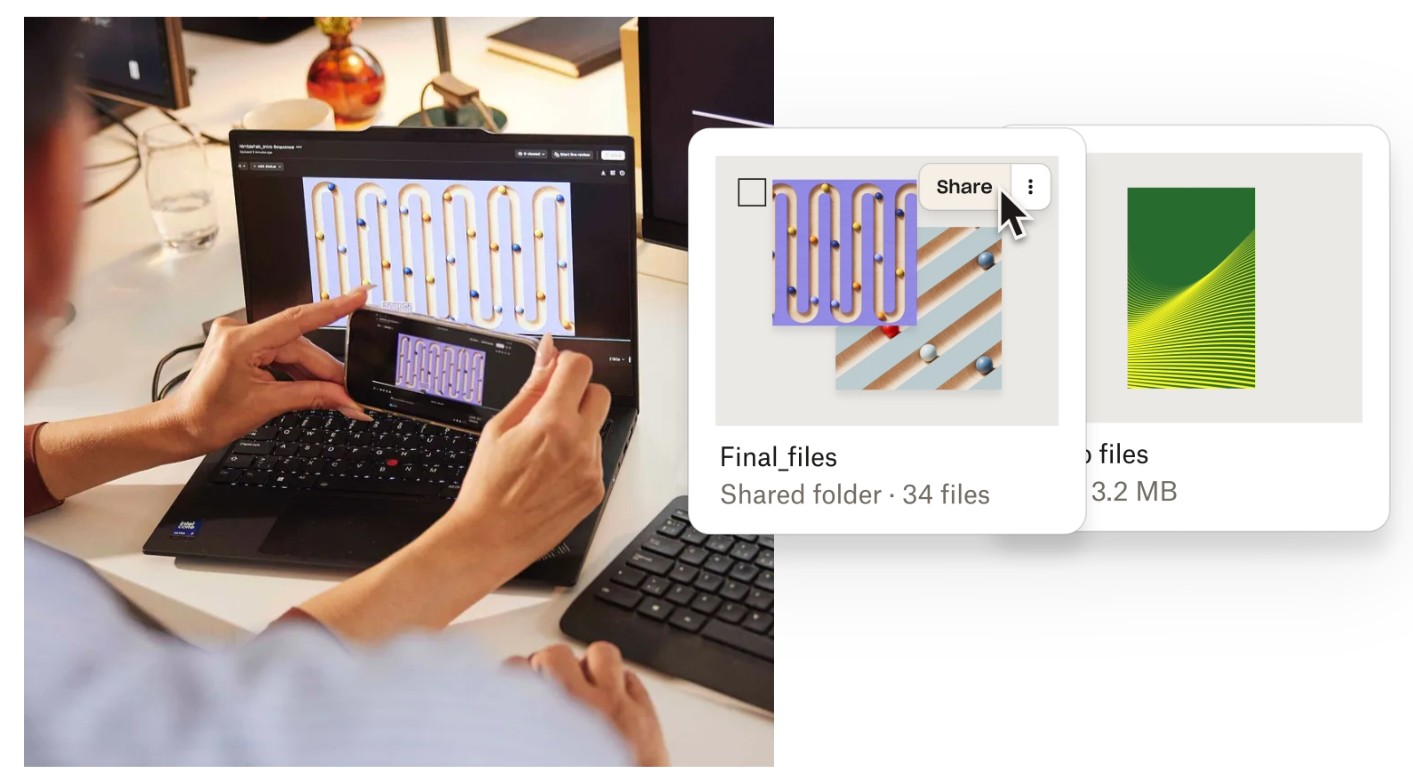
Dropbox's standout feature is its ability to:
-
Synchronized in real time.
-
Share the link safely.
-
Transfer large files.
-
Control access.
-
Track sharing activity.
Instead of sending emails with multiple attachments weighing several gigabytes, users can simply send a Dropbox link.
All new updates are automatically synchronized without the need to resubmit documents multiple times.
This is especially useful for projects where multiple team members are involved in the editing process.
6. Security is always the top priority.
As data becomes a business's most important asset, security is no longer an add-on feature but a mandatory requirement.
Dropbox invests heavily in security systems to ensure that all data is protected throughout the storage, sharing, and collaboration process.
The platform utilizes advanced encryption technologies to protect data both during transmission and storage. Access control mechanisms help businesses clearly define who can view, edit, or share each document.
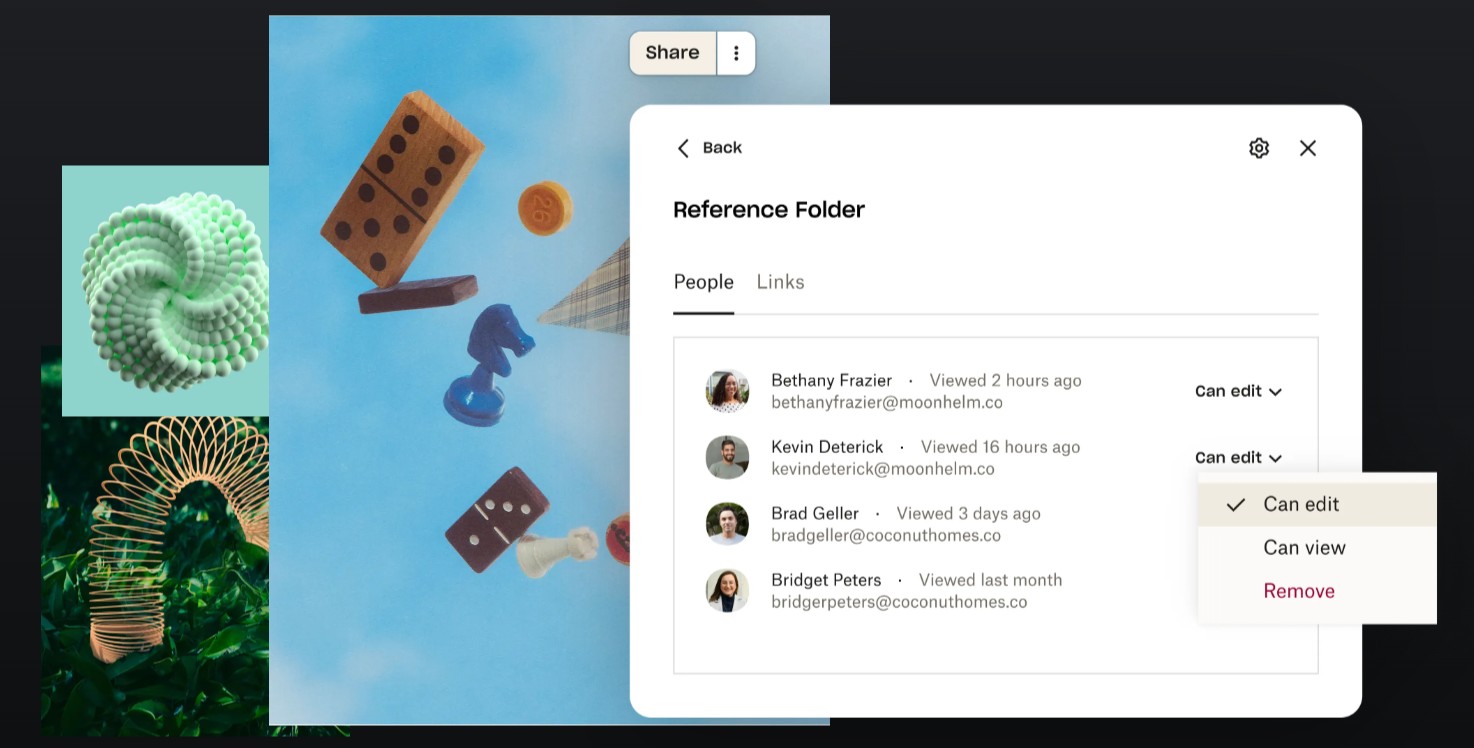
Additionally, Dropbox offers version history and the ability to recover data if users accidentally edit or delete files. This is especially useful for long-term projects or documents that are frequently updated by multiple team members.
For important documents, Dropbox supports solutions to prevent unauthorized editing, helping to maintain content integrity and increase trust when working with clients or partners.
Another noteworthy point is Dropbox's commitment to not selling user data. This gives businesses greater peace of mind when storing important information such as contracts, research documents, customer data, or intellectual property on the platform.
Thanks to its combination of advanced security technology, flexible access control management, and efficient data recovery capabilities, Dropbox creates a reliable work environment for both individuals and organizations.
7. Dropbox supports many different industries.
Dropbox is not only suitable for technology companies, but it is also designed to meet the specific needs of many different industries. Each industry has its own workflows, but they all share the need for a platform that helps manage data centrally, collaborate effectively, and secure information.
7.1. Construction Industry
Construction companies often have to manage many types of large files such as CAD, BIM, PDF, engineering drawings, and construction images.

Dropbox makes it easy for design teams, engineers, and contractors to store, preview, edit, and share these files from anywhere. This ensures that all stakeholders are working on the same version of the document, reducing the risk of misinformation and accelerating project progress.
7.2. Media and Creative Industries
For content creation teams, marketing teams, or agencies, Dropbox serves as a unified workspace. Images, videos, audio files, and creative documents are centrally managed, making it easy for all team members to access, receive feedback, and collaborate on edits.

Connecting Dropbox with AI tools also helps accelerate the process of ideation, content editing, and more efficient digital resource management.
7.3. Technology Sector
In the technology field, the product development process typically spans from the ideation, design, and programming stages to testing and release.

Dropbox helps engineering teams share documents, manage specifications, store project documents, and collaborate across departments in a single platform. Its fast search capabilities and AI-powered document analysis shorten processing times, allowing teams to focus more on product innovation.
7.4. Professional Service
Consulting firms, law firms, finance companies, and accounting firms frequently exchange documents with clients. Dropbox supports secure file sharing, access management, and edit history tracking, making the collaboration process more transparent and professional.

Thanks to a centralized storage space, teams can easily collaborate, reducing manual processing time and improving the quality of service for customers.
7.5. Production
Manufacturing businesses require close coordination between design, engineering, quality control, and supply chain departments. Dropbox supports the management of complex design files, sharing large technical drawings, and organizing efficient document review processes.
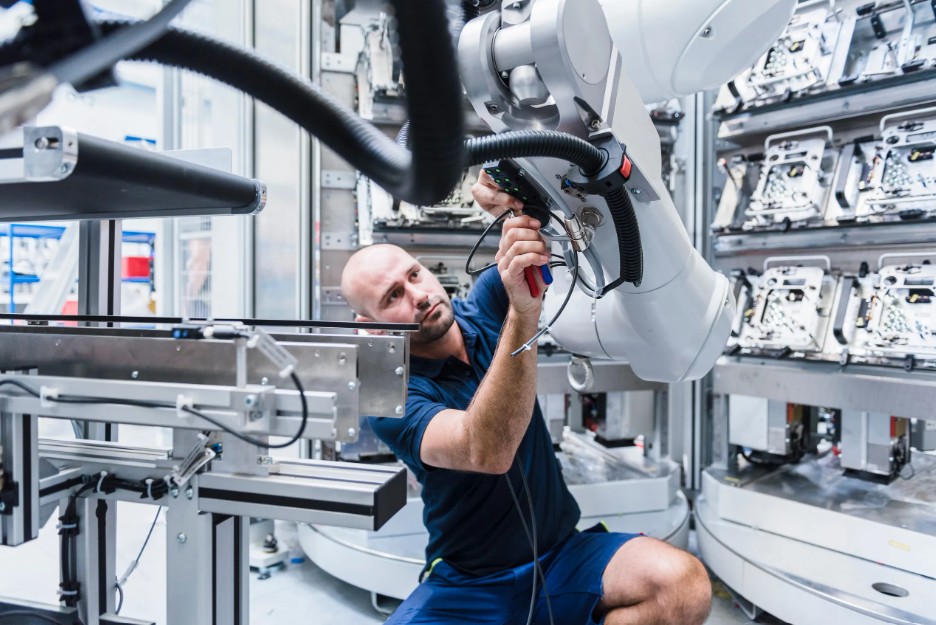
Real-time synchronization ensures that all departments always have access to the latest version of the document, minimizing errors during the production process.
7.6. Education
In the field of education, Dropbox provides a secure cloud collaboration platform for students, faculty, and administrators. Learning materials, research papers, lectures, and group projects can be stored and shared centrally, facilitating online learning and scientific research.

Thanks to its accessibility from multiple devices and integration with modern collaboration tools, Dropbox helps schools improve management efficiency and support a more flexible teaching and learning process.
Whether you're working in construction, media, technology, manufacturing, professional services, or education, Dropbox provides a modern, flexible, and reliable work environment that enhances productivity and fosters sustainable growth in the digital age





















VIP Products








Best Selling Products
Windows 10 & 11 Pro Key
36 USD
Freepik Premium Account
59 USD
Plugin Retouch4me
69 USD
Genuine Adobe Illustrator account
99 USD
Copyright Adobe Lightroom Account
59 USD
Autodesk All App Account Copyright
120 USD
Genuine Cheap Canva Pro
39 USD
ChatGPT Plus Account (GPT-4)
16 USD
Upgrade Genuine Office 365
49 USD
Upgrade Duolingo Super
29 USD
Adobe Premiere Pro Account
99 USD
Adobe Photoshop Copyright - Full App
120 USD
Capcut Pro 1 Year
39 USD
Upgrade genuine Capture One account
120 USD
MidJourney Account
29 USD