Best Selling Products

ChatGPT Plus Account (GPT-4)
16 USD

Upgrade genuine Capture One account
120 USD

MidJourney Account
29 USD

Copyright Adobe Lightroom Account
59 USD

Windows 10 & 11 Pro Key
36 USD

Genuine Adobe Illustrator account
99 USD

Genuine Cheap Canva Pro
39 USD

Autodesk All App Account Copyright
120 USD

Plugin Retouch4me
69 USD

Capcut Pro 1 Year
39 USD

Adobe Photoshop Copyright - Full App
120 USD

Adobe Premiere Pro Account
99 USD

Freepik Premium Account
59 USD

Upgrade Genuine Office 365
49 USD

Upgrade Duolingo Super
29 USD
Dropbox integrates Claude AI: Work smarter with the Anthropic ecosystem.
Nội dung
- 1. Dropbox and Claude AI
- 2. Access and utilize Dropbox documents directly within Claude.
- 2.1. Quickly search and preview documents
- 2.2. Creating and saving content using AI
- 2.3. Practical examples in the field of architecture
- 3. Turn AI into a task-performing assistant.
- 3.2. Automated workflow processing
- 3.3. Managing folders and sharing documents
- 3.4. Examples in the field of Marketing
- 4. Supports contextual programming from Dropbox.
- 4.1. Integrating technical documentation into the programming process.
- 4.2. Reduce the time spent switching between multiple tools.
- 4.3. Recording technical decisions
- 4.4. Examples in software development
- 5. Benefits of the Dropbox ecosystem integrated with Claude
- 6. Conclusion
Dropbox continues to expand its AI ecosystem with three new integrations for Anthropic''s Claude, enabling users to access documents, automate workflows, and support programming directly within the AI environment.

1. Dropbox and Claude AI
Instead of relying solely on general data, Claude can reference documents stored in Dropbox to search for information, analyze content, create new documents, or assist with programming. More importantly, all data remains managed according to Dropbox's existing permission system, allowing businesses to leverage AI without compromising existing security policies.
Dropbox aims to be the central hub connecting enterprise data and cutting-edge AI tools. This ensures that content, project history, customer feedback, and collaborative documents are seamlessly integrated throughout every conversation with Claude, enabling the AI to deliver more accurate, contextual, and actionable responses.
2. Access and utilize Dropbox documents directly within Claude.
Dropbox Connector for Claude is the first solution in the new integration suite, allowing individuals and teams to directly access their Dropbox data storage from Claude. Users can search, preview, share, and save documents without switching between different platforms. This significantly reduces workflow time and provides a more seamless work experience.
2.1. Quickly search and preview documents
One of the standout advantages of Dropbox Connector is its ability to help Claude find the exact documents he needs within his Dropbox archive.
Instead of having to open each folder to search for reports, presentations, or project documents, users can simply ask questions in natural language. Claude will retrieve the relevant documents, display previews, and help users select the right content to use.
This feature is especially useful for businesses that have thousands of documents stored in Dropbox.
2.2. Creating and saving content using AI
In addition to reading data, Claude can also create new content based on documents already saved in Dropbox.
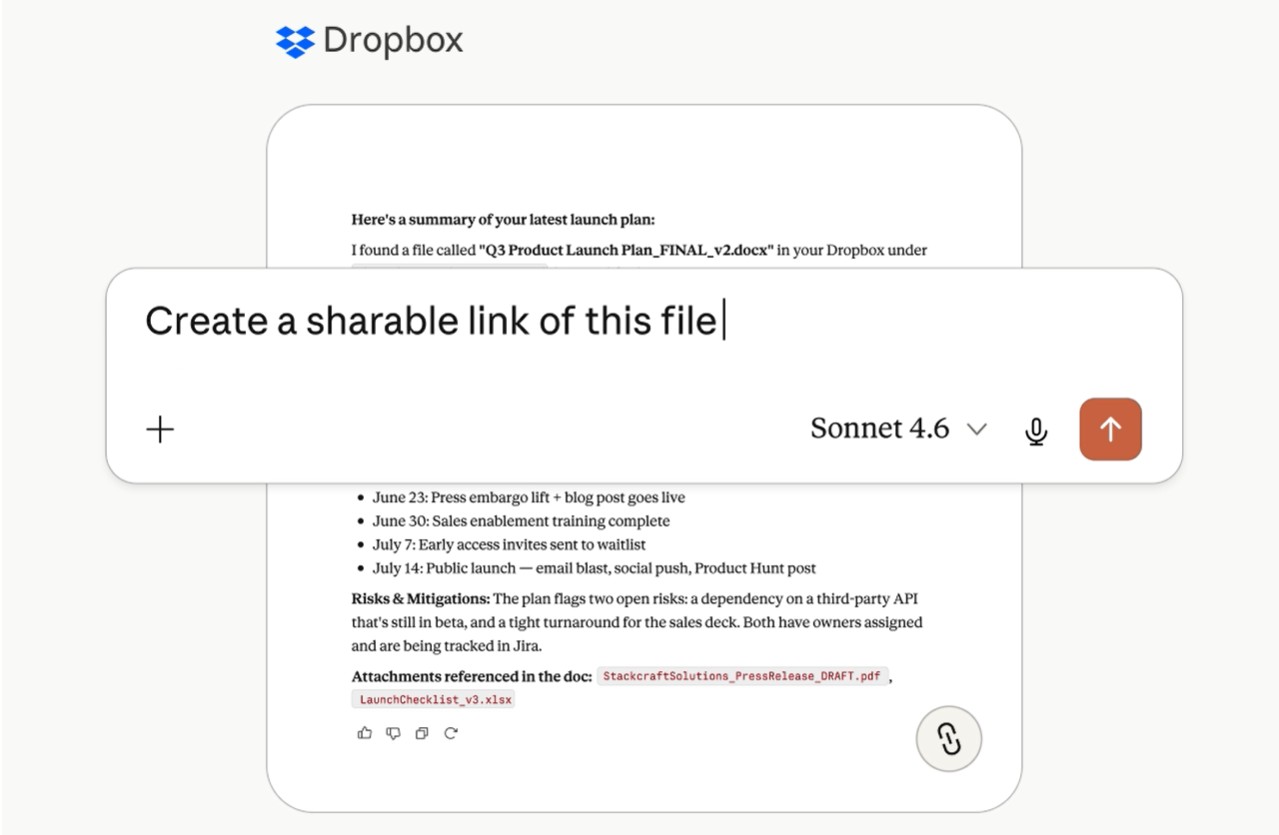
After completing a report, summary, or new document, users can save the results directly back to Dropbox. This ensures that the entire editing history, document versions, and collaboration process continue to be maintained on the company's familiar storage platform.
AI is no longer a standalone tool but has become an integral part of the collaborative document lifecycle.
2.3. Practical examples in the field of architecture
For an architectural firm, Dropbox can store design drawings, project files, perspective images, meeting notes, and client feedback.
After connecting Dropbox to Claude, the AI can quickly analyze designs, synthesize customer feedback, and generate project progress reports for stakeholders.
The results are then saved back to Dropbox for architects, project managers, and clients to review, edit, or add to. The entire process takes place seamlessly between Dropbox and Claude without the need to copy data across multiple applications.
3. Turn AI into a task-performing assistant.
While Dropbox Connector focuses on document extraction, the Dropbox Plugin for Claude Cowork aims to automate workflows.
Claude Cowork can not only search for or summarize information, but can also perform many tasks on behalf of the user based on the data stored in Dropbox.
3.2. Automated workflow processing
Claude Cowork may be assigned a variety of tasks such as organizing documents, categorizing customer feedback, creating new content, or preparing materials for meetings.
Users simply describe their requirements using natural language, and the AI will automatically handle the entire process based on the available data.
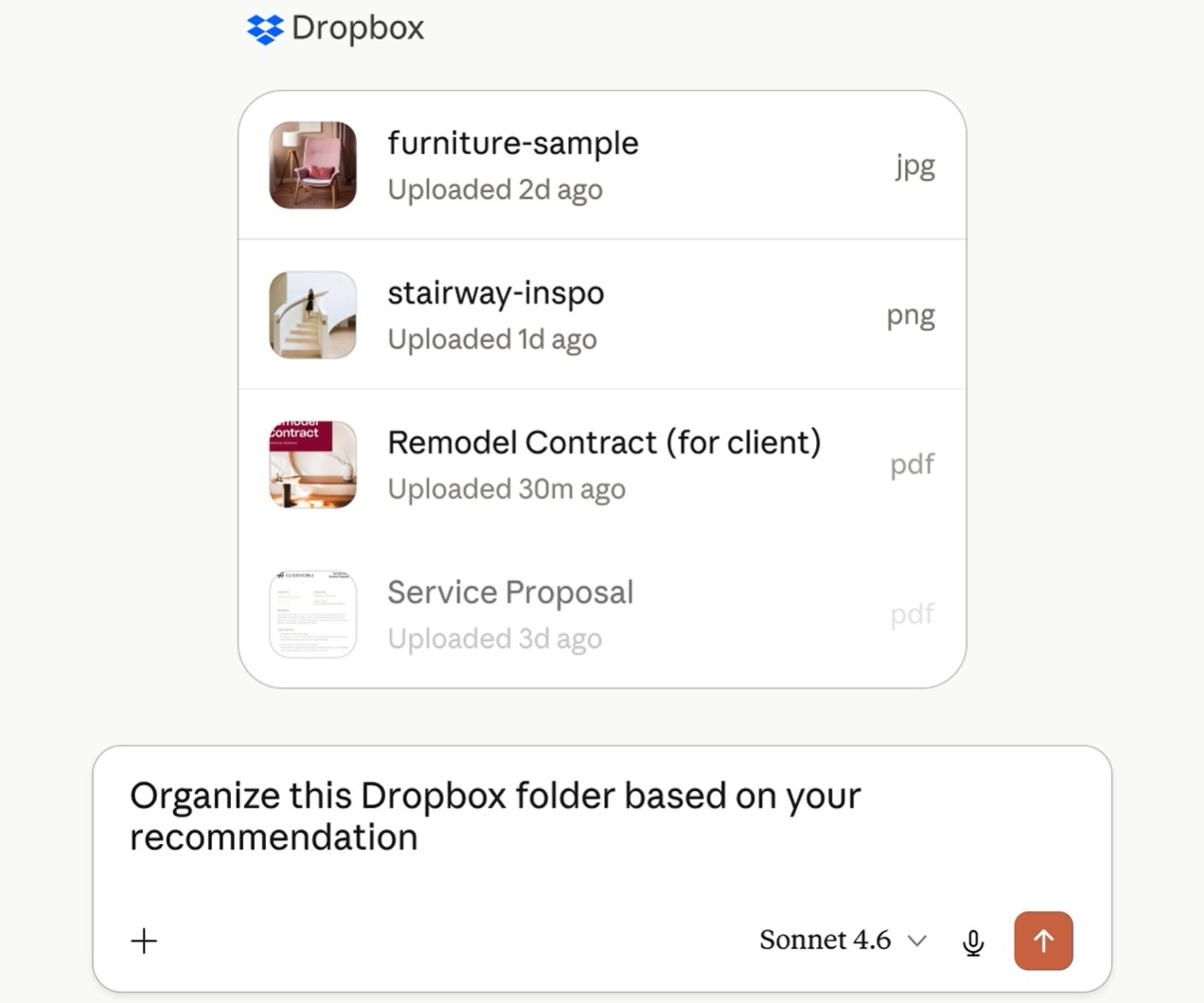
This significantly reduces the time spent on repetitive tasks and improves team productivity.
3.3. Managing folders and sharing documents
The plugin also supports reorganizing folders, creating secure sharing links, and managing files in Dropbox without directly accessing the Dropbox interface.
Additionally, Claude Cowork can create new text files in various formats such as CSV, Markdown, HTML, or JavaScript, and then save them directly to Dropbox so that other team members can continue working on the project.
3.4. Examples in the field of Marketing
A marketing company preparing for a campaign review meeting with a client typically has to compile a wealth of data, including the plan, advertising images, marketing materials, client feedback, and results reports.
Instead of having employees manually search and compile documents, Claude Cowork might be asked to read through the entire project folder in Dropbox, organize documents by category, summarize key feedback, and prepare a complete report for the client.
After the meeting, new documents were saved to Dropbox for use in subsequent reviews.
4. Supports contextual programming from Dropbox.
For software development teams, technical documentation is just as important as source code. The Dropbox Plugin for Claude Code was developed to help programmers directly access documentation in Dropbox when working with AI.
4.1. Integrating technical documentation into the programming process.
Claude Code can access documents such as:
-
Requirements specification.
-
Technical documentation.
-
Meeting minutes.
-
System architecture.
-
Implementation guide.
-
Product design.
-
Other supporting documents.
As a result, AI understands the project context before assisting in source code generation, explaining algorithms, or suggesting technical solutions.
4.2. Reduce the time spent switching between multiple tools.
Typically, programmers have to constantly open documents, project management software, and the programming environment to find information.
With the Dropbox Plugin for Claude Code, all the necessary data can be directly transferred into the conversation with the AI.
This significantly reduces the time spent searching for information and increases the ability to focus during the software development process.
4.3. Recording technical decisions
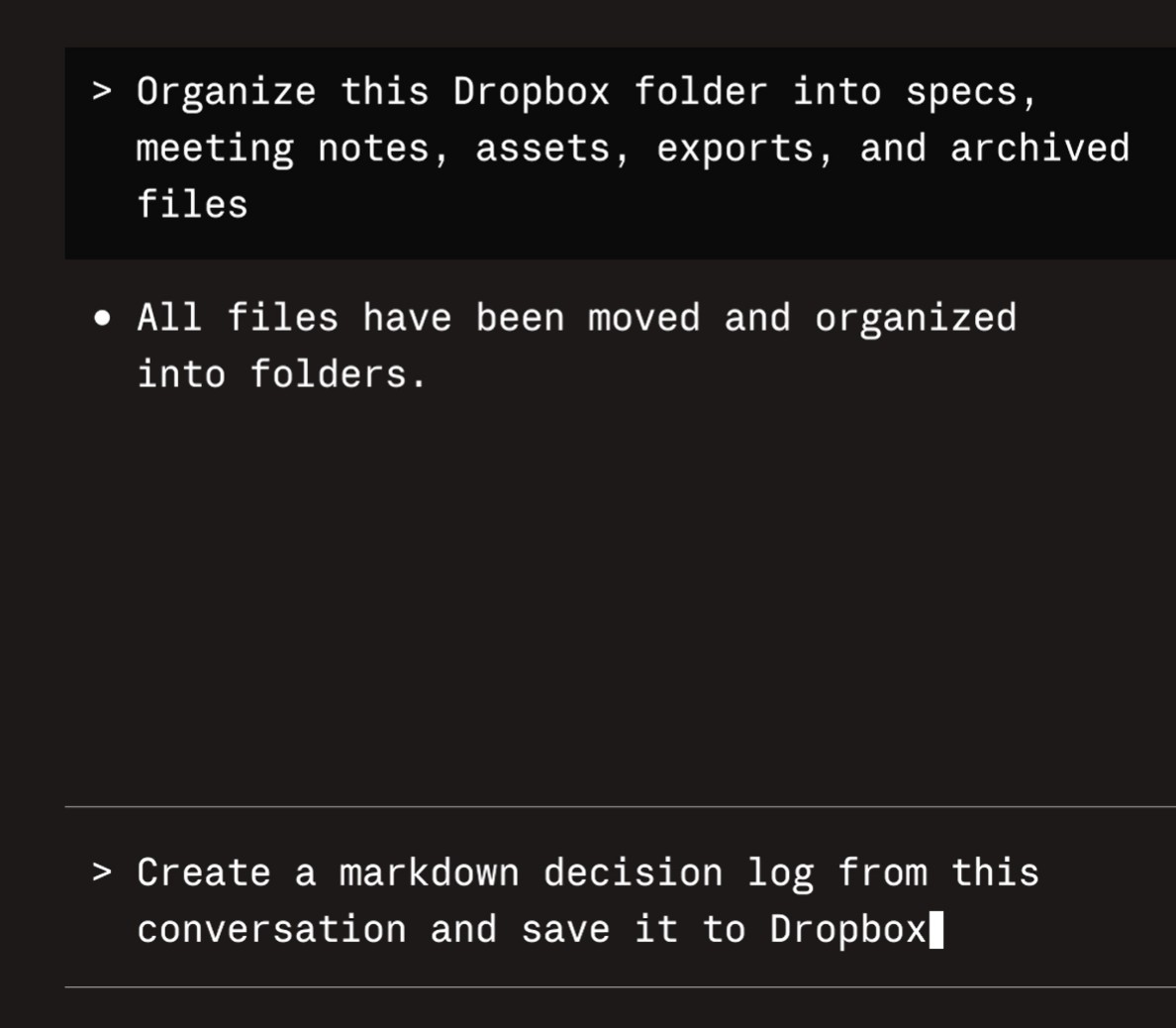
In addition to supporting programming, Claude Code can also create technical decision logs in Markdown format and save them directly to Dropbox.
Storing important decisions makes it easier for team members to track the project's development history, understand the reasons behind each change, and facilitates future maintenance.
4.4. Examples in software development
A programmer can connect Claude Code to Dropbox to access all project documents.
Instead of having to search for technical requirements across multiple different systems, they simply need to ask Claude to analyze the specification document, explain design decisions, or assist in building code that meets the current requirements.
Once completed, deployment notes and technical documentation are saved to Dropbox for sharing with other team members.
5. Benefits of the Dropbox ecosystem integrated with Claude
Dropbox's deep integration with Claude brings many practical benefits to both individuals and businesses. First, AI can directly access documents stored in Dropbox, providing more accurate and contextually relevant responses. This significantly reduces information search time and minimizes the need to constantly switch between multiple applications.
In addition, the ability to save AI-generated results back to Dropbox helps maintain familiar collaboration workflows. New documents are still managed according to existing version history, permissions, and sharing mechanisms, ensuring all team members always work on the same reliable data source.
For software development, marketing, architecture, or consulting teams, connecting Dropbox with Claude creates a continuous collaborative loop: data is used as context for AI, and the AI-generated results are saved back to Dropbox for further editing, evaluation, and reuse. As a result, AI becomes an integral part of the workflow rather than just a standalone support tool.
6. Conclusion
Beyond simply assisting with document searching, content creation, and programming support, these integrations maintain Dropbox's full access control and security mechanisms, giving businesses peace of mind as they expand AI applications into their daily operations. In a context where AI is becoming an increasingly essential tool, the collaboration between Dropbox and Claude opens up a more modern way of working, where data, collaboration, and artificial intelligence are connected within a unified, secure, and efficient ecosystem.





















VIP Products








Best Selling Products
ChatGPT Plus Account (GPT-4)
16 USD
Upgrade genuine Capture One account
120 USD
MidJourney Account
29 USD
Copyright Adobe Lightroom Account
59 USD
Windows 10 & 11 Pro Key
36 USD
Genuine Adobe Illustrator account
99 USD
Genuine Cheap Canva Pro
39 USD
Autodesk All App Account Copyright
120 USD
Plugin Retouch4me
69 USD
Capcut Pro 1 Year
39 USD
Adobe Photoshop Copyright - Full App
120 USD
Adobe Premiere Pro Account
99 USD
Freepik Premium Account
59 USD
Upgrade Genuine Office 365
49 USD
Upgrade Duolingo Super
29 USD