Best Selling Products

Upgrade Duolingo Super
29 USD

MidJourney Account
29 USD

Copyright Adobe Lightroom Account
59 USD

Adobe Premiere Pro Account
99 USD

Plugin Retouch4me
69 USD

Upgrade Genuine Office 365
49 USD

ChatGPT Plus Account (GPT-4)
16 USD

Autodesk All App Account Copyright
120 USD

Windows 10 & 11 Pro Key
36 USD

Freepik Premium Account
59 USD

Genuine Cheap Canva Pro
39 USD

Genuine Adobe Illustrator account
99 USD

Capcut Pro 1 Year
39 USD

Adobe Photoshop Copyright - Full App
120 USD

Upgrade genuine Capture One account
120 USD
Introducing a new design for Microsoft 365 Copilot: A smarter and more intuitive AI experience.
Nội dung
- 1. The new design places the work experience at its center.
- 2. Copilot responds more intelligently with Work IQ.
- 3. Improved performance across Microsoft 365
- 4. Copilot becomes a seamless assistant across all Microsoft 365 applications.
- 5. The future of AI lies not only in features but also in user experience.
- 6. Conclusion
Microsoft has introduced a new design for Microsoft 365 Copilot with the goal of delivering a faster, more intuitive, and smarter experience.
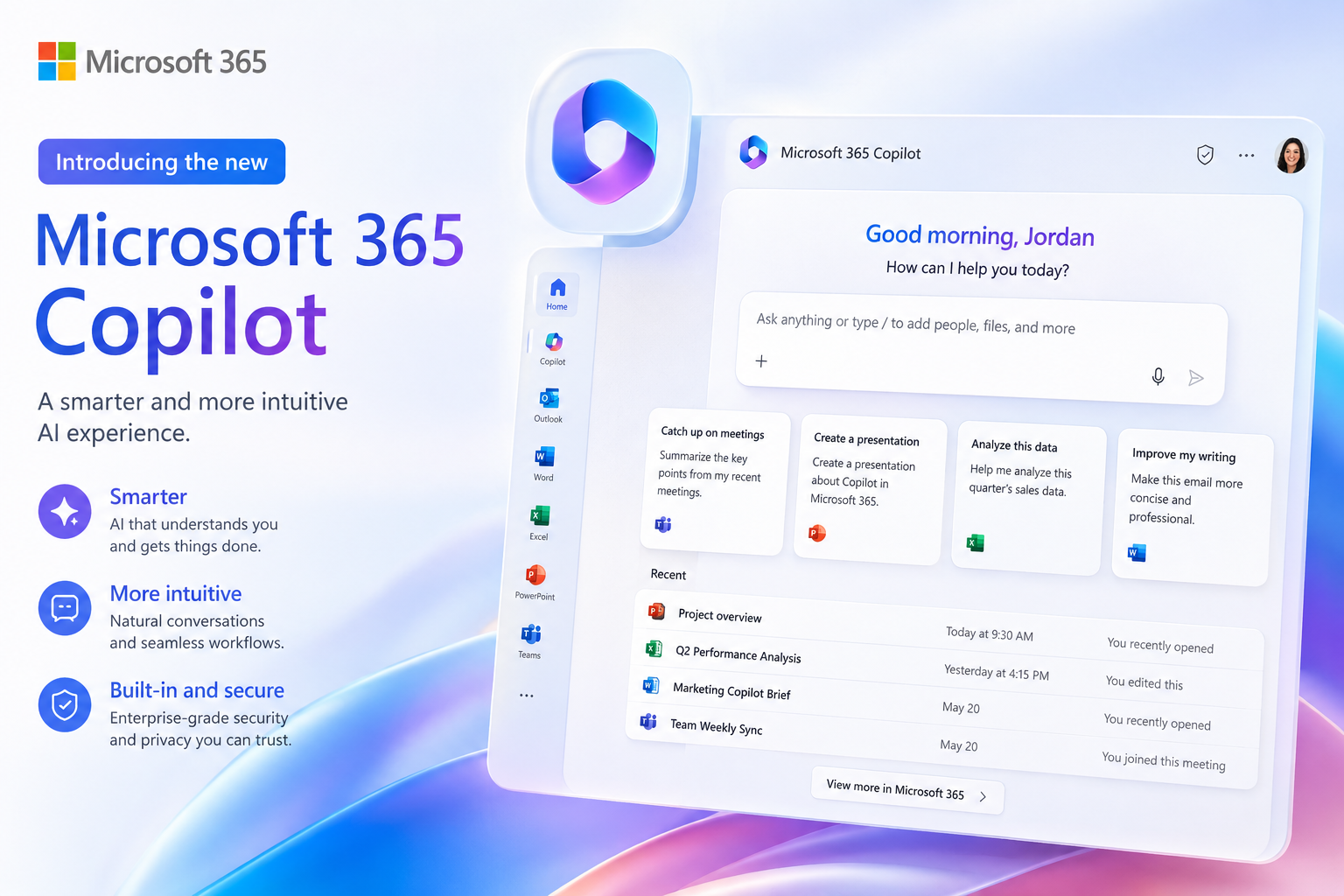
1. The new design places the work experience at its center.
According to Microsoft, real-world work rarely follows a fixed process. Users often switch constantly between documents, spreadsheets, emails, meetings, and numerous other applications. Therefore, Copilot needs to adapt to how people work rather than forcing users to change their habits to fit the technology.
The new design is built on the principle of "Progressive Disclosure." The initial interface is kept simple and clean, displaying only the most essential functions. As users delve deeper or need additional features, Copilot will progressively display tools relevant to the current context.
The left-hand navigation bar can be flexibly collapsed or expanded, making it easier to manage chat history, AI Agent, and work sessions. The pinning system has also been improved so users can quickly return to ongoing conversations or projects without wasting time searching.
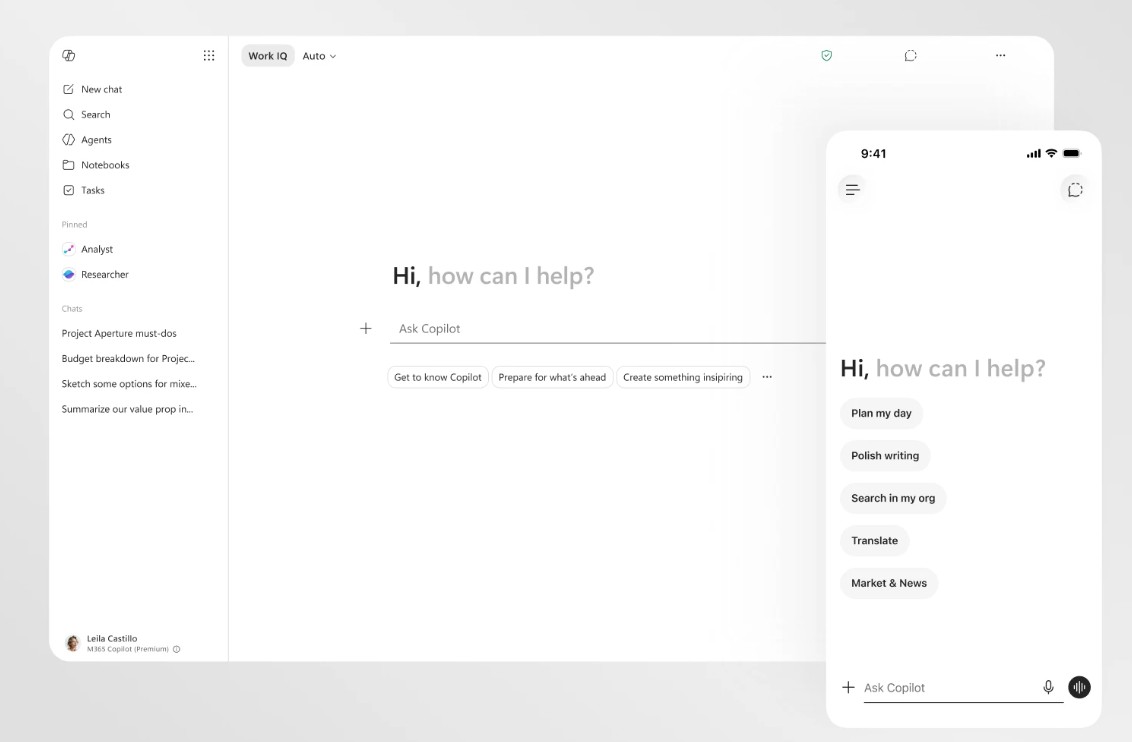
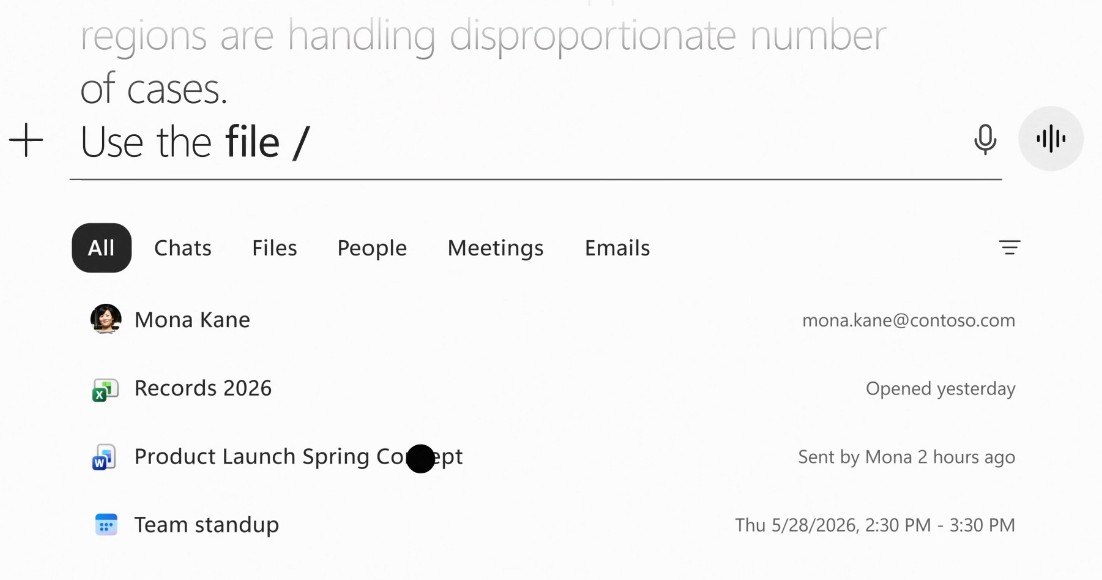
Another notable change is the significantly expanded prompt input area. Users can enter longer requests, paste content from other documents, maintain formatting, and edit directly before submitting to Copilot. This helps the AI better understand the user's goals and produce higher-quality results.
2. Copilot responds more intelligently with Work IQ.
One of the most significant improvements in the new version is the introduction of Work IQ: a layer of intelligence that helps Copilot gain a deeper understanding of the work at hand.
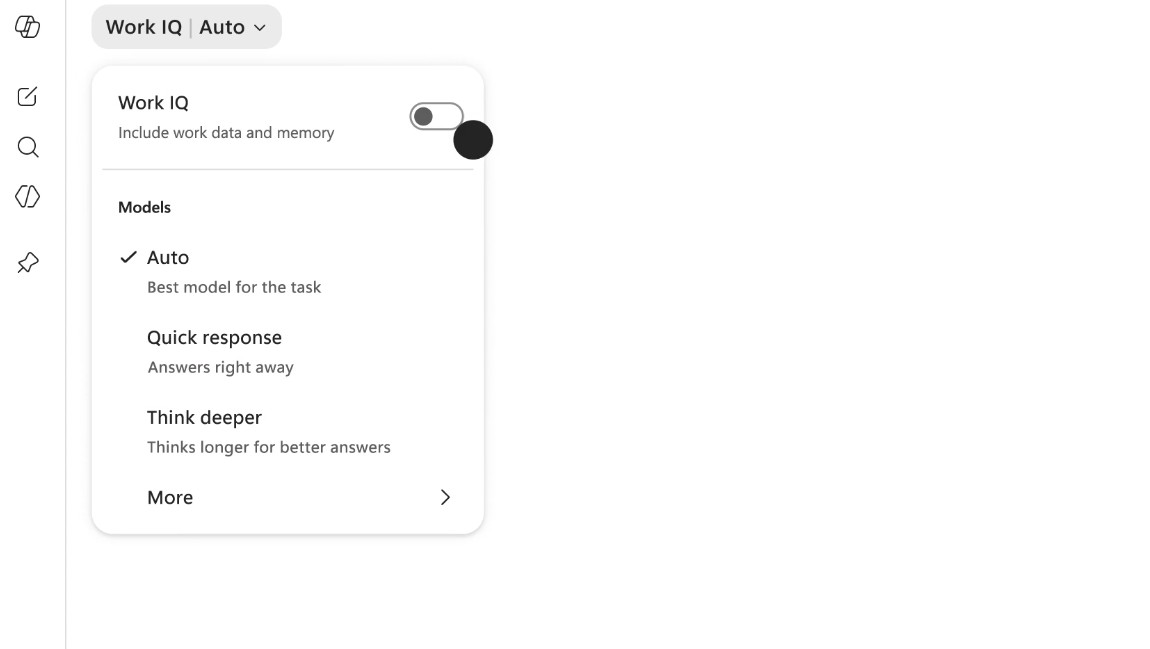
Unlike AI chatbots that only process information based on the question itself, Work IQ can reference data from emails, documents, meetings, calendars, and Microsoft 365 conversations to build a complete context before responding. As a result, Copilot not only answers more accurately but also understands the project, team, and related goals.
Microsoft also changed how AI presents results. Instead of displaying a long answer right from the start, Copilot responds in layers of information. Initially, it provides a concise and easy-to-read answer, then progressively adds formatting, tables, command suggestions, next steps, or in-depth analysis if the user continues to interact.
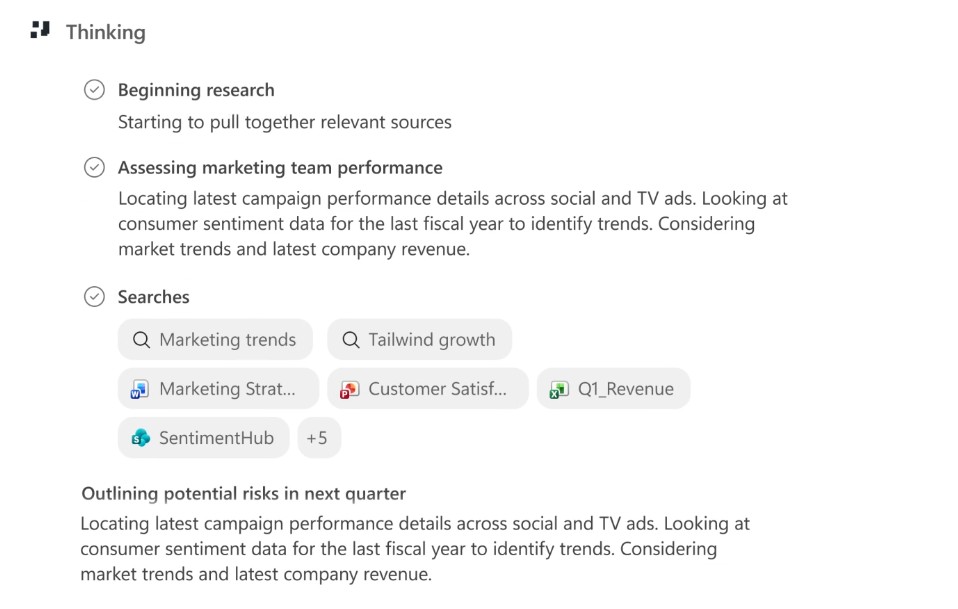
Work IQ also allows Copilot to adjust its processing level according to each task. For simple requests, the AI will respond quickly to save time. When faced with complex tasks such as employee performance evaluation, project planning, or data analysis, Copilot can use its deep reasoning capabilities and even assist in selecting the appropriate AI model to deliver results that are more closely aligned with the needs.
3. Improved performance across Microsoft 365
In addition to interface changes, Microsoft has also invested heavily in Copilot's performance. According to internal testing, the Copilot application now loads twice as fast as before, startup time is reduced by over 50%, and response speed to complex chat requests is improved by approximately 10%. Simultaneously, the quality of responses has also been enhanced with a clearer, easier-to-read structure that is more relevant to the user's intent.
These improvements help users reduce waiting times and minimize the need to re-edit AI-generated content. Initial customer feedback indicates that the new interface is more intuitive, easier to use, and helps users focus better on their work.
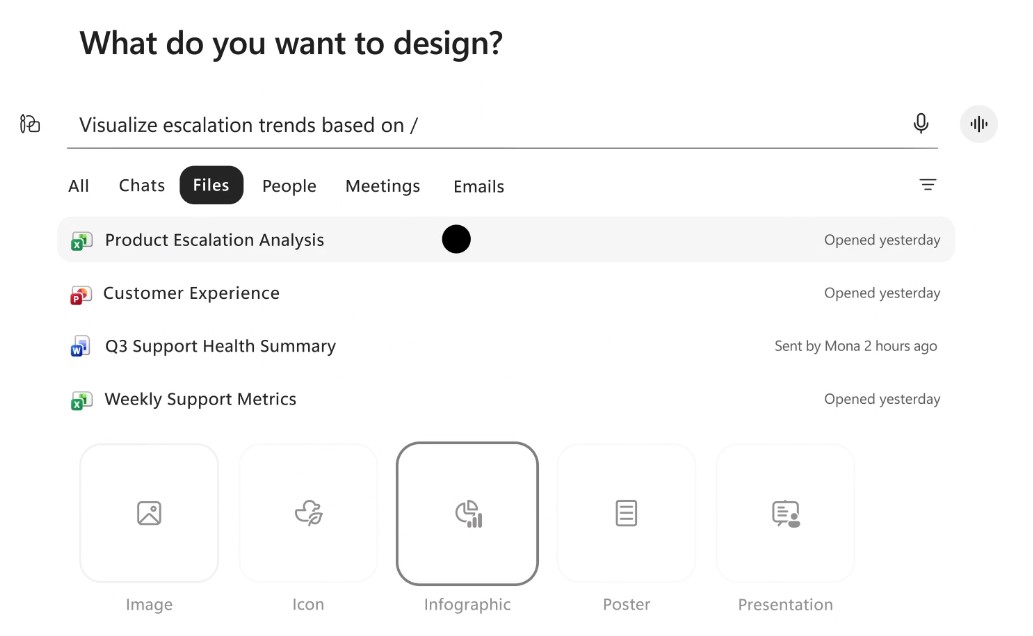
Not only has the Copilot application been improved, but Microsoft has also extended the new experience to the entire Microsoft 365 suite. Following the rollout of the new interface, Copilot usage increased by 27% in Word, 33% in Excel, 43% in PowerPoint, and 30% in Outlook. These figures demonstrate that optimizing the user experience has significantly contributed to enhancing the application of AI in daily work.
4. Copilot becomes a seamless assistant across all Microsoft 365 applications.
One of the most significant changes is that Microsoft no longer views Copilot as a standalone chat window. Instead, Copilot is integrated as a unified AI layer that works seamlessly across Word, Excel, PowerPoint, Outlook, and other applications.
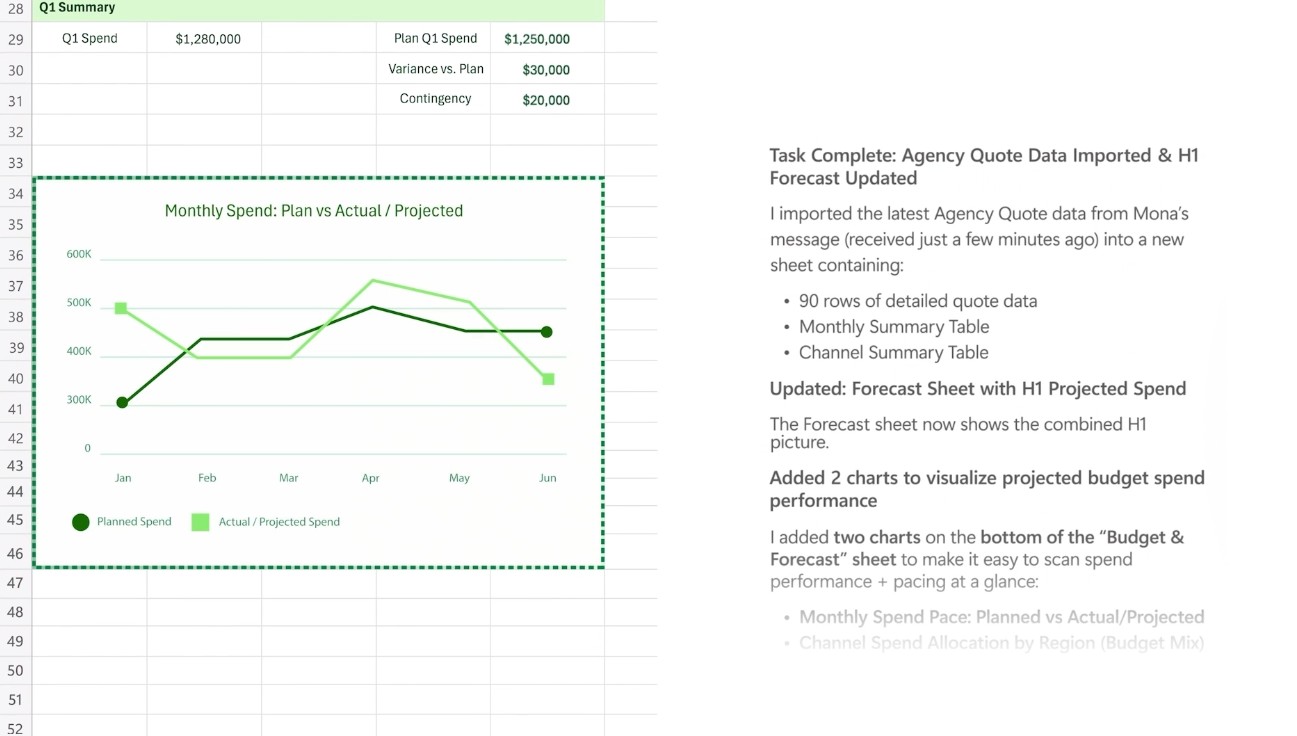
Microsoft introduced a single access point for Copilot across Microsoft 365. Whether editing documents, working on spreadsheets, or building presentations, users can access Copilot from the same location for a consistent experience.
Once activated, Copilot opens a dashboard next to the document and can directly participate in editing the content instead of just answering questions. The AI can suggest changes, make edits, or assist in completing the document with clear notifications so that users are always in control of every action.
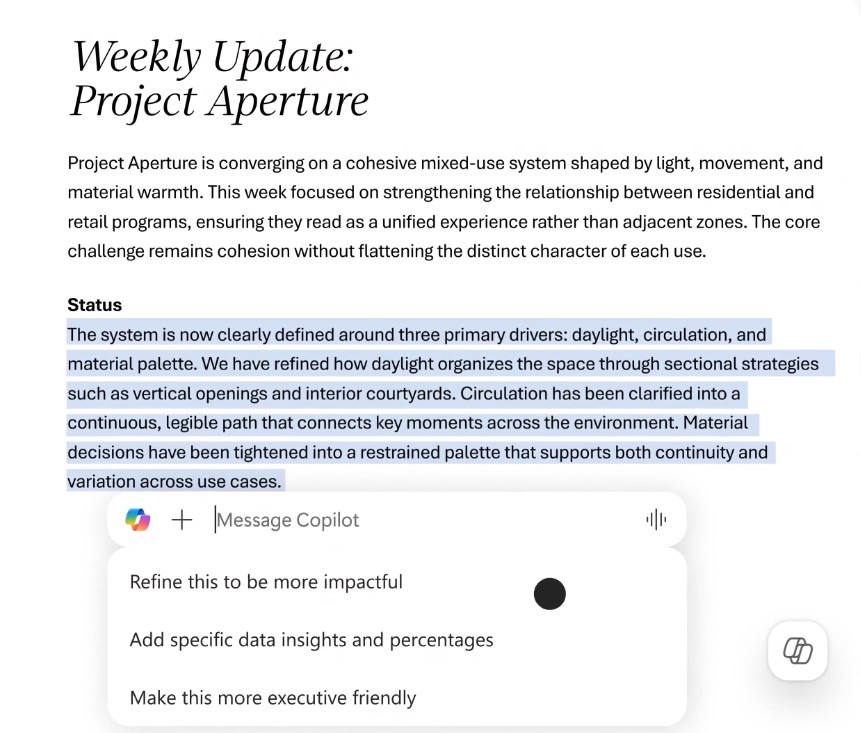
In particular, Copilot can work directly within the content being edited, such as a paragraph in Word, a data cell in Excel, or a slide in PowerPoint. This allows for continuous workflow without having to switch between multiple windows or modes.
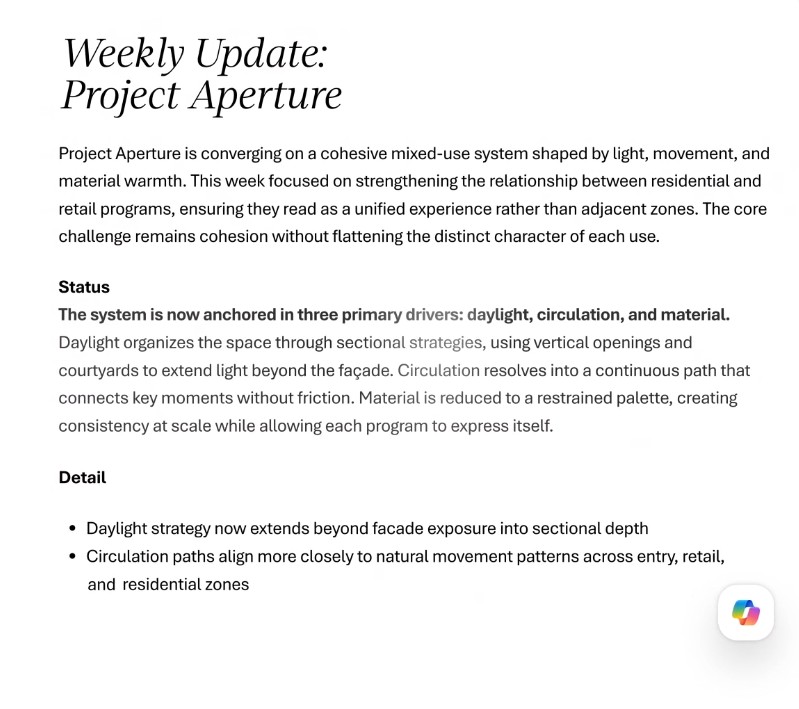
Microsoft also develops specialized AI agents such as Designer, Researcher, Word, Excel, and PowerPoint. Each agent is optimized for a specific task group, from design and research to data processing or presentation creation. As a result, Copilot not only answers questions but can also proactively perform tasks appropriate to each work situation.
5. The future of AI lies not only in features but also in user experience.
According to Microsoft, these changes reflect a major shift in how AI is designed for work. The focus is no longer on adding more individual features, but rather on building a unified AI system capable of supporting users throughout their entire workflow.
Microsoft's goal is to transform Copilot from a question-answering tool into a true assistant that can support critical thinking, suggest actions, and help users complete tasks more efficiently. This means the AI needs to understand context, knowing when to assist, when to offer suggestions, and when to proactively take on tasks.
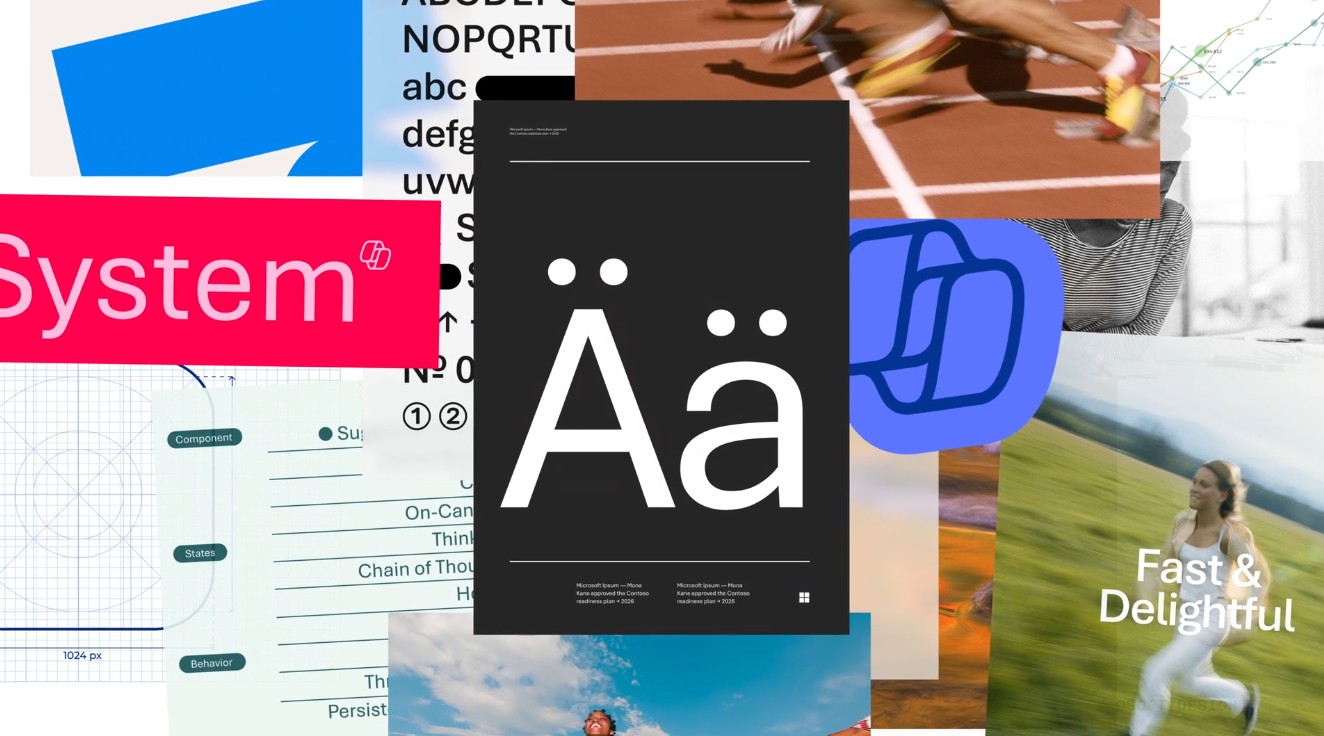
Microsoft also emphasized that in the AI era, the quality of the user experience lies not only in the interface but also in the quality of the output. A well-structured, readable, focused, and reliable response will create far greater value than simply a quick reply. Therefore, design plays a crucial role in transforming the power of AI into truly useful experiences for users.
6. Conclusion
The new design of Microsoft 365 Copilot is not just a visual update, but a significant step forward in Microsoft's AI development strategy. With a more intuitive interface, faster processing speeds, Work IQ technology that helps understand work context, and deep integration into the entire Microsoft 365 ecosystem, Copilot is gradually becoming a comprehensive AI assistant instead of just a content creation tool.
These changes show that Microsoft is shifting from a "adding AI to software" mindset to building a work environment where AI becomes a natural part of every process. In the future, as AI increasingly understands users and their work better, Microsoft 365 Copilot promises to help businesses and individuals improve productivity, reduce task processing time, and focus more on creative, value-generating tasks.





















VIP Products








Best Selling Products
Upgrade Duolingo Super
29 USD
MidJourney Account
29 USD
Copyright Adobe Lightroom Account
59 USD
Adobe Premiere Pro Account
99 USD
Plugin Retouch4me
69 USD
Upgrade Genuine Office 365
49 USD
ChatGPT Plus Account (GPT-4)
16 USD
Autodesk All App Account Copyright
120 USD
Windows 10 & 11 Pro Key
36 USD
Freepik Premium Account
59 USD
Genuine Cheap Canva Pro
39 USD
Genuine Adobe Illustrator account
99 USD
Capcut Pro 1 Year
39 USD
Adobe Photoshop Copyright - Full App
120 USD
Upgrade genuine Capture One account
120 USD