Best Selling Products

Upgrade Duolingo Super
29 USD

Upgrade Genuine Office 365
49 USD

Adobe Photoshop Copyright - Full App
120 USD

ChatGPT Plus Account (GPT-4)
16 USD

Copyright Adobe Lightroom Account
59 USD

Autodesk All App Account Copyright
120 USD

Plugin Retouch4me
69 USD

Genuine Adobe Illustrator account
99 USD

Capcut Pro 1 Year
39 USD

Freepik Premium Account
59 USD

Genuine Cheap Canva Pro
39 USD

Adobe Premiere Pro Account
99 USD

MidJourney Account
29 USD

Windows 10 & 11 Pro Key
36 USD

Upgrade genuine Capture One account
120 USD
Similarities and differences between Dropbox and iCloud
Nội dung
- 1. What are the similarities between Dropbox and iCloud?
- 1.1. Both provide applications that support productivity.
- 1.2. Both prioritize security and privacy.
- 1.3. User-friendly and easy-to-use interface
- 1.4. Comprehensive customer support system
- 2. Key Differences Between Dropbox and iCloud
- 2.1. Data protection capabilities
- 2.2. File sharing capabilities
- 2.3. Data Synchronization
- 2.4. Service Pricing
- 2.5. Collaboration Tools
- 2.6. Platform Compatibility
- 3. Should I choose Dropbox or iCloud?
- 4. Conclusion
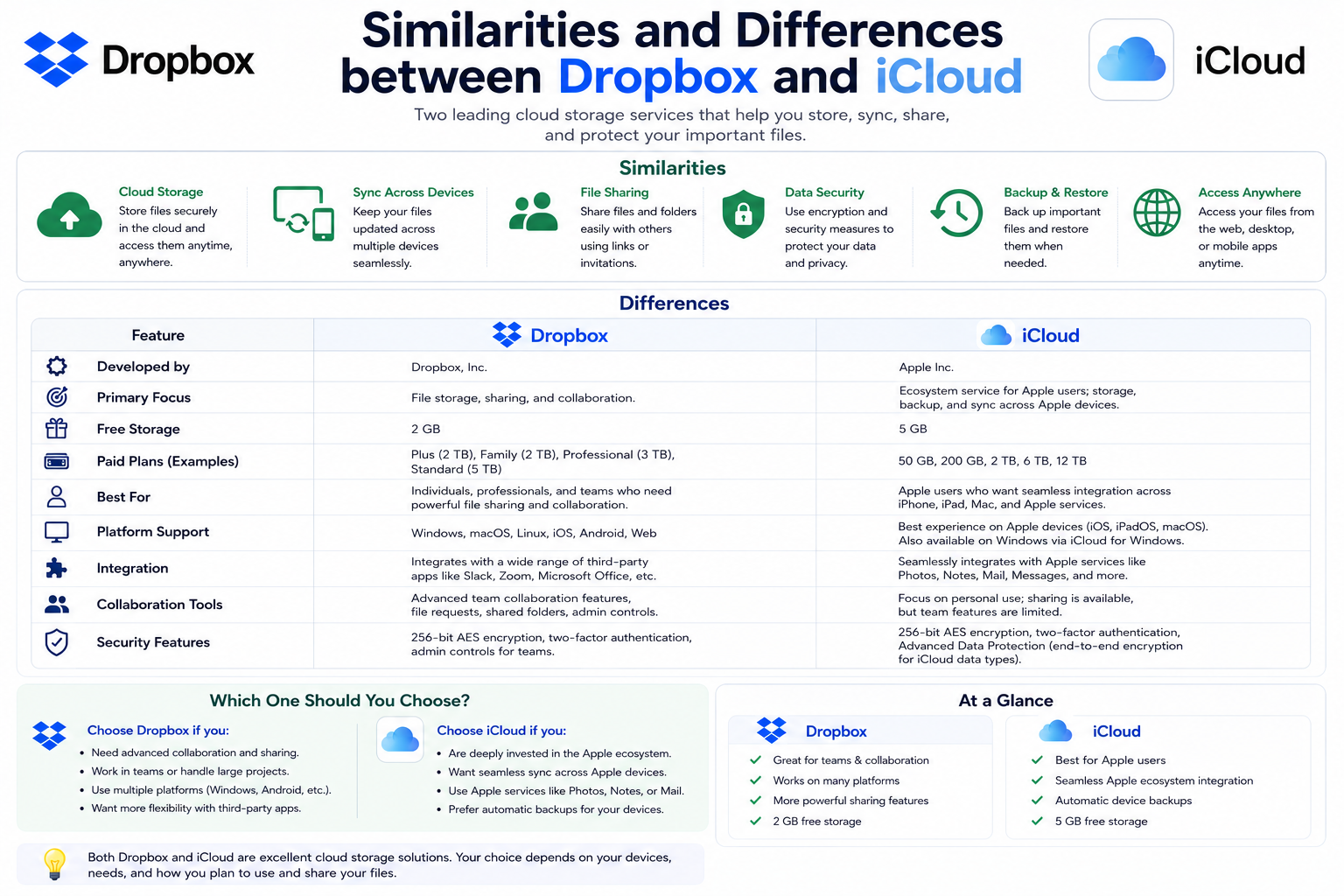
Dropbox and iCloud are both popular cloud storage services, but each platform has its own advantages in terms of security, data synchronization, file sharing, and collaboration capabilities.
1. What are the similarities between Dropbox and iCloud?
Despite being developed with two different approaches, Dropbox and iCloud still share many similarities in terms of data storage, synchronization, and user experience.
1.1. Both provide applications that support productivity.
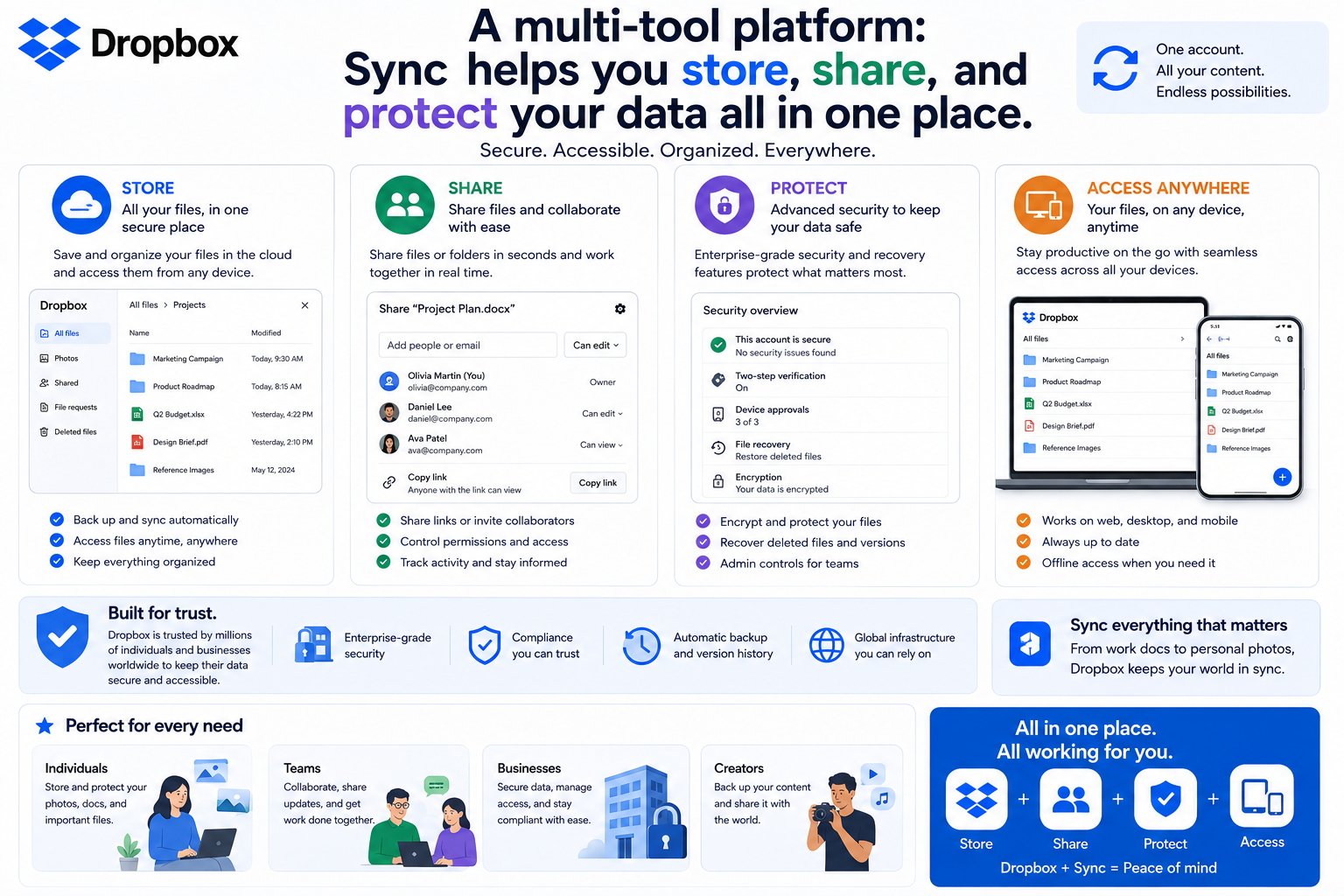
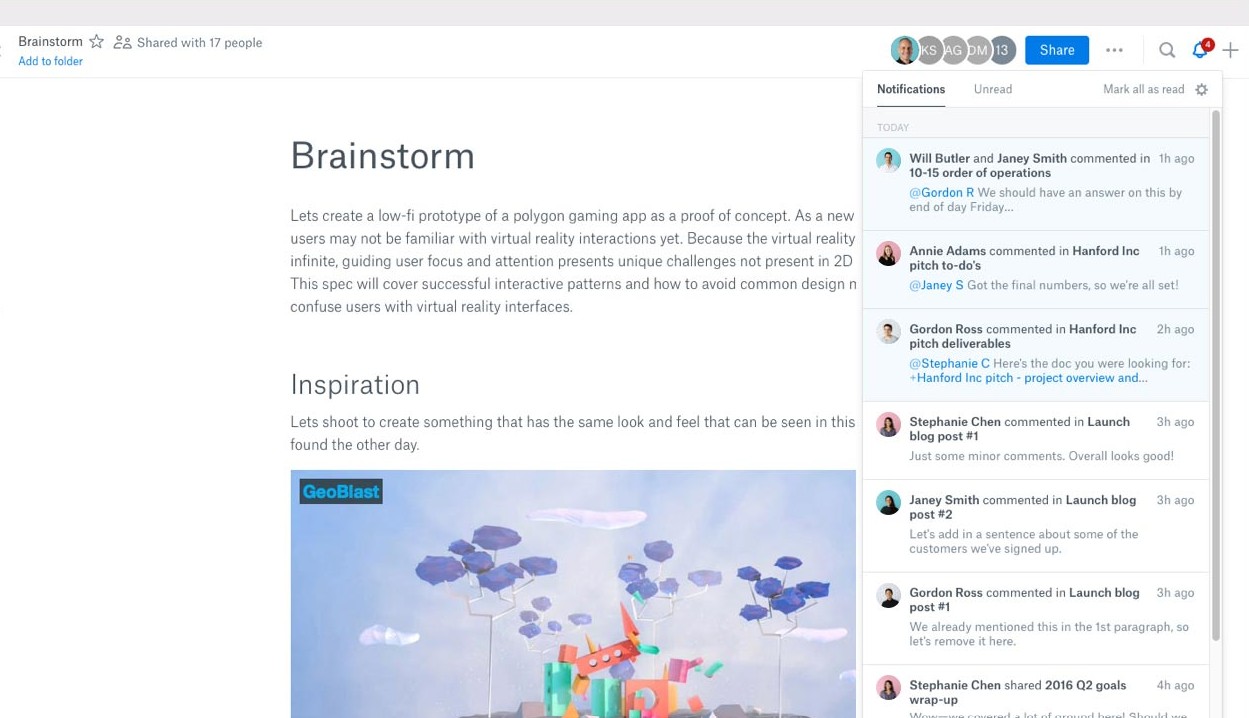
Dropbox is more than just a storage service; it integrates many work tools. The most notable is Dropbox Paper , an online workspace that allows multiple people to edit documents in real time, add comments, assign tasks, and track progress all within the same document. Even free accounts can use Dropbox Paper, helping individuals and teams work more efficiently.
Meanwhile, iCloud Drive is tightly integrated with the Apple ecosystem. Users can create documents using Pages on a Mac, save them directly to iCloud, and continue editing them on an iPad or iPhone without manual intervention. Additionally, iCloud supports scanning documents using the camera on iOS devices to quickly create PDF files for work purposes.
Dropbox excels in its team collaboration capabilities, while iCloud leverages its strengths within the Apple ecosystem.
1.2. Both prioritize security and privacy.
Security is always a top priority for cloud storage services. Both Dropbox and iCloud utilize advanced encryption technologies to protect user data during transmission and storage.
However, neither of them fully implements zero-knowledge encryption by default. This means the provider can still access some data when necessary.
Dropbox has significantly improved its security by integrating technology from Boxcryptor and implementing end-to-end encryption for shared folders in Dropbox Business. This helps businesses better protect sensitive documents.
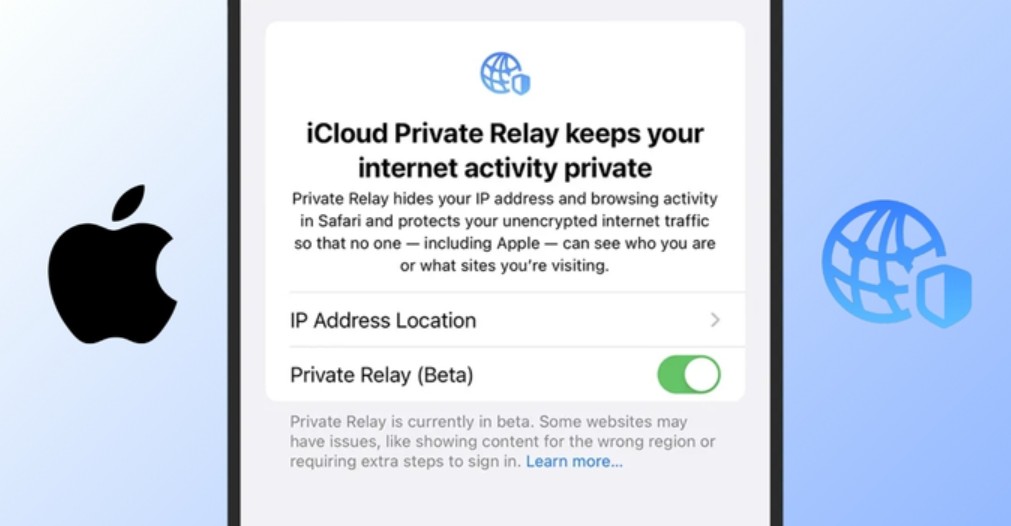
On Apple's side, the Advanced Data Protection feature allows end-to-end encryption to be enabled for most data on iCloud, such as iCloud Drive, Photos, Notes, and backups. Additionally, iCloud+ users can utilize iCloud Private Relay , which hides their IP address when browsing the web using Safari to enhance privacy.
1.3. User-friendly and easy-to-use interface
One of the reasons both Dropbox and iCloud are so popular is their intuitive interface.
For Apple users, iCloud requires almost no getting used to. Simply drag and drop files into your iCloud Drive folder, and the data will automatically sync to the cloud. Tagging, organizing, and searching for files is also very simple.
Dropbox also boasts a modern interface with a clear navigation bar, making it easy for users to manage data and share files. In addition, Dropbox uses machine learning to automatically categorize content and suggest appropriate folders, significantly reducing data management time.
1.4. Comprehensive customer support system
Both Dropbox and Apple have built support centers with extensive documentation and guides.
Dropbox offers a community forum, a support ticketing system, online courses, and detailed articles for each product.
Apple also has its own support website, a large user community, official tutorial videos, and, notably, the Genius Bar service at Apple Stores for those who need direct support.

2. Key Differences Between Dropbox and iCloud
While the similarities lie primarily in basic storage features, the differences between the two platforms are quite clear.
2.1. Data protection capabilities
Dropbox uses AES 256-bit encryption to protect data stored on its servers. Apple, on the other hand, primarily uses AES 128-bit, with AES 256-bit used on some newer devices. Both support TLS/SSL protocols and two-factor authentication to enhance account protection.
Dropbox's strength lies in its compliance with numerous international security standards such as SOC 1, SOC 2, SOC 3, HIPAA, ISO 27001, and GDPR. Additionally, Dropbox Business integrates ransomware detection tools, providing early warnings when it detects unusual encryption or mass deletion of files.
Meanwhile, Apple focuses more on security within its ecosystem rather than on enterprise-level certifications.
2.2. File sharing capabilities
This is an area where Dropbox excels.
Dropbox users can share files or folders via email or link, set password protection, define access limits, and grant editing or view-only permissions. All shared content is centrally managed in a separate folder.
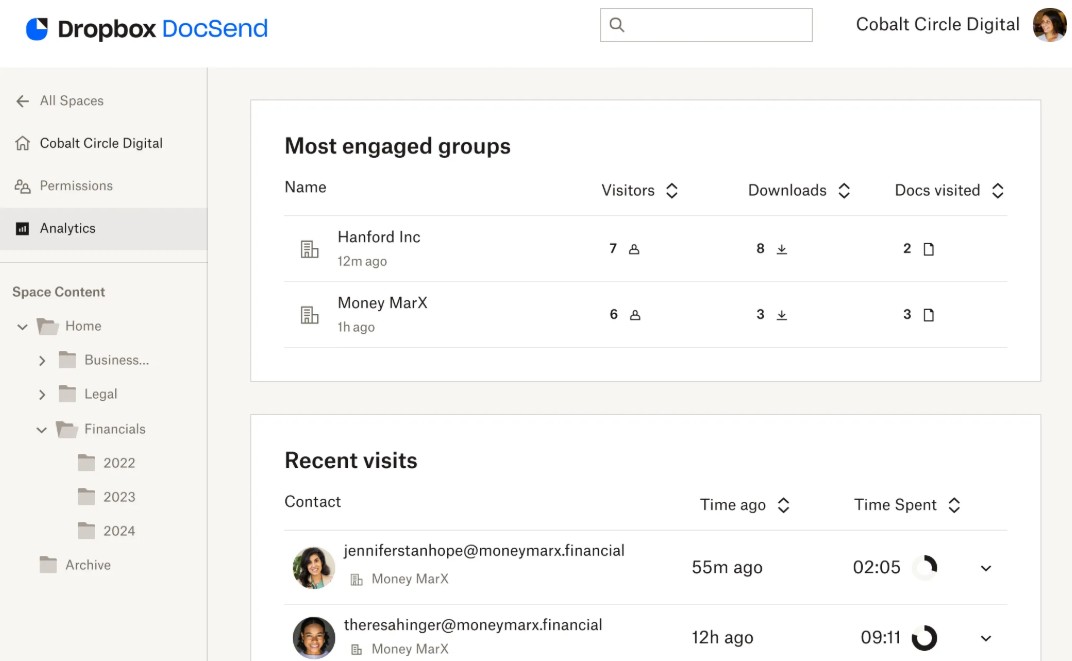
For businesses, Dropbox also integrates DocSend to track document engagement and Dropbox Dash to help search for content using AI across various platforms.
In addition, Dropbox Transfer allows you to send files to recipients without them having to create a Dropbox account.
Meanwhile, iCloud still supports sharing and collaboration, but primarily serves Apple users. Security options and management of shared links are quite limited compared to Dropbox.
2.3. Data Synchronization
Synchronization capabilities are one of Dropbox's biggest strengths.
This service supports selective synchronization by folder, block-level synchronization (Block-Level Sync), and uploading only the changed data instead of the entire file, saving significant time when editing large files.
Dropbox also offers Smart Sync, which displays all data but only downloads it when the user opens the file, thus saving hard drive space. Additionally, users can limit upload and download speeds to avoid impacting their internet connection.
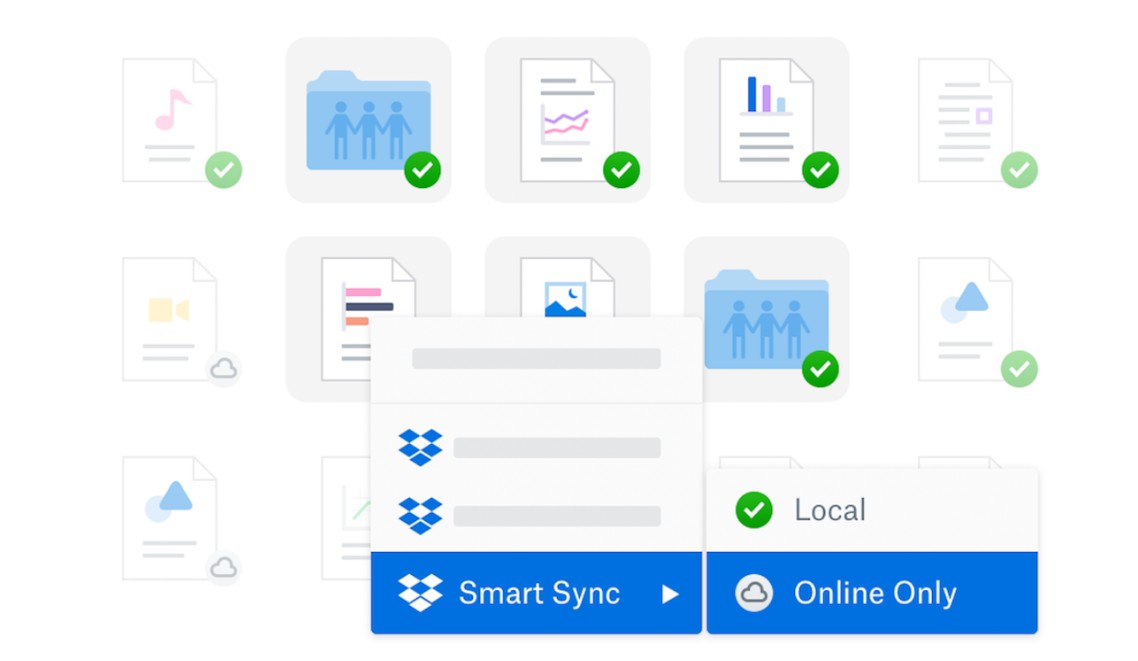
In contrast, iCloud only supports basic synchronization and lacks Block-Level Sync and advanced bandwidth management options.
2.4. Service Pricing
In terms of cost, iCloud is more attractive to individual users.
Dropbox only offers 2 GB free and paid plans start from 2 TB of storage. Meanwhile, iCloud offers 5 GB free and has a variety of flexible storage plans ranging from 50 GB to 12 TB.
One notable advantage of iCloud is its ability to share storage with up to six members in Family Sharing while still ensuring the privacy of each person's data.
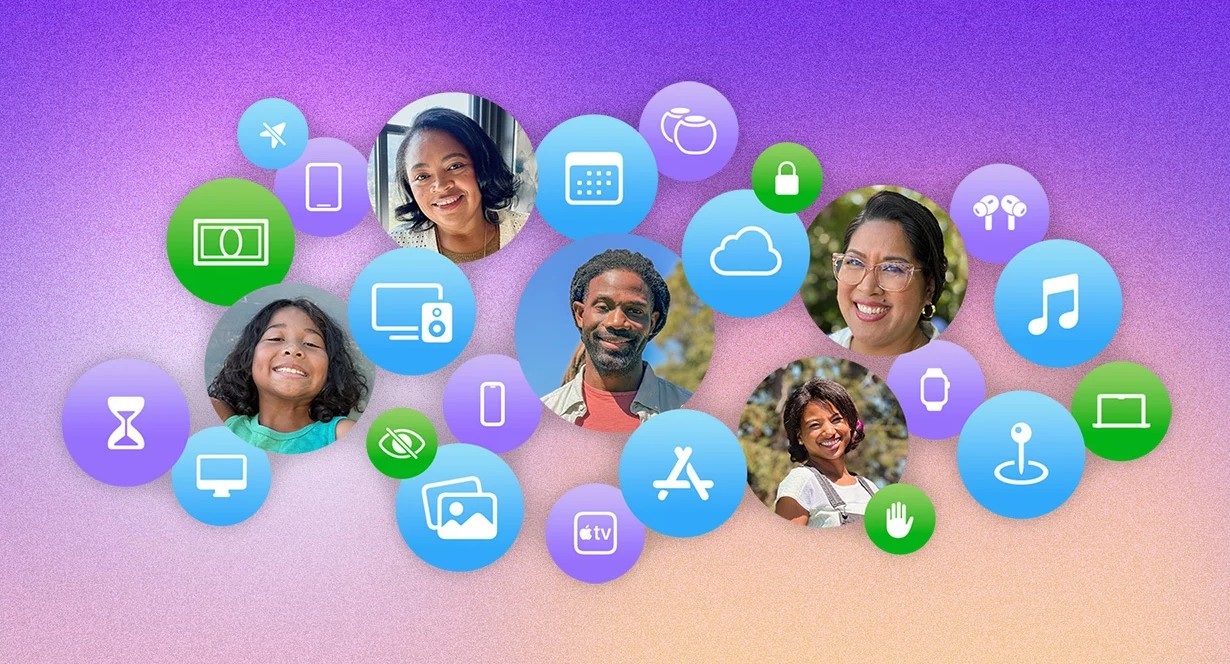
In contrast, Dropbox is geared more towards businesses with its mechanism of pooling storage space for entire groups, creating flexibility when multiple members have different usage needs.
In addition to storage capacity, iCloud+ plans also include HomeKit Secure Video for Apple's smart camera system.
2.5. Collaboration Tools
If you frequently work in teams, Dropbox is a standout choice.
Dropbox supports Dropbox Paper and integrates with Microsoft Office, Google Workspace, Slack, Zoom, and hundreds of other applications. Users can create flexible workflows without leaving the platform.
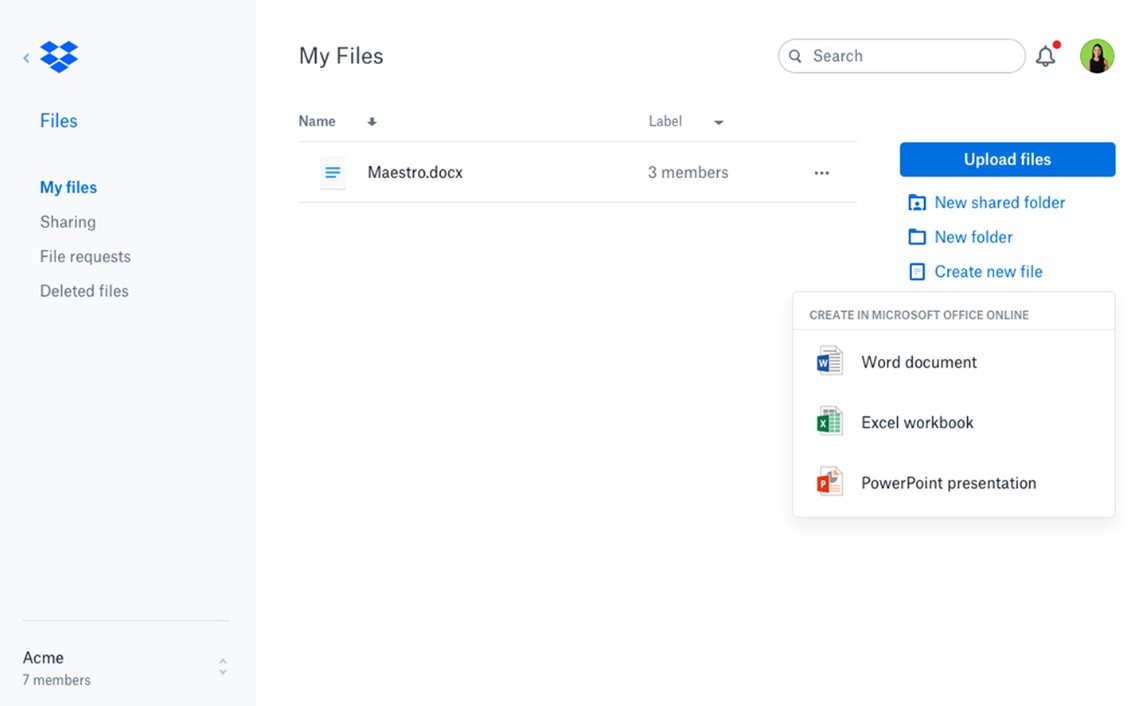
Dropbox Replay also supports collaboration on video, audio, PDF, and PSD files, making it ideal for content creation teams.
Additionally, Dropbox allows for visual comparisons between document versions, making it easier to track changes.
Meanwhile, iCloud primarily supports Pages, Numbers, and Keynote. While it works seamlessly within the Apple ecosystem, its integration with third-party applications remains quite limited.
2.6. Platform Compatibility
Dropbox fully supports Windows, macOS, Linux, Android, and iOS, providing a nearly identical experience across all devices.
Conversely, iCloud is most effective when used with Apple devices. On Windows, many features are limited and the experience is inconsistent.
Dropbox also supports offline editing on mobile devices and automatic syncing once an internet connection is available. This is a significant advantage for those who frequently travel or work remotely.
3. Should I choose Dropbox or iCloud?
For Apple users, iCloud is a nearly perfect choice if the primary needs are backing up photos, syncing data between iPhone, iPad, and Mac, and using applications like Pages, Numbers, or Keynote. Its reasonable cost, ability to share storage within the family, and deep integration with the operating system are its outstanding advantages.
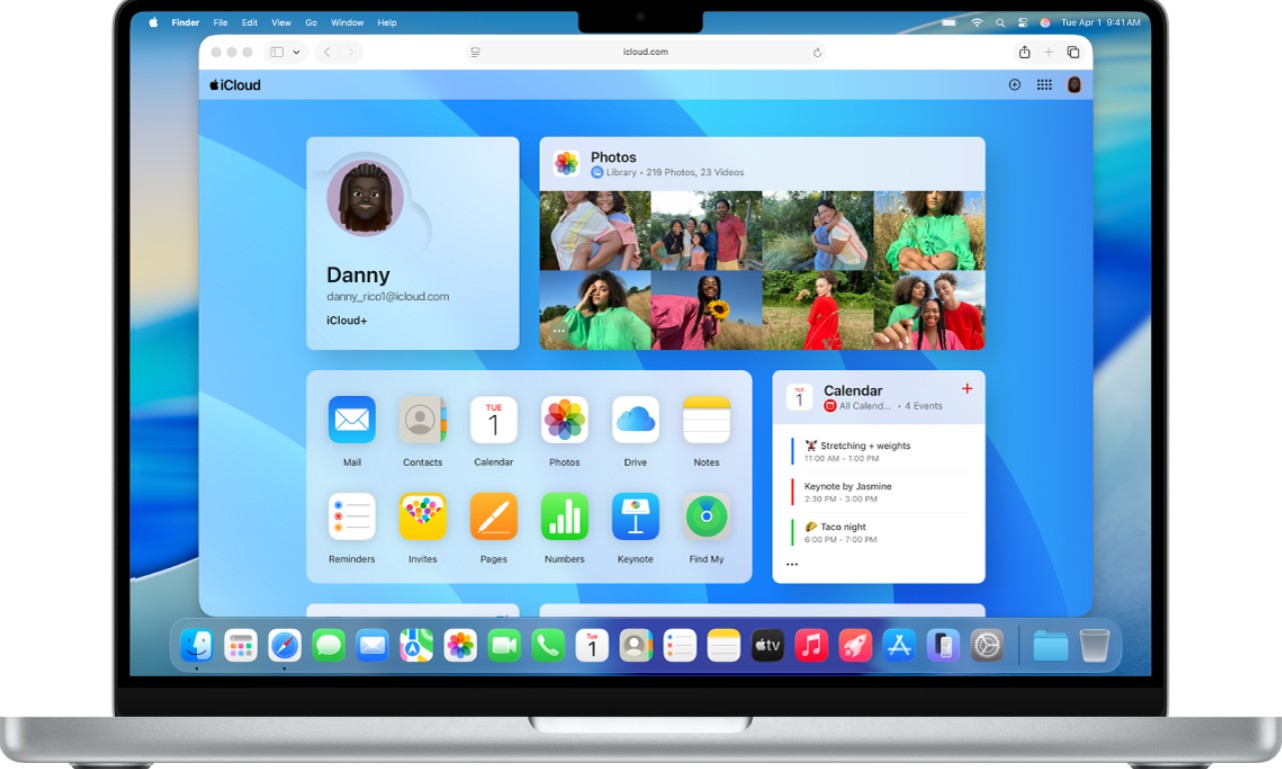
Conversely, Dropbox is more suitable for professionals, businesses, and teams that collaborate frequently. This service stands out for its flexible file sharing capabilities, fast synchronization, integration with hundreds of applications, multi-platform support, and numerous security features for businesses.
4. Conclusion
Dropbox and iCloud are both reliable cloud storage services, but they are built for different user groups. If you're fully immersed in the Apple ecosystem and desire a simple, cost-effective synchronization solution, iCloud is the right choice. Meanwhile, if you need robust collaboration capabilities, flexible data sharing, multi-operating system support, and advanced management features, Dropbox is a more comprehensive solution. The choice between Dropbox and iCloud isn't about which service is better, but rather about your actual needs. Understanding the advantages and limitations of each platform will help you invest in the right service and maximize the effectiveness of cloud storage.





















VIP Products








Best Selling Products
Upgrade Duolingo Super
29 USD
Upgrade Genuine Office 365
49 USD
Adobe Photoshop Copyright - Full App
120 USD
ChatGPT Plus Account (GPT-4)
16 USD
Copyright Adobe Lightroom Account
59 USD
Autodesk All App Account Copyright
120 USD
Plugin Retouch4me
69 USD
Genuine Adobe Illustrator account
99 USD
Capcut Pro 1 Year
39 USD
Freepik Premium Account
59 USD
Genuine Cheap Canva Pro
39 USD
Adobe Premiere Pro Account
99 USD
MidJourney Account
29 USD
Windows 10 & 11 Pro Key
36 USD
Upgrade genuine Capture One account
120 USD