Best Selling Products

Capcut Pro 1 Year
39 USD

MidJourney Account
29 USD

ChatGPT Plus Account (GPT-4)
16 USD

Adobe Photoshop Copyright - Full App
120 USD

Genuine Adobe Illustrator account
99 USD

Copyright Adobe Lightroom Account
59 USD

Freepik Premium Account
59 USD

Windows 10 & 11 Pro Key
36 USD

Plugin Retouch4me
69 USD

Autodesk All App Account Copyright
120 USD

Upgrade Genuine Office 365
49 USD

Genuine Cheap Canva Pro
39 USD

Upgrade Duolingo Super
29 USD

Upgrade genuine Capture One account
120 USD

Adobe Premiere Pro Account
99 USD
Design Your Own Free Christmas Cards Online with CapCut
Nội dung
- 1. How to create free online Christmas cards with CapCut?
- 1.1. Steps to create a Christmas card with CapCut
- 1.2. CapCut and features to support creating Christmas cards
- 2. Tips for creating Christmas cards
- 2.1. Using flexible text
- 2.2. Add appropriate visual elements
- 2.3. Adjusting color and saturation
- 2.4. Layering and blending elements
- 3. Why should you create Christmas cards online?
- 3.1. It holds more memories and meaning.
- 3.2. Unique and Unmistakable
- 3.3. Convenient and simple
- 3.4. Environmentally friendly
- 3.5. Cost savings
CapCut offers a set of intuitive editing tools suitable for all your card-making needs. You can add photos, decorate with festive stickers, and customize every detail. The result is a unique and heartfelt card.

Among countless design tools, CapCut stands out as an optimal choice for those who want to create free Christmas cards while still ensuring high creativity and aesthetic appeal. With its diverse design templates, flexible editing tools, and user-friendly interface, CapCut offers an easy yet powerful design experience, allowing anyone, even non-professionals, to create an impressive piece. This article will guide you in detail on how to use CapCut to create your own Christmas cards, and also provide useful design tips to make your cards more unique and strongly reflect your personal style.
1. How to create free online Christmas cards with CapCut?
Many people know CapCut as a powerful video editing tool, but few realize that this platform also supports incredibly convenient image design. CapCut's ecosystem includes a rich library of templates, intuitive editing tools, and a host of smart features that make it easy to create stunning Christmas cards with just a few clicks.
CapCut is more than just an editing tool; it acts as a creative companion, especially during the year-end holiday season. Thanks to its flexible customization options, you can freely express your emotions in your own way, from sweet and warm styles to vibrant and playful or elegant ones.
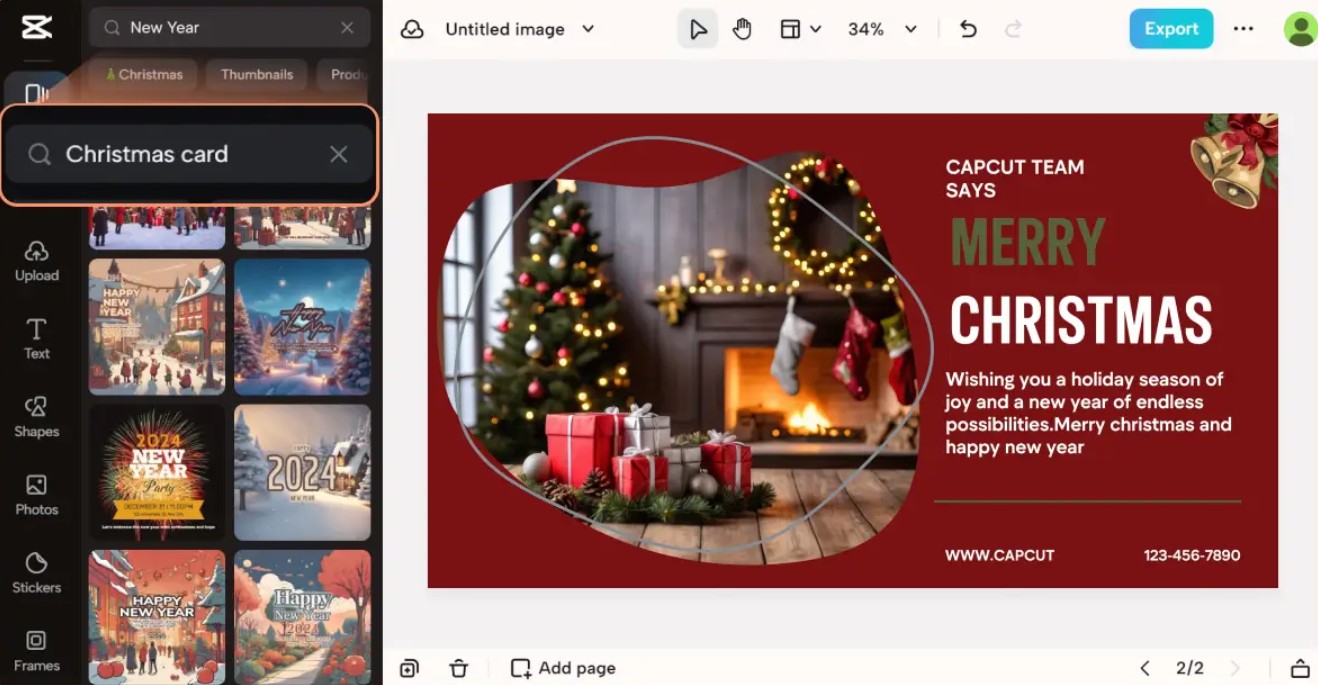
CapCut provides everything you need: ready-made layouts, visual effects, a Christmas sticker library, festive fonts, image enhancement tools, and even professional editing features usually only found in high-end graphics software.
1.1. Steps to create a Christmas card with CapCut
Creating greeting cards on CapCut is very simple; even beginners can operate it quickly.
STEP 1: Open CapCut in your browser
Simply open your favorite browser: Chrome, Safari, or Edge, and visit the official CapCut website. No complicated registration required, no software downloads needed; CapCut online is ready to instantly transport you to your creative space.
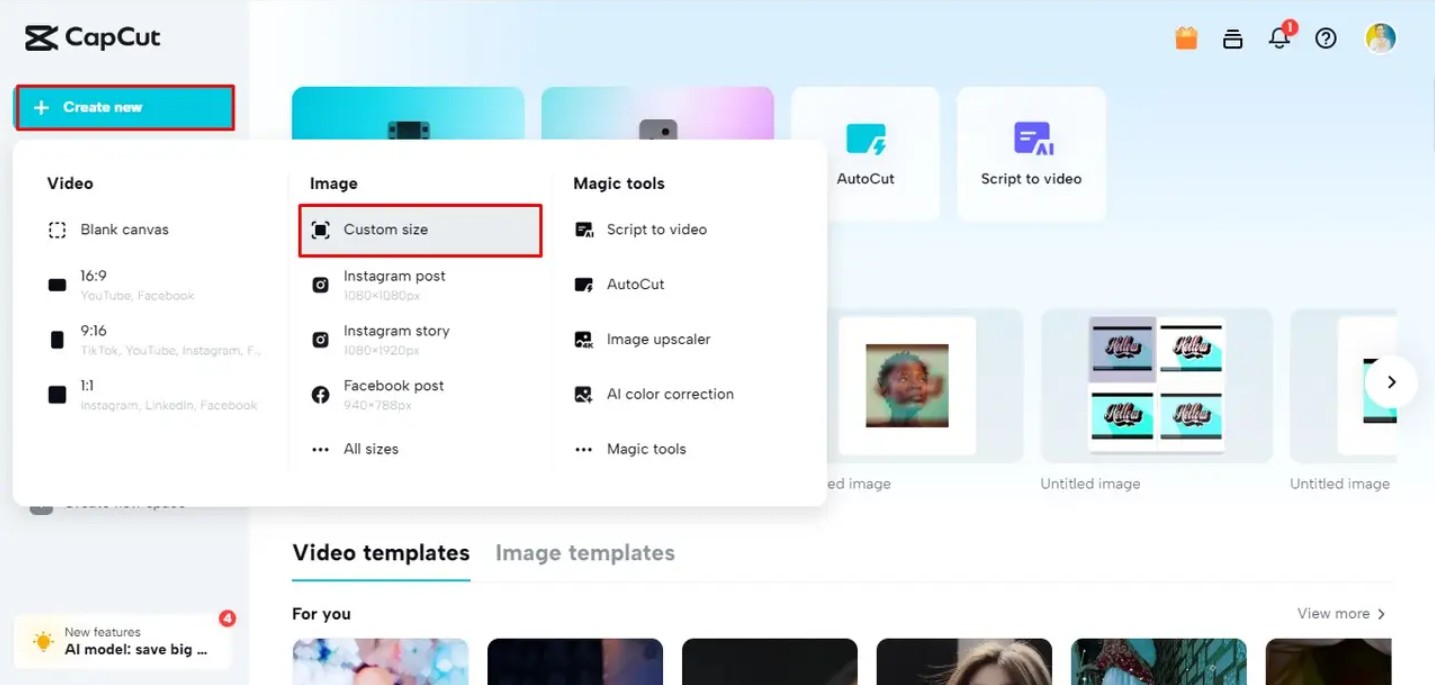
STEP 2: Create a new image
On the main interface, select the "Create New Design" feature. This is the foundational step for the entire process and allows you to customize the size to your needs. Depending on the intended use: sending online, posting on social media, or printing, you can choose the appropriate aspect ratio from the start.
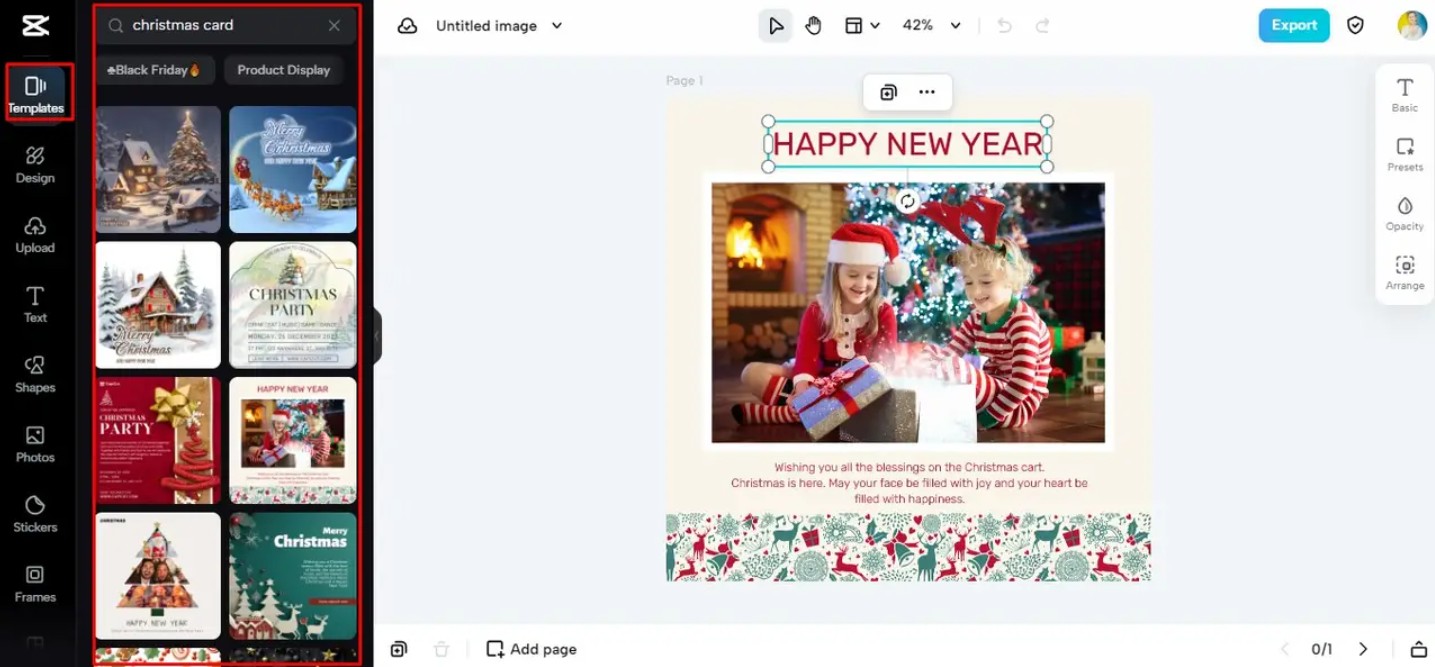
STEP 3: Choose a template (optional)
CapCut offers hundreds of pre-designed Christmas card templates, ranging from classic, vintage, and minimalist styles to cute and vibrant designs. If you want to save time, choosing a ready-made template is the ideal solution.
However, if you want to create a truly personalized card, starting from a blank template also offers great creative freedom.
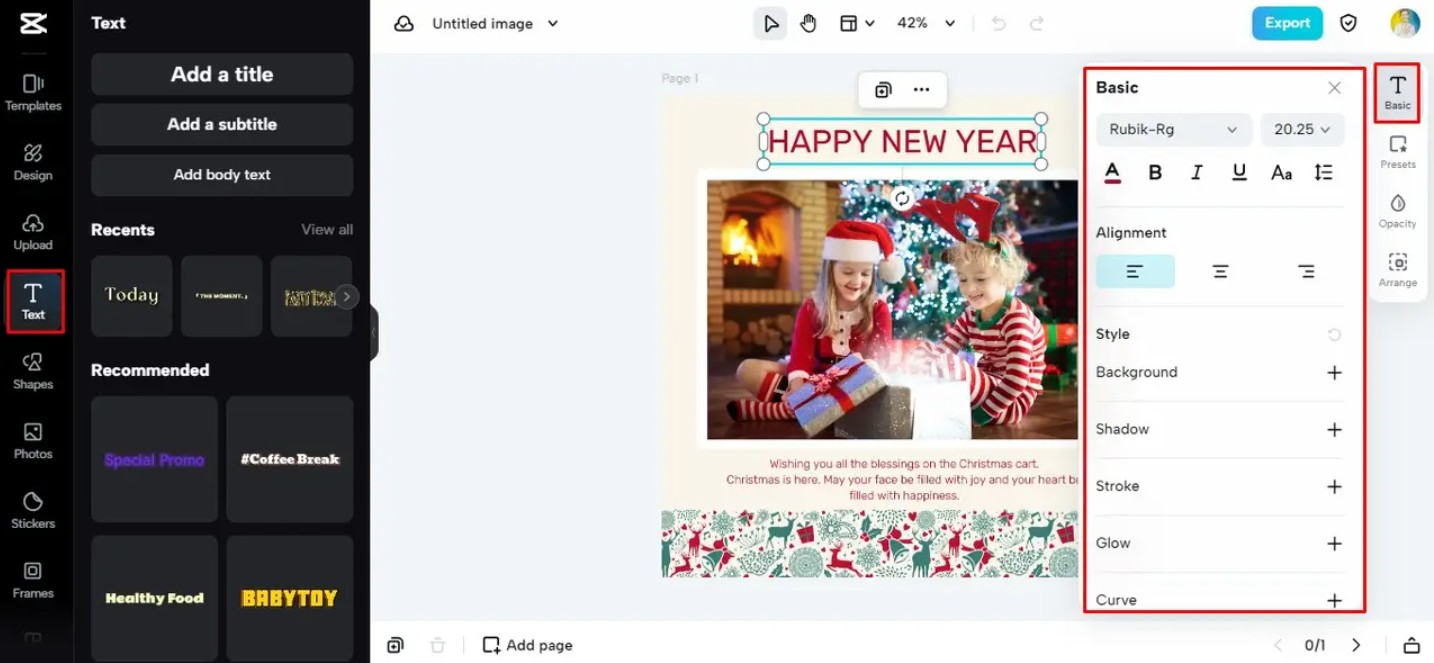
STEP 4: Edit the Christmas card
This is the most fun part. You can drag and drop images, adjust colors, add text, insert stickers, overlay snow effects, or experiment with different image styles.
The toolbars are logically arranged on both sides of the interface, allowing you to easily access all features without being overwhelmed.
With its flexible customization options, you can create a complete greeting card that reflects your own festive spirit and story.
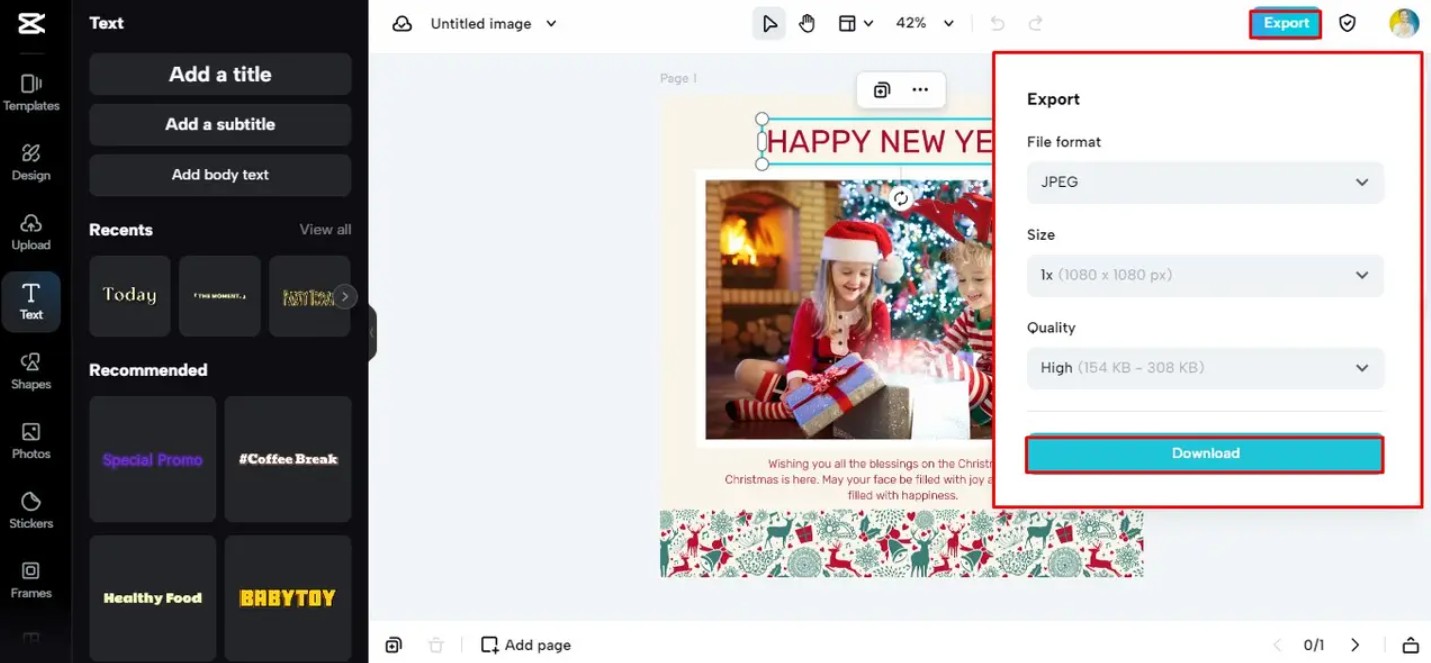
STEP 5: Save and download
Once you're happy with the design, simply click the "Download" button. CapCut allows free downloads in high quality, suitable for both printing and online submission.
The entire process is quick, convenient, and completely free.
1.2. CapCut and features to support creating Christmas cards
CapCut boasts many powerful features, providing a smooth and flexible design experience. This is what makes CapCut the top choice for creating Christmas cards online.
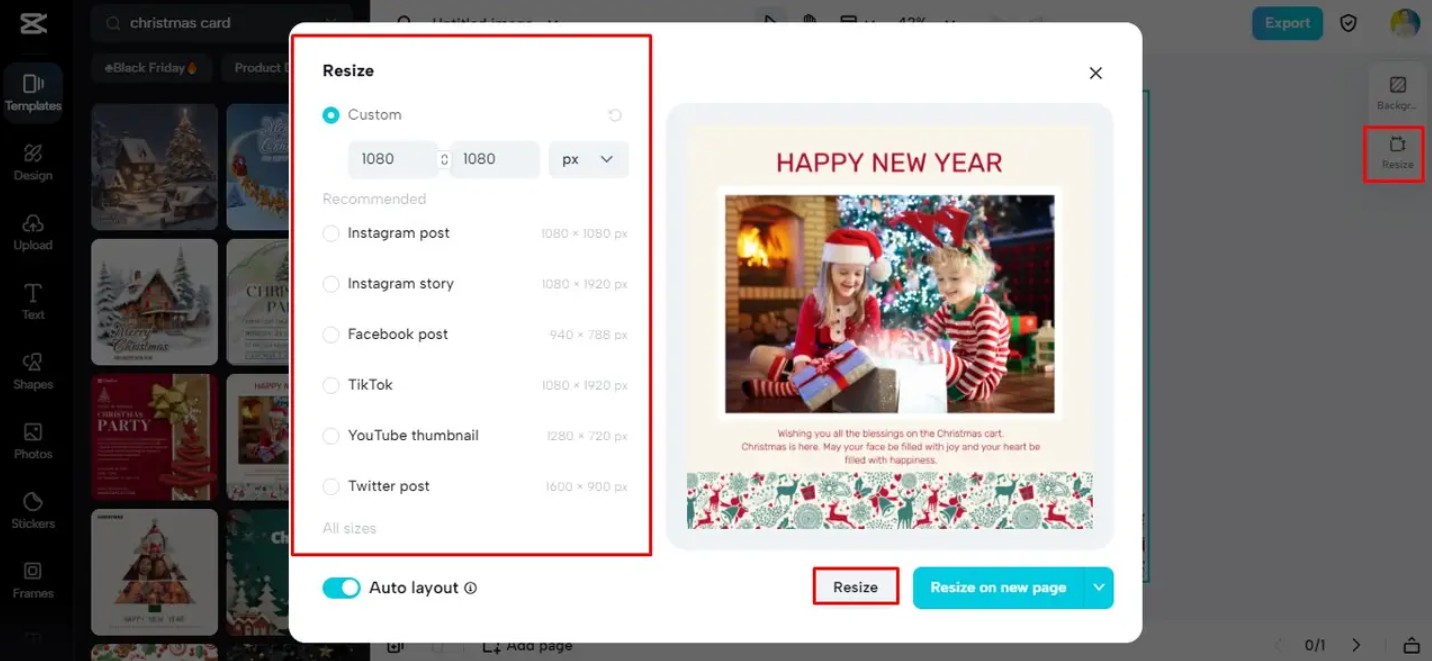
Custom resizing
Each platform has its own aspect ratio. Adjusting the size helps ensure your card looks its best where you want to post it. With CapCut, you don't need to calculate the size yourself because the system already provides popular options for each platform such as Facebook, Instagram, TikTok, or traditional print. This makes the design process quick and accurate.
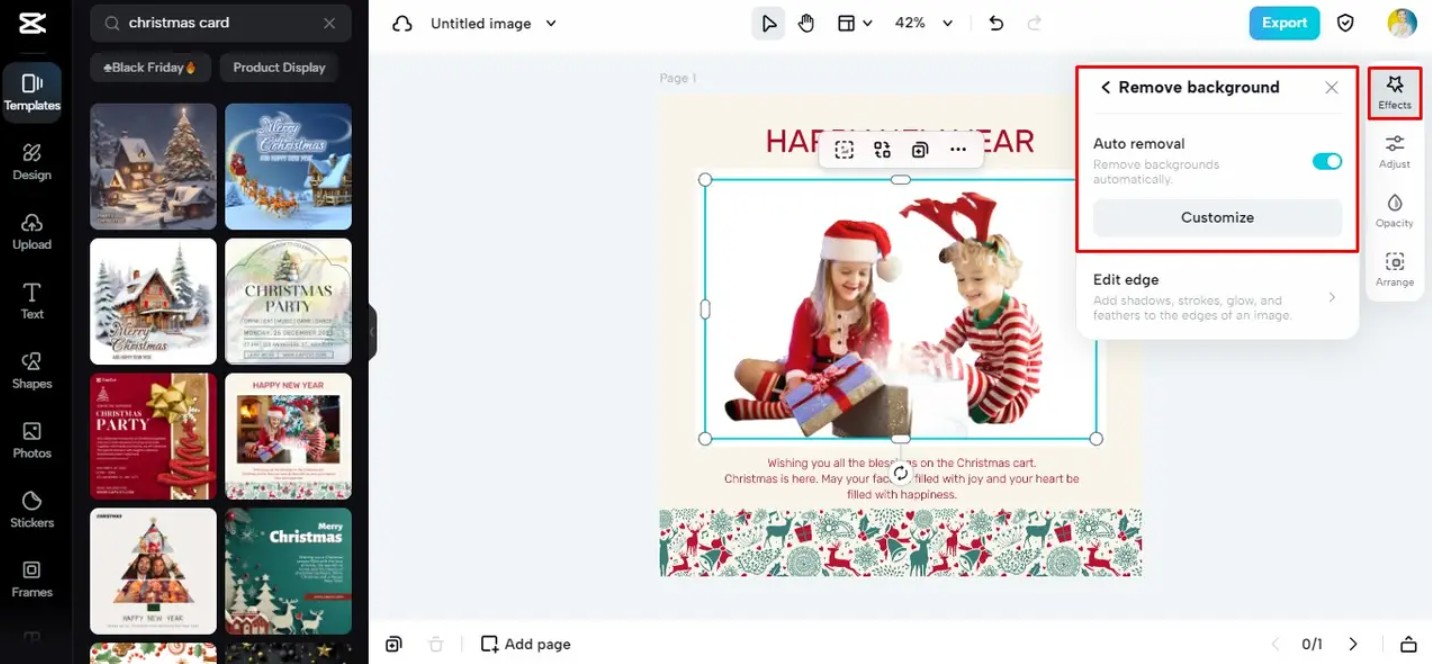
Smart background removal
The background removal feature uses AI technology to accurately separate the subject from the original background. This is an ideal option if you want to include a picture of yourself or your family in the card without the background being distracting. The image, after background removal, can be placed on any layout you desire, making the overall card more balanced and appealing.
Rich image types
The Style feature allows you to apply different styles to your images. If you want your images to look classic and warm, simply apply a suitable filter. If you want to create a vibrant, festive atmosphere, CapCut also offers Christmas-themed lighting effects such as warm gold, icy blue, or sparkling highlights like decorative lights.
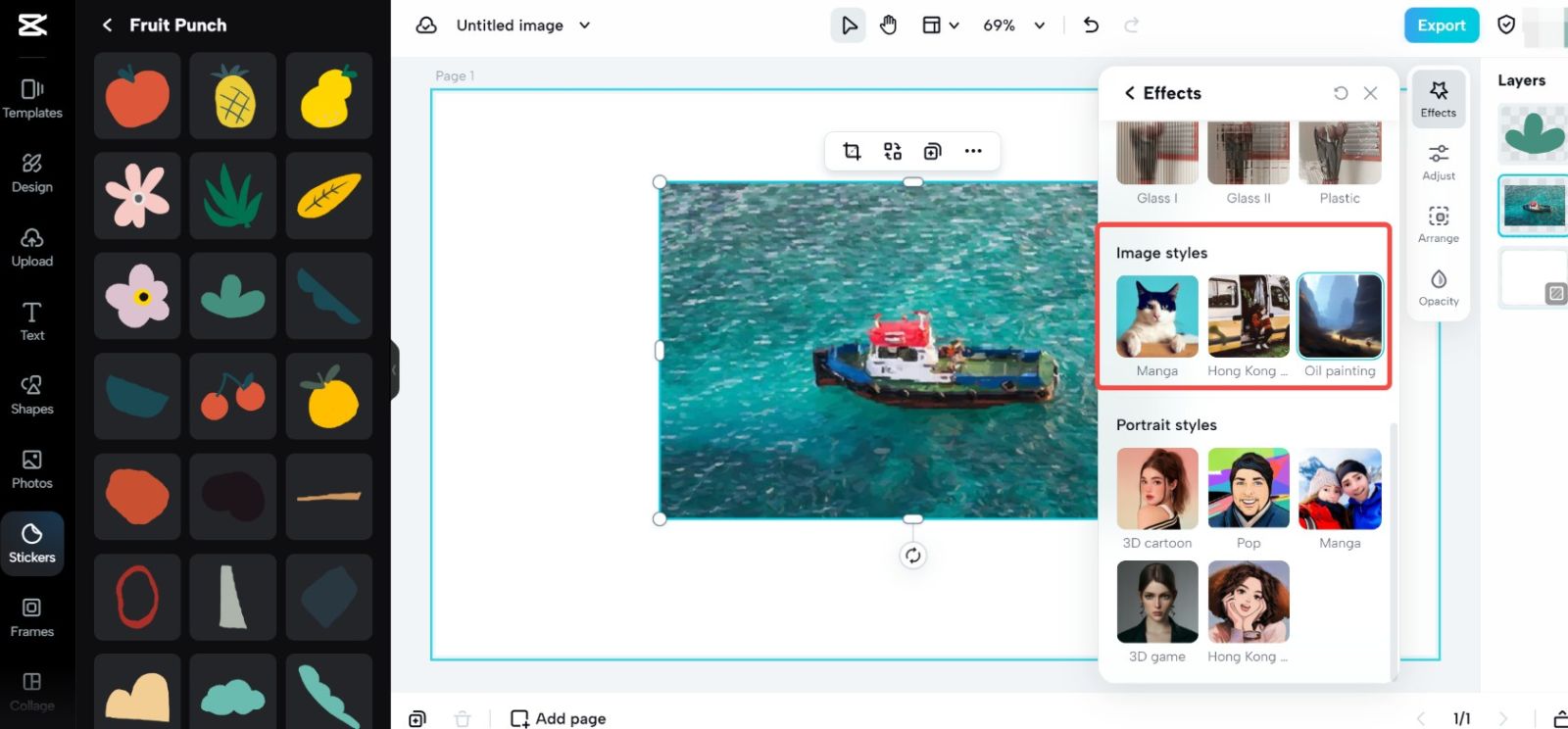
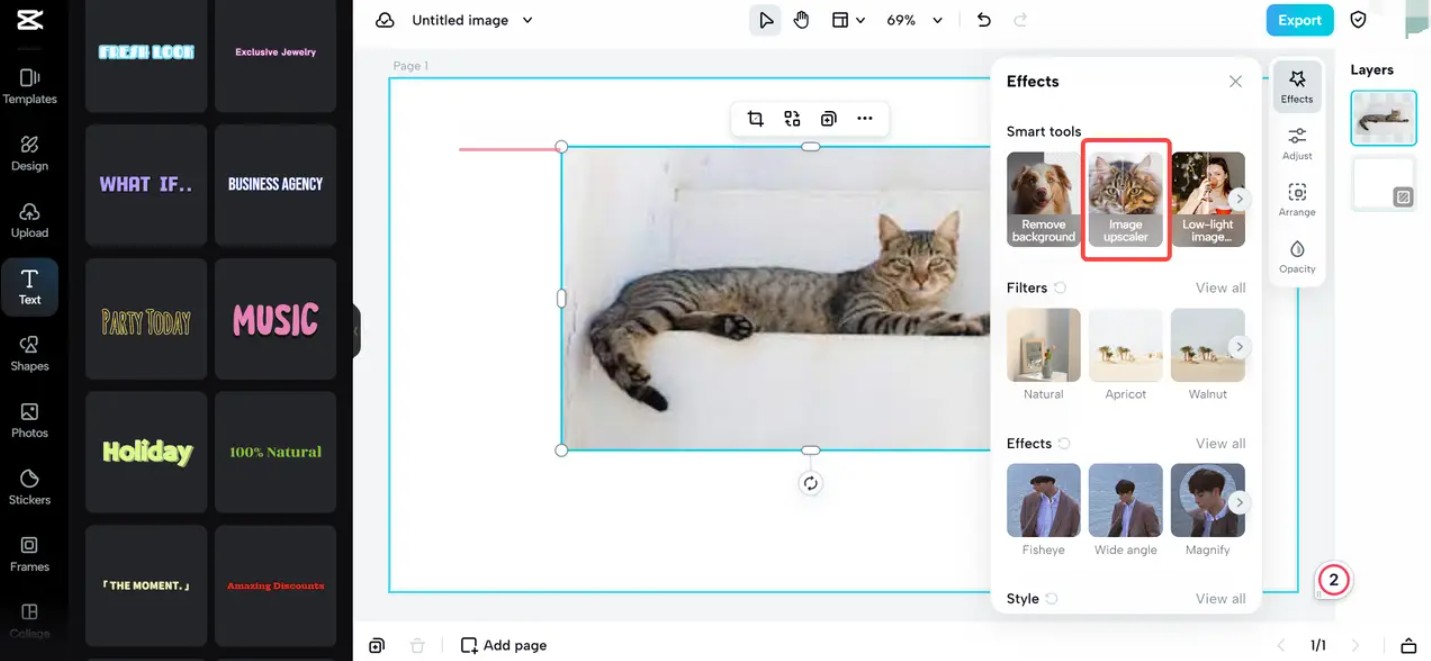
Image enhancement using AI.
You don't always get a sharp image. With its image enhancement tool, CapCut can improve detail, increase sharpness, and remove noise, making images look much more professional and clearer. This is an extremely useful feature if you're using old photos or photos taken with low-quality equipment.
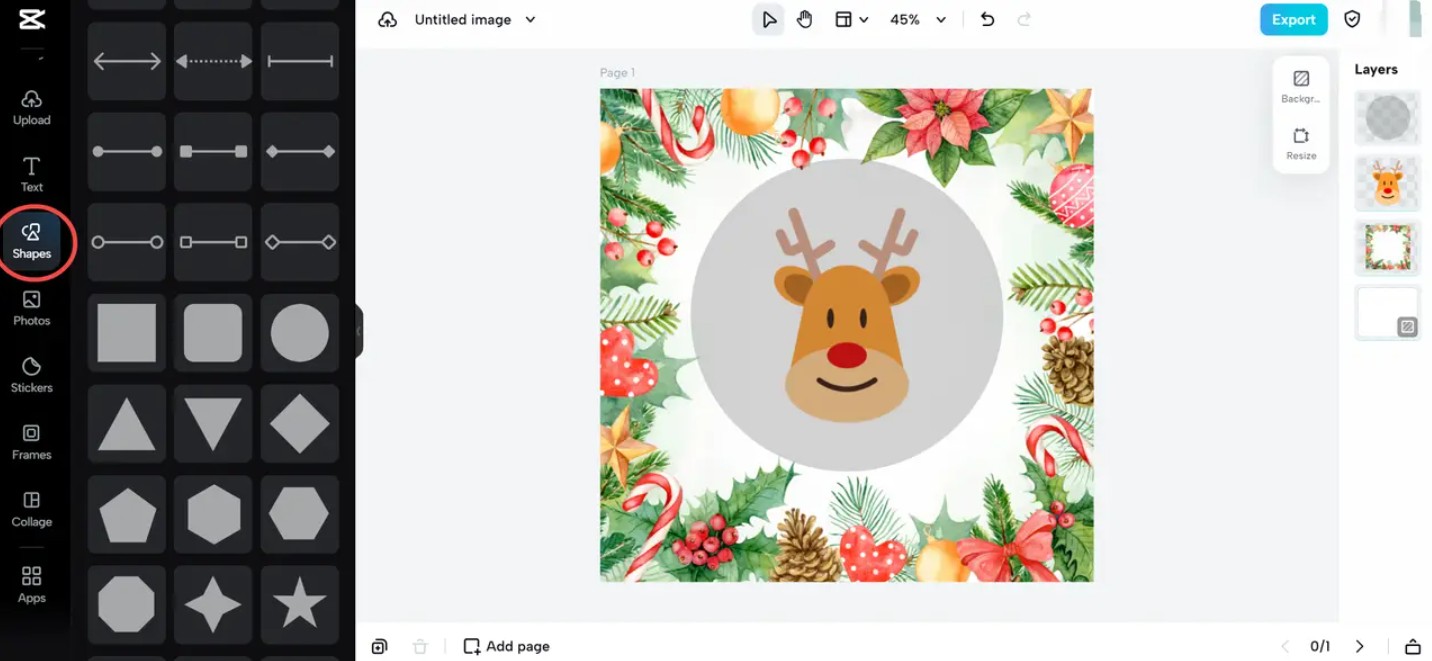
Circle Cropper
One of the current popular design trends is using circular portrait photos. It helps create a softer composition and a modern feel. CapCut's Circle Cropper lets you create this shape in an instant, perfect for both Christmas cards and social media profile pictures.
2. Tips for creating Christmas cards
To create a beautiful and emotionally resonant Christmas card, you need to combine images, colors, text, and layout effectively. The tips below will help you optimize your design and achieve the best visual impact when using CapCut.
2.1. Using flexible text
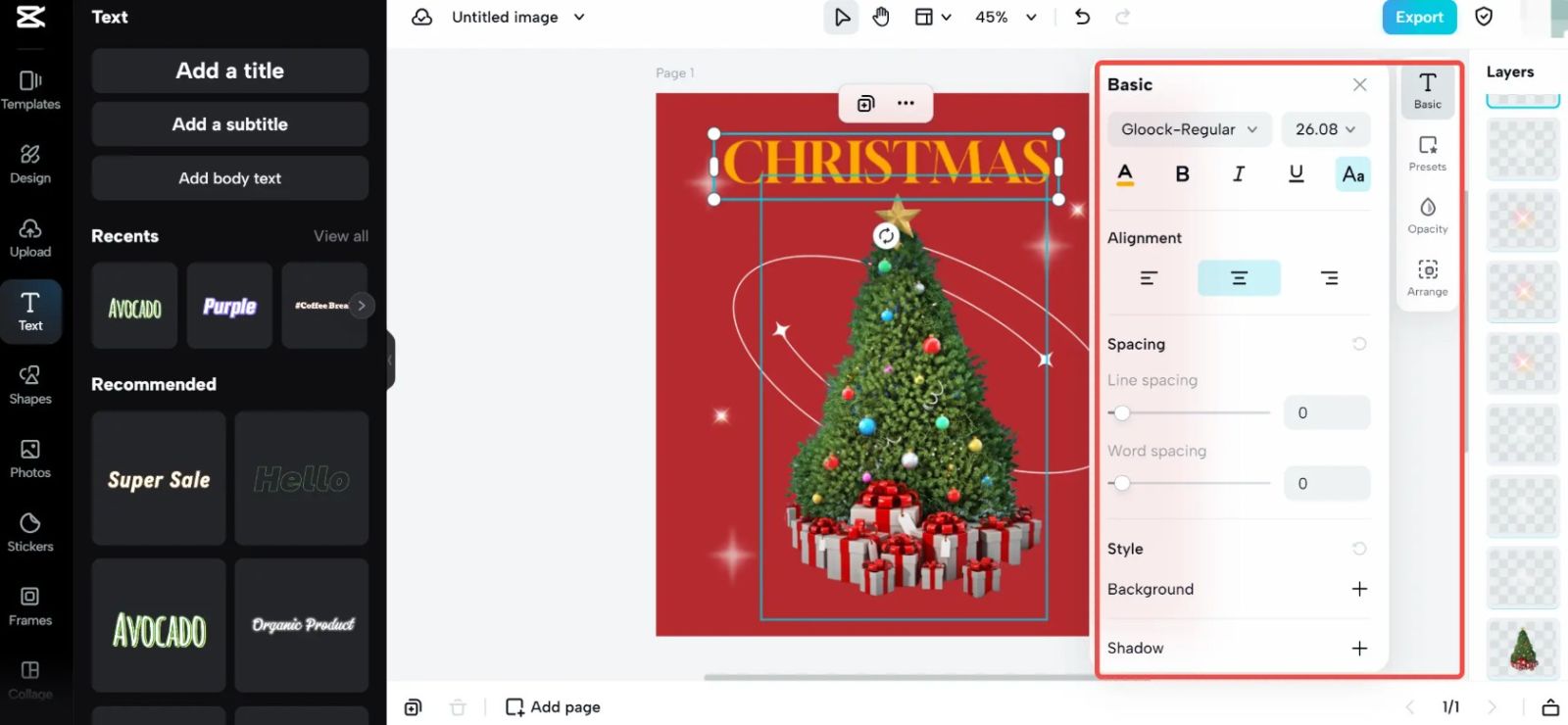
The text is the soul of the card. It conveys the message, emotions, and helps you connect with the recipient. When designing the text, you should choose fonts that match the overall style of the card. If the card has a classic style, you can use gently flowing fonts. If the style is modern, simple but bold fonts will be more suitable.
Each line of text should be positioned correctly to avoid a cluttered overall look. A common mistake is using too many different fonts, resulting in a lack of unity on the card. CapCut helps you adjust text color, add shadows or borders to make the text stand out against a patterned background.
2.2. Add appropriate visual elements
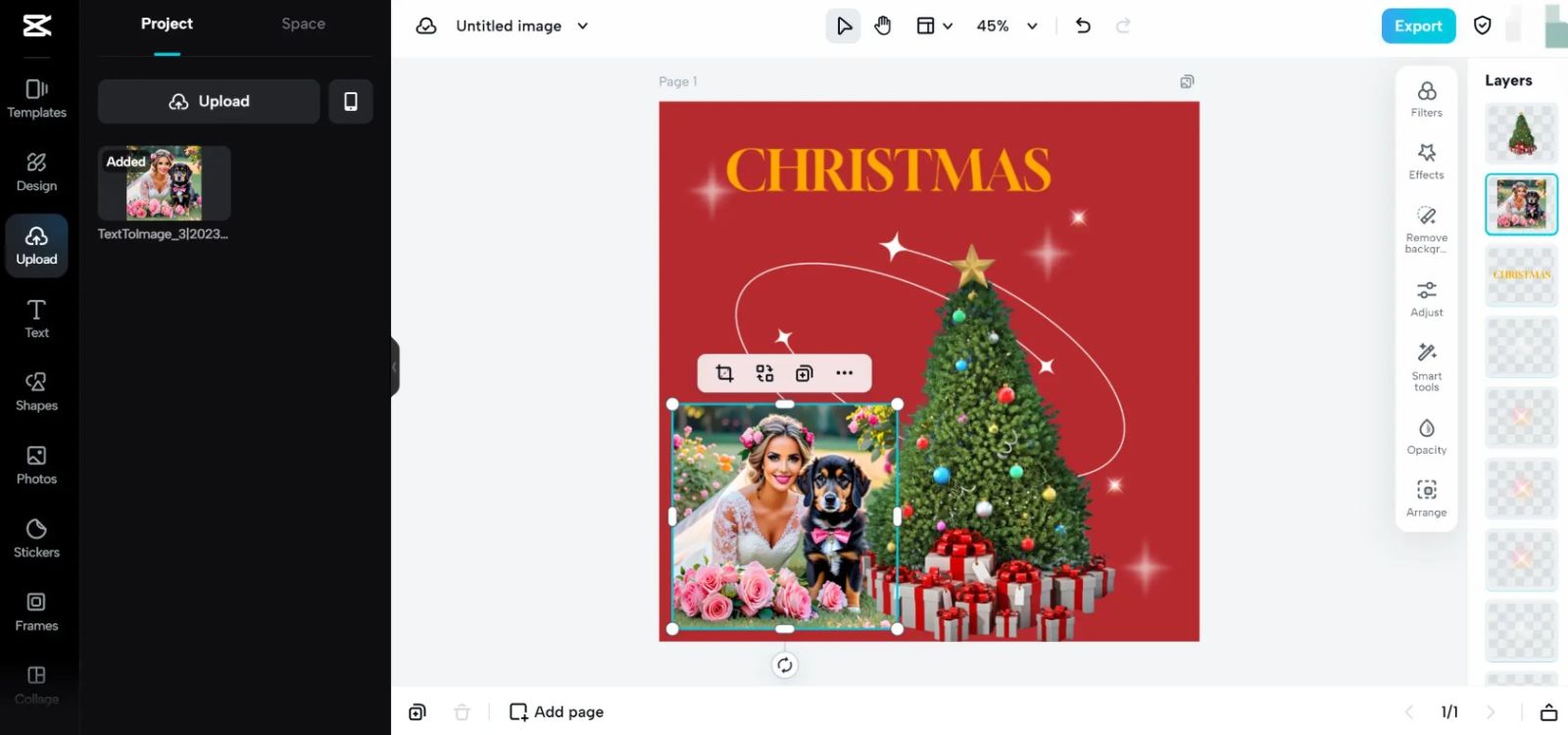
Images are the most powerful way to evoke emotions. A heartwarming family photo by the Christmas tree, a child opening presents, or a friend smiling in the snow can all bring warmth to the recipient.
If the card is for a colleague or client, you can choose symbolic images such as a gift box, star, bell, or wreath to maintain a formal feel.
CapCut allows you to adjust brightness, contrast, and add layers of lighting effects to make your photos blend better with the greeting card background.
2.3. Adjusting color and saturation
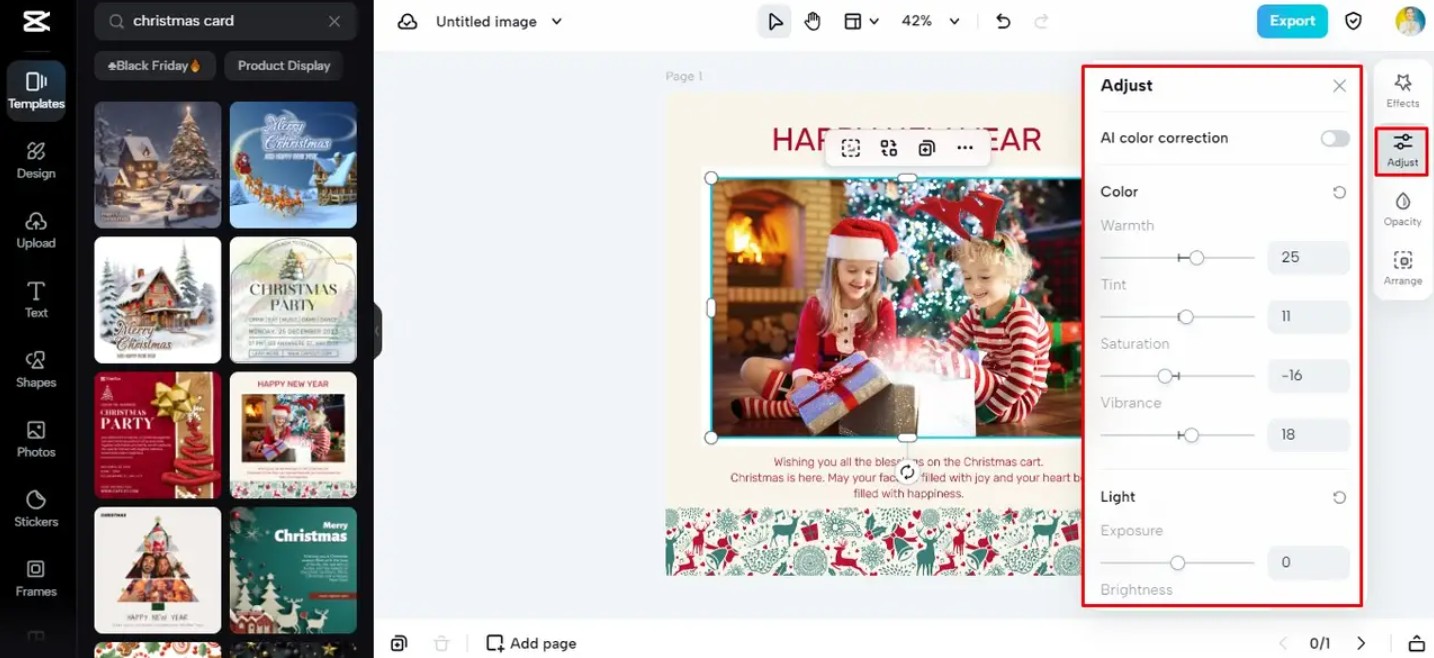
Color is a crucial element in determining the viewer's emotions. Traditional Christmas color palettes are typically red, green, and gold. However, you can absolutely create a card in a more modern style, such as soft pastels, icy blue, or vintage brown.
When adjusting saturation, you need to balance it so the image isn't too vibrant or too dull. A beautiful greeting card always has a harmonious balance between the background color, patterns, and the main image. CapCut allows you to fine-tune each area of the image, giving you more control over the design.
2.4. Layering and blending elements
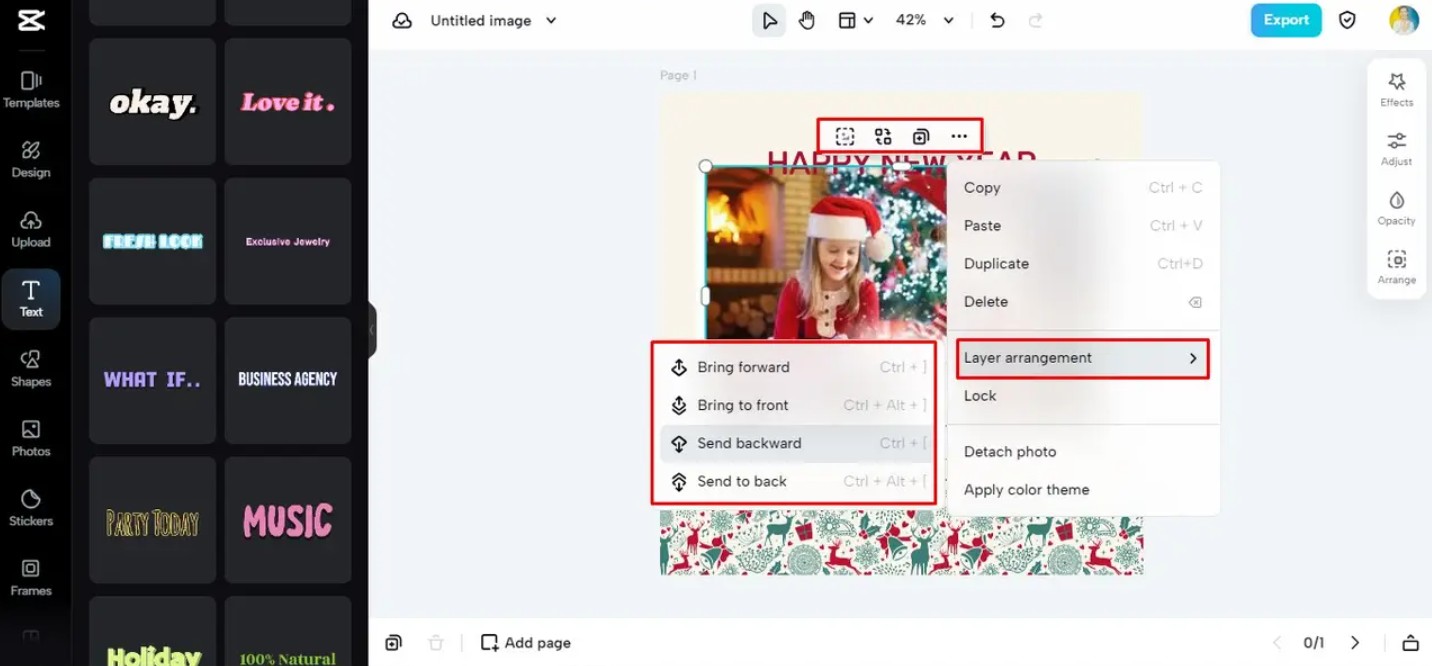
Layering techniques help create depth in a greeting card. When visual elements are arranged logically in layers, viewers will experience a richer visual space. You can place a blurred background layer behind, a lighting effect layer in the middle, and a character image layer in the foreground.
Mixing elements with varying degrees of transparency and blending modes also creates many unique effects without the need for complex design software.
3. Why should you create Christmas cards online?
Designing Christmas cards online is not only convenient but also offers more value than you might think. This is why more and more people are choosing to create cards online instead of buying printed ones.
3.1. It holds more memories and meaning.
A handmade card always contains appreciation and love. When the recipient opens the card and sees a familiar image of you, they will feel a sense of closeness and sincerity. This makes the message even more special.
3.2. Unique and Unmistakable
Online designed greeting cards allow you to choose your own layout, colors, fonts, and images. This sets them apart from store-bought cards. Each card is a unique version, a personal story conveyed to the recipient.
3.3. Convenient and simple
You don't need to buy cards, wait for printing, or worry about them arriving late. In just a few minutes, you can design and send cards via text message, email, or social media. This is the perfect solution for busy people who still want to express their love.
3.4. Environmentally friendly
Using e-cards helps reduce paper consumption and minimize post-holiday waste. It's a way to show environmental responsibility while still maintaining the joyful and connected spirit of Christmas.
3.5. Cost savings
E-cards are completely free if you use CapCut. You don't have to pay for cards, envelopes, color printing, or postage. This saves you a significant amount of money while still creating beautiful and professional cards.
Christmas is always a time to share the best wishes. Even with increasingly busy lives, we still feel the need to express our love through simple yet meaningful cards. With CapCut, creating Christmas cards has never been easier. In just a few steps, you can create a unique design that reflects your own personal touch.





















VIP Products








Best Selling Products
Capcut Pro 1 Year
39 USD
MidJourney Account
29 USD
ChatGPT Plus Account (GPT-4)
16 USD
Adobe Photoshop Copyright - Full App
120 USD
Genuine Adobe Illustrator account
99 USD
Copyright Adobe Lightroom Account
59 USD
Freepik Premium Account
59 USD
Windows 10 & 11 Pro Key
36 USD
Plugin Retouch4me
69 USD
Autodesk All App Account Copyright
120 USD
Upgrade Genuine Office 365
49 USD
Genuine Cheap Canva Pro
39 USD
Upgrade Duolingo Super
29 USD
Upgrade genuine Capture One account
120 USD
Adobe Premiere Pro Account
99 USD