Best Selling Products
Adobe Photoshop Copyright - Full App
120 USD
Upgrade genuine Capture One account
120 USD
Genuine Adobe Illustrator account
99 USD
Upgrade Genuine Office 365
49 USD
Adobe Premiere Pro Account
99 USD

ChatGPT Plus Account (GPT-4)
16 USD
Capcut Pro 1 Year
39 USD

Freepik Premium Account
59 USD

MidJourney Account
29 USD
Autodesk All App Account Copyright
120 USD
Upgrade Duolingo Super
29 USD
Genuine Cheap Canva Pro
39 USD
Windows 10 & 11 Pro Key
36 USD
Copyright Adobe Lightroom Account
59 USD
Plugin Retouch4me
69 USD
Discover beautiful and impressive AI-powered 3D modeling prompt templates.
Nội dung
- 1. Structure of a standard 3D modeling prompt
- 2. Template prompt for creating beautiful and cute 3D figures.
- 3. Impressive prompt template for creating 3D object models.
- 4. Industry-specific 3D modeling prompt templates.
- 5. Things to note when writing prompts to create 3D models using AI.
- 6. Conclusion
AI-powered 3D modeling prompts help you transform creative ideas into visual images and designs in your desired style. With just a clearly described command, you can create cute chibi figures, unique decorative objects, architectural models, or modern interiors. However, for the AI to correctly understand your request and produce the right results, you need to choose specific wording, define materials, shapes, and intended use. In this article, let''s explore some beautiful and impressive 3D modeling prompts and how to effectively apply them to different needs.
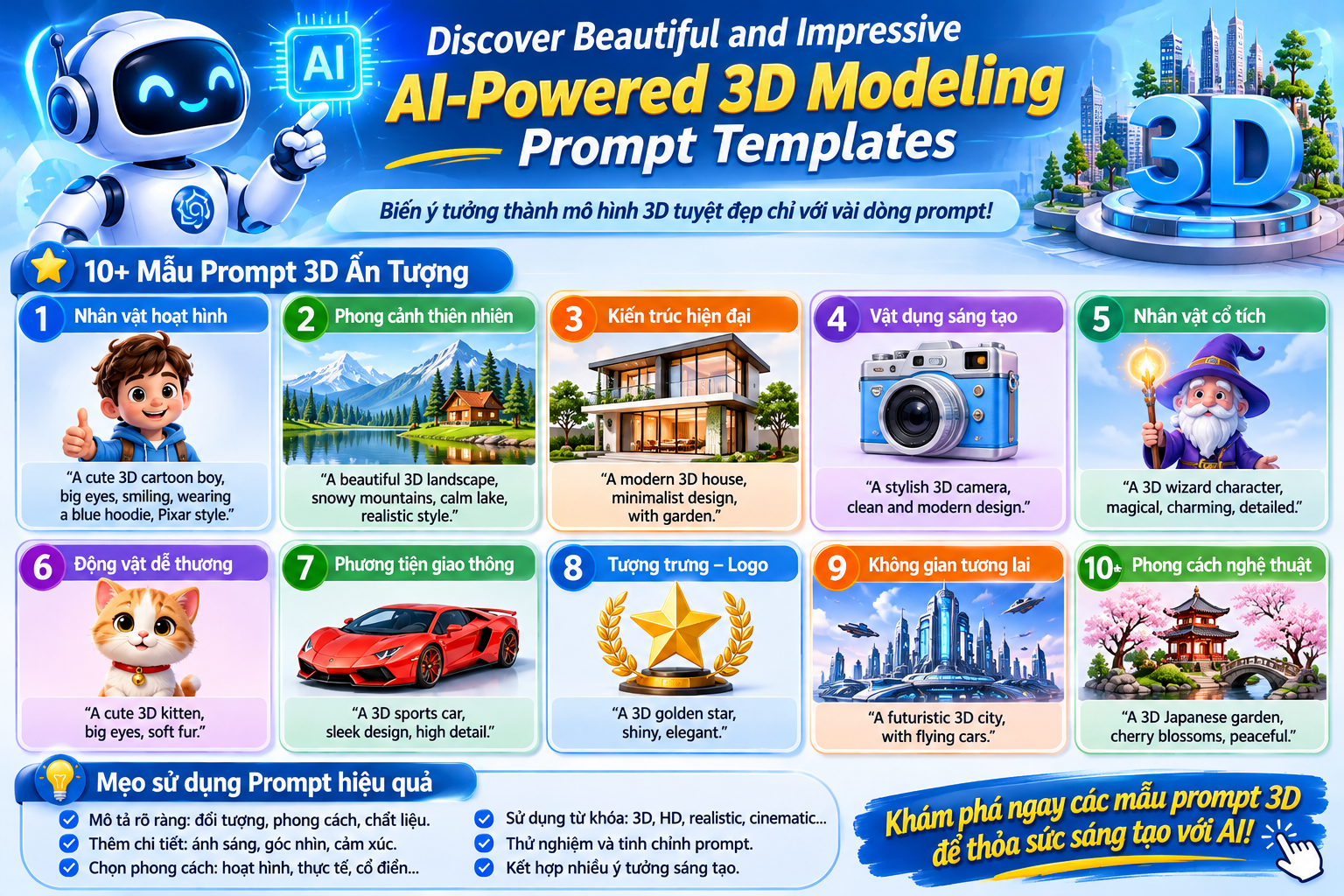
1. Structure of a standard 3D modeling prompt
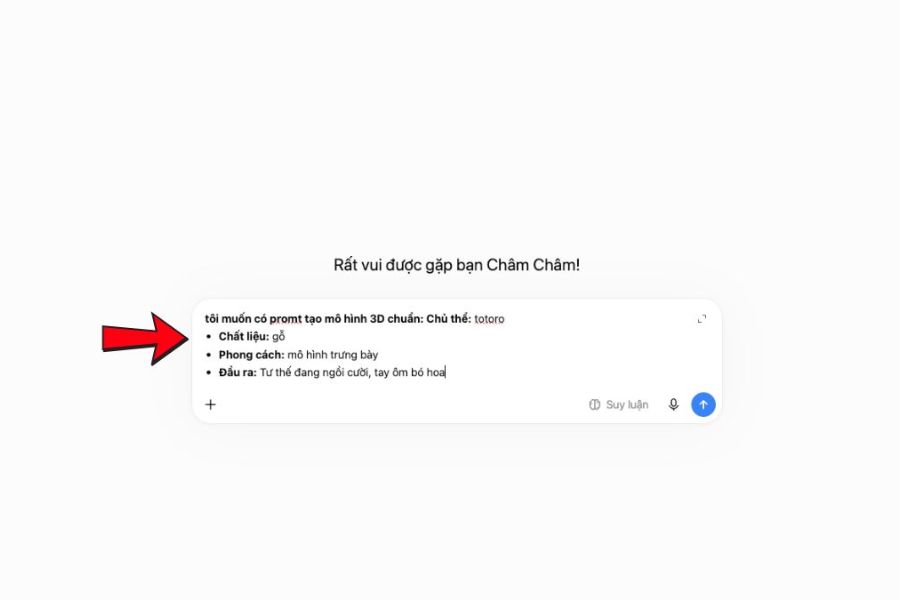
An effective prompt needs to help the AI accurately identify the object, its physical characteristics, and design style. Instead of just entering a general request like "create a beautiful 3D model," you should specifically describe the shape, color, material, and other important details. The command can be built from four main components:
-
Subject: Identify the object to be created, such as a character, object, vehicle, or structure.
-
Shape and proportion: Describes relative size, posture, structure, lines, and identifying features.
-
Materials and Styles: Choose from wood, metal, vinyl, fabric, or chibi, realistic, cartoon, or low-poly styles.
-
Output requirements: State the intended use, such as display, product illustration, game asset, or preparation for 3D printing.
For example, instead of requesting a cute character, you could describe a chibi character with a large head, short brown hair, wearing a cream sweater, holding a bouquet of flowers, and standing on a round base. This specific description helps the AI have a clearer direction and allows you to easily adjust details if the result isn't what you hoped for.
2. Template prompt for creating beautiful and cute 3D figures.
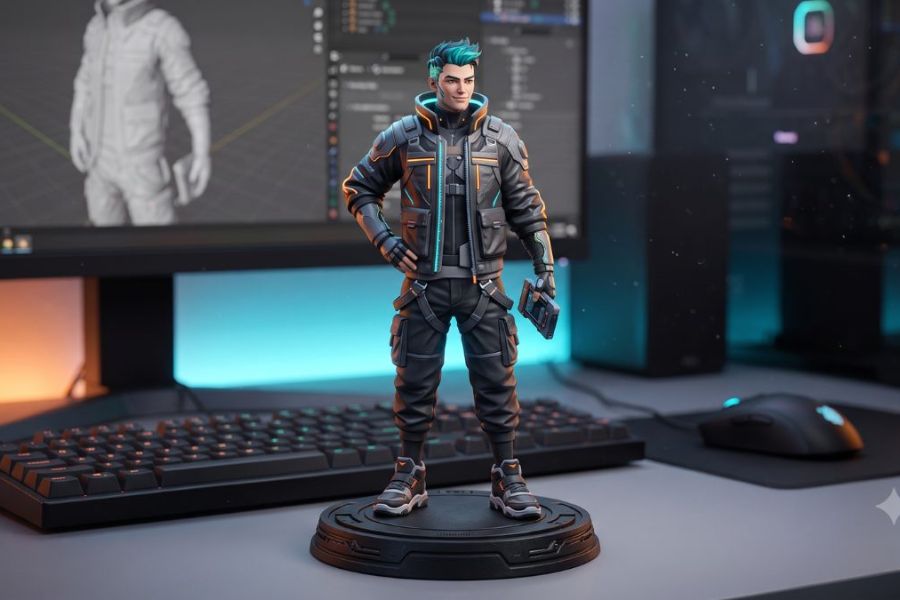
3D figures are a suitable choice for creating collectible characters, personalized gifts, or desk decorations. To make the character look lifelike, focus on depicting facial expressions, hairstyles, clothing, body proportions, and posture. A cute style with a large head, small body, rounded lines, and pastel colors will create a striking appearance. If aiming for a display model, add a base for a more balanced overall look.
Sample prompt:
Create a cute collectible 3D figurine of a cheerful young barista, full body, oversized chibi head, short wavy brown hair, cream shirt and brown apron, holding a tiny coffee cup, warm pastel colors, matte vinyl material, smooth sculpted details, friendly facial expression, standing on a round solid display base, clean character design, high-quality 3D render.
You can change the barista character to a girl in a dress, a cute cat, or a cartoon character according to your preference. Depending on your purpose, choose the appropriate description:
-
Chibi figures: Large head, small body, big eyes, adorable expressions, and bright colors.
-
Realistic figure: Natural body proportions, clothing with creases, and clear surface details.
-
Collectible figure: Striking pose, sturdy display base, consistent material and color.
-
Figures for 3D printing: Prioritize solid parts, avoid overly thin components, and check the model's stability.
Note that a beautiful figure image doesn't necessarily mean the model is ready to print immediately. You still need to check the geometry, thickness, and connection details using specialized software before production.
3. Impressive prompt template for creating 3D object models.
For objects like table lamps, vases, accessory boxes, or decorative items, the prompt should focus on the overall shape, function, and material. Clearly describing the structure helps the AI avoid adding unnecessary details and create a design that is appropriate for its intended use. If you want the model to look professional, you should add a three-quarter view, studio lighting, and a simple background.
Sample prompt:
Create a retro mushroom-shaped desk lamp as a standalone 3D object, rounded cream metal shade, matte black cylindrical stem, circular weighted base, minimalist product design, realistic proportions, smooth surfaces, clean geometry, soft studio lighting, three-quarter view, neutral background, no text, no logo, no extra objects.
You can develop more ideas by changing the shape, material, and color in the command:
-
Artistic vase: A ceramic vase with asymmetrical curves, a textured surface, an ivory white color, and a minimalist design.
-
Jewelry box: A light-colored wooden box with a hinged lid, rounded corners, and neatly arranged compartments.
-
Decorative keychain: Heart-shaped or small bow, pastel colors, glossy surface, and with a metal loop.
-
Modern bedside lamp: Cylindrical body, round lampshade, matte metal finish, and warm light.
If using a model as a game asset, you can add the phrase "low-poly game asset" to indicate a simple geometric style. For product showcase images, prioritize balanced proportions, clear lighting, and a layout that isn't distracted by extraneous objects.
4. Industry-specific 3D modeling prompt templates.
Each field has its own requirements regarding shape, level of detail, and presentation. Architectural models need to clearly show spatial proportions, educational models need to present easily observable structures, and interior design models must focus on functionality and materials. Therefore, you should specify the intended use field in the prompt so that the AI understands the design direction.
Architectural model
Create a compact modern garden pavilion, timber slat walls, flat roof, solid concrete base, clean architectural proportions, neutral natural materials, simple geometric structure, standalone 3D architectural model, isometric view, soft natural lighting, plain background, no people, no text.
This template is suitable for developing ideas for gazebos, garden structures, or outdoor relaxation spaces. You can change the materials, roof style, and layout to create many different design options.
educational model
Create an educational 3D model of a plant cell, enlarged cross-sectional view, clearly separated cell wall, nucleus, chloroplasts, vacuole and other major organelles, colorful simplified structures, smooth surfaces, friendly educational style, clean composition, no labels, no text.
In educational models, prioritize clear structure, distinct colors, and visual presentation. These features make it easy for learners to observe the different parts, making them suitable for presentations, illustrative materials, or teaching activities.
Interior design model
Create a Scandinavian lounge chair as a standalone 3D furniture asset, curved light oak frame, beige woven fabric cushion, realistic furniture proportions, smooth rounded edges, detailed wood grain, soft studio lighting, three-quarter view, neutral background, no text or extra objects.
This model is geared towards Scandinavian interior design with light wood and neutral fabric upholstery. You can change the chair leg style, cushion color, or frame material to experiment with various interior styles.
These prompts are suitable for the ideation, illustration, or design presentation stages. For construction drawings, structural drawings, or products to be manufactured, you will still need to use specialized software to check dimensions and technical specifications.

5. Things to note when writing prompts to create 3D models using AI.
A good prompt needs to balance creativity and control over the outcome. If the command is too short, the AI might add irrelevant details. Conversely, an overly long description with overlapping requirements can cause the model to lose important features. Start with the main shape, then add each element individually for easier evaluation and adjustment.
Here are some tips you should apply:
-
Prioritize one main subject: Limit the number of objects required in the same model if you want it to be easy to separate and edit.
-
Use a consistent style: Choose a dominant design direction such as realistic, cartoonish, chibi, or low-poly.
-
Add appropriate perspectives: Use a three-quarter angle to introduce objects, a frontal view to highlight their appearance, or an isometric angle for architectural models.
-
Use negative prompts when support is available: This can be used to request the removal of text, logos, extraneous objects, or unwanted details.
-
Adjust each element individually: If the result isn't satisfactory, change only the color, texture, or posture instead of rewriting the entire prompt.
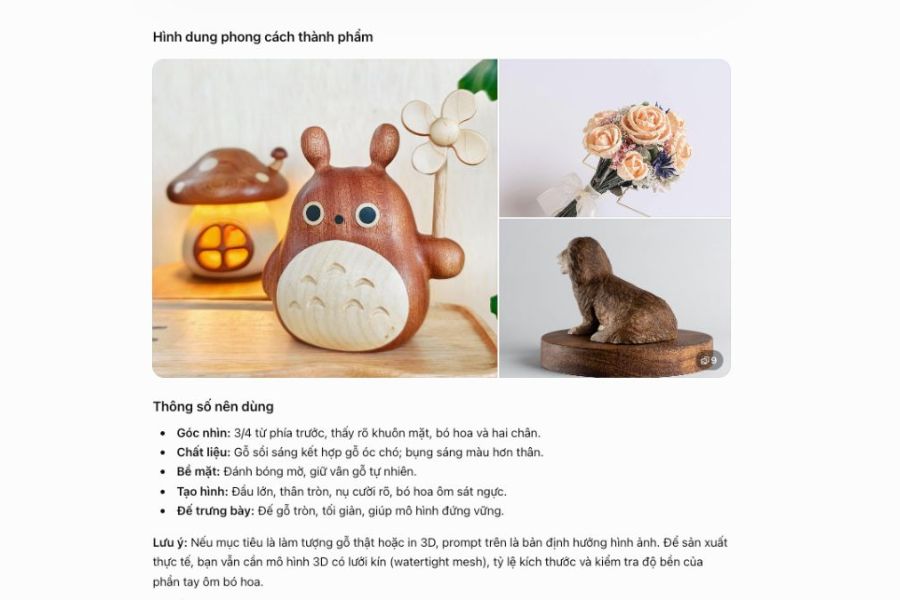
Furthermore, technical requirements need to align with the practical purpose. Models for games may require optimized geometry and appropriate levels of detail. 3D-printed models need to be checked for thickness, connections, and mesh tightness. Meanwhile, promotional images need to focus on composition, lighting, and product representation. Phrases like “clean topology” or “watertight mesh” may guide technical requirements, but do not guarantee the output model meets production standards. You still need to check with appropriate software before use. Also, check the rights to use reference images, characters, and brand logos if you intend to use the model for commercial purposes.
6. Conclusion
Exploring AI-powered 3D modeling prompts will help you easily develop your ideas into figures, decorative objects, architectural models, or interior designs in your own unique style. The key lies in clearly describing the subject, choosing appropriate materials, and defining the purpose from the outset. You can start with simple commands, experiment with various options, and adjust each detail to find the desired result. When using the model for games, 3D printing, or real-world production, don't forget to check the output data to ensure its applicability.












VIP Products

Best Selling Products
Adobe Photoshop Copyright - Full App
120 USD
Upgrade genuine Capture One account
120 USD
Genuine Adobe Illustrator account
99 USD
Upgrade Genuine Office 365
49 USD
Adobe Premiere Pro Account
99 USD
ChatGPT Plus Account (GPT-4)
16 USD
Capcut Pro 1 Year
39 USD
Freepik Premium Account
59 USD
MidJourney Account
29 USD
Autodesk All App Account Copyright
120 USD
Upgrade Duolingo Super
29 USD
Genuine Cheap Canva Pro
39 USD
Windows 10 & 11 Pro Key
36 USD
Copyright Adobe Lightroom Account
59 USD
Plugin Retouch4me
69 USD