Best Selling Products

Capcut Pro 1 Year
39 USD

Plugin Retouch4me
69 USD

Upgrade Duolingo Super
29 USD

Windows 10 & 11 Pro Key
36 USD

Freepik Premium Account
59 USD

Genuine Cheap Canva Pro
39 USD

Upgrade genuine Capture One account
120 USD

ChatGPT Plus Account (GPT-4)
16 USD

Adobe Photoshop Copyright - Full App
120 USD

Upgrade Genuine Office 365
49 USD

Adobe Premiere Pro Account
99 USD

MidJourney Account
29 USD

Genuine Adobe Illustrator account
99 USD

Copyright Adobe Lightroom Account
59 USD

Autodesk All App Account Copyright
120 USD
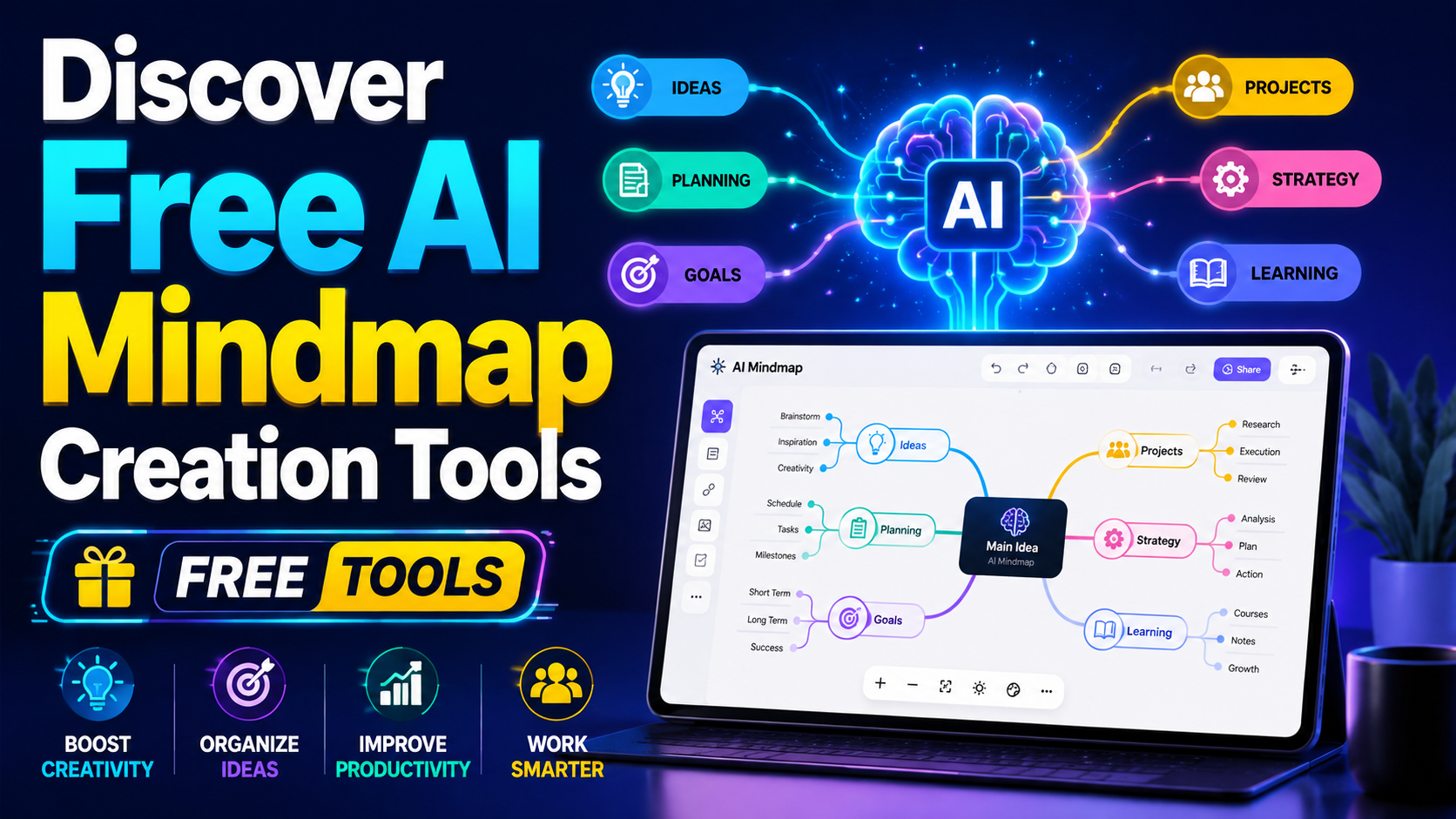
Discover Free AI Mindmap Creation Tools
Nội dung
- 1. Edraw Mind Map: An impressive diagram creation tool.
- 4. MindOnMap – The Comprehensive Choice
- 5. NoteGPT AI Mind Map Generator – A quick and easy solution for generating ideas.
- 6. ChatMind – Connecting ideas easily
- 7. Whimsical – A visual and creative tool
- 8. GitMind AI – Integrating Professionalism
- 9. Ayoa – More than just a mind mapping tool
- 10. Boardmix – A solution from PDF documents
- 11. ChatGPT – Intelligent Thinking Assistant
- 12. Conclusion
Organizing ideas scientifically and visually is essential. Mind maps not only help you systematize information but also stimulate creativity and logical thinking. With the rapid development of artificial intelligence, creating mind maps has become easier than ever. AI-powered mind mapping tools not only save time but also deliver high efficiency in idea management. In this article, Sadesign will introduce you to some of the top free mind mapping tools, helping you easily create and maximize your creativity.
1. Edraw Mind Map: An impressive diagram creation tool.
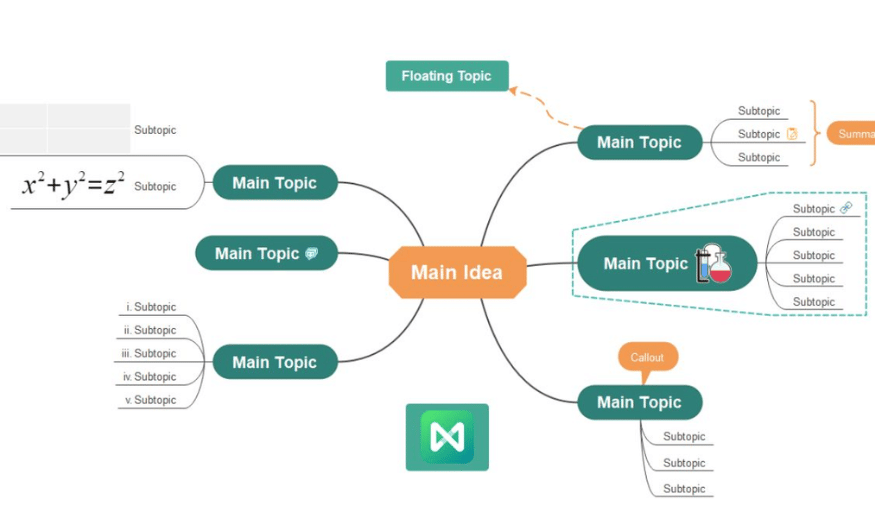
Edraw Mind Map is a powerful application that gives users the ability to create impressive mind maps quickly and easily. With advanced AI technology, this software allows for intuitive and efficient idea sketching and diagram construction. The combination of a user-friendly interface and rich features makes Edraw Mind Map an ideal tool for students and professionals in various fields.
One of Edraw Mind Map's outstanding strengths is its diverse library of design templates, with thousands of rich options. This makes it easy for users to find a template that suits their needs, from simple mind maps to more complex designs. Furthermore, the software integrates superior functions such as the ability to organize data scientifically and logically, helping users track and manage ideas effectively.
With a size of only 1.9 MB, Edraw Mind Map can be easily downloaded from both Google Play and the App Store, offering maximum convenience for users. Importantly, the software is completely free, allowing users to experience all its features without worrying about costs. If you are looking for a tool to support your studies and work, Edraw Mind Map is definitely a choice you shouldn't miss.
2. TheBrain - A new step forward in thinking
TheBrain is a free AI mind map creation software, notable for its ability to organize and systematize knowledge easily and intuitively. This application is not just a mind mapping tool, but also a knowledge ecosystem that helps users access and manage information effectively. With TheBrain, you can build complex mind maps while maintaining logic and scientific rigor in its presentation.
One of TheBrain's biggest advantages is the comprehensive set of tools it offers. Thanks to its powerful features, users can optimize their work time and master their knowledge. This helps them become more confident in facing challenges in their studies and work. TheBrain not only supports learning but also helps enhance critical thinking and creativity.
The software has a size of 28.6 MB and is compatible with both iOS and Android operating systems, offering convenience to users. TheBrain also has a free version, but if you want to experience all the features, you can upgrade to the Pro version. Explore TheBrain and turn your ideas into reality.
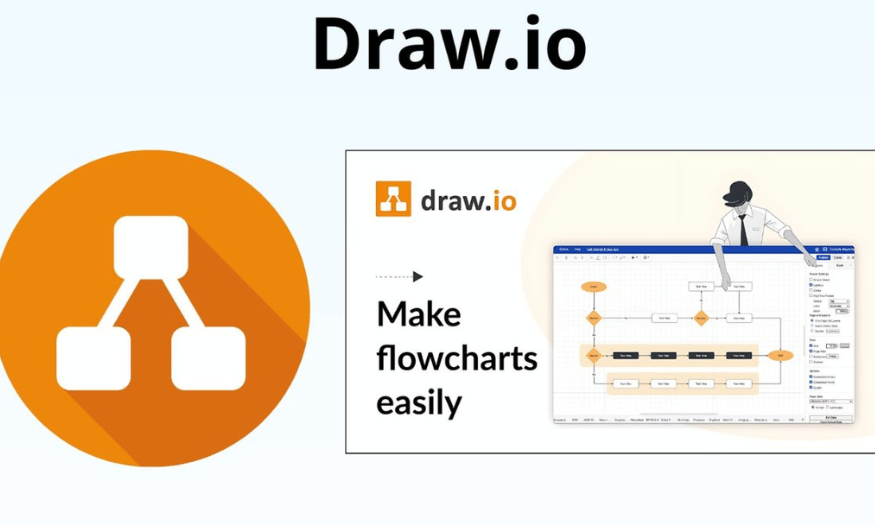
3. Draw.io - The ultimate visual thinking tool.
Draw.io is a versatile AI mind map creation tool that allows users to create various types of visual representations of all levels of complexity. Importantly, this application is not only for experts but is also very easy to use for beginners. With its user-friendly interface and rich features, Draw.io helps users create professional mind maps in just a few clicks.
One of Draw.io's standout features is its cross-platform support, allowing users to access and create diagrams on various devices. This is incredibly convenient for those who frequently travel or work in teams. Furthermore, Draw.io is completely free, saving you money while still providing access to cutting-edge tools.
Whether you need it for studying or professional work, Draw.io can meet your needs. The software has a size of 355 MB and is available on both Google Play and the App Store, making it easy for users to download and experience. If you are looking for a powerful tool to support your studies and work, Draw.io is definitely a perfect choice.
4. MindOnMap – The Comprehensive Choice
MindOnMap is a mind mapping tool that stands out for its simplicity and effectiveness. With its intuitive interface, MindOnMap allows users to easily organize ideas into closely linked information branches. You can create clear and aesthetically pleasing mind maps in just a few simple steps. This is very useful for organizing thoughts and planning projects, from studying to work.
Although MindOnMap doesn't integrate many automated AI features, its focus on supporting users in manually designing diagrams creates a unique experience. This tool is particularly suitable for those who love control and want to meticulously create their own content. You can customize branches, colors, and styles to your liking, allowing your mind map to reflect your personal style.
However, if you need a highly automated tool for complex projects, MindOnMap may not fully meet your needs. Nevertheless, with its user-friendly features, MindOnMap remains a great option for those who want to create mind maps quickly and efficiently.
5. NoteGPT AI Mind Map Generator – A quick and easy solution for generating ideas.
If you frequently struggle with organizing your ideas, NoteGPT AI Mind Map Generator might be the ideal solution for you. With its ability to analyze text and automatically convert content into mind maps, this tool saves you considerable time. Simply input your content, and you'll receive a logically organized and easy-to-understand diagram, making it easy to track and develop your ideas.
However, NoteGPT isn't a particularly powerful tool for creative work. You'll encounter some limitations when trying to customize or change the diagram's design. This makes NoteGPT an ideal choice for those who need to quickly summarize lectures or documents, rather than focusing on creating a visually appealing diagram. If you simply need a tool to organize information without extensive customization, NoteGPT will meet your needs well.
Despite its limitations, NoteGPT remains an effective option for those who need a quick and easy-to-use mind mapping tool.
6. ChatMind – Connecting ideas easily
ChatMind is an excellent AI mind map creation tool that helps users organize and connect ideas scientifically and logically. A key feature of ChatMind is its ability to automatically suggest ways to arrange branches within the diagram, saving you the trouble of constantly thinking about presentation. This is especially useful for those needing a tool to support discussions and organize ideas for large projects.
With its team collaboration features, ChatMind allows multiple people to edit and contribute ideas on the same diagram, creating an effective collaborative workspace. However, to fully utilize these features, you need a stable internet connection and some time to familiarize yourself with the interface. This can be a minor hurdle for those unfamiliar with technology.
Nevertheless, ChatMind is actually a great option for those who work in teams and need a tool to assist in creating AI mind maps.
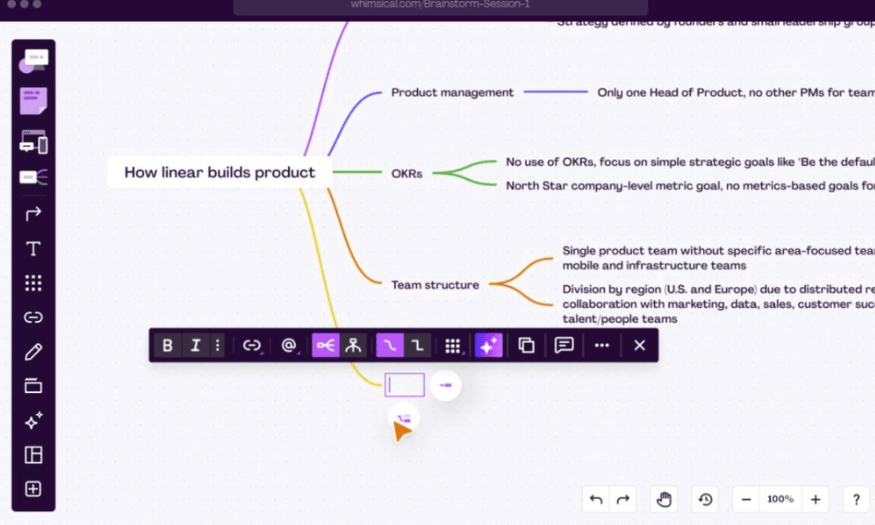
7. Whimsical – A visual and creative tool
Whimsical is more than just an AI mind mapping tool; it's a creative space for those who appreciate visuals and artistry. With a wide range of color, icon, and style options, Whimsical allows you to design mind maps that are both clear and aesthetically pleasing. This is crucial for anyone wanting to communicate ideas effectively and professionally.
Although Whimsical isn't particularly strong in AI, it supports user-friendly design and creativity. You can freely express your personal style in each mind map, creating unique and engaging products. This tool is ideal for those who need to create visually appealing diagrams for presentations or to present ideas professionally.
However, if you're looking for a fully automated tool, Whimsical might not be the optimal choice. But with its innovative features, Whimsical is sure to please design enthusiasts who want to create unique mind maps.
8. GitMind AI – Integrating Professionalism
GitMind AI is a powerful tool, ideal for those seeking a professional yet time-saving mind mapping solution. With the support of artificial intelligence, GitMind can automatically analyze content and organize ideas into clear, detailed diagrams. This makes it easy for users to visualize and develop ideas without the difficulty of organizing information.
One of GitMind's standout advantages is its flexible editing capabilities. Users can easily add or modify new branches to better suit their presentation needs. This not only helps create logical mind maps but also enhances the aesthetics of the final product. However, to take advantage of advanced features like design customization, users will need to upgrade to the paid version. This can be a factor to consider, especially if you are working on complex research projects or assignments.
In summary, GitMind AI is not just a typical mind mapping tool, but also a reliable companion in the idea development process. If you are looking for a powerful and effective tool, GitMind is definitely a worthwhile option.
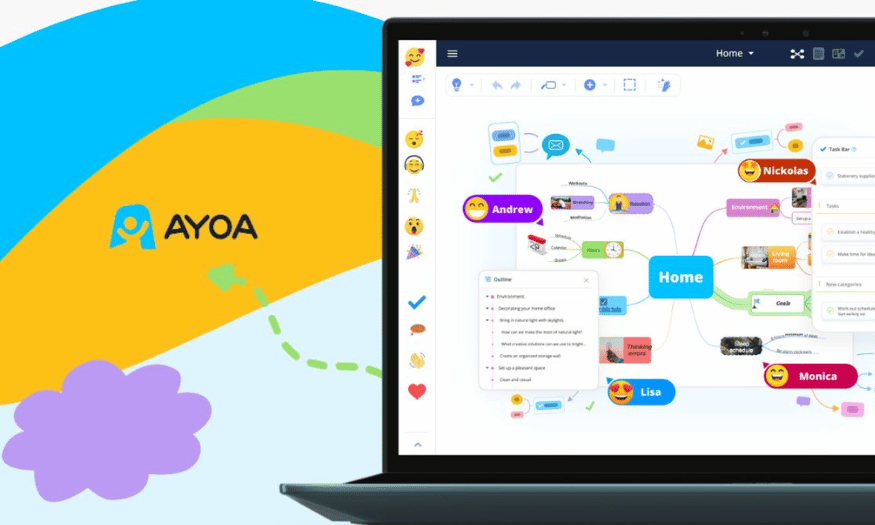
9. Ayoa – More than just a mind mapping tool
Ayoa is more than just an AI mind mapping tool; it also supports efficient task management. Combining artificial intelligence with team collaboration features, Ayoa makes it easy for users to plan their studies, manage projects, or organize their time. The application stands out for its ability to logically connect information, helping users track work progress and optimize workflows.
Ayoa's interface can be a bit complex for new users, but the variety of features it offers is well worth exploring. Some advanced features are only available in the paid version, which might feel limiting for users who want to unlock the app's full potential. However, for study or work groups, Ayoa remains a powerful tool that enhances productivity and collaboration.
Despite a slight learning curve, Ayoa certainly offers many benefits for those who need to organize their work scientifically and efficiently. Try Ayoa to experience the difference it makes to your workflow!
10. Boardmix – A solution from PDF documents
Boardmix is a unique tool, notable for its ability to create AI mind maps directly from PDF documents. This helps users analyze and summarize content logically without manual data entry. Boardmix is especially useful for long academic documents or research reports, where compiling information can be difficult and time-consuming.
One important factor to note is that to fully utilize Boardmix's capabilities, PDF documents need to have a clear structure and be free of formatting errors. If the document does not meet this requirement, the analysis process may be difficult. This tool is best suited for students or anyone who needs to quickly and efficiently synthesize content from complex documents.
Boardmix is truly an innovative solution for creating mind maps from documents, saving time and effort. If you're looking for a tool to help summarize and organize information from PDF documents, Boardmix is definitely a choice you shouldn't miss!
11. ChatGPT – Intelligent Thinking Assistant
ChatGPT is not only a powerful language model but can also be a useful tool for creating mind maps. With its ability to understand context and process information, ChatGPT can help users organize ideas efficiently and intuitively. You can input ideas, topics, or necessary information, and ChatGPT will suggest how to arrange them into branches in the mind map.
A key feature of ChatGPT is its flexible interaction capabilities. Users can request assistance on how to build diagrams, connect ideas, or even optimize content. This reduces the pressure of planning and organizing information, leading to a more creative user experience.
Although not a direct diagramming tool, ChatGPT can function as a thought assistant, providing helpful suggestions and guidance during the idea development process. In particular, with its ability to learn from conversations, ChatGPT can provide personalized feedback, making it easy for you to create unique mind maps tailored to your needs.
12. Conclusion
In summary, using free AI-powered mind mapping tools not only helps you organize ideas effectively but also creates a solid foundation for creativity and personal development. These tools are easy to use, save you time and effort, and open up many new opportunities in information management and project development. Experiment and explore these tools to enhance your thinking and creativity





















VIP Products








Best Selling Products
Capcut Pro 1 Year
39 USD
Plugin Retouch4me
69 USD
Upgrade Duolingo Super
29 USD
Windows 10 & 11 Pro Key
36 USD
Freepik Premium Account
59 USD
Genuine Cheap Canva Pro
39 USD
Upgrade genuine Capture One account
120 USD
ChatGPT Plus Account (GPT-4)
16 USD
Adobe Photoshop Copyright - Full App
120 USD
Upgrade Genuine Office 365
49 USD
Adobe Premiere Pro Account
99 USD
MidJourney Account
29 USD
Genuine Adobe Illustrator account
99 USD
Copyright Adobe Lightroom Account
59 USD
Autodesk All App Account Copyright
120 USD