Best Selling Products

Genuine Adobe Illustrator account
99 USD

Freepik Premium Account
59 USD

Upgrade Genuine Office 365
49 USD

Adobe Photoshop Copyright - Full App
120 USD

Copyright Adobe Lightroom Account
59 USD

Genuine Cheap Canva Pro
39 USD

Upgrade Duolingo Super
29 USD

ChatGPT Plus Account (GPT-4)
16 USD

Upgrade genuine Capture One account
120 USD

Adobe Premiere Pro Account
99 USD

Autodesk All App Account Copyright
120 USD

Capcut Pro 1 Year
39 USD

Windows 10 & 11 Pro Key
36 USD

Plugin Retouch4me
69 USD

MidJourney Account
29 USD
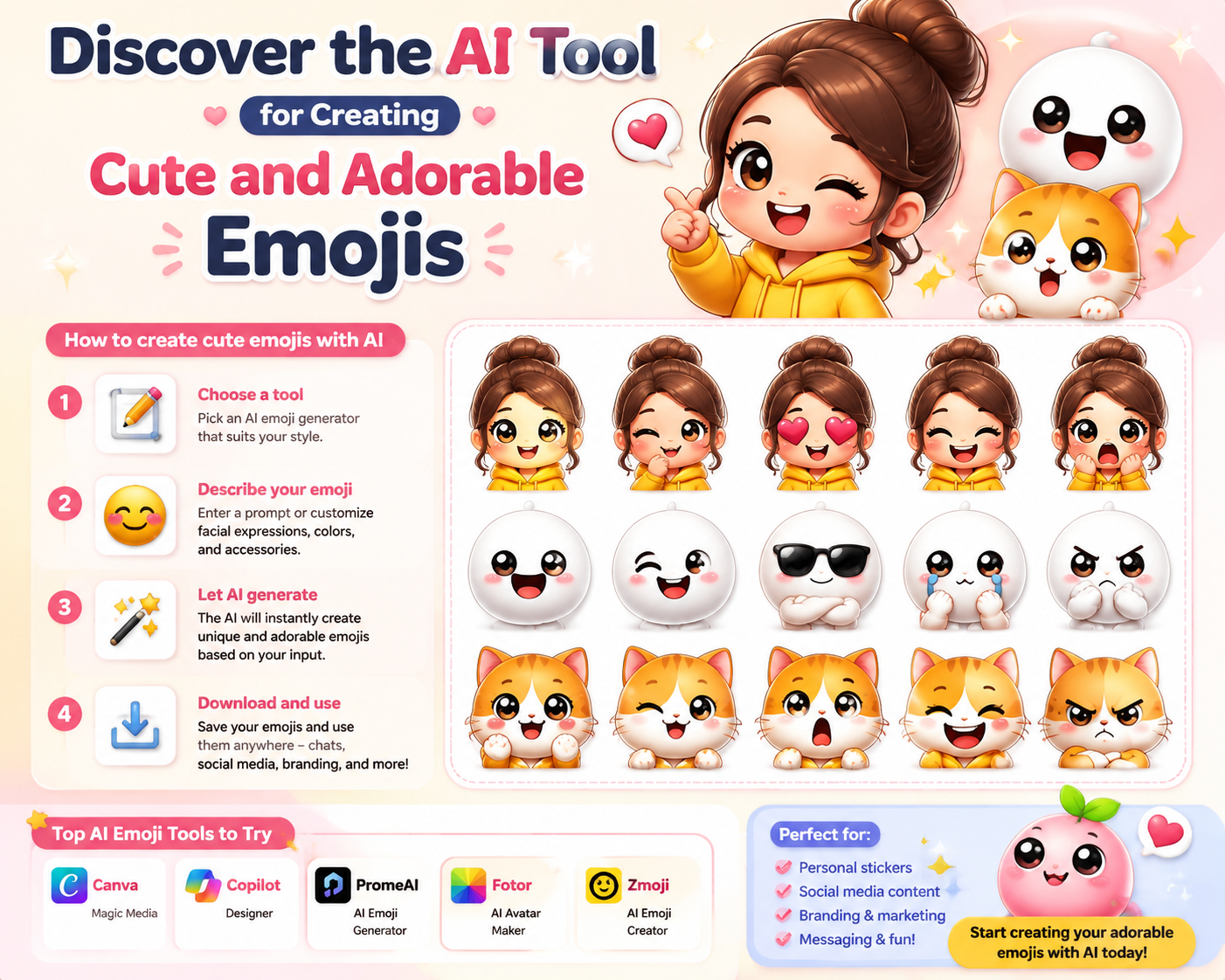
Discover the AI Tool for Creating Cute and Adorable Emojis
Nội dung
Emojis have become an indispensable part of how we express emotions and ideas. With the development of technology, especially artificial intelligence (AI), creating cute and adorable emojis has become easier than ever. These AI tools not only help users create unique emoticons but also provide a personalized experience, meeting the unlimited creative needs of each individual. In this article, let''s explore with Sadesign some of the prominent AI tools in the field of emoji creation, how they work, and the benefits they bring to users.
1. Canva AI Emoji Generator
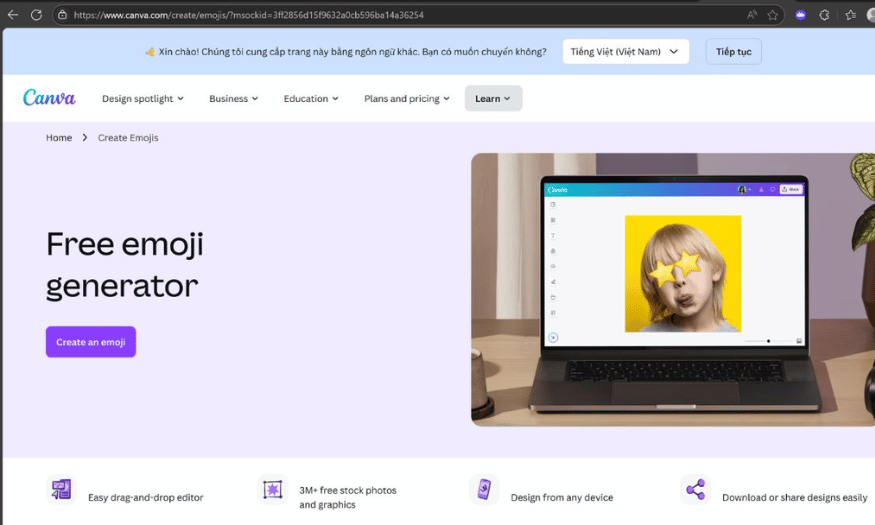
Canva is not only famous as a powerful graphic design tool but also scores points with its unique AI emoji creation feature. This feature allows users to create cute emojis simply by typing in a simple description. Canva's AI automatically analyzes the text and suggests suitable images, providing an endless creative experience. This is Canva's strength, combining design capabilities and artificial intelligence to create a creative space for everyone, from beginners to professional designers.
Once users have created their emojis, they can customize them to their personal preferences. From changing colors and display ratios to expressions, everything is flexible and easy. This not only allows users to unleash their creativity but also creates emojis with a unique personal touch. Especially with its user-friendly interface, anyone can quickly create adorable emojis without any prior design experience.
Canva supports multiple platforms including Web, Android, and iOS, with a compact software size of approximately 100MB for the mobile version. Furthermore, users can use it for free with many attractive features, or upgrade to Canva Pro for just $6.49/month to experience even more features. Access Canva now to begin your emoji creation journey!
2. Emoji Diffusion
Emoji Diffusion is a standout AI tool for creating beautiful and cute emojis, using a diffusion model to transform text into unique images. With Emoji Diffusion, users simply enter a short description, and the system automatically generates emojis in a variety of visual styles. These emojis often feature vibrant colors and sophisticated compositions, making it easy for users to find images that match their ideas.
The unique feature of Emoji Diffusion is its ability to create unique works of art from simple descriptions. This not only makes emoji creation fun but also opens up many creative possibilities for users. Thanks to advanced AI technology, the emojis created are not just images but also contain many artistic elements, thus creating a special appeal for viewers.
With its web-based platform, Emoji Diffusion doesn't require users to download any software, saving time and storage space. This tool is completely free, giving users the opportunity to create unique emojis without worrying about costs. Explore more at Emoji Diffusion and experience unlimited creativity!
3. Emoji Generator by OpenArt
Emoji Generator by OpenArt is a great tool for anyone who wants to create AI-powered emojis quickly and easily. Simply enter a simple description, and the tool will analyze it and generate a corresponding emoji image in a lively style. Its high customizability and fast processing speed are key features that make it attractive to both beginners and professional designers seeking an efficient solution.
A user-friendly and easy-to-use interface is one of the key factors that makes Emoji Generator by OpenArt an ideal choice for many people. Users can easily create emojis suitable for various purposes, from everyday communication to creating content for creative projects. By combining AI technology and design capabilities, this tool opens up opportunities for everyone to express themselves in a unique way.
Emoji Generator by OpenArt is completely free and requires no software download, saving users time and effort. With its powerful features and user-friendly interface, it's truly an indispensable tool for anyone who loves to create. Access Emoji Generator by OpenArt now to explore the rich and diverse world of emojis!
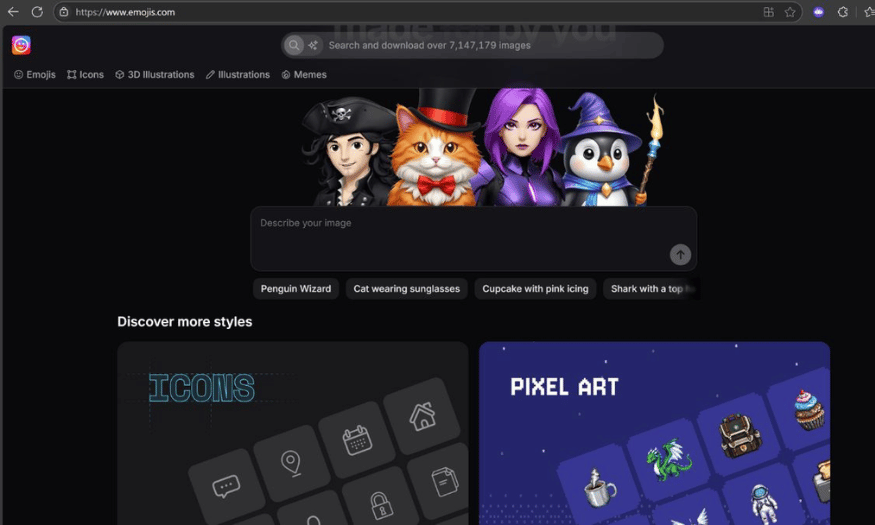
4. ZMO.AI – AI Emoji Generator
ZMO.AI is a great platform for those who love creating personalized and expressive emojis. With its ability to understand context from user descriptions, ZMO.AI allows you to create adorable emojis with just a few suggested words. Its design flexibility allows users to customize emojis to their own style, from expressions to colors, creating unique and impressive images.
Furthermore, ZMO.AI supports high-quality file export, making it suitable for a variety of uses, including commercial and social media content creation. This means you can easily use them in posts, advertisements, or even print materials. Whether you're a content creator or simply someone who wants to express yourself through emojis, ZMO.AI can best meet your needs.
This platform is completely free and requires no software downloads, saving you time and storage space on your device. You can access ZMO.AI now to start your own emoji creation journey!
5. Emoji Kitchen
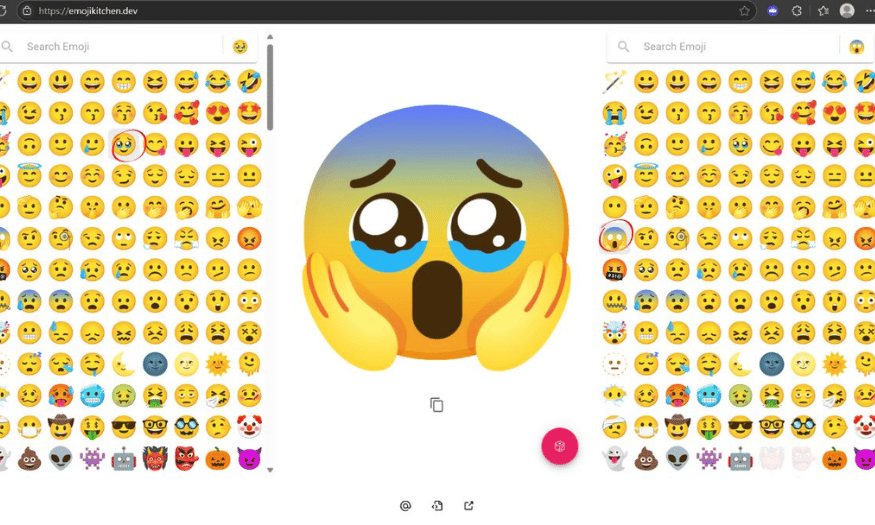
Emoji Kitchen is a unique feature of Gboard, Google's smart keyboard, offering users a completely new emoji creation experience. Instead of simply creating emojis from descriptions like other tools, Emoji Kitchen allows you to combine two existing emojis to create novel and fun emoticons. This not only enhances creativity but also brings exciting moments to conversations.
Using Emoji Kitchen is incredibly simple. Just select two emojis you love, and the app will automatically create a new emoji, combining the distinctive features of both. This is a fun way to express your emotions and personality in everyday messages, making conversations more lively and engaging.
In particular, Emoji Kitchen is completely free and available on the Android platform via Gboard. With a size of only about 80MB, you can easily install and use it without worrying about it taking up too much storage space. Explore more at Emoji Kitchen and start creating your own creative emojis!
6. Bitmoji
Bitmoji is an indispensable app for anyone who loves creating and personalizing their own emojis. Users can design a personalized animated avatar, from hairstyle, face, and clothing to expressions. The flexible customization features allow you to create a unique set of emojis that truly reflect your personality and style.
One of Bitmoji's highlights is its easy integration with many popular apps like Snapchat, Chrome, and other chat applications. This means you can send your emojis to your friends quickly and conveniently, adding fun and novelty to your conversations.
This app is completely free and available on both Android and iOS platforms, with a size of approximately 100MB. With Bitmoji, expressing yourself through emojis has never been easier and more fun. Explore and create your own adorable emojis at Bitmoji !
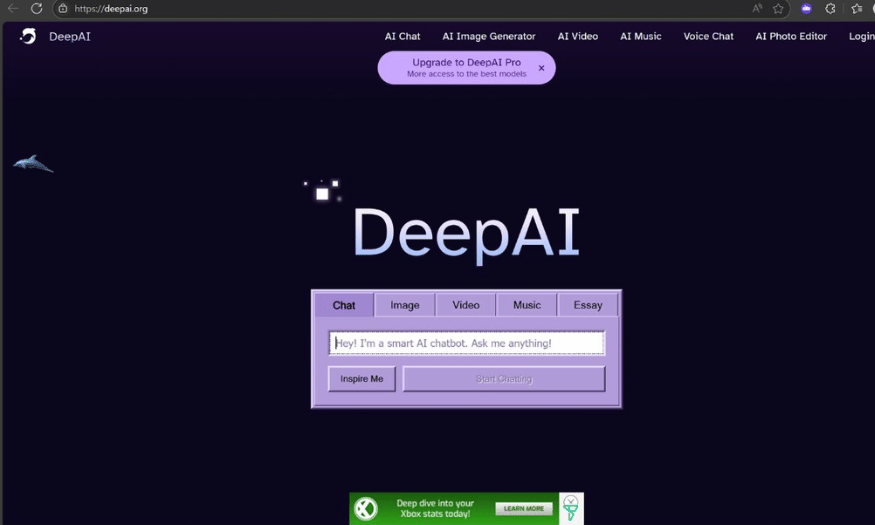
7. Emojify (DeepAI API)
Emojify is a fantastic tool that uses AI to analyze text and suggest emojis relevant to the content. With its ability to recognize and understand the context from input text, Emojify helps users automatically add emojis accurately and quickly. This is the ideal solution for those looking to integrate emojis into chatbots, apps, or content platforms.
With Emojify, creating emojis is easier than ever. Simply type in your text, and the tool will automatically suggest suitable emojis, enhancing your online communication experience. This not only saves time but also enriches your content, making it more lively and engaging.
This platform is supported via Web API, so you don't need to download any software. Emojify is completely free with API limitations, and there are also premium packages for users who need more features. Discover more about Emojify and its features at DeepAI to enhance your communication experience!
8. Adobe Photoshop
Adobe Photoshop is one of the most popular graphic design tools, and it can also be used to create unique emojis. With powerful features like drawing tools, layers, and filters, users can easily design emojis in their own style. You can start with basic shapes or create entirely new emojis from scratch.
Photoshop allows you to customize every small detail, from color and size to special effects. Thanks to its multi-layer functionality, you can easily edit and modify without losing other parts of the design. This makes the emoji creation process more flexible and creative than ever before.
Another major strength of Photoshop is its ability to export files in high quality, suitable for both web and print use. You can save emojis in various formats such as PNG, JPEG, or SVG, making it easy to share them on social media platforms or use them in other design projects.
9. Procreate
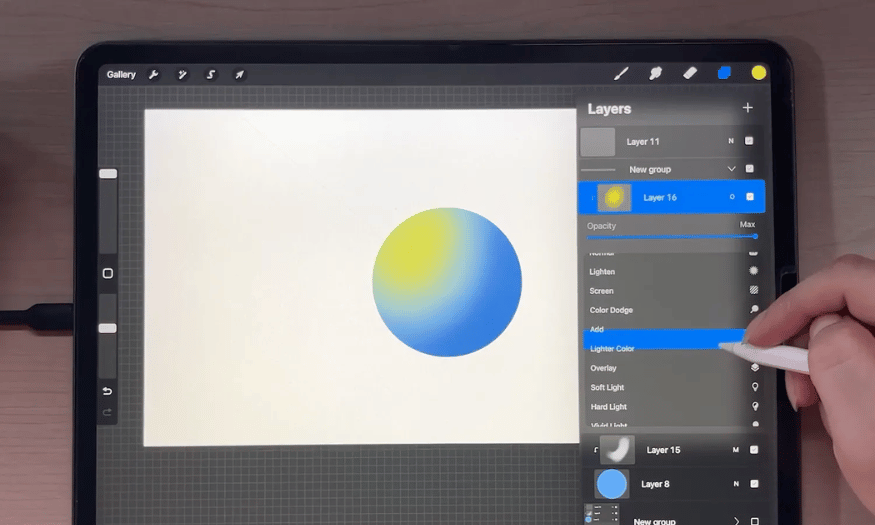
Procreate is a powerful digital drawing app for iPad, perfect for creating unique and cute emojis. With its intuitive interface and rich drawing tools, users can freely create and design emojis in their own style. Procreate supports a variety of brushes and effects, making it easy to bring your ideas to life.
One of Procreate's notable features is its ability to use drawing layers, allowing you to easily customize and adjust each part of your design. You can add colors, shadows, and other details to make your emojis more vibrant and appealing. Besides drawing, Procreate also provides basic photo editing tools to help you perfect your final product.
Once completed, you can export the emojis in various formats, such as PNG or GIF, for easy sharing on social media. Procreate is the ideal choice for those who love art and want to create unique, personalized emojis.
10. GIMP
GIMP (GNU Image Manipulation Program) is a free, open-source software that offers many features similar to Adobe Photoshop. It's a powerful tool for creating and editing images, including emojis. GIMP supports many file formats and provides a wealth of drawing, coloring, and image editing tools, making it easy for users to create unique emojis.
With GIMP, you can start with a basic shape and gradually add details to create emojis according to your ideas. This software also allows you to work with multiple layers, making editing and optimizing the design more convenient. You can experiment with filters and effects to make your emojis unique and stand out.
A major advantage of GIMP is its flexibility and high level of customization, making it suitable for both beginners and professional designers. Once completed, you can export emojis in various formats for use in personal projects or sharing on social media. GIMP is a great option for those who want to create emojis without investing in paid software.
11. Conclusion
AI-powered emoji generators are not just fun apps, but a major step forward in optimizing the digital communication experience. They help users express themselves creatively and uniquely, while opening up new possibilities for communication and social connection. With the continuous development of AI technology, the future of emojis is sure to hold many exciting possibilities. Explore and experiment with these tools to find the emojis that best suit you!





















VIP Products








Best Selling Products
Genuine Adobe Illustrator account
99 USD
Freepik Premium Account
59 USD
Upgrade Genuine Office 365
49 USD
Adobe Photoshop Copyright - Full App
120 USD
Copyright Adobe Lightroom Account
59 USD
Genuine Cheap Canva Pro
39 USD
Upgrade Duolingo Super
29 USD
ChatGPT Plus Account (GPT-4)
16 USD
Upgrade genuine Capture One account
120 USD
Adobe Premiere Pro Account
99 USD
Autodesk All App Account Copyright
120 USD
Capcut Pro 1 Year
39 USD
Windows 10 & 11 Pro Key
36 USD
Plugin Retouch4me
69 USD
MidJourney Account
29 USD