Best Selling Products

MidJourney Account
29 USD

Upgrade Genuine Office 365
49 USD

Adobe Premiere Pro Account
99 USD

Upgrade Duolingo Super
29 USD

Copyright Adobe Lightroom Account
59 USD

Adobe Photoshop Copyright - Full App
120 USD

Autodesk All App Account Copyright
120 USD

Upgrade genuine Capture One account
120 USD

Genuine Cheap Canva Pro
39 USD

Capcut Pro 1 Year
39 USD

Genuine Adobe Illustrator account
99 USD

ChatGPT Plus Account (GPT-4)
16 USD

Plugin Retouch4me
69 USD

Freepik Premium Account
59 USD

Windows 10 & 11 Pro Key
36 USD
Extremely Simple Guide to Summarizing Content on YouTube with Chat GPT
Nội dung
- 2. Preparation before summarizing a video
- 3. Guide on how to summarize video content on YouTube with Chat GPT
- 3.1 Step 1: Install the Chat GPT summarization extension on YouTube
- 3.2 Step 2: Access YouTube and open Transcript & Summary
- 3.3 Step 3: Summarize video content with Chat GPT
- 4. Important notes when using ChatGPT to summarize content
- 5. Besides ChatGPT, is there any software that helps summarize content on YouTube?
- 5.1 Eightify Smart YouTube Video Summary
- 5.2 NoteGPT Free Online Video Summary
- 5.3 Scripsy Chrome Extension
- 5.4 Google Gemini AI Video Summary
- Google Gemini is an AI tool that helps you receive a YouTube video summary with timestamps. Thanks to that, you can quickly follow important parts of the video without having to watch from beginning to end, saving time effectively.
- 6. Applications of video summarization in study and work
- 7. Should YouTube and ChatGPT be upgraded?
- 8. Address to upgrade YouTube and ChatGPT at a cheap price
- 8. Conclusion
Have you ever felt like you were wasting time having to watch long videos on YouTube just to grasp a few important pieces of information? Now, with the support of Chat GPT, summarizing video content has become extremely simple and fast. There is no need to spend hours watching the entire video; with just a few basic steps, you can already grasp the main points, important knowledge, or useful tips that the video wants to convey. This is truly the perfect solution for anyone who wants to save time while still fully updating information from YouTube. Let’s explore it right away with AI Software World!
1. Why is it necessary to summarize content on YouTube?
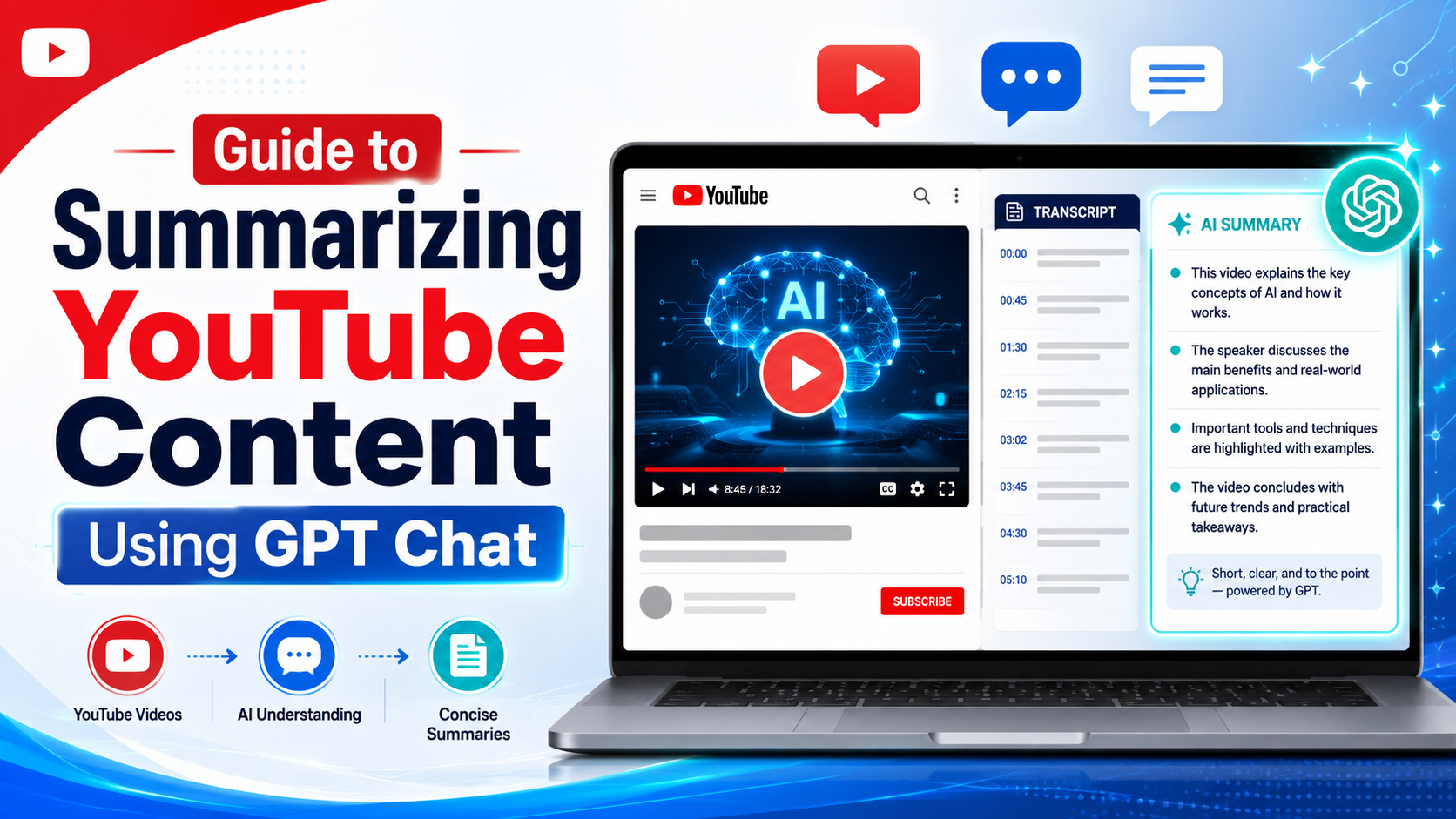
Did you know that with just a few simple actions, Chat GPT can turn long YouTube videos into concise, easy-to-understand information? Summarizing video content not only helps save time but also helps you quickly grasp all important information.
Some benefits of summarizing content on YouTube with Chat GPT:
Maximum time savings: Instead of having to watch a long video for hours, Chat GPT will synthesize the main points, helping you grasp the information in just a few minutes.
Understand the content better: Summaries focus on core information, ensuring that you do not miss any important details.
Easily search for information: When you need to return to a specific part of the video, you only need to refer to the summary to quickly identify the content you need to watch.
Support effective learning: With teaching videos, summaries help you review, systematize knowledge, and remember important information more easily.
Support people with hearing impairments: People with hearing impairments can grasp video content through the summary without having to depend completely on subtitles.
.jpg)
2. Preparation before summarizing a video
Before starting to summarize video content with ChatGPT, careful preparation will make the process easier and more accurate. Some basic preparation steps will help you save time and ensure the summary fully includes important information.
Necessary preparation steps:
Install the extension on the browser: First, make sure you have installed the ChatGPT extension or tools that support video summarization to use directly on YouTube.
Choose a suitable video and turn on transcript: Select the video that needs to be summarized and turn on Transcript so ChatGPT can read the video content in text form, ensuring no information is missed.
Determine the main content you want to summarize: Before proceeding, determine the goal of the summary. You may want to focus on the main knowledge, important tips, or information sections that need attention.
3. Guide on how to summarize video content on YouTube with Chat GPT
3.1 Step 1: Install the Chat GPT summarization extension on YouTube
To begin, access the link that provides the “ChatGPT YouTube Summary” extension and click Add to Chrome to install it. This installation is very quick and convenient, helping you use Chat GPT directly on YouTube without needing to open any other application.
After installation is complete, the extension will appear on your browser, ready to support summarizing any video. A great point is that you can download and use this extension on many devices without limitations, making learning, research, or entertainment more convenient than ever.
.jpg)
3.2 Step 2: Access YouTube and open Transcript & Summary
Next, open YouTube and select the video you want to summarize. Right above the top-right corner of the screen, you will see the Transcript & Summary panel appear. Here, choose Vietnamese so that all video content is displayed in text form, helping you easily follow and quickly grasp information.
The Transcript panel not only helps you read the content, but also allows you to search for keywords or specific content sections that you are interested in. This is an important step so you can use Chat GPT effectively in summarizing videos without missing any important details.
.jpg)
3.3 Step 3: Summarize video content with Chat GPT
Once you have opened the Transcript & Summary panel, click the Summary section so Chat GPT can automatically synthesize important information from the video. The result will be displayed as a concise summary, helping you quickly understand the content without needing to watch the entire video.
This summary is extremely useful for learning, research, or quickly grasping information. You can also save it, share it, or use it for later reference, turning YouTube viewing into something effective, time-saving, and easy to apply to daily work or study.
Using ChatGPT to summarize YouTube video content helps save time and grasp information quickly, but to achieve the best results, you need to note a few important points. Just remember these things, and summarizing content will become more accurate, complete, and easier to apply.
.jpg)
4. Important notes when using ChatGPT to summarize content
Check the transcript accuracy: Before summarizing, make sure the video Transcript is fully displayed and in the correct language, avoiding missing important information.
Choose the content to summarize: If the video is long, you should determine the important content section you want ChatGPT to focus on, so the summary is concise and on point.
Use multiple times if needed: With long or complex videos, you can divide the transcript into smaller parts and summarize each part, then combine them to achieve higher accuracy.
Read again and adjust: ChatGPT’s automatic summary may skip some small details, so you need to read it again and edit it to suit your purpose of use.
Information security: Avoid putting videos containing sensitive or personal information on public AI platforms for summarization, ensuring data safety.
5. Besides ChatGPT, is there any software that helps summarize content on YouTube?
5.1 Eightify Smart YouTube Video Summary
Eightify is a specialized AI tool that helps summarize YouTube video content with just one click. It provides a concise, easy-to-understand summary, helping viewers quickly grasp important information without needing to watch the entire video.
This tool supports many languages and is very suitable for students, learners, or professional workers. Besides, you can also save the summary in text form for reference or share it with others easily.
5.2 NoteGPT Free Online Video Summary
NoteGPT allows you to paste a YouTube video link and immediately receive a content summary in just a few seconds. This is a convenient solution for anyone who wants to save time while still grasping the full main information from the video.
In addition to summarizing, NoteGPT also supports translating subtitles into many languages, helping you access video content from different sources without difficulty due to language barriers. This tool is especially useful for study and research.
5.3 Scripsy Chrome Extension
Scripsy is an extension for Chrome that helps you summarize and copy YouTube video content quickly. After installation, the tool will display the summary next to the video, helping you grasp important information without needing to watch the entire content.
This tool is very convenient when you want to follow many videos at the same time or search for specific information in a long video. The summary is presented clearly and easy to read, providing maximum support for learning and research.
5.4 Google Gemini AI Video Summary
Google Gemini is an AI tool that helps you receive a YouTube video summary with timestamps. Thanks to that, you can quickly follow important parts of the video without having to watch from beginning to end, saving time effectively.
This tool is especially useful when the video is long or contains a lot of detailed information. The detailed and easy-to-understand summary helps users quickly grasp the main content and easily apply it to daily work or study.
6. Applications of video summarization in study and work
Video summarization not only helps save time but also improves learning and work efficiency. Instead of having to watch an entire long video, you can quickly grasp the main information and apply it to your lesson or project.
Specific applications:
Effective learning: Supports review, systematizes knowledge, and remembers key points from long videos.
Quick research: Helps students or learners focus on important content without missing information.
Save time at work: Supports employees in quickly grasping important ideas from training videos or online seminars.
Apply to projects: Summarizing videos makes it easier to implement ideas, make plans, or make decisions quickly.
.jpg)
7. Should YouTube and ChatGPT be upgraded?
Upgrading YouTube and ChatGPT brings many outstanding benefits, especially when you want to summarize videos quickly and effectively. The upgraded version helps you access premium features, faster processing speed, and reduces limitations when using the tool. This is especially useful if you frequently study, research, or work with many long videos.
Benefits of upgrading:
YouTube Premium: Removes ads, plays videos in the background when switching to other apps, downloads videos offline, and provides a better image quality experience.
ChatGPT Plus or upgraded versions: Access GPT-4 or GPT-5, faster processing speed, more accurate content summarization, and support for many languages.
Optimize study and work efficiency: When combining YouTube Premium and upgraded ChatGPT, you can both watch videos and receive quick summaries without interruption.
Save time and improve experience: The upgrade makes the video summarization process smoother, limits errors or missing information, and helps you focus on the most important content.
Upgrading is a reasonable investment to maximize AI features and the YouTube experience, helping study and work become more effective.
8. Address to upgrade YouTube and ChatGPT at a cheap price
Upgrading YouTube Premium or advanced ChatGPT will bring a smoother experience, more features, and optimize study as well as work efficiency. However, the important question is where to buy licensed accounts to ensure reputation and quality? Don’t worry, AI Software World is the ideal address for you to upgrade YouTube and ChatGPT quickly, safely, and at a reasonable price.
Why choose AI Software World:
Reputable provider: AI Software World provides licensed software such as YouTube Premium, ChatGPT, Canva Pro, Photoshop, Zoom Pro… with full VAT invoices, ensuring user benefits.
Many years of experience: Having served many businesses and individuals at home and abroad, the AI Software World team always provides dedicated support throughout the usage process.
Fully updated with the latest features: Upgrade packages are always fully updated, helping you experience all new features without limitations.
Professional customer support: The support team is ready to guide installation and usage step by step, answering all questions so you can feel secure when upgrading.
Reasonable prices: Committed to providing YouTube and ChatGPT upgrade packages at the most competitive prices on the market, worthy of the quality and experience you receive.
With AI Software World, upgrading YouTube Premium or ChatGPT becomes simple, fast, and safe, helping you make the most of AI features and the YouTube experience without worrying about licensing or service quality.
8. Conclusion
Summarizing YouTube video content with Chat GPT not only helps save time but also improves learning, research, or entertainment efficiency. With just a few simple actions, you can turn long, lengthy videos into concise, easy-to-understand, and easy-to-apply information. Try applying this method today to experience the power of AI in optimizing time and fully exploiting information from your favorite videos.





















VIP Products








Best Selling Products
MidJourney Account
29 USD
Upgrade Genuine Office 365
49 USD
Adobe Premiere Pro Account
99 USD
Upgrade Duolingo Super
29 USD
Copyright Adobe Lightroom Account
59 USD
Adobe Photoshop Copyright - Full App
120 USD
Autodesk All App Account Copyright
120 USD
Upgrade genuine Capture One account
120 USD
Genuine Cheap Canva Pro
39 USD
Capcut Pro 1 Year
39 USD
Genuine Adobe Illustrator account
99 USD
ChatGPT Plus Account (GPT-4)
16 USD
Plugin Retouch4me
69 USD
Freepik Premium Account
59 USD
Windows 10 & 11 Pro Key
36 USD