Best Selling Products

Upgrade Genuine Office 365
49 USD

Upgrade genuine Capture One account
120 USD

Adobe Premiere Pro Account
99 USD

Genuine Adobe Illustrator account
99 USD

MidJourney Account
29 USD

Upgrade Duolingo Super
29 USD

Freepik Premium Account
59 USD

Plugin Retouch4me
69 USD

Windows 10 & 11 Pro Key
36 USD

Adobe Photoshop Copyright - Full App
120 USD

Copyright Adobe Lightroom Account
59 USD

Capcut Pro 1 Year
39 USD

Autodesk All App Account Copyright
120 USD

Genuine Cheap Canva Pro
39 USD

ChatGPT Plus Account (GPT-4)
16 USD
Free Film Color Grading Apps Loved by Young People Today
Nội dung
- 1. Foodie (iOS, Android)
- Foodie has long been known as a photography and photo editing app familiar to millions of users worldwide. Although famous for its ability to beautify food photos, Foodie also has an extremely diverse collection of color filters, especially vintage and retro tones with a strong film style. Thanks to its natural color processing capability, photos edited on Foodie retain their authenticity while becoming softer, warmer, and more emotionally rich. This is a free film color grading app very suitable for beginners thanks to its intuitive interface, ease of use, and minimal learning curve.
- 2. B612 (iOS, Android)
- 3. Calla (iOS, Android)
- Calla is no longer an unfamiliar name to those who love classic film photo styles. Unlike many ordinary photo editing apps, Calla focuses on developing color presets inspired by famous film rolls, delivering authentic and emotionally rich colors. Not only that, the app's camera-simulating interface also creates an interesting feeling as if you were using a real film camera. This is a free film color grading app loved by many young people who want to create artistic photos without excessive editing.
- 5. OldRoll - Vintage Camera (iOS, Android)
- OldRoll is an app dedicated to those who love the beauty of classic cameras. From the interface design to the output photo quality, everything is carefully crafted to recreate the most authentic film shooting experience. The app offers many different camera models, each bringing its own distinct colors and effects. This allows users to freely choose the style that suits their personal preferences and create photos with a strong nostalgic mark.
- 6. NOMO CAM - Point and Shoot (iOS, Android)
- NOMO CAM offers a unique experience by recreating the disposable cameras that were once very popular among young people. The app focuses on randomness and authenticity, creating photos with lighting, colors, and effects similar to those taken with a real film camera. This very imperfection creates a special appeal, making each photo more natural and emotionally rich. This is a free film color grading app chosen by many people looking for a vintage photo style with a strong cinematic feel.
- 7. Adobe Lightroom (iOS, Android, PC)
- 8. Canva (iOS, Android, PC)
- Not only famous as a leading online graphic design platform, Canva is also a free film color grading app chosen by many people thanks to its simple operation and rich collection of effects. With just a few clicks, users can transform ordinary photos into more artistic ones with retro, vintage, or cinematic film filters. Canva is especially suitable for social media content creators, supporting both photo editing and combining post, poster, or story design professionally on the same platform.
- 11. Conclusion
- The emergence of free film color grading apps has made it easier for everyone to own cinematic and nostalgic photos. Whether you love a gentle vintage style, clear Japanese film colors, or emotionally rich classic tones, you can find an app suited to your needs. Hopefully the suggestions in this article will help you choose the ideal editing tool to create frames with your own personal mark that catch every eye on social media.
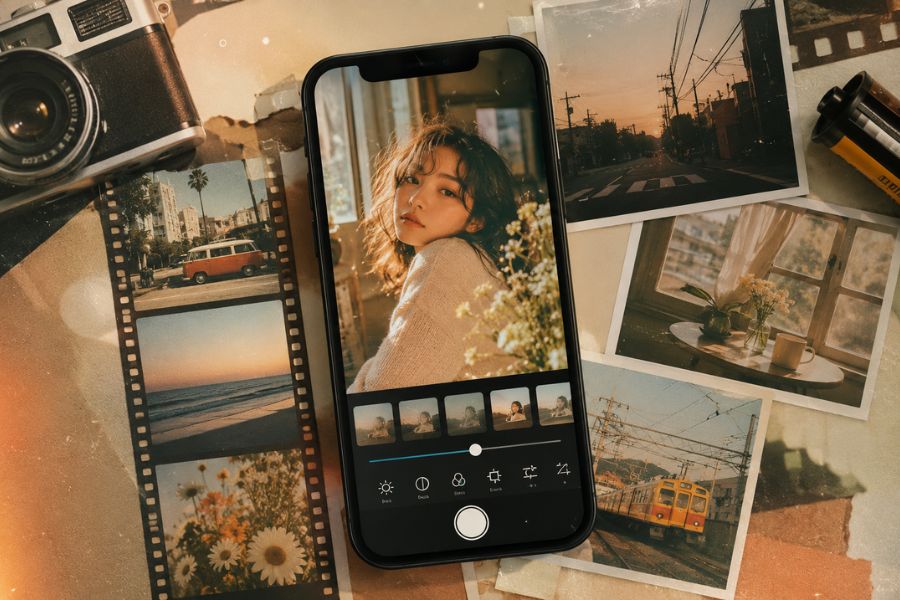
Instead of investing in expensive film cameras or spending a lot of time on post-processing, you can now create photos with a classic vintage feel using just a phone. Free film color grading apps not only help authentically recreate classic film tones but also offer many unique effects, making every moment more impressive and emotionally rich than ever.
1. Foodie (iOS, Android)
Foodie has long been known as a photography and photo editing app familiar to millions of users worldwide. Although famous for its ability to beautify food photos, Foodie also has an extremely diverse collection of color filters, especially vintage and retro tones with a strong film style. Thanks to its natural color processing capability, photos edited on Foodie retain their authenticity while becoming softer, warmer, and more emotionally rich. This is a free film color grading app very suitable for beginners thanks to its intuitive interface, ease of use, and minimal learning curve.
Notable advantages of Foodie:
Dozens of beautiful free film color filters.
Simple, easy-to-use interface.
Fast color grading in just a few seconds.
Suitable for portrait, landscape, and travel photos.
Supports both live shooting and editing existing photos.
How to create film-colored photos on Foodie:
Open the app and access the shooting mode.
Select filters from the Vintage or Retro groups.
Adjust brightness and contrast further if needed.
Take a photo or save the photo after finishing editing.
.jpg)
2. B612 (iOS, Android)
While B612 was previously known as a national selfie app, it has now developed into a comprehensive photo editing tool with many high-quality film color filters. B612 offers hundreds of different color effects, ranging from gentle Korean-style tones to classic, artistic film filters. The app's appeal lies in its ability to combine natural beautification with professional color grading, making it easy for users to create photos that are both attractive and have their own style.
Notable advantages of B612:
Extremely rich collection of effects and filters.
Many film color presets following modern trends.
Supports photo editing and video recording.
Integrates smart beautification tools.
Frequently updated with new filters.
How to create film-colored photos on B612:
Open the photo you want to edit or access the camera.
Select the Effects or Filters section.
Apply Retro, Vintage, or Warm Film filters.
Fine-tune saturation, brightness, and color temperature.
Save the photo in high quality.
3. Calla (iOS, Android)
Calla is no longer an unfamiliar name to those who love classic film photo styles. Unlike many ordinary photo editing apps, Calla focuses on developing color presets inspired by famous film rolls, delivering authentic and emotionally rich colors. Not only that, the app's camera-simulating interface also creates an interesting feeling as if you were using a real film camera. This is a free film color grading app loved by many young people who want to create artistic photos without excessive editing.
Notable advantages of Calla:
Authentic, deep film colors.
Many pre-designed presets.
Unique camera-simulating interface.
Easy to use for beginners as well.
Suitable for street, travel, and everyday life photos.
How to create film-colored photos on Calla:
Choose your favorite film color preset.
Access the app's camera mode.
Adjust lighting or focus if needed.
Take a photo and save it directly on the device.
.jpg)
4. FIMO - Analog Camera (iOS, Android)
FIMO is considered one of the most authentic film camera simulation apps today. What makes FIMO special is its ability to recreate the feeling of using famous film rolls such as Kodak, Fuji, or Agfa with extremely vivid grain effects, contrast, and colors. Each film roll in the app carries its own distinct style, making it easy for users to be creative and express their personality through each photo. If you're looking for a free film color grading app that offers an experience close to a real film camera, FIMO is definitely a very worthwhile choice.
Notable advantages of FIMO:
Simulates many famous film lines.
Authentic film grain effects.
Impressive recreation of classic colors.
Many in-depth adjustment options.
Beautiful and easy-to-use interface.
How to create film-colored photos on FIMO:
Choose the desired film roll type.
Adjust ISO and exposure.
Take photos directly on the app.
Save the photo with the complete film effect.
5. OldRoll - Vintage Camera (iOS, Android)
OldRoll is an app dedicated to those who love the beauty of classic cameras. From the interface design to the output photo quality, everything is carefully crafted to recreate the most authentic film shooting experience. The app offers many different camera models, each bringing its own distinct colors and effects. This allows users to freely choose the style that suits their personal preferences and create photos with a strong nostalgic mark.
Notable advantages of OldRoll:
Simulates many famous camera lines.
Diverse film photo effects.
Creates an authentic classic shooting feeling.
Easy to share on social media.
Suitable for portrait and travel photos.
How to create film-colored photos on OldRoll:
Choose your favorite camera style.
Customize the accompanying effects.
Take photos directly or edit existing photos.
Save and share photos quickly.
.jpg)
6. NOMO CAM - Point and Shoot (iOS, Android)
NOMO CAM offers a unique experience by recreating the disposable cameras that were once very popular among young people. The app focuses on randomness and authenticity, creating photos with lighting, colors, and effects similar to those taken with a real film camera. This very imperfection creates a special appeal, making each photo more natural and emotionally rich. This is a free film color grading app chosen by many people looking for a vintage photo style with a strong cinematic feel.
Notable advantages of NOMO CAM:
Authentically simulates disposable cameras.
Natural lighting and color effects.
Minimalist, easy-to-use interface.
Creates film photos with a cinematic style.
Suitable for those who love nostalgia.
How to create film-colored photos on NOMO CAM:
Choose your favorite camera style.
Customize effects if needed.
Take photos directly on the app.
Save photos and share them on social media platforms.
7. Adobe Lightroom (iOS, Android, PC)
When it comes to free film color grading apps loved most by the photography community today, Adobe Lightroom always remains at the top of the list. Not only does it have an in-depth color grading toolset, Lightroom also allows users to control almost every aspect of a photo, from lighting and contrast to color balance. This is the perfect choice for those who want to recreate professional film quality with nostalgic color tones, impressive depth, and authentic grain effects. Whether you're a beginner or an experienced photo editor, Lightroom offers almost unlimited creative possibilities.
Notable advantages of Lightroom:
Today's leading professional color grading tool.
Supports diverse film color presets.
Easily creates vintage, cinematic effects.
Can edit high-quality RAW photos.
Syncs data between phone and computer.
How to grade film colors with Lightroom:
Open the photo you want to edit in Lightroom.
Use the Tone Curve to create soft contrast like film.
Adjust HSL to change each color range as desired.
Fine-tune Highlights and Shadows to add more depth to the photo.
Add a Grain effect to create natural film grain.
Save the photo after finishing.
.jpg)
8. Canva (iOS, Android, PC)
Not only famous as a leading online graphic design platform, Canva is also a free film color grading app chosen by many people thanks to its simple operation and rich collection of effects. With just a few clicks, users can transform ordinary photos into more artistic ones with retro, vintage, or cinematic film filters. Canva is especially suitable for social media content creators, supporting both photo editing and combining post, poster, or story design professionally on the same platform.
Notable advantages of Canva:
Intuitive, easy-to-use interface.
Many available film color filters.
Combines photo editing and design in one app.
Massive graphic resource library.
Suitable for beginners.
How to grade film colors with Canva:
Upload the photo to Canva.
Select the "Edit Image" section.
Apply Vintage or Retro filters.
Further adjust brightness, contrast, and saturation.
Add graphic details if you want to increase the artistic quality.
Export the photo in high quality.
9. Picsart (iOS, Android, PC)
Picsart is a versatile photo editing app loved by millions of users thanks to its almost unlimited creative capabilities. Besides cutting, compositing, and design tools, Picsart also has an extremely diverse collection of film effects, helping to create classic-style photos in just a few seconds. With a user-friendly interface and flexible customization capabilities, this is a free film color grading app suitable for both beginners and dedicated photo editing enthusiasts.
Notable advantages of Picsart:
Hundreds of beautiful film color effects.
Easy to customize according to personal style.
Supports photo and video editing.
Rich collection of stickers, effects, and filters.
Share directly to social media.
How to grade film colors with Picsart:
Upload the photo to the app.
Select the FX or Effects section.
Access the Film or Vintage effects group.
Adjust blur, contrast, and saturation.
Add grain effects if desired.
Save the photo to the device.
.jpg)
10. Afterlight (iOS)
Afterlight is a photo editing app highly rated by many vintage style enthusiasts thanks to its extremely refined ability to recreate film colors. The app has many specially designed filters that bring a soft, warm, and cinematic feel. Not as complex as professional software, Afterlight focuses on a simple editing experience while still ensuring impressive output quality. This is an ideal choice for those who want to create artistic film photos right on their iPhone in just a few minutes.
Notable advantages of Afterlight:
High-quality film color filters.
Natural grain effects.
Minimalist, easy-to-use interface.
Fast color grading.
Suitable for portrait and landscape photos.
How to grade film colors with Afterlight:
Open the photo you want to edit in the app.
Select the Filters section.
Apply filters from the Dusty, Retro, or Vintage groups.
Adjust brightness, saturation, and contrast.
Add a Grain effect to enhance the film feel.
Save the photo after finishing editing.
11. Conclusion
The emergence of free film color grading apps has made it easier for everyone to own cinematic and nostalgic photos. Whether you love a gentle vintage style, clear Japanese film colors, or emotionally rich classic tones, you can find an app suited to your needs. Hopefully the suggestions in this article will help you choose the ideal editing tool to create frames with your own personal mark that catch every eye on social media.





















VIP Products








Best Selling Products
Upgrade Genuine Office 365
49 USD
Upgrade genuine Capture One account
120 USD
Adobe Premiere Pro Account
99 USD
Genuine Adobe Illustrator account
99 USD
MidJourney Account
29 USD
Upgrade Duolingo Super
29 USD
Freepik Premium Account
59 USD
Plugin Retouch4me
69 USD
Windows 10 & 11 Pro Key
36 USD
Adobe Photoshop Copyright - Full App
120 USD
Copyright Adobe Lightroom Account
59 USD
Capcut Pro 1 Year
39 USD
Autodesk All App Account Copyright
120 USD
Genuine Cheap Canva Pro
39 USD
ChatGPT Plus Account (GPT-4)
16 USD