Best Selling Products

Adobe Premiere Pro Account
99 USD

Genuine Adobe Illustrator account
99 USD

ChatGPT Plus Account (GPT-4)
16 USD

Copyright Adobe Lightroom Account
59 USD

Upgrade Duolingo Super
29 USD

Freepik Premium Account
59 USD

Genuine Cheap Canva Pro
39 USD

Plugin Retouch4me
69 USD

Adobe Photoshop Copyright - Full App
120 USD

Upgrade Genuine Office 365
49 USD

Windows 10 & 11 Pro Key
36 USD

Upgrade genuine Capture One account
120 USD

MidJourney Account
29 USD

Capcut Pro 1 Year
39 USD

Autodesk All App Account Copyright
120 USD
Gmail launches "smart trash bin" feature to help you free up your inbox in just seconds.
Nội dung
- 1. The problem of "legitimate spam"
- 2. The “Manage Subscriptions” feature
- 3. Instructions on activating and using the new feature
- 4. Why are Gmail's new features so important?
- 4.1 Reducing mental stress in the digital environment
- 4.2 Focus more on important tasks
- 4.3 Enhancing Security
- 4.4 Save time
- 5. Compare the new features with traditional filters.
- 6. Some advanced tips for optimizing your Gmail inbox.
- 6.1 Using the advanced search feature
- 6.2 Combining “Manage Subscriptions” and “Block Sender”
- 6.3 Regular cleaning
Gmail's new feature allows for more accurate automatic sorting, categorization, and removal of spam emails. Users no longer need to manually review each email as before. With just one action, the inbox becomes neat and optimized.
Every day, the system has to process a massive volume of mail across all sectors, from work emails and important notifications to advertising, automated newsletters, and even malicious spam messages. To protect the user experience, Google has developed a continuously improved spam filtering system using machine learning and AI technology. As a result, most malicious emails are automatically isolated before they even reach the inbox.
However, there's a type of spam that even Google's sophisticated AI filters struggle to accurately categorize: legitimate promotional emails and newsletters that users have unknowingly agreed to receive . They aren't harmful, but they're the culprits behind cluttered inboxes, making them difficult to manage and causing users to miss important emails. It's safe to say that even though Gmail controls 99.9% of malicious spam, the feeling of being overwhelmed in the inbox often comes from these seemingly harmless things.
In this context, Google has introduced a completely new and useful feature aimed at helping users regain control of their inboxes. This feature not only consolidates all email sources in one place, but also allows you to unsubscribe with just one click.
1. The problem of "legitimate spam"
For a long time, Google has confidently claimed that its system can block up to 99.9% of spam , phishing emails, and emails containing malware. This is an impressive figure, demonstrating the sophistication of Gmail's AI-based filters. However, one undeniable reality remains: the inboxes of most users are still constantly overloaded.
This clutter doesn't stem from harmful spam that everyone wants to avoid. Instead, the main culprits are newsletters, promotional announcements, product updates, special offers, or thank-you emails from services users have visited or subscribed to. Just a click on the "Receive Newsletter" button, or an online purchase where you enter your email address, and you're instantly added to a list of those brands that will regularly receive information.
These emails aren't considered spam by Google because, technically, the recipients have consented. However, over time, their number increases dramatically, especially as users engage with multiple shopping platforms, social networks, webinars, courses, or online services. As a result, inboxes become cluttered, making it more time-consuming to find important emails or reorganize your workflow.
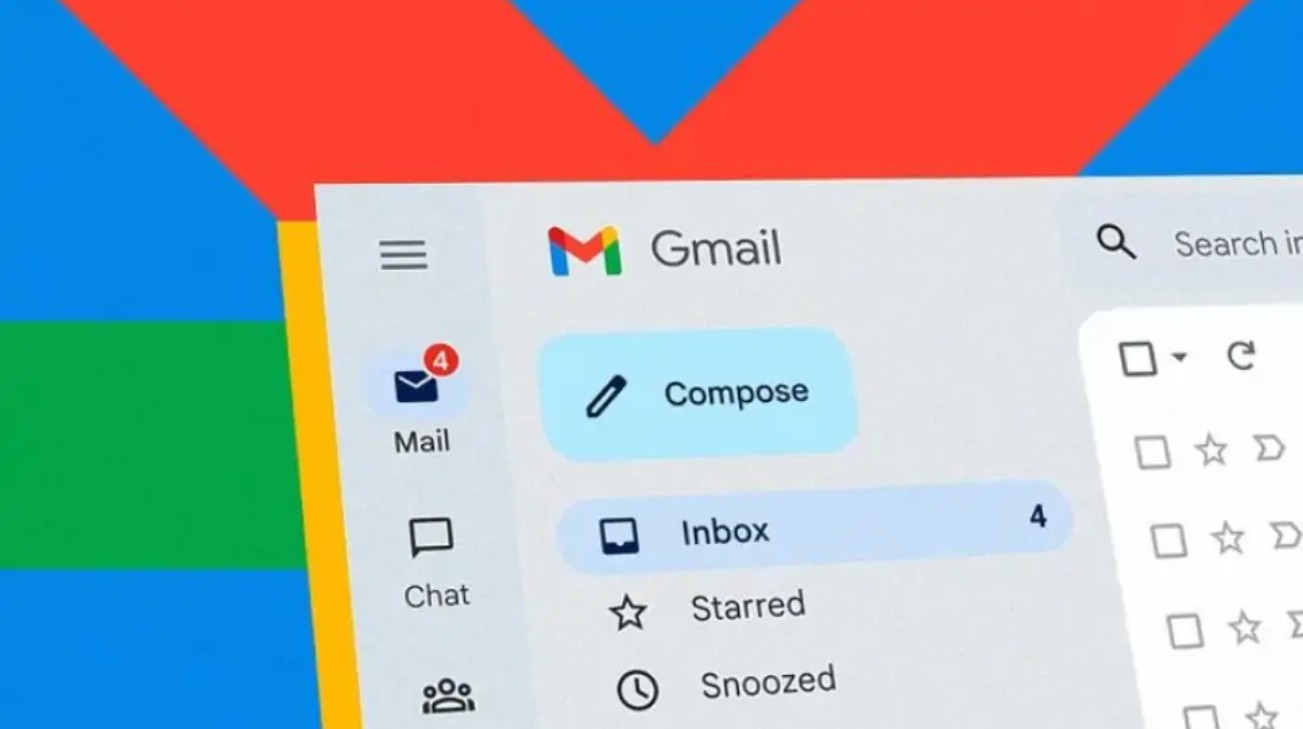
Many users have tried manually unsubscribing from each email sender. However, having to open each email, scroll to the bottom, find the "Unsubscribe" link, confirm, and then wait several days for it to be removed from the list makes the process tedious and inefficient. Furthermore, not all senders offer a clear unsubscribe option.
2. The “Manage Subscriptions” feature
Gmail has officially rolled out the "Manage Subscriptions" feature to definitively address the issue of legitimate promotional emails and newsletters. This is a major step forward, saving users from having to sift through dozens of emails to unsubscribe.
This feature goes beyond simply listing email sources; it offers a completely new approach: it gathers all frequently used email addresses into a single page , displaying the sending frequency of each source.
Thanks to that, you can easily see:
Who is sending emails too frequently?
Who only sends a few emails each month?
Who is the main culprit causing your inbox to be constantly overloaded?
Gmail even categorizes frequency into distinct levels such as:
Source of the last 20 or more emails
Source of 10–20 emails
• Sources send fewer than 10 emails
This information will provide a solid foundation for your decision: to keep, temporarily ignore, or unsubscribe completely. In reality, many users are unaware that they are receiving 40–50 emails per month from a brand they no longer remember interacting with. Clearly and visually presenting this information makes identifying channels that are no longer valuable easier than ever.
Furthermore, the "Manage Subscriptions" feature helps create a new habit: periodically checking the list of senders, much like maintaining your digital space. With this approach, Gmail offers a more proactive user experience instead of simply reacting to clutter only when it becomes unbearable.
3. Instructions on activating and using the new feature
Upon its release, the “Manage Subscriptions” feature quickly garnered attention from the Gmail user community. Google stated that they are rolling it out globally. If you are one of the users who have received the update, activating and using it is extremely simple.
To begin, simply access Gmail in your usual way through the mobile app or web browser. Then:
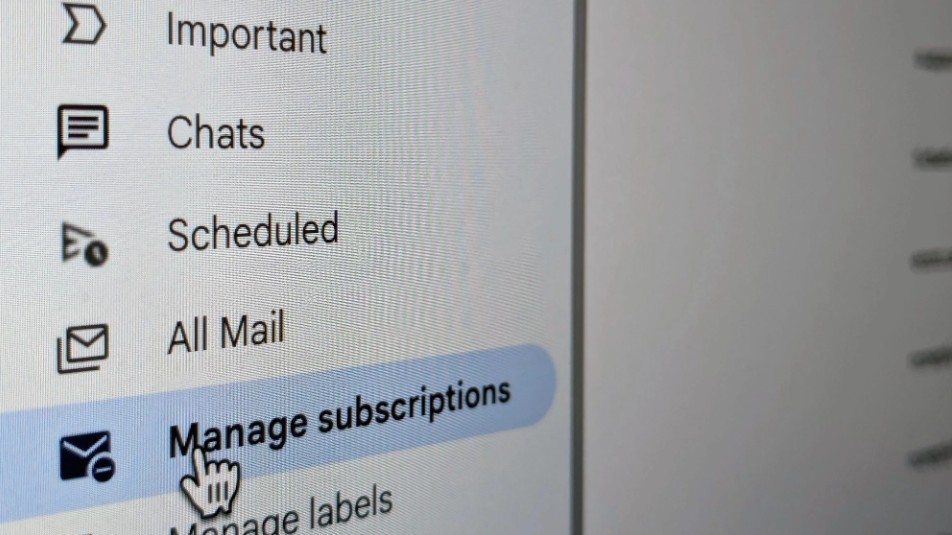
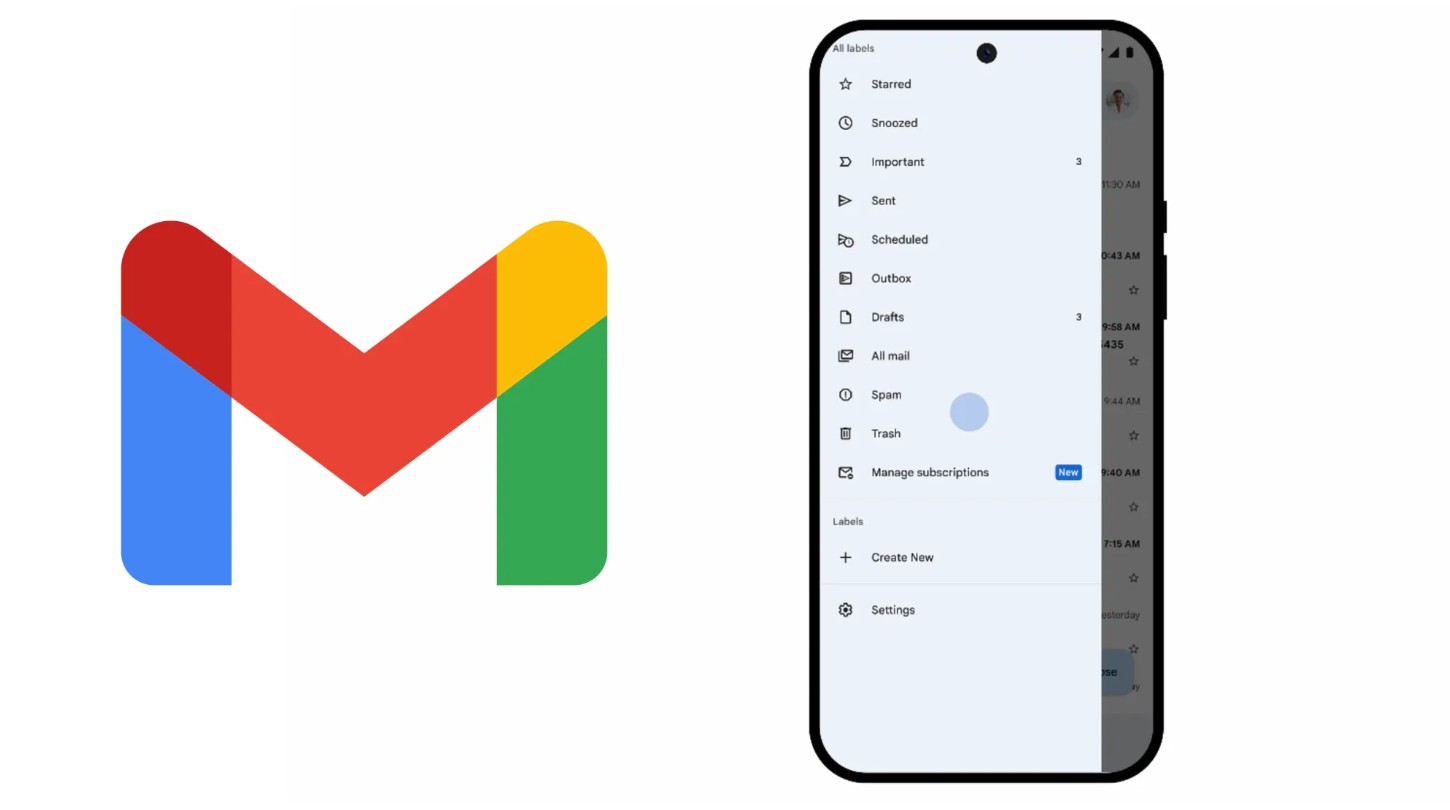
1. Click on the menu icon (three horizontal lines) in the upper left corner of the interface.
2. Scroll down and find the item called Manage Subscriptions .
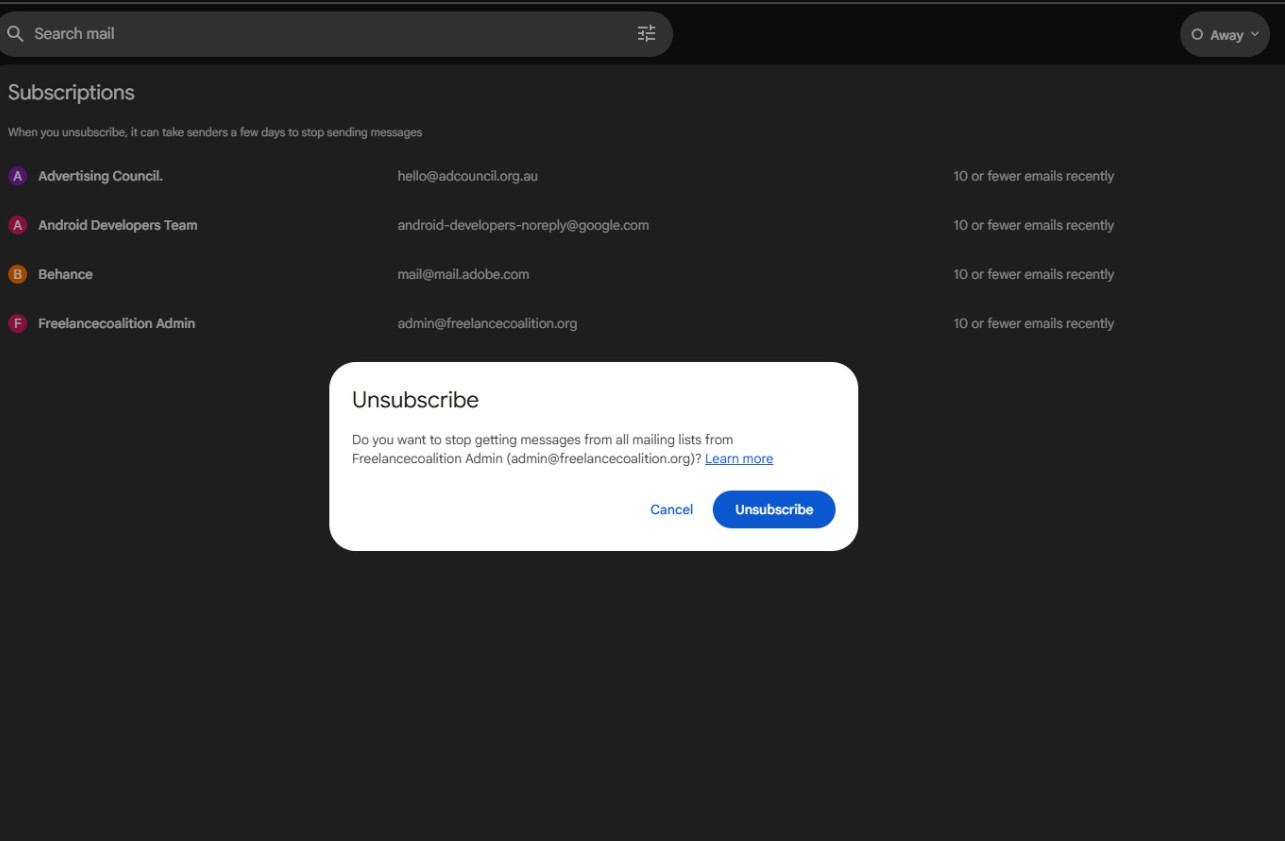
3. When you open it, you'll see a list of all the email senders that Gmail identifies as regularly sending you emails.
4. Next to each sender, there will be an Unsubscribe button . Simply click it to remove yourself from the mailing list for that sender.
This feature works based on the standard for valid unsubscribe procedures as defined by international anti-spam regulations. After you click Unsubscribe, a request will be sent to your email provider's system. This may take several days to complete, depending on the processing speed of each sending entity. Importantly, once the request is accepted, you will no longer receive any new emails from this source.
However, there's one thing to note: this feature doesn't delete old emails you've previously received. It only blocks new emails. This means that if your inbox still contains thousands of old promotional emails, you'll still need to use the Filters or Search feature to manually clean them up.
Nevertheless, "Manage Subscriptions" remains the simplest method for most users, especially those who want a quick, easy solution that doesn't require complex setup but still guarantees long-term effectiveness.
4. Why are Gmail's new features so important?
The introduction of “Manage Subscriptions” is not simply adding an item to the settings menu. It’s a strategic move reflecting how Google is optimizing the email experience in the era of digital content explosion. Behind this feature are several important benefits:
4.1 Reducing mental stress in the digital environment
In modern psychology, the concept of "Digital Clutter" is increasingly discussed. Just like a cluttered room can make you tired, an inbox filled with thousands of irrelevant emails creates significant mental stress.
You may not read or open them, but just seeing the number of red notifications is enough to make you feel overwhelmed. Cleaning up unnecessary notifications helps reduce this invisible pressure.
4.2 Focus more on important tasks
When your inbox is cluttered with promotional emails, important messages risk getting pushed down the feed. You might miss notifications from clients, partners, or the platforms you use. Reorganizing your email flow can improve productivity and reduce the risk of missing essential information.
4.3 Enhancing Security
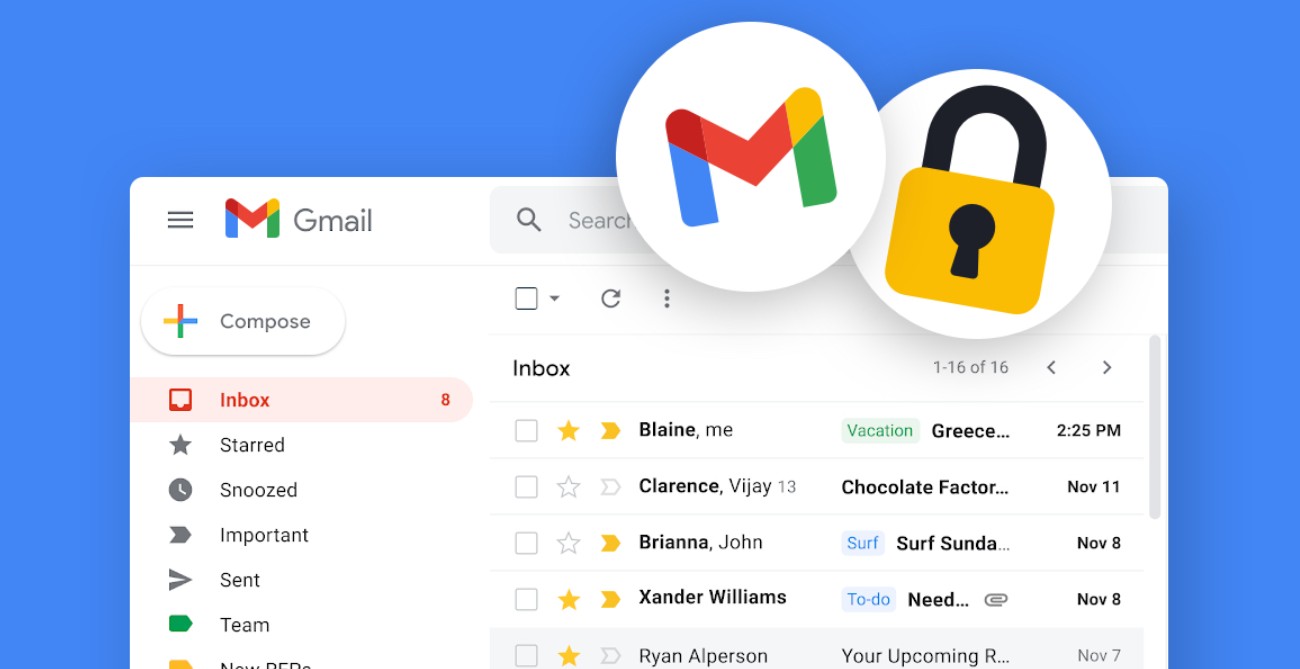
Although most promotional emails are legitimate, sometimes less reputable sources may insert links that steal information or track user behavior. Proactively unsubscribing reduces interaction with unnecessary sources, thereby increasing safety.
4.4 Save time
Instead of spending hours each month manually filtering emails or setting up complex filters, you can simply go to a list and decide whether to keep or unsubscribe. A single action, but with long-lasting results.
5. Compare the new features with traditional filters.
Gmail's filters have been around for a long time and are a powerful tool for users who like deep customization. Filters allow you to automatically:
Move emails to a separate folder .
Labeling
· Storage
Delete immediately
Forward to another email
However, the drawback of filters is that they need to be precisely configured based on keywords or sender addresses. If the sender changes the email structure, the filter may no longer work as expected. Also, creating filters for hundreds of senders is overwhelming for the average user.
In contrast, “Manage Subscriptions” requires no complex setup. Instead of dealing with the aftermath (the email has already been sent), this feature cuts the problem at its root: preventing the sender from continuing to send emails in the future.
Therefore:
If you need thorough optimization and require email categorization based on multiple complex criteria, use Filters.
If you just want a cleaner inbox and to quickly reduce promotional emails, use Manage Subscriptions.
These two tools, when combined, will provide the best possible experience.
6. Some advanced tips for optimizing your Gmail inbox.
Although the new feature has made the Gmail experience more pleasant, you can still apply some additional methods to optimize your inbox.
6.1 Using the advanced search feature
Gmail supports syntax such as:
· label:promotions
· label:social
· older_than:1y
· unsubscribe
This allows you to find a large number of emails you want to delete in just a few seconds.
6.2 Combining “Manage Subscriptions” and “Block Sender”
For news sources that don't offer a valid unsubscribe function, you can block them directly.
6.3 Regular cleaning
Just like cleaning your house on weekends, cleaning your inbox every month helps your system run more smoothly and prevents the accumulation of unnecessary emails.
If you feel your inbox is getting overloaded, or you're deleting dozens of irrelevant emails every day, now is the time to try this new feature. In just a few minutes, you'll notice a significant difference: your inbox will be much more spacious, streamlined, and easier to manage.





















VIP Products








Best Selling Products
Adobe Premiere Pro Account
99 USD
Genuine Adobe Illustrator account
99 USD
ChatGPT Plus Account (GPT-4)
16 USD
Copyright Adobe Lightroom Account
59 USD
Upgrade Duolingo Super
29 USD
Freepik Premium Account
59 USD
Genuine Cheap Canva Pro
39 USD
Plugin Retouch4me
69 USD
Adobe Photoshop Copyright - Full App
120 USD
Upgrade Genuine Office 365
49 USD
Windows 10 & 11 Pro Key
36 USD
Upgrade genuine Capture One account
120 USD
MidJourney Account
29 USD
Capcut Pro 1 Year
39 USD
Autodesk All App Account Copyright
120 USD