Best Selling Products

Upgrade Genuine Office 365
49 USD

Capcut Pro 1 Year
39 USD

Genuine Cheap Canva Pro
39 USD

ChatGPT Plus Account (GPT-4)
16 USD

Upgrade genuine Capture One account
120 USD

Upgrade Duolingo Super
29 USD

Plugin Retouch4me
69 USD

Windows 10 & 11 Pro Key
36 USD

Adobe Premiere Pro Account
99 USD

Autodesk All App Account Copyright
120 USD

Copyright Adobe Lightroom Account
59 USD

Genuine Adobe Illustrator account
99 USD

Freepik Premium Account
59 USD

MidJourney Account
29 USD

Adobe Photoshop Copyright - Full App
120 USD
Guide to Getting Your YouTube Videos to the Top of Search Results
Nội dung
- 1. Rename the video file using a specific keyword.
- 2. In the video title, incorporate keywords naturally.
- 3. Improve your video description.
- 4. Use keywords related to the topic for video tags.
- 5. Organize videos into categories.
- 6. Upload thumbnail images that are relevant to the content of your video.
- 7. Use an SRT file to add subtitles.
- 8. Add cards and end screens to your YouTube channel to increase viewership.
- 8. End Screens
- 9. Increase your reach by including hashtags (#).
- 10. Create playlists based on the overall theme of your videos.
- 11. Pin a featured comment on your video (if desired)
- 12. Optimize video upload times.
- 13. Create high-quality and valuable content.
- 14. Encourage viewer interaction.
- 15. Conclusion
Have you ever wondered why some YouTube videos quickly become viral, while others quietly fade into the vast sea of content?

1. Rename the video file using a specific keyword.
When starting the process of optimizing your YouTube videos, one of the first important steps is to rename your video file with a specific keyword. Using SEO tools like Google Keyword Planner or Ahrefs will help you identify the most relevant keywords for your video content. Once you have the keyword, make sure you place it at the beginning of the file name before uploading it to YouTube.
YouTube cannot "view" your video to determine its relevance to your target keywords. Therefore, renaming your video file helps YouTube better understand the content of the video you want to convey. Furthermore, this filename will include all other code and information, contributing to the optimization process.
Properly naming your video files not only improves searchability but also creates a positive first impression. A clear and relevant file name will grab attention and encourage viewers to click on your video.
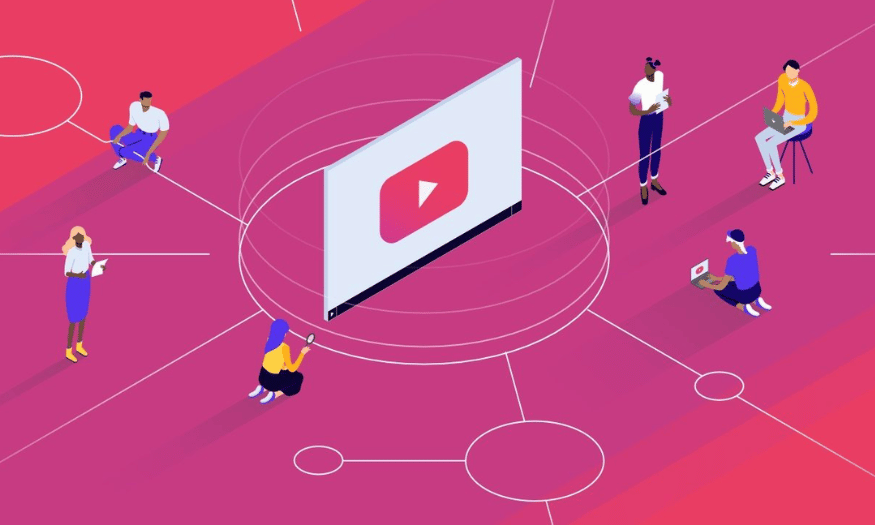
2. In the video title, incorporate keywords naturally.
The video title is a crucial factor in determining whether users will click on your video. Therefore, the title needs to be engaging, clear, and concise. While your keywords are essential in the title, it's important that the title closely relates to the needs and desires of the viewer. This not only helps your video get found but also keeps viewers interested.
Keep your title concise, limiting it to around 60 characters to avoid being truncated in search results. A good title should not only include keywords but also highlight the value your video offers viewers. Think about how users search for information and try to tailor your title accordingly.
When you naturally incorporate keywords into your title, it not only makes your video easier to discover but also increases viewer engagement. A compelling title will make viewers irresistible and prompt them to click on your video.
3. Improve your video description.
A video description is a crucial element in helping viewers better understand the video's content. If you choose to write a long description, remember that YouTube only displays the first two or three lines of text, equivalent to about 100 characters. Therefore, you should place important information, such as a call to action (CTA) or necessary links, at the beginning of the description.
An optimized description not only provides information to viewers but also helps your video appear in suggested video lists. This is a potential source for increased views, as many users tend to watch suggested videos after their first one. Use keywords naturally in the description to maximize searchability.
Don't forget that the video description is also where you can share additional information such as links to your website, social media, or other videos on your channel. This not only keeps viewers engaged longer but also gives them a chance to learn more about you and the content you produce.
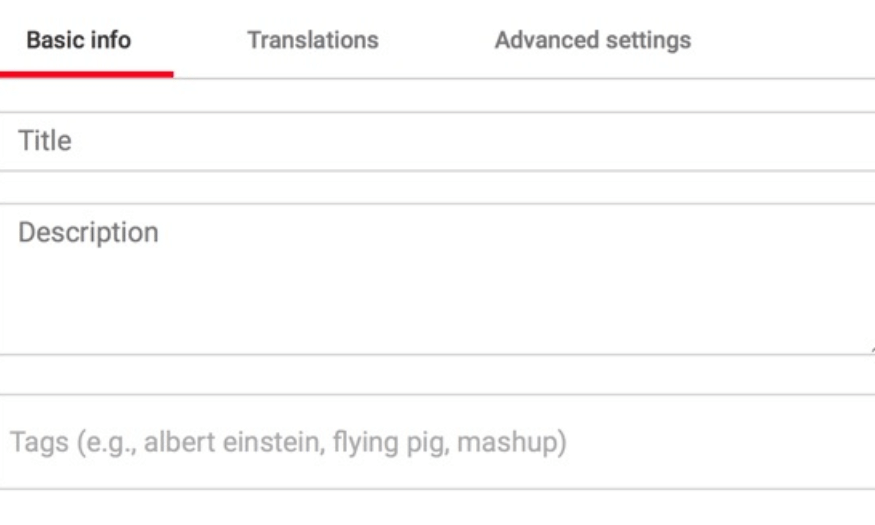
4. Use keywords related to the topic for video tags.
Tags are a useful tool that helps YouTube and viewers understand your video content. According to YouTube, tags can help identify the topic and context of a video, thereby improving its visibility. Use keywords related to the video's topic to increase its discoverability.
Using tags not only makes it easier for viewers to find your video, but it also helps YouTube link your video to similar videos. This can expand your reach, helping your video appear in other video suggestions, thereby increasing views organically.
When choosing tags, consider both primary and secondary keywords that users might search for. Avoid overusing tags, as this can confuse both viewers and YouTube. A well-balanced set of tags will help your video be more easily categorized and found in relevant searches.
5. Organize videos into categories.
Once your video is uploaded to YouTube, categorizing it into the appropriate categories is a crucial step in the optimization process. In the “Advanced Settings” section, you can specify a category for your video. This not only helps YouTube better understand the video's content but also facilitates your video appearing in relevant playlists. When a video is correctly categorized, it has the potential to reach a larger audience and attract more viewers.
To determine the right category for your video, consider these specific questions: Who are the successful content creators in that category? What makes them stand out? Do the viewers of similar channels have anything in common? Understanding your competitors will help you shape your content strategy more effectively.
Additionally, pay attention to the common characteristics of videos within the same category. Video length, format, and presentation style can influence how viewers perceive the content. By understanding these factors, you can optimize your videos to better suit your audience's needs and preferences.
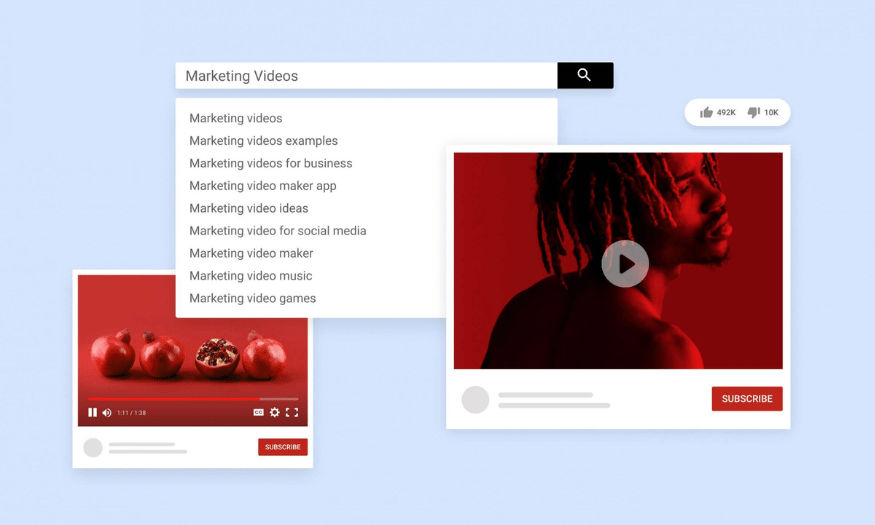
6. Upload thumbnail images that are relevant to the content of your video.
A thumbnail image is one of the first things that catches a user's attention when browsing search results. Along with the video title, the thumbnail provides viewers with a glimpse into the content of your video. Therefore, an attractive thumbnail can significantly impact the click-through rate and views your video receives.
Although YouTube provides automatic thumbnails, you should create your own thumbnail for your videos. YouTube recommends using images with a resolution of 1280x720 pixels (16:9 aspect ratio) and a file size of no more than 2MB. Image formats can be jpg, gif, bmp, or png. A high-quality thumbnail will make a good impression and encourage viewers to click on your video.
In addition to ensuring image quality, make sure the thumbnail accurately reflects the video content. A misleading thumbnail can lead to high bounce rates, which is bad for your video's ranking on YouTube. Be creative and experiment with different designs to find the style that works best for your channel.
7. Use an SRT file to add subtitles.
Subtitles can be a powerful tool for optimizing YouTube search results. Adding subtitles not only helps viewers better understand the video content but also highlights important keywords. To add subtitles, you need to upload a timed text transcript file, or you can directly import the subtitle text, and YouTube will automatically synchronize it with the video.
Using SRT files improves video accessibility, especially for those with hearing impairments or those who don't speak your native language. Furthermore, videos with subtitles tend to have longer watch times, which can boost their ranking on YouTube.
To add subtitles, simply access your video manager, find the video you want to edit, and select "Subtitles / CC". Here, you can customize and adjust the subtitles to suit the video content. Ensure that the subtitles are clearly presented and easy to read, providing the best viewing experience.
8. Add cards and end screens to your YouTube channel to increase viewership.
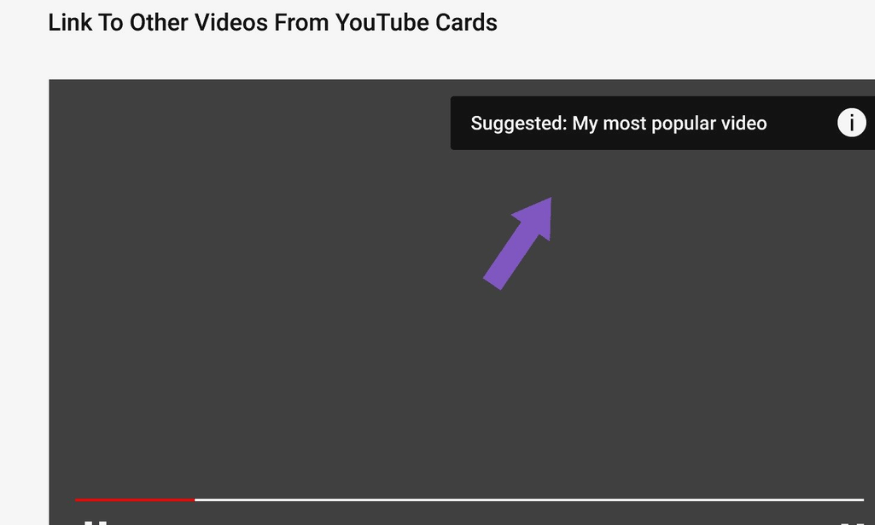
Cards and end screens are two useful tools to enhance engagement and retain viewers on your YouTube channel. Cards are small notifications that appear in videos to promote other videos, channels, or external links. They can help viewers easily discover other content you offer and increase video view rates.
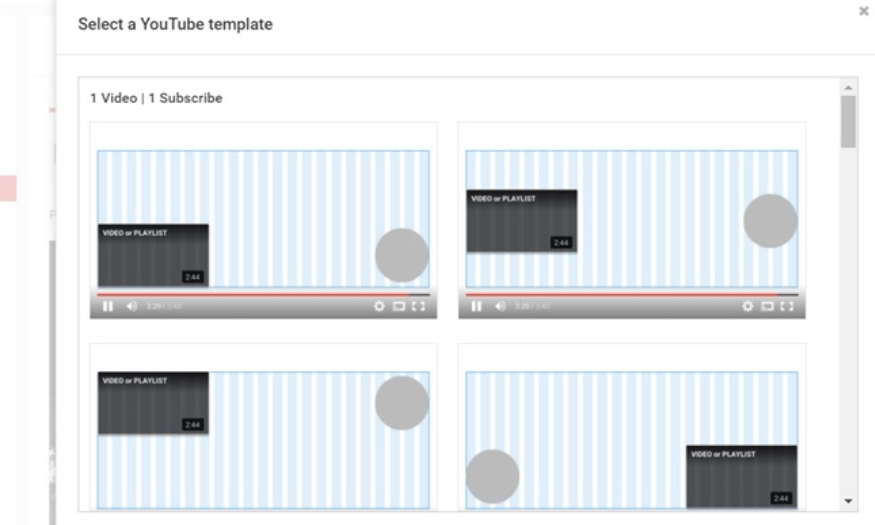
End screens appear at the end of a video and allow you to encourage viewers to take a specific action, such as subscribing to your channel or watching another video. This is a great opportunity to showcase related videos and keep viewers on your channel longer. You can add up to four interactive elements in end screens, optimizing this space to increase viewership.
To add cards and end screens, simply access your video manager and follow the instructions. Pay attention to designing these elements to be attractive and accessible. Using cards and end screens effectively will help your video create more opportunities to attract new viewers and retain existing ones.
8. End Screens
Adding end screens to YouTube videos is an effective strategy to increase viewership. End screens appear after the video ends, allowing you to introduce other videos, encourage viewers to subscribe to your channel, or direct them to external links. A key feature of end screens is that they display more detailed visual information, making them more engaging for viewers.
It's important to note that YouTube frequently tests new features, including end screens, to improve the user experience. Therefore, end screens may not display even if you've configured them. When considering using cards or end screens, keep these factors in mind to ensure you're optimizing for your video.
Setting up end screens can be time-consuming, but the results are well worth it. With viewers spending more time on YouTube, optimizing for end screens will help you increase reach and retain viewers for longer.
9. Increase your reach by including hashtags (#).
Hashtags are a new tool on YouTube that allows you to add relevant terms to your content. They appear right above the video title, making it easy for viewers to click and discover similar videos. Using hashtags can help your videos reach a more relevant audience.
However, you should be careful not to overuse hashtags. YouTube's algorithm is sophisticated and constantly searches for spam. If you add too many hashtags, your video is likely to be flagged. It's best to choose two to three tags that you think accurately describe the video's content, thereby increasing its searchability.
Using hashtags correctly not only enhances visibility but also creates opportunities for viewers to discover more related content from your channel. When viewers can easily find your videos, viewership and engagement will increase significantly.
10. Create playlists based on the overall theme of your videos.
When adding videos to your content library, organizing them into playlists based on common themes is an effective optimization strategy. Playlists help YouTube understand the topic of your videos and make it easier for viewers to switch between videos. This not only increases views but also improves video rankings in search.
When building a playlist, pay attention to the keywords you want to optimize for. Using the right keywords in the playlist title and description will make it easier for viewers to find your content. An optimized playlist will attract a larger audience because it provides viewers with a coherent and connected experience.
Additionally, playlists help keep viewers on your channel longer. When viewers see related videos in a playlist, they are more likely to continue watching, thereby increasing the time your videos spend watching, which benefits your video's ranking on YouTube.
11. Pin a featured comment on your video (if desired)
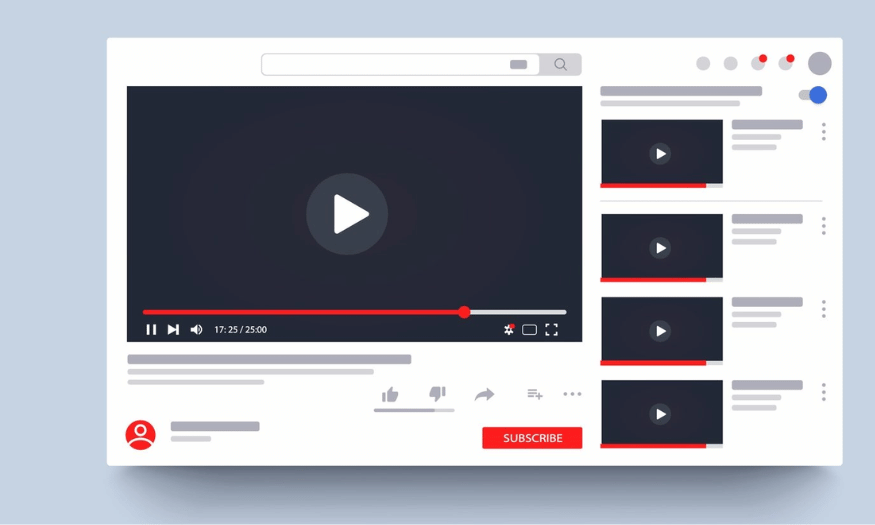
Pinning prominent comments on videos can be a smart strategy to boost viewer engagement. A single pinned comment can generate hundreds of responses, sparking lively discussions below the video. This not only increases engagement but also improves your video's ranking in YouTube's algorithm.
When you pin a comment, make sure it's interesting and relevant to the video. This comment could be a question to encourage viewers to share their opinions or feelings about the video content. An engaging comment will create an opportunity for viewers to participate and foster positive interaction.
Additionally, pinning comments helps create a friendly space and encourages viewers to return to your videos in the future. When viewers feel that their opinions are valued, they are more likely to engage and follow your channel long-term.

12. Optimize video upload times.
The timing of video uploads can significantly impact viewership and engagement. Choosing the right time to release your videos will help you maximize your reach. Research shows that users are generally more active during peak hours, such as evenings or weekends. By posting videos during these times, you can attract more viewers as soon as they are released.
Monitor your channel's analytics to identify when your viewers are most active. YouTube Analytics provides insights into when your audience is online. Based on this data, you can schedule your video releases for optimal results.
Additionally, giving advance notice of the video release time can create anticipation among viewers. Use social media channels or send email notifications to remind viewers about the upcoming video.
13. Create high-quality and valuable content.
Quality content is a key factor in the success of YouTube videos. Viewers will return to your channel if they find value in the content you provide. This could be useful information, detailed instructions, or engaging entertainment. Invest time and effort in creating high-quality videos with rich and engaging content.
Additionally, pay attention to the presentation and editing of the video. A well-edited video with eye-catching visuals and clear sound will make a better impression on viewers. Ensure you have a clear script and employ professional filming techniques to enhance video quality.
Finally, always listen to feedback from your viewers. Audience input can help you improve your content in the future. By nurturing and developing content based on your viewers' needs, you will build a loyal and ever-growing community.
14. Encourage viewer interaction.
Encouraging viewers to interact with your videos is an effective way to increase engagement and views. Ask questions in your videos and invite viewers to leave comments. This not only creates engagement but also helps your video get more comments, thereby improving its ranking on YouTube.
You can also encourage viewers to like and share your videos. A simple call to action like "Please like if you found this video helpful" can generate positive engagement. When viewers feel they can contribute to the content, they are more likely to participate.
Finally, consider organizing contests or giveaways to engage viewers. With attractive rewards, viewers will be more motivated to interact with your video. This not only creates excitement but also helps you expand your reach and attract new viewers.
15. Conclusion
Getting your YouTube videos to the top of search results isn't easy, but with the strategies and tips above, you can absolutely create engaging content and attract a large audience. Experiment, learn from your own experiences, and continuously improve your video-making skills. Good luck on your journey to becoming a standout YouTuber!





















VIP Products








Best Selling Products
Upgrade Genuine Office 365
49 USD
Capcut Pro 1 Year
39 USD
Genuine Cheap Canva Pro
39 USD
ChatGPT Plus Account (GPT-4)
16 USD
Upgrade genuine Capture One account
120 USD
Upgrade Duolingo Super
29 USD
Plugin Retouch4me
69 USD
Windows 10 & 11 Pro Key
36 USD
Adobe Premiere Pro Account
99 USD
Autodesk All App Account Copyright
120 USD
Copyright Adobe Lightroom Account
59 USD
Genuine Adobe Illustrator account
99 USD
Freepik Premium Account
59 USD
MidJourney Account
29 USD
Adobe Photoshop Copyright - Full App
120 USD