Best Selling Products

Copyright Adobe Lightroom Account
59 USD

Genuine Cheap Canva Pro
39 USD

Plugin Retouch4me
69 USD

Capcut Pro 1 Year
39 USD

Windows 10 & 11 Pro Key
36 USD

Upgrade Genuine Office 365
49 USD

Adobe Photoshop Copyright - Full App
120 USD

Adobe Premiere Pro Account
99 USD

Upgrade Duolingo Super
29 USD

Genuine Adobe Illustrator account
99 USD

Freepik Premium Account
59 USD

ChatGPT Plus Account (GPT-4)
16 USD

Autodesk All App Account Copyright
120 USD

Upgrade genuine Capture One account
120 USD

MidJourney Account
29 USD
GUIDE TO OPTIMIZING IMAGE SKIN TONE WITH NATURAL LIGHT-EDITING APPS
Nội dung
- 1. The importance of skin-tone correction to portrait image quality
- 1.1 The ability to enhance features and improve overall appearance
- 1.2 Creating authenticity and preserving natural emotion for the viewer
- 1.3 Establishing a consistent visual style for a personal brand
- 2. Core criteria for evaluating a high-quality skin light-editing app
- 2.1 Smart skin-area recognition algorithm based on AI technology
- 2.2 Integrated flexible skin-tone color-range correction toolkit
- 2.3 Preserving surface detail and image resolution
- 3. The roadmap for natural skin-tone brightening and enhancement using a mobile app
- 3.1 Step 1: Initialize data and analyze the original skin tone
- 3.2 Step 2: Fine-tune color-range parameters and compensate for shadow-area lighting
- 3.3 Step 3: Optimize surface structure and render a high-quality image file
- The final stage completes the work by adjusting natural smoothness and safely saving the data.
- 4. The website appvip.ai delivers a next-generation automatic image-processing and beautifying solution
- 5. Skin light-editing styles leading global aesthetic trends
- 5.1 Korean-style translucent, glossy-smooth skin (Glass Skin)
- 5.2 Modern, healthy-looking tanned skin (Tanned Skin)
- 5.3 Classic high-contrast skin style (Retro Editorial)
- 6. Conclusion
Discover today''''''''s most natural and professional skin light-editing apps. Detailed guide to balancing skin tone, smoothing texture authentically, and enhancing your glow here.
1. The importance of skin-tone correction to portrait image quality
1.1 The ability to enhance features and improve overall appearance
Skin tone acts as a natural backdrop that helps highlight other important facial details such as the eyes, smile, or facial angles. When the skin's appearance is properly balanced and brightened, all the portrait's features become more prominent, refined, and full of life. Smoothly processing skin lighting allows the subject to project a confident presence, creating strong visual appeal for the photo from the very first glance.
.jpg)
1.2 Creating authenticity and preserving natural emotion for the viewer
The line between subtly post-processed photo and an overly edited one lies in the authenticity of the skin's surface. Traditional beautifying tools often blur out the entire pore structure, making the face flat like a wax figure and losing emotional depth. Applying modern light-balancing techniques focuses only on compensating the color range, helping skin look fresh and rosy while still retaining its inherent natural characteristics.
1.3 Establishing a consistent visual style for a personal brand
For content creators or online sellers, consistency in skin tone across photo sets is an important factor for brand recognition. Maintaining a fresh, clear skin tone throughout posts helps a personal page look more polished and professional. This polish directly increases viewer trust, elevates image value, and creates a clear competitive advantage online.
2. Core criteria for evaluating a high-quality skin light-editing app
2.1 Smart skin-area recognition algorithm based on AI technology
A standard skin light-editing app must have the ability to separate facial and body skin areas from surrounding background elements. A smart algorithm will automatically outline the area to be processed, avoiding a situation where brightening the skin also changes the color of clothing or the scenery behind it. Precise segmentation features save users manual-operation time while still achieving perfect results.
.jpg)
2.2 Integrated flexible skin-tone color-range correction toolkit
Every skin tone has its own distinct pigmentation characteristics, such as warm, cool, or neutral tones. A professional brightening tool needs to provide in-depth adjustment sliders such as warmth, tint, and saturation specifically for the skin color range. This diversity lets users easily transform dull skin into rosy-white skin, healthy honey-toned skin, or creamy-white skin to match a high-end fashion style.
2.3 Preserving surface detail and image resolution
Images becoming blurry or losing quality after beautifying filters are applied is a major drawback of low-quality software. A premium app must ensure the sharpness of the eyes, hair, and surrounding details is preserved throughout the process. The finished photo, after export, still retains standard resolution, with no cracking or pixel breakup when displayed on large screens.
3. The roadmap for natural skin-tone brightening and enhancement using a mobile app
3.1 Step 1: Initialize data and analyze the original skin tone
The skin color-range recovery process should begin with a thorough review of the lighting flaws in the raw photo.
Load the source photo: Open the app, select the portrait photo with the best resolution from the device's library to bring it into the processing interface.
Identify the flaws: Observe the face overall to recognize whether the skin is dark due to underexposure, has a yellow cast from artificial lighting, or has uneven shadow areas.
3.2 Step 2: Fine-tune color-range parameters and compensate for shadow-area lighting
This stage requires skillful combination of balancing tools to create the most harmonious skin tone.
Outline the skin area: Use the automatic skin-area recognition tool or manual brush to limit the correction range.
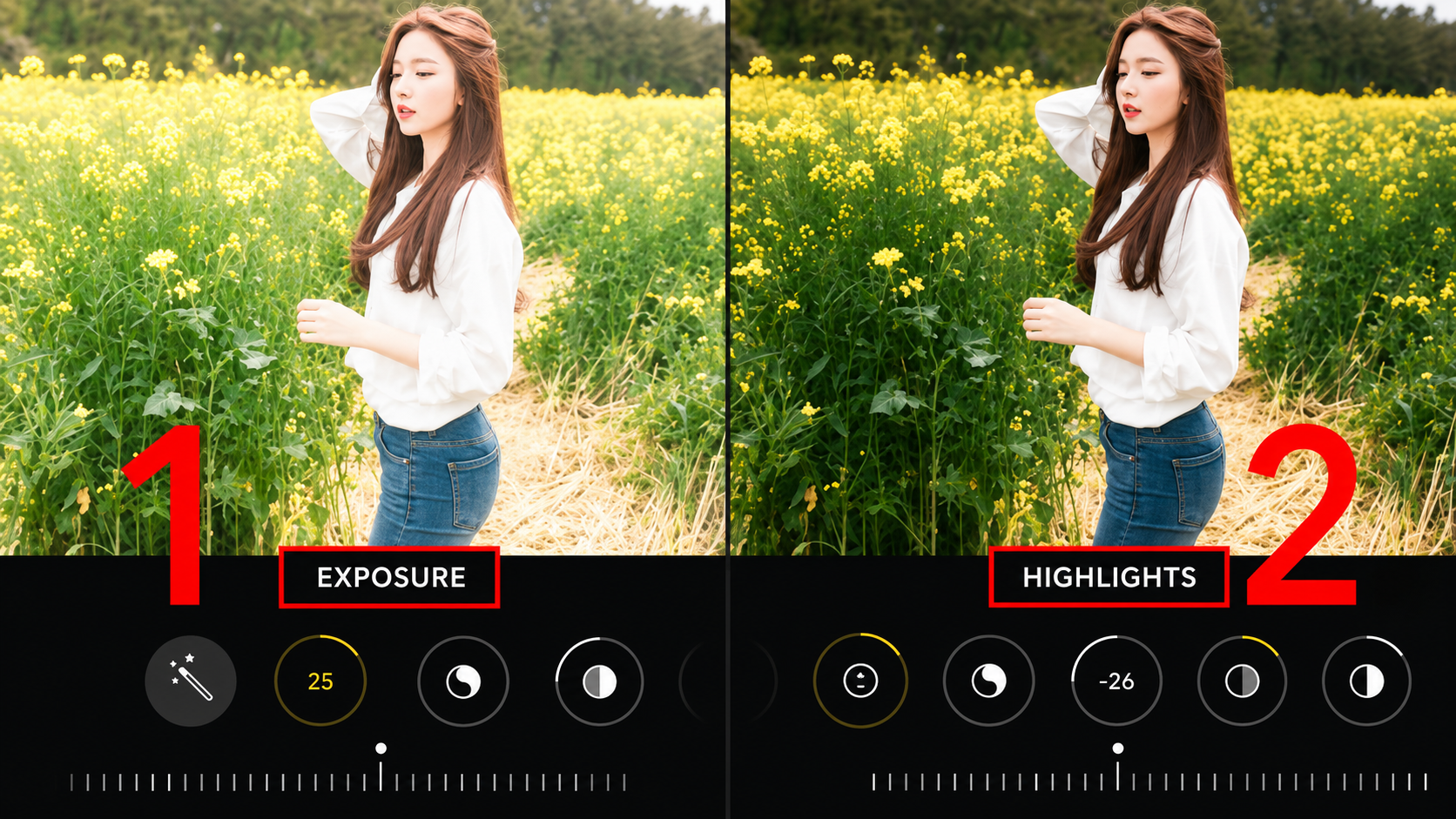
Increase Skin Brightness: Nudge up the brightness slider for the selected skin area until reaching the desired glow.
Balance the Skin Tone: Adjust the color-temperature slider toward the cool side if the skin has a yellow cast, or add a touch of pink so the skin looks rosier and healthier.
Handle Shadows: Gently pull up the shadow range to soften dark circles under the eyes or shadows under the chin, helping the face look evenly bright.
.jpg)
3.3 Step 3: Optimize surface structure and render a high-quality image file
The final stage completes the work by adjusting natural smoothness and safely saving the data.
Create natural smoothness (Skin Texture): Apply a moderate amount of skin-smoothing effect to blur small wrinkles while still retaining fine skin-grain detail.
Overall review: Turn on Before/After comparison mode to make sure the new skin tone fully harmonizes with the background's overall lighting.
Export the finished file: Choose the highest-quality storage format to fully preserve the photo's vivid colors.
4. The website appvip.ai delivers a next-generation automatic image-processing and beautifying solution
The remarkable growth of digital technology is opening breakthrough directions, helping simplify the entire image-editing workflow for modern users. The website appvip.ai is a pioneering ecosystem, bringing the ability to integrate the power of deep artificial intelligence into portrait-image processing and automatic appearance optimization tasks. Without requiring users to have cumbersome post-production skills or take complex graphics-training courses, the smart system here automatically recognizes facial angles, analyzes skin pigmentation, and proposes the smoothest skin light-correction solution with just one click. This technology solution helps content creators, photography enthusiasts, and businesses save maximum working time while still owning radiant portrait photos that meet premium aesthetic standards, confidently ready to appear on every digital media platform.
5. Skin light-editing styles leading global aesthetic trends
5.1 Korean-style translucent, glossy-smooth skin (Glass Skin)
This editing approach focuses on creating a taut, luminous, radiant glow, as if a thin layer of mist covers the skin's surface. This method requires boosting the light range in naturally light-catching areas such as the cheekbones, nose bridge, and philtrum, combined with shifting the skin tone toward a clear rosy-white range. The glossy-smooth skin style conveys a youthful, pure feeling and is extremely well-suited to close-up facial photos.
.jpg)
5.2 Modern, healthy-looking tanned skin (Tanned Skin)
In contrast to the preference for porcelain-white skin, many modern users favor a warm, modern honey-brown skin tone. This light-editing technique increases the saturation of the orange and brown color range, while also adding highlights with golden light bands across the facial contours. This style conveys an alluring, energetic beauty, especially suited to outdoor activity photos, beach travel, or sportswear shots.
5.3 Classic high-contrast skin style (Retro Editorial)
Inspired by fashion magazines of past decades, this style emphasizes a pronounced contrast between light and dark areas on the skin. While the skin is still brightened at the center, the shadow areas are kept deep to create sharp, mysterious facial contours. The combination of smooth, bright skin and rustic film grain creates an overall look that is highly artistic and distinctly cinematic.
6. Conclusion
Mastering the art of skin-tone balancing and skillfully using skin light-editing apps is the key that helps you confidently elevate the quality of every digital portrait work. The harmonious combination of a refined aesthetic sense and the power of modern technology solutions will help you master every frame, confidently express your individuality, and create a distinctive personal mark. Start experimenting with unique color-correction formulas today to personally craft radiant, authentic photos that affirm your standing and solid personal appeal on the global digital media landscape.





















VIP Products








Best Selling Products
Copyright Adobe Lightroom Account
59 USD
Genuine Cheap Canva Pro
39 USD
Plugin Retouch4me
69 USD
Capcut Pro 1 Year
39 USD
Windows 10 & 11 Pro Key
36 USD
Upgrade Genuine Office 365
49 USD
Adobe Photoshop Copyright - Full App
120 USD
Adobe Premiere Pro Account
99 USD
Upgrade Duolingo Super
29 USD
Genuine Adobe Illustrator account
99 USD
Freepik Premium Account
59 USD
ChatGPT Plus Account (GPT-4)
16 USD
Autodesk All App Account Copyright
120 USD
Upgrade genuine Capture One account
120 USD
MidJourney Account
29 USD