Best Selling Products

Capcut Pro 1 Year
39 USD

Windows 10 & 11 Pro Key
36 USD

MidJourney Account
29 USD

Adobe Photoshop Copyright - Full App
120 USD

Adobe Premiere Pro Account
99 USD

Freepik Premium Account
59 USD

Upgrade Duolingo Super
29 USD

Genuine Cheap Canva Pro
39 USD

Genuine Adobe Illustrator account
99 USD

Autodesk All App Account Copyright
120 USD

Copyright Adobe Lightroom Account
59 USD

ChatGPT Plus Account (GPT-4)
16 USD

Plugin Retouch4me
69 USD

Upgrade genuine Capture One account
120 USD

Upgrade Genuine Office 365
49 USD
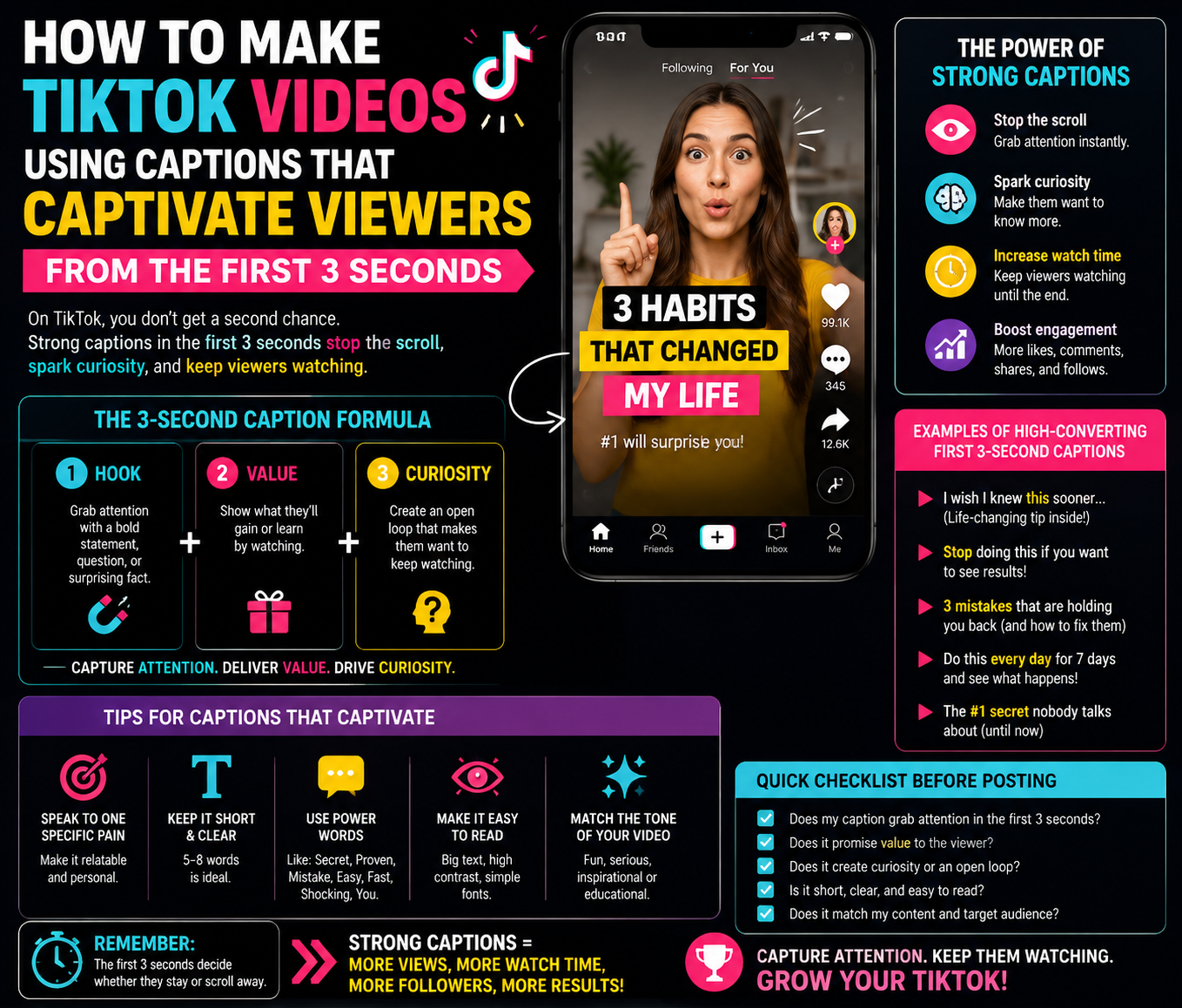
How to Make TikTok Videos Using Captions That Captivate Viewers from the First 3 Seconds
Nội dung
- 2. How to create a hook that immediately attracts viewers.
- 3.1 Brainstorm and develop content before editing.
- 3.2 Select appropriate shots and optimize image quality.
- 3.3 Edit and splice videos with appropriate pacing.
- 4.1 Diverse library of effects, filters, and transitions
- 4.2 Intelligent automatic subtitle generation feature
- 4.3 Pre-made video templates save time.
- 4.4 AI tools to assist in video editing
- 5. Reliable and safe CapCut upgrade addresses for content creators.
- 6. Conclusion
With its user-friendly interface, extensive effects library, and numerous AI-powered features, CapCut helps users transform simple video clips into professional TikTok videos without requiring advanced editing skills.
1. Why are the first 3 seconds crucial to the success of a TikTok video?
On TikTok, user behavior is often very fast. In just a few seconds, they might decide to continue watching or scroll to another video. Therefore, the opening sequence shouldn't simply introduce the content but also create curiosity and evoke emotions. A video with an engaging opening will make viewers want to know what happens next. Conversely, if a video starts with a long introduction, lacks striking visuals, or doesn't get straight to the point, the chances of retaining viewers will significantly decrease.
To make a strong impression in the first three seconds, you need to focus on three key elements: visuals, catchy text, and motion speed. An eye-catching shot combined with prominent text or a captivating quote can make a huge difference.
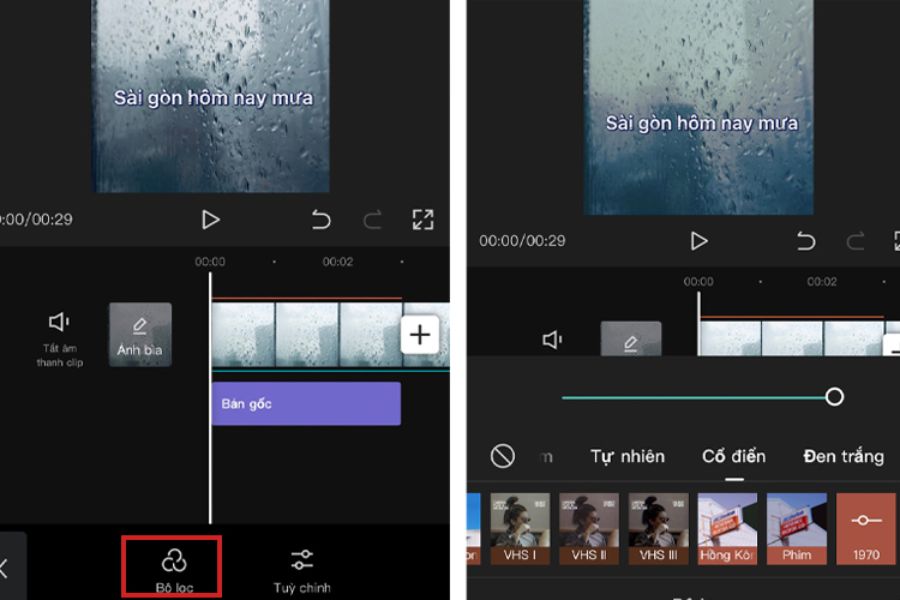
2. How to create a hook that immediately attracts viewers.
The hook is the opening segment that serves to "capture" the viewer's attention. This element often appears in high-view TikTok videos because it taps into the user's curiosity.
Some common types of hooks that can be applied include:
-
"90% of CapCut users are unaware of this feature."
-
"In just 5 minutes, you can create professional-looking videos like a TikToker."
-
"Don't edit your videos the old way if you want to increase views."
-
"This is the secret to making ordinary videos more engaging."
When incorporating a hook into a video, you can use CapCut to highlight the opening sentence with animated text, quick transitions, or emphatic audio. These small details make the video more professional and create a captivating feel from the very first second.
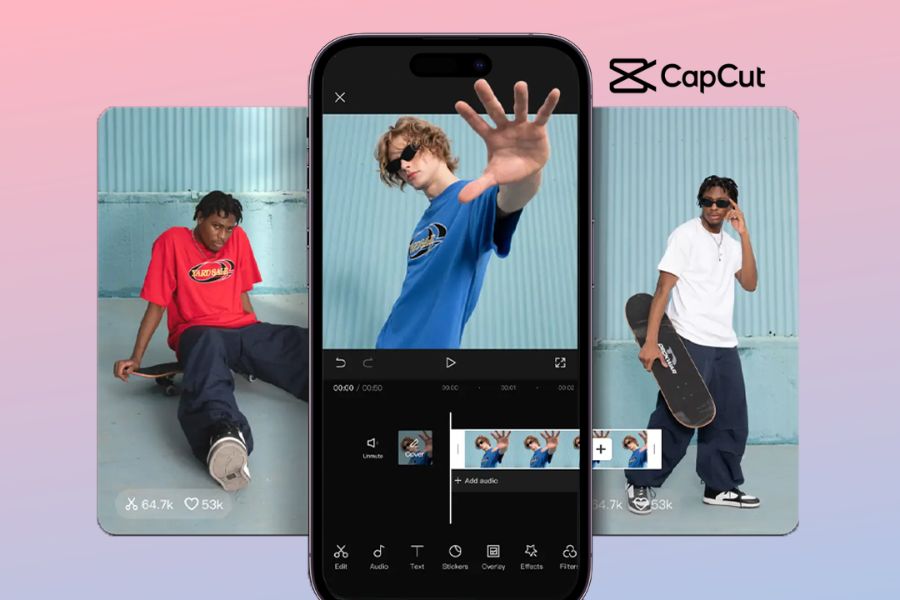
3. How to create professional TikTok videos using CapCut from A to Z
3.1 Brainstorm and develop content before editing.
A successful TikTok video depends not only on beautiful effects but, most importantly, on the content. Before opening CapCut to edit, you need to clearly define the topic, target audience, and goals of the video.
If you're making sales videos, the content should focus on product benefits and solving customer problems. If you're making knowledge-sharing videos, prioritize a concise, easy-to-understand presentation with a clear focus.
An effective TikTok script is typically divided into three parts:
-
Part one: Capture attention with a compelling question, problem, or image.
-
The middle section: Provides information, a story, or value to the viewer.
-
The final section: A call to action such as following, commenting, or sharing.
Preparing the content beforehand speeds up the editing process in CapCut and helps the video have a clear structure instead of being disjointed.
3.2 Select appropriate shots and optimize image quality.
Image quality is a crucial factor that directly impacts the viewer experience. A beautiful TikTok video doesn't necessarily need to be shot with expensive equipment, but it should ensure good lighting, clear framing, and a well-balanced composition.
When shooting videos, prioritize the 9:16 vertical format to match the TikTok interface. Additionally, try shooting from different angles so that editing creates continuous variation, preventing viewers from getting bored. CapCut allows users to easily adjust color, brightness, contrast, and many other factors to improve video quality. With just a few simple steps, even ordinary footage can become more professional.
3.3 Edit and splice videos with appropriate pacing.
One of the factors contributing to the appeal of TikTok videos is their editing speed. Viewers today tend to prefer fast-paced content with lots of movement and constant change. When editing with CapCut, remove unnecessary segments, silent periods, or scenes that are not needed. Neatly edited clips make videos more engaging and keep viewers' attention longer.
Additionally, you can incorporate transition effects, zoom in/out, or change the video speed to create a fresh feel. However, effects should be used judiciously to avoid making the video look cluttered.
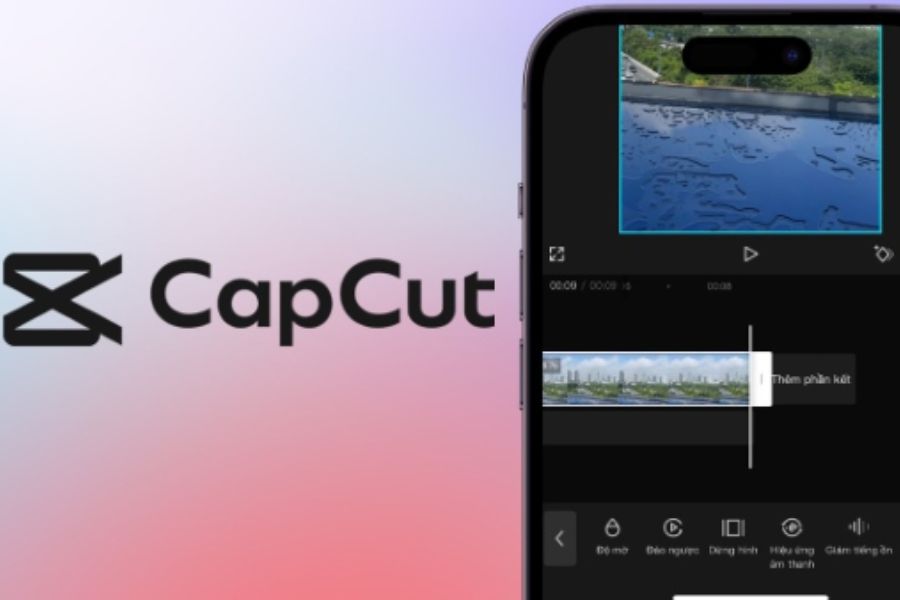
4. Key features of CapCut that help create TikTok videos with millions of views.
CapCut is not just an ordinary video editing app; it's also considered a powerful content creation tool for TikTokers. Thanks to its many smart features, CapCut makes it easy for users to create eye-catching videos without needing extensive experience.
4.1 Diverse library of effects, filters, and transitions
One of CapCut's biggest strengths is its extensive effects library. Users can choose from a wide range of visual effects, color filters, motion effects, and different editing styles.
These effects are especially useful when creating TikTok vlogs, product reviews, fashion videos, or entertainment content. A suitable effect can make a video stand out and create a unique identity for your TikTok channel. In addition, CapCut regularly updates its effects to reflect current trends, helping users easily keep up with the latest styles on social media.
4.2 Intelligent automatic subtitle generation feature
Subtitles are becoming an increasingly important element in TikTok videos. Many users are accustomed to watching videos without sound, so subtitles help them easily understand the content. CapCut supports automatic subtitle generation using speech recognition technology. Users simply upload their videos, and the system analyzes the dialogue and generates corresponding text.
Then, you can customize the font style, color, and appearance effects to make the subtitles more lively. A video with beautiful subtitles not only increases accessibility but also helps viewers stay longer.
4.3 Pre-made video templates save time.
For beginners, creating a complete video from scratch can be quite time-consuming. CapCut offers many ready-made video templates to simplify the creative process. Simply choose a suitable template, replace the images or your own videos, and you can create a product with professional-looking transition effects.
In particular, many templates on CapCut are designed according to popular TikTok trends, helping users quickly create content that suits current tastes.
4.4 AI tools to assist in video editing
AI is becoming a major trend in the content creation field. CapCut integrates various AI tools to simplify the editing process, such as background removal, creating smart effects, subtitling, image editing, and supporting rapid video production.
Thanks to these features, even non-professional video editors can create high-quality videos in a short amount of time. This is also why CapCut is increasingly being chosen by creators, small businesses, and online entrepreneurs to build content on TikTok.

5. Reliable and safe CapCut upgrade addresses for content creators.
To create professional TikTok videos with stunning effects, powerful AI tools, and a rich library of creative resources, using the upgraded version of CapCut offers more benefits than the free version. Advanced features such as intelligent background removal, exclusive effects, advanced filters, cloud storage, AI-assisted editing tools, and a premium template library will make the video creation process faster and more professional. However, many providers offer CapCut upgrade services, but not all guarantee quality. Choosing a reputable provider ensures a stable upgrade, minimizing issues like access loss, feature errors, or disruptions to your content creation process.
If you're looking for a reliable CapCut upgrade service, AppVip.ai is a popular choice. AppVip.ai 's service focuses on convenience, speed, and helping users access advanced CapCut features for video editing, TikTok creation, product advertising, or personal branding. With a simple upgrade process, dedicated support, and reasonable costs, AppVip.ai saves users time compared to having to figure out complex procedures themselves. Especially for TikTokers, online sellers, or content creators who frequently produce videos, owning an upgraded CapCut will improve product quality, create eye-catching videos, and easily keep up with new trends.
6. Conclusion
Creating TikTok videos with CapCut isn't just about cutting and pasting video clips; it's a process of content creation, building emotion, and creating an engaging experience for viewers. In a highly competitive platform like TikTok, making an impression in the first 3 seconds is crucial for retaining viewers and increasing the likelihood of your video being recommended. With powerful features like a diverse effects library, ready-made templates, color correction tools, automatic subtitles, transition effects, and intelligent AI tools, CapCut has become an invaluable tool for those who want to create professional videos without extensive editing experience. By combining creative ideas, quality content, and appropriate video editing techniques, you can create captivating TikTok videos, increase engagement, and build a more effective channel.





















VIP Products








Best Selling Products
Capcut Pro 1 Year
39 USD
Windows 10 & 11 Pro Key
36 USD
MidJourney Account
29 USD
Adobe Photoshop Copyright - Full App
120 USD
Adobe Premiere Pro Account
99 USD
Freepik Premium Account
59 USD
Upgrade Duolingo Super
29 USD
Genuine Cheap Canva Pro
39 USD
Genuine Adobe Illustrator account
99 USD
Autodesk All App Account Copyright
120 USD
Copyright Adobe Lightroom Account
59 USD
ChatGPT Plus Account (GPT-4)
16 USD
Plugin Retouch4me
69 USD
Upgrade genuine Capture One account
120 USD
Upgrade Genuine Office 365
49 USD