Best Selling Products

Upgrade Duolingo Super
29 USD

Capcut Pro 1 Year
39 USD

Adobe Premiere Pro Account
99 USD

Copyright Adobe Lightroom Account
59 USD

Upgrade genuine Capture One account
120 USD

MidJourney Account
29 USD

Windows 10 & 11 Pro Key
36 USD

Genuine Cheap Canva Pro
39 USD

Plugin Retouch4me
69 USD

Freepik Premium Account
59 USD

Adobe Photoshop Copyright - Full App
120 USD

ChatGPT Plus Account (GPT-4)
16 USD

Upgrade Genuine Office 365
49 USD

Autodesk All App Account Copyright
120 USD

Genuine Adobe Illustrator account
99 USD
How to Use ChatGPT Plus for Free That 90% of Grab Users Still Don’t Know
Nội dung
- 1. Conditions to Receive Free ChatGPT Plus on Grab
- 2. Instructions for Receiving Free ChatGPT Plus Through the Grab App
- 2.1 Step 1: Access the Grab Unlimited Section
- 2.2 Step 2: Activate the Grab Unlimited Membership Package
- 2.3 Step 3: Find the “Save More Easily” Section in Grab
- 2.4 Step 4: Find the Free ChatGPT Plus Offer
- 2.5 Step 5: Redeem the Reward to Get the Activation Link
- 2.6 Step 6: Open the Link and Register ChatGPT Plus for 0 VND
- 3. Instructions for Canceling ChatGPT Plus Auto-Renewal After the Trial
- 3.1 Step 1: Access the ChatGPT Account Management Page
- 3.2 Step 2: Open the Settings Panel
- 3.3 Step 3: Check the ChatGPT Plus Package Status
- 3.4 Step 4: Confirm Cancellation of Automatic Renewal
- 4. Important Notes When Using the Offer
- 5. Is Free ChatGPT Plus Through the Grab App the Same as a Regular ChatGPT Plus Subscription?
- 6. Affordable Places to Upgrade ChatGPT Plus After the Promotion Ends
- 7. Conclusion
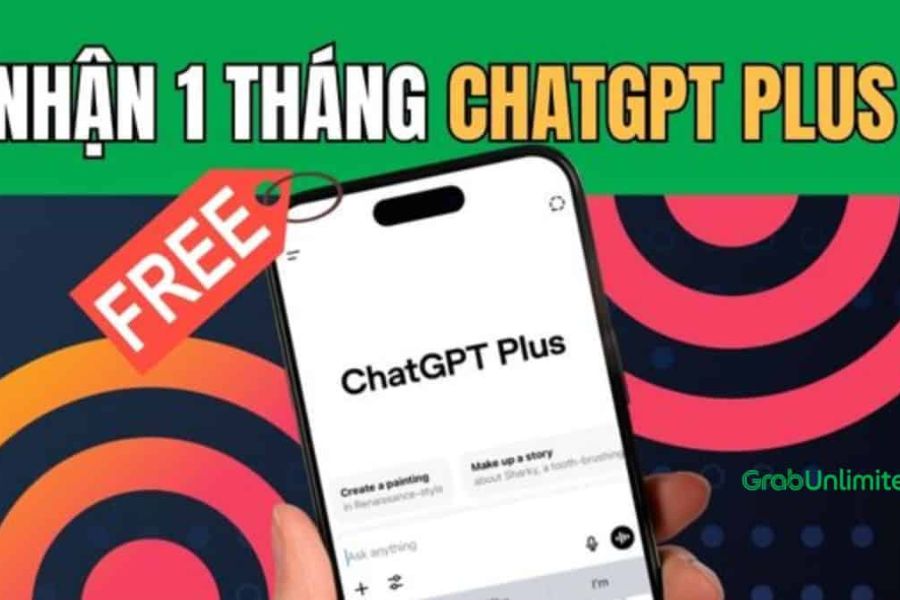
Using ChatGPT Plus for free through the Grab app is becoming a “secret trick” shared widely among tech enthusiasts, because instead of paying more than 500,000 VND per month, you can completely take advantage of benefits from Grab membership packages to experience the most advanced AI version available today.
1. Conditions to Receive Free ChatGPT Plus on Grab
Before starting the activation steps, you need to clearly understand one important thing: free ChatGPT Plus on Grab does not apply to all users, but only to accounts that meet the conditions of Grab’s membership program. Specifically, the deciding factor is whether you are subscribed to the Grab Unlimited package, because this is the “key” that unlocks this attractive AI offer.
Grab Unlimited is Grab’s paid membership package, providing various benefits such as ride discounts, GrabFood and GrabMart promotions, and especially partnership programs with third-party technology platforms. Among them, the ChatGPT Plus-related offer is currently one of the most attractive benefits, yet many users overlook it because it is not heavily advertised.
For new users: If you have never subscribed to Grab Unlimited before, you can enjoy a free trial period of up to 2 months. This is the “golden” period for you to experience all Grab Unlimited utilities while also taking advantage of bundled offers such as ChatGPT Plus without paying any fees. As long as you register for the correct package, the benefits will automatically be activated.
For existing users: If you previously subscribed to Grab Unlimited but canceled it, you can still rejoin at any time. The maintenance fee is currently only around 25,000 VND/month, which is far lower than the more than 500,000 VND/month cost of ChatGPT Plus if purchased directly. In terms of cost-benefit value, this is considered an extremely worthwhile option for those who regularly use AI for work, study, or content creation.
2. Instructions for Receiving Free ChatGPT Plus Through the Grab App
The process of receiving free ChatGPT Plus through Grab is not as complicated as many people think. However, for the system to correctly recognize the offer, you need to follow the steps in the correct order and avoid rushing or skipping important screens. Below is a detailed guide to help you get it right the first time.
2.1 Step 1: Access the Grab Unlimited Section
First, open the Grab application on your phone and log into your personal account. On the main interface, tap the Account section located in the upper-right corner of the screen. This is where all user information, transaction history, and membership packages are managed.
After entering the Account section, continue by selecting Grab Unlimited. If you have never subscribed before, Grab will display package information along with its highlighted benefits. If you have used it previously, the system will show your current package status or suggest reactivating it. This is the foundational step because all ChatGPT Plus-related benefits are tied to Grab Unlimited.
.jpg)
2.2 Step 2: Activate the Grab Unlimited Membership Package
Inside the Grab Unlimited interface, you will see options suitable for your account status. If you are a new user, select Free Trial to activate the package during the promotional period. The registration process is quick and simple, requiring no complicated steps, and you can cancel anytime if you no longer need it.
If you are an existing user who previously canceled the package, simply tap Subscribe Again with a fee of around 25,000 VND/month. Compared to the regular ChatGPT Plus cost, this amount is very small but unlocks many valuable benefits. Once activated successfully, your account will officially qualify for special Unlimited member offers.
.jpg)
2.3 Step 3: Find the “Save More Easily” Section in Grab
After activating Grab Unlimited, return to the main screen of the Grab application or access the Messages section. This is where Grab frequently sends promotional notifications specifically for different user groups, especially members.
Look carefully for banners or system messages with content such as “Saving and accumulating is now easier than ever.” Typically, technology-related gifts or international partnership offers are placed in this section. If you do not see it immediately, scroll slowly because promotions are usually arranged based on display time.
.jpg)
2.4 Step 4: Find the Free ChatGPT Plus Offer
Once inside the promotions section, continue by accessing the Catalogue section. This is where all gifts and reward redemption programs for Grab Unlimited members are gathered at that time.
Here, look for banners containing “Free ChatGPT Plus trial” or related ChatGPT titles. This offer is usually not displayed at the top, so you need to observe carefully. Once you find the correct banner, tap it to view details about the benefits and validity period.
.jpg)
2.5 Step 5: Redeem the Reward to Get the Activation Link
Inside the ChatGPT Plus offer details interface, tap the Redeem button. Grab will ask you to Confirm the action to ensure that you are intentionally using this benefit.
After successful confirmation, the system will display a special link along with an activation code. This is the only link leading to the ChatGPT Plus registration page with promotional pricing, so you should proceed immediately to avoid the link expiring or your login session being interrupted.
.jpg)
2.6 Step 6: Open the Link and Register ChatGPT Plus for 0 VND
Tap Copy Reward Code or directly open the link you just received to switch to a web browser. Here, log into your ChatGPT account (if you do not have one yet, you can create a new account before continuing).
.jpg)
After logging in, the screen will display the ChatGPT Plus package with a price of 0 VND. You only need to tap Claim free offer, then choose Subscribe to complete the registration. Once the system confirms successfully, your ChatGPT account will be upgraded to Plus without any payment charges.
.jpg)
3. Instructions for Canceling ChatGPT Plus Auto-Renewal After the Trial
After activating free ChatGPT Plus, one very important thing you should not ignore is checking and disabling automatic renewal. If you skip this step, the system may automatically charge 20 USD/month to the linked payment card after the promotional period ends. Below are the detailed steps you need to follow carefully to enjoy the trial without unexpected costs.
3.1 Step 1: Access the ChatGPT Account Management Page
First, open your web browser and access the official ChatGPT website, then log in using the account you used to activate ChatGPT Plus. Make sure you log into the correct account because if you use another email address by mistake, you will not see the active Plus package information.
After logging in successfully, you will be taken to the familiar ChatGPT chat interface. At this point, there is no need to rush any actions, just make sure your account is currently in Plus status (usually showing the word “Plus” in the account section).
3.2 Step 2: Open the Settings Panel
On the main ChatGPT interface, look at the lower-left corner of the screen where your account name or avatar is displayed. Tap this area to open the options menu.
When the menu appears, select Settings. This is where all information related to your account, service plans, privacy, and payments is managed. Entering the correct Settings section is important to avoid accidentally navigating to unrelated areas.
.jpg)
3.3 Step 3: Check the ChatGPT Plus Package Status
Inside the Settings interface, find the Account section. Here, the system will display detailed information about your current ChatGPT plan, including the package type (Free or Plus) and renewal status.
If you have successfully activated the offer, you will see ChatGPT Plus marked as active. Spend a few seconds carefully checking to ensure this is the correct subscription you want to disable auto-renewal for, especially if you own multiple accounts.
3.4 Step 4: Confirm Cancellation of Automatic Renewal
After confirming that you are using ChatGPT Plus, tap the Cancel Subscription button. The system may redirect you to Stripe’s payment page or display a confirmation panel directly on the screen.
At this stage, simply follow the displayed instructions, usually involving confirming the reason for cancellation and agreeing to disable renewal. Once completed, ChatGPT will notify you that the Plus package will not automatically renew in the next cycle, but you can still continue enjoying all Plus benefits until the trial period expires.
.jpg)
4. Important Notes When Using the Offer
To fully take advantage of the free ChatGPT Plus offer through the Grab app without encountering issues related to costs or benefits, you should spend a few minutes carefully reading the important notes below. These are essential conditions and timelines that, if ignored, could result in losing the offer or triggering unwanted charges. Understanding them from the beginning will help you use the offer more proactively and avoid unnecessary misunderstandings.
Eligible users: The free ChatGPT Plus offer only applies to OpenAI accounts that have never subscribed to ChatGPT Plus before. If your account has previously upgraded to Plus, even if it was canceled long ago, the system will most likely reject the promotional code. In that case, you may consider using a new OpenAI account to meet the eligibility requirements.
Grab redemption deadline: You must complete the reward redemption process on the Grab application before December 31, 2025. After this date, the offer may be removed from the system without prior notice. Therefore, if you are already a Grab Unlimited member, you should redeem it early to avoid missing the opportunity.
Validity of the activation code or link: After tapping “Redeem Reward” on Grab, the ChatGPT Plus promotional code or activation link will remain valid for 55 days. This means you can redeem the code in advance to “reserve your spot” and activate it later when it best fits your usage needs rather than using it immediately.
Managing ChatGPT Plus renewal: This is the most important note that many users often forget. Once the free trial ends, OpenAI will automatically renew ChatGPT Plus at the original price of 20 USD/month if you do not cancel in advance. Therefore, immediately after successful activation, you should go into your ChatGPT account settings and disable automatic renewal to avoid unexpected charges.
Managing the Grab Unlimited package: Similarly, if you do not intend to use Grab Unlimited long-term, proactively cancel the package renewal after receiving the offer. Otherwise, the system will automatically charge 25,000 VND/month for the next billing cycle. Managing both subscriptions properly will help you maximize the offer intelligently and economically.
5. Is Free ChatGPT Plus Through the Grab App the Same as a Regular ChatGPT Plus Subscription?
In essence, free ChatGPT Plus through the Grab app is no different from a regular ChatGPT Plus subscription. Once you successfully activate the offer, your ChatGPT account will officially be upgraded to Plus, giving you full access to premium features such as faster response speeds, better handling of complex requests, and prioritized access even during peak traffic periods. The user experience is completely identical, with no feature limitations or reductions because this is the real Plus package, not a restricted trial version.
The only difference lies in how you access the Plus package, not in the value you receive. With a standard subscription, users pay OpenAI directly each month. Meanwhile, the Grab promotion allows you to activate ChatGPT Plus through a partnership program, helping significantly reduce initial costs. After activation, ChatGPT does not differentiate between users who subscribed via Grab and those who paid directly — all benefits are applied equally.
However, because this is a promotional offer, free ChatGPT Plus through Grab usually comes with certain conditions and time limits, such as applying only to accounts that have never used Plus before or limiting the activation period. If you take advantage of the right timing and actively manage renewals, this is a smart way to fully experience ChatGPT Plus without spending a large amount of money upfront, especially suitable for new users who want to seriously explore AI before deciding on long-term usage.
6. Affordable Places to Upgrade ChatGPT Plus After the Promotion Ends
When the free ChatGPT Plus offer through Grab ends, finding a reliable and reasonably priced upgrade provider becomes important, especially for users who frequently rely on AI for work and business. Thế Giới Phần Mềm AI is currently considered one of the trustworthy choices in Vietnam, specializing in premium licensed software such as ChatGPT Plus, Canva Pro, Photoshop Full App, CapCut Pro, Google One, and more, with a transparent and professional process. What gives customers peace of mind is the company’s commitment to 100% genuine products, complete VAT invoices, and legal documentation suitable for both individuals and businesses requiring long-term use.
Beyond simply selling products, Thế Giới Phần Mềm AI also stands out thanks to its dedicated and professional support services. After payment, customers receive step-by-step guidance for upgrading ChatGPT Plus, making the process easy even for non-technical users. In case of issues or additional support needs, the technical team is always ready to provide direct one-on-one assistance, from installation and advanced feature activation to effective usage guidance for new GPT versions. This experience helps users save time while avoiding risks such as account loss or incorrect operations.
7. Conclusion
Without complicated tricks or risky online methods, using ChatGPT Plus for free through the Grab app is a smart choice for those who want to optimize costs while still accessing the world’s leading AI technology. By simply paying closer attention to the benefits included in Grab membership packages, you can turn a familiar application into a “gateway” that enhances your study, work, and content creation productivity every day. In today’s rapidly developing AI era, those who make the best use of information and promotions are always ahead, and hopefully after reading this article, you will no longer be among the 90% of Grab users who are unaware of this valuable opportunity.





















VIP Products








Best Selling Products
Upgrade Duolingo Super
29 USD
Capcut Pro 1 Year
39 USD
Adobe Premiere Pro Account
99 USD
Copyright Adobe Lightroom Account
59 USD
Upgrade genuine Capture One account
120 USD
MidJourney Account
29 USD
Windows 10 & 11 Pro Key
36 USD
Genuine Cheap Canva Pro
39 USD
Plugin Retouch4me
69 USD
Freepik Premium Account
59 USD
Adobe Photoshop Copyright - Full App
120 USD
ChatGPT Plus Account (GPT-4)
16 USD
Upgrade Genuine Office 365
49 USD
Autodesk All App Account Copyright
120 USD
Genuine Adobe Illustrator account
99 USD