Best Selling Products

Upgrade Duolingo Super
29 USD

Capcut Pro 1 Year
39 USD

ChatGPT Plus Account (GPT-4)
16 USD

Plugin Retouch4me
69 USD

Adobe Photoshop Copyright - Full App
120 USD

Windows 10 & 11 Pro Key
36 USD

Copyright Adobe Lightroom Account
59 USD

MidJourney Account
29 USD

Adobe Premiere Pro Account
99 USD

Freepik Premium Account
59 USD

Genuine Adobe Illustrator account
99 USD

Upgrade genuine Capture One account
120 USD

Autodesk All App Account Copyright
120 USD

Upgrade Genuine Office 365
49 USD

Genuine Cheap Canva Pro
39 USD
How to Create Super Hot AI Tet Stickers for Spring 2026
Nội dung
- 1. Why should you create your own AI Tet stickers?
- 2. How to create Tet stickers using AI Gemini
- 2.2 Step 1: Access Gemini
- 2.2 Step 2: Log in to Gemini
- 2.3 Step 3: Set image generation mode
- 2.4 Step 4: Enter the sticker creation prompt
- 3. Suggested Tet actions and content to make stickers more Vietnamese
- 4. Suggested premium AI Tet sticker prompts
- 4.1 GenZ Tet viral prompt
- 4.2 Going home for Tet prompt
- 4.3 Funny Tet drama prompt
- Text: “WHEN ARE YOU GETTING MARRIED?” Text: “GAINED WEIGHT” Text: “MADE SOME MONEY” Text: “TOO FULL!” Text: “ALL IN!” Text: “I’M TIRED”
- 4.4 Tet superhero prompt
- Text: “PROSPERITY” Text: “SPRING FLIGHT” Text: “NO QUESTIONS” Text: “MAX LUCKY MONEY” Text: “SPRING ARRIVES” Text: “OUT OF ENERGY”
- 5. Conclusion
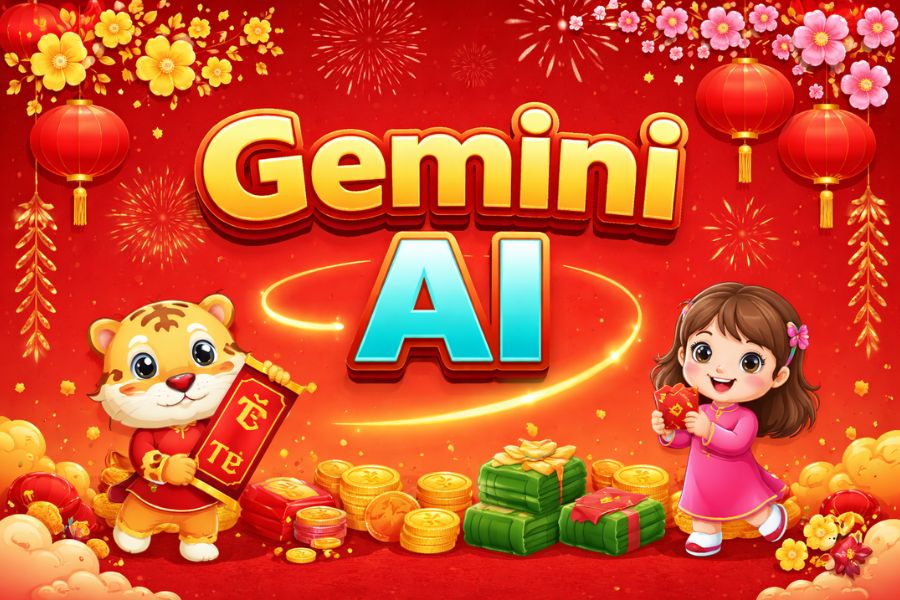
If you’re looking for a fresh way to highlight your brand, personal page, or simply send unique Tet wishes to friends, then AI-generated Tet stickers are the “weapon” you can’t ignore.
1. Why should you create your own AI Tet stickers?
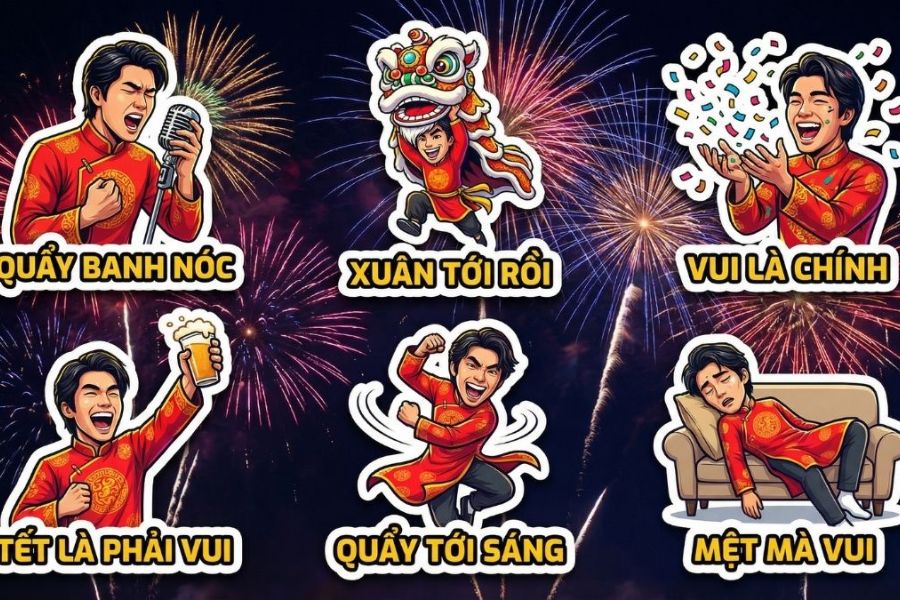
In the era of booming personalization, creating your own AI Tet stickers is not only a tech trend but also a way to assert your personal identity in every New Year wish. Instead of using pre-made sticker sets that are easily duplicated, AI allows you to transform your own face, style, and personality into lively animated characters full of spring spirit. Especially in the Year of the Horse 2026, symbolizing breakthrough and luck, you can proactively incorporate the year’s symbol into every design detail, from outfits to backgrounds. With just a few prompt inputs and text adjustments, you can instantly own a synchronized, professional Tet sticker set ready for use on any platform.
Maximum personalization, no duplication: You can upload your portrait and ask AI to transform it into a cute chibi version, semi-realistic style, or modern comic design. Every facial detail, hairstyle, accessory, or expression can be customized as desired, giving your sticker set a clear and unique personal identity.
Flexible customization for the Year of the Horse 2026: As it is the Year of the Horse, you can add horse patterns on áo dài, create a chibi mascot standing next to the character, or combine traditional elements like apricot blossoms, peach blossoms, red firecrackers, lucky envelopes, and five-fruit trays. AI will handle the overall colors and layout harmoniously while maintaining the spirit of Vietnamese Tet in a modern way.
Time-saving while ensuring quality: Instead of spending hours hand-drawing or editing multiple layers, AI can generate a full set of 6 to 8 stickers with different expressions in just a few minutes. You only need to adjust text like “Happy New Year,” “Prosperity and Wealth,” or “Give Me Lucky Money” to use them instantly.
Consistent style, professional like a designer: When requesting a complete sticker sheet, all characters, colors, lighting, and layouts will be unified under one concept. This makes the sticker set look cohesive, polished, and suitable for both personal and branding purposes.
Easy to edit and reuse: If you want to change outfit colors, greetings, or add new expressions, you just need to tweak the prompt instead of starting over. This allows flexible updates for different campaigns, audiences, or platforms.
.jpg)
2. How to create Tet stickers using AI Gemini
Creating Tet 2026 stickers with Gemini AI is very simple, even if you have never designed or edited images before. With just a Google account and a few minutes, you can create a chibi sticker set full of spring atmosphere, ready to use on Facebook, Zalo, or for printing. Below is a detailed step-by-step guide that is easy to follow and quick to execute.
2.2 Step 1: Access Gemini
First, open a browser on your computer, go to Google, and type “Gemini AI.” The search results will show Google’s Gemini platform, and you just need to click the official page to begin. To save time, you can also go directly to gemini.google.com.
Once on the main interface, you will see a minimalist workspace with an input box in the center. This is where you will enter prompts to generate sticker images. Before creating images, you need to log in to activate full features.
%20(1).jpg)
2.2 Step 2: Log in to Gemini
At the top right corner of the screen, select “Log in.” The system will ask you to use your Gmail account. Simply choose your Google account and confirm, and the login process will be completed within seconds.
After logging in successfully, you will unlock all content and image creation tools. Using a personal account also allows you to save prompt history, edit previous content, or create multiple sticker versions without starting over.
2.3 Step 3: Set image generation mode
Once in the main interface, find the “Tools” section. Here, Gemini offers various features such as content writing, information analysis, and image generation. To create Tet stickers, select “Generate images.”
After clicking this feature, the image description interface will appear more clearly. This is an important step because you need to ensure you are in image generation mode instead of normal chat mode. Once switched, you can start entering detailed descriptions for your Tet 2026 sticker set.
%20(1).jpg)
2.4 Step 4: Enter the sticker creation prompt
In the description box, enter a prompt as detailed as possible. For example, you can describe a cute chibi character wearing a red áo dài, holding a lucky envelope, with yellow apricot blossoms and the Year of the Horse mascot in the background. If you want a full sticker set, specify requirements like a sheet of 6 different expressions such as happy new year, prosperity, sending hearts, laughing, or cute posing.
After entering, just press send and wait a few seconds for AI processing. The image will be generated automatically with bright colors, harmonious layout, and a strong Tet spirit. If not satisfied, you can refine the prompt, add details about colors, accessories, or text to generate a better version. After a few tries, you will have a unique Tet 2026 sticker set in your own style.
%20(1).jpg)
3. Suggested Tet actions and content to make stickers more Vietnamese
To make your Tet 2026 sticker set not only beautiful but also truly Vietnamese in spirit, you should explore familiar moments expressed in a fun, exaggerated, and slightly “dramatic” cute style. Everyday situations like receiving lucky money, going home for Tet, year-end meals, or dodging relatives’ questions will make viewers laugh because they see themselves in it. When adding these actions into AI prompts, describe facial expressions, body movement, lighting effects, and accompanying text clearly to make the stickers lively and meaningful.
Below are trending action ideas you can apply:
Chasing lucky money like combat: The character rushes forward with sparkling eyes, arms reaching out to grab bright red envelopes. Background includes action-style light streaks and flying money. Expression slightly exaggerated for humor. Suggested text: “Where’s my lucky money?” or “Tet means lucky money.”
Going home fully loaded for Tet: Character rides a motorbike packed with gifts like bánh chưng, peach branches, oranges, and hanging gift bags. Hair blowing in the wind, face glowing with excitement. Suggested text: “Going home!” or “Tet is for returning.”
Checking in at the year-end feast: Character holds a phone up to take photos of a full feast. Fireworks and warm family atmosphere behind. Suggested text: “Eat to the fullest” or “Year-end feast must be full.”
Dodging marriage questions: Character leans away sweating while speech bubbles fly like bullets. Expression awkward yet humorous. Suggested text: “Stop asking” or “I’m still young.”
Overflowing fortune: Character stands confidently surrounded by gold, coins, clovers, and lucky envelopes. Suggested text: “Getting rich this year” or “Fortune everywhere.”
Praying at the start of the year: Character with hands clasped in front of a five-fruit tray, soft glowing background. Suggested text: “Wish comes true” or “Peaceful new year.”
Mini lion dance: Character holding a cute lion head, jumping excitedly. Suggested text: “Tet is here” or “Full of fun.”
Multi-task cleaning mode: Character splits into multiple versions doing chores. Suggested text: “Still not done?” or “Cleaning forever.”
Back to reality after Tet: Character crawling to laptop exhausted. Suggested text: “Holiday’s over” or “Back to work.”
Wearing áo dài stylishly: Character posing with blossoms, smiling brightly. Suggested text: “Still pretty this spring” or “Tet means beauty.”
.jpg)
4. Suggested premium AI Tet sticker prompts
4.1 GenZ Tet viral prompt
(Text content already translated into English where needed)
Text: “TET CHECK-IN”
Text: “WHERE’S MY LUCKY MONEY?”
Text: “LET’S PARTY!”
Text: “WHEN ARE YOU GETTING MARRIED?”
Text: “GETTING RICH THIS YEAR”
Text: “TET IS OVER…”
(All Vietnamese text must be perfectly spelled with correct diacritical marks → All text must be accurate and properly formatted.)
4.2 Going home for Tet prompt
Text: “GOING HOME!”
Text: “I’M BACK”
Text: “EATING IS THE MAIN THING”
Text: “EXPLOSION”
Text: “CHILL TET”
Text: “VACATION OVER…”
4.3 Funny Tet drama prompt
Text: “WHEN ARE YOU GETTING MARRIED?”
Text: “GAINED WEIGHT”
Text: “MADE SOME MONEY”
Text: “TOO FULL!”
Text: “ALL IN!”
Text: “I’M TIRED”
4.4 Tet superhero prompt
Text: “PROSPERITY”
Text: “SPRING FLIGHT”
Text: “NO QUESTIONS”
Text: “MAX LUCKY MONEY”
Text: “SPRING ARRIVES”
Text: “OUT OF ENERGY”
5. Conclusion
Creating Tet stickers with AI is not only an exciting tech trend but also a way to personalize your spring images in your own style, from cute and humorous to elegant and professional. Instead of spending hours on manual design, now you only need a clear photo and a suitable prompt to instantly own a unique Tet 2026 sticker set for social media, printing, or sending New Year wishes. Hopefully, with the instructions and prompts shared, you can easily catch the Spring 2026 trend in an impressive and creative way.





















VIP Products








Best Selling Products
Upgrade Duolingo Super
29 USD
Capcut Pro 1 Year
39 USD
ChatGPT Plus Account (GPT-4)
16 USD
Plugin Retouch4me
69 USD
Adobe Photoshop Copyright - Full App
120 USD
Windows 10 & 11 Pro Key
36 USD
Copyright Adobe Lightroom Account
59 USD
MidJourney Account
29 USD
Adobe Premiere Pro Account
99 USD
Freepik Premium Account
59 USD
Genuine Adobe Illustrator account
99 USD
Upgrade genuine Capture One account
120 USD
Autodesk All App Account Copyright
120 USD
Upgrade Genuine Office 365
49 USD
Genuine Cheap Canva Pro
39 USD