Best Selling Products

Upgrade Genuine Office 365
49 USD

Genuine Adobe Illustrator account
99 USD

Freepik Premium Account
59 USD

MidJourney Account
29 USD

ChatGPT Plus Account (GPT-4)
16 USD

Upgrade genuine Capture One account
120 USD

Genuine Cheap Canva Pro
39 USD

Plugin Retouch4me
69 USD

Adobe Premiere Pro Account
99 USD

Adobe Photoshop Copyright - Full App
120 USD

Copyright Adobe Lightroom Account
59 USD

Windows 10 & 11 Pro Key
36 USD

Upgrade Duolingo Super
29 USD

Capcut Pro 1 Year
39 USD

Autodesk All App Account Copyright
120 USD
Is Nano Banana Overshadowing Photoshop? A Detailed Comparison of Two Image Creation Tools
Nội dung
- 1. Introduction to Nano Banana and Photoshop
- 1.1 Photoshop — The Standard of Traditional Image Editing
- 1.2 Nano Banana — Google’s AI-Powered Image Editing Tool
- 2. Outstanding Features of Nano Banana
- 2.1 Intelligent Automatic Image Recognition and Processing
- 2.2 Google AI Technology — The Strong Foundation Behind Nano Banana
- 2.3 User-Friendly Interface and Smooth User Experience
- 2.4 Outstanding Strengths in Speed, Convenience, and Ease of Use
- 3. Photoshop Features That Enable Professional Image Editing
- 3.1 A Comprehensive and Powerful Image Editing Toolkit
- 3.2 Advanced Workflow Capabilities and Absolute Precision
- 3.3 A Massive Plugin Library and a Complete Adobe Ecosystem
- 3.4 Superior Strengths — Precision, Flexibility, and High Artistic Value
- 4. Advice for Users – Should You Choose Nano Banana or Photoshop?
- 5. Buy Licensed Software from a Trusted Source at Appvip
- 6. Conclusion
Can Nano Banana, an AI-powered design tool, truly “dethrone” Photoshop — the legendary software that has dominated the image editing industry for decades? As AI technology continues to penetrate every creative field, tools like Nano Banana are emerging with the promise of delivering faster, more automated, and highly creative design workflows.
1. Introduction to Nano Banana and Photoshop
To determine whether Nano Banana is truly capable of replacing Photoshop, it is important to first understand the unique strengths and values of each tool. On one side is an iconic platform that has existed for more than three decades in the image creation industry, and on the other is an “AI newcomer” that is shaking up the design community with its intelligence and outstanding speed.
1.1 Photoshop — The Standard of Traditional Image Editing
Released in 1988, Adobe Photoshop has become an immortal symbol in the world of image editing. According to Adobe’s 2024 statistics, more than 90% of professional photographers worldwide still consider Photoshop an irreplaceable tool. It is not merely an image editing software but also a versatile creative platform used across many fields such as:
Graphic design for printing, advertising, and media
Digital image processing with extremely high detail precision
Digital content creation such as banners, posters, web interfaces, and media products
Transforming rough ideas into works of art through pixel-level detail control
The greatest strength of Photoshop lies in its absolute precision and flexible customization capabilities. Users can work deeply on each image layer, adjusting colors, lighting, textures, and effects exactly as desired. Although modern AI tools are incredibly powerful, achieving the same level of sophistication and manual control as Photoshop remains a major challenge.
1.2 Nano Banana — Google’s AI-Powered Image Editing Tool
Nano Banana is a new product from Google, viewed as a “smart design assistant” for all types of users, especially those without much image editing experience. Thanks to the power of artificial intelligence, Nano Banana can analyze images, recognize objects, and perform numerous complex tasks within seconds. Users can leverage Nano Banana to:
Remove unwanted objects or details with just one click
Automatically adjust colors, lighting, and contrast to suit the scene
Generate multiple creative variations from a single original image
Transform ordinary photos into artistic visuals in just a few simple actions
Google positions Nano Banana not as a tool for professionals but as a “creative companion” that allows anyone to design, edit, and turn ideas into reality without requiring advanced technical skills. With its intuitive interface, high level of automation, and nearly instant processing speed, Nano Banana is becoming a new symbol of AI-powered creativity — where technology works on behalf of humans while still preserving artistic value in every detail.
%20(1).jpg)
2. Outstanding Features of Nano Banana
Nano Banana is not simply a conventional image editing software but an AI-powered tool designed to optimize speed, convenience, and creative experience. Unlike traditional applications that require advanced editing skills, Nano Banana delivers intelligent automatic recognition, suggestions, and editing capabilities, allowing users to create perfect images within seconds. Thanks to advanced AI technology, this tool is quickly becoming a favorite “creative assistant” among designers, photographers, and everyday users alike.
2.1 Intelligent Automatic Image Recognition and Processing
Nano Banana applies deep learning technology that enables AI to understand and recognize details in images such as faces, objects, scenery, and lighting. Based on this data, the system automatically adjusts colors, brightness, and contrast to achieve the most natural balance possible. For example, if an image is overexposed or underexposed, Nano Banana can instantly restore details and soften tones automatically. This allows users to achieve professional results without manual adjustments.
Nano Banana’s automation capabilities also appear in how the AI can “understand user intentions” through image context. If the image is a portrait, the system prioritizes skin smoothing and facial brightness enhancement. If it is a landscape, AI automatically increases depth and color richness. As a result, Nano Banana delivers a personalized editing experience tailored to each image type and specific user need.
2.2 Google AI Technology — The Strong Foundation Behind Nano Banana
As a product developed by Google, Nano Banana inherits the power of some of the world’s most advanced AI models. Google has equipped this tool with the ability to learn from millions of real-world images to “understand” lighting, composition, and visual aesthetics. This enables Nano Banana not only to automate editing tasks but also to produce natural and refined results comparable to those created by professional designers. According to internal Google AI Lab statistics, over 78% of users felt that edited images appeared highly realistic and visually harmonious.
This AI technology also allows Nano Banana to continuously improve over time. The more users interact with the system, the more styles it learns — from portrait photography to artistic imagery. This flexibility makes Nano Banana more than just a temporary software trend; it is a sustainable image editing platform capable of transforming creative habits in the future.
2.3 User-Friendly Interface and Smooth User Experience
Unlike Photoshop’s complex interface, Nano Banana is designed with the philosophy that “anyone can use it.” From screen layout and icons to toolbars, everything is simplified for easy operation. Users simply drag and drop an image into the editing area, choose an AI suggestion mode, and wait a few seconds for the system to process the image. The entire workflow feels smooth and effortless, requiring neither powerful hardware nor advanced expertise.
This accessibility enables Nano Banana to reach a wide range of users, from students and influencers to small businesses. Saving and sharing edited images is also extremely fast, allowing users to upload directly to social media with just one action. Because of this, Nano Banana is not only an image editing tool but also a bridge that helps users express their creative style anytime and anywhere.
2.4 Outstanding Strengths in Speed, Convenience, and Ease of Use
Nano Banana offers an “ultra-fast” editing experience where nearly every task is automated by AI. While Photoshop requires users to learn countless skills and shortcuts, Nano Banana only needs a few simple actions. Its rapid processing speed, friendly interface, and intelligent suggestions make it a top choice for users who value convenience.
Beyond that, Nano Banana is proof of the limitless creative potential of artificial intelligence. Although it cannot completely replace Photoshop in professional environments, its ability to deliver quick results, simple workflows, and natural-looking outputs demonstrates that AI can effectively accompany humans in the journey of modern visual creativity.
%20(1).jpg)
3. Photoshop Features That Enable Professional Image Editing
Although Nano Banana is attracting attention thanks to its AI power and automation capabilities, Photoshop continues to maintain its position as the “king” of design and image editing. For more than three decades, this software has symbolized creativity, precision, and professionalism. With its powerful toolkit, Photoshop allows users to deeply manipulate every image detail, creating highly artistic products that few other tools can match. Photoshop is not merely an image editor but a comprehensive creative platform used in fields ranging from advertising and printing to digital content production.
3.1 A Comprehensive and Powerful Image Editing Toolkit
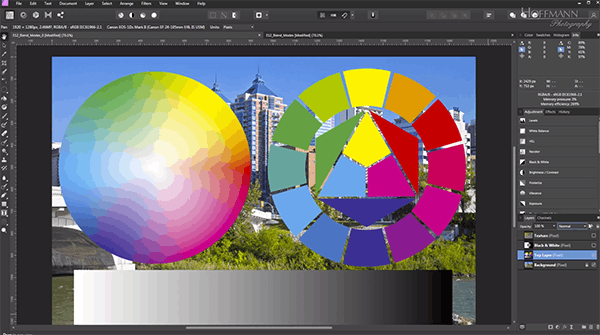
Photoshop is often referred to as the “tool of creative professionals” thanks to its massive feature system that supports everything from basic to advanced editing needs. From Camera Raw and Layer Masks to Healing Brush and Smart Objects, every feature is optimized to deliver maximum precision. Most notably, its layer-based workflow allows users to edit individual details without affecting the entire composition. This is a key difference that automated AI tools like Nano Banana still cannot perfectly replicate.
In addition, Photoshop provides tremendous workflow flexibility. Users can combine multiple tools simultaneously, create complex effects, blend colors, or simulate real-world materials such as fabric, metal, water, and light. This unlimited customization capability is precisely what has made Photoshop the professional industry standard — where every detail is carefully crafted to perfection.
3.2 Advanced Workflow Capabilities and Absolute Precision
In professional photography, even the smallest lighting or color deviation can reduce the artistic value of an image. Photoshop solves this through advanced tools such as Color Grading, Pen Tool, Dodge & Burn, and Liquify. These features allow users to manually control individual pixels, adjust tones, outlines, and proportions with complete precision. That is why prestigious publications such as National Geographic, Vogue, and Time still choose Photoshop as their primary editing tool.
Photoshop also plays a crucial role in advertising and graphic design. From creating 3D effects and realistic perspectives to post-production editing for films, Photoshop consistently demonstrates exceptional processing power and near-perfect precision. This is the reason professionals continue to trust the software despite the emergence of numerous AI-powered alternatives.
3.3 A Massive Plugin Library and a Complete Adobe Ecosystem
One factor that gives Photoshop a major advantage over other tools is its unlimited expandability. Users can install thousands of third-party plugins to enhance functionality, ranging from AI filters and artistic brushes to advanced 3D design tools. This ensures Photoshop never becomes outdated but continuously evolves to meet new trends in the creative industry.
Moreover, Photoshop exists within the Adobe ecosystem, where applications such as Illustrator, Lightroom, and After Effects work seamlessly together. This integration allows users to move fluidly between photo editing, vector design, and video production, creating a professional and consistent creative workflow. This is an advantage that standalone AI tools like Nano Banana struggle to compete with.
3.4 Superior Strengths — Precision, Flexibility, and High Artistic Value
Photoshop demands skill, artistic thinking, and time to master. However, this is exactly what defines the software’s identity: absolute control and limitless creativity. Every detail can be refined to perfection, allowing the final product to meet the highest image quality standards.
Unlike Nano Banana, which focuses on convenience and speed, Photoshop emphasizes depth and refinement in every action. This distinction is what has allowed Photoshop to maintain its position as the industry benchmark in design — where art, technology, and creativity merge to create masterpieces that no automated tool can completely replace.
%20(1).jpg)
4. Advice for Users – Should You Choose Nano Banana or Photoshop?
The question “Should you use Nano Banana or Photoshop?” depends entirely on your needs and skill level. Each tool has its own strengths, and choosing the right one will help optimize both your creative efficiency and working time. Here are some suggestions to help you decide more easily:
Beginners or non-designers: Nano Banana is the perfect choice thanks to its automated editing capabilities, simple interface, and fast processing speed. With just a few clicks, you can create beautiful images ready for posting or everyday use.
Professional designers and photographers: Licensed Photoshop remains the gold standard in the creative industry. The software provides detailed control, absolute precision, and flexibility across every design style.
The ideal combined solution: Take advantage of both tools — use Nano Banana for quick basic edits and Photoshop for advanced finishing touches. This combination saves time while still ensuring high-quality results.
The integration of AI and Photoshop is becoming a new trend, opening an era of creativity where humans and technology work together to produce groundbreaking visual works.
%20(1).jpg)
5. Buy Licensed Software from a Trusted Source at Appvip
To fully unlock the power of creative tools, you should use licensed software. In addition to ensuring data safety, official versions provide numerous outstanding benefits such as:
Access to the latest features: Always experience the newest tools and security patches from developers.
Maximum security: Reduce the risk of malware infection and ensure system safety throughout usage.
Official technical support: Receive professional consultation, guidance, and fast troubleshooting from experts.
If you are looking for a trusted source to purchase licensed software at competitive prices in Vietnam, Appvip is the leading choice. Appvip specializes in providing genuine licenses for Adobe Photoshop, Microsoft 365, AI tools, and professional design applications, along with dedicated after-sales support. With Appvip, you can confidently create and maximize the power of licensed technology.
%20(1).jpg)
6. Conclusion
Nano Banana offers a fresh, simplified, and highly creative approach to image processing, allowing virtually anyone to create professional-looking works without advanced technical skills. However, Photoshop remains a symbol of refinement and absolute control in every design detail. The difference between these two tools is not about which one is “stronger,” but rather about their intended purposes: Nano Banana is ideal for users seeking speed and convenience, while Photoshop is the perfect choice for those pursuing artistic depth and high precision. This competition not only highlights the remarkable development of AI but also opens a future where humans and technology blend together to redefine the meaning of creativity.





















VIP Products








Best Selling Products
Upgrade Genuine Office 365
49 USD
Genuine Adobe Illustrator account
99 USD
Freepik Premium Account
59 USD
MidJourney Account
29 USD
ChatGPT Plus Account (GPT-4)
16 USD
Upgrade genuine Capture One account
120 USD
Genuine Cheap Canva Pro
39 USD
Plugin Retouch4me
69 USD
Adobe Premiere Pro Account
99 USD
Adobe Photoshop Copyright - Full App
120 USD
Copyright Adobe Lightroom Account
59 USD
Windows 10 & 11 Pro Key
36 USD
Upgrade Duolingo Super
29 USD
Capcut Pro 1 Year
39 USD
Autodesk All App Account Copyright
120 USD