Best Selling Products

Freepik Premium Account
59 USD

Capcut Pro 1 Year
39 USD

Upgrade Duolingo Super
29 USD

MidJourney Account
29 USD

Windows 10 & 11 Pro Key
36 USD

Copyright Adobe Lightroom Account
59 USD

Plugin Retouch4me
69 USD

Adobe Premiere Pro Account
99 USD

Upgrade Genuine Office 365
49 USD

Upgrade genuine Capture One account
120 USD

Adobe Photoshop Copyright - Full App
120 USD

Genuine Cheap Canva Pro
39 USD

Genuine Adobe Illustrator account
99 USD

ChatGPT Plus Account (GPT-4)
16 USD

Autodesk All App Account Copyright
120 USD
Master the Art of Storytelling with Top-Tier Video Editing Software on Your Phone
Nội dung
- 1. Modern filmmaking mindset: Why is the phone the number one priority?
- 2. CapCut - A creative ecosystem for Gen Z and Creators
- 2.1. Revolutionizing the cutting and pasting process using pre-made templates.
- 2.2. Artificial intelligence in image processing
- 3. Adobe Premiere Rush - Bridging the gap between mobile and professional
- 3.1. Lumetri Color Adjustment System
- 3.2. Audio optimized through AI
- 4. LumaFusion - Professional studio in your pocket
- 4.1. Ability to manage complex multi-layer timelines
- 4.2. Publish high-quality, uncompressed video.
- 5. VN Video Editor - The Power of Freedom
- 5.1. Smooth Speed Curve Customization
- 5.2. Inserting Custom Color Filters (LUTs)
- 6. KineMaster - The flexibility of a traditional interface
- 6.1. Chroma Key Effect and Cinematic Special Effects
- 6.2. Diverse Asset Stores
- 7. Appvip.ai - A reputable provider of premium application solutions.
- 8. InShot - Optimized for image-based social media
- 8.1. Quick and easy editing for Stories and Reels
- 8.2. Collection of Animated Stickers and Unique Text Effects
- 9. Filmora - Refinement in every cut
- 9.1. Licensed Music Library
- 9.2. User-friendly interface for beginners
- 10. Tips for creating quality videos from mobile software
- 11. Future trends in video editing software for mobile phones.
Discover the most powerful AI-powered video editing apps for mobile phones in 2026. A guide to modern, professional filmmaking thinking for digital content creators.
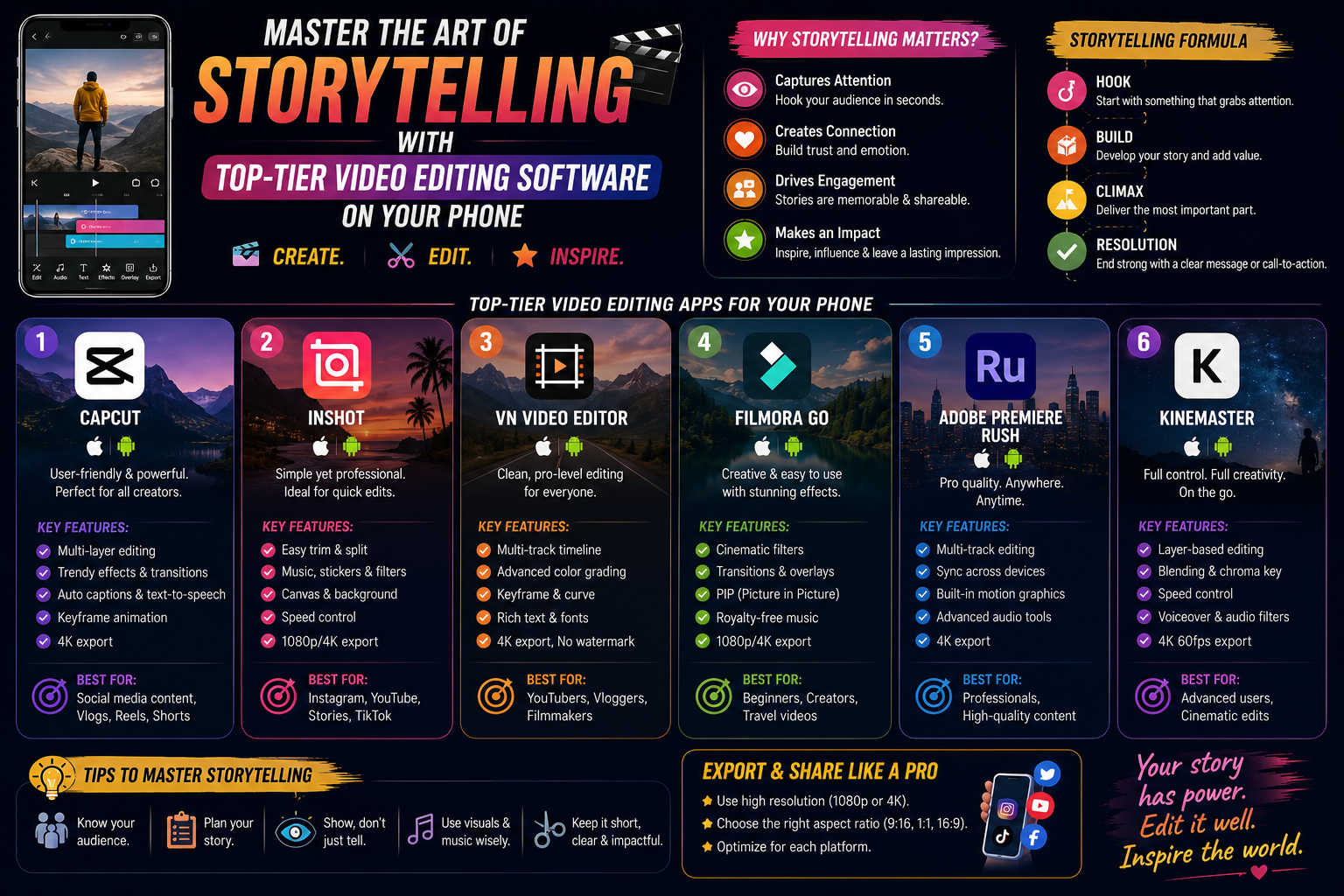
1. Modern filmmaking mindset: Why is the phone the number one priority?
Flexibility is the biggest weapon of mobile post-production. You can shoot a moment on the street and finalize the edit while sitting on a bus or in a cafe. Today's mobile video editing software is algorithmically optimized, allowing for ultra-high resolution outputs while maintaining smooth motion. This speed and convenience have fueled the emergence of a new generation of "Mobile Filmmakers"—those who prioritize speed and timeliness in content creation.
2. CapCut - A creative ecosystem for Gen Z and Creators
It's no coincidence that CapCut has become the "national software." It possesses an incredible ability to understand user behavior, from trendy transition effects to a library of background music that's always at the forefront of trends.
2.1. Revolutionizing the cutting and pasting process using pre-made templates.
With the Template feature, video editing becomes easier than ever. You don't need to know about rhythm or music theory; the software will automatically match your visuals to the most upbeat music. This is a strong point that helps short-form content creators maintain a consistent video output every day.
2.2. Artificial intelligence in image processing
CapCut offers features such as background removal without the need for a green screen, automatic facial beautification, and the addition of 3D zoom effects. These features, which previously required complex computer techniques, now take only seconds to process on a smartphone.
3. Adobe Premiere Rush - Bridging the gap between mobile and professional
For those who want a serious and professional approach, Adobe Premiere Rush offers a clean workspace that focuses maximally on image and color quality.
3.1. Lumetri Color Adjustment System
Inheriting the best features from the Pro version, Premiere Rush allows you to deeply adjust brightness, saturation, and neutral tones. Owning a video editing software on your phone with advanced color correction capabilities will give your product a truly cinematic feel.
3.2. Audio optimized through AI
The auto-ducking feature, which automatically reduces background music volume when speech is present, makes the vlog post-production process more professional. You no longer have to worry about the music being too loud and drowning out the main character's dialogue.
4. LumaFusion - Professional studio in your pocket
If you take video editing seriously, LumaFusion is the only tool that can meet even the most demanding technical requirements on the iOS platform.
4.1. Ability to manage complex multi-layer timelines
This software allows you to work with 6 layers of video and audio simultaneously. This opens up endless creative possibilities for techniques such as image overlay and multi-layered visual effects, which are often limited in free applications.
4.2. Publish high-quality, uncompressed video.
LumaFusion supports video output in various formats and aspect ratios, ensuring the sharpest image quality even when projecting onto large screens.
5. VN Video Editor - The Power of Freedom
VN Video Editor is well-known in the filmmaking community for its philosophy of "free but not cheap." It provides a professional video editing environment without the distractions of ads or watermarks.
5.1. Smooth Speed Curve Customization
Creating artistic slow-motion or dramatic speed-up videos is incredibly easy with the speed chart. This is a "killer" feature that makes your travel videos captivating and energetic.
5.2. Inserting Custom Color Filters (LUTs)
VN is one of the few video editing software programs on mobile phones that allows users to import external color files (LUTs). This helps you synchronize the colors of your entire project in a unique personal style.
6. KineMaster - The flexibility of a traditional interface
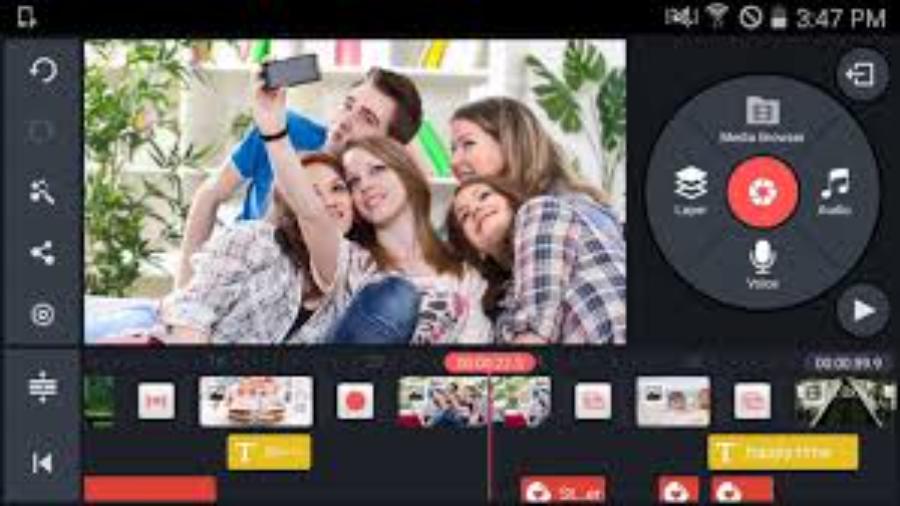
With its landscape-view interface, KineMaster feels familiar to those who have previously used video editing software on computers.
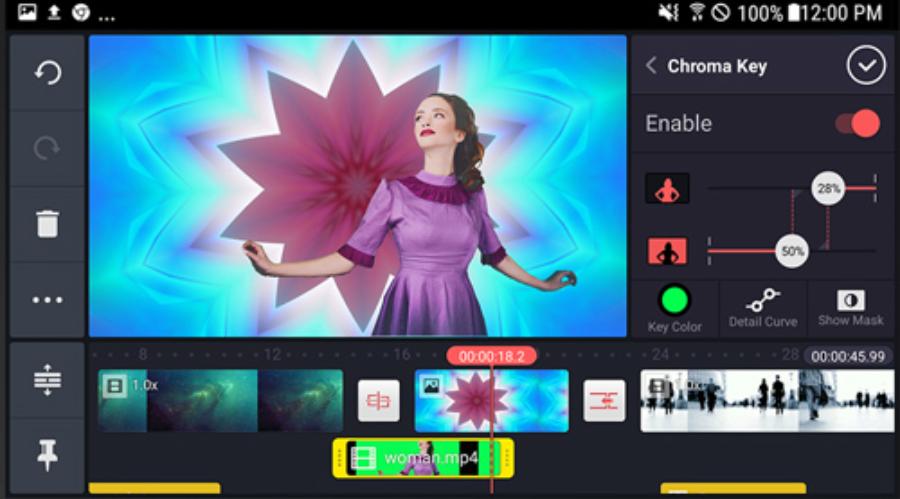
6.1. Chroma Key Effect and Cinematic Special Effects
KineMaster's green screen removal capabilities remain top-notch. You can easily integrate yourself into fantastical environments, creating unique special effects videos without needing expensive studio equipment.
6.2. Diverse Asset Stores
KineMaster boasts a vast library of transition effects, background music, and fonts that are updated weekly, ensuring you always have fresh materials for your projects.
7. Appvip.ai - A reputable provider of premium application solutions.
To unlock the full potential of video editing software on mobile phones , a paid account is essential to remove watermarks and unlock premium features. In this context, https://appvip.ai/ has become a trusted destination for the content creation community in Vietnam.
This website specializes in providing Premium account upgrade solutions for leading applications such as CapCut, KineMaster, Adobe, and many other advanced editing software. With optimal pricing and dedicated warranty and technical support policies, this platform makes it easy for mobile filmmakers to access professional tools. Owning a "Full-featured" account from this provider will ensure a smooth post-production process, eliminating interruptions from the limitations of the free version, thereby enhancing the quality of all your video products.
8. InShot - Optimized for image-based social media
InShot is proof that simplicity sometimes yields the best results. It's an app loved by millions of Instagram and Facebook users.
8.1. Quick and easy editing for Stories and Reels
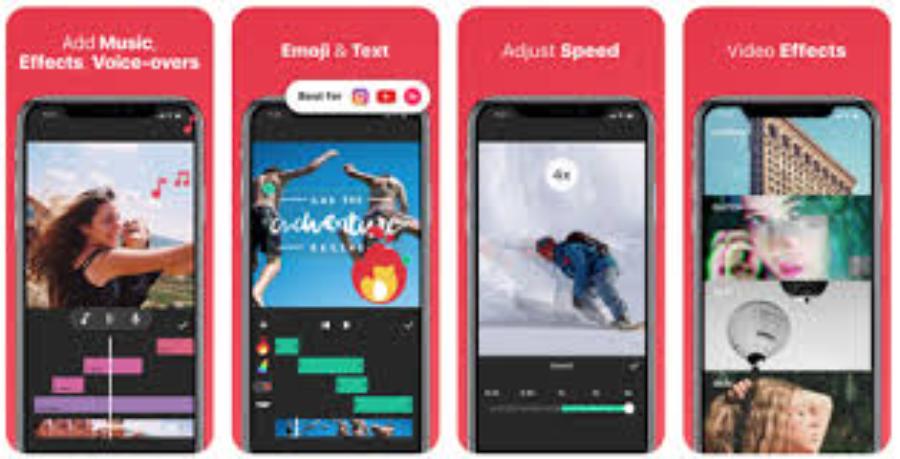
InShot's interface is incredibly intuitive, allowing you to trim, split, and delete video segments in just seconds. Features like adding colorful frames also help your videos stand out in your followers' feeds.
8.2. Collection of Animated Stickers and Unique Text Effects
InShot offers a wide variety of youthful and highly interactive fonts and stickers. This is a crucial element in making short videos more engaging and keeping viewers interested for longer.
9. Filmora - Refinement in every cut
Filmora offers an aesthetically pleasing video editing experience with artistic color filters and smooth transition effects.
9.1. Licensed Music Library
Music copyright issues are always a concern for YouTubers. Filmora addresses this by providing a rich library of licensed music, allowing you to use it freely for commercial purposes.
9.2. User-friendly interface for beginners
All the tools on Filmora are organized logically. Even if you've never used a phone to edit a video before, you can create a complete work in just 15 minutes of getting started.
10. Tips for creating quality videos from mobile software
Having good tools isn't enough; you need to master some principles to make your videos truly professional.
-
Pay attention to lighting when shooting: Software can adjust the color, but it can't salvage a video that's too dark or overexposed. Always shoot in locations with the best possible natural light.
-
Use an external microphone if needed: Sound accounts for 50% of the viewer's experience. A simple lavalier microphone plugged into your phone will significantly improve the quality of your video.
-
Maintain stability for your shot: If you don't have a tripod, hold your phone with both hands and keep your elbows close to your body to minimize shaking.
-
Always export videos at the highest quality: Don't skimp on storage space. Always choose 1080p or 4K format when exporting files to ensure sharp images on all devices.
11. Future trends in video editing software for mobile phones.
In the next few years, the lines between mobile and computer-based video editing will blur even further thanks to the powerful support of AI. We will soon see features such as automatic cutting based on text scripts, AI-powered character lighting adjustments, or even the creation of virtual environments right on your smartphone. Getting acquainted with and mastering video editing software on your phone now is how you prepare for a future of unlimited creativity.





















VIP Products








Best Selling Products
Freepik Premium Account
59 USD
Capcut Pro 1 Year
39 USD
Upgrade Duolingo Super
29 USD
MidJourney Account
29 USD
Windows 10 & 11 Pro Key
36 USD
Copyright Adobe Lightroom Account
59 USD
Plugin Retouch4me
69 USD
Adobe Premiere Pro Account
99 USD
Upgrade Genuine Office 365
49 USD
Upgrade genuine Capture One account
120 USD
Adobe Photoshop Copyright - Full App
120 USD
Genuine Cheap Canva Pro
39 USD
Genuine Adobe Illustrator account
99 USD
ChatGPT Plus Account (GPT-4)
16 USD
Autodesk All App Account Copyright
120 USD