Best Selling Products

Upgrade Genuine Office 365
49 USD

Freepik Premium Account
59 USD

Genuine Adobe Illustrator account
99 USD

MidJourney Account
29 USD

Genuine Cheap Canva Pro
39 USD

Autodesk All App Account Copyright
120 USD

Capcut Pro 1 Year
39 USD

Adobe Photoshop Copyright - Full App
120 USD

Plugin Retouch4me
69 USD

Upgrade genuine Capture One account
120 USD

Copyright Adobe Lightroom Account
59 USD

Windows 10 & 11 Pro Key
36 USD

Upgrade Duolingo Super
29 USD

ChatGPT Plus Account (GPT-4)
16 USD

Adobe Premiere Pro Account
99 USD
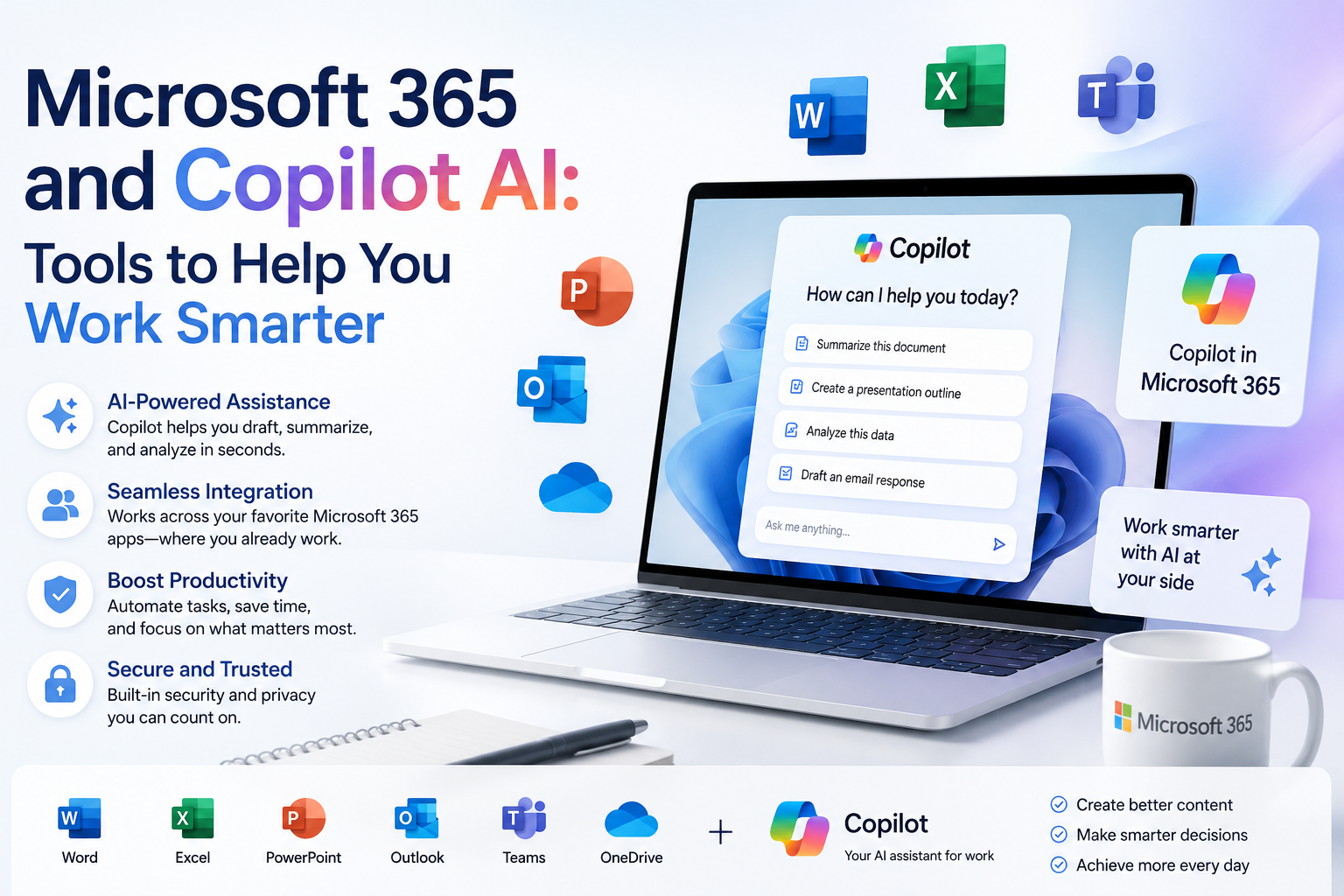
Microsoft 365 and Copilot AI: Tools to Help You Work Smarter
Nội dung
- 1. Microsoft 365: The complete office suite, always with you.
- 2. Copilot AI: AI assistant for each application
- 3. Microsoft 365 integrates Copilot AI - Optimizing your work so you can focus on what matters more.
- 4. Who should use Microsoft 365 with Copilot AI integration?
- 5. Key features of Copilot AI
- 5.1 Smart Content Suggestions
- 5.2 Visual Data Analysis
- 5.3 Optimizing the Presentation
- 5.4 Smart Email Management Support
- 5.5 Automating Repetitive Processes
- 6. How to upgrade your Copilot Pro account at a low cost
- 7. Instructions for upgrading your Copilot Pro account at SaDesign
- 8. Conclusion
Today, technology is constantly evolving, offering new solutions to optimize workflows. Microsoft 365, with its powerful and flexible toolset, has become an indispensable part of the modern workplace.
1. Microsoft 365: The complete office suite, always with you.
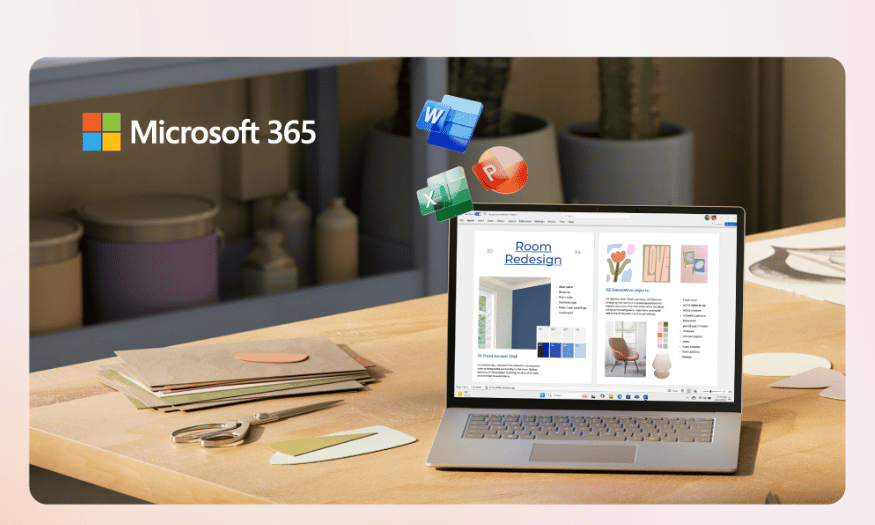
In an increasingly flexible and diverse work environment, Microsoft 365 has emerged as an optimal solution for individuals and businesses. This suite of tools not only includes familiar applications like Word, Excel, PowerPoint, Outlook, and OneNote, but also integrates many advanced features to optimize workflows. One of the highlights of Microsoft 365 is its seamless synchronization across all devices, from laptops and tablets to smartphones. This means you can easily access and edit your documents anytime, anywhere, without worrying about data loss or device incompatibility.
Additionally, Microsoft 365 offers users 1TB of OneDrive cloud storage per person. With this capacity, you can store not only documents but also images, videos, and other work files. This feature eliminates the worry of sending files back and forth via email and ensures you always have a secure backup of all your important documents. Furthermore, with OneDrive, sharing documents with colleagues or friends is easier than ever – just a few clicks.
2. Copilot AI: AI assistant for each application
One of the most significant advancements in Microsoft 365 is the integration of Copilot, a next-generation artificial intelligence assistant. Copilot is not just a support tool, but a companion that optimizes the user experience for each application. With its semantic analysis capabilities and deep understanding of content, Copilot helps users work more efficiently within each Microsoft 365 application.
-
In Word, Copilot can suggest ways to begin, develop content, and clarify ideas, helping users write more coherently and logically. If you're struggling to express an idea, Copilot can help rewrite the paragraph to make it clearer. Additionally, if you need to summarize a long document, Copilot can create a quick summary, saving time and effort in searching for important information.
-
In Excel, Copilot offers a completely new experience. You can analyze data with just a simple question, such as "How much higher was spending in March compared to February?" and instantly get an accurate answer. Copilot also supports automatic chart generation to help you easily visualize data, along with the ability to quickly clean data and format tables, saving you a lot of time during your work.
-
In PowerPoint, Copilot helps transform a description into a polished presentation with suggested images and layouts. It not only assists in creating slides but also suggests presentation notes, provides smooth slide formatting, and organizes content logically according to the presentation flow. This helps you feel more confident when presenting your ideas to colleagues or clients.
-
Finally, in Outlook, Copilot helps you quickly summarize incoming emails, suggesting polite, concise, and to-the-point replies. It also supports scheduling meetings, invitations, and smart reminders, helping you manage your time more effectively. With Copilot, handling emails and planning becomes easier and faster than ever before.
3. Microsoft 365 integrates Copilot AI - Optimizing your work so you can focus on what matters more.
In today's work world, where time and productivity are precious, using Microsoft 365 with Copilot AI integration has become a groundbreaking solution for users. Copilot not only helps you get started quickly with clearly structured drafts, but also assists you in handling complex data in an intuitive and easy-to-understand way. You can easily create high-quality documents without spending excessive time on repetitive technical steps. Instead of getting bogged down in minor details, you'll have the opportunity to focus on what truly matters: developing ideas and creativity.
One of Copilot's biggest benefits is its ability to enhance the professionalism of all your outputs, from emails to presentations. With the support of artificial intelligence, you no longer have to worry about unclear or unconvincing communication. Every document you create is optimized to convey your message most effectively. This not only helps you make a good impression on colleagues and clients but also builds a stronger personal brand in the eyes of everyone.
Thanks to Copilot's superior features, you'll have more time to focus on the elements that create true personal value in every task you do. Instead of spending hours on technical and repetitive tasks, you can dedicate your time to critically evaluating, refining, and developing creative ideas. This is key to improving productivity and achieving the best results. The combination of Microsoft 365 and Copilot AI not only creates a more efficient work environment but also fosters creativity and innovation—essential elements in any field.
4. Who should use Microsoft 365 with Copilot AI integration?
Microsoft 365's integration with Copilot AI is an ideal choice for professionals working in a modern office environment. Those in finance, marketing, or project management will find that Copilot provides powerful tools for easily processing data and generating reports. Its ability to analyze complex data and automate repetitive tasks saves them time, allowing them to focus on strategic decision-making and innovative ideas.
Additionally, those working in education and training will also benefit from using Microsoft 365 and Copilot AI. Teachers and instructors can quickly create engaging teaching materials, presentations, and high-quality learning content. Copilot helps them optimize the creation and editing process, thereby enhancing the learning experience for students. This support not only saves time but also increases the professionalism of educational products.
Finally, entrepreneurs and small business owners will also see great value from Microsoft 365 integrated with Copilot AI. With the ability to create and manage documents, emails, and presentations efficiently, they can focus on building relationships with customers and growing their business. Copilot helps them make faster and more accurate decisions, thereby creating a competitive advantage in an increasingly fierce market. The flexibility and powerful features of Microsoft 365 will help them grow their businesses sustainably.

5. Key features of Copilot AI
5.1 Smart Content Suggestions
Copilot AI intelligently suggests content, helping users quickly develop ideas and create high-quality documents. When you start drafting a document in Word, Copilot analyzes the context and provides relevant suggestions, from headings to paragraphs. This not only saves users time but also encourages creativity, helping them find fresh and engaging ways of expressing themselves.
In addition to suggesting content, Copilot also supports editing and improving existing text. If you feel a paragraph isn't clear or coherent enough, Copilot can suggest ways to rewrite it to improve logic and persuasiveness. This helps users feel more confident in presenting their ideas and enhances the quality of their output.
5.2 Visual Data Analysis
One of Copilot AI's most powerful features is its ability to visually analyze complex data. In Excel, users can enter natural questions like "How does this month's spending compare to last month's?" and receive instant answers. Copilot uses advanced algorithms to analyze data and provide clear information, making it easy for users to understand their financial situation.
In addition, Copilot can automatically generate charts and tables to illustrate data. This not only helps users easily visualize information but also supports the presentation of results more professionally. The visual nature of data analysis helps users make faster and more accurate decisions.
5.3 Optimizing the Presentation
In PowerPoint, Copilot AI offers a completely new experience when creating presentations. From a simple description, Copilot can transform it into a complete presentation with suggested images and layouts. This saves users time in design and allows them to focus on the main content of the presentation.
In addition to creating content, Copilot also assists users in organizing and formatting slides effectively. Suggestions on presentation style and note-taking help users feel more confident in front of an audience. As a result, presentations not only become more engaging but also convey the message more effectively.
5.4 Smart Email Management Support
Copilot AI also plays a crucial role in email management, especially in Outlook. Its quick email summary feature helps users grasp information quickly, saving them time in filtering and processing hundreds of emails daily. Instead of opening each email, users can simply look at the summary and decide on the action to take.
Additionally, Copilot suggests ways to respond to emails politely and concisely. This not only saves time but also ensures that all communication is professional and effective. With this support, users can easily maintain good relationships with colleagues and clients.
5.5 Automating Repetitive Processes
Another standout feature of Copilot AI is its ability to automate repetitive processes. In many work environments, users often have to perform the same tasks repeatedly, from creating reports to sending email reminders. Copilot helps identify these processes and automate them, reducing the burden on users.
When repetitive tasks are automated, users have more time to focus on more important tasks such as idea development or product improvement. This optimization not only enhances work efficiency but also creates a more comfortable and productive work environment.

6. How to upgrade your Copilot Pro account at a low cost
Copilot Pro is an indispensable tool for anyone working in the programming field, helping to improve code quality and optimize the software development process. With its intelligent support, Copilot Pro helps you focus on creative ideas and minimize time spent on repetitive tasks. Especially at a price of only 249,000 VND/month at SaDesign, you can easily own this tool without worrying about your budget.
SaDesign proudly stands as a leading provider of genuine software and application accounts in Vietnam. When you choose SaDesign, you not only receive a Copilot Pro account at a great price but also guaranteed superior service quality. Our support team is always ready to assist you, helping you resolve any questions quickly and efficiently.
Owning a Copilot Pro account is not only an investment in your work but also a step towards improving your productivity. Let SaDesign help you optimize your software development process, delivering amazing programming experiences.
7. Instructions for upgrading your Copilot Pro account at SaDesign
To upgrade your Copilot Pro account at SaDesign, simply follow these easy steps. Starting with accessing our website, you will be guided through the process quickly and easily.
Step 1: Access the SaDesign website
First, open your web browser on your device and go to https://sadesign.vn . Our homepage will appear with full information about the products and services that SaDesign offers.
Step 2: Search for a Copilot Pro account
Next, use the search bar in the upper left corner of the screen to enter the phrase "Copilot Pro Account". With just a few clicks, you'll see the product you need. Choose the service package that suits your needs and click "Add to cart" or "Buy now".
Step 3: Complete the payment
After selecting your service package, simply choose "Checkout" and fill in your personal information. This will help us confirm your order quickly. Once the transaction is complete, you will receive an email containing your new Copilot Pro account information and activation instructions. Follow the instructions in the email to start experiencing the excellent support Copilot Pro provides for your programming work.

8. Conclusion
In summary, Microsoft 365 and Copilot AI are not just tools, but powerful assistants that help users work smarter. The combination of AI automation and Microsoft 365 flexibility creates an efficient, innovative, and productive work environment. When businesses and individuals know how to leverage these technologies, they will not only save time but also improve the quality of their work, thereby achieving sustainable success in the future.





















VIP Products








Best Selling Products
Upgrade Genuine Office 365
49 USD
Freepik Premium Account
59 USD
Genuine Adobe Illustrator account
99 USD
MidJourney Account
29 USD
Genuine Cheap Canva Pro
39 USD
Autodesk All App Account Copyright
120 USD
Capcut Pro 1 Year
39 USD
Adobe Photoshop Copyright - Full App
120 USD
Plugin Retouch4me
69 USD
Upgrade genuine Capture One account
120 USD
Copyright Adobe Lightroom Account
59 USD
Windows 10 & 11 Pro Key
36 USD
Upgrade Duolingo Super
29 USD
ChatGPT Plus Account (GPT-4)
16 USD
Adobe Premiere Pro Account
99 USD