Best Selling Products

MidJourney Account
29 USD

Genuine Cheap Canva Pro
39 USD

Freepik Premium Account
59 USD

Upgrade Genuine Office 365
49 USD

ChatGPT Plus Account (GPT-4)
16 USD

Autodesk All App Account Copyright
120 USD

Plugin Retouch4me
69 USD

Adobe Premiere Pro Account
99 USD

Windows 10 & 11 Pro Key
36 USD

Adobe Photoshop Copyright - Full App
120 USD

Upgrade Duolingo Super
29 USD

Copyright Adobe Lightroom Account
59 USD

Genuine Adobe Illustrator account
99 USD

Capcut Pro 1 Year
39 USD

Upgrade genuine Capture One account
120 USD
Microsoft "kills off" Publisher after 35 years: Why was a legend forgotten?
Nội dung
Once a popular design tool for small businesses, Publisher is now officially coming to an end.
Microsoft has officially announced that it will be discontinuing Microsoft Publisher after more than 35 years. According to Microsoft's product lifecycle page, support for the software will officially end on October 1, 2026. Microsoft states that ending support for Publisher is part of a strategy to streamline its application suite, moving towards a future where tools like Word, PowerPoint, and especially Microsoft Designer can better handle the role of publication design.
1. Microsoft Publisher: The 35-Year Legacy of the Software Giant
Launched in 1991, Microsoft Publisher was considered a product born in a software market witnessing the strong rise of desktop publishing tools. At that time, Adobe had launched PageMaker, Quark was dominating with QuarkXPress, and Apple had clearly defined the trend of professional design on computers. Microsoft could not stay out of the game.
Publisher was created as a tool for non-design professionals, allowing them to easily create print publications or promotional materials. The initial version was quite rudimentary, but just a few years later, when integrated into Office 97 Small Business Edition, it quickly became an indispensable part of millions of small businesses.
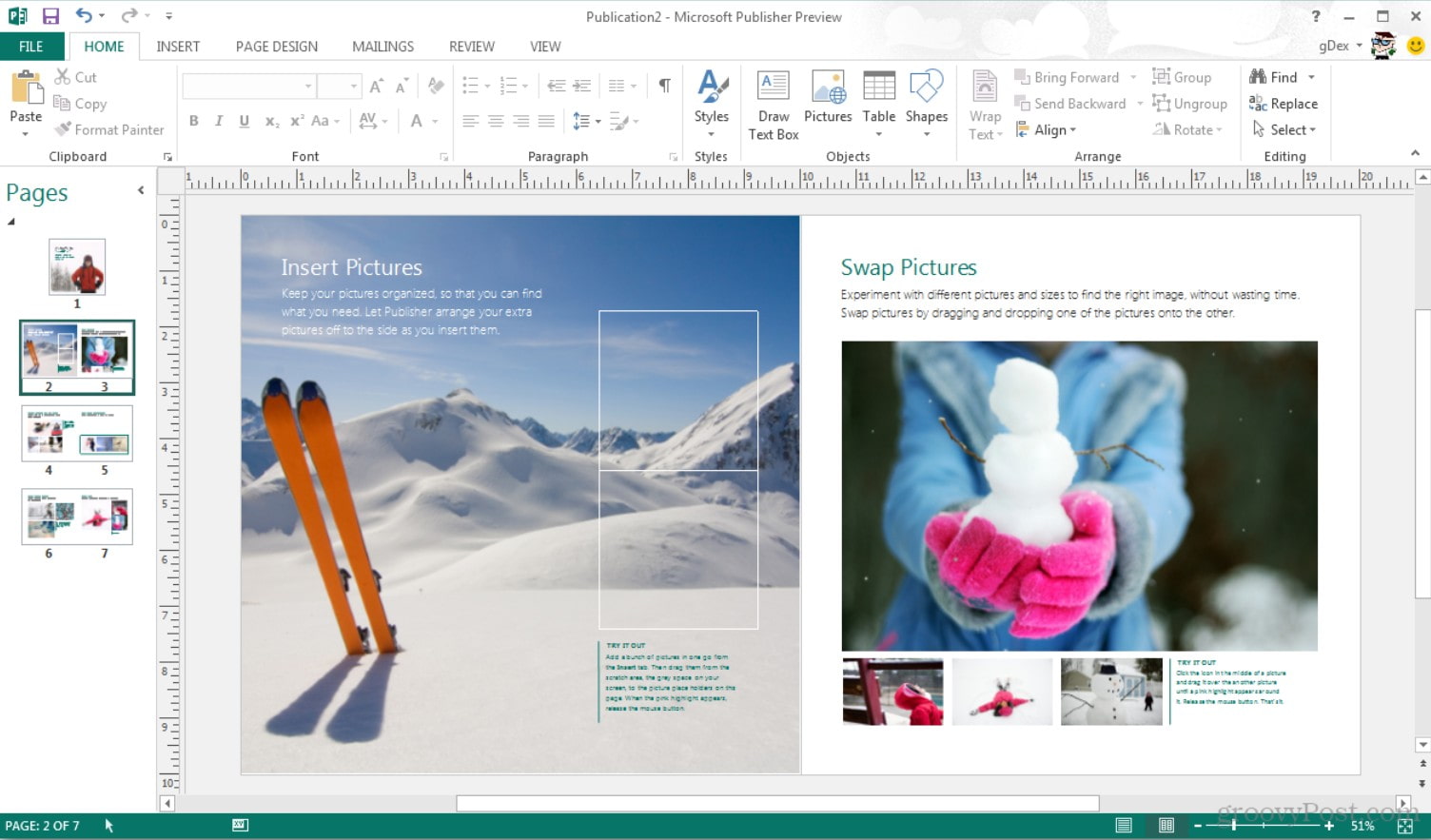
With Publisher, users can create brochures, catalogs, business cards, postcards, invitations, or internal newsletters without hiring a graphic designer. Microsoft cleverly designed Publisher as software: easy to use and requiring no in-depth knowledge of layout, color, or printing.
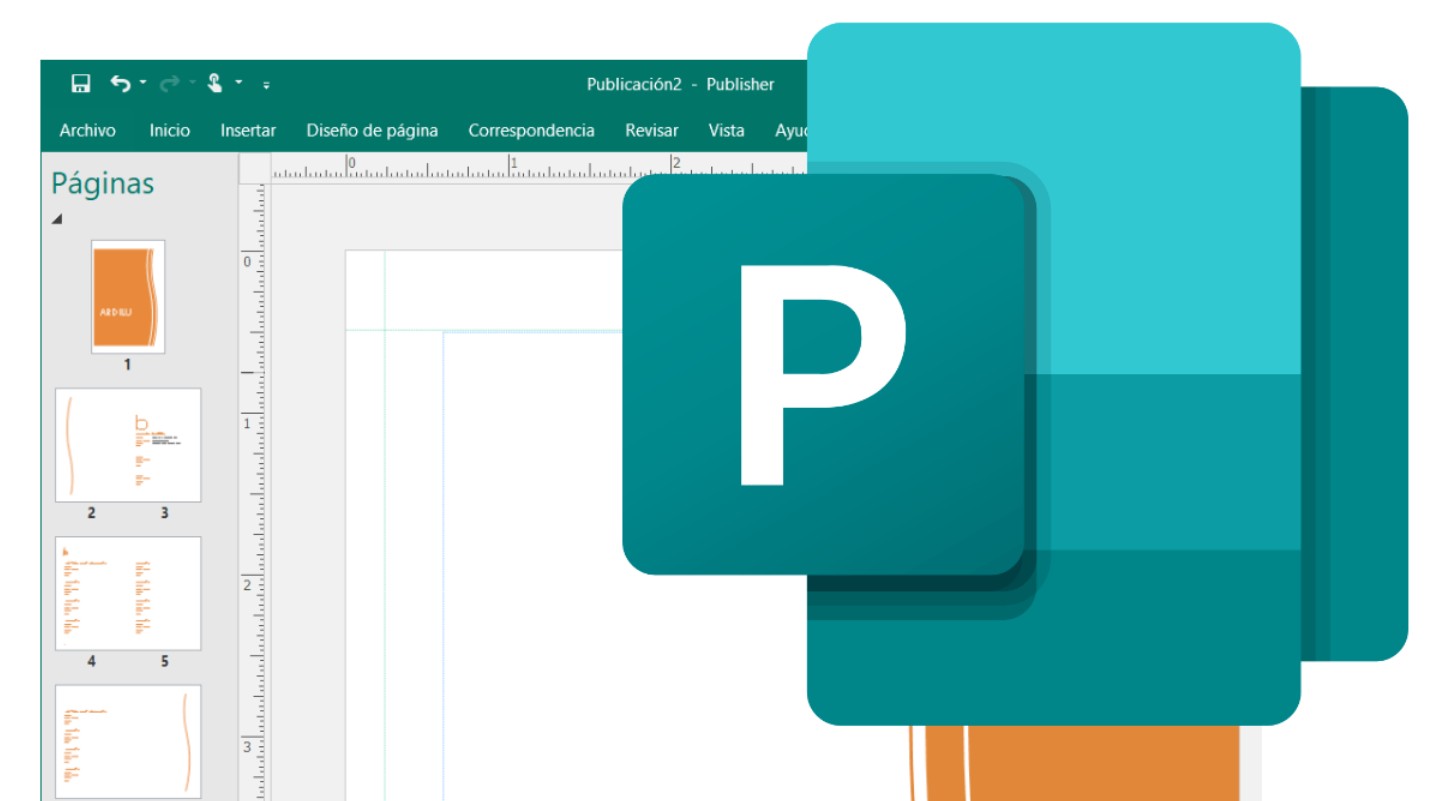
Throughout the 2000s, Publisher was continuously improved. Versions like Publisher 2003, 2007, and 2010 offered a more user-friendly interface, support for new image formats, intelligent alignment tools, and, most importantly, web publishing capabilities. As the world shifted to the Internet, Microsoft didn't want Publisher to be limited to print; they wanted users to be able to create electronic newsletters, design email marketing, or even publish online content directly from the software.
By the time Office 2013 was released, Publisher had added PDF export capabilities and the ability to share via OneDrive. However, as collaborative work platforms emerged, Publisher's limitations became apparent. Despite its cloud storage capabilities, it remained a standalone application on the computer, lacking direct integration with other applications in the Microsoft 365 ecosystem.
Nevertheless, it's undeniable that Publisher was once a powerful tool for millions of ordinary users. From small restaurants designing their first menus, to schools creating student newsletters, or clubs organizing internal events, Publisher served as a reliable design assistant.
2. Why do publishers have to 'die'?
The question many people are asking is: why did Microsoft choose to "kill off" Publisher instead of continuing to maintain and upgrade it? The answer lies in Microsoft's global strategy, where AI, cloud computing, and simplifying the user experience are top priorities.
Looking at the Microsoft 365 ecosystem today, it's easy to see that most of what Publishers used to do, now has other tools that do it better, even much better.
Microsoft Word has now evolved far beyond traditional word processing. Users can design forms, invitations, newsletters, or even small publications directly within Word, with its powerful toolset for formatting, alignment, and image management. Word now also offers ready-made templates, allowing for quick document creation without needing Publisher.
Meanwhile, PowerPoint is becoming a true design tool. Recent versions of PowerPoint allow users to create custom layouts, manage graphics and visual effects, and export files as high-quality PDFs or images. Many content creators, instead of opening Photoshop or InDesign, simply use PowerPoint to create posters, infographics, and advertising banners.
However, the most important reason lies in the emergence of Microsoft Designer, a brand-new tool launched by Microsoft as part of their comprehensive AI strategy. Designer is a revolutionary product in applying artificial intelligence to visual design. Users simply enter a description (prompt) or select a template, and the AI will automatically suggest layouts, colors, images, and even text suitable for their communication goals.
With Designer, even someone with no design knowledge can create aesthetically pleasing products in minutes. More importantly, Designer operates entirely online, seamlessly integrated with Microsoft 365 and Copilot. Publisher, on the other hand, is locally installed software with a classic interface and desktop-based technology, making it clearly outdated.
Furthermore, functional duplication was another factor that forced Microsoft to make a choice. When a user can create flyers in PowerPoint, design newsletters in Word, and create media images in Designer, maintaining a separate application like Publisher is no longer economically viable. With its lean strategy, Microsoft prioritizes tools that integrate multiple features within a single platform, rather than fragmenting functionality.
Another factor is the change in how modern users work. Today, much of the advertising, media, and design content is no longer geared towards print as before, but focuses on social media platforms, email, websites, and online interactive tools. While publishers were created to serve print publishing, they haven't really adapted well to the needs of digital design, especially with the increasing popularity of platforms like Canva, Figma, or Adobe Express.
Microsoft itself acknowledges that Publisher has fulfilled its historical mission. Ending support is not a sad end, but a necessary step for the entire Office ecosystem to move towards greater intelligence, connectivity, and flexibility.
According to the announced plan, Microsoft Publisher will officially cease operation and will no longer receive updates from October 1, 2026. After that date, users will no longer receive security patches, will not be able to download or install new applications, and Microsoft 365 packages will completely remove Publisher from their product lists.
3. What should users do?
When software support ends, the most important thing isn't regret, but planning a smart transition to avoid work disruption. Microsoft has made the recommendation very clear: users should migrate all Publisher (.pub) files to more common formats like PDF or Word before the October 2026 deadline.
This ensures that your content won't get "stuck" in a format that the new operating system and applications no longer recognize.
For individuals or businesses with large volumes of Publisher files, the migration process needs to be done in stages. Microsoft has provided detailed instructions, including PowerShell scripts, to automate this migration process, saving time for users with hundreds or thousands of files.
First, users need to review all their data. Identify the Publisher files that are still frequently used, such as flyer templates, internal forms, newsletters, or company business cards. These files should be converted as soon as possible, preferably exported to PDF for archiving or Word if you want to continue editing the content.
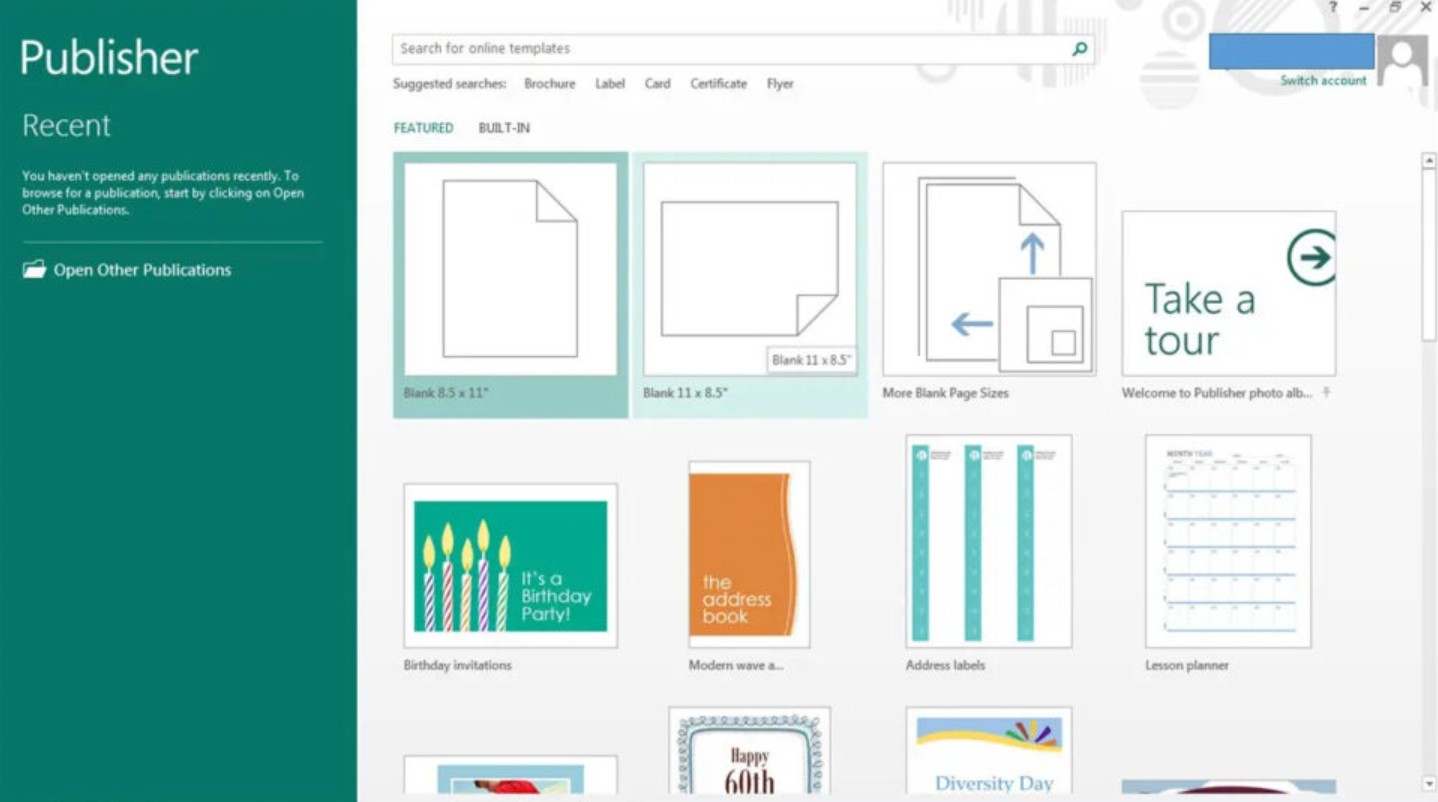
The conversion from Publisher to Word is not absolutely perfect; sometimes the layout, images, and fonts may be slightly misaligned. Therefore, users should manually check after conversion to ensure that the layout and content are correct.
Besides migrating files, organizations also need to plan for changes to their workflows. For example, if you previously used Publisher to create recurring advertising templates, you could now switch to PowerPoint or Word, leverage the available templates, or experiment with Microsoft Designer to speed up the creative process.
Designer could be the ideal choice for the future. It's an AI-integrated online tool that allows you to create designs simply by typing in your desired description. You can ask Designer to create flyers, banners, or invitations with specific styles, main colors, and text content, and the system will automatically generate multiple options for you to quickly choose from. This feature aligns with Microsoft's current trend of "creative automation."
Additionally, users should back up all original Publisher files before converting. Although Publisher will no longer be supported after 2026, keeping the originals in internal or cloud storage will provide a reference point if needed.
Technically, when the "end date" arrives, Publisher will no longer receive security updates. While the software may still run for a while, the risk of instability, display errors, or conflicts with newer Windows versions is very high. Therefore, continued use after 2026 is not recommended.
For businesses or schools, discontinuing Publisher support also presents an opportunity to standardize internal design systems. You can leverage this process to establish new standards for templates, files, logos, colors, and formatting, while simultaneously training staff on new tools.
Many organizations are now gradually shifting to more modern design platforms such as Canva, Adobe Express, or Figma, especially when real-time collaboration is required. If you still want to stay within the Microsoft ecosystem, PowerPoint and Designer are two of the best options to consider, as they integrate directly with Microsoft 365 and Copilot AI.
Most importantly, the transition shouldn't be left until the "last minute." While 2026 may seem far away, the large volume of data and the need for testing and layout adjustments could make the transition take longer than expected. Planning early will help businesses and individuals avoid pressure as the official end-of-support date approaches.
If you're using Publisher, start planning the transition today. Make sure all your documents are securely stored, converted to the appropriate format, and the new workflow is firmly established before the 2026 deadline.





















VIP Products








Best Selling Products
MidJourney Account
29 USD
Genuine Cheap Canva Pro
39 USD
Freepik Premium Account
59 USD
Upgrade Genuine Office 365
49 USD
ChatGPT Plus Account (GPT-4)
16 USD
Autodesk All App Account Copyright
120 USD
Plugin Retouch4me
69 USD
Adobe Premiere Pro Account
99 USD
Windows 10 & 11 Pro Key
36 USD
Adobe Photoshop Copyright - Full App
120 USD
Upgrade Duolingo Super
29 USD
Copyright Adobe Lightroom Account
59 USD
Genuine Adobe Illustrator account
99 USD
Capcut Pro 1 Year
39 USD
Upgrade genuine Capture One account
120 USD