Best Selling Products

Genuine Cheap Canva Pro
39 USD

Upgrade genuine Capture One account
120 USD

MidJourney Account
29 USD

ChatGPT Plus Account (GPT-4)
16 USD

Adobe Premiere Pro Account
99 USD

Upgrade Duolingo Super
29 USD

Windows 10 & 11 Pro Key
36 USD

Autodesk All App Account Copyright
120 USD

Plugin Retouch4me
69 USD

Copyright Adobe Lightroom Account
59 USD

Adobe Photoshop Copyright - Full App
120 USD

Freepik Premium Account
59 USD

Upgrade Genuine Office 365
49 USD

Capcut Pro 1 Year
39 USD

Genuine Adobe Illustrator account
99 USD
Microsoft Designer: Fast design, intelligent AI, free experience.
Nội dung
Microsoft Designer provides an intuitive, easy-to-use design experience, helping you create images, posters, invitations, and marketing materials quickly and effectively.
Microsoft Designer is more than just design software. It combines the power of artificial intelligence (AI) with Microsoft's signature user-friendly interface, providing users with a smooth, fast, and efficient creative experience. What's particularly noteworthy is that Microsoft Designer is currently available for a completely free trial , offering students, office workers, content creators, and small businesses the opportunity to experience the power of AI design without requiring specialized skills. In this article, we'll explore Microsoft Designer in detail: what it is, why it's special, its outstanding features you shouldn't miss, and why it's becoming a new trend in the world of AI-integrated design.
1. Learn about Microsoft Designer
Microsoft Designer is an intelligent graphic design tool developed by Microsoft, first launched in 2023. This application is designed to help users create professional designs quickly, without requiring complex knowledge of art or graphic design software.
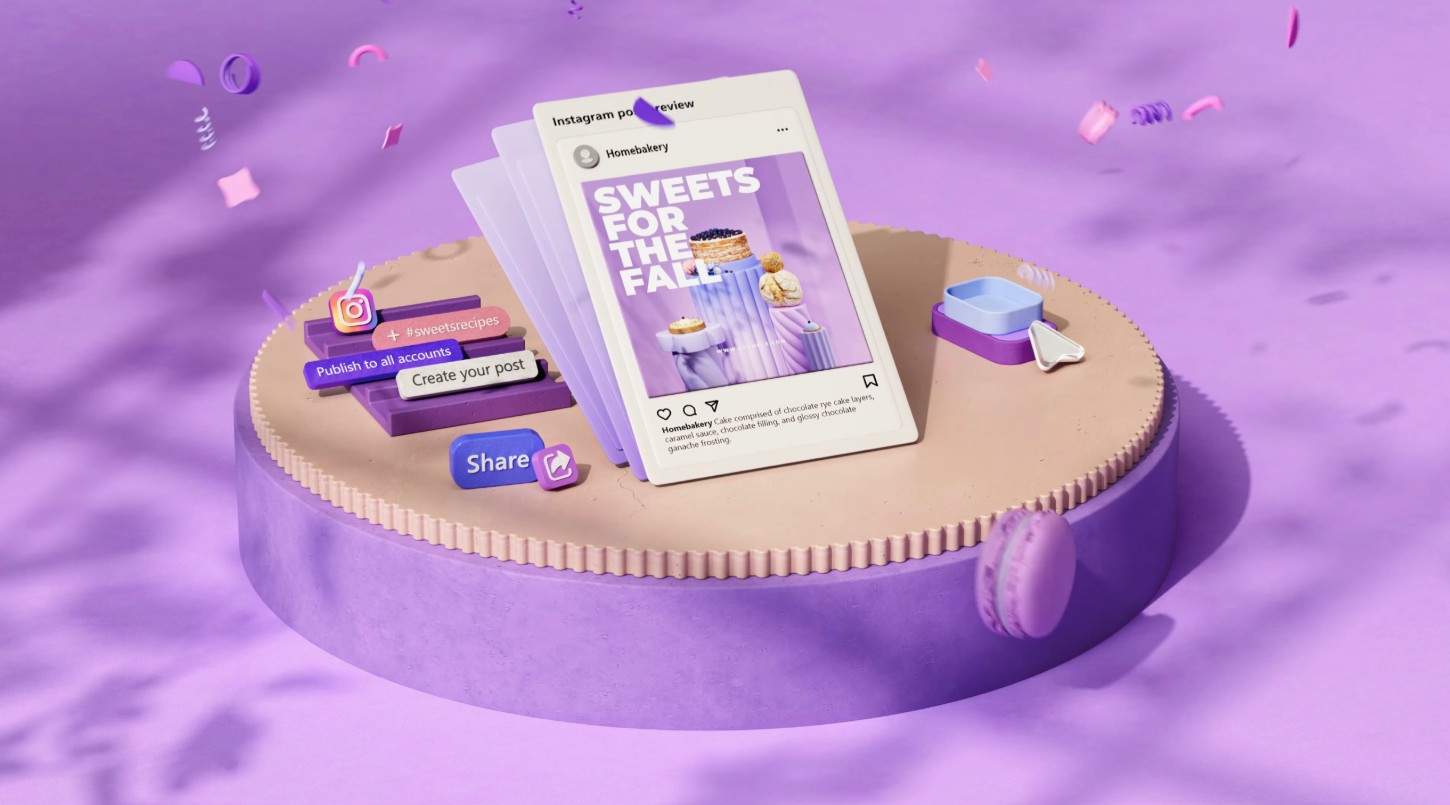
The highlight of Microsoft Designer lies in its integration of artificial intelligence into the entire creative process. Instead of manually adjusting layouts, choosing colors, or selecting fonts, users simply input their ideas or desired content, and the AI automatically suggests suitable designs. For example, if you input "Create an Instagram post to introduce a new product," Designer will immediately generate a series of complete post templates with professional images, layouts, and fonts, ready for you to customize.
Microsoft Designer is built on OpenAI's advanced AI technology, specifically language and image models similar to DALL·E and GPT. Thanks to this, the tool can understand natural language, recognize context, and automatically generate appropriate images or layouts. This is the core difference that makes Designer superior to traditional design tools.
Beyond simply "creating images," Microsoft Designer can analyze text content to suggest designs that align with your communication goals. If you need to create an advertising banner, the AI will consider factors such as text ratio, image space, color, and messaging to help make the design more appealing. All this happens in seconds, delivering incredible efficiency.
2. Friendly in social media posts and invitations.
One of the reasons Microsoft Designer is so popular is its ability to optimize for social media content and popular design templates like invitations, posters, or flyers. In an age where social media is the primary communication channel, creating engaging, eye-catching, and professional content is crucial. Designer was created to address precisely that problem.
When users want to create a post on Facebook, Instagram, LinkedIn, or Pinterest, they simply enter a description or upload a product image. Immediately, Designer will automatically analyze the image, understand the theme, and suggest dozens of layouts suitable for each social media platform. For example, for Instagram, the tool will prioritize square or vertical layouts, using large fonts and a prominent central image; while for LinkedIn, the design leans towards a more minimalist, professional, and modern style.
Additionally, Microsoft Designer includes thousands of pre-designed invitation and event template options. Users can create birthday invitations, wedding invitations, or conference invitations in minutes. AI will help you choose the right color scheme for the theme, balance text and images, and suggest subtle decorative details.
One notable aspect is that the designer understands linguistic context and emotions very well. If you enter the request "Create a birthday invitation for an 8-year-old girl with pastel pink," the AI not only creates a pink background but also adds cute details like balloons, a cake, or soft handwriting. This intelligence makes the design process feel more natural and relatable than ever before.
Thanks to its flexible interaction capabilities, Microsoft Designer becomes the perfect "design assistant" for social media users. You don't need to spend hours with Photoshop or Canva; in just a few minutes, you can have a complete, beautiful design ready to post.
3. Built-in integration with Microsoft Edge
One of the factors that makes Microsoft Designer special is its seamless integration into the Microsoft Edge browser.
Instead of accessing a separate website or installing software, users can open Microsoft Designer directly within the Edge browser via the sidebar. While browsing the web, viewing products, or reading news, you can launch Designer with just one click and start designing immediately.
This integration offers several clear benefits. First, it saves time. You can create advertising images for a product while viewing the product's website, without switching applications or downloading data back and forth. Second, Edge allows Designers to directly access browser data, such as the text you're copying, the images you've selected, or even the paragraph you're writing. The Designer's AI can then use that information to suggest designs instantly.
In particular, Microsoft Designer on Edge also supports quick sharing. When you finish your design, with just one click, the product can be downloaded or shared directly to platforms like LinkedIn, Facebook, or OneDrive. The entire process is seamless, fitting the fast-paced workflow of modern users.
4. Features of Microsoft Designer
What sets Microsoft Designer apart from other popular design tools is its extensive AI-integrated features . All of these are built to minimize manual tasks and optimize users' creative time.
First, Designer allows you to create images using AI from text descriptions . Similar to DALL·E, you can enter any description. For example: "a cup of coffee on a wooden table with soft morning light," and the tool will automatically generate a completely new, realistic image that matches the description. This feature helps users avoid searching for pre-made images online or worrying about copyright issues.
Next is the ability to automatically suggest layouts and fonts . When you enter content, the AI will recognize the type of design (poster, banner, post, invitation, etc.) and automatically suggest balanced layouts, harmonious colors, and suitable fonts. Users simply choose their preferred template and then fine-tune the details to their liking.
Another interesting feature is Smart Background Removal , which allows you to remove the background from an image with just one click. The AI automatically separates the main subject from the background without manual editing, resulting in accurate and natural-looking results.
In addition, Microsoft Designer also has a set of advanced editing tools such as adjusting brightness, color, shadow effects, blurring the background, adding stickers or animated icons. These tools are powerful but arranged in an extremely user-friendly interface, suitable even for beginners.
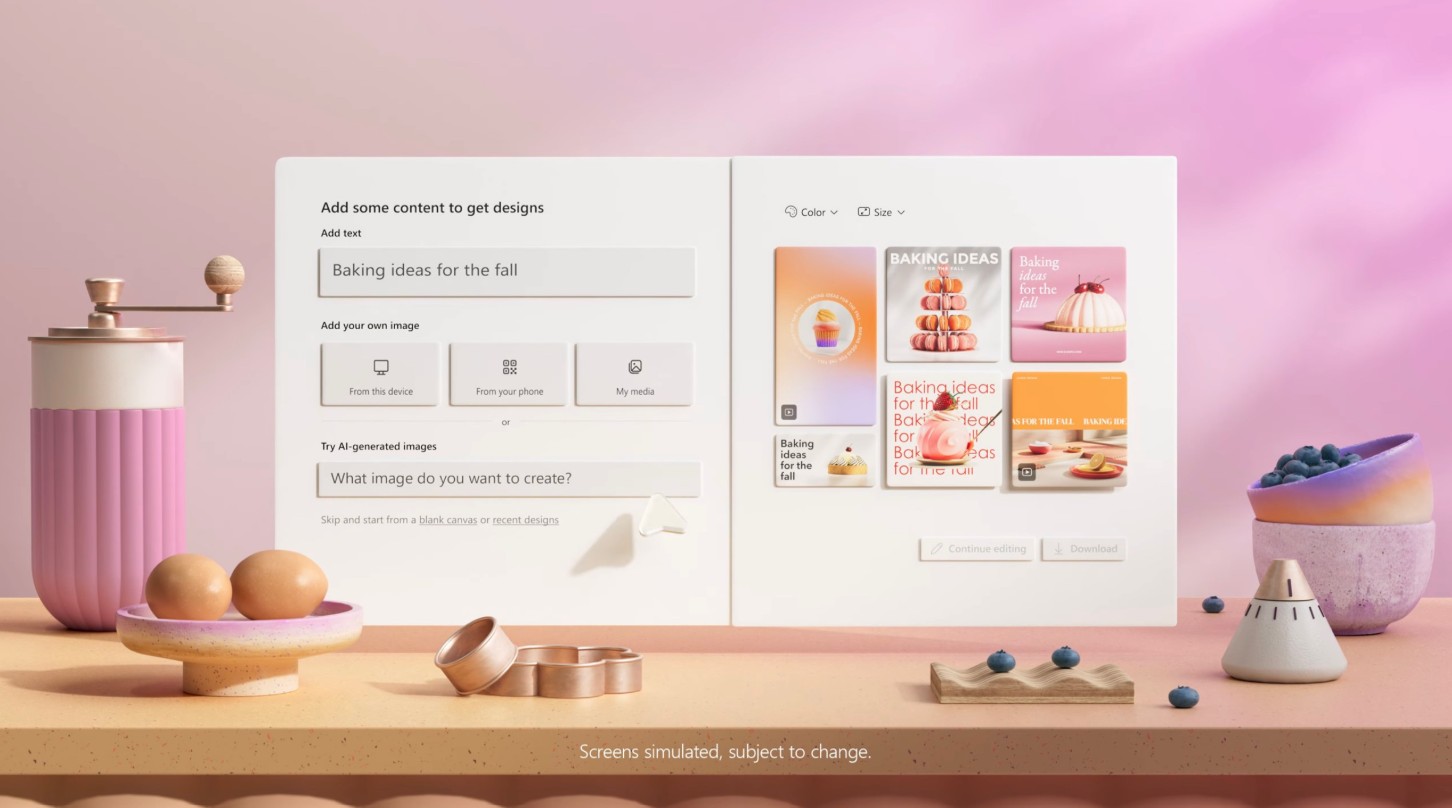
Additionally, Designer has the ability to generate suggested content . For example, if you're creating an advertising post, the tool will suggest an appealing slogan or short description for you to insert directly into the image. The AI can even generate a complete post, including descriptive text and hashtags relevant to your target platform.
5. Microsoft Designer is constantly improving to provide users with a better experience.
Microsoft didn't just launch an AI design tool; they continuously improved it to make Microsoft Designer a comprehensive, intelligent creative platform. Every month, the company releases new updates based on user feedback, aiming to make the design process faster, more accurate, and more natural.
One of the major directions for development is improving AI's ability to understand context. Previously, when users entered descriptions, AI only understood them at a basic level. But now, designers can analyze the emotions, goals, and tone of the content in detail. For example, if you request "design a New Year's greeting post with a luxurious style," the AI will select a gold color scheme, classic serif fonts, and lighting effects that match the "luxurious" feel you desire.
Microsoft is also expanding real-time collaboration capabilities, allowing multiple people to edit a design simultaneously. This feature is particularly useful for marketing or creative teams, where feedback and design refinements need to happen quickly.
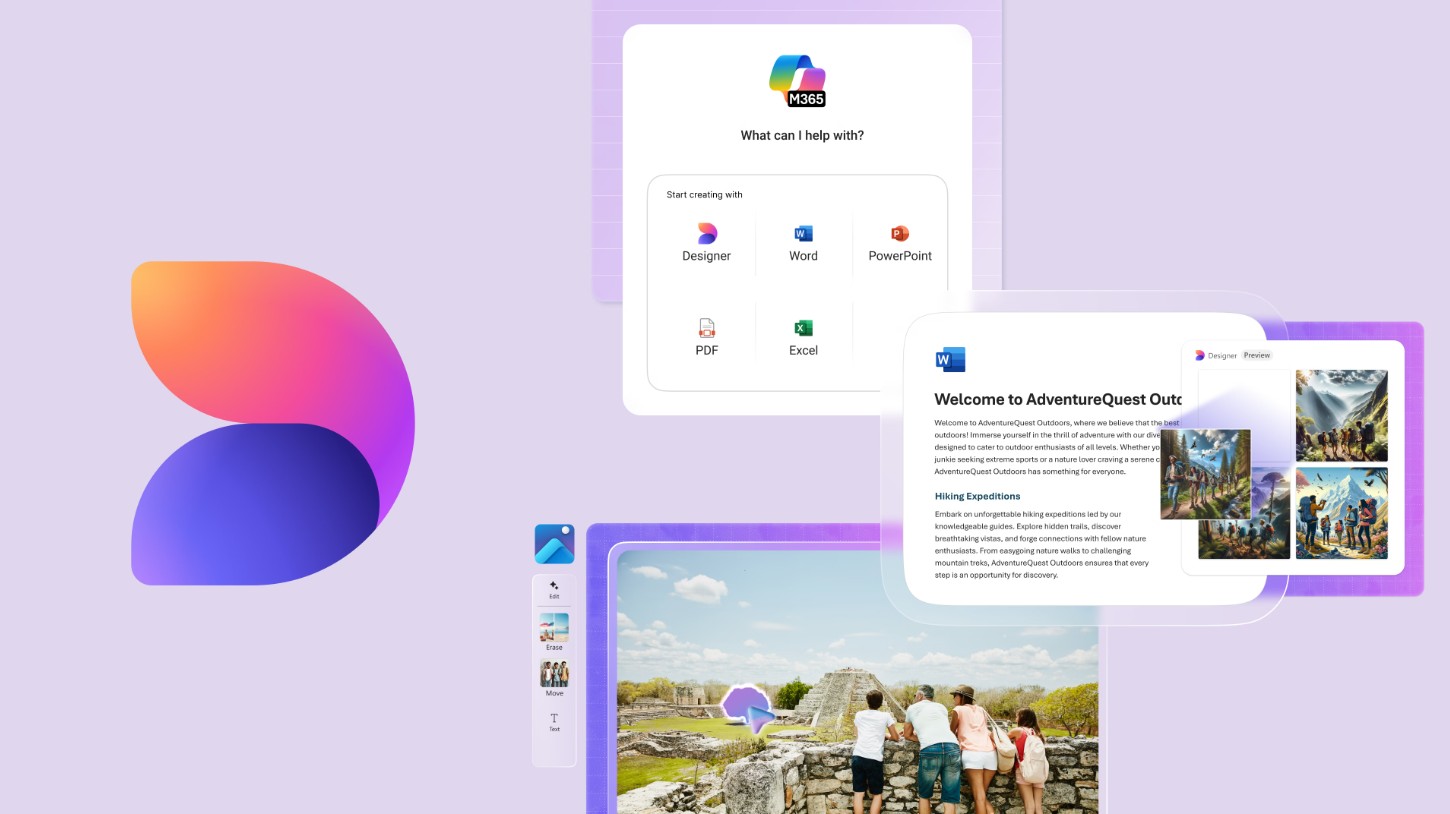
Furthermore, Designer is being more deeply integrated into other applications within the Microsoft ecosystem, such as PowerPoint, Word, and Teams. Users can instantly create illustrations or design slides while drafting documents or presenting ideas. This is a major step forward in unifying the creative experience across the entire Microsoft software ecosystem.
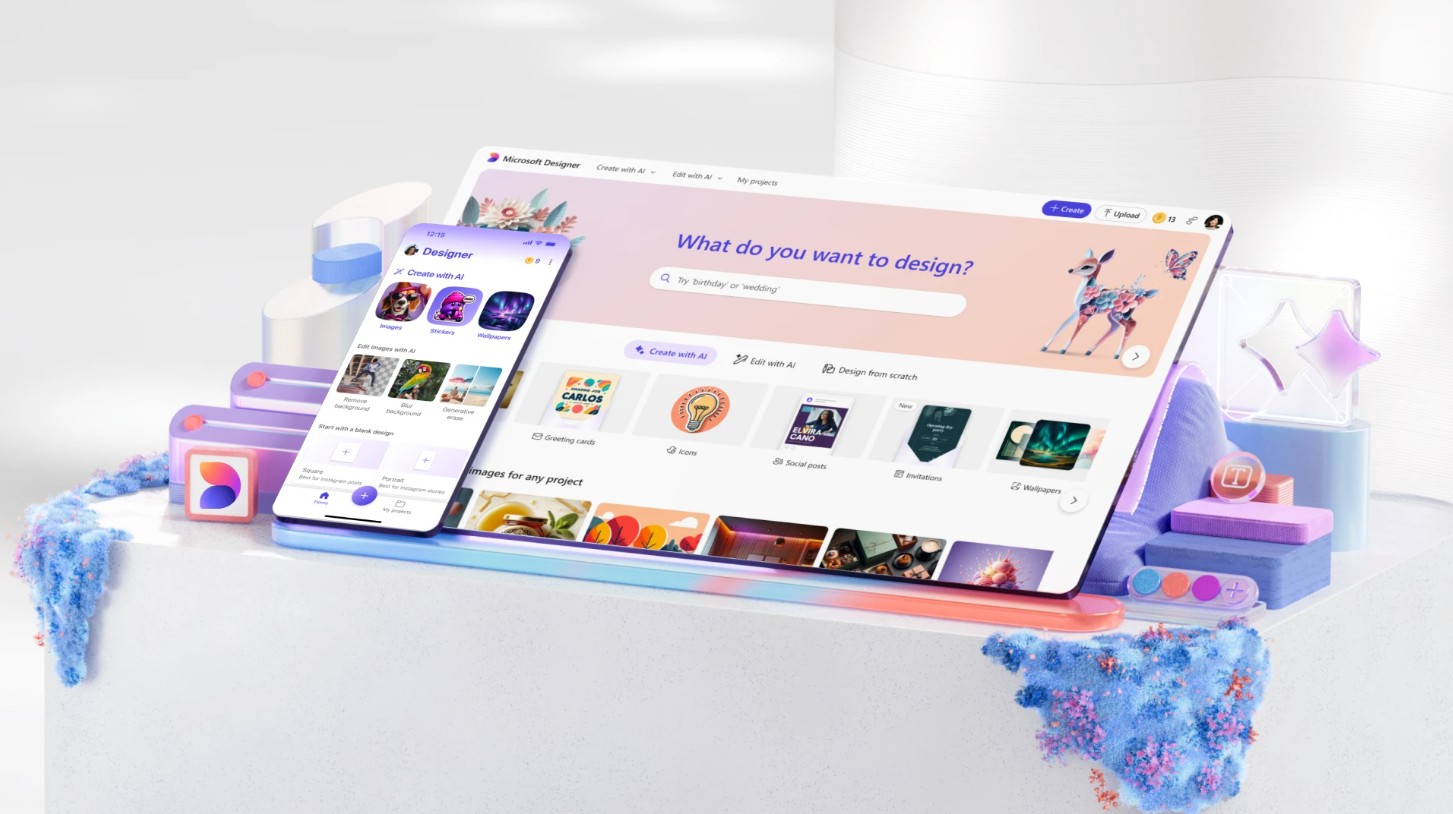
6. Free trial
One of the factors that made Microsoft Designer so popular was that Microsoft offered a completely free trial. Users simply needed to log in with their Microsoft account to access Designer immediately without paying any fees.
This offers a rare opportunity to experience cutting-edge AI design technology at no cost. You can try creating social media posts, invitations, logos, or advertising posters, and discover how AI understands and brings your ideas to life.
Microsoft also promises that the free version is not just a limited "demo" but provides almost all the main features, from AI image creation and layout suggestions to direct editing and sharing. With this version, new users can create professional-quality products without needing to upgrade.
However, Microsoft Designer also offers a paid plan with additional features such as larger cloud storage, exclusive design templates, and enhanced AI integration. This is a suitable option for businesses or creative teams that require a large volume of design work.
With its user-friendly interface, deep integration with Microsoft Edge and other applications, and natural language understanding and intelligent image creation capabilities, Microsoft Designer not only saves time but also inspires creativity for users of all skill levels.





















VIP Products








Best Selling Products
Genuine Cheap Canva Pro
39 USD
Upgrade genuine Capture One account
120 USD
MidJourney Account
29 USD
ChatGPT Plus Account (GPT-4)
16 USD
Adobe Premiere Pro Account
99 USD
Upgrade Duolingo Super
29 USD
Windows 10 & 11 Pro Key
36 USD
Autodesk All App Account Copyright
120 USD
Plugin Retouch4me
69 USD
Copyright Adobe Lightroom Account
59 USD
Adobe Photoshop Copyright - Full App
120 USD
Freepik Premium Account
59 USD
Upgrade Genuine Office 365
49 USD
Capcut Pro 1 Year
39 USD
Genuine Adobe Illustrator account
99 USD