Best Selling Products

Copyright Adobe Lightroom Account
59 USD

Genuine Adobe Illustrator account
99 USD

Adobe Premiere Pro Account
99 USD

Capcut Pro 1 Year
39 USD

Freepik Premium Account
59 USD

ChatGPT Plus Account (GPT-4)
16 USD

Autodesk All App Account Copyright
120 USD

MidJourney Account
29 USD

Genuine Cheap Canva Pro
39 USD

Upgrade Duolingo Super
29 USD

Windows 10 & 11 Pro Key
36 USD

Upgrade Genuine Office 365
49 USD

Upgrade genuine Capture One account
120 USD

Adobe Photoshop Copyright - Full App
120 USD

Plugin Retouch4me
69 USD
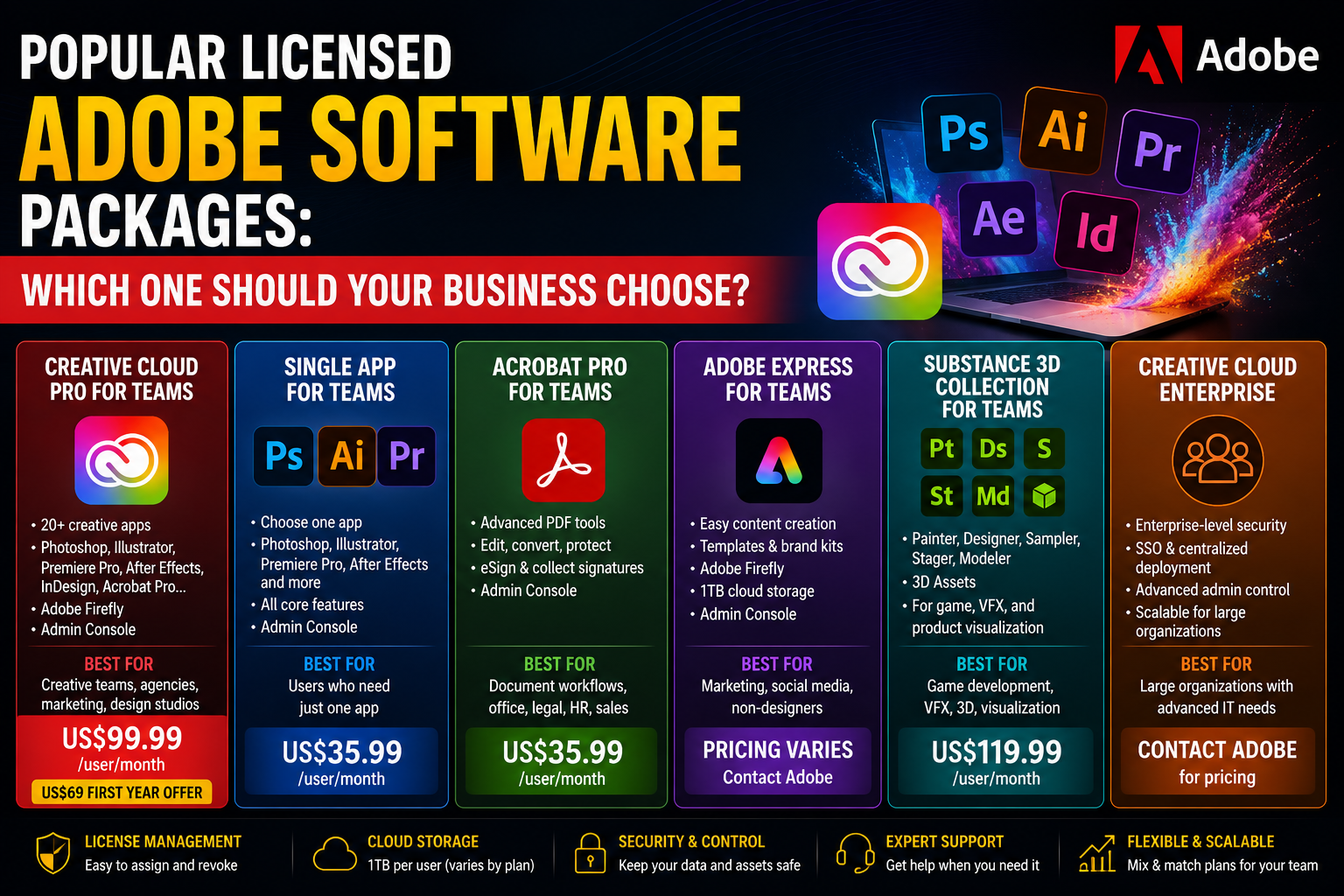
Popular licensed Adobe software packages: Which one should your business choose?
Nội dung
Adobe boasts a diverse ecosystem of licensed software, catering to a wide range of needs from audio editing and website design to online course development, PDF document management, and professional publishing.
1. Adobe Audition
Adobe Audition is professional audio editing, recording, and processing software within the Adobe Creative Cloud ecosystem. It's a tool used by many radio stations, media companies, podcast producers, and audio studios to create high-quality products. With its ability to process multiple tracks simultaneously, filter out background noise, and fine-tune vocals, Adobe Audition enhances audio quality in any media project.
For businesses, Adobe Audition is particularly suitable for video production companies, marketing agencies, multimedia communications units, and businesses that build brand awareness through podcasts or digital content. Organizations that frequently record lectures, internal training videos, or online broadcasts can also effectively utilize this software.
Adobe Audition's standout strengths lie in its intelligent noise reduction capabilities, automatic volume balancing, spectrum editing, multi-channel recording, and direct integration with Adobe Premiere Pro. This speeds up video editing and audio post-production while ensuring professional-quality output.

2. Adobe Dreamweaver
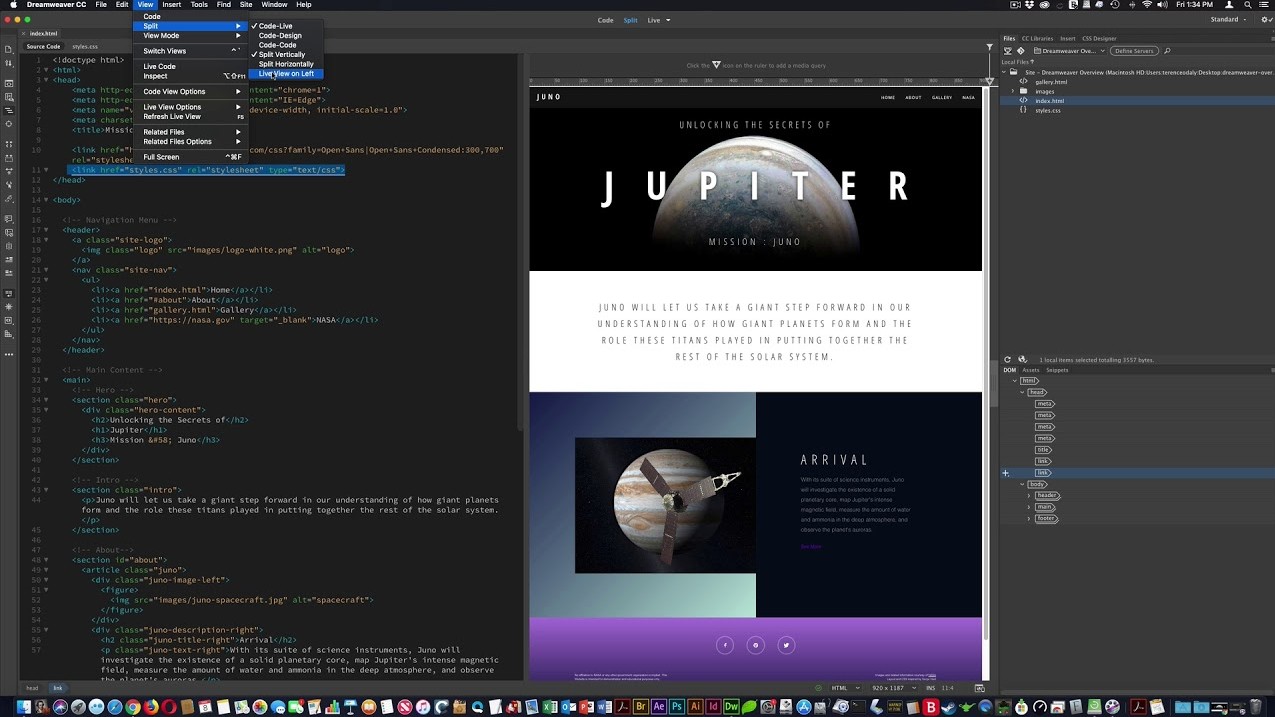
Adobe Dreamweaver is website design and development software that allows users to both code using source code and visually edit through a drag-and-drop interface. It supports many web programming languages such as HTML, CSS, JavaScript, PHP, and Bootstrap, significantly reducing website development time.
Dreamweaver is suitable for technology companies, website design firms, digital marketing agencies, or organizations with in-house web development teams. Additionally, schools and programming training centers often use Dreamweaver as a tool to support website design instruction.
One of Adobe Dreamweaver's biggest advantages is its ability to preview the interface in real time across various screen sizes. The software also integrates features such as automatic code suggestion, syntax checking, FTP server management, and direct synchronization with other tools in the Adobe ecosystem. This allows programmers and designers to collaborate effectively on the same project.
3. Adobe Captivate
Adobe Captivate is specialized software for creating online courses, e-learning lectures, and training content according to eLearning standards. Unlike conventional presentation software, Captivate allows for the creation of highly interactive lessons with multiple-choice questions, software operation simulations, and practical scenarios.
Adobe Captivate is particularly suitable for businesses that need to train employees, educational institutions, skills training centers, manufacturing companies, or corporations that frequently implement internal training programs. Organizations that adopt online learning models also highly appreciate Captivate's ability to publish content according to SCORM, xAPI, and AICC standards.
The highlight of Adobe Captivate is its ability to record screen activity, create tutorial videos, build interactive quizzes, and design content compatible with a variety of devices. Learners can access courses on computers, tablets, or phones while maintaining a consistent experience.

4. Adobe Acrobat Pro
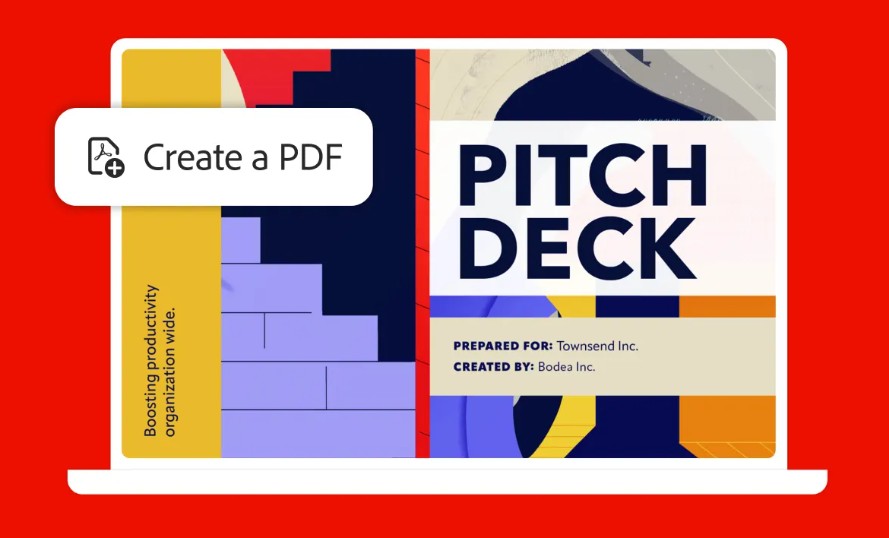
Adobe Acrobat Pro is the premium version of the renowned PDF document processing suite developed by Adobe. The software allows for the comprehensive creation, editing, conversion, digital signing, security, and management of PDF documents. It is considered the standard for electronic document management in many businesses worldwide.
Adobe Acrobat Pro is suitable for medium and large businesses, law firms, financial institutions, banks, government agencies, consulting firms, and organizations that frequently exchange contracts or legally binding documents. Organizations requiring electronic signing and digital record-keeping processes will also greatly benefit from this software.
Key features include direct PDF content editing, high-precision conversion between PDF and Word, Excel, or PowerPoint, password protection, multi-version document comparison, digital signatures, online signature collection, and integration with cloud storage platforms. Acrobat Pro also supports optical character recognition (OCR), which converts paper documents into searchable and editable text.

5. Adobe Acrobat Standard DC
Adobe Acrobat Standard DC is a simpler version of Acrobat Pro, yet it fully meets the common PDF document processing needs of businesses. It's a suitable choice for organizations that don't require advanced management or editing features but still want to use genuine, licensed PDF software.
This product is suitable for small and medium-sized businesses, administrative offices, human resources departments, accounting departments, or organizations that frequently work with forms, quotations, contracts, and internal documents.
Adobe Acrobat Standard DC supports creating PDFs from various formats, basic text editing, page arrangement, merging or splitting PDF files, adding annotations and comments, and converting documents to Microsoft Office formats. The software also integrates online document sharing tools to enhance collaboration between departments.
6. Adobe Stock
Adobe Stock is a service that provides a library of copyrighted digital resources including images, videos, vectors, icons, 3D models, templates, and many other types of creative content. This is a high-quality data source that helps businesses save significant time in content production while ensuring copyright protection.
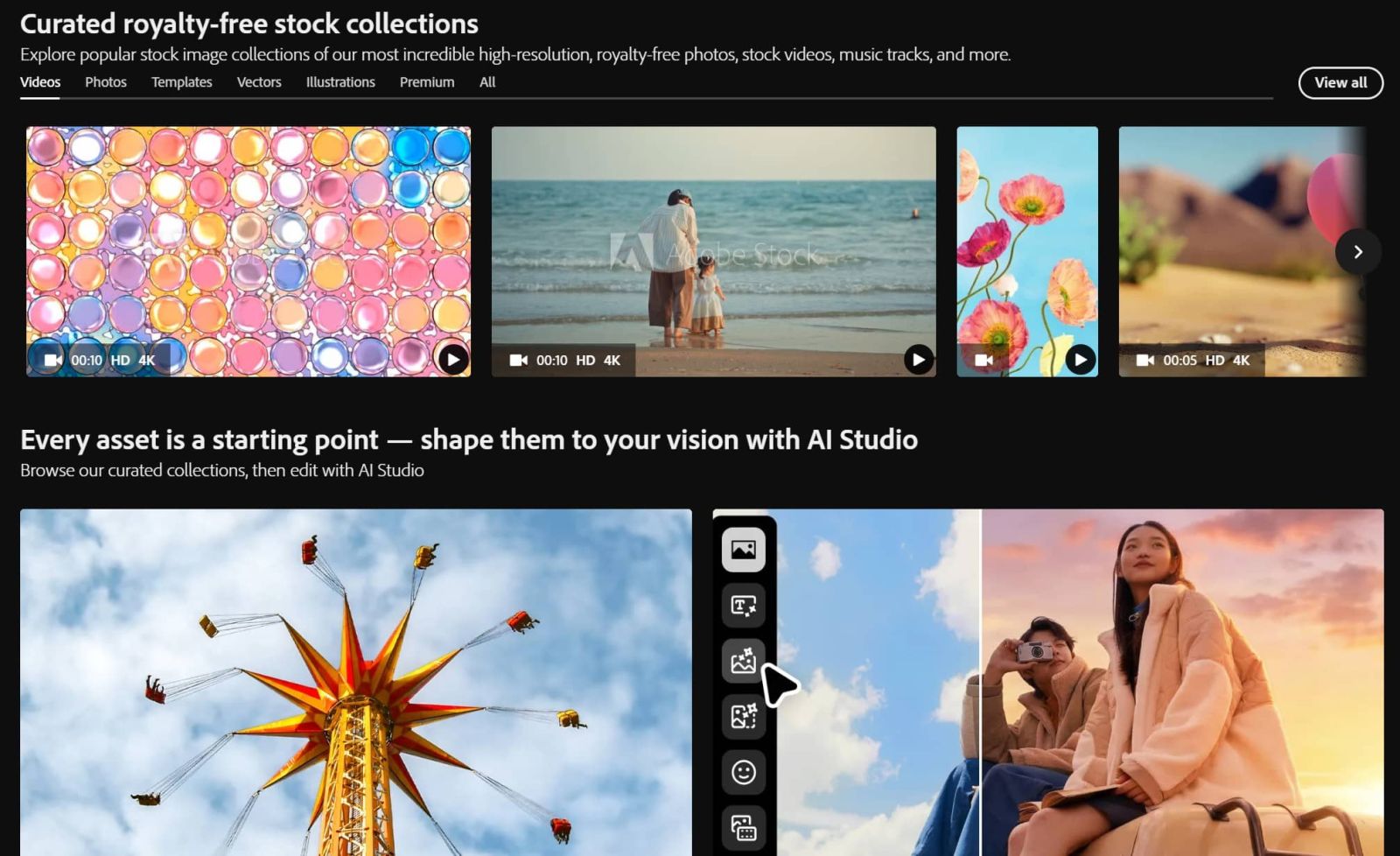
Adobe Stock is suitable for advertising companies, media agencies, e-commerce businesses, marketing teams, publishers, and organizations that frequently design media or advertising materials.
A key strength of Adobe Stock is its direct integration with Photoshop, Illustrator, InDesign, and Premiere Pro. Designers can search, preview, license, and use resources directly within the software without needing to download them from external platforms. The database is constantly updated with hundreds of millions of high-quality resources, meeting a diverse range of creative needs.
7. Adobe FrameMaker
Adobe FrameMaker is specialized software for creating large-scale and complex technical documents. Unlike typical word processors, FrameMaker is designed to manage thousands of pages of documents, multiple chapters, and highly specialized technical content.
This solution is suitable for manufacturing, industrial, aviation, telecommunications, healthcare, technology businesses, and other entities that frequently create user manuals, operating procedures, technical standards, or equipment maintenance documents.
Adobe FrameMaker supports document management using XML and DITA structures, automatically numbering chapters, creating tables of contents, indexes, cross-linking, and publishing to various formats. The software also allows collaboration among multiple editors, helping businesses maintain consistency in large-scale technical documents.
8. Adobe InDesign
Adobe InDesign is a professional page design software widely used in the publishing and media industries. It is the standard tool for designing books, magazines, catalogs, brochures, annual reports, company profiles, and other print or digital publications.
Adobe InDesign is particularly suitable for publishers, design firms, advertising agencies, media companies, marketing departments, and organizations that frequently produce documents with high demands for layout and aesthetics.
InDesign's standout feature is its ability to manage hundreds of document pages within a single project while maintaining consistency in typography, color, and layout. The software supports master page creation, styling, automatic page numbering, data linking, print-quality PDF publishing, and interactive digital document creation. Furthermore, InDesign integrates seamlessly with Photoshop and Illustrator, making the design process even more fluid.

9. Conclusion
The Adobe ecosystem encompasses not only familiar graphic design software but also extends to many other areas such as audio processing, website development, online training, PDF document management, digital publishing, and a library of copyrighted creative resources. Each product is built to meet the specific needs of different business groups, from media companies, publishers, and educational institutions to manufacturing and technology corporations.
Choosing the right Adobe licensing package will help businesses optimize investment costs, improve productivity, enhance collaboration between departments, and ensure compliance with software licensing regulations. Before implementation, businesses should assess their scale of operations, work specifics, and actual usage needs to select the appropriate Adobe solution, thereby maximizing the value that this world-leading innovation ecosystem offers.





















VIP Products








Best Selling Products
Copyright Adobe Lightroom Account
59 USD
Genuine Adobe Illustrator account
99 USD
Adobe Premiere Pro Account
99 USD
Capcut Pro 1 Year
39 USD
Freepik Premium Account
59 USD
ChatGPT Plus Account (GPT-4)
16 USD
Autodesk All App Account Copyright
120 USD
MidJourney Account
29 USD
Genuine Cheap Canva Pro
39 USD
Upgrade Duolingo Super
29 USD
Windows 10 & 11 Pro Key
36 USD
Upgrade Genuine Office 365
49 USD
Upgrade genuine Capture One account
120 USD
Adobe Photoshop Copyright - Full App
120 USD
Plugin Retouch4me
69 USD