Best Selling Products

Copyright Adobe Lightroom Account
59 USD

Upgrade Duolingo Super
29 USD

Autodesk All App Account Copyright
120 USD

Freepik Premium Account
59 USD

Genuine Adobe Illustrator account
99 USD

Genuine Cheap Canva Pro
39 USD

Upgrade Genuine Office 365
49 USD

Plugin Retouch4me
69 USD

Adobe Photoshop Copyright - Full App
120 USD

Windows 10 & 11 Pro Key
36 USD

Adobe Premiere Pro Account
99 USD

MidJourney Account
29 USD

ChatGPT Plus Account (GPT-4)
16 USD

Upgrade genuine Capture One account
120 USD

Capcut Pro 1 Year
39 USD
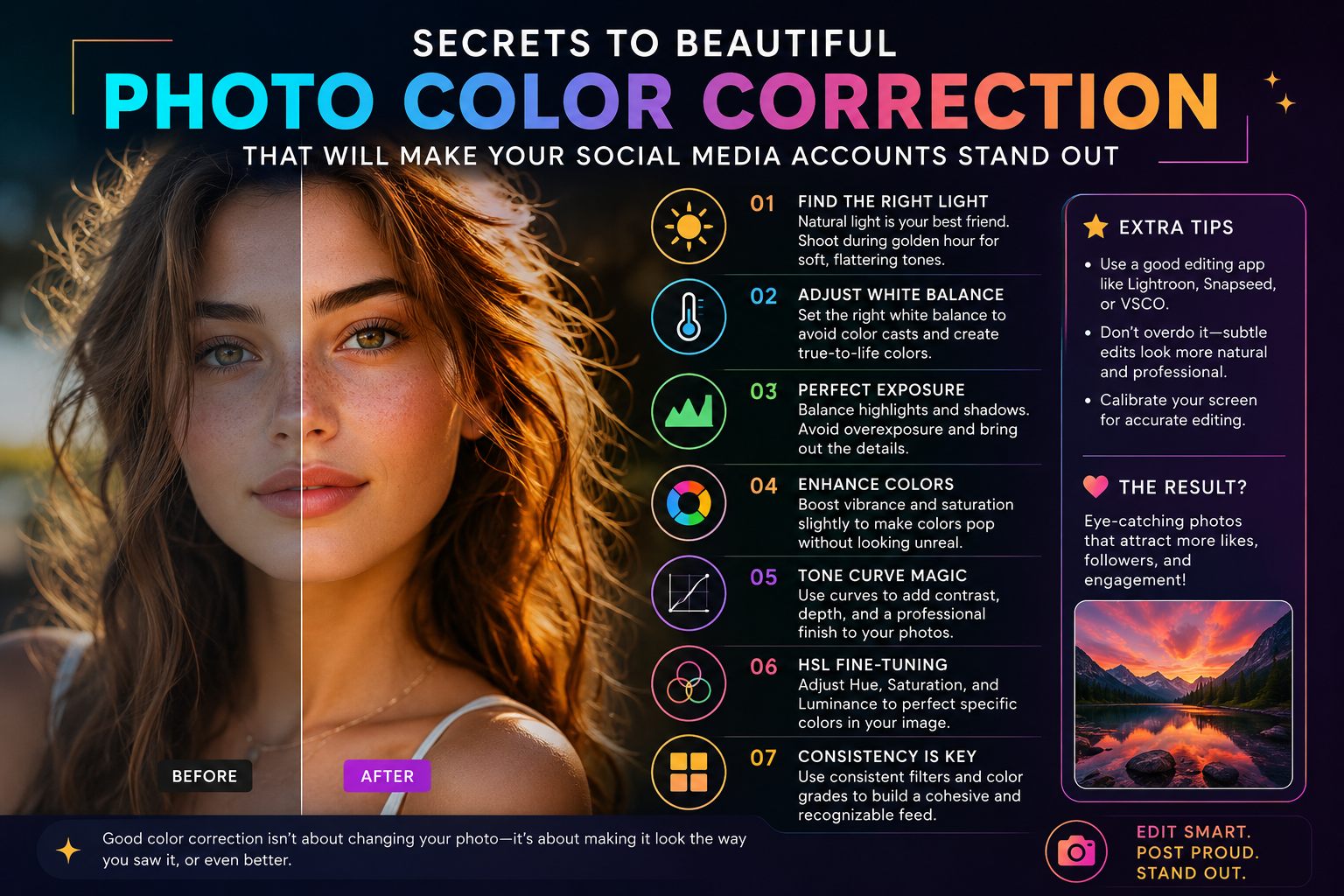
Secrets to beautiful photo color correction that will make your social media accounts stand out.
Nội dung
- 1. Lightroom Mobile - The wizard of optimizing parameters to elevate color grading for beautiful photos.
- 2. VSCO - Unleashing the artistic quality of film simulation for beautiful color correction in photos.
- 3. Snapseed - A smart area editor that supports beautiful color correction for photos.
- 4. Xingtu (Provincial Map) - Secrets to enhancing Asian skin tones for beautiful photo color correction.
- 5. Foodie - Vibrant colors inspire and help create beautiful color corrections for photos.
- 6. EPIK - A versatile Korean-standard photo editor for beautiful color correction.
- 7. Dazz Cam - Transform your photos with retro camera effects to create beautiful color corrections.
- 8. Analog Film - The sweet color palette of big cities helps create beautiful color corrections for photos.
- 9. PicsArt - An unlimited creative platform that supports beautiful color correction for photos.
- 10. Instagram - Quick and easy filters to keep up with trends and beautifully adjust the colors of your photos.
- 11. Conclusion
Color grading for photos isn''t simply about applying a random pre-set filter. It''s a process of balancing light and blending colors to convey the right emotion and mood of the moment.
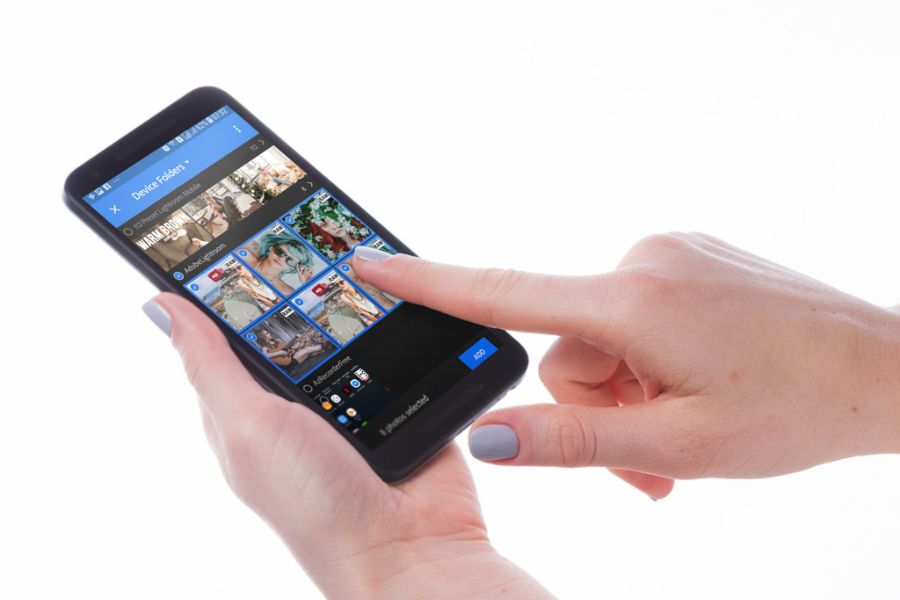
1. Lightroom Mobile - The wizard of optimizing parameters to elevate color grading for beautiful photos.
If you're looking for a tool that can deeply adjust the color of your photos pixel by pixel, Lightroom Mobile is the perfect answer. Developed by Adobe, this application inherits powerful image processing algorithms from the desktop version, allowing you to manage light and color in extreme detail. Lightroom's selling point is its ability to save and share color presets, allowing you to synchronize hundreds of photos in an instant.
-
Advanced HSL color system: Separates each color to reduce the intensity of yellow for skin whitening or change green to a classic, muted hue.
-
Advanced Color Grading feature: Insert different color tones into highlights, midtones, and shadows.
-
Masking feature: The AI application automatically selects areas of the sky or subject to adjust the color of each part separately.
-
Save and import presets easily: Copy color formulas from famous photographers via DNG files or QR codes.
2. VSCO - Unleashing the artistic quality of film simulation for beautiful color correction in photos.
VSCO needs no introduction; it has long been an icon for those who love vintage film photography and minimalist art. The app boasts a treasure trove of color filters accurately modeled after legendary film rolls from Kodak, Fujifilm, and Agfa. With VSCO, achieving beautiful color correction becomes more romantic than ever thanks to the perfect combination of timeless colors and characteristic fine grain effects.
-
A library of over 200 premium color filters: Scientifically categorized by themes such as Vintage, Classic, Modern, Landscape, and Portrait.
-
Natural Grain Tool: Adds small noise particles to images to realistically simulate the texture of film photographs.
-
Unique fade effect: Applies a hazy layer to dark areas, reducing the intensity of colors.
-
Creative space feature: Connect and share your personal color formulas directly with the global photography community.
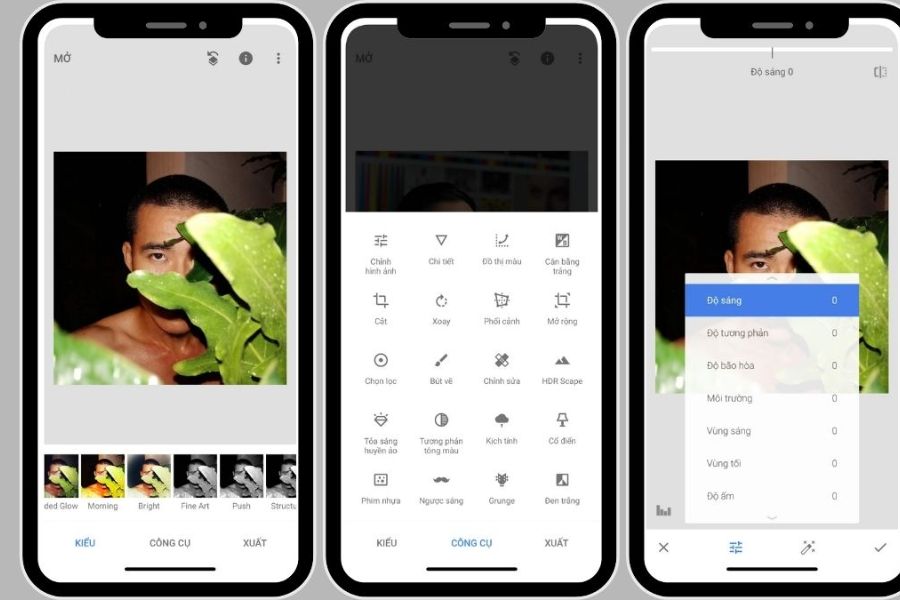
3. Snapseed - A smart area editor that supports beautiful color correction for photos.
Developed by Google, Snapseed is one of the few photo editing apps that offers a full range of professional features without any ads. Snapseed's unique feature lies in its selective editing approach, allowing you to manipulate even the smallest details without altering the surrounding areas. This makes it an invaluable tool for handling photos with backlighting, color distortion, or for subtly removing unwanted objects.
-
Selective Editing Tool: Tap on any point in the image to increase or decrease the brightness and contrast of that specific area.
-
Versatile brush: Use your finger to directly apply color to lighten dark areas and warm up tones in desired locations.
-
Double Exposure feature: Blends two photos together, combining them with ultra-realistic color blending modes.
-
Smart image expansion: Uses AI to automatically calculate and compensate for details at the edges of the image when expanding the frame.
4. Xingtu (Provincial Map) - Secrets to enhancing Asian skin tones for beautiful photo color correction.
If you're a fan of stunning selfies or captivating Chinese-style street style photos, then Xingtu is your secret weapon. This app is famous for its incredibly intelligent face and body recognition capabilities, along with color filters specifically designed to enhance Asian skin tones. The process of color correcting your photos with Xingtu will give you bright, youthful, and clear colors while still preserving the natural look of your subject.
-
Diverse color filters following trends: Constantly updated with hot trend tones such as youthful blue tones and cool urban gray tones.
-
AI Makeup: Automatically applies makeup, smooths and brightens skin tone for a natural rosy glow without a cakey finish.
-
Body contouring for perfect proportions: Lengthening legs, slimming the waist, and smoothing the face without distorting the surrounding environment.
-
Huge library of effects and stickers: Includes thousands of built-in layers of light, clouds, hazy sunbeams, and unique stickers.
5. Foodie - Vibrant colors inspire and help create beautiful color corrections for photos.
True to its name, Foodie was created for food lovers, but its power extends far beyond visually appealing dishes. With over 30 high-quality color filters designed around themes like Delicious, Live, and Tropical, this app has become a travel companion. Foodie's vibrant, highly saturated colors bring natural landscapes and skies to life when you want to enhance the color of your photos.
-
Specialized filters for different contexts: Clearly divided filters optimized for cafes, beach landscapes, or photos taken in the summer sun.
-
Top-view shooting feature: Displays a smart colored bar to notify you when your phone is parallel to the table surface for flatlay shots.
-
Short video recording with integrated filters: Allows you to directly apply attractive color filters while recording short clips or stories.
-
Streamlined parameter editor: Retains the most essential toolbars such as brightness and warmth to save time.
6. EPIK - A versatile Korean-standard photo editor for beautiful color correction.
EPIK quickly won the hearts of young people thanks to its versatility and modern interface, making it a powerful tool for those who want to beautifully colorize their photos in a magazine style. This application offers a range of editing tools from basic to advanced, combined with a huge resource library created and shared by users themselves. EPIK helps you easily keep up with the latest aesthetic trends of young people worldwide without requiring overly complex post-processing skills.
-
Convenient design templates: Instantly apply pre-designed frames, artistic text, and color filters to your photos.
-
Korean-style color filters: Specializing in creating smooth, bright skin tones, sweet and clear photo colors, or elegant, nostalgic film-like hues.
-
Superior AI tools: Automatically separate backgrounds, remove unwanted objects, and improve the sharpness of blurry photos.
-
Detailed portrait editing: Customize facial proportions, apply advanced makeup, and naturally slim the body.
7. Dazz Cam - Transform your photos with retro camera effects to create beautiful color corrections.
If you love the nostalgic color palettes of past decades, Dazz Cam will help you beautifully adjust the colors of your photos in the most realistic way without needing to adjust complex parameters. Inspired by retro film cameras and classic video cameras, this app perfectly simulates artistic technical flaws such as light leaks, dust, and film scratches. With just one touch, your smartphone photos will instantly be imbued with a romantic, timeless color palette.
-
Extensive camera collection: Simulates the colors of many famous film and mechanical cameras throughout history.
-
Light Leak Effect: Automatically creates random orange and red light streaks, making the photo look natural, like real film.
-
Double Exposure support: Allows you to layer two images on top of each other to create unique works of art.
-
Lens and frame effects: Add interesting polaroid photo borders or fisheye lens effects.
8. Analog Film - The sweet color palette of big cities helps create beautiful color corrections for photos.
Analog Film is a highly popular paid app specializing in creating clear, romantic, cinematic color tones for beautiful photo editing. With separate versions named after cities like Paris, Tokyo, Seoul, and London, the app offers unique filters that recreate the atmosphere of each location. It's the perfect choice for outdoor photos, street photography, or portraits that require a soft, dreamy feel.
-
Color filters categorized by city: the romantic pink tones of Paris, the clear, bright tones of Tokyo, or the warm, antique tones of London.
-
Excellent image detail retention: The filters only change the color tones and do not reduce resolution or blur the image.
-
Minimalist design interface: Focuses entirely on selecting color filters and adjusting filter intensity levels.
-
Basic lighting adjustment tools: Built-in brightness and contrast adjustment toolbars to complement the filters.
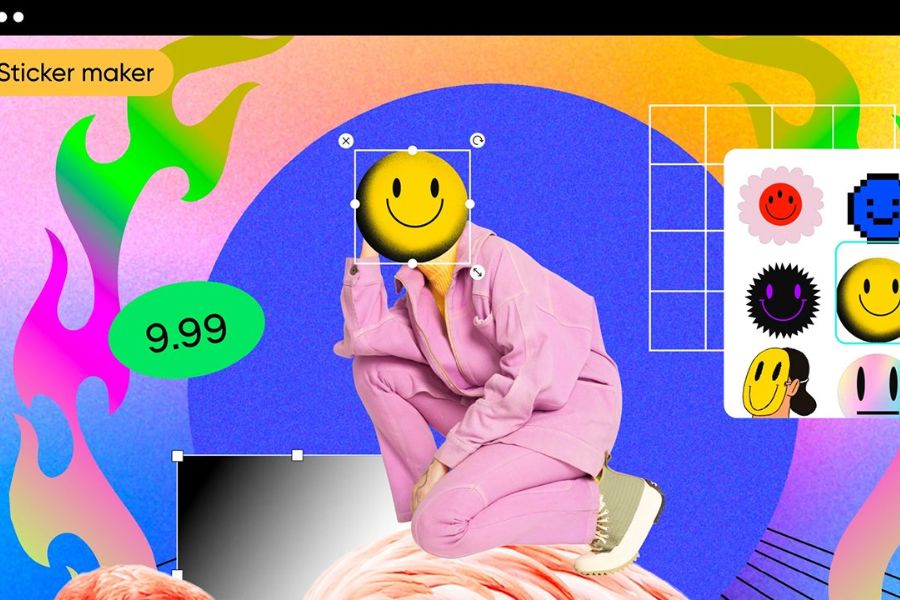
9. PicsArt - An unlimited creative platform that supports beautiful color correction for photos.
PicsArt is more than just a tool for beautifully editing photos; it's a miniature art design studio right in the palm of your hand. This application boasts a range of tools for cropping, layering effects, and color correction, from basic to advanced, allowing you to transform your photos according to your wildest ideas. In addition to artistic color filters, PicsArt also provides an open creative community where you can freely learn and reuse unique design materials.
-
Painter-style color effects (FX): Transform your photos into paintings, pop art, or vibrant, edgy neon color palettes.
-
Photo merging and layering tools: Freely combine multiple photos, add effects like clouds, sunbeams, or hazy smoke.
-
Huge sticker library: Millions of community-contributed stickers to make your photos more vibrant and fun.
-
Direct drawing feature: Use various art brushes to create your own unique color accents for your artwork.
10. Instagram - Quick and easy filters to keep up with trends and beautifully adjust the colors of your photos.
For busy people who want to beautifully color-correct their photos and post them immediately, Instagram's built-in toolset is the most convenient solution. More than just a social network, Instagram's editor boasts mobile-optimized color filters, allowing you to create harmonious photos in seconds. Additionally, Instagram's vast library of user-designed filters (Filter Story) offers an endless source of color formulas that you can apply directly to your shots.
-
Classic color filters: Legendary filters like Lark, Juno, and Ludwig enhance brightness and brighten warm tones.
-
The endless AR Story effects library: Search and apply millions of pre-set color tones, from vintage to modern, directly as you take photos.
-
Streamlined and efficient editing tools: Complete with sliders for adjusting brightness, contrast, image structure, and color saturation.
-
Optimized for social media display: After color correction, photos will be uploaded directly with the standard aspect ratio, without any loss of sharpness.
11. Conclusion
Color is the universal key that unlocks the viewer's emotions in every photograph. There's no single best app, nor a perfect color formula; only your sensitivity and aesthetic sense, honed through daily practice, matter. Download the apps that best suit your preferences, step outside, capture everyday moments, and begin your journey of creating your own stunning color palette!





















VIP Products








Best Selling Products
Copyright Adobe Lightroom Account
59 USD
Upgrade Duolingo Super
29 USD
Autodesk All App Account Copyright
120 USD
Freepik Premium Account
59 USD
Genuine Adobe Illustrator account
99 USD
Genuine Cheap Canva Pro
39 USD
Upgrade Genuine Office 365
49 USD
Plugin Retouch4me
69 USD
Adobe Photoshop Copyright - Full App
120 USD
Windows 10 & 11 Pro Key
36 USD
Adobe Premiere Pro Account
99 USD
MidJourney Account
29 USD
ChatGPT Plus Account (GPT-4)
16 USD
Upgrade genuine Capture One account
120 USD
Capcut Pro 1 Year
39 USD