Best Selling Products

Adobe Photoshop Copyright - Full App
120 USD

Upgrade genuine Capture One account
120 USD

Genuine Adobe Illustrator account
99 USD

Upgrade Genuine Office 365
49 USD

Freepik Premium Account
59 USD

Autodesk All App Account Copyright
120 USD

Capcut Pro 1 Year
39 USD

Genuine Cheap Canva Pro
39 USD

Upgrade Duolingo Super
29 USD

ChatGPT Plus Account (GPT-4)
16 USD

Copyright Adobe Lightroom Account
59 USD

Adobe Premiere Pro Account
99 USD

Windows 10 & 11 Pro Key
36 USD

MidJourney Account
29 USD

Plugin Retouch4me
69 USD
Secrets to using CapCut Pro to edit captivating TikTok videos that easily go viral.
Nội dung
- 1. Why is video editing important when making TikTok videos?
- 2. Familiarize yourself with CapCut Pro before editing videos.
- 2.1. Prepare the video before editing.
- 2.2. Choose the appropriate aspect ratio.
- 3. How to trim videos using CapCut Pro to prevent the content from becoming boring.
- 3.1. Applying the "get straight to the point" principle
- 3.2. Creating a flexible tempo
- 4. Tips for using CapCut Pro effects without making your video look cluttered.
- 4.1. Use transitions at the right time.
- 4.2. Utilizing the zoom effect
- 5. Adjust the colors using CapCut Pro to make the video more visually appealing.
- 5.1. Creating consistent colors
- 5.2. Avoid overusing filters.
- 6. Add text and subtitles to keep viewers engaged.
- 6.1. Choose an easy-to-read font.
- 6.2. Creating automatic subtitles
- 7. Synchronize audio and video for a more engaging video.
- 8. How to create TikTok videos that are engaging from the start.
- 9. Easy-to-apply formula for creating TikTok videos using CapCut Pro.
- 10. Why should you upgrade to a genuine CapCut Pro account at Sadesign?
- 11. Conclusion
TikTok is increasingly becoming an important platform for entertainment, personal branding, and earning money. As more and more people participate in content creation, simply shooting a beautiful video isn''t enough.
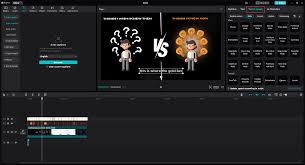
1. Why is video editing important when making TikTok videos?
TikTok is a platform with incredibly fast content consumption. Users can scroll through dozens of videos in just a few minutes. Therefore, if a video starts slowly, has unappealing visuals, or is rambling, viewers are highly likely to leave within the first few seconds. In particular, more and more people are using TikTok to make money through sales, affiliate marketing, personal branding, service promotion, or professional content creation. As competition increases, a well-produced video becomes a significant advantage.
Video editing is not simply cutting and pasting footage. It's the process of transforming raw footage into content with a story, emotion, and rhythm. A well-edited video can keep viewers engaged, interacting, sharing, or taking the action you want them to take.

2. Familiarize yourself with CapCut Pro before editing videos.
2.1. Prepare the video before editing.
First, select the best quality footage. It's not necessary to use the entire original video. Sections that are shaky, poorly lit, contain incorrect speech, or have excessively long periods of silence should be removed.
Next, define the goal of your video. For example, if you're making a product review video, the content should focus on the product's problems, experience, and benefits. If you're making a tips video, prioritize speed in delivering information.
2.2. Choose the appropriate aspect ratio.
TikTok videos are typically optimized for portrait mode. When starting a project, choose a suitable frame to make the most of the display area on your phone.
At the same time, pay attention to the placement of text and important elements within the frame. Important information should not be placed too close to the top or bottom edge, as the TikTok interface may obscure the content.

3. How to trim videos using CapCut Pro to prevent the content from becoming boring.
3.1. Applying the "get straight to the point" principle
Instead of starting with long introductory sentences like "Hello everyone, today I will be...", try putting the main issue or the most interesting point right at the beginning of the video.
For example:
-
"If your TikTok videos aren't getting any views, try this."
-
"This is a mistake that makes your video look unprofessional."
-
"Just by making these three adjustments, your video will look much better."
After capturing attention, you then explain the content that follows. This approach helps the video quickly get to the point.
3.2. Creating a flexible tempo
Not the entire video needs constant cutting. Important sections can be kept longer to allow viewers to absorb the information, while transitional moments should be shortened.
You can combine different shots, use B-roll, zoom slightly, or change camera angles to create the illusion of continuous movement in your video.
4. Tips for using CapCut Pro effects without making your video look cluttered.
CapCut Pro boasts many eye-catching effects, but that doesn't mean more effects make a video more professional. A common mistake for beginners is using too many transitions, stickers, motion effects, and filters at once. As a result, viewers find it difficult to focus on the main content.
Choose effects based on the topic. Fashion videos can use fast transitions and motion effects. Educational videos should prioritize simple effects to make the information easy to read. Product review videos can use zoom, highlight, or effects that emphasize important details.
4.1. Use transitions at the right time.
Transitions should be used to connect two scenes rather than appearing continuously. For short videos, a few well-chosen transitions are often more effective than using too many. You can also synchronize transitions with the music to create a smoother and more professional feel.
4.2. Utilizing the zoom effect
Zooming in or zooming out is a simple way to create movement in a video. For example, when you want to highlight a product, you can zoom in slightly on the product at the moment the speaker mentions its key feature. Avoid zooming too sharply or too frequently, as this can be unpleasant to watch.
5. Adjust the colors using CapCut Pro to make the video more visually appealing.
Color directly impacts viewer perception. A video that is poorly lit, has dull colors, or has poor white balance will struggle to project a professional image, even if the content is excellent. With CapCut Pro, you can adjust various image parameters to create a style that suits each subject.
First, balance the brightness and contrast. Then adjust the color temperature, saturation, and other parameters. The goal isn't to make the video extremely vibrant, but rather to make the image clear, easy to view, and consistent.
5.1. Creating consistent colors
If your video has many different shots, try to bring them together in the same color tone. Having a cool color in one shot and then an overly yellow one in the next can make the video lack continuity. You can save this color formula to apply to future videos, thereby building a unique visual style for your TikTok channel.
5.2. Avoid overusing filters.
Filters can quickly enhance video quality, but they shouldn't be overused. An overly strong filter can distort skin tones, alter product colors, or diminish image detail. Especially for sales videos, product colors should be as close to reality as possible.
6. Add text and subtitles to keep viewers engaged.
Many people watch TikTok with the sound muted or in environments where listening is inconvenient. Therefore, subtitles and on-screen text are crucial. Use text to highlight key points instead of turning the entire screen into a long paragraph. Each appearance should contain just enough information for viewers to read quickly.
6.1. Choose an easy-to-read font.
Prioritize clear fonts that are large enough and have good contrast with the background. If the video background is complex, you can add text or subtle shadow effects. Most importantly, viewers must be able to read the content even on small phone screens.
6.2. Creating automatic subtitles
If the video has dialogue, automatic subtitles are a significant time-saving tool. After creating the subtitles, review each sentence to correct spelling errors, proper names, or words that the system didn't recognize correctly. You can also emphasize certain keywords by changing the size or display method to create focus.

7. Synchronize audio and video for a more engaging video.
Sound can completely change the feel of a video. A seemingly ordinary shot, when combined with the right background music and sound effects, becomes much more engaging. Choose music that suits the theme and the editing rhythm. When the music reaches its climax, you can transition scenes, zoom in, or introduce important text to create synergy.
In addition to background music, effects such as "click," "pop," "whoosh," or transition sounds can also be used to emphasize the action. However, the volume of the effects should not overpower the dialogue. If the video has voice-over, prioritize clear dialogue and keep the background music at a moderate level.
8. How to create TikTok videos that are engaging from the start.
A captivating TikTok video doesn't usually start with a long introduction. Instead, build a strong "hook" that makes viewers want to know what happens next.
Several types of hooks can be applied:
-
Identify the problems that viewers are facing.
-
Ask a question that sparks curiosity.
-
This produced a remarkable result.
-
Compare the before and after results.
-
It begins with an unexpected situation.
-
Sharing a short but practical tip.
After the hook, deliver the content quickly and clearly, avoiding unnecessary sentences. At the end of the video, you can create a suitable call to action such as subscribing to the channel, watching the next part, or leaving a comment.
9. Easy-to-apply formula for creating TikTok videos using CapCut Pro.
If you don't have much experience, you can start with this simple 5-part formula:
-
Step 1: Hook: Capture the viewer's attention in the very first seconds.
-
Step 2: Problem: State the situation or need that the audience is interested in.
-
Step 3: Main content: Present a solution, information, or experience.
-
Step 4: Highlight: Use text, zoom, effects, or B-roll to emphasize important information.
-
Step 5: CTA: Encourage viewers to take a relevant action.
This formula can be applied to many types of content such as product reviews, sales videos, knowledge sharing, tutorials, lifestyle, beauty, or affiliate content.
10. Why should you upgrade to a genuine CapCut Pro account at Sadesign?
If you frequently edit TikTok videos, using CapCut Pro can make the content creation process more convenient and professional. Instead of just using basic tools, you can access many more advanced editing features, effects, resources, and support tools depending on the service package offered.
Especially for those building a TikTok channel for sales, affiliate marketing, brand promotion, or regular content creation, video production speed is a huge advantage. With the right tools, you can shorten post-production time, experiment with different video styles, and focus more on the idea.
If you want to use the official CapCut Pro version , you can consider upgrading your account at Sadesign . Choosing the right account and upgrade method gives you more control over your usage and minimizes potential inconveniences when using accounts from unreliable sources.
11. Conclusion
With more and more people using TikTok to create content and earn money, a polished video will give you an advantage among the vast amount of content uploaded daily. Knowing how to edit scenes, adjust colors, add subtitles, synchronize audio, use effects appropriately, and build a compelling hook will make your video more professional and easier to attract viewers. With CapCut Pro , you can significantly shorten post-production time and utilize many tools to transform simple footage into eye-catching content. However, tools are only the foundation; the most important factors remain a good idea, valuable content, and the ability to understand your audience. Start with the basics, experiment with different editing styles, and continuously improve based on real-world feedback. When combining creative thinking with CapCut Pro effectively, you can absolutely build engaging, professional TikTok videos and create a unique identity for your channel.





















VIP Products








Best Selling Products
Adobe Photoshop Copyright - Full App
120 USD
Upgrade genuine Capture One account
120 USD
Genuine Adobe Illustrator account
99 USD
Upgrade Genuine Office 365
49 USD
Freepik Premium Account
59 USD
Autodesk All App Account Copyright
120 USD
Capcut Pro 1 Year
39 USD
Genuine Cheap Canva Pro
39 USD
Upgrade Duolingo Super
29 USD
ChatGPT Plus Account (GPT-4)
16 USD
Copyright Adobe Lightroom Account
59 USD
Adobe Premiere Pro Account
99 USD
Windows 10 & 11 Pro Key
36 USD
MidJourney Account
29 USD
Plugin Retouch4me
69 USD