Best Selling Products

Windows 10 & 11 Pro Key
36 USD

Genuine Cheap Canva Pro
39 USD

Autodesk All App Account Copyright
120 USD

Freepik Premium Account
59 USD

Adobe Photoshop Copyright - Full App
120 USD

Copyright Adobe Lightroom Account
59 USD

Plugin Retouch4me
69 USD

Adobe Premiere Pro Account
99 USD

Capcut Pro 1 Year
39 USD

Upgrade Genuine Office 365
49 USD

Upgrade genuine Capture One account
120 USD

MidJourney Account
29 USD

ChatGPT Plus Account (GPT-4)
16 USD

Upgrade Duolingo Super
29 USD

Genuine Adobe Illustrator account
99 USD
Small Daily Habits Are Silently 'Killing' Your Laptop
Nội dung
Seemingly unintentional actions can cause your laptop to degrade faster than you think.
We rely on laptops almost every day: from document creation, design work, and video editing to entertainment, communication, and personal finance management. Because of this close relationship with our laptops, many people are paying more attention to maintaining their appearance, ensuring they are clean, functioning properly, and lasting longer.
However, not everyone understands that cleaning a laptop requires knowledge and care. Many believe that a quick wipe with readily available items is sufficient. Others are confused by methods widely shared online but whose safety has not been verified. Still others think that laptops are sturdy and durable, so there's no need to worry about incorrect cleaning causing damage. All these viewpoints contribute to common mistakes, the most serious of which is using alcohol wipes to clean the screen, keyboard, and touchpad.
These seemingly harmless actions can have serious consequences over time. The screen loses sharpness, becomes unusually shiny or patchy. The keyboard's coating peels off, and the characters fade. The touchpad loses sensitivity and becomes difficult to use. The scariest thing is that this damage doesn't appear immediately but accumulates silently, leaving users unaware until it's too late to repair.
1. Common mistakes people make when cleaning their laptops.
Among the countless mistakes users make when cleaning laptops, using alcohol wipes tops the list. Alcohol wipes are common household items, often used to clean hands, wipe tables, disinfect surfaces, and provide an instant feeling of cleanliness. This familiarity and quickness lead many to believe they are also suitable for cleaning laptops.
Many online videos instruct users to clean laptop screens with alcohol or alcohol wipes without any warnings. This leads users to believe that this method is safe and effective. However, the truth is quite the opposite.
Laptop screens, especially the display, possess a far more sophisticated structure than tabletops, glass surfaces, or phones. Coatings are designed to enhance visibility, reduce light reflection, resist fingerprints, and ensure smooth touch response. These coatings are extremely thin and sensitive to harsh chemicals like alcohol. When an alcohol wipe comes into contact with the screen, the alcohol begins to gradually erode the coatings, though this may not be immediately noticeable.
If used only once, users will hardly notice anything unusual. But with repeated use, this wear and tear becomes noticeable. The screen gradually loses its smoothness, the surface is no longer uniform, and blurry streaks may appear. With touchscreens, the anti-fingerprint coating is destroyed, making the touch experience dry, sticky, and unpleasant. Most unfortunately, this type of damage is almost irreparable, forcing users to replace the entire screen if they want a satisfactory result.
Not only are screens damaged, but many people, wanting to clean thoroughly, also use alcohol wipes to clean keyboards and touchpads. These are two components that come into direct contact with hands, harbor many bacteria, and get dirty easily. Wiping with alcohol wipes provides an immediate feeling of cleanliness but also silently destroys the protective coating on the keys and touch surfaces.
Keys can become shiny, characters can fade or peel off. The touchpad may lose sensitivity, its surface may no longer be smooth, or it may even malfunction. These problems appear gradually, leading to a diminished user experience and causing inconvenience in daily work.
2. Why do alcohol wipes damage laptop screens?
Laptop screens are not simply a piece of glass as many people think. Beneath that sleek, flat surface lies a sophisticated multi-layered coating system designed to optimize the viewing experience and protect the internal components. Each layer has its own function and is made from materials sensitive to strong chemicals, especially alcohol.
Anti-glare coatings help disperse ambient light, reducing glare and increasing contrast when used outdoors or under bright lights. Alcohol, when applied to this surface, can alter the microstructure of the coating, making the surface shinier, losing its anti-glare properties and reflecting light directly. As a result, the screen becomes harder to see, more prone to glare, and less sharp.
The oleophobic layer, a common oil-repellent coating on touch screens, is one of the most easily damaged by alcohol. This is why touch screens are so sensitive to strong chemicals. When the oleophobic layer dissolves, fingerprints stick more easily and are harder to wipe off. The surface becomes rough and the touch experience loses its smoothness.
Some screens also have a nano-protective layer that enhances scratch resistance. This layer is also affected by alcohol, reducing its protective ability and making the screen more susceptible to scratches when wiped or in contact with hard objects.

Additionally, many alcohol wipes are manufactured for cleaning household items and therefore contain extra ingredients such as preservatives, fragrances, or mild detergents. When these substances dry on the screen surface, they can leave blurry patches or streaks that are difficult to remove. The more you wipe, the worse the situation becomes, creating an uneven surface that makes the displayed image look unnatural.
Most people only think of the screen when talking about the harmful effects of alcohol, but laptops have many other parts that are also sensitive to chemicals. After a period of using alcohol wipes to clean the entire device, silent damage begins to appear.
Keyboards, being the most frequently used component, are particularly susceptible to damage. The coating on the keys is designed to provide a slightly textured feel, resist oil, and ensure the printed characters last a long time. Alcohol breaks down this coating, causing the keys to become glossy after only a few months. The typing feel changes, becoming less responsive and less accurate. Simultaneously, the printed characters may smudge or fade, especially on keyboards that don't use laser engraving but instead use painted characters.
The touchpad is an extremely important component of a laptop because it replaces the mouse in many situations. The touchpad surface usually has a coating that allows for smooth finger movement and helps the sensor underneath accurately recognize gestures. When exposed to alcohol, this coating fades and the surface becomes sticky or rough. This is not only annoying but also directly affects gesture recognition. The cursor may drift, not follow the correct path, or respond slowly. For those who work extensively on laptops without using a separate mouse, this is a significant loss.
Even the casing, especially plastic or anodized aluminum casings, can be affected by alcohol. The paint on plastic casings may become dull, faded, or develop discolored patches. Aluminum casings may lose their texture or experience surface changes due to a slight reaction with alcohol, particularly on devices with special paint finishes.
3. So what should you use to clean your laptop?
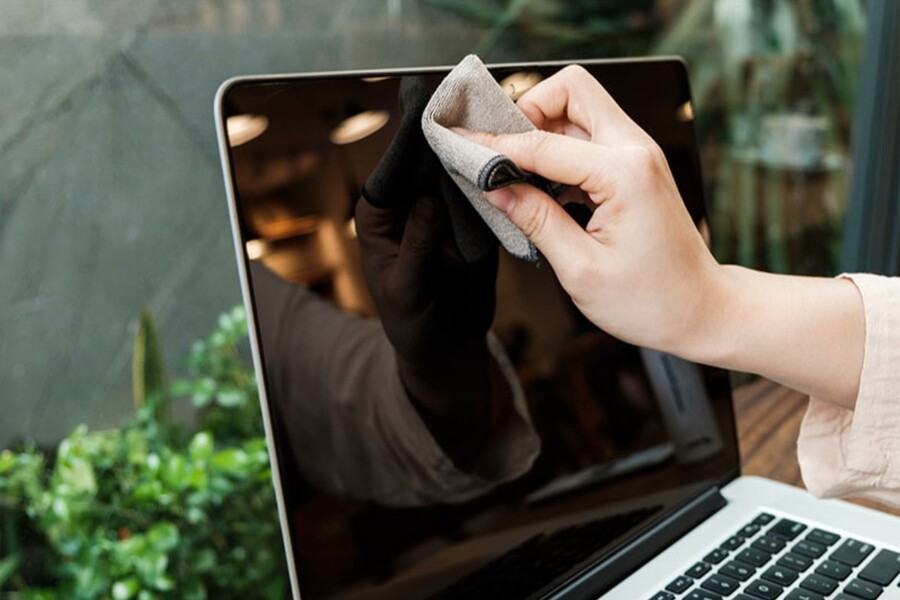
The best and safest solution for cleaning laptops is microfiber cloth. This type of fabric is woven from extremely thin synthetic fibers with a special structure that helps to absorb dust and oil without scratching the surface. Microfiber is designed to clean sensitive items such as camera lenses, high-end TV screens, and eyeglasses, so it is perfectly suitable for laptops.
When using a microfiber cloth, users only need light pressure to remove most common dirt and dust. For more stubborn stains, simply dampen the cloth with a little distilled water or a specialized screen cleaning solution. These specialized solutions are manufactured with extremely low chemical concentrations, are alcohol-free, and safe for all types of screens.
The most important benefit of microfiber is its ability to trap dust within the fiber gaps instead of pushing it to other surfaces. As a result, the fabric doesn't leave streaks or cause dust to accumulate more easily.
Besides microfiber cloths, users can use compressed air to blow dust out of the keyboard and cooling vents. However, it's important to use the correct distance and force to avoid damaging the fan or pushing dust deeper inside.
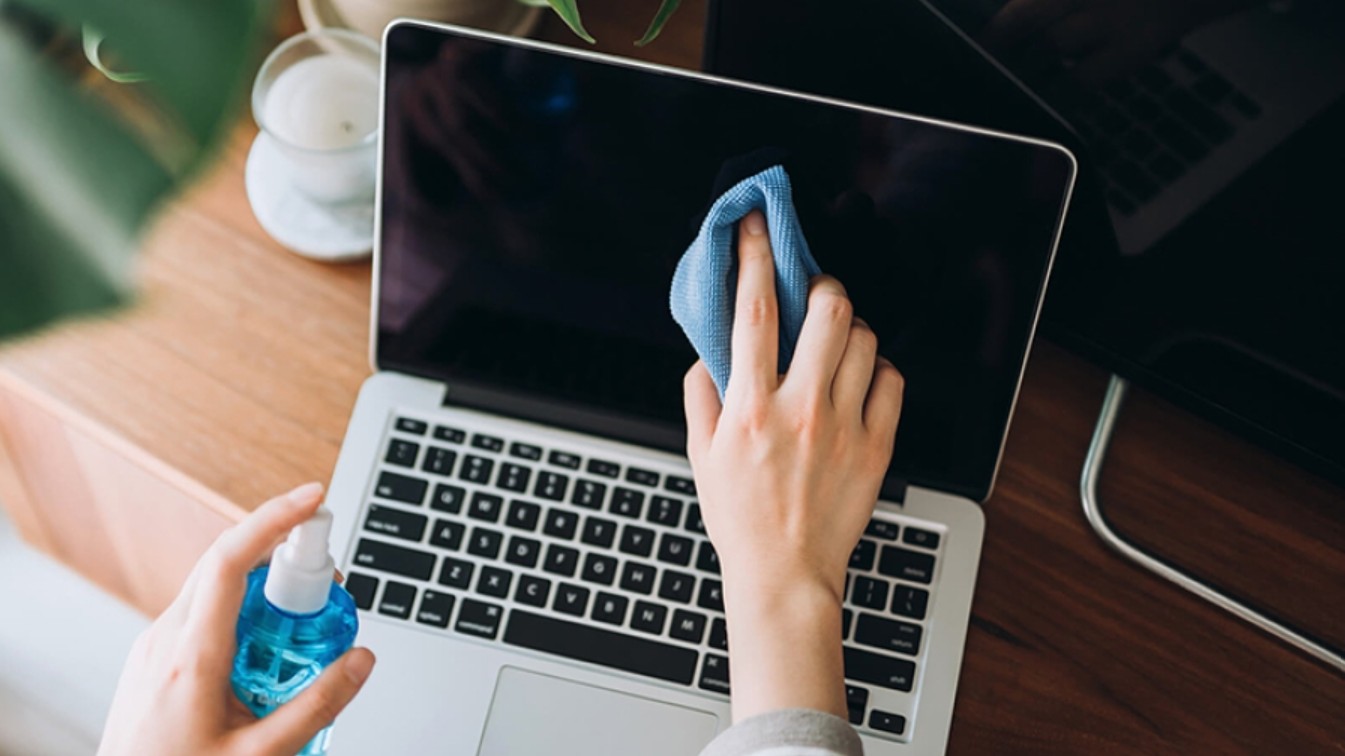
To safely clean your laptop, the first step is always to completely turn it off and unplug it. This not only prevents short circuits but also ensures the surface is cool, making cleaning easier. When cleaning the screen, place the laptop in a well-lit area to easily see any dirt. Use a dry microfiber cloth to gently wipe in a circular motion or vertically from top to bottom. For stubborn stains, dampen the cloth with a little distilled water and continue wiping gently.
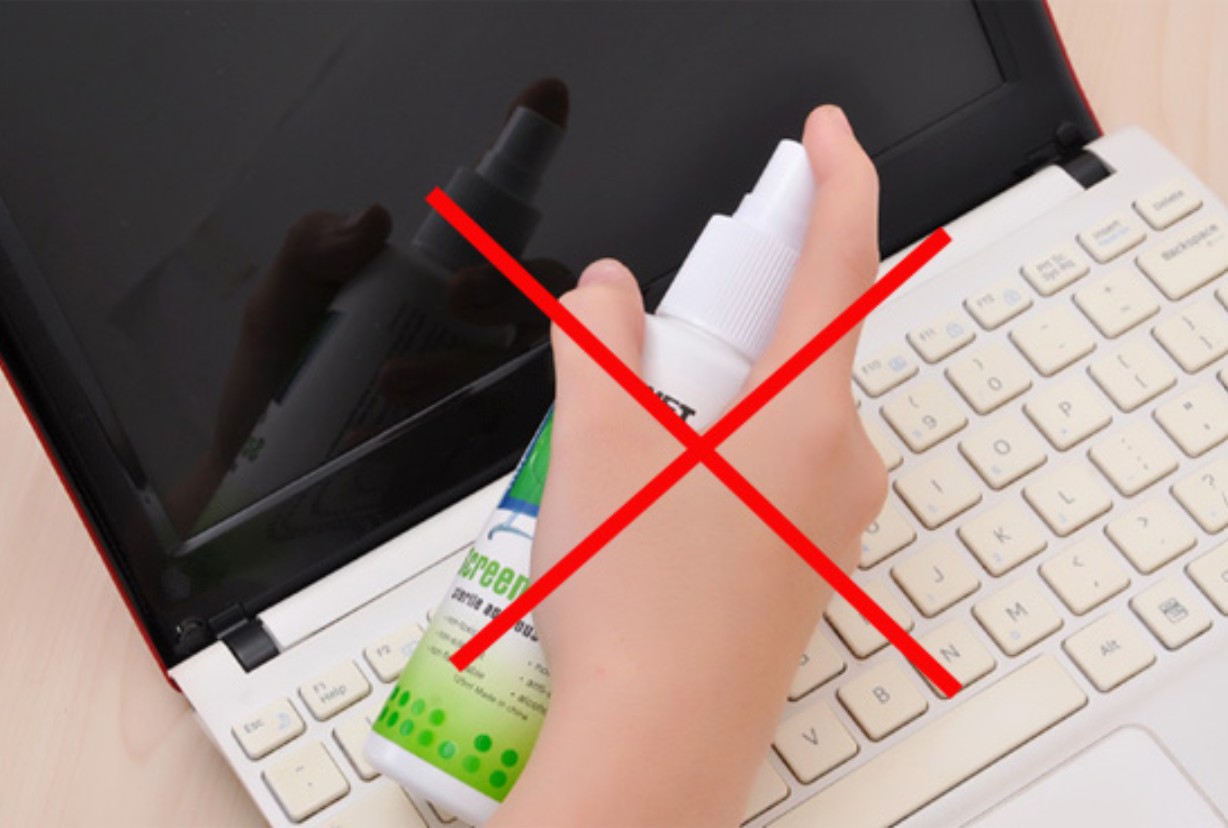
The keyboard can be cleaned by tilting the device to allow dust to fall out. If you have compressed air, you can gently blow air to clean the narrow gaps between the keys. Then, use a microfiber cloth to wipe the key surfaces. Avoid pouring water or spraying cleaning solutions directly onto the keys to prevent them from seeping inside.
The touchpad can be cleaned similarly to the screen. Be sure to use light pressure as it is a sensitive surface. Finally, you can wipe the casing with a soft cloth to remove sweat, dust, and stains.
4. Why should you avoid household cleaning products?
Despite their convenience, household products like glass cleaner, hand sanitizer, disinfectants, or diluted soap contain chemicals that are incompatible with electronic devices. Laptop screens are easily affected by ammonia in glass cleaners, causing the coating to peel or become discolored. Soaps contain strong surfactants that affect the clarity of the screen surface. Disinfectants contain many fragrances and preservatives that can leave streaks that are difficult to wipe off.
Spray solutions are even more dangerous because they can seep into the screen bezel or keyboard crevices, causing short circuits or damaging the circuit board.
One of the biggest misconceptions is thinking that laptops are like phones and can be cleaned with alcohol. But today's smartphones have a much thicker and more durable oleophobic coating than laptops. Additionally, phones are designed to withstand frequent contact with human skin, so their coatings are completely different.
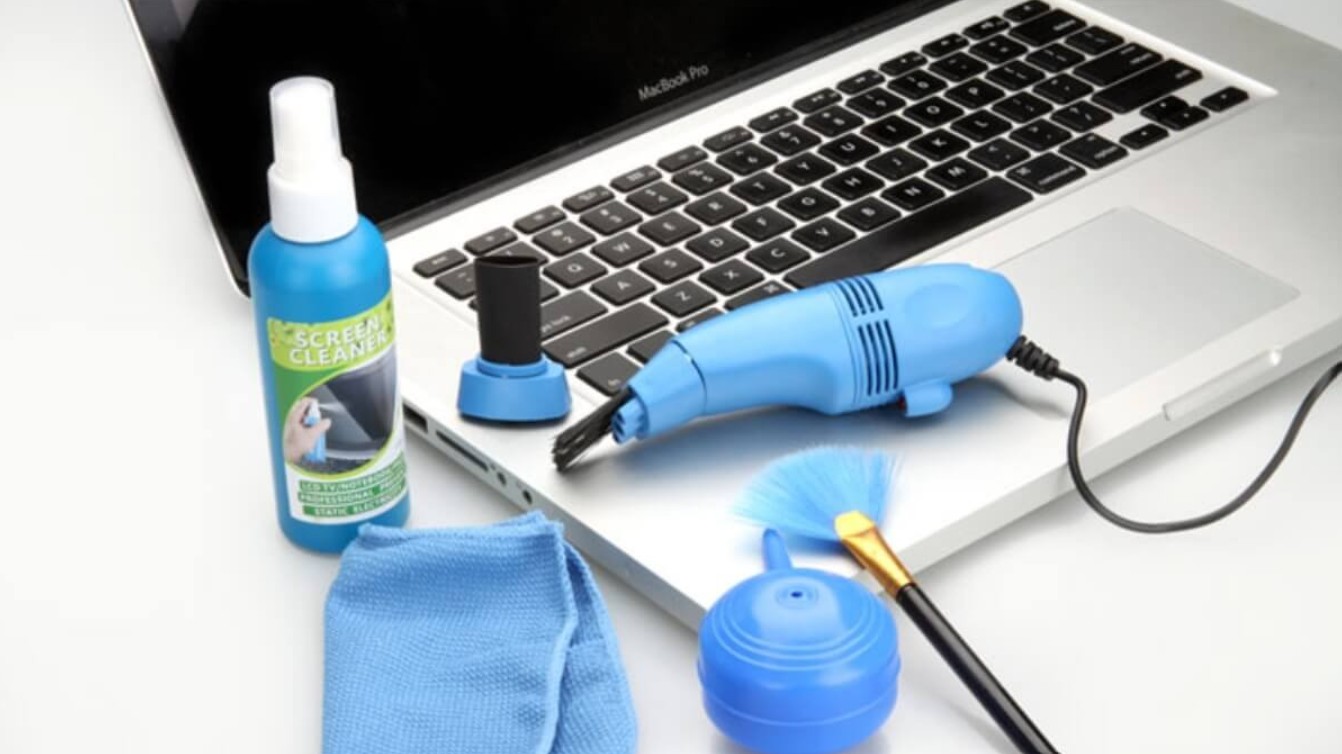
Another misconception is that "light wiping is fine." But the damage caused by alcohol is cumulative. Whether you wipe lightly, infrequently, or not at all, the coating will still wear away over time.
Furthermore, many people think laptop screens are made of tempered glass. In reality, most laptop screens are coated with a thin layer of polymer to reduce glare or provide a softer touch experience. This is the first layer to be damaged by alcohol.
Laptops, like all electronic devices, have a lifespan that depends not only on the internal components but also on how the user takes care of them. A properly cleaned laptop will maintain its new appearance longer, the keyboard will not become shiny, the screen will remain sharp, and the touchpad will be responsive for many years.
Regular cleaning with a microfiber cloth helps prevent dust buildup, avoids heat damage, and keeps the cooling vents functioning effectively. A clean laptop also limits bacteria, which is especially important for those who use their laptops for many hours each day.
Conversely, improper cleaning can cause devices to degrade quickly. Cosmetic damage may not immediately affect performance, but it significantly reduces the device's resale value. More importantly, damage such as screen discoloration or a malfunctioning touchpad can directly impact work performance.





















VIP Products








Best Selling Products
Windows 10 & 11 Pro Key
36 USD
Genuine Cheap Canva Pro
39 USD
Autodesk All App Account Copyright
120 USD
Freepik Premium Account
59 USD
Adobe Photoshop Copyright - Full App
120 USD
Copyright Adobe Lightroom Account
59 USD
Plugin Retouch4me
69 USD
Adobe Premiere Pro Account
99 USD
Capcut Pro 1 Year
39 USD
Upgrade Genuine Office 365
49 USD
Upgrade genuine Capture One account
120 USD
MidJourney Account
29 USD
ChatGPT Plus Account (GPT-4)
16 USD
Upgrade Duolingo Super
29 USD
Genuine Adobe Illustrator account
99 USD