Best Selling Products

Upgrade Duolingo Super
29 USD

MidJourney Account
29 USD

Autodesk All App Account Copyright
120 USD

Freepik Premium Account
59 USD

Capcut Pro 1 Year
39 USD

Windows 10 & 11 Pro Key
36 USD

Plugin Retouch4me
69 USD

Genuine Adobe Illustrator account
99 USD

Adobe Premiere Pro Account
99 USD

Genuine Cheap Canva Pro
39 USD

Upgrade Genuine Office 365
49 USD

Adobe Photoshop Copyright - Full App
120 USD

Copyright Adobe Lightroom Account
59 USD

ChatGPT Plus Account (GPT-4)
16 USD

Upgrade genuine Capture One account
120 USD
The “7-Day Rule” and the Secret to Keeping Your PC Stable and Durable for Longer
Nội dung
After long periods of continuous operation, issues such as memory leaks and system conflicts silently accumulate, gradually slowing down your device. Regular restarts help “clean” the entire system, improve performance, and extend longevity.
1. The Truth About Memory Leaks and How They “Erode” Performance
One of the most important reasons computers become sluggish after long periods of continuous operation is a phenomenon known as a memory leak. This is not a new technical issue, yet it still exists even in modern operating systems and software.
Essentially, a memory leak occurs when a program uses RAM but fails to release it after completing its task. Over time, this “forgotten” memory continues to accumulate, leaving fewer resources available for new operations. When RAM becomes excessively occupied, the computer is forced to rely on virtual memory stored on the hard drive, which is significantly slower. This is when users begin to clearly notice a decline in speed.
It is important to understand that not all software is perfect. Even popular applications can experience memory leak issues under certain circumstances. When you use a computer for extended periods without restarting, these small issues accumulate and eventually become significant problems.
In addition, background processes also play a substantial role. Many applications launch alongside the operating system and run quietly without the user's awareness. Some of them consume considerable resources, especially when operating continuously for several days. Combined with memory leaks, they can cause computer performance to deteriorate rapidly.
.jpg)
2. Why Do We Restart Our Computers Less and Less?
In the past, shutting down a computer after each use was almost a default habit. However, as technology has evolved, this behavior has changed significantly. Modern operating systems are optimized for faster startup times and provide features such as Sleep and Hibernate modes, allowing users to resume work almost instantly.
This convenience has led many people to stop shutting down their computers. Instead of waiting through the boot process, they simply close the laptop lid or put the machine into sleep mode. This is particularly common in busy work environments where every second matters.
Furthermore, some people believe that frequently shutting down a computer causes hardware wear, while keeping it running continuously is supposedly “more stable.” This belief is not entirely accurate, but it remains quite common.
The psychological factor should not be overlooked either. When everything seems to be working “well enough,” users rarely feel the need to change their habits. They usually take action only when problems become severe, such as when the system freezes completely or work can no longer continue.
.jpg)
3. The “7-Day Rule”
Within the technology community, a simple guideline that many people agree on is this: restart your computer at least once a week. The “7-day rule” is not a strict standard but rather a recommendation based on practical experience from users and experts.
Restarting a computer is not simply a matter of turning it off and on again. It is a process that allows the system to refresh itself completely. During a restart, all running processes are closed, RAM is fully cleared, and the operating system starts from a clean state.
This process provides several obvious benefits. First, it helps eliminate temporary errors that accumulate during daily use. Software conflicts, driver issues, and frozen processes are naturally resolved.
Second, restarting helps complete system updates. Many security patches and performance improvements only take effect after a restart. If you postpone this process for too long, your computer may become less stable or more vulnerable to threats.
Third, restarting refreshes hardware and network connections. In some situations, peripherals or internet connections may experience issues due to continuous operation. Restarting is often the fastest way to resolve them.
.jpg)
4. Understanding the Difference Between Restart, Shut Down, and Sleep
One reason many people do not restart their computers regularly is that they do not fully understand the differences between operating modes. Each option has its own advantages and disadvantages, and using them correctly can help optimize the overall experience.
Sleep mode preserves the current system state in RAM, allowing you to return to your work almost instantly. However, because RAM remains powered, issues such as memory leaks continue to exist. If Sleep mode is used continuously for many days, performance may decline significantly.
Hibernate saves the system state to the storage drive and completely powers off the computer. When restarted, the system restores the previous state. This option saves more energy than Sleep mode but still does not fully resolve accumulated issues.
Shut Down completely powers off the system, but in some cases, especially when fast startup features are enabled, it does not truly “clean” the system as thoroughly as a restart. Certain system processes may be preserved to speed up the next startup.
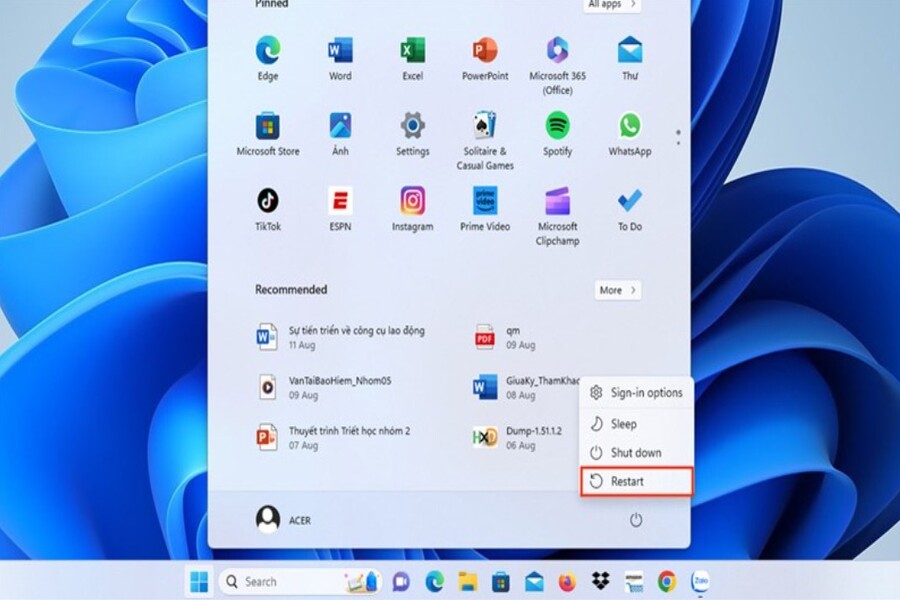
Restart is the only option that guarantees the operating system starts fresh without retaining the previous state. This is why it is recommended as a regular maintenance practice.
.jpg)
5. How to Apply It Flexibly
Although the “7-day rule” is a useful guideline, not every device requires the same approach. The effectiveness of restarting also depends on hardware specifications and usage purposes.
For lower-spec computers, limited resources make them more vulnerable to accumulated issues. In such cases, shutting down the computer daily is a habit worth maintaining. This helps ensure the system starts each new work session in its most stable condition.
On the other hand, high-end computers with large amounts of RAM and powerful processors can handle problematic processes more effectively. Users may extend the time between restarts, but should still maintain at least one restart per week.
For laptops, energy consumption is another factor to consider. Frequently relying on Sleep mode can consume battery power and potentially affect component longevity. Occasionally shutting down the device completely not only conserves energy but also helps protect the hardware.
Additionally, users who work with specialized software such as graphic design, programming, or large-scale data processing should develop the habit of restarting more frequently. These applications typically consume substantial resources and are more likely to encounter issues during extended continuous operation..jpg)
6. Be Proactive Instead of Reactive
One of the most common mistakes users make is restarting their computers only when serious problems occur. This is a reactive approach that wastes time and can disrupt work.
Instead, proactively restarting according to a regular schedule helps prevent problems before they arise. You can choose a convenient time, such as at the end of the workday or before starting an important project.
This habit not only improves performance but also gives you greater control over the condition of your device. Your computer will operate more smoothly, respond faster, and encounter fewer errors.
In addition, restarting provides an opportunity for the system to apply the latest updates. In an era of increasingly complex cybersecurity threats, this is not something that should be overlooked.
Ultimately, it is important to understand that computers, no matter how modern they are, still require “rest” and maintenance. A simple action such as restarting can have a greater impact than many people realize.
In the world of technology, sometimes the most effective solutions are also the simplest. Restarting your computer not only helps resolve problems when they occur but also serves as a way to prevent them from happening in the first place.





















VIP Products








Best Selling Products
Upgrade Duolingo Super
29 USD
MidJourney Account
29 USD
Autodesk All App Account Copyright
120 USD
Freepik Premium Account
59 USD
Capcut Pro 1 Year
39 USD
Windows 10 & 11 Pro Key
36 USD
Plugin Retouch4me
69 USD
Genuine Adobe Illustrator account
99 USD
Adobe Premiere Pro Account
99 USD
Genuine Cheap Canva Pro
39 USD
Upgrade Genuine Office 365
49 USD
Adobe Photoshop Copyright - Full App
120 USD
Copyright Adobe Lightroom Account
59 USD
ChatGPT Plus Account (GPT-4)
16 USD
Upgrade genuine Capture One account
120 USD