Best Selling Products

Upgrade genuine Capture One account
120 USD

Freepik Premium Account
59 USD

Genuine Cheap Canva Pro
39 USD

Autodesk All App Account Copyright
120 USD

Adobe Photoshop Copyright - Full App
120 USD

Upgrade Duolingo Super
29 USD

ChatGPT Plus Account (GPT-4)
16 USD

Upgrade Genuine Office 365
49 USD

Windows 10 & 11 Pro Key
36 USD

MidJourney Account
29 USD

Capcut Pro 1 Year
39 USD

Adobe Premiere Pro Account
99 USD

Plugin Retouch4me
69 USD

Copyright Adobe Lightroom Account
59 USD

Genuine Adobe Illustrator account
99 USD
What Is Digital Painting? Concepts, Tools, and an Effective A–Z Learning Guide
Nội dung
Digital Painting, also known as digital art painting, is a modern art form in which artists use technological tools to create artwork instead of traditional paints, brushes, or canvases.
1. Understanding Digital Painting
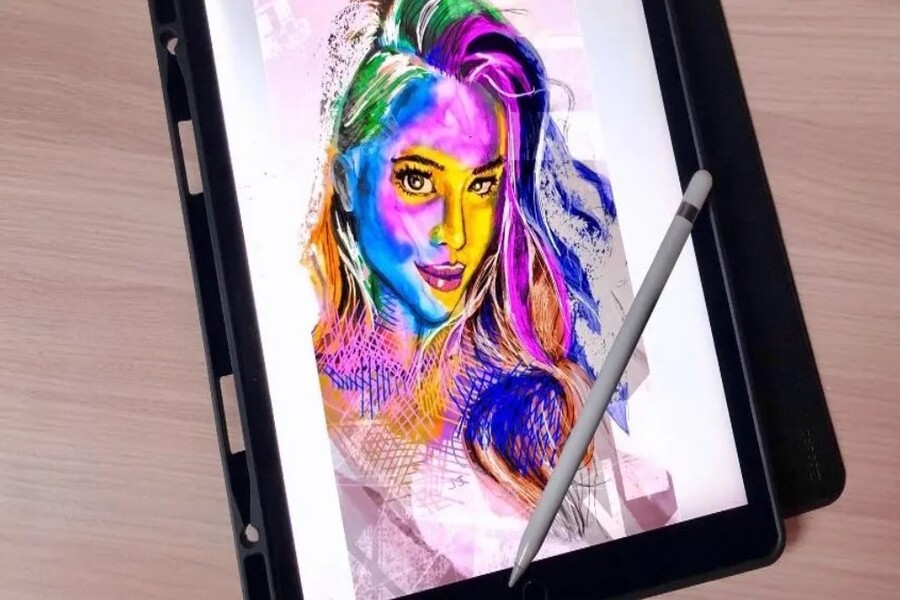
Digital Painting, also known as digital art painting, is a modern art form in which artists use technological tools to create artwork instead of traditional paints, brushes, or canvases. In the context of rapidly advancing technology, Digital Painting is no longer merely an alternative option but has become a leading trend across many creative fields.
At its core, Digital Painting retains the spirit of traditional painting: conveying ideas, emotions, and stories through imagery. However, the difference lies in the medium and approach. Instead of working with physical materials, artists use a stylus combined with a graphics tablet to draw directly on a screen. The entire process—from sketching and coloring to finalizing the artwork—takes place in a digital environment, offering a more flexible and modern experience.
One of the factors that makes Digital Painting so appealing is its almost complete level of control. Artists can easily edit, undo, change colors, or experiment with different styles without worrying about damaging the artwork. This flexibility expands creative boundaries and allows artists to quickly bring their ideas to life.
Digital Painting is not only for personal artistic expression but also plays an important role in industries such as game design, filmmaking, advertising, and publishing. From concept art and character design to book cover illustrations, many of the visual products you see every day are created using this digital art foundation.
.jpg)
2. Essential Tools to Get Started
The most important device is a graphics tablet. This is the “paintbrush” of the digital world, allowing you to draw with a stylus that offers high precision and pressure sensitivity. Models such as Wacom Intuos are ideal for beginners due to their affordable price and ease of use. Meanwhile, Wacom Cintiq provides a more professional experience with an integrated display, allowing you to draw directly on the screen as if working on paper. If flexibility and portability are priorities, the iPad Pro combined with Apple Pencil is a powerful option suitable for both learning and professional work.
In addition to hardware, software serves as the “creative workspace” where all ideas come to life. Adobe Photoshop stands out for its powerful ecosystem and extensive customization options, making it suitable for a wide variety of artistic styles. Procreate is highly regarded for its intuitive interface, ease of use, and excellent optimization for iPad. Meanwhile, Clip Studio Paint is especially appreciated for comic and illustration work, while Krita is a free alternative that still offers comprehensive features for beginners.
Finally, a computer with sufficient performance is an essential requirement. Digital Painting often involves handling large files, multiple layers, and complex effects. A stable system ensures a smooth workflow, minimizes lag, and allows you to focus entirely on the creative process.
.jpg)
3. Basic Techniques in Digital Painting
The creative process usually begins with sketching. This stage helps define ideas, composition, and the proportions of objects within the artwork. A good sketch not only provides a clearer vision of the final piece but also saves significant editing time in later stages.
Once the sketch is completed, the next step is coloring. Color is not merely decorative; it is also a powerful tool for conveying emotion. Choosing the right color palette greatly influences the overall mood of a painting, whether it feels gentle and warm or dramatic and high-contrast.
Texture is the element that makes artwork appear more vivid and realistic. In Digital Painting, you can use different brushes to simulate surfaces such as skin, fabric, metal, or wood. This enhances visual depth and creates a stronger sense of material quality.
Shading is a crucial technique for giving objects form and dimension. By identifying the light source and distributing light appropriately, you can transform simple shapes into realistic and three-dimensional subjects.
Finally, there is blending, the technique of smoothing and merging colors. This step helps color transitions appear soft, natural, and seamless. A well-blended artwork creates a more professional and visually pleasing experience for viewers.
.jpg)
4. Outstanding Benefits of Digital Painting
First and foremost is its nearly unlimited flexibility. In a digital environment, you can modify any detail without having to start over from scratch. Features such as undo, redo, and layer-based workflows allow artists to experiment with multiple ideas without risking the entire artwork. This is especially important for beginners, where mistakes are an inevitable part of the learning process.
Another advantage is convenience. There is no longer a need to prepare numerous materials such as paints, brushes, or paper. With just one device, you can create artwork anywhere. From a professional studio to a coffee shop or while traveling, Digital Painting provides a level of freedom that traditional painting can rarely achieve.
The applications of Digital Painting are also incredibly diverse. From game concept art, character design, and book illustration to advertising and media production, all of these can be accomplished using digital tools. This not only expands creative possibilities but also creates exciting career opportunities in the digital era.
Additionally, Digital Painting can significantly reduce long-term costs. Instead of continuously purchasing supplies such as paint, paper, or solvents, you only need an initial investment in hardware and software. After that, the creative process generates virtually no additional material costs, allowing you to focus entirely on your ideas.
.jpg)
5. How to Get Started with Digital Painting
Getting started with Digital Painting can feel overwhelming for many people, especially when faced with countless tools and software options. However, if approached systematically, the process becomes much simpler and more manageable.
First, choose tools that match your needs and budget. For beginners, a device such as the Wacom Intuos combined with free software like Krita is more than enough to begin the journey. As your skills improve, you can upgrade to more advanced equipment to expand your creative capabilities.
Next, learning fundamental artistic skills is essential. Composition helps you organize elements within an artwork in a balanced and logical manner. Color theory plays a key role in conveying emotions and creating visual focal points. Light and shadow add depth, while perspective creates a sense of three-dimensional space. These are foundational skills that every artist should master.
Most importantly, patience and consistent practice are crucial. Digital Painting is not a skill that can be mastered in a short period of time. Drawing every day, even for a brief duration, will lead to noticeable improvement. Over time, you will gradually develop your own artistic style and strengthen your ability to express ideas visually.
.jpg)
6. Digital Painting in the Creative Industry
In the gaming industry, Digital Painting is used to create concept art, character designs, and environmental designs. These visuals serve as the foundation for defining the style and world of a game before detailed development begins.
In filmmaking, Digital Painting supports the creation of storyboards, matte paintings, and visual effects. This allows filmmakers to clearly visualize scenes before production, helping save both time and costs.
The publishing industry also makes extensive use of this technology. Book illustrations, comics, and book covers are now largely created through Digital Painting, accelerating production and expanding artists’ creative possibilities.
Beyond that, in marketing and advertising, Digital Painting plays a vital role in producing unique and eye-catching visuals. Creative designs not only help brands stand out but also contribute to attracting and retaining customers in a highly competitive environment.
.jpg)
With its clear advantages and broad range of applications, Digital Painting is becoming an increasingly important skill not only for artists but also for anyone working in creative fields. Whether you are a beginner or already have experience, learning and embracing Digital Painting can open the door to many new opportunities.





















VIP Products








Best Selling Products
Upgrade genuine Capture One account
120 USD
Freepik Premium Account
59 USD
Genuine Cheap Canva Pro
39 USD
Autodesk All App Account Copyright
120 USD
Adobe Photoshop Copyright - Full App
120 USD
Upgrade Duolingo Super
29 USD
ChatGPT Plus Account (GPT-4)
16 USD
Upgrade Genuine Office 365
49 USD
Windows 10 & 11 Pro Key
36 USD
MidJourney Account
29 USD
Capcut Pro 1 Year
39 USD
Adobe Premiere Pro Account
99 USD
Plugin Retouch4me
69 USD
Copyright Adobe Lightroom Account
59 USD
Genuine Adobe Illustrator account
99 USD