Best Selling Products

Freepik Premium Account
59 USD

Upgrade Genuine Office 365
49 USD

ChatGPT Plus Account (GPT-4)
16 USD

Capcut Pro 1 Year
39 USD

Plugin Retouch4me
69 USD

Autodesk All App Account Copyright
120 USD

Windows 10 & 11 Pro Key
36 USD

Genuine Adobe Illustrator account
99 USD

Upgrade genuine Capture One account
120 USD

Adobe Photoshop Copyright - Full App
120 USD

Upgrade Duolingo Super
29 USD

MidJourney Account
29 USD

Adobe Premiere Pro Account
99 USD

Copyright Adobe Lightroom Account
59 USD

Genuine Cheap Canva Pro
39 USD
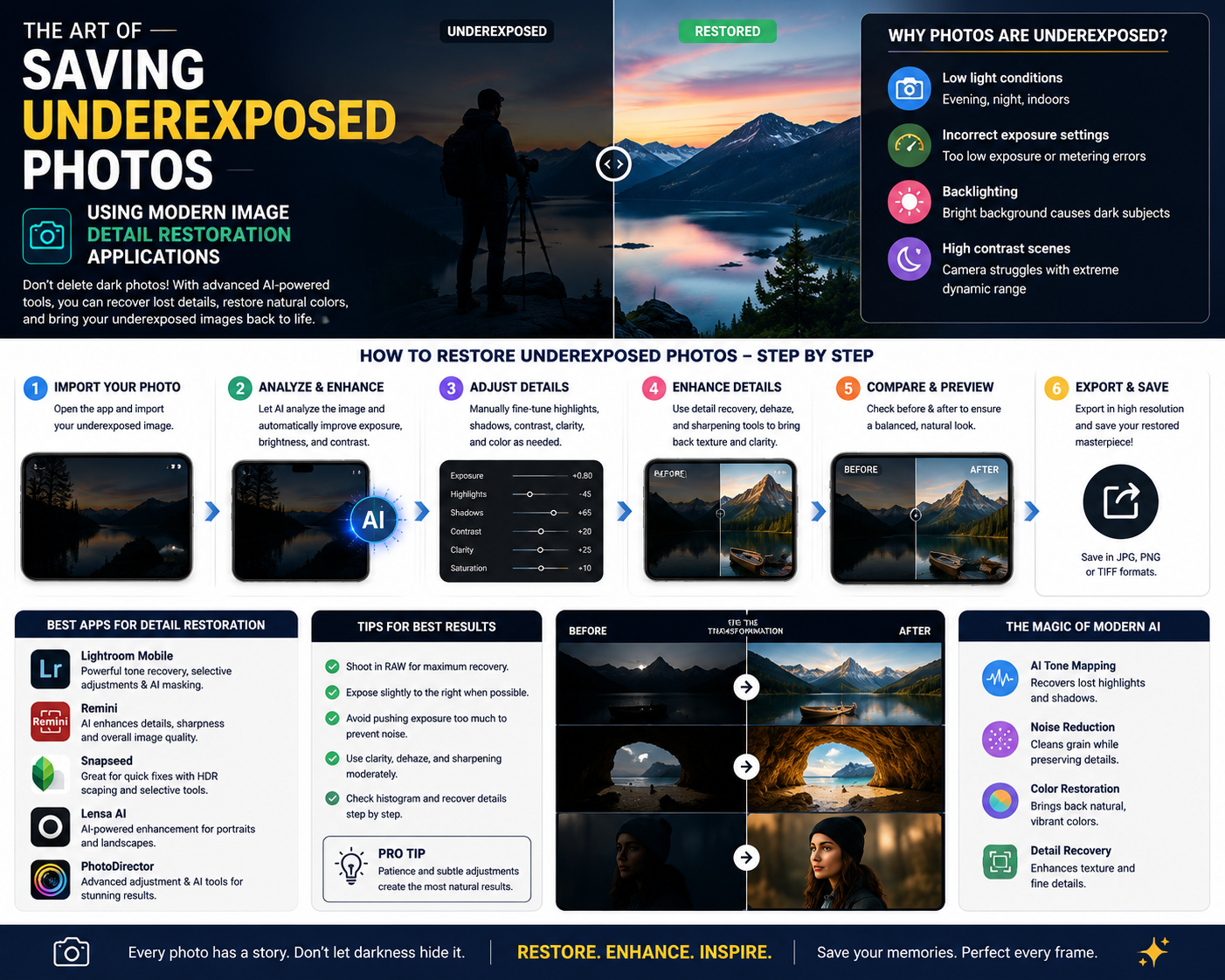
The Art of Saving Underexposed Photos Using Modern Image Detail Restoration Applications
Nội dung
- 1. The Nature of Backlighting and the Challenges in Post-Production
- 1.1. Excessive difference in the dynamic range of the sensor
- 1.2. Noise appears when attempting to brighten dark areas.
- 2. Criteria for Choosing a Professional Backlit Photo Editing App
- 2.1. Ability to independently intervene in bright and dark areas
- 2.2. Smart brush and mask features for local adjustment
- 2.3. Support for high-quality image formats to conserve resources.
- 3. Optimizing Graphics Performance and Technology Solutions at web appvip.ai
- 4. Detailed Review of the 10 Best Backlight Correction Apps Currently Available
- 4.1. Snapseed - The ultimate free tool for saving backlit photos.
- 4.2. Lightroom Mobile - The gold standard of professional photography
- 4.3. Photoshop Express - Adobe's powerful and efficient lighting processing capabilities.
- 4.4. PicsArt - The perfect combination of light balance and artistic effects
- 4.5. VSCO - Cinematic color style with sophisticated light correction tools.
- 5. Step-by-Step Process for Correcting Backlit Photos to Achieve Absolute Naturalness
- 5.1. Analyze the light histogram and determine the degree of detail deficiency.
- 5.2. Perform brightness compensation for dark areas before reducing brightness in bright areas.
- 6. Summary
This guide shows you how to recover dark or overexposed photos using professional backlight correction apps on your phone. Restore incredibly natural image details in just seconds.
1. The Nature of Backlighting and the Challenges in Post-Production
1.1. Excessive difference in the dynamic range of the sensor
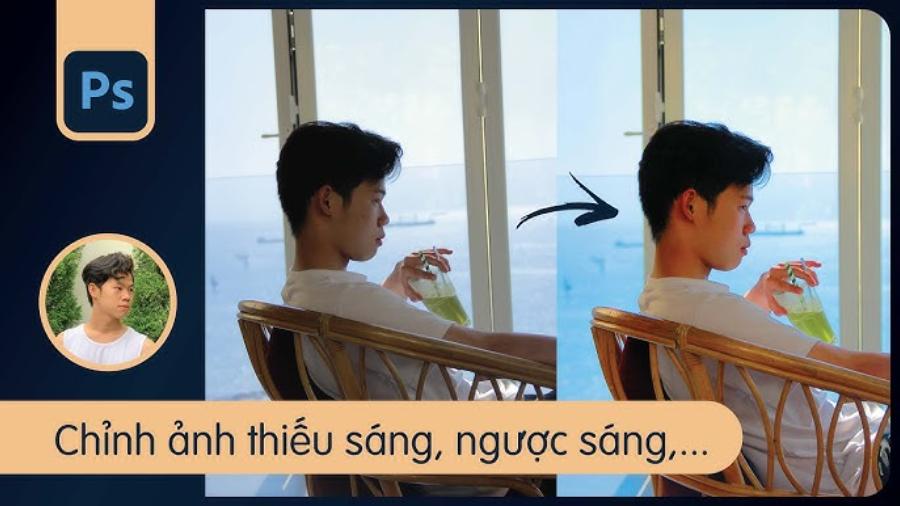
Smartphone camera sensors, despite significant improvements, still have certain limitations in dynamic range compared to the human eye. When pointing the lens at a strong light source, the camera must prioritize metering the sky or the shaded area. This choice inadvertently leads to extreme situations in the remaining area: either the sky becomes completely white with no clouds, or the subject is pitch black like a shadow.
1.2. Noise appears when attempting to brighten dark areas.
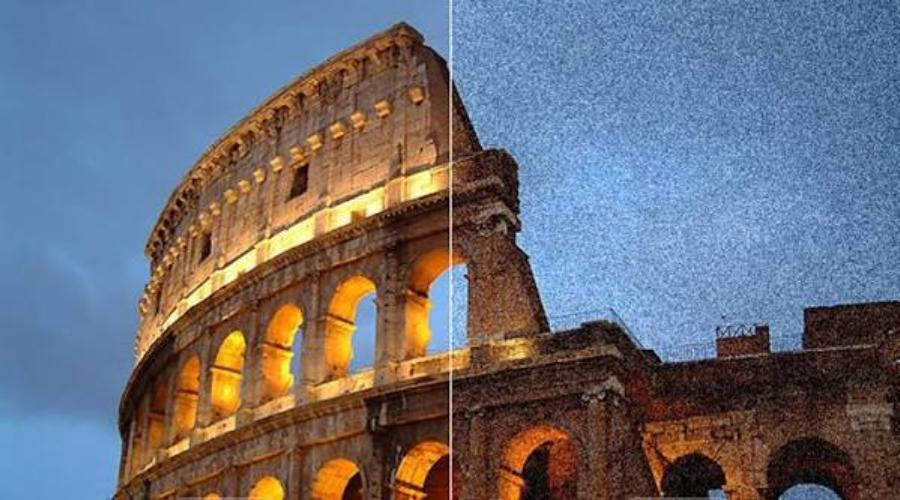
The biggest challenge for photo editors when rescuing backlit photos is controlling noise. When the brightness of a dark area is increased excessively using rudimentary tools, pixels break up, resulting in speckled blue and red specks that severely reduce sharpness. A high-quality application requires intelligent noise reduction algorithms to keep the dark areas smooth and accurate after brightening.
2. Criteria for Choosing a Professional Backlit Photo Editing App
2.1. Ability to independently intervene in bright and dark areas
A standard backlight correction app never uses a general brightness slider, as this will only make already bright areas appear even more overexposed. Instead, the software should provide specialized sliders for Highlights, Shadows, Whites, and Blacks. This separation allows users to brighten only the darkest areas and tone down the brightness of the sky.
2.2. Smart brush and mask features for local adjustment
The entire photo doesn't always need to be adjusted for lighting with the same intensity. Advanced applications often integrate masking tools or selective brushes. This feature allows users to precisely select the dark areas of a face or subject to apply specific brightening effects, keeping the surrounding space unaffected.
2.3. Support for high-quality image formats to conserve resources.
The process of scaling and light compensation requires the original image to contain a wealth of color information. Users should prioritize software that supports editing raw (RAW or DNG) images. This format preserves data from the camera sensor intact, making the restoration of detail in dark areas much more effective than with commonly compressed image formats like JPEG.
3. Optimizing Graphics Performance and Technology Solutions at web appvip.ai
To achieve perfection in image processing, the combination of personal skill and high-tech supporting tools is inseparable. In the quest for optimal equipment solutions and the latest generation of intelligent software, the website appvip.ai is an unmissable destination. This platform specializes in providing comprehensive digital technology solutions, AI-powered application systems to enhance performance, and exclusive graphic resources.
4. Detailed Review of the 10 Best Backlight Correction Apps Currently Available
4.1. Snapseed - The ultimate free tool for saving backlit photos.
Snapseed, developed by Google, is always the first choice for anyone facing a poorly lit photo. The app boasts an intuitive interface and is completely ad-free, providing an incredibly focused work experience.
Snapseed's secret weapon for fixing backlit photos is its "Selective Editing" feature and "Brush" tool. Users can place markers directly on the darkened face, then simply swipe the screen to increase the brightness and contrast of that specific area while preserving the color of the sky behind. The software's "HDR Scape" tool also dramatically recreates the bright areas with just a scroll.
4.2. Lightroom Mobile - The gold standard of professional photography
Inheriting all the top-notch lighting processing algorithms from the desktop version, Lightroom Mobile is an indispensable assistant for mobile photographers. This application boasts the ability to process RAW image files incredibly smoothly.
Lightroom's lighting control system is incredibly detailed, with highly precise Shadows and Highlights sliders. When you drag the Shadows slider up, the software calculates the pixel histogram to naturally compensate for light without causing color banding. The Color Grading function helps you professionally compensate for color shades lost due to underexposure.
4.3. Photoshop Express - Adobe's powerful and efficient lighting processing capabilities.
Sharing the same parent company as Lightroom, Photoshop Express focuses on speed and convenience with its pre-designed filters. This application is extremely powerful in automatically analyzing and correcting lighting errors, making it ideal for busy people.
4.4. PicsArt - The perfect combination of light balance and artistic effects
PicsArt is renowned as a versatile art studio, and in handling backlit photos, the app also demonstrates impressive capabilities through its "Adjust" toolset.
Users can utilize the "Dark Area Contrast" feature to restore the subject's outlines. The interesting thing about PicsArt is that after brightening, you can use light leak effects or artistic lens flare overlays to transform the initial backlighting flaw into a deliberate artistic design, creating a more luminous and depth-filled image.
4.5. VSCO - Cinematic color style with sophisticated light correction tools.
Although VSCO is often known for its iconic color filters, the app's technical editing tools are capable of handling lighting with incredible finesse, reminiscent of classic film.
VSCO's "Tone" tool divides the editing process into two independent sliders: Highlight Rescue and Shadow Tint. This division allows users to retain details of overexposed clouds and gently brighten shadows without harshness, creating an overall image with soft contrast and a strong artistic feel.
5. Step-by-Step Process for Correcting Backlit Photos to Achieve Absolute Naturalness
5.1. Analyze the light histogram and determine the degree of detail deficiency.
Before you start dragging the toolbars, observing and analyzing the image is crucial. You need to carefully examine whether the dark areas retain detail or have become completely black (clipping), and whether the bright areas have lost cloud and sky data. This helps determine the level of intervention: if the image is only slightly backlit, prioritize using the Shadows tool; if the image is heavily backlit, you must combine it with the masking tool for localized processing to avoid damaging the image structure.
5.2. Perform brightness compensation for dark areas before reducing brightness in bright areas.
The proper adjustment process is to start by gradually increasing the Shadows slider until the subject's details are clearly visible. Once the dark areas have reached the desired brightness, you then reduce the Highlights slider to bring back details in the sky or the illuminated areas in the background. Combining these two actions seamlessly will help narrow the light gap, bringing the photo back to a naturally balanced state.
6. Summary
The widespread availability of image editing software on mobile devices has given millions of seemingly unusable photos a chance to be revived due to poor lighting. Mastering an app to correct backlighting not only helps you preserve precious moments in life but also elevates your personal aesthetic sense to a new level. Light is the soul of photography, and knowing how to control and compensate for light in post-processing is the dividing line between an ordinary photograph and a polished work of art. Choose the most suitable tool for yourself, practice observing the dynamic range, and constantly experiment to confidently master every angle under any weather or lighting conditions.





















VIP Products








Best Selling Products
Freepik Premium Account
59 USD
Upgrade Genuine Office 365
49 USD
ChatGPT Plus Account (GPT-4)
16 USD
Capcut Pro 1 Year
39 USD
Plugin Retouch4me
69 USD
Autodesk All App Account Copyright
120 USD
Windows 10 & 11 Pro Key
36 USD
Genuine Adobe Illustrator account
99 USD
Upgrade genuine Capture One account
120 USD
Adobe Photoshop Copyright - Full App
120 USD
Upgrade Duolingo Super
29 USD
MidJourney Account
29 USD
Adobe Premiere Pro Account
99 USD
Copyright Adobe Lightroom Account
59 USD
Genuine Cheap Canva Pro
39 USD