1. Reasons why image integration techniques on mobile devices are dominant in media.

1.1 Enhancing the authenticity and contextualization of the user experience.
A simple screenshot of an application often feels crude and lacks connection to real life. Creating a frame around the image allows viewers to instantly visualize how the application, website, or image would look in real life. This visual context stimulates the customer's imagination, helping them understand the product faster and build trust in the services the business provides.
1.2 Enhancing the aesthetics and professionalism of advertising materials.
The new generation of smartphone frames, with their bezel-less designs and sophisticated camera modules, always convey a high-tech, modern, and luxurious feel. When incorporating personal photos or campaign banners into these frames, the value of the original image is elevated to a new level. This approach makes social media posts, presentation slides, or landing pages incredibly polished, eye-catching, and easily distinguishable from the typical content of competitors.
1.3 Optimizing the designer's message delivery performance
The vertical geometric structure of a smartphone screen acts as a natural filter, isolating distracting details and focusing the viewer's attention entirely on the main content. Marketers can leverage this space to highlight core software features, special promotions, or impressive portrait moments. This visual focus directly improves conversion rates and helps the message stay in the public's mind longer.
2. Outstanding advantages of using online phone photo frame creation tools
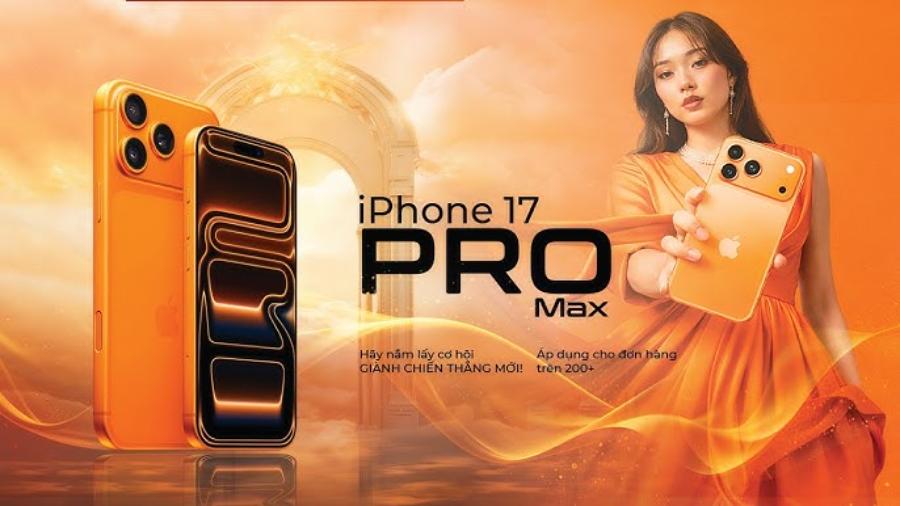
2.1 Completely eliminate the process of installing and working with heavy software.
Designing a smartphone mockup frame yourself using professional graphic design software requires users to have a computer with a powerful graphics card and in-depth knowledge of lighting and materials.
2.2 Diverse product range accurately mimics trendy models.
You are free to choose different perspectives such as a frontal view, an artistic angle, a three-dimensional view, or a real model holding the phone in their hand. This diversity makes it easy for users to define a design style that suits the spirit of each specific campaign.
2.3 Ability to export transparent background-separated files that meet flat design standards
A crucial feature of high-quality online tools is the support for exporting files in PNG format, completely removing the background surrounding the phone. This allows designers to easily use the image-edited frame to insert into larger posters or website banners with complex backgrounds without fear of revealing any flaws in the edges. The simulated image will blend seamlessly into the overall design space in the most natural way.
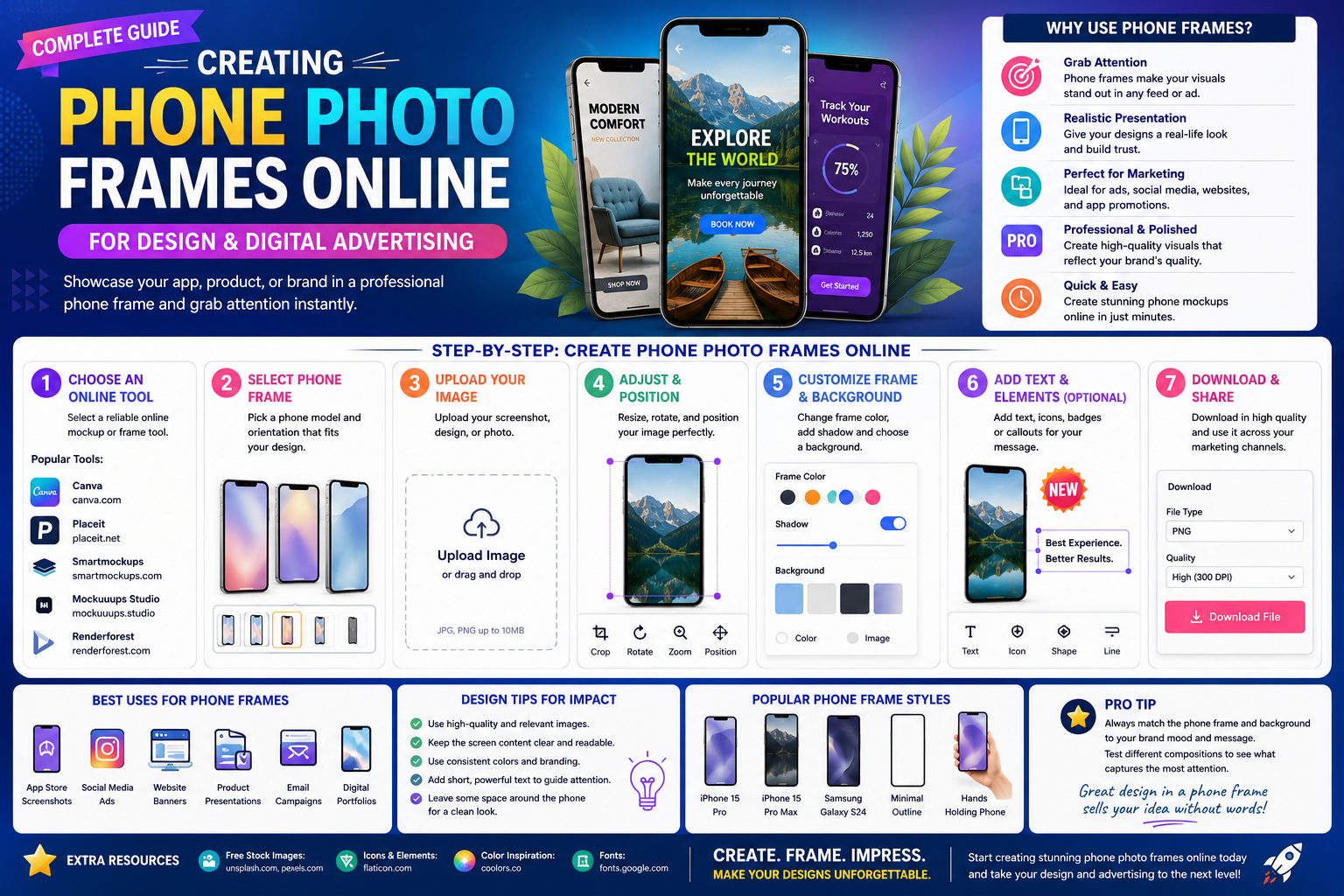
3. A step-by-step guide to creating a phone photo frame with the correct display size.
3.1 Step 1: Prepare the source file and select the appropriate device frame.
The first step requires users to clearly define their purpose in order to choose the most optimal frame format for their photo.

-
Data preparation: Take a screenshot of the app interface or select a personal photo you want to combine, ensuring the vertical aspect ratio is compatible with a standard phone screen (usually 16:9 or 19.5:9).
-
System operation: Access the tool's website, navigate to the Device Mockup category, and select the desired phone model, paying attention to the case color (gold, silver, black) to match the image.
3.2 Step 2: Upload the image and align its position to fit the emulator screen.
This process is largely automated, however, users still need to make some manual adjustments to achieve maximum perfection.
-
Upload source image: Click on the upload area on the screen, select the file from your device, and the system will automatically embed the image inside the frame of the selected smartphone.
-
Focus adjustment: Use the zoom or move toolbars to ensure that important details in the photo are not obscured by the rear camera cluster or the front Dynamic Island.
-
Add environmental effects: Customize the screen's reflectivity (Reflection) and drop shadow parameters to make your phone look like a real three-dimensional object.
3.3 Step 3: Check quality and download the finished file
The final step in completing the process is selecting the best file output quality for printing or online uploading.
-
Overall preview: Review the image to check for any distortion, scaling, or blurring around the edges.
-
Choose your output format: Select PNG if you need to embed it in other designs, or select JPG if you want to upload it directly to social media posts for optimal loading speed.
-
Download to your device: Click the save high quality (HD or Super HD) button; the file will be processed in a few seconds and automatically saved to your device's memory.
4. The website appvip.ai provides next-generation graphic automation solutions.
The breakthrough of smart technologies is reshaping the entire workflow of the design and multimedia industry. The website appvip.ai is a leading ecosystem integrating the power of advanced artificial intelligence into everyday graphic design tasks for general users. The platform is built to completely eliminate cumbersome technical barriers, enabling those without an artistic background to create professional-quality media publications and simulated images with just a click of the mouse. The intelligent system automatically recognizes image structure, analyzes geometric proportions, and adjusts lighting in the most natural way, delivering superior productivity for marketers and small business owners.
5. Practical applications of phone photo frames in digital business operations.
5.1 Create an impressive product catalog image set for app stores.
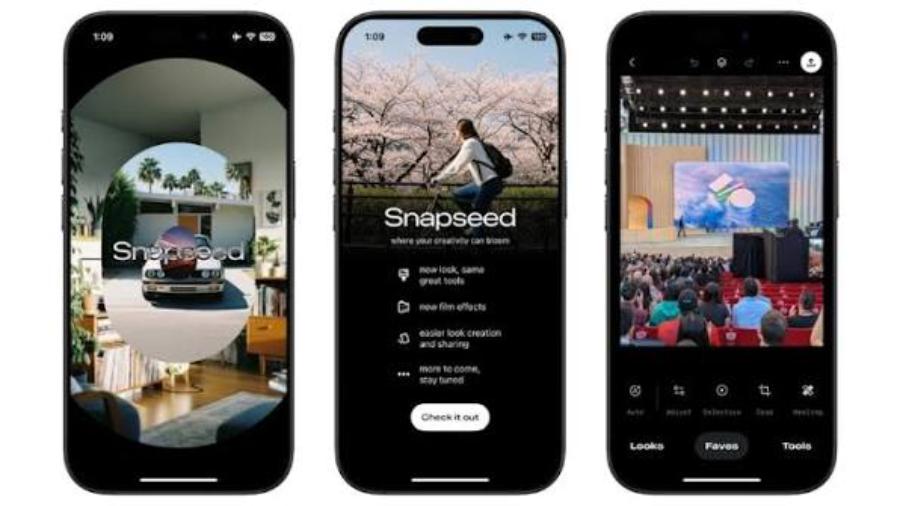
For software developers, uploading app screenshots to the Google Play or App Store requires extremely strict aesthetic standards. Using phone photo framing tools to incorporate the app's key features into elegant smartphone designs is a classic method to attract downloads. This approach helps users clearly visualize the app's interface before they decide to install it.
5.2 Creating unique advertising banners for online courses and services
Training professionals and online course vendors frequently use images of mobile phones displaying lectures as marketing materials. Presenting lesson images in a mobile format subtly conveys a message of convenience, allowing learners to study anytime, anywhere, on their personal devices. This visual effect significantly enhances the perceived value of the course and encourages student enrollment.
5.3 Designing cover photos and social media posts in a modern style.
Freelancers or personal brands can refresh their profiles by incorporating quotes and artistic photos of themselves into smartphone frames. This arrangement creates a trendy flat lay design style, similar to a photograph of tech gadgets arranged on a desk. This meticulous approach directly creates a strong personal brand identity and attracts significant interaction from the online community.
6. Conclusion
Mastering the technique of creating online photo frames for mobile phones is a smart solution that helps content creators and marketers break through in terms of efficiency and elevate the visual quality of all digital media publications. The shift from cumbersome design methods to intuitive cloud-based ecosystems accurately reflects the flow of the technological age: minimalism, speed, and optimized practical effectiveness.