Best Selling Products

Upgrade Duolingo Super
29 USD

MidJourney Account
29 USD

Plugin Retouch4me
69 USD

Copyright Adobe Lightroom Account
59 USD

Autodesk All App Account Copyright
120 USD

Freepik Premium Account
59 USD

Windows 10 & 11 Pro Key
36 USD

Genuine Adobe Illustrator account
99 USD

Capcut Pro 1 Year
39 USD

Upgrade Genuine Office 365
49 USD

ChatGPT Plus Account (GPT-4)
16 USD

Upgrade genuine Capture One account
120 USD

Adobe Premiere Pro Account
99 USD

Adobe Photoshop Copyright - Full App
120 USD

Genuine Cheap Canva Pro
39 USD
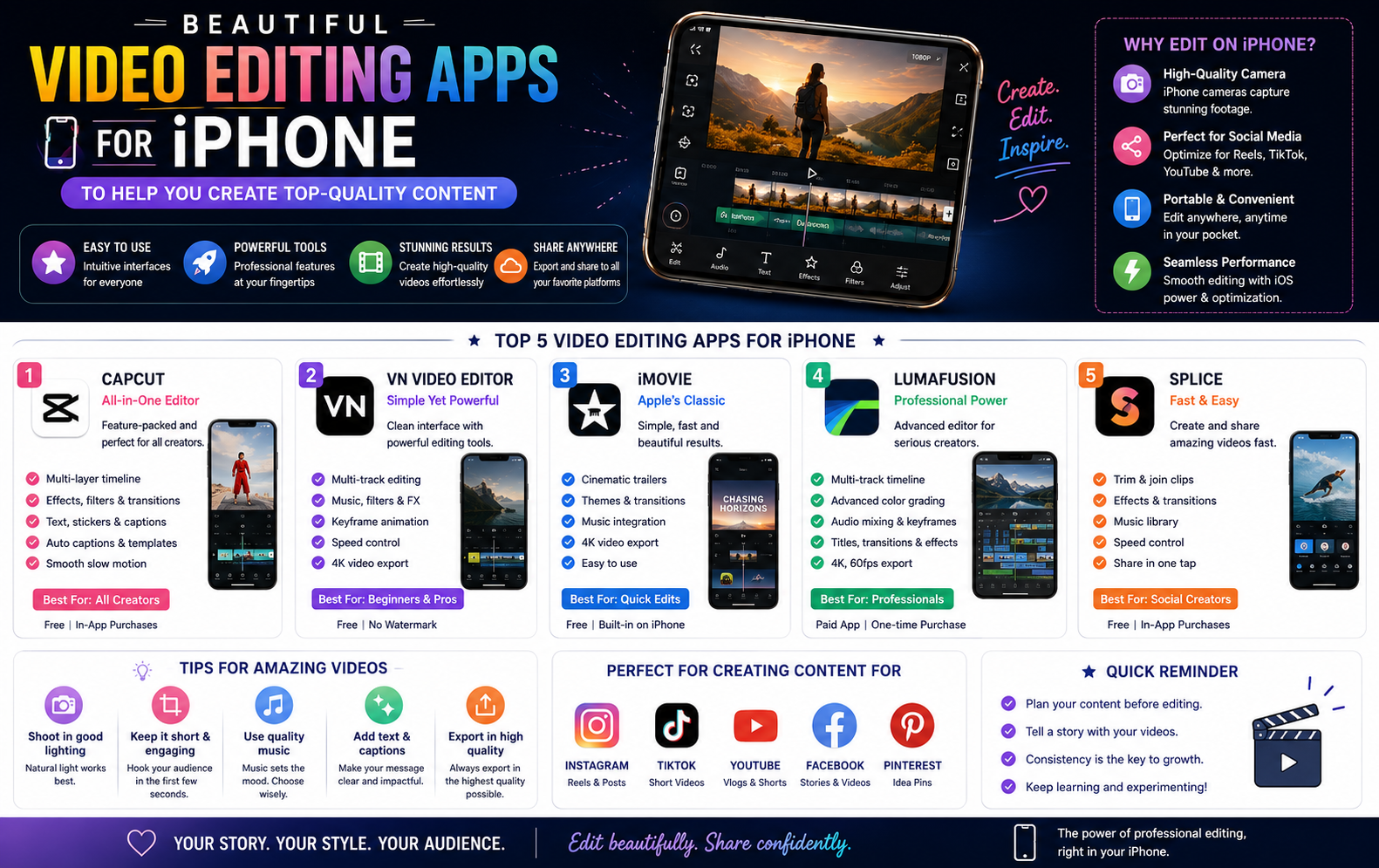
Beautiful Video Editing Apps for iPhone to Help You Create Top-Quality Content
Nội dung
- 1. Why Video Editing on iPhone Has Become a Global Trend
- 1.1. Excellent hardware compatibility and performance optimization
- 1.2. The display system achieves high color accuracy.
- 1.3. The App Store possesses many exclusive privileges.
- 2. Criteria for Choosing a Beautiful Video Editing App for iPhone that's SEO-Friendly
- 2.1. Supports a variety of frame rates suitable for multiple digital platforms.
- 2.2. Integrating artificial intelligence technology to support users.
- 2.3. Ability to export high-quality files while maintaining original resolution.
- 3. Discover a reputable provider of digital solutions at appvip.ai
- 4. Detailed Review of 10 of the Most Popular Video Editing Apps for iPhone
- 4.1. CapCut - The leading short video trending platform
- 4.2. VN Video Editor - A completely free professional video editing tool.
- 4.3. KineMaster - Advanced video editing studio for horizontal screens
- 4.4. InShot - A powerful assistant for a modern lifestyle.
- 4.5. iMovie - The official, top-quality app from Apple.
- 5. Summary
Discover a list of beautiful video editing apps for iPhone, from basic to professional. Instantly learn the secrets to creating million-view videos easily on the iOS operating system.
1. Why Video Editing on iPhone Has Become a Global Trend

1.1. Excellent hardware compatibility and performance optimization
The iOS operating system has a unique advantage as it is designed specifically for a limited number of Apple devices. This synchronization allows app developers to optimize graphics processing algorithms to the maximum extent. Lag, freezing, or pixelation when processing large files are very rare on iPhones. The superior hardware power of the Bionic processor chips enables fast transition effects and video export, saving creators significant time.
1.2. The display system achieves high color accuracy.
Apple's Super Retina XDR display technology delivers incredibly accurate color reproduction, high contrast, and a wide color gamut. This is crucial for advanced video color grading. When adjusting brightness or applying color filters on an iPhone, users can rest assured that the final product will not suffer from color inaccuracies when displayed on different devices or social media platforms.
1.3. The App Store possesses many exclusive privileges.
The software developer community has always favored the iOS platform due to its profitability and stable operating system architecture. Many of the world's leading professional video editing applications are designed specifically for or released on the App Store much earlier than versions for other operating systems. Apple device users always have early access to the latest technological features, exclusive color filters, and market-leading effect trends.
2. Criteria for Choosing a Beautiful Video Editing App for iPhone that's SEO-Friendly
2.1. Supports a variety of frame rates suitable for multiple digital platforms.
Each social media platform currently has its own specific aspect ratio standards to optimize the viewer experience. A high-quality editing application must integrate flexible cropping options, from the 9:16 ratio of TikTok, Reels, and Shorts to the traditional 16:9 ratio of YouTube or the square 1:1 ratio of Instagram. Switching between these ratios needs to be smooth and not distort the original details in the video.
2.2. Integrating artificial intelligence technology to support users.
The digital age demands increasingly intelligent applications to streamline workflows. Leading software today boasts powerful AI features such as automatic voice recognition for subtitle generation, automatic editing based on music rhythm, and intelligent background removal. AI technology minimizes complex manual operations, enabling even beginners to create polished products.
2.3. Ability to export high-quality files while maintaining original resolution.
Hours of editing effort will be wasted if the final video is blurry or severely degraded in quality after publication. Standard applications need to support a minimum output quality of Full HD 1080p, while also being compatible with 4K video at 60 frames per second. Intelligent encoding algorithms will help preserve image detail, motion smoothness, and the vibrancy of the original sound.
3. Discover a reputable provider of digital solutions at appvip.ai
Content creation is a long journey requiring continuous upgrades in both tools and technological thinking. Besides utilizing editing software directly on their phones, users can also find groundbreaking solutions at appvip.ai . This platform specializes in providing comprehensive technology solutions, intelligent application systems to enhance work efficiency, and exclusive digital resources. This system allows easy access to image optimization tools and next-generation artificial intelligence applications, thereby expanding creative boundaries and easily transforming even the most complex ideas into reality.
4. Detailed Review of 10 of the Most Popular Video Editing Apps for iPhone
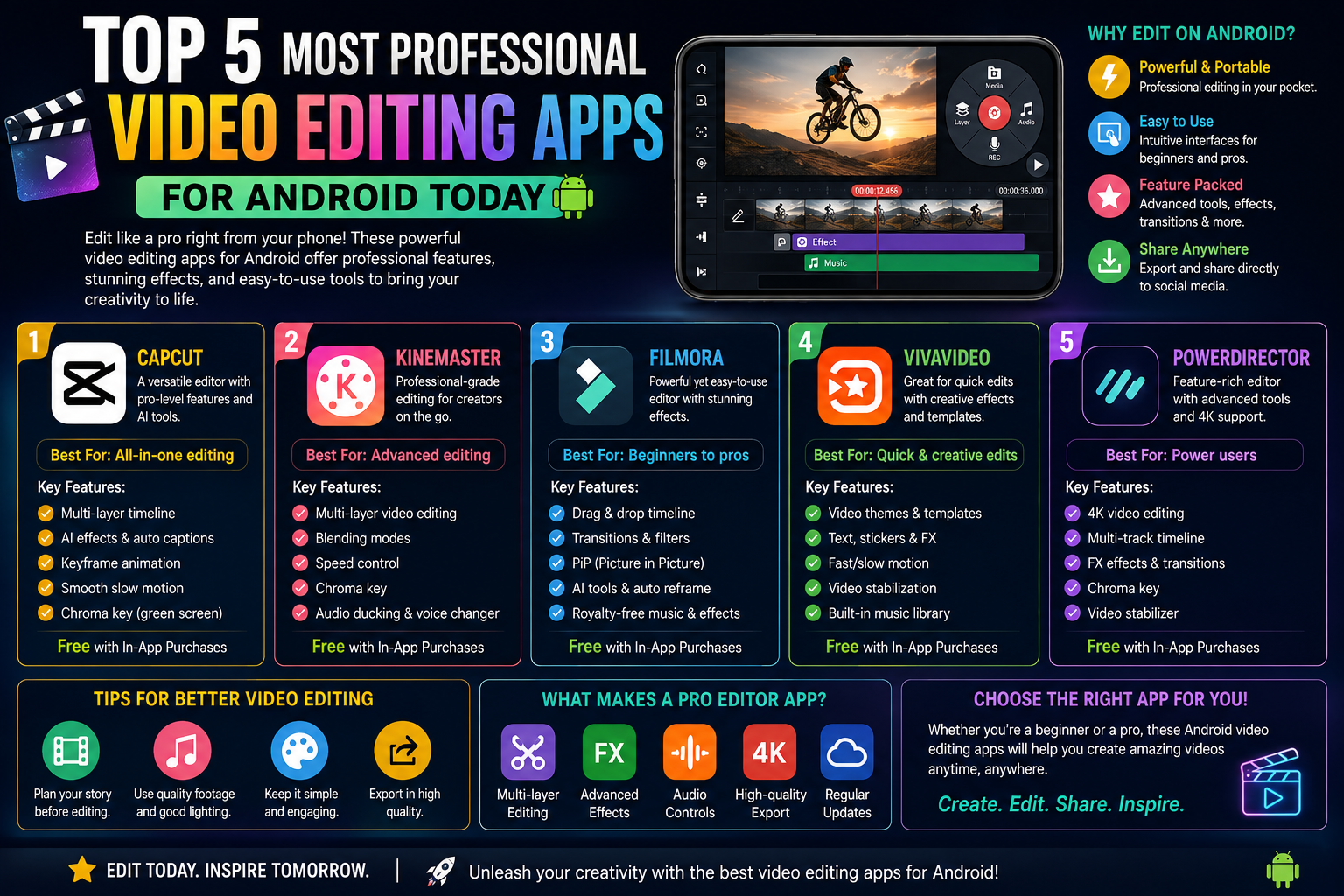
4.1. CapCut - The leading short video trending platform
CapCut has solidified its dominant position among young people thanks to its deep integration with the short video ecosystem. The app's biggest strength is its incredibly rich library of pre-designed templates, allowing users to transform disparate photos or video clips into eye-catching videos with just a few taps.
The app boasts incredibly natural-looking skin-smoothing color filters and a range of unique transition effects that are constantly updated to reflect global music trends. The software's automatic Vietnamese subtitle generation feature works with very high accuracy, saving content creators a significant amount of post-production time.
4.2. VN Video Editor - A completely free professional video editing tool.
VN Video Editor is the ideal choice for those seeking powerful software but who don't want to be bothered by watermarks in their videos. The application's interface is designed with a highly organized, multi-layered timeline, clearly separating the video, audio, effects, and text streams.
The unique feature of this application is the Curve Speed function, which allows you to adjust the speed of movement using a curve graph, creating incredibly smooth slow-motion footage. The ability to directly import LUTs from external sources makes it easy to synchronize video colors according to your artistic vision.
4.3. KineMaster - Advanced video editing studio for horizontal screens
KineMaster offers a professional workflow similar to desktop software thanks to its distinctive landscape interface. This application boasts the ability to deeply manipulate each frame, allowing users to seamlessly layer multiple videos and images on top of each other.
The app's green screen (Chroma Key) feature works exceptionally well on iPhones, allowing you to easily and smoothly separate and merge backgrounds. The audio filter system, detailed volume controls, and multi-channel color grading tools make this software a powerful assistant for vloggers or semi-professional filmmakers.
4.4. InShot - A powerful assistant for a modern lifestyle.
InShot focuses on speed and convenience, targeting users who love sharing everyday life moments. The app's intuitive interface allows anyone to learn and master basic operations such as cutting, merging, fast forwarding, and rewinding in just a few minutes.
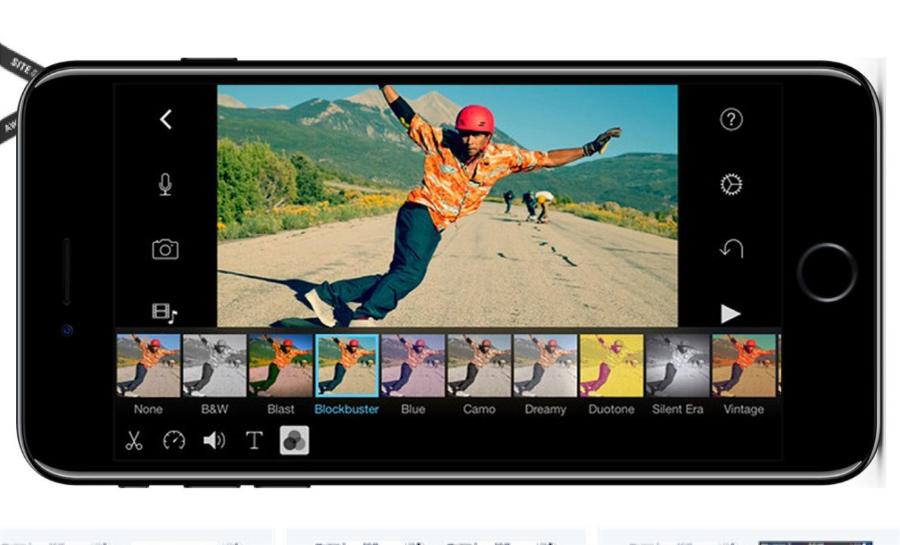
The software's strengths lie in its extensive library of animated stickers, diverse artistic fonts, and flexible background music processing capabilities. The application allows you to insert your favorite music clips, record voiceovers directly, and apply fun sound effects to enhance the entertainment value of your videos.
4.5. iMovie - The official, top-quality app from Apple.
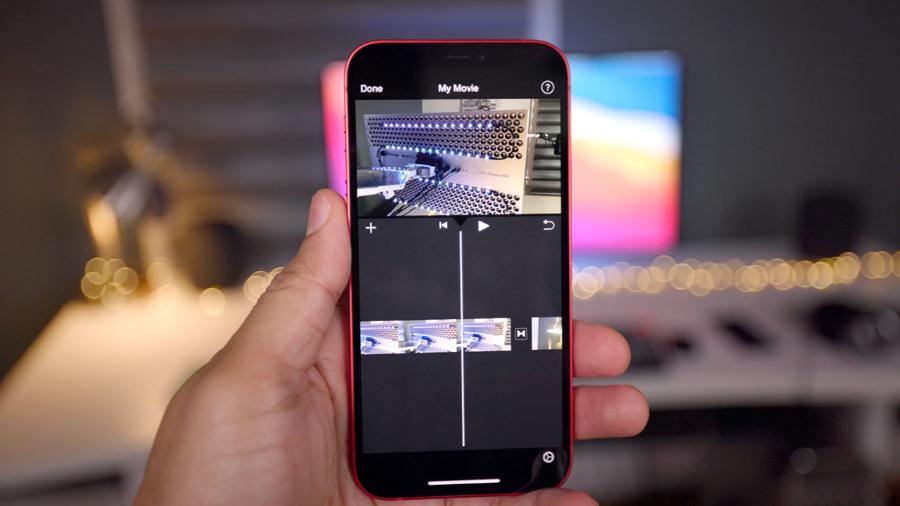
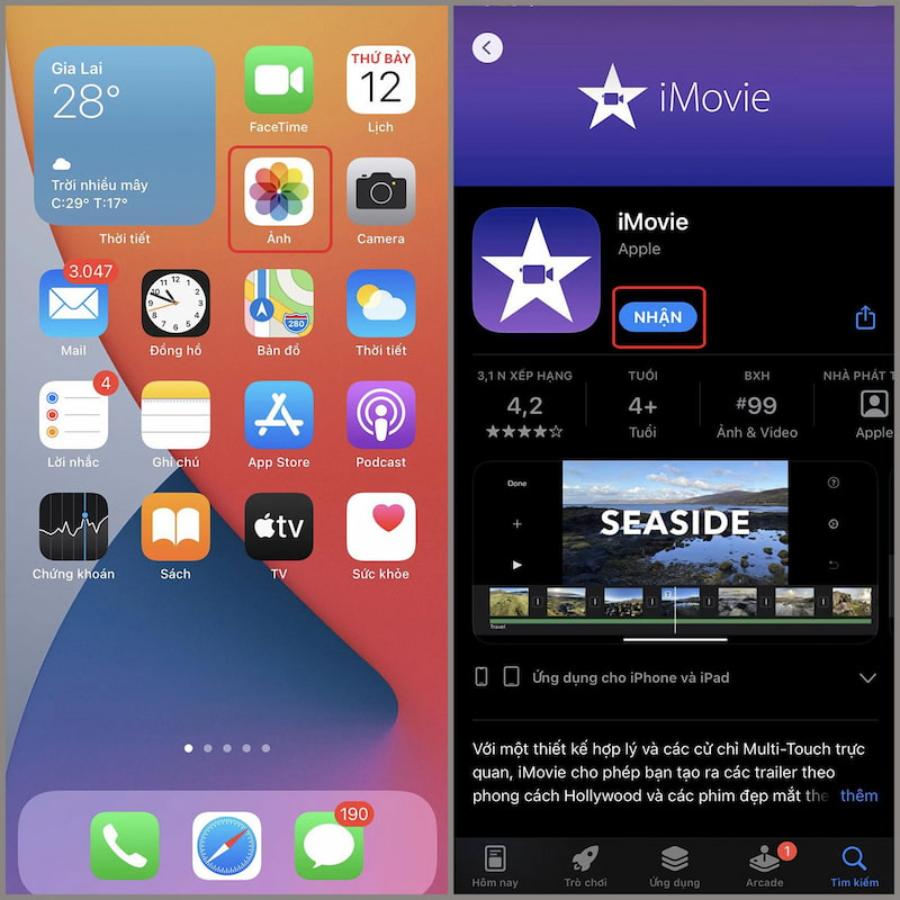
Developed by Apple itself, iMovie is completely free and pre-installed on iOS devices. The app is renowned for its absolute stability and ability to optimize hardware resources, never causing overheating or excessive battery drain.
iMovie offers pre-designed movie themes and trailers in a Hollywood style. Users simply need to upload their video clips into the available frames, and the application will automatically handle the music and transition effects perfectly, giving a highly professional feel.
5. Summary
The continuous development of hardware technology and the increasing intelligence of editing software have blurred the lines between ordinary users and professional filmmakers. Owning a beautiful video editing app for iPhone is not just a simple entertainment tool, but has become a key to unlocking career opportunities and developing a personal brand in the digital age. Technology will continue to advance with the increasingly profound support of artificial intelligence, making the creative process simpler and more free. Start today by choosing a suitable tool, persistently honing your visual thinking, and constantly experimenting to create unique video works that bear your own personal mark.





















VIP Products








Best Selling Products
Upgrade Duolingo Super
29 USD
MidJourney Account
29 USD
Plugin Retouch4me
69 USD
Copyright Adobe Lightroom Account
59 USD
Autodesk All App Account Copyright
120 USD
Freepik Premium Account
59 USD
Windows 10 & 11 Pro Key
36 USD
Genuine Adobe Illustrator account
99 USD
Capcut Pro 1 Year
39 USD
Upgrade Genuine Office 365
49 USD
ChatGPT Plus Account (GPT-4)
16 USD
Upgrade genuine Capture One account
120 USD
Adobe Premiere Pro Account
99 USD
Adobe Photoshop Copyright - Full App
120 USD
Genuine Cheap Canva Pro
39 USD