Best Selling Products

Upgrade genuine Capture One account
120 USD

Freepik Premium Account
59 USD

Genuine Cheap Canva Pro
39 USD

Windows 10 & 11 Pro Key
36 USD

Genuine Adobe Illustrator account
99 USD

MidJourney Account
29 USD

Upgrade Duolingo Super
29 USD

Autodesk All App Account Copyright
120 USD

ChatGPT Plus Account (GPT-4)
16 USD

Adobe Premiere Pro Account
99 USD

Capcut Pro 1 Year
39 USD

Adobe Photoshop Copyright - Full App
120 USD

Plugin Retouch4me
69 USD

Copyright Adobe Lightroom Account
59 USD

Upgrade Genuine Office 365
49 USD
The Trend of Using Smart Technology to Change the Background of Profile Photos Right at Home
Nội dung
- 1. The Need for Standardizing Background Colors for Current Types of Document Photos
- 1.1. The importance of a clean background for administrative records
- 1.2. The trend of shifting from green screen to white screen.
- 2. Limitations of Manually Editing Photos
- 2.1. The edges are rough and lack detail of the hair strands.
- 2.2. The difference in lighting between the subject and the new background
- 3. Experience the Superior Photo Background Editing App for ID Cards at Appvip.ai
- 4. Steps to Automatically Change the Background Image on the System Interface
- 4.1. Step 1: Upload the original portrait file to cloud storage.
- 4.2. Step 2: The system automatically analyzes and extracts the background.
- 4.3. Step 3: Customize the background color to match the profile requirements.
- 4.4. Step 4: Check the specifications and download the image to your device.
- 5. A Guide to Preparing Input Images for the Best Results
- 5.1. Choose clothing with contrasting colors.
- 5.2. Maintain an upright sitting posture and proper facial expression.
- 6. Practical Benefits of Using Online Wallpaper Changer
- 6.1. Minimize travel and waiting time.
- 6.2. Reduce unnecessary graphic design service costs.
- 7. Mistakes to Avoid When Creating Your Own ID Photo at Home
- 8. Conclusion
Discover the photo background editing app for ID photos at appvip.ai with intelligent AI-powered background removal technology.
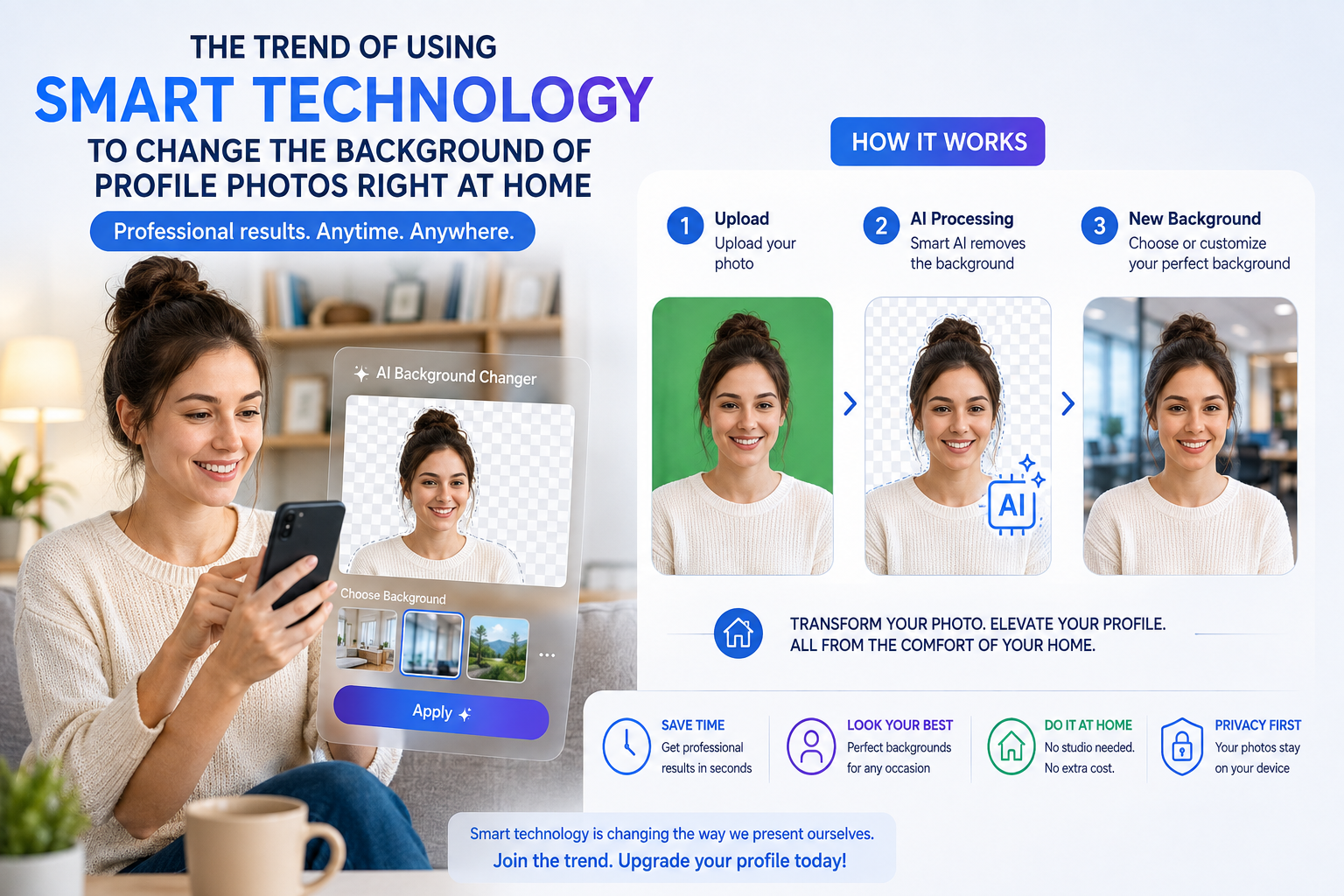
1. The Need for Standardizing Background Colors for Current Types of Document Photos
Each country, organization, or school establishes strict visual standards for personal portrait photos in order to standardize data.
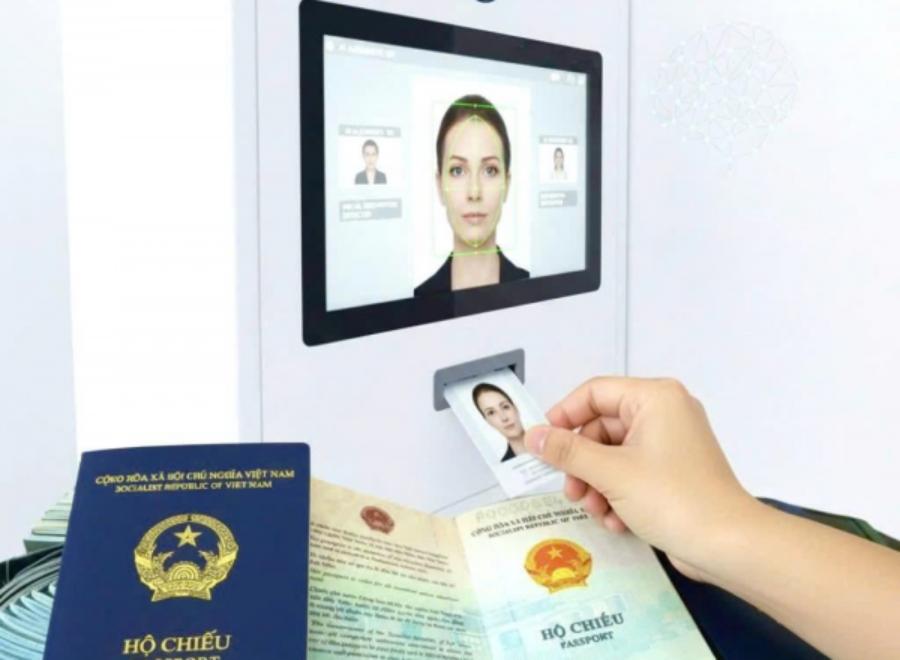
1.1. The importance of a clean background for administrative records
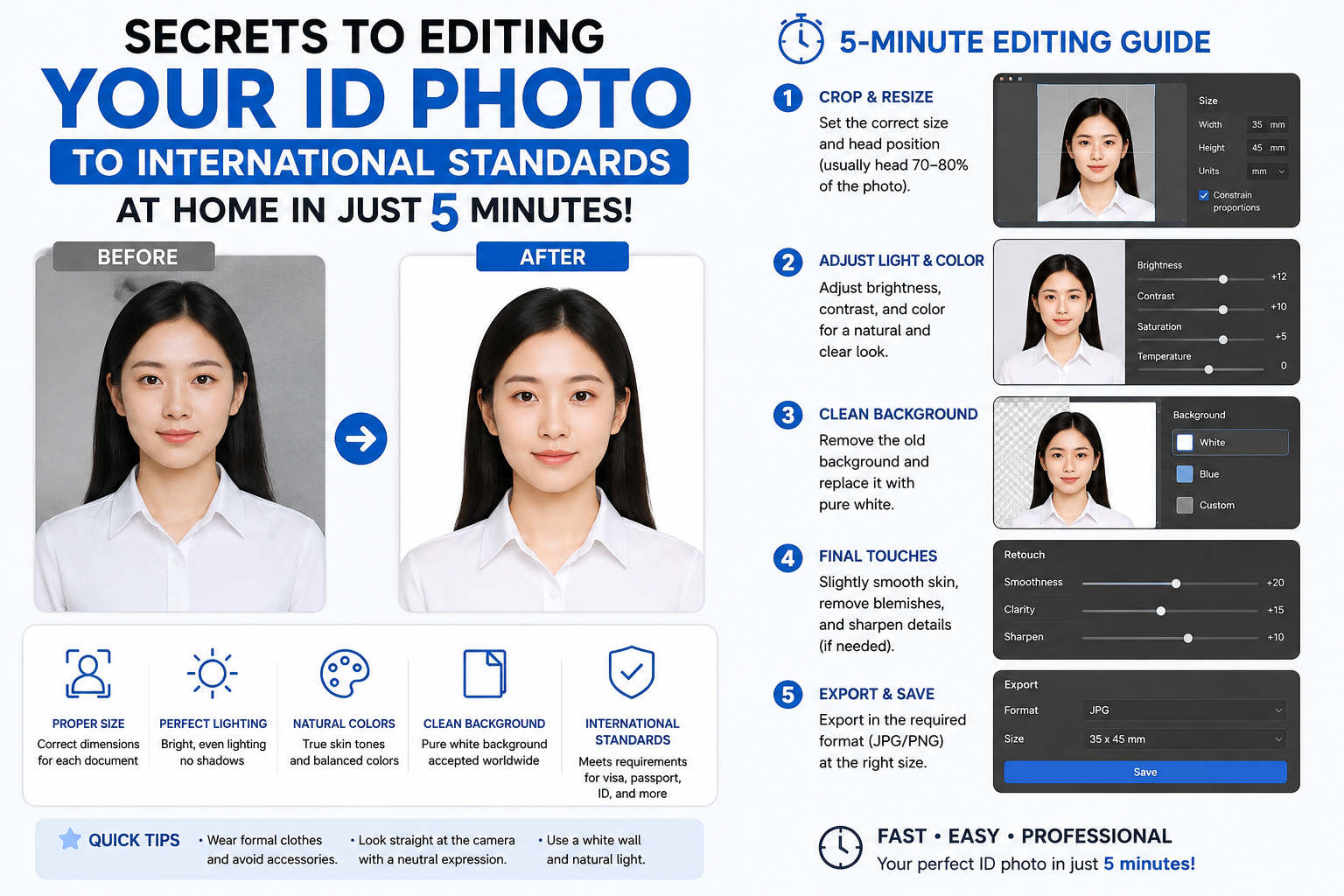
The background of a passport photo is not simply a decorative layer of color; it plays a crucial role in highlighting the anatomical features of the subject's face. An inconsistent background, one with uneven lighting or extraneous objects, will reduce the efficiency of automatic ID scanning devices at airports or government offices. Therefore, cleaning and synchronizing the background is a mandatory step to ensure your application passes the review process.
1.2. The trend of shifting from green screen to white screen.
Previously, blue backgrounds were widely used for most types of certificates and membership cards in the Vietnamese market. However, in recent years, the trend of internationalization has promoted the use of white backgrounds for important documents such as passports, national identity cards, and exit visas. Having a flexible tool capable of switching between these background colors offers a significant advantage to users.
2. Limitations of Manually Editing Photos
Many users often try to use basic image editing tools built into their phones or office software to change the background of their ID photos themselves.
2.1. The edges are rough and lack detail of the hair strands.
The biggest difference between a professional graphic designer and a general user lies in how they handle the boundary between the hair and the surrounding environment. Crude cutting tools often fail to separate fine strands of hair and sideburns, leading to over-cutting that makes the subject's head look square, strange, and unnatural.
2.2. The difference in lighting between the subject and the new background
When you take a photo in a yellow-lit environment but combine it with a pure blue or white background, a serious color clash will occur. Faces and shoulders will be tinged with mismatched colors, making the overall image look like a clumsy patchwork, failing to meet the authenticity requirements of legal photographs.
3. Experience the Superior Photo Background Editing App for ID Cards at Appvip.ai
The extensive integration of artificial intelligence into the digital graphics process has brought about a true revolution, transforming highly skilled tasks into fully automated processes.
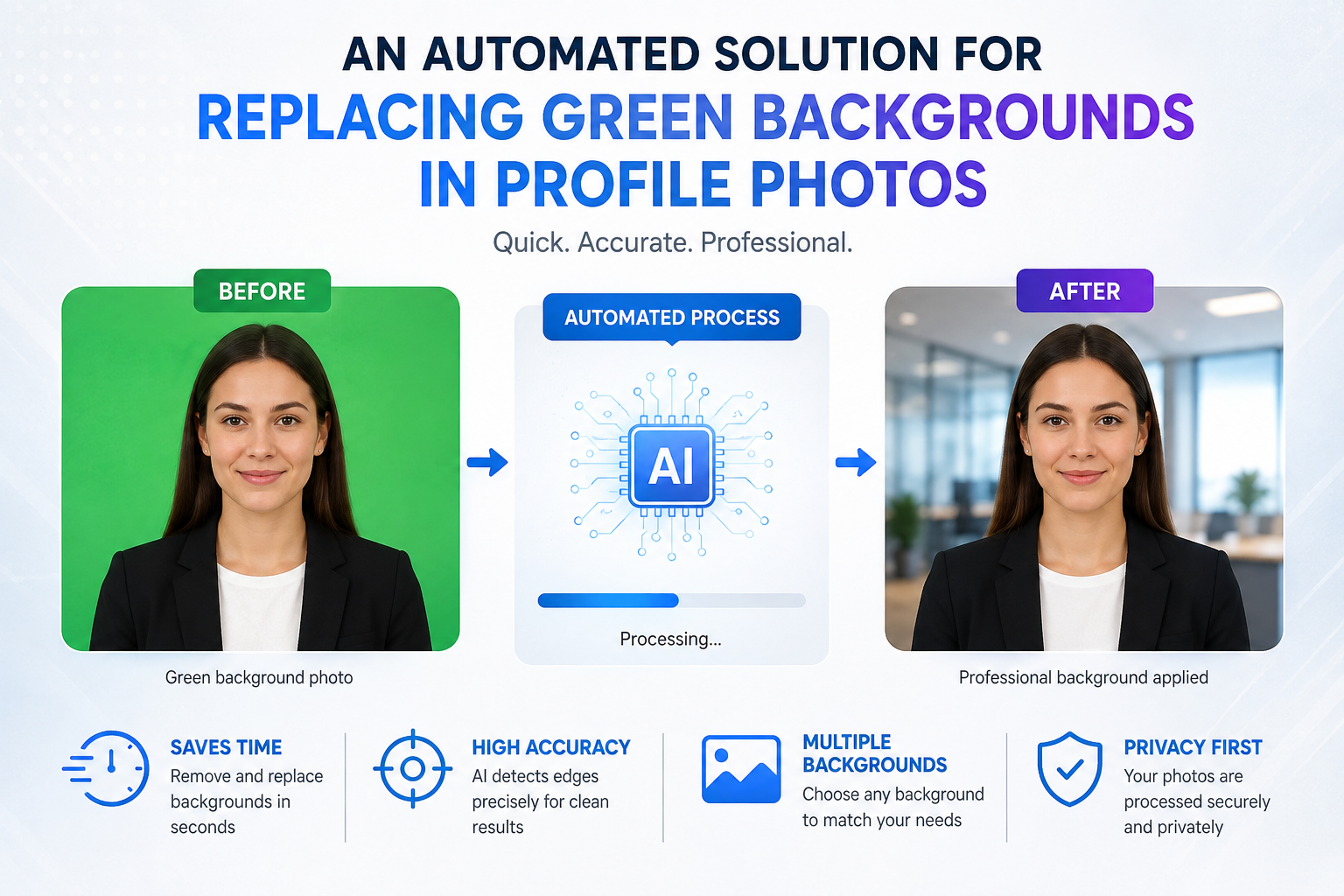
The online technology system at appvip.ai offers an incredibly powerful photo background editing app for ID photos, with intelligent real-time data processing capabilities. The platform is developed based on specialized deep learning algorithms, capable of automatically analyzing and isolating the human subject from any complex background structure in just seconds. No need for complex manual selection or erasing; the application automatically calculates the contrast range to preserve even the smallest details, from a stray strand of hair to the stitching on a collar. Users can then freely choose the shade of green or white background according to the regulations of the receiving agency, creating a perfect ID photo with quality comparable to professional studios.
4. Steps to Automatically Change the Background Image on the System Interface
The streamlined operational process eliminates all technological barriers, allowing users to complete the product with just a few clicks.
4.1. Step 1: Upload the original portrait file to cloud storage.
Users activate their internet browser on their personal devices to access the online application's workspace. They click the image upload icon to select the original image file from their device's storage folder and upload it to the server for analysis.
4.2. Step 2: The system automatically analyzes and extracts the background.
As soon as the data transmission process is complete, the AI processor scans the entire surface of the image. The system automatically locates the facial structure and shoulder contours, and creates a mask that completely isolates the background space without affecting the subject.
4.3. Step 3: Customize the background color to match the profile requirements.
Customers navigate the control panel to the new background color selection category. Here, you can choose pristine white for passport photos or standard blue for school report cards; the system will automatically apply the new color evenly and smoothly.
4.4. Step 4: Check the specifications and download the image to your device.
Users zoom in and out to carefully examine the angles around the shoulders and hair on the display screen. Once completely satisfied with the graphic quality, they press the download button to save the high-resolution image file to their computer, ready for printing or online submission.
5. A Guide to Preparing Input Images for the Best Results
Although the application's algorithm is incredibly intelligent, the quality of the original image still plays a fundamental role in determining the sharpness of the final product.

5.1. Choose clothing with contrasting colors.
To ensure the computer system can accurately distinguish between the body's boundaries and the wall, the photographer should choose clothing in bold colors that contrast well with the surrounding environment. Wearing a dark-colored shirt against a light wall will make the shoulder lines appear sharper and smoother.
5.2. Maintain an upright sitting posture and proper facial expression.
Your face should be facing directly into the camera lens, keeping your shoulders balanced and not tilted to one side. Neatly tuck your hair behind your ear to reveal your forehead and ears, adhering to administrative regulations. Maintain a natural, serious expression, but avoid looking overly tense, to ensure the best possible photo.
6. Practical Benefits of Using Online Wallpaper Changer
The application of modern technologies to daily life brings outstanding benefits in terms of both economic efficiency and personal time management.
6.1. Minimize travel and waiting time.
Instead of wasting time searching for photo studios, changing clothes, and waiting for hours for photo editors to print your photos, you can handle everything right at your desk. This proactive approach allows you to quickly resolve situations where you need to urgently add ID photos at night or on holidays.
6.2. Reduce unnecessary graphic design service costs.
Owning a great ID photo no longer means paying hefty bills at studios or paying for professional editing software. Online tools help you optimize your personal budget while still obtaining high-quality images.

7. Mistakes to Avoid When Creating Your Own ID Photo at Home
A few minor oversights during post-processing can turn a beautiful photograph into an invalid product for regulatory authorities.
-
Changes to natural facial features: Absolutely do not use filters to slim the chin, enhance the nose bridge, or remove fixed identifying features such as moles or scars. The ID photo must accurately reflect your real-life appearance.
-
Aspect ratio errors: When cropping photos, use the built-in measurement tools to lock in the correct 3x4 or 4x6 aspect ratio. Stretching the image freely by hand will distort faces and render the photo unusable.
-
Too much light casting shadows behind you: When shooting in plain light, standing too close to a wall will create strong dark shadows behind your neck. Stand about half a meter away from the wall to eliminate shadows, allowing the application to recognize and separate the background more cleanly.
8. Conclusion
Leveraging the power of automated technology solutions for personal image processing brings unparalleled convenience and efficiency to modern life. The photo background editing app at appvip.ai eliminates all technical graphic design barriers, allowing all users to create high-quality, sharp profile photos themselves. Equipping yourself with tips for taking high-quality original photos, combined with the intelligent processing infrastructure of artificial intelligence, will be the perfect tool to ensure you are well-prepared and confident for all administrative procedures and future career opportunities.





















VIP Products








Best Selling Products
Upgrade genuine Capture One account
120 USD
Freepik Premium Account
59 USD
Genuine Cheap Canva Pro
39 USD
Windows 10 & 11 Pro Key
36 USD
Genuine Adobe Illustrator account
99 USD
MidJourney Account
29 USD
Upgrade Duolingo Super
29 USD
Autodesk All App Account Copyright
120 USD
ChatGPT Plus Account (GPT-4)
16 USD
Adobe Premiere Pro Account
99 USD
Capcut Pro 1 Year
39 USD
Adobe Photoshop Copyright - Full App
120 USD
Plugin Retouch4me
69 USD
Copyright Adobe Lightroom Account
59 USD
Upgrade Genuine Office 365
49 USD