Best Selling Products

Freepik Premium Account
59 USD

Capcut Pro 1 Year
39 USD

Upgrade genuine Capture One account
120 USD

Genuine Adobe Illustrator account
99 USD

Upgrade Genuine Office 365
49 USD

Upgrade Duolingo Super
29 USD

ChatGPT Plus Account (GPT-4)
16 USD

Adobe Photoshop Copyright - Full App
120 USD

Autodesk All App Account Copyright
120 USD

Plugin Retouch4me
69 USD

Copyright Adobe Lightroom Account
59 USD

Adobe Premiere Pro Account
99 USD

MidJourney Account
29 USD

Windows 10 & 11 Pro Key
36 USD

Genuine Cheap Canva Pro
39 USD
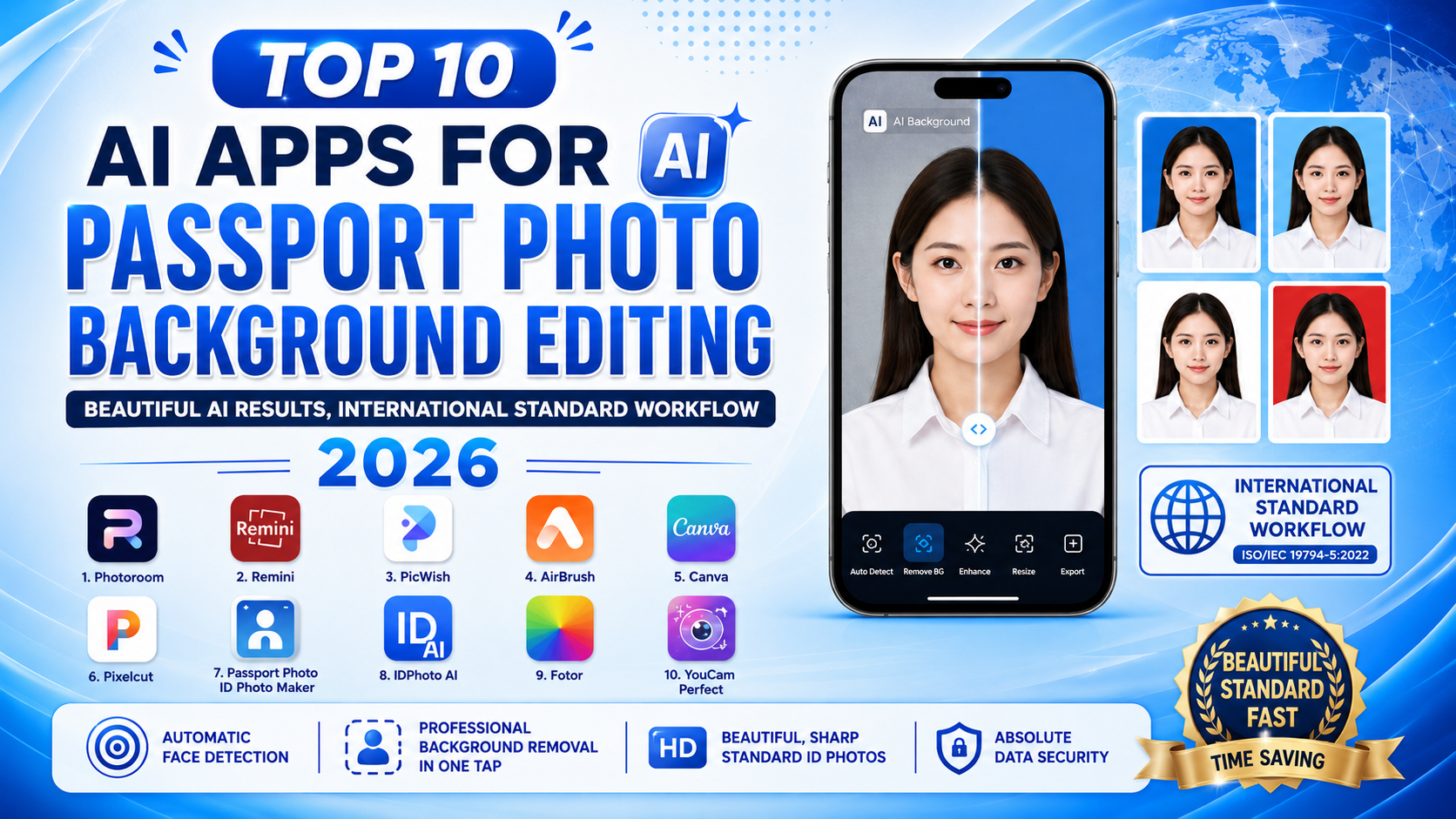
Top 10 AI ID Photo Background Editing Apps, Beautiful And Meeting International Standards 2026
Nội dung
- 1. PhotoRoom - The Super-Fast AI Background Removal Wizard
- 2. ID Photo Creator - A Professional ID Photo Creation Tool
- 3. ID Photo Application - A Convenient Background-Swap And Outfit-Overlay Solution
- 4. Passport Photo Maker - The Passport And Visa Photo Expert
- 5. ID Photo (Passport Photo Maker) - Standardizing Biometric Photos
- 6. PicsArt - Create ID Photos In Your Own Personal Style
- 7. Snapseed - Google's Top-Class ID Photo Background Editing
- 8. Canva - Simple ID Photo Design In Just A Few Steps
- 9. Passport Photo Booth AiD - Artificial Intelligence Serving Immigration Needs
- 10. US 2×2" Passport Photo Booth - The American-Style ID Photo Standards Expert
- 11. Conclusion
With just a phone, you can create professional ID photos yourself, with the correct dimensions and an impressive presence. Below is a detailed review of the top 10 best ID photo background editing apps available today, helping you save maximum time and cost. Let''''s join AppVip.ai and explore right now!
1. PhotoRoom - The Super-Fast AI Background Removal Wizard
Leading the list of the best ID photo background editing apps today is none other than PhotoRoom. This app possesses extremely accurate AI subject-scanning and recognition technology, helping to separate every fine strand of hair from the old background in an instant. The ID photo editing experience on PhotoRoom is so smooth that all you need to do is upload the photo, and the AI will automatically remove the old background and immediately suggest white or blue backgrounds that meet international standards. Not stopping there, the app also integrates natural skin-smoothing filters and blemish removal, without erasing the important biometric facial features on your face.
- Automatic background removal: Handles difficult details like hairline strands and shirt collars extremely smoothly.
- Diverse background library: Provides ready-made blue and white colors that meet ID card and visa photo standards.
- Natural shadowing: Creates a shadow effect behind the subject, making the ID photo look like it was taken at a studio.
- Supported platforms: Android, iOS, and a convenient web version.
.jpg)
2. ID Photo Creator - A Professional ID Photo Creation Tool
If you're looking for an app created solely for the purpose of making application photos, ID Photo Creator is the top choice. Unlike ordinary photo editing apps, this app focuses maximally on optimizing facial proportions to precisely meet the strict standards set by government agencies and embassies. When using this ID photo background editing app, you'll be guided on how to position the camera at the correct angle, after which the AI will automatically adjust the brightness, change the background color, and lock the frame according to the golden ratio of a standard ID photo.
- Standard formats: Supports cropping photos to common sizes such as 3x4, 4x6, and 2x2 inches.
- Automatic recognition: Aligns the eyes, nose, and mouth to the center of the frame according to biometric standards.
- Smart background editing: Replaces a cluttered background with a flat, single-color background with just one tap.
- Intuitive interface: Simple operation, suitable even for those not tech-savvy.
3. ID Photo Application - A Convenient Background-Swap And Outfit-Overlay Solution
ID Photo Application is a great rescue solution for those who want a nice ID photo but accidentally wore a t-shirt or informal outfit when the photo was taken. This app has a rich library of simulated outfits, from white shirts and men's and women's blazers to tidy office-style collars. The app's smart AI algorithm automatically analyzes your shoulders and neck to "overlay" these outfits as naturally as possible, while also converting the background behind you into your choice of blue or white to create a perfect overall result.
- Overlay formal wear/blazers: A rich outfit library that automatically scales to fit your body size.
- Flexible background swapping: Switches back and forth between a white and blue background in an instant.
- Print support: Allows arranging multiple photos onto one sheet of paper, ready to take straight to a print shop.
- Lightweight size: Runs smoothly even on lower-spec phones.
.jpg)
4. Passport Photo Maker - The Passport And Visa Photo Expert
When it comes to traveling abroad, ID photo standards are always a source of dread due to how strict embassies are, but Passport Photo Maker will help you dispel that worry. This is an ID photo background editing app that integrates a database of visa photo requirements from more than 100 countries around the world. You just need to select the country you're headed to (for example: Japan, the US, South Korea), and the app will automatically configure the size, the ratio of the distance from the top of the head to the chin, and automatically force the background into exactly the color that country requires.
- International data: Continuously updated visa and passport photo regulations from various countries.
- Edge-scanning algorithm: Ensures the photo isn't rejected when scanned by security inspection machines.
- Smart background removal: Completely eliminates shadows and impurities in the background.
- High-quality file export: The image file retains maximum sharpness, without breaking up when printed.
5. ID Photo (Passport Photo Maker) - Standardizing Biometric Photos
ID Photo (the Passport Photo Maker version by thptranut) is an extremely reliable app for those who need absolute precision. This app's strength lies in its extremely detailed alignment grid system, which helps you know exactly whether your face is straight and whether your eyes are looking directly at the camera. The app's background-processing ability is also among the best, as it can completely erase unnecessary details from a hastily taken street photo and replace them with an absolutely flat, single-color background instead.
- AI alignment grid: Guides users to pose in the correct standard ID photo position.
- Single-color background swap: Creates a smooth white or blue background, without color bleeding at the hair edges.
- File size optimization: Exports files in the exact format and size required by online public-service portals.
- Lighting adjustment: Automatically compensates lighting for photos taken in poor light conditions.
.jpg)
6. PicsArt - Create ID Photos In Your Own Personal Style
If you want an ID photo that's both properly standardized and stunning with its own sense of style, then PicsArt is exactly your match. Known as "Photoshop shrunk down for mobile," this versatile ID photo background editing app offers an extremely powerful AI "Cutout" tool for separating the background. After removing the background, you're free to insert any background color code you like, and use detailed fine-tuning tools such as slimming the face, evening out the skin tone, or even applying light makeup so the ID photo turns out at its most radiant.
- AI background removal tool: Separates the subject from a complex background extremely quickly.
- Unlimited color palette: Freely adjust the shade of blue or white for the background as desired.
- In-depth beauty toolset: Fine-tunes the eyes, nose, lips, and skin for a naturally soft look.
- Photo compositing feature: Easily combines multiple ID photos into one frame to prepare for printing.
7. Snapseed - Google's Top-Class ID Photo Background Editing
Coming from tech giant Google, Snapseed is a completely free photo editing app with no annoying ads at all. For ID photo needs, Snapseed offers an incredibly magical "Double Exposure" and "Selective" tool. You can easily brighten the background area, use a brush to erase unnecessary details, or replace it entirely with a pure white background. This app requires you to be a bit meticulous, but the payoff is a realistic, sharp ID photo with no trace of AI artifacts at all.
- Completely free: No hidden features, no forced Premium account purchase.
- Selective tool: Changes the brightness and color of the background without affecting the skin.
- Brush tool: Allows manual intervention on individual strands of hair for the most perfect photo.
- Preserves resolution: Doesn't reduce the quality of the original photo after exporting the file.
.jpg)
8. Canva - Simple ID Photo Design In Just A Few Steps
Canva isn't just graphic design software — it's also an extremely handy ID photo background editing app thanks to its famous AI-powered "Background Remover" feature. Users simply upload their portrait photo to the design page, click the background-removal button, and a transparent background instantly appears. The next step is simply filling in blue or white for the background behind, adjusting the photo size to the ready-made 3x4 or 4x6 cm settings available in Canva's toolbar, and you're done.
- One-tap background removal: Cloud AI technology processes the background separation extremely smoothly.
- Standard size management: Enter precise pixel or cm measurements to crop the photo.
- Cloud storage: Easily continue editing on both computer and phone.
- Rich effects library: Add color filters to make the overall photo harmonious and professional.
9. Passport Photo Booth AiD - Artificial Intelligence Serving Immigration Needs
Passport Photo Booth AiD is a revolutionary app that brings automatic ID photo verification technology to your phone. What's special about this app is its ability to "score" your photo based on international standards. As soon as you take or upload a photo, the app's AI analyzes whether the background is up to standard yet, whether the lighting is even on both sides, and whether the eyes show red-eye. If the background doesn't meet requirements, the app automatically activates its smart background cleanup and replacement feature immediately.
- Passport standard check: Evaluates the validity of the ID photo using an advanced AI algorithm.
- Automatic background correction: Replaces a faulty background with a white/blue background that meets embassy standards.
- Face recognition: Precisely positions the distance between the eyes and ears so as not to violate ID photo regulations.
- Send file via email: Supports exporting and sending the file directly to your email for storage.
.jpg)
10. US 2×2" Passport Photo Booth - The American-Style ID Photo Standards Expert
Last on the list but with power that shouldn't be underestimated is US 2×2" Passport Photo Booth. This app is specially designed to meet the extremely strict standards for 2x2 inch ID photos (commonly used for US Visas, US study-abroad applications, or other high-level international documents). This ID photo background editing app automatically scans and removes the entire background behind the subject, replacing it with a pure, flawless white color, while also enforcing strict compliance with the rule against excessive smiling and requiring the shoulders to be kept level.
- Specialized for US standards (2x2 inch): Precisely formats the frame for United States application forms.
- Shadow-background removal: Completely eliminates the shadowing effect around the neck and back of the head.
- Natural white balance: Adjusts the skin tone to harmonize with the pure white color of the ID photo background.-
- Intuitive shooting guide: Displays a faint outline on the screen so you can position your face correctly when taking the photo.
11. Conclusion
We hope that with this list of 10 top ID photo background editing apps, you'll be able to design your own ideal application photos. Have you picked out an app that suits you yet? If you need detailed step-by-step guidance for a specific app, or tips for editing shirts or smoothing skin as naturally as possible, let me know right away!





















VIP Products








Best Selling Products
Freepik Premium Account
59 USD
Capcut Pro 1 Year
39 USD
Upgrade genuine Capture One account
120 USD
Genuine Adobe Illustrator account
99 USD
Upgrade Genuine Office 365
49 USD
Upgrade Duolingo Super
29 USD
ChatGPT Plus Account (GPT-4)
16 USD
Adobe Photoshop Copyright - Full App
120 USD
Autodesk All App Account Copyright
120 USD
Plugin Retouch4me
69 USD
Copyright Adobe Lightroom Account
59 USD
Adobe Premiere Pro Account
99 USD
MidJourney Account
29 USD
Windows 10 & 11 Pro Key
36 USD
Genuine Cheap Canva Pro
39 USD