Best Selling Products

Windows 10 & 11 Pro Key
36 USD

Upgrade Duolingo Super
29 USD

Autodesk All App Account Copyright
120 USD

Adobe Photoshop Copyright - Full App
120 USD

ChatGPT Plus Account (GPT-4)
16 USD

Genuine Cheap Canva Pro
39 USD

Freepik Premium Account
59 USD

Plugin Retouch4me
69 USD

Upgrade genuine Capture One account
120 USD

Capcut Pro 1 Year
39 USD

Copyright Adobe Lightroom Account
59 USD

Upgrade Genuine Office 365
49 USD

Genuine Adobe Illustrator account
99 USD

MidJourney Account
29 USD

Adobe Premiere Pro Account
99 USD
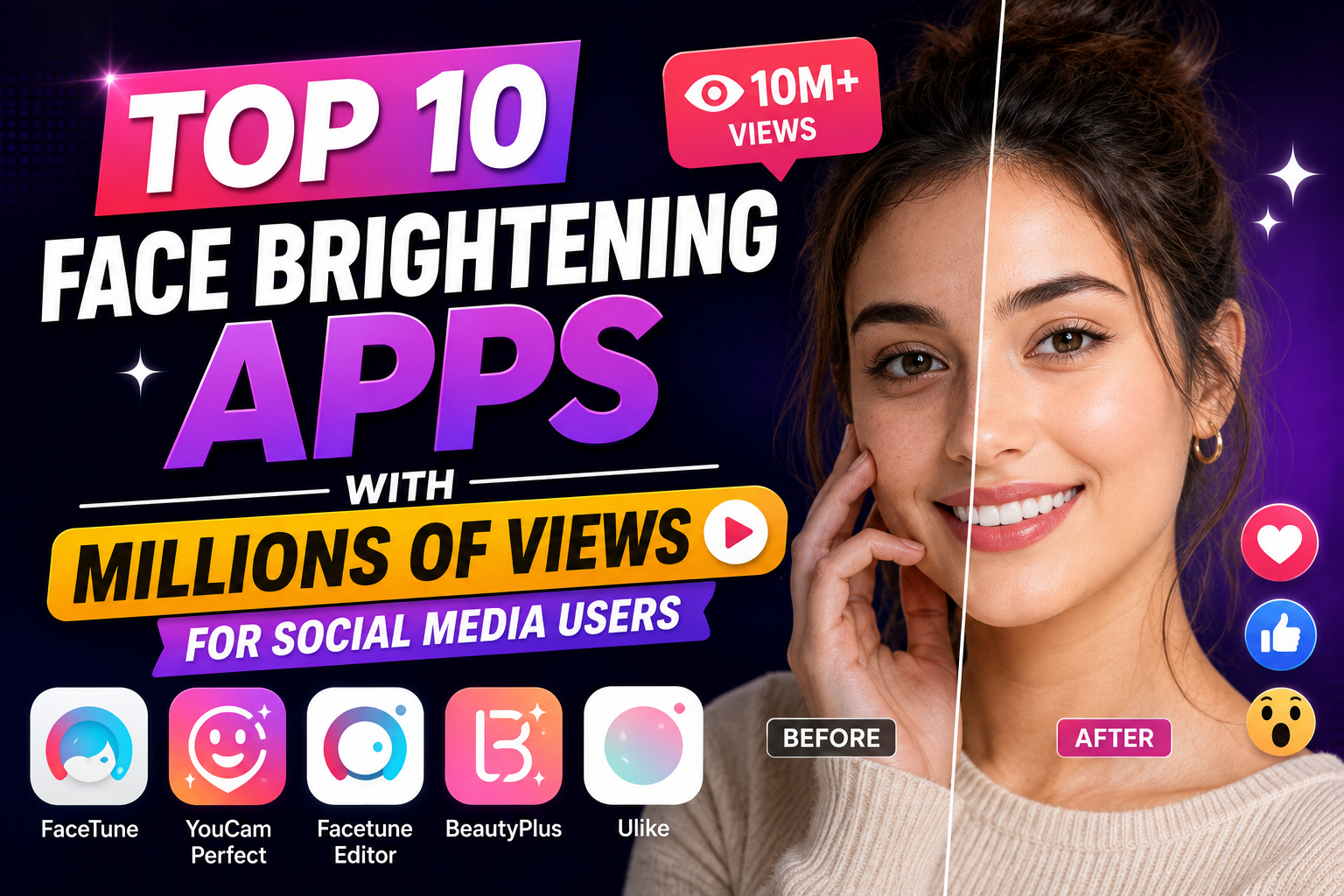
Top 10 Face Brightening Apps with Millions of Views for Social Media Users
Nội dung
- 1. Xingtu (Provincial Map) – Studio-Standard Light and Line Sculpting
- 2. Meitu – The Magical Skin Tone Enhancer for Instantly Fair and Rosy Skin with Just One Touch
- 3. AirBrush – Reshape your lighting like a professional photographer.
- 4. BeautyPlus – The Secret to Achieving a Radiant, Rosy Complexion Regardless of Dark Spaces
- 5. Ulike – Experience Real-Time Light Balancing Right When Shooting
- 6. SODA – Fresh and Innocent Style with a Glowing Foundation, Perfect for Korean Beauty
- 7. Facetune – A Manual Light Sculpting Tool for Fine Details
- 8. YouCam Perfect – Smart Light Balancing Solution for Group Photos
- 9. Adobe Lightroom – Advanced Light Fixing Techniques Through the Technical Specifications Bar
- 10. Snapseed – The Perfect Free Area Selection Tool from Google
- 11. Conclusion
A stunning portrait can sometimes lose its appeal simply because of poor lighting or backlighting, making your face look dull.
1. Xingtu (Provincial Map) – Studio-Standard Light and Line Sculpting
Xingtu (Provincial Map) is currently a leading name in photo editing thanks to its intelligent AI recognition capabilities, automatically analyzing the 3D structure of the face to accurately compensate for lighting in hidden areas. The app not only brightens skin tone naturally but also incorporates professional contouring features, creating a highlighting effect on the T-zone and cheekbones as if photographed under high-end studio lighting.
-
Intelligent AI exposure compensation: Automatically brightens dark areas without overexposing surrounding details.
-
Create sharp 3D contours: Integrating highlight and contour helps to give the face depth and a noticeably slimmer appearance.
-
Maintains a realistic skin texture: After retouching, the skin remains smooth, without appearing patchy or unnatural.
-
Hot trend color filters: Offering hundreds of filters with a unique cinematic style from China.
2. Meitu – The Magical Skin Tone Enhancer for Instantly Fair and Rosy Skin with Just One Touch
If you're looking for a quick and easy beauty solution, Meitu is the perfect assistant with its automatic light optimization features that can be achieved with just a tap or drag of a slider. The app excels at fixing underexposed and dull photos caused by camera angles, and integrates trendy virtual makeup effects to instantly make your appearance fresh and vibrant.
-
Instant brightening: The intuitive slider allows you to adjust skin tone from subtle to bold.
-
Remove dark circles under the eyes: Brighten the skin under the eyes, quickly eliminating signs of fatigue on the face.
-
3D lighting simulation: Creates additional artificial light sources to make the photo more vibrant and have more depth.
-
Easy-to-use Vietnamese interface: Suitable for all users, providing smooth operation completely free of charge.
3. AirBrush – Reshape your lighting like a professional photographer.
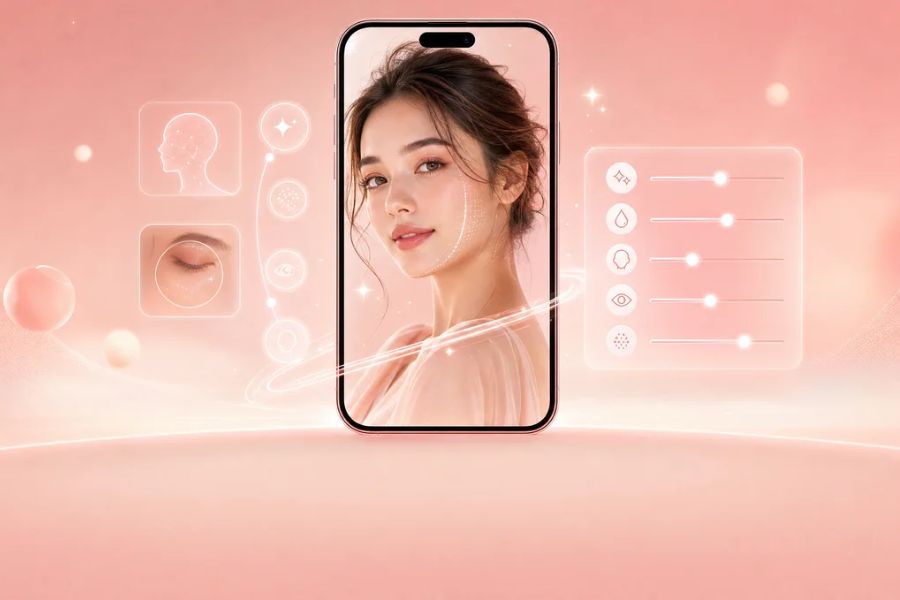
AirBrush is renowned for its unique "Relight" tool, allowing you to freely move the virtual light source around the face to find the best lighting angle. This application delves into detailed adjustments of each small area, completely eliminating uneven dark spots caused by hair or shadows while maintaining the natural harmony of the AirBrush character.
-
The groundbreaking Relight feature: Allows for incredibly flexible adjustment of the direction and intensity of the light shining on your face.
-
Localized lighting brush: Provides precise highlighting of the face area without affecting the background.
-
Brighten your eyes and teeth: Enhance the clarity of your eyes and give your smile a more radiant glow.
-
Flawless skin treatment: Combining skin smoothing and acne removal with intelligent brightening.
4. BeautyPlus – The Secret to Achieving a Radiant, Rosy Complexion Regardless of Dark Spaces
BeautyPlus features smart light filters specifically designed to rescue your selfies taken at night or in dimly lit rooms. The app's algorithm automatically balances tones, adding rosy hues to keep your skin radiant and glowing without looking unnaturally pale or overly artificial.
-
Smart light filter: Balances the light spectrum to give skin a natural, rosy glow and a vibrant look.
-
Automatic night mode optimization: Detects and increases exposure specifically for faces when shooting in low-light environments.
-
Instant blemish removal: Cleanse acne and dark spots before applying highlighter for enhanced perfection.
-
Selfie video support: Brightens and smooths facial skin in real time while recording short videos.
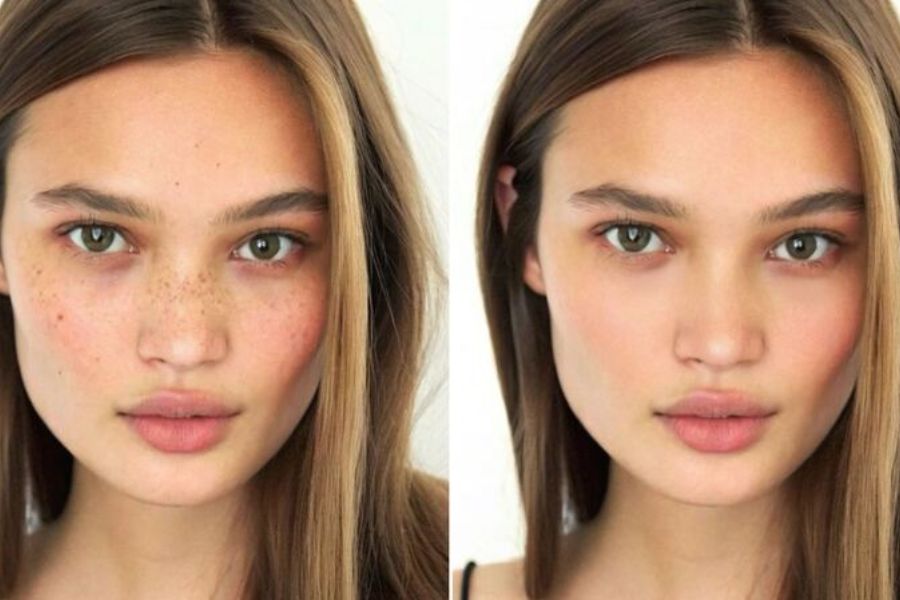
5. Ulike – Experience Real-Time Light Balancing Right When Shooting
Ulike has won over young people thanks to its ability to fine-tune lighting and facial features directly on the front camera screen before taking a picture. For post-processing, the app's advanced light control tools make it easy to master contrast and eliminate overexposure on the forehead or cheekbones when shooting in bright sunlight.
-
Real-time brightness adjustment: Preview the skin's lighting results as soon as the camera is open and ready to shoot.
-
Diverse skin tone options: Easily choose between porcelain white, rosy white, or honey-toned skin tones.
-
Intelligent overexposure reduction: Automatically adjusts the light range in areas with strong sunlight for a more balanced image.
-
Suggested posing technique: Combine a flattering angle with perfect lighting, just like influencers do.
6. SODA – Fresh and Innocent Style with a Glowing Foundation, Perfect for Korean Beauty
SODA is the ultimate favorite for those who love a pure, gentle look, focusing on maximizing natural light. Instead of over-interfering and distorting the face, the application creates a subtle, luminous effect (Glass Skin), helping to conceal large pores and enhance SODA's inherent elegance.
-
Glass Skin effect: Creates the appearance of naturally plump, hydrated skin under light.
-
Daylight optimization filter: Utilizing and diffusing sunlight helps create fresh, pleasant photos.
-
Advanced portrait mode with background blur: Blurs the background to focus all the light and highlights on the subject's face.
-
Smooth, minimalist operation: A fast, ad-free user experience.
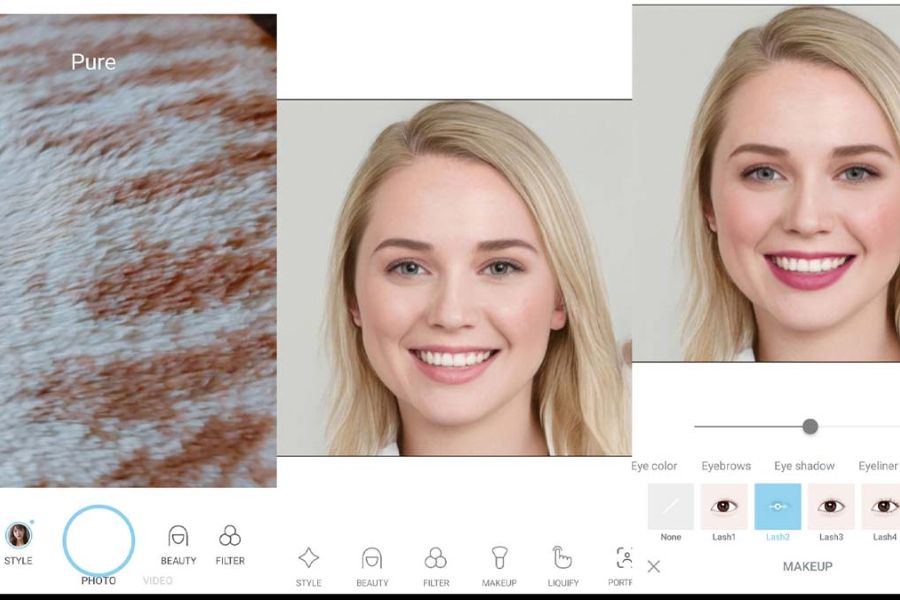
7. Facetune – A Manual Light Sculpting Tool for Fine Details
Facetune offers absolute control over lighting, just like professional computer software, through its manual brush tool (Relight Brush). Simply use your finger to lightly paint over dark areas caused by backlighting to compensate for the lack of light, helping to restructure the lighting space of the photo in the most artistic and realistic way with Facetune.
-
Add 3D artificial light sources: Create beams of light from any direction to highlight the contours of the face.
-
Relight manual brush: Freely highlight or lighten small areas such as the sides of the nose or under-eye area as desired.
-
Intensive skin texture improvement: Simultaneously smooths wrinkles and minimizes pores during the brightening process.
-
High-quality image output: Preserves the original image resolution, avoiding blurring or pixelation.
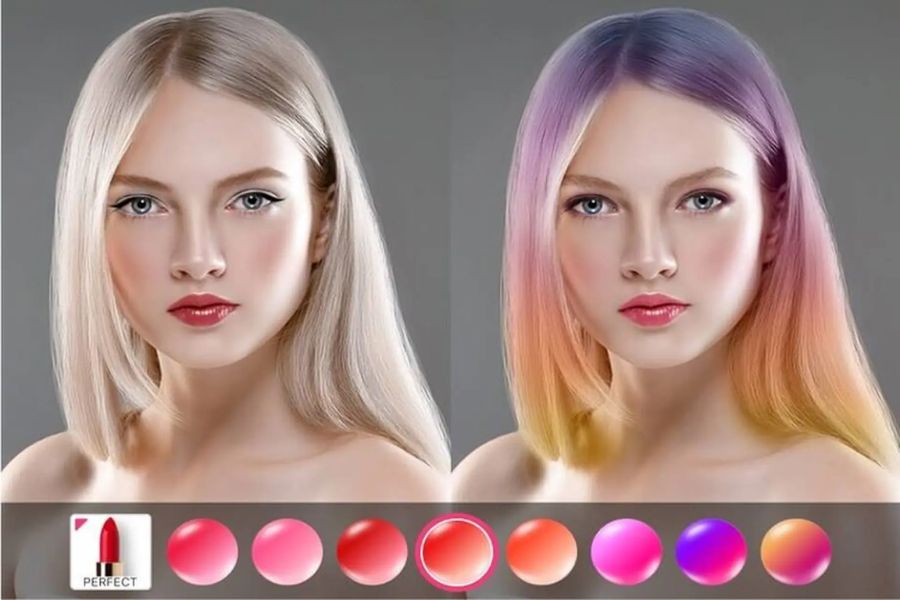
8. YouCam Perfect – Smart Light Balancing Solution for Group Photos
YouCam Perfect uses sophisticated artificial intelligence to quickly detect lighting errors in portrait photos and correct them in seconds. A major plus of this app is its intelligent lighting balance for group photos, ensuring your face isn't overshadowed or obscured by others.
-
Balance the lighting in group photos: Ensure that all faces in the frame have even, clear lighting.
-
Automatic skin exposure enhancement: The AI algorithm recognizes and optimizes the brightness of individual skin areas for a very natural look.
-
Light-based shaping: The "Face Shaper" tool combines light and dark contrasts to slim the chin and lift the nose bridge.
-
Replace and blur the background: Easily manipulate complex backgrounds to focus light on the main subject.
9. Adobe Lightroom – Advanced Light Fixing Techniques Through the Technical Specifications Bar
Adobe Lightroom is a photography legend that helps you completely master core elements like Exposure, Highlights, and Shadows. Through its Masking feature, you can isolate the face to brighten the shadows without altering the color or overexposing the surrounding scenery, preserving the depth of field of your Lightroom photos .
-
Advanced light control: Fine-tune details across the light spectrum, from highlights and shadows to whites and blacks.
-
Selective Masking: Creates a mask on the face area to independently increase brightness while preserving detail in the background of the image.
-
Advanced HSL color system: Enhances the brightness of the skin's own pigment (orange/yellow) to naturally whiten the skin from its root color.
-
Save Preset Formulas: Create exclusive lighting presets to quickly apply to a series of photos taken under the same conditions.
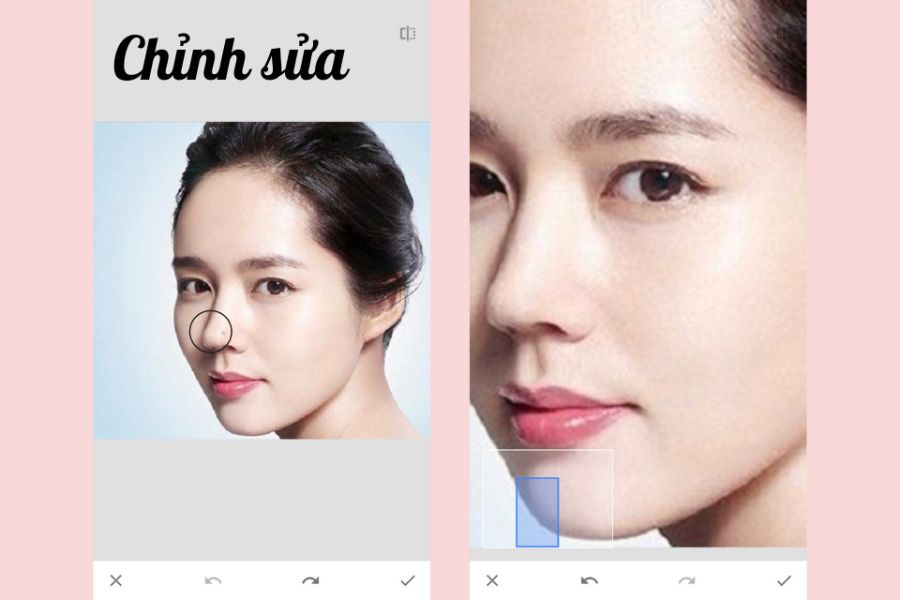
10. Snapseed – The Perfect Free Area Selection Tool from Google
Snapseed, developed by Google, is completely free and boasts a powerful "Selective" tool based on control point technology. Simply tap on the dark areas of your face, and the app will automatically calculate the skin tone to precisely increase brightness and contrast without affecting your hair or clothing.
-
Selective Tool: Precisely brightens facial skin areas based on a color similarity recognition algorithm.
-
Automatic Portrait Filter: Includes convenient built-in "Brighten 1" and "Brighten 2" modes.
-
Head Pose: Subtly and magically alters the viewing angle and lighting direction of your face.
-
100% Free & Ad-Free: Experience full photo editing with unlimited features and no watermarks.
11. Conclusion
Having a radiant, luminous face in every photo is now within your reach. If you prefer quick, instant, and stunning results, choose Xingtu, Meitu, or Ulike. If you want to master lighting settings artistically and professionally, Lightroom or Snapseed are the perfect companions. Download the app that best suits your style and confidently unleash your social media engagement!





















VIP Products








Best Selling Products
Windows 10 & 11 Pro Key
36 USD
Upgrade Duolingo Super
29 USD
Autodesk All App Account Copyright
120 USD
Adobe Photoshop Copyright - Full App
120 USD
ChatGPT Plus Account (GPT-4)
16 USD
Genuine Cheap Canva Pro
39 USD
Freepik Premium Account
59 USD
Plugin Retouch4me
69 USD
Upgrade genuine Capture One account
120 USD
Capcut Pro 1 Year
39 USD
Copyright Adobe Lightroom Account
59 USD
Upgrade Genuine Office 365
49 USD
Genuine Adobe Illustrator account
99 USD
MidJourney Account
29 USD
Adobe Premiere Pro Account
99 USD