Best Selling Products

Copyright Adobe Lightroom Account
59 USD

Windows 10 & 11 Pro Key
36 USD

Genuine Adobe Illustrator account
99 USD

Upgrade Genuine Office 365
49 USD

Freepik Premium Account
59 USD

Adobe Premiere Pro Account
99 USD

MidJourney Account
29 USD

Upgrade genuine Capture One account
120 USD

Autodesk All App Account Copyright
120 USD

Upgrade Duolingo Super
29 USD

Plugin Retouch4me
69 USD

ChatGPT Plus Account (GPT-4)
16 USD

Adobe Photoshop Copyright - Full App
120 USD

Genuine Cheap Canva Pro
39 USD

Capcut Pro 1 Year
39 USD
Top 10 Stunning Sky Color Editing Apps
Nội dung
- 1. PicsArt – The Sky Color Editing App Loved by Young Users
- Key Features of PicsArt:
- 2. Lightleap – The AI Sky Editing App That Turns Ordinary Photos Into Masterpieces
- Key Features of Lightleap:
- 3. PICNIC – The Sky Editing App That Keeps Photos Bright and Clear
- Key Features of PICNIC:
- 4. Mix by Camera360 – The Sky Editing App With Artistic Cloud Filters
- Key Features of Mix by Camera360:
- 5. Enlight Pixaloop (Motionleap) – The Sky Editing App That Creates Stunning Motion Effects
- Key Features of Enlight Pixaloop:
- 6. Meitu – The Sky Editing App That Combines Cloud Overlay With Emotional Aesthetics
- Key Features of Meitu:
- 7. Sky Lab – The Sky Editing App for Landscape Photography Lovers
- Key Features of Sky Lab:
- 8. SnapEdit – The AI Sky Editing App That Is Simple Yet Extremely Effective
- Key Features of SnapEdit:
- 9. Adobe Lightroom – The Professional Sky Editing App for Color Grading Enthusiasts
- Key Features of Adobe Lightroom:
- 10. VSCO – The Sky Editing App With Dreamy Artistic Style
- Key Features of VSCO:
- 11. Conclusion
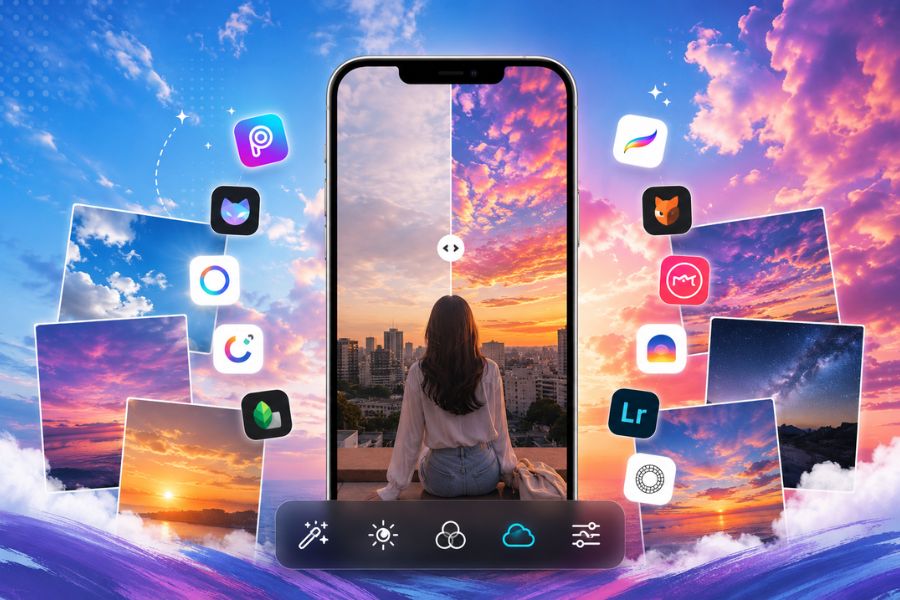
The sky has always been one of the elements that makes a photo more captivating and emotional.
1. PicsArt – The Sky Color Editing App Loved by Young Users
When it comes to outstanding sky editing apps today, PicsArt is definitely a name that cannot be overlooked. This app features a diverse collection of sky effects, from clear blue skies and soft white clouds to highly captivating cinematic sunsets. With just a few simple steps, you can transform an ordinary photo into a much more artistic and vibrant frame. In particular, PicsArt is suitable even for beginners thanks to its user-friendly interface and natural color editing capabilities.
Key Features of PicsArt:
Quick sky replacement with smart AI
Rich collection of cloud, sunlight, and filter effects
Adjust sky tones in Korean, vintage, or cinematic styles
Supports cloud overlays and beautiful sunset lighting effects
Offers advanced editing tools while remaining easy to use
.jpg)
2. Lightleap – The AI Sky Editing App That Turns Ordinary Photos Into Masterpieces
Lightleap is the perfect choice for those who want professional sky editing without complicated steps. The strength of this sky editing app lies in its AI technology, which automatically detects and replaces skies with incredible precision. Even if the original photo is gloomy or poorly lit, Lightleap can magically transform it into a vivid scene with emotional lighting and lively skies.
Key Features of Lightleap:
AI automatically replaces skies in seconds
Various sunset, night sky, and cinematic cloud effects
Natural light adjustments without fake-looking colors
Supports weather effects like rainbows and sun rays
Modern interface with smooth and fast editing
3. PICNIC – The Sky Editing App That Keeps Photos Bright and Clear
If your travel photos often suffer from cloudy or lifeless skies, PICNIC will be an extremely useful assistant. This sky editing app is famous for its ability to brighten and optimize sky colors with just one tap. It can turn gray skies into naturally clear blue skies without requiring too much manual adjustment, making it ideal for users who want fast yet beautiful edits.
Key Features of PICNIC:
Automatically enhances blue tones and sky clarity
Soft filters suitable for travel and lifestyle photos
AI recognizes weather conditions to optimize lighting
Natural editing results without over-processing
Perfect for beginners editing photos on smartphones
.jpg)
4. Mix by Camera360 – The Sky Editing App With Artistic Cloud Filters
Mix by Camera360 is one of the photo editing apps loved by young users for its beautiful color blending and simple controls. The highlight of this sky editing app is its diverse filter collection, making skies stand out within seconds. From soft blue skies to artistic sunset styles, Mix delivers natural-looking effects suitable for various photo types.
Key Features of Mix by Camera360:
Rich sky filter library for quick application
Fast cloud and lighting adjustments
Supports vintage and Korean-style color grading
Adjust brightness, contrast, and saturation freely
Simple interface suitable for beginners
5. Enlight Pixaloop (Motionleap) – The Sky Editing App That Creates Stunning Motion Effects
Not limited to static sky color adjustments, Enlight Pixaloop helps turn still skies into animated works of art. This sky editing app is highly loved for its ability to animate clouds, light, or water with simple drag-and-drop gestures. Ordinary photos become vivid and professional-looking, especially suitable for TikTok, Instagram, or social media stories.
Key Features of Enlight Pixaloop:
Create smooth cloud and sky motion effects
Add animated wind, lighting, and weather effects
Export high-quality animated images
AI-powered natural motion adjustments
Ideal for artistic photos and social media content
.jpg)
6. Meitu – The Sky Editing App That Combines Cloud Overlay With Emotional Aesthetics
Meitu is already a familiar name for smartphone photo editing lovers. Besides its famous beauty features, it is also highly rated as a sky editing app thanks to its impressive cloud overlay and color enhancement tools. With just a few taps, a plain sky can become dreamy with white clouds, sunlight, or sweet Korean-style tones.
Key Features of Meitu:
Quick cloud overlays and sky color adjustments
Bright filters perfect for selfies and travel photos
Supports dazzling lighting effects
AI beauty enhancement combined with natural color edits
Includes diverse stickers and weather effects for creativity
7. Sky Lab – The Sky Editing App for Landscape Photography Lovers
Sky Lab is a standout name among professional sky editing apps for smartphones. It allows users to replace skies with highly realistic clouds, sunlight, and sunset effects. Even photos taken under poor weather conditions or dull skies can become more artistic and eye-catching after just a few simple edits. It is especially suitable for travel, nature, and cinematic photography enthusiasts.
Key Features of Sky Lab:
Diverse sky templates with clouds, sunsets, and blue skies
Fast sky color changes while preserving realism
Beautiful sunlight and ray effects
Adjustable color intensity and cloud blending levels
Perfect for landscapes and outdoor photography
.jpg)
8. SnapEdit – The AI Sky Editing App That Is Simple Yet Extremely Effective
SnapEdit is a rising sky editing app quickly gaining popularity thanks to its smart AI photo processing. It replaces skies in just seconds without requiring much manual editing. Its biggest advantage is its user-friendly interface, fast operation, and highly natural-looking results, making it suitable even for beginners.
Besides sky replacement, SnapEdit also supports object removal, beauty enhancement, and lighting optimization, helping transform simple photos into stunning professional-looking images without advanced editing skills.
Key Features of SnapEdit:
Super-fast AI sky replacement
Modern cloud and lighting effects
Natural sky tones without artificial appearance
Supports removing unwanted objects
Beginner-friendly interface
9. Adobe Lightroom – The Professional Sky Editing App for Color Grading Enthusiasts
When talking about advanced sky editing apps, Adobe Lightroom is always the top choice for photographers and content creators. Unlike many AI apps focused on automatic sky replacement, Lightroom excels at detailed manual color adjustments. Users can fine-tune cloud colors, highlights, and blue sky tones to create uniquely personal results.
Lightroom is especially suitable for those who love cinematic, vintage, or soft Korean-style aesthetics. Although it takes some time to learn, it delivers highly professional and natural color quality.
Key Features of Adobe Lightroom:
Professional manual sky color grading
Beautiful cinematic and vintage color blending
Detailed control of lighting and color
Includes presets for quick adjustments
Syncs high-quality edits across multiple devices
.jpg)
10. VSCO – The Sky Editing App With Dreamy Artistic Style
VSCO is a familiar photo editing app for users who love soft and artistic aesthetics. It is also a highly rated sky editing app thanks to its ability to create dreamy, cinematic cloud tones. With just a preset, the sky in your photo becomes clearer and gains much more depth.
The charm of VSCO lies in its subtle and natural tones rather than oversaturated edits. This makes it a favorite among young users who enjoy lifestyle, travel, or minimalist Instagram photography.
Key Features of VSCO:
Artistic and soft sky color presets
Create vintage, Korean-style, or cinematic tones
Natural cloud and lighting adjustments
Minimalist and easy-to-use interface
Ideal for travel, café, and lifestyle photography
11. Conclusion
Using a sky editing app not only makes photos more beautiful but also helps users create their own artistic style with ease. From advanced color grading tools to AI-powered automatic sky replacement apps, each tool offers unique strengths for different editing needs. Hopefully, with this Top 10 app list, you will find the perfect app to transform ordinary photos into emotional and captivating visual masterpieces. Don’t hesitate to experiment with different sky filters to create your own unique style!





















VIP Products








Best Selling Products
Copyright Adobe Lightroom Account
59 USD
Windows 10 & 11 Pro Key
36 USD
Genuine Adobe Illustrator account
99 USD
Upgrade Genuine Office 365
49 USD
Freepik Premium Account
59 USD
Adobe Premiere Pro Account
99 USD
MidJourney Account
29 USD
Upgrade genuine Capture One account
120 USD
Autodesk All App Account Copyright
120 USD
Upgrade Duolingo Super
29 USD
Plugin Retouch4me
69 USD
ChatGPT Plus Account (GPT-4)
16 USD
Adobe Photoshop Copyright - Full App
120 USD
Genuine Cheap Canva Pro
39 USD
Capcut Pro 1 Year
39 USD