Best Selling Products

Adobe Photoshop Copyright - Full App
120 USD

Plugin Retouch4me
69 USD

Upgrade genuine Capture One account
120 USD

Upgrade Duolingo Super
29 USD

Copyright Adobe Lightroom Account
59 USD

Adobe Premiere Pro Account
99 USD

Capcut Pro 1 Year
39 USD

Freepik Premium Account
59 USD

ChatGPT Plus Account (GPT-4)
16 USD

Upgrade Genuine Office 365
49 USD

MidJourney Account
29 USD

Windows 10 & 11 Pro Key
36 USD

Autodesk All App Account Copyright
120 USD

Genuine Adobe Illustrator account
99 USD

Genuine Cheap Canva Pro
39 USD
Top 2 professional video editing software programs to help you create studio-quality videos.
Nội dung
- 1. Introducing two top professional video editing software programs.
- 1.1. CapCut: A flexible and modern professional video editing software.
- 1.2. Adobe Premiere Pro: The industry standard for professional video editing
- 2. Discover CapCut, a free professional video editing software.
- 3. Guide to creating professional videos with CapCut
Discover two of the most powerful video editing tools available today, helping you elevate the quality of your images, sound, and editing pace.
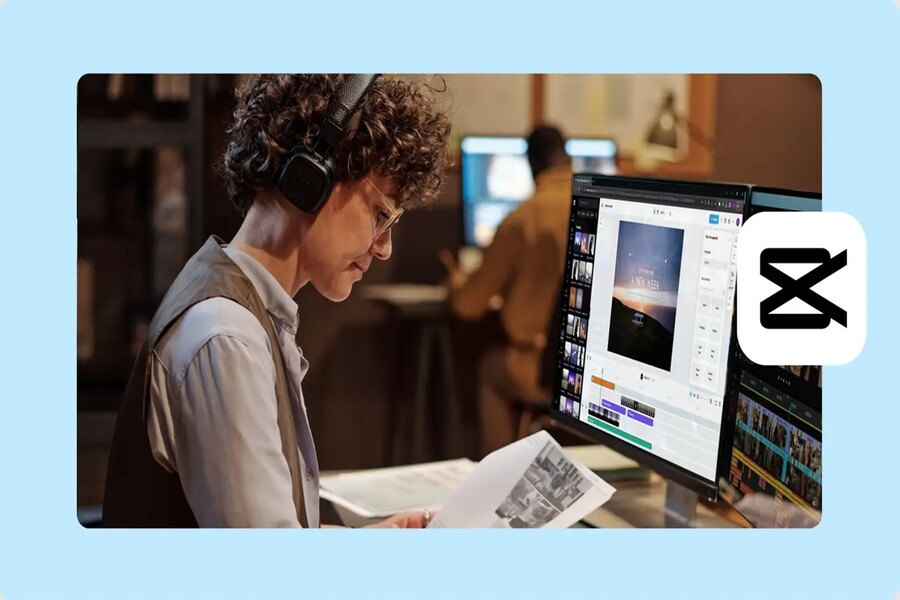
The market currently offers a wide variety of professional video editing software, each with its own design philosophy, strengths, and limitations. However, CapCut stands out as a unique choice, combining ease of use, powerful editing capabilities, advanced AI technology, and the ability to export high-quality video without watermarks. This rare balance has made CapCut one of the most popular professional video editing software programs today, especially within the modern content creation community. Alongside CapCut, Adobe Premiere Pro remains an industry standard in professional video post-production. Comparing and understanding these two tools will help you choose the solution that best suits your needs, skill level, and goals for developing your video editing skills.
1. Introducing two top professional video editing software programs.
Choosing video editing software shouldn't be based on reputation or fleeting trends, but rather on actual needs, work style, and long-term career goals. Some people need a powerful tool for filmmaking, while others prioritize speed, flexibility, and the ability to quickly create content for social media.
In that context, CapCut and Adobe Premiere Pro represent two different approaches, but both have the potential to elevate your video editing skills to a new level.
1.1. CapCut: A flexible and modern professional video editing software.
CapCut stands out as one of the top contenders for the title of best professional video editing software for the new generation of content creators. CapCut's biggest differentiator lies in how it simplifies complex operations, allowing users to focus on their ideas instead of getting bogged down in technical details.
From the first use, CapCut makes a positive impression thanks to its extremely intuitive interface. The editing operations are designed using a drag-and-drop system, making it easy for both beginners and experienced users to quickly get familiar with. This is especially important in the modern creative environment, where the speed of content production greatly influences communication effectiveness.
.jpg)
In terms of features, CapCut leverages the power of artificial intelligence to enhance video quality with minimal user effort. AI tools not only save time but also unlock editing possibilities previously only available in high-end software. Users can remove backgrounds without a green screen, apply chroma-keying effects, precisely cut and splice frames, and flexibly adjust frame rates.
Another outstanding strength of CapCut is its ability to automatically generate subtitles. In a context where users are increasingly watching videos without sound, subtitles have become indispensable. CapCut makes this process simple and fast, while also contributing to increased accessibility for your content.
The huge built-in library of effects, filters, and stickers, all free of charge, is a major advantage, especially for social media content creators. Instead of searching for and installing external resources, you can unleash your creativity right within the software. The integration of audio, background music, and sound effects is also seamless, making videos more lively and engaging.
CapCut's ability to export video in very high resolution, without watermarks, makes it a preferred choice for creating content across various platforms, from TikTok and YouTube to corporate media projects.
However, CapCut still has some limitations. The software currently doesn't support frame rates higher than 60fps, which can be a drawback for filmmakers who need to create high-quality slow-motion videos. Additionally, the smartphone and tablet versions don't currently support landscape mode, which can be inconvenient in some working situations.
Nevertheless, overall, CapCut remains one of the professional video editing software programs with a rare "easy to use - powerful - free" ratio on the market today.
1.2. Adobe Premiere Pro: The industry standard for professional video editing
Adobe Premiere Pro has long been considered one of the world's leading video editing software programs. It's a familiar tool for filmmakers, professional editors, and those working in television and advertising.
Premiere Pro's greatest strength lies in its comprehensive editing toolset, giving users near-perfect control over every aspect of their video. From trimming and timeline arrangement to fine-tuning individual shots, Premiere Pro delivers exceptional precision. Its three-point editing feature makes it easy to pinpoint the start and end points of a shot, thereby improving efficiency in complex projects.
Premiere Pro also integrates many AI-powered features, such as automatic color grading and Morph cropping, making the editing process smarter and more efficient. Users can choose from a variety of built-in video effects and templates to customize their videos in their own style.
.jpg)
Another notable strength is its incredibly powerful color grading and classification system. For those pursuing cinematic image quality, Premiere Pro offers deep and flexible color control, meeting professional production standards.
However, this power also comes with trade-offs. Adobe Premiere Pro's monthly subscription fee is quite high, making it not really suitable for beginners or those who only do basic video editing. The complex user interface is also a major barrier, requiring users to invest time in learning and getting familiar with it.
2. Discover CapCut, a free professional video editing software.
In the quest for a professional video editing software that is both powerful and affordable, CapCut emerges as an ideal choice. It fully meets the important criteria, from performance and ease of use to creative expandability.
User-friendly interface
Using a complex video editing tool can be daunting for many, especially beginners. CapCut addresses this with a user-friendly interface designed with modern user experience in mind. All tools are logically arranged, allowing you to quickly find the necessary features without feeling overwhelmed.
Whether you're a beginner or a seasoned editor looking for efficiency, CapCut delivers a smooth and pleasant editing experience.
Powered by artificial intelligence
CapCut deeply integrates AI technologies to enhance the video editing experience. From automatic subject recognition and background removal to optimizing effects and audio, AI acts as an intelligent assistant, saving you time and effort.
.jpg)
Instead of performing a series of manual tasks, you can focus more on telling the story and building emotion in your video.
Automatically generate subtitles for easy access.
CapCut's ability to automatically generate subtitles is one of its most appreciated features. Not only does it make videos more accessible to a wider audience, but subtitles also contribute to increased watch time and engagement, especially on social media platforms.
A treasure trove of creative resources
CapCut boasts a rich library of effects, video templates, and background music, allowing users to unleash their creativity without needing to search for external resources. This makes CapCut an ideal tool for those who want to create visually appealing videos in a short amount of time.
In just three simple steps, you can transform ordinary videos into cinematic-style productions, suitable for both personal and commercial use.
3. Guide to creating professional videos with CapCut
One of CapCut's strengths is its simple yet effective workflow. Creating professional videos is no longer a complicated task.
Step 1: Import the video
To get started, simply access the CapCut video editor and import your video by clicking the “Import” button. Videos can be uploaded directly from your computer, allowing you to quickly incorporate materials into your project.
.jpg)
Step 2: Edit the video professionally.
Once the video is imported, you can begin editing using CapCut's powerful tools. Arranging the timeline, cutting and splicing clips, and adding transition effects make the video more seamless. You can also experiment with visual effects, color filters, and text to enhance aesthetics and convey your message more clearly.
.jpg)
Step 3: Export the video
Once completed, exporting the video becomes incredibly simple. Just click the export button, select your desired format, and share directly to platforms like TikTok or YouTube. CapCut allows you to export high-quality videos without watermarks, ensuring a professional final product.
.jpg)
Choosing the right professional video editing software is a crucial step in your journey to improving your editing skills. Adobe Premiere Pro represents the power and depth of an industry-standard tool, while CapCut offers a rare balance between professionalism, ease of use, and cost.
For most modern content creators, CapCut is not just a free video editing software, but also a gateway to more easily accessing the world of professional post-production. If you're looking for a tool to unleash your creative potential and elevate the quality of your videos, CapCut is definitely worth trying.





















VIP Products








Best Selling Products
Adobe Photoshop Copyright - Full App
120 USD
Plugin Retouch4me
69 USD
Upgrade genuine Capture One account
120 USD
Upgrade Duolingo Super
29 USD
Copyright Adobe Lightroom Account
59 USD
Adobe Premiere Pro Account
99 USD
Capcut Pro 1 Year
39 USD
Freepik Premium Account
59 USD
ChatGPT Plus Account (GPT-4)
16 USD
Upgrade Genuine Office 365
49 USD
MidJourney Account
29 USD
Windows 10 & 11 Pro Key
36 USD
Autodesk All App Account Copyright
120 USD
Genuine Adobe Illustrator account
99 USD
Genuine Cheap Canva Pro
39 USD