Best Selling Products

Freepik Premium Account
59 USD

Windows 10 & 11 Pro Key
36 USD

Plugin Retouch4me
69 USD

Upgrade genuine Capture One account
120 USD

Adobe Premiere Pro Account
99 USD

Autodesk All App Account Copyright
120 USD

Copyright Adobe Lightroom Account
59 USD

Adobe Photoshop Copyright - Full App
120 USD

ChatGPT Plus Account (GPT-4)
16 USD

Genuine Adobe Illustrator account
99 USD

Upgrade Genuine Office 365
49 USD

Capcut Pro 1 Year
39 USD

Upgrade Duolingo Super
29 USD

Genuine Cheap Canva Pro
39 USD

MidJourney Account
29 USD
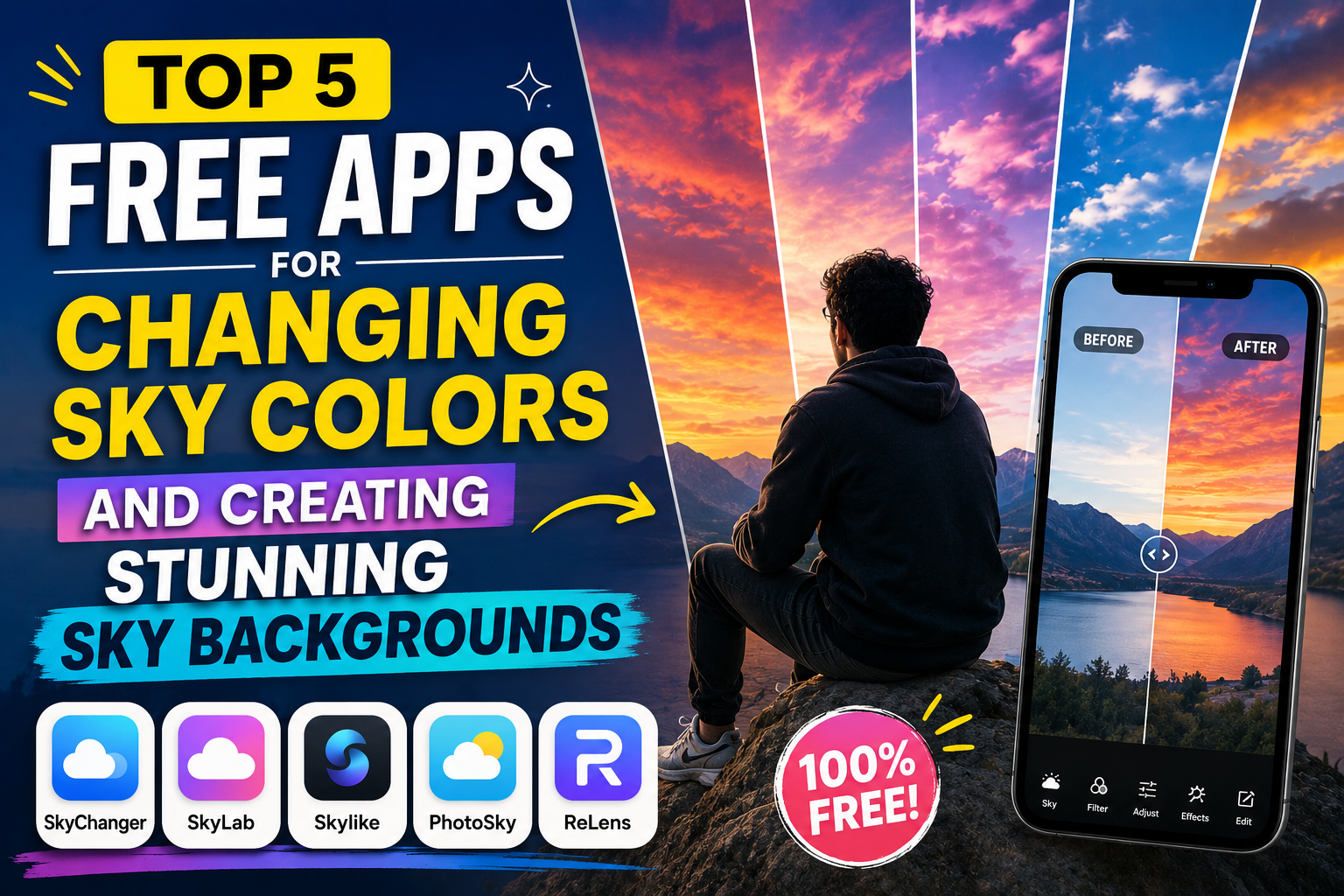
Top 5 Free Apps for Changing Sky Colors and Creating Stunning Sky Backgrounds
Nội dung
- 1. The trend of using free apps to enhance sky colors in mobile photography.
- 1.1. The Importance of the Sky in a Landscape Photograph
- 1.2. The rise of AI technology in image editing
- 2. Detailed review of the most popular free sky color editing apps.
- 2.1. Lightleap by Lightricks - The king of automatic sky background changing.
- 2.2. PicsArt - A comprehensive multi-purpose photo editing tool
- 2.3. Enlight Pixaloop - Creates vivid, moving cloud effects.
- 2.4. Mix by Camera360 - Advanced and artistic sky color filters
- 2.5. Picnic - A dedicated sky color editing app for travel enthusiasts.
- 3. Discover comprehensive technology solutions at Appvip.ai
- 4. Instructions on how to adjust the sky color to look natural without appearing artificial.
- 4.1. Step 1: Choose a sky background that matches the original lighting.
- 4.2. Step 2: Adjust the Opacity and Blend
- 4.3. Step 3: Synchronize the color tone of the entire image.
- 5. Important notes to avoid reducing image quality during editing.
- 5.1. Maintain the original image resolution.
- 5.2. Avoid overusing special effects.
- 5.3. Pay attention to reflected details
- 6. Conclusion
Discover these free sky editing apps that will instantly transform your gloomy photos into stunning blue skies, white clouds, and magical sunset hues.
1. The trend of using free apps to enhance sky colors in mobile photography.
One of the prominent trends today is the use of free sky color editing apps, allowing users to easily create impressive, vibrant photos without needing professional equipment. These apps not only offer convenience but also open up opportunities for people to explore and express their own unique photographic style.
1.1. The Importance of the Sky in a Landscape Photograph
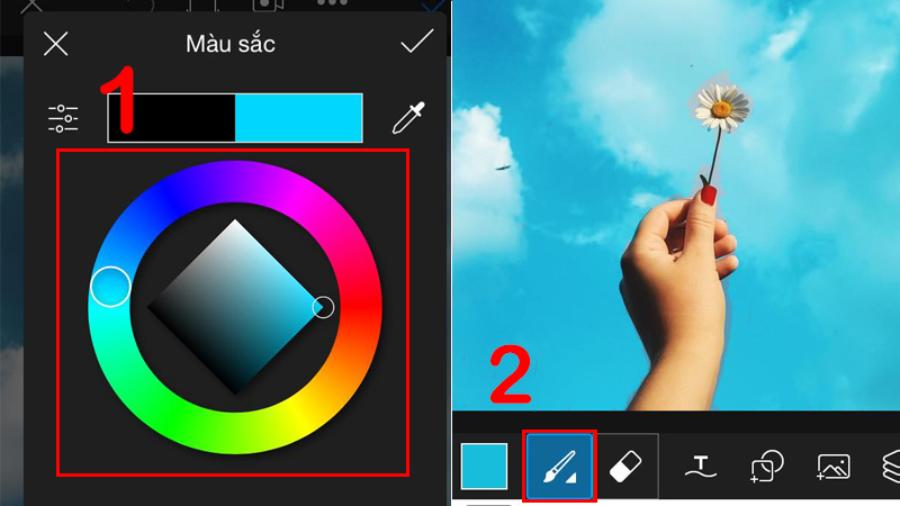
The sky acts as a natural backdrop, determining 70% of the light, atmosphere, and overall emotion of a photograph. A clear blue sky conveys a sense of dynamism and freshness, while the golden-orange hues of sunset evoke romance and melancholy. When the actual weather is unfavorable, digital intervention is the best solution to salvage the composition and preserve the essence of the work.
1.2. The rise of AI technology in image editing
Modern photo editing applications are no longer limited to complex manual color adjustments. The development of artificial intelligence (AI) technology allows systems to automatically separate layers, accurately distinguishing between trees, buildings, horizons, and empty space. As a result, incorporating new cloud and sky effects is incredibly natural, without smudging or creating an artificial feel for the viewer.
2. Detailed review of the most popular free sky color editing apps.
2.1. Lightleap by Lightricks - The king of automatic sky background changing.
Lightleap (formerly known as Quickshot) is one of the pioneers in AI-powered sky transformation. The app boasts an incredibly vast collection of skies, from bright blue skies and stormy clouds to magical starry nights.
-
Advantages: The "Sky" feature excels at recognizing the horizon, automatically adjusting the lighting across the entire image to harmonize with the chosen sky color. Users can customize the cloud density, wind direction, and image blur.
-
Disadvantages: The free version has limitations on some premium sky patterns and contains minor advertisements.
2.2. PicsArt - A comprehensive multi-purpose photo editing tool
Not only famous for its photo collage and effect adding capabilities, PicsArt is also an extremely powerful free app for editing beautiful sky colors . By using the "Mask" tool or the background replacement feature, you can transform your photos into any style you like.
-
Advantages: Allows users to upload their own sky images to overlay instead of being limited to a pre-existing library. The blending and blurring tools help to make the edges where the sky meets the subject look softer and more realistic.
-
Disadvantage: Due to the integration of so many features, the application is quite large, which may cause lag on low-configuration devices.
2.3. Enlight Pixaloop - Creates vivid, moving cloud effects.
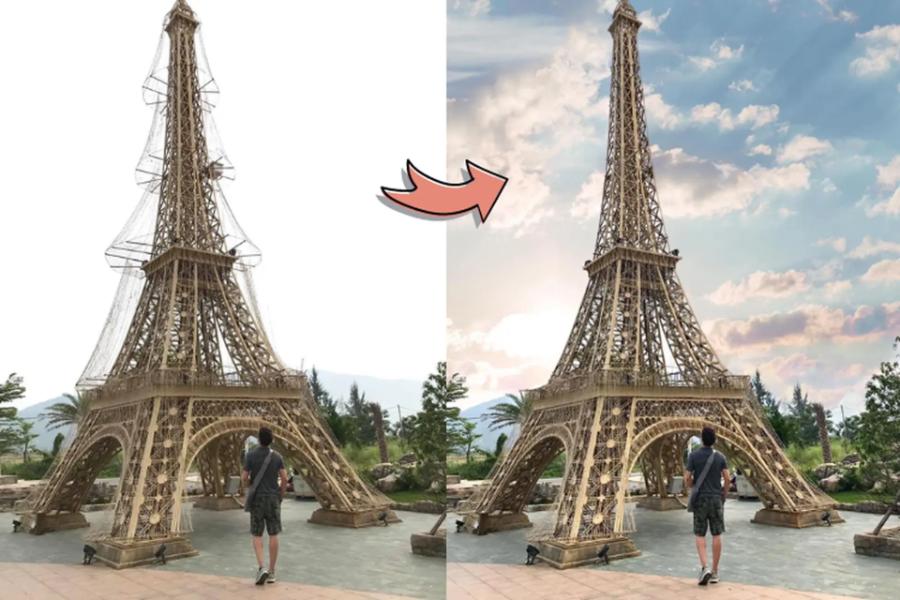
If you want your photos to not only look beautiful but also "breathe," Pixaloop is the perfect choice. This app specializes in creating motion for still images, especially effects like drifting clouds and flowing water.
-
Advantages: The readily available sky library offers the ability to create smooth animations, transforming still images into engaging short videos or GIFs perfect for social media platforms.
-
Disadvantage: Exporting high-quality video sometimes requires a paid account.
2.4. Mix by Camera360 - Advanced and artistic sky color filters
Coming from the developers of the popular Camera360 app, MiX focuses heavily on color filters. The "Magic Sky" section within the app offers dozens of specialized filters to process the different shades of the sky.
-
Advantages: The colors have a cinematic, highly artistic feel. Tools for deep detail manipulation such as Highlight, Shadow, and Curve help users with photography knowledge easily master the image.
-
Disadvantage: The interface can be a bit confusing for beginners.
2.5. Picnic - A dedicated sky color editing app for travel enthusiasts.
As its name suggests, Picnic is designed for outdoor picnic photos. This is a rare app that focuses entirely on quickly changing the weather and sky color without requiring users to perform complex adjustments.
-
Advantages: Extremely simple operation; just select your desired filter and the app will do everything automatically. The color tones here lean towards bright and clear, very suitable for the photography style of young people in Korea and Japan.
-
Disadvantage: There aren't many advanced manual editing tools for those who want to deeply manipulate image details.
3. Discover comprehensive technology solutions at Appvip.ai
Besides individual photo editing apps on mobile phones, users are now increasingly seeking solutions to optimize their digital experience more comprehensively. The website appvip.ai is a modern technology space that provides and shares knowledge, tools, and optimized versions of applications. Here, you can easily find solutions for upgrading VIP accounts for graphic design applications, and tips on using AI to automatically process images, saving you maximum time. The website boasts a user-friendly interface, constantly updates with the latest technology trends, and provides strong support for both amateur photo editors and professional designers in finding effective tools.
4. Instructions on how to adjust the sky color to look natural without appearing artificial.
To get a beautiful photo with a perfectly replaced sky background, relying solely on an app isn't enough. You need to master a few core rules below to ensure visual logic.
4.1. Step 1: Choose a sky background that matches the original lighting.
The most common mistake when using free sky editing apps is choosing a vibrant sunset sky while the subject is actually bathed in harsh daylight shadows. Always choose a sky with a similar sun direction and light intensity to the original photo for consistency.
4.2. Step 2: Adjust the Opacity and Blend
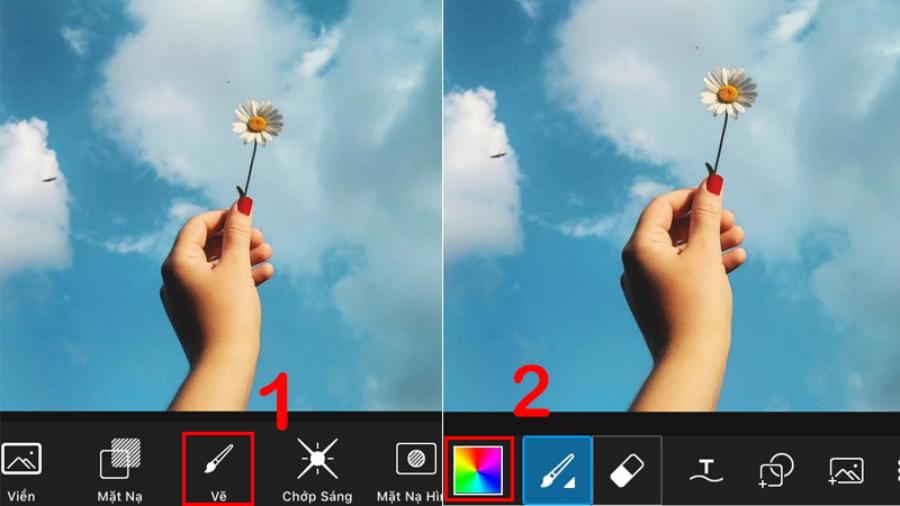
After the application has applied the new sky, use the Opacity slider to reduce the intensity if the colors are too vibrant. Also, adjust the Feathers or Blend settings to blur the boundary between the sky and the ground, allowing the two elements to blend together more smoothly.
4.3. Step 3: Synchronize the color tone of the entire image.
A clear blue sky will reflect a blue hue onto everything around it. Go to the app's overall color settings and slightly increase the cool tones (Temperature) if the sky is blue, or increase the warm tones if you've just changed to a vibrant golden sunset sky.
5. Important notes to avoid reducing image quality during editing.
When editing photos, maintaining image quality is crucial to ensuring the final result is sharp and clear. To avoid degrading image quality, you need to pay attention to the following factors:
5.1. Maintain the original image resolution.
Some free apps automatically compress image file sizes when exporting to save system bandwidth. Carefully check the app's settings and select the highest resolution (HD or Ultra HD) for image export to avoid pixelation and blurriness when uploading to social media.
5.2. Avoid overusing special effects.
Adding too many artificial clouds, lightning effects, or overly dense constellations can easily make a photograph lose its authenticity and create an unpleasant feeling for the viewer. Subtlety and balance are always key to creating a successful photograph.
5.3. Pay attention to reflected details
If your photo includes water surfaces such as rivers, lakes, seas, or large windows, remember that as the sky changes, so too should the reflection in the water. Some advanced apps have a "Reflection" feature that automatically handles this; you should take advantage of it to make your photo look as realistic as possible.
6. Conclusion
Utilizing free apps that enhance the beauty of the sky allows us to be more proactive in our artistic creations, no longer completely dependent on weather conditions when taking photos. Each app possesses its own strengths, from AI-powered automation to providing advanced color filters. By cleverly combining modern technology and personal aesthetic sense, transforming ordinary photos into million-like works of art is entirely within your reach.





















VIP Products








Best Selling Products
Freepik Premium Account
59 USD
Windows 10 & 11 Pro Key
36 USD
Plugin Retouch4me
69 USD
Upgrade genuine Capture One account
120 USD
Adobe Premiere Pro Account
99 USD
Autodesk All App Account Copyright
120 USD
Copyright Adobe Lightroom Account
59 USD
Adobe Photoshop Copyright - Full App
120 USD
ChatGPT Plus Account (GPT-4)
16 USD
Genuine Adobe Illustrator account
99 USD
Upgrade Genuine Office 365
49 USD
Capcut Pro 1 Year
39 USD
Upgrade Duolingo Super
29 USD
Genuine Cheap Canva Pro
39 USD
MidJourney Account
29 USD