Best Selling Products

Upgrade Duolingo Super
29 USD

ChatGPT Plus Account (GPT-4)
16 USD

Upgrade genuine Capture One account
120 USD

Capcut Pro 1 Year
39 USD

Autodesk All App Account Copyright
120 USD

Genuine Cheap Canva Pro
39 USD

Plugin Retouch4me
69 USD

Adobe Photoshop Copyright - Full App
120 USD

Copyright Adobe Lightroom Account
59 USD

Adobe Premiere Pro Account
99 USD

Freepik Premium Account
59 USD

MidJourney Account
29 USD

Genuine Adobe Illustrator account
99 USD

Upgrade Genuine Office 365
49 USD

Windows 10 & 11 Pro Key
36 USD
What is a Portfolio? Tools for Creating an Impressive Portfolio
Nội dung
- 1. What is a portfolio?
- 2. What information should a portfolio include?
- 3. Forms of Portfolio Presentation
- 4. How to create an outstanding portfolio
- 4.1 Showcase the best products
- 4.2 Don't be greedy for quantity!
- 4.3 Tell a story
- 4.4 Choose the right platform
- 4.5 Contact
- 4.6 Using social media
- 4.7 Regular updates
- 4.8 Interacting with the community
- 5. Tools for creating an impressive portfolio
- 5.1 Canva
- 5.2 Photoshop
- 5.3 Adobe InDesign
- 6. Conclusion
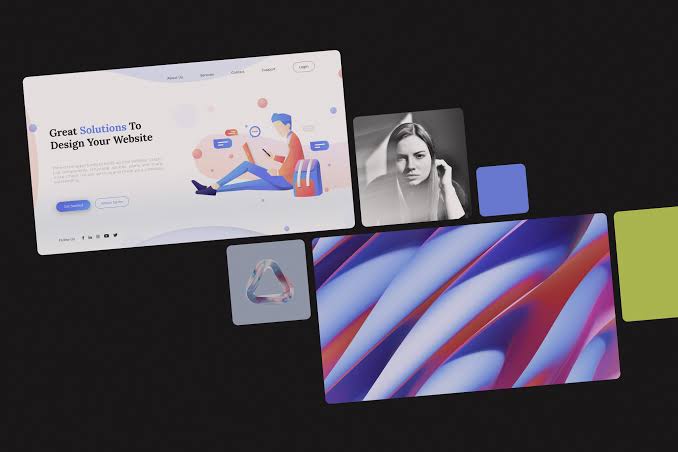
A portfolio is a collection of outstanding products, projects, or works that an individual or organization has created, showcasing their capabilities, skills, and work style.
1. What is a portfolio?
A portfolio, also known as a professional profile, is a collection of documents showcasing the achievements and work of an individual, business, or organization. Specifically, portfolios often include creative artistic works, such as graphic design, photography, or other products. The main purpose of a portfolio is to demonstrate the owner's abilities and work style, aiming to impress clients or employers. In this way, you not only introduce yourself but also demonstrate your value in a competitive market.
In the modern context, portfolios have become an important tool not only in the arts but also in finance and investment. Those working in the arts, especially designers, often need an impressive portfolio when applying for jobs. Through it, they can showcase not only their outstanding work but also their personal story, experience, and unique skills. A good portfolio is not just a collection of documents, but a work of art that reflects the individuality and creativity of its creator.
2. What information should a portfolio include?
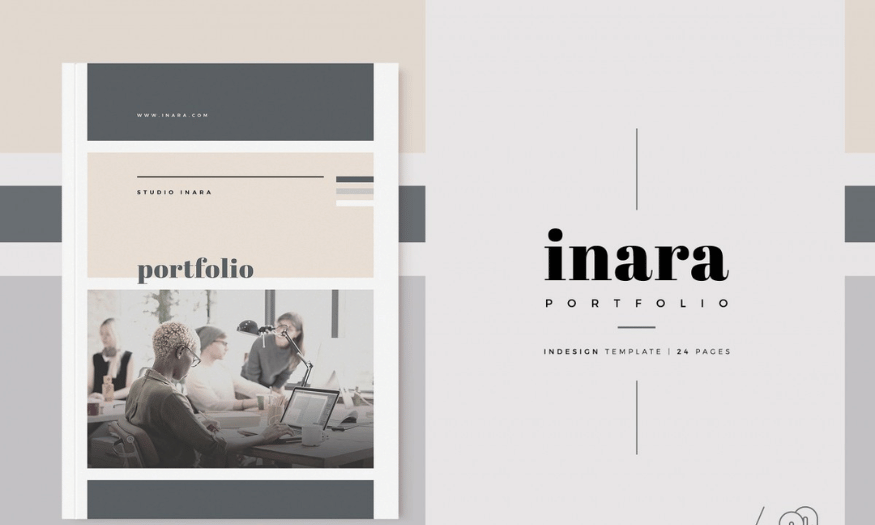
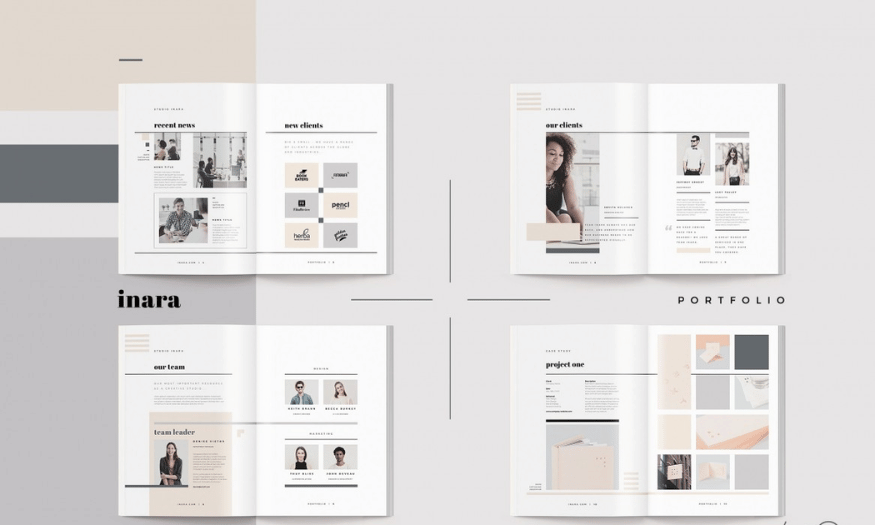
An effective portfolio should include essential but important information, starting with the introduction. In this section, you should provide your personal details, including your name, areas of expertise, a brief biography, and contact information. This information helps readers get a clearer picture of you, creating an overall image of your personality and career. A truthful and engaging introduction will make a good first impression.
Next is the experience section, where you list your achievements, awards, and completed projects. This is the core of your portfolio, clearly showcasing your skills and abilities. You should also include objective testimonials from clients or brands you've worked with, adding credibility and persuasiveness to your application. A well-structured portfolio with comprehensive information will make you stand out from the crowd of applicants.
3. Forms of Portfolio Presentation
There are many ways to showcase a portfolio, each with its own advantages, but printing remains the most classic and traditional method. Choosing the right paper size, type, and print quality is crucial. A professional design, meticulously crafted down to the smallest detail, not only helps you easily win over potential partners but also demonstrates your seriousness about your work. However, this method requires significant effort and expense, so you need to consider carefully before making a decision.
Besides print, PDFs are also a popular choice, especially when sending via email. The PDF format makes content difficult to edit, offers high image quality, and has a small file size. Finally, online portfolios are becoming increasingly popular among designers. According to a recent study, 56% of employers said they were more impressed with online portfolios than any other form. With their convenience, attractive design, and unlimited creative possibilities, website portfolios are becoming the top choice for those who want to showcase themselves in a unique and impressive way.
4. How to create an outstanding portfolio
4.1 Showcase the best products
When building a portfolio, the first thing to focus on is selecting your most outstanding works to showcase. Each piece you include should clearly and impressively reflect your skills and personal style. Especially if you're new to the industry, you don't need a thick portfolio; instead, a single page with projects you're truly proud of can be far more impactful. Remember, letting viewers scroll through dozens of pages without finding anything noteworthy will quickly kill their interest.
Furthermore, not all products in your portfolio need to be outstanding commercial works. A simple design like a business card or landing page can clearly demonstrate the scope of work you can do. Feel free to include your non-profit creative products, as long as they are capable of attracting attention and leaving a lasting impression.
4.2 Don't be greedy for quantity!
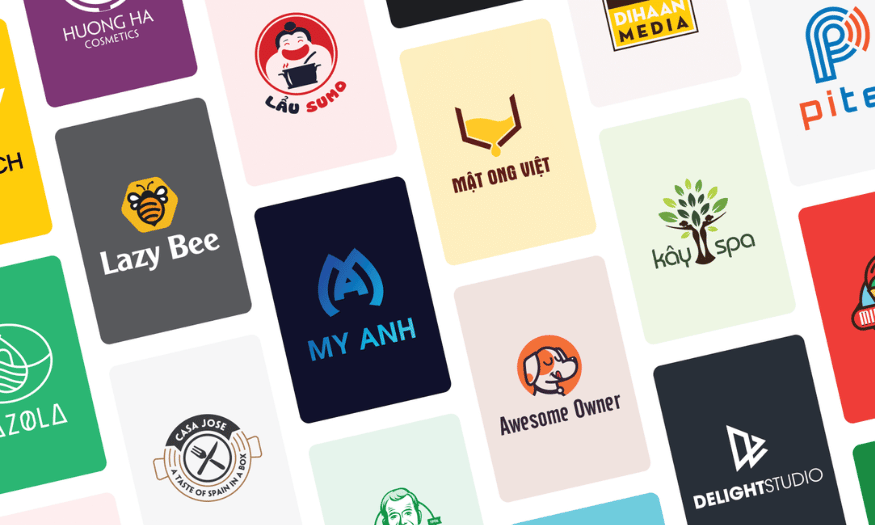
One common mistake when creating a portfolio is including too many works in the same style. Instead of trying to showcase every piece you've created, select your best works, showing diversity in design style. For example, if you've designed 50 logos, choose only the 5 most outstanding ones, each representing a different style. This not only demonstrates your creativity but also helps clients see the diversity of work you can handle.
Limiting the number of works also helps keep your portfolio neat and easier to track. Remember that quality always matters more than quantity. A carefully curated portfolio not only helps you impress viewers but also demonstrates professionalism and attention to detail in your work.
4.3 Tell a story
Think of your portfolio as a story divided into three parts: introduction, body, and conclusion. Your best work should be reserved for the conclusion, creating a strong impression and keeping viewers engaged. If you start with your best pieces right from the beginning, viewers might lose interest in exploring further. As the famous saying goes, "The best part is always last," so keep viewers anticipating something special at the end.
In the descriptions for each product, keep them concise and to the point. Let your work speak for itself; if customers want more information, they will proactively contact you. At the same time, ensure your contact information is always clear and easy to find, so customers can easily reach you without having to search.
4.4 Choose the right platform
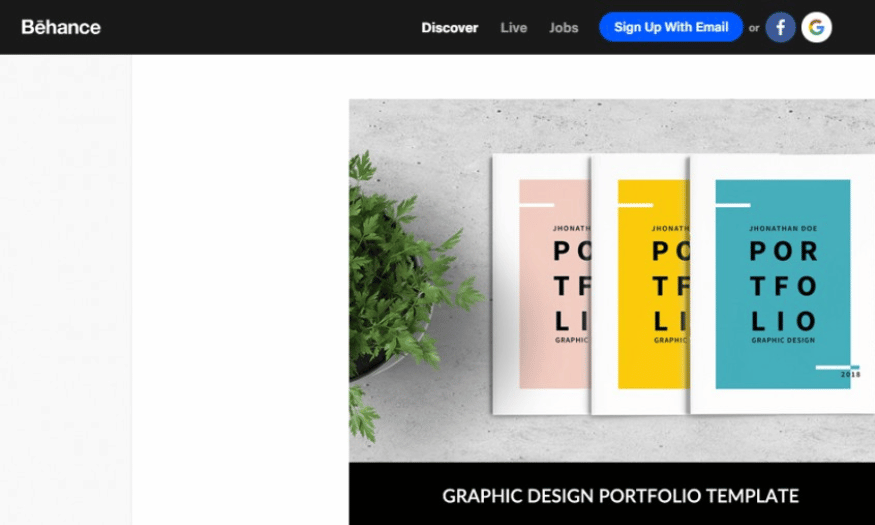
Choosing the right platform to host your portfolio is crucial. Carefully research the websites you plan to use, such as Behance or Dribbble, to find the one that best suits your type of work. A good platform will not only make it easy to share your work but also create an impressive user experience.
If you're a logo designer, a gallery-style website with many subcategories might be suitable. Conversely, if you're a photographer and need to showcase your work in full-screen mode, you should find a platform that supports large, sharp images well. Choosing the right platform will help you best showcase your work.
4.5 Contact
Contact information is a crucial element of a portfolio, but it's often overlooked or hidden. Your contact details should be prominently displayed, not just in the website footer. To make it easy for people to reach you when they want to offer work or discuss further, consider using a message form on your page, making the communication process more convenient.
Remember, providing clear contact information will make it easier for customers to connect with you. Don't make customers waste time searching for your email address; keep things simple and easy.
4.6 Using social media
Once people are interested in you and the products you create, encourage them to follow you on various social media platforms. This not only helps clients easily stay updated on your latest work but also creates opportunities for you to expand your network and enhance your presence in the creative community.
Create links to your social media accounts such as Twitter, Facebook, LinkedIn, and Instagram so people can easily follow and interact with you. A social media presence not only helps you connect with potential customers but also helps you build your personal brand effectively.

4.7 Regular updates
A portfolio isn't just a static document; it needs to be updated regularly to reflect your professional growth. As you complete new projects or learn new skills, promptly add them to your portfolio. This not only keeps your profile fresh but also demonstrates your continuous effort to improve yourself. Clients and employers will sense your enthusiasm and commitment when they see you regularly updating your portfolio with new work.
In addition to adding new work, you should also review your old pieces. Sometimes, a piece you once highly valued may no longer fit your current style. Ask yourself if it still showcases your skills and personal style. If not, don't hesitate to remove it from your portfolio. A neat and well-organized portfolio will help you make a stronger impression on viewers.
4.8 Interacting with the community
Joining a creative community not only expands your knowledge but also creates opportunities to connect with like-minded individuals. You can participate in forums, Facebook groups, or live events to network and learn from industry experts. These relationships not only enhance your skills but can also lead to future collaboration and job opportunities.
Furthermore, actively participate in providing feedback and reviews on other people's work. This not only helps you build your reputation within the community but also creates opportunities to receive feedback on your own work. A different perspective can offer fresh viewpoints and help you improve further. This interaction will not only enrich your knowledge but also help you build a network, which is crucial in the creative industry.
5. Tools for creating an impressive portfolio
5.1 Canva
Canva is one of the most popular online graphic design tools available today, ideal for creating impressive portfolios, especially for those without a professional design background. With its user-friendly interface, Canva allows users to easily create beautiful portfolio templates in just minutes. You can choose from hundreds of ready-made templates, from simple designs to sophisticated layouts, and customize them to your personal style.
One of Canva's strengths is its drag-and-drop functionality, allowing you to easily add images, text, and other graphic elements without needing in-depth design knowledge. Canva also offers a huge library of images, including royalty-free images, icons, and a wide variety of fonts, helping you create unique and attractive designs. Once finished, you can export your portfolio in various formats such as PDF, PNG, or JPG, and share it directly via social media or email. Additionally, Canva supports collaboration features, allowing you to invite others to work on a project, which is very useful when you need feedback from colleagues or clients.
5.2 Photoshop
Adobe Photoshop is a powerful tool for those who want to create a professional portfolio with many advanced features. With its excellent image editing and graphic design capabilities, Photoshop allows you to create unique and high-quality works. While it may be somewhat complex for beginners, mastering the basic skills will help you create a truly impressive portfolio.
Photoshop offers the ability to work with multiple layers, allowing you to create more complex designs by combining various elements. You can apply special effects, adjust colors, and use hundreds of different tools to create products that are not only visually appealing but also reflect your personality and style. A portfolio designed with Photoshop not only showcases your design skills but also demonstrates professionalism and attention to detail. Furthermore, Photoshop supports publishing in various formats, from still images to videos, giving you more flexibility in showcasing your work.
5.3 Adobe InDesign
Adobe InDesign is another excellent tool for portfolio creation, especially if you want to work with complex layouts and multiple pages. InDesign allows you to easily design multi-page documents, from books to magazines, and is ideal for creating an impressive portfolio with a variety of products. With many powerful features, you can precisely control every element in your design, from size and font to spacing between elements.
One of InDesign's standout advantages is its ability to work efficiently with text and images. You can easily import and format text, create tables and lists, making your portfolio not only visually appealing but also easy to read and understand. Furthermore, InDesign supports publishing in various formats, from PDF to print formats, allowing you to easily share your portfolio. A portfolio created with InDesign not only conveys a professional feel but also demonstrates your proficiency in using industry-standard design tools, which will help you make a strong impression on clients and employers.
6. Conclusion
In summary, a portfolio plays a crucial role in building a professional personal image and brand. An impressive portfolio not only helps you score points with recruiters but also creates opportunities to expand your network and attract potential clients. With the development of technology, creating a visually appealing and professional portfolio has become easier than ever thanks to many available online tools. By investing time and effort in designing and updating your portfolio, you will not only enhance your value but also create lasting impressions on viewers.





















VIP Products








Best Selling Products
Upgrade Duolingo Super
29 USD
ChatGPT Plus Account (GPT-4)
16 USD
Upgrade genuine Capture One account
120 USD
Capcut Pro 1 Year
39 USD
Autodesk All App Account Copyright
120 USD
Genuine Cheap Canva Pro
39 USD
Plugin Retouch4me
69 USD
Adobe Photoshop Copyright - Full App
120 USD
Copyright Adobe Lightroom Account
59 USD
Adobe Premiere Pro Account
99 USD
Freepik Premium Account
59 USD
MidJourney Account
29 USD
Genuine Adobe Illustrator account
99 USD
Upgrade Genuine Office 365
49 USD
Windows 10 & 11 Pro Key
36 USD