Best Selling Products

Upgrade genuine Capture One account
120 USD

Autodesk All App Account Copyright
120 USD

ChatGPT Plus Account (GPT-4)
16 USD

Capcut Pro 1 Year
39 USD

Adobe Premiere Pro Account
99 USD

Genuine Adobe Illustrator account
99 USD

Upgrade Duolingo Super
29 USD

Windows 10 & 11 Pro Key
36 USD

Genuine Cheap Canva Pro
39 USD

MidJourney Account
29 USD

Freepik Premium Account
59 USD

Plugin Retouch4me
69 USD

Copyright Adobe Lightroom Account
59 USD

Upgrade Genuine Office 365
49 USD

Adobe Photoshop Copyright - Full App
120 USD
What is DeepSeek AI? Explore the features and applications of DeepSeek.
Nội dung
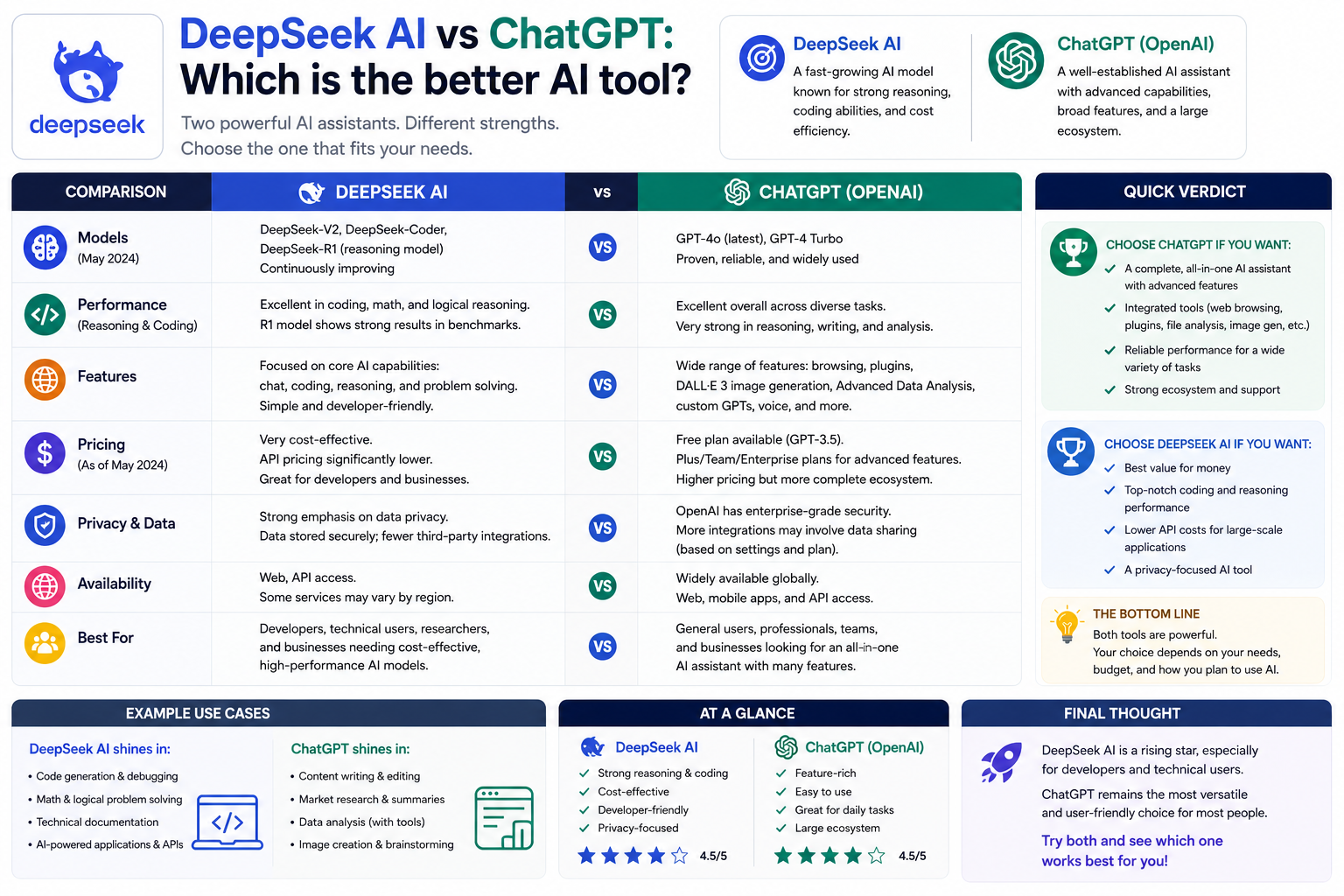
DeepSeek AI is one of the leading artificial intelligence platforms with the ability to support content writing, learning, programming, document processing, and application development.
. What is DeepSeek AI?
DeepSeek is a Chinese artificial intelligence company founded in 2023. The company focuses on developing large-scale language models and AI systems for various tasks such as reasoning, programming, text generation, document processing, research, and application development.
From a consumer perspective, DeepSeek can be accessed through its official app and chat interface. Users can enter questions in natural language to request AI explanations, content writing, information analysis, programming assistance, or various text-based tasks.
For developers, DeepSeek also provides a connection method via API. The API allows an application or external system to send requests to the AI model, receive the returned results, and use those results in its workflow. This is a crucial foundation for building chatbots, internal assistants, data processing tools, or automation systems.
DeepSeek is also associated with many different model names and research groups such as V4, R1, V3, Coder, Math, VL, and OCR. These names should not be understood as referring to identical products. Each model or group of models may be designed for different goals, capabilities, and deployment environments.
2. Components of DeepSeek
One of the most confusing aspects when learning about DeepSeek is that the name "DeepSeek" can refer to many related components.
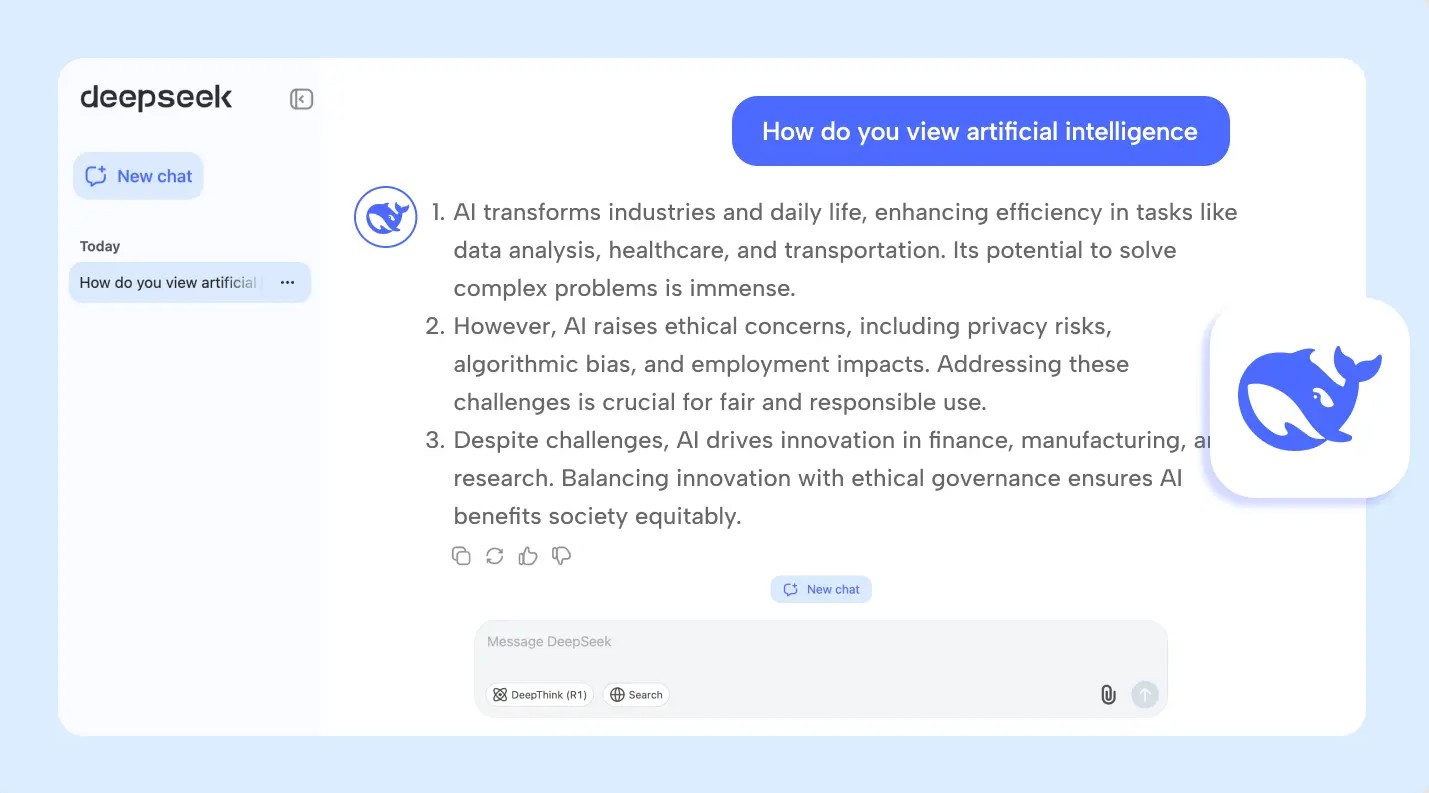
DeepSeek Chat can be understood as a hosted user interface where users directly chat with an AI model. This is the simplest approach because users don't need to build their own system or write code to start using it.
The DeepSeek Platform focuses more on the developer account area, service management, and billing. When building AI-powered applications, developers need to pay attention to accounts, APIs, and related settings, rather than just using a chat interface.
An API is a programming service layer that allows external software to connect to the DeepSeek model. Through the API, developers can integrate the model's language processing capabilities into their own applications or automation workflows.
Furthermore, names like V4, R1, V3, Coder, Math, VL, and OCR refer to different versions or development groups. Therefore, it should not be assumed that the experience on a chat interface, API, and a locally deployed model will be exactly the same in terms of features, terms of use, privacy, or hardware requirements.
3. What is DeepSeek used for?
DeepSeek can support a wide range of tasks, from simple to complex. Its actual capabilities depend on the model, usage, and quality of information provided by the user.
One of the most popular applications is writing and communication . Users can ask AI to build outlines, create drafts, edit sentences, translate, summarize documents, or convert information into structured notes. Instead of simply asking to "write an essay," users can provide goals, target audience, and tone requirements to receive more relevant results.
In education , DeepSeek can serve as an explanatory tool. Users can request analysis of a complex concept, comparison of two ideas, illustrative examples, or create review questions. An effective approach is to ask the AI to explain things step-by-step, from basic to advanced, rather than simply providing a short answer.
4. Programming support
Programming is one of the job groups that can leverage powerful language models. DeepSeek can assist in code interpretation, function writing, bug finding, test creation, technical documentation, and system migration planning.
For example, instead of simply providing the source code and asking "fix the bug," users can provide information in a structured way:
Please analyze the code below.
1. Identify the error or behavior that could cause the error.
2. Explain the reason.
3. Suggest ways to fix it.
4. Rewrite the complete code after making the corrections.
5. Create test cases to verify that the fix works correctly.
Source code:
[Place source code here]
This approach helps AI understand the task better and produce more structured results. However, the code generated by AI still needs to be tested, run, and evaluated before being deployed in a real-world environment.
DeepSeek can also support system migration planning, such as migrating legacy code to a new language or architecture. In this case, users should provide the current version, compatibility requirements, system limitations, and test criteria.
5. Document processing
DeepSeek can be used in document processing workflows when the application provides a reliable contextual model. Suitable tasks include topic extraction, paragraph comparison, information organization, and summarization based on the provided source.
For example, a user might request:
Please read the document below and follow the steps:
1. Summary of main points.
2. Identify the key topics.
3. List the differences between the sections.
4. Use only the information that appears in the document.
5. If the information is not in the document, state "Not found in source".
Document contents:
[Paste content here]
The key point is to distinguish between source-based summaries and model-based answers . If the goal is internal document processing, users should control the data source and instruct the AI not to automatically add information not present in the document.
6. Develop AI applications
For developers, DeepSeek can become a component within a software system instead of just a standalone chatbot.
APIs can be used to build customer service chatbots, in-house assistants, data classification systems, structured output generation tools, or controlled automation workflows.
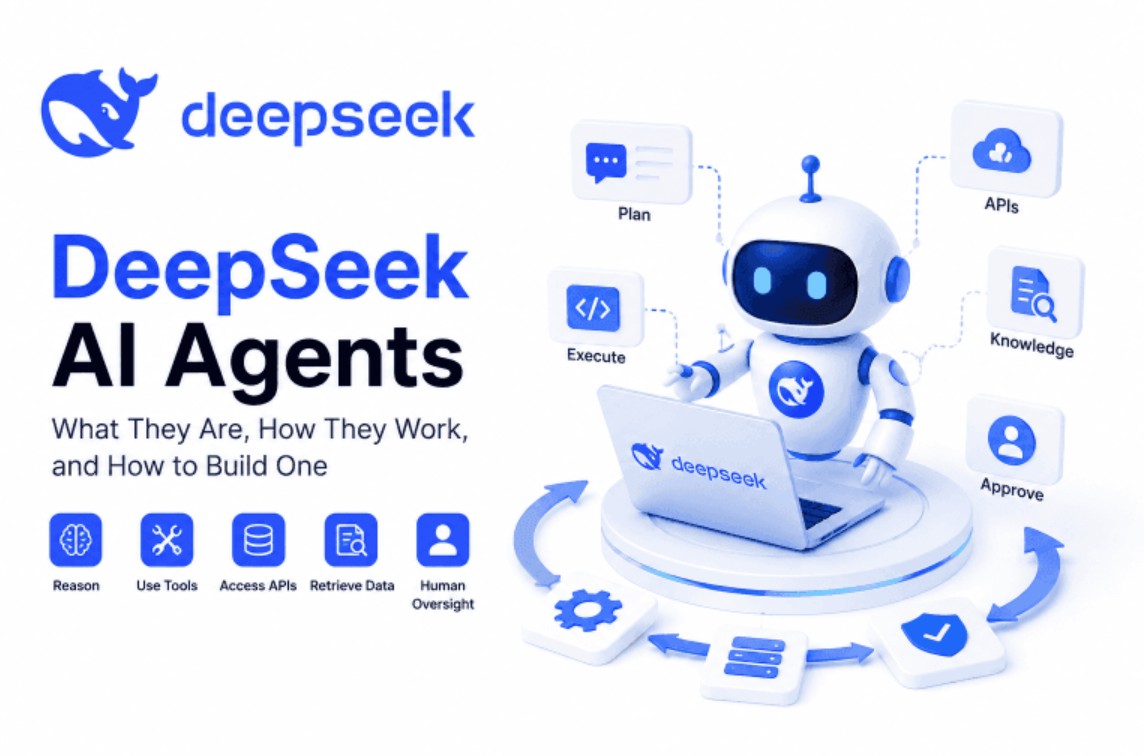
A basic process might include the following steps: the user submits a request, the application identifies the task type, the system sends the necessary data to the model, receives the results, verifies the results, and then returns the information to the user or moves on to the next step.
In critical systems, AI should not be allowed to automatically perform every action without a layer of verification. Restrictions on access, data validation, logging, output inspection, and mechanisms requiring human approval for high-risk actions can be added.
7. RAG and knowledge systems
RAG, short for Retrieval-Augmented Generation, is a method that combines information retrieval capabilities with language modeling. Instead of asking the AI to respond based solely on existing knowledge, the system first retrieves relevant documents and then provides them as context for the model.
DeepSeek can be incorporated into such an architecture to generate responses based on approved documents. For example, a business could build an internal assistant using manuals, operating procedures, or product documentation as reference sources.
However, RAG does not automatically guarantee correct answers. The system needs to control the retrieval process, document access rights, data authorization, citation sources, and quality assessment. If the retrieval step provides incorrect or incomplete documentation, the model may still produce incorrect answers.
8. Model Implementation
One key difference between general users and developers is the deployment environment.
Ordinary users typically just need to access the provided interface and start chatting. Conversely, when researching or deploying a qualified model release on their own infrastructure, developers need to consider hardware and software requirements, performance, model licensing, and operating conditions.
Public releases do not mean that every model can be used at will in every situation. Before deployment, it is necessary to carefully read the license, terms of use, and technical requirements corresponding to the model version.
9. Limitations to note
While it's highly probable, DeepSeek, like other AI generation systems, doesn't guarantee that every answer will be accurate.
AI can generate inaccurate, incomplete, outdated, biased, or fabricated information . A coherently presented answer does not necessarily mean its underlying content is accurate.
Therefore, important information needs to be cross-referenced with reliable sources. When using AI for high-impact decisions, expert human review is necessary.
This is especially important in fields such as legal, healthcare, finance, security, recruitment, and education. DeepSeek can assist in aggregating, interpreting, or preparing information, but it should not be considered a complete substitute for expert advice or formal verification processes.
10. How to use it effectively
To get better results, users should write their requests clearly, provide full context, and specify the desired output format.
A statement can be constructed as follows:
You are an assistant specializing in [field].
Mission:
[Specify the tasks to be performed]
Context:
[Provide necessary information]
Request:
1. Analyze the problem before drawing conclusions.
2. Only use the information provided if I request it based on the source.
3. If data is missing, please specify the missing information.
4. Do not create your own sources or use unsubstantiated data.
5. Present the results using the following structure:
- Conclude
- Analysis
- Propose
Input data:
[Place data here]
After receiving the answer, users can then ask the AI to re-examine the argument, point out uncertainties, or present alternative solutions. This approach is often more helpful than simply asking a short question and immediately using the first result.
When used correctly, DeepSeek can become a powerful tool for both general users and developers, opening up many possibilities for AI applications in learning, work, and digital product development.





















VIP Products








Best Selling Products
Upgrade genuine Capture One account
120 USD
Autodesk All App Account Copyright
120 USD
ChatGPT Plus Account (GPT-4)
16 USD
Capcut Pro 1 Year
39 USD
Adobe Premiere Pro Account
99 USD
Genuine Adobe Illustrator account
99 USD
Upgrade Duolingo Super
29 USD
Windows 10 & 11 Pro Key
36 USD
Genuine Cheap Canva Pro
39 USD
MidJourney Account
29 USD
Freepik Premium Account
59 USD
Plugin Retouch4me
69 USD
Copyright Adobe Lightroom Account
59 USD
Upgrade Genuine Office 365
49 USD
Adobe Photoshop Copyright - Full App
120 USD