Best Selling Products

Genuine Adobe Illustrator account
99 USD

Capcut Pro 1 Year
39 USD

MidJourney Account
29 USD

Plugin Retouch4me
69 USD

Genuine Cheap Canva Pro
39 USD

Upgrade genuine Capture One account
120 USD

ChatGPT Plus Account (GPT-4)
16 USD

Windows 10 & 11 Pro Key
36 USD

Adobe Premiere Pro Account
99 USD

Upgrade Duolingo Super
29 USD

Autodesk All App Account Copyright
120 USD

Upgrade Genuine Office 365
49 USD

Adobe Photoshop Copyright - Full App
120 USD

Copyright Adobe Lightroom Account
59 USD

Freepik Premium Account
59 USD
What is Photo Post-Production? An Indispensable Foundation for Designers and Photographers
Nội dung
With the same photograph, the difference between "ordinary" and "impressive" lies in post-processing. This article analyzes how post-processing enhances image value, especially in advertising, commerce, and personal branding.
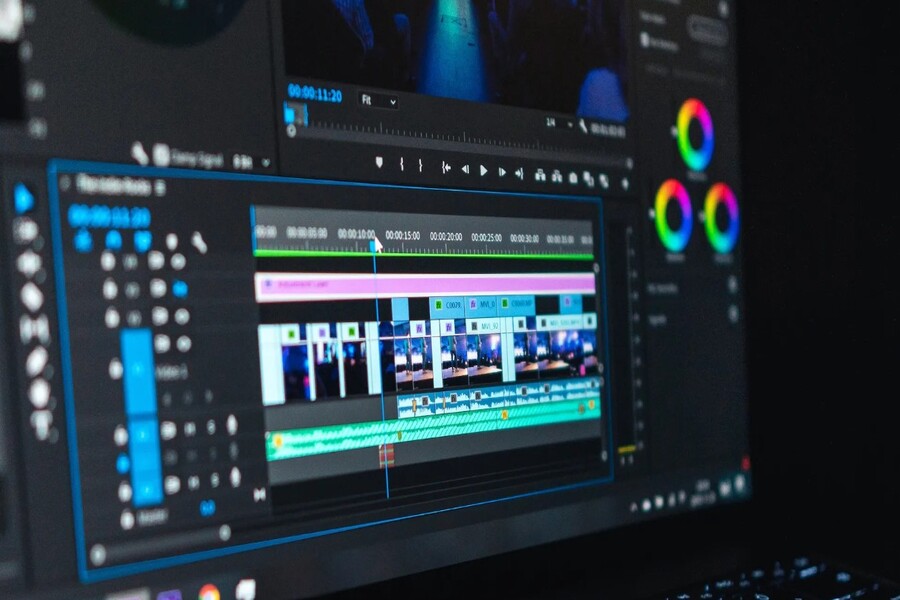
Many newcomers to photography, design, or media often ask: "What is post-processing?" , "Is post-processing really necessary?" , or "Is post-processing a form of cheating in photography?" . In reality, post-processing isn't a magic trick to transform a bad photo into a beautiful one; rather, it's a process of perfecting and enhancing the image's value, much like a jeweler polishing a precious stone to make it shine as it truly is.
In this article, SaDesign will delve into the concept of post-production, explaining why photo and video post-production has become an indispensable step in modern image production, as well as professional post-production processes and important considerations when using software for post-production. If you are a designer, photographer, marketer, or simply want to create more beautiful images for your work and life, this will be an essential foundation of knowledge.
Buy Genuine Licensed Software at Affordable Prices
1. What is Photo Post-Processing and Why Is It Necessary?
Post-production is the stage of processing and editing images or videos after the shooting or filming process is complete. This is when creators use specialized software to finalize the product, ensuring the highest possible technical and aesthetic quality before distribution.
In photography, post-processing focuses on adjusting and optimizing elements that the camera or shooting conditions couldn't perfectly handle. No matter how advanced the equipment, camera sensors still have certain limitations in terms of dynamic range, color reproduction, and handling complex lighting. Post-processing helps compensate for these limitations, while also more clearly conveying the photographer's intentions.
Common photo post-processing tasks include white balance adjustment for more accurate colors, brightness and contrast adjustment for depth, color correction to create emotion, removal of skin imperfections in portraits, noise reduction in low-light photos, cropping for optimal composition, or combining multiple images for creative or commercial purposes.
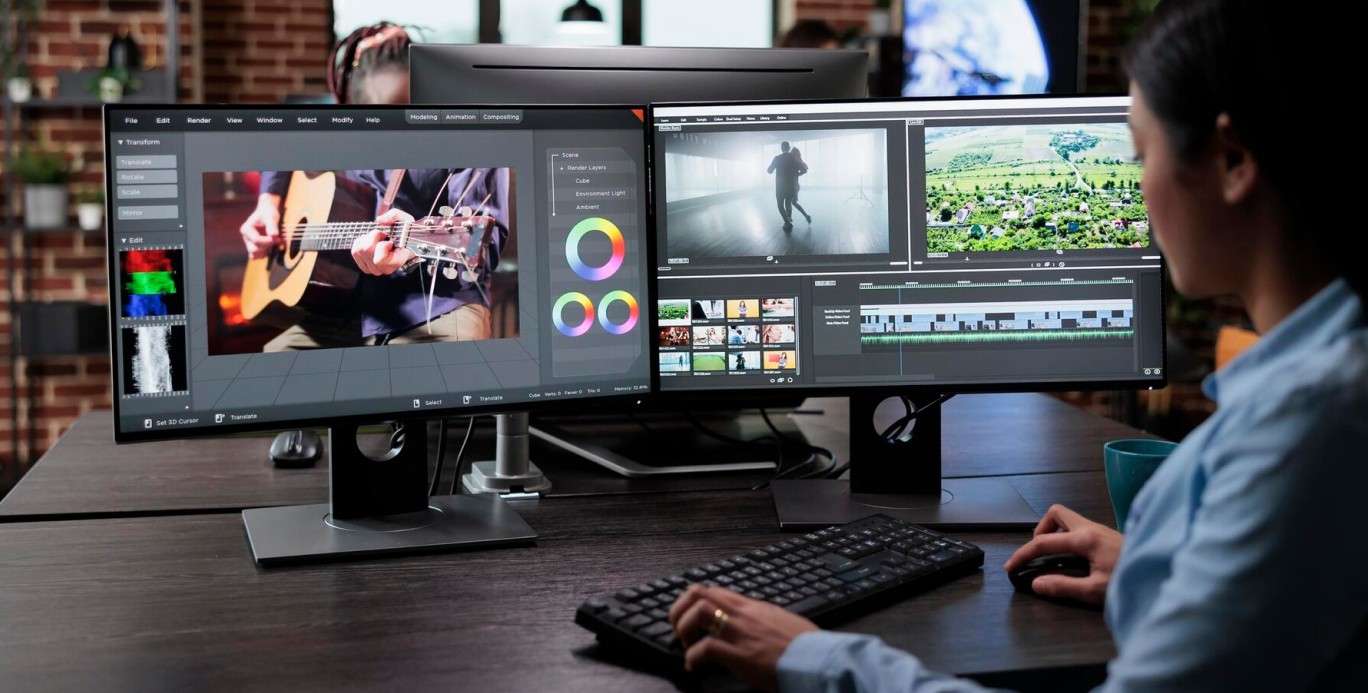
For video, post-production plays an even more crucial role. A raw video after shooting is usually just a collection of disjointed footage. Through post-production, the editor cuts and splices the footage, adjusts the colors for synchronization, processes the sound, adds background music, transition effects, motion graphics, and other special effects. It is this stage that transforms the disjointed footage into a complete story with clear rhythm and emotion.
Post-processing can be likened to the "makeup" applied to an image. A beautiful face still needs proper makeup to stand out in any situation. Similarly, a well-taken photograph, when properly post-processed, will become more captivating, professional, and convey a much stronger message.
Beyond photography and filmmaking, post-production plays a crucial role in office work and corporate communications. Well-processed presentation slides, meticulously edited product photos, and consistent color advertising banners all contribute to enhancing brand image and communication effectiveness.
2. What are the steps involved in a professional photo post-processing process?
To fully understand what post-production is, one cannot ignore the professional post-production process. This is not a matter of random editing, but rather a logical, well-ordered series of steps that allows post-production professionals to control image quality from start to finish.
The first step in the photo post-processing process is usually basic editing. This is the foundation of the entire process. The editor will begin by adjusting the white balance to ensure that the colors are not tinged with yellow, blue, or off-tone compared to reality. Then, they adjust brightness, contrast, highlights, and shadows to ensure the image has a balanced dynamic range, avoiding overexposure or loss of detail in dark areas. These adjustments are always based on the original photographic intent, not on subjective feelings.
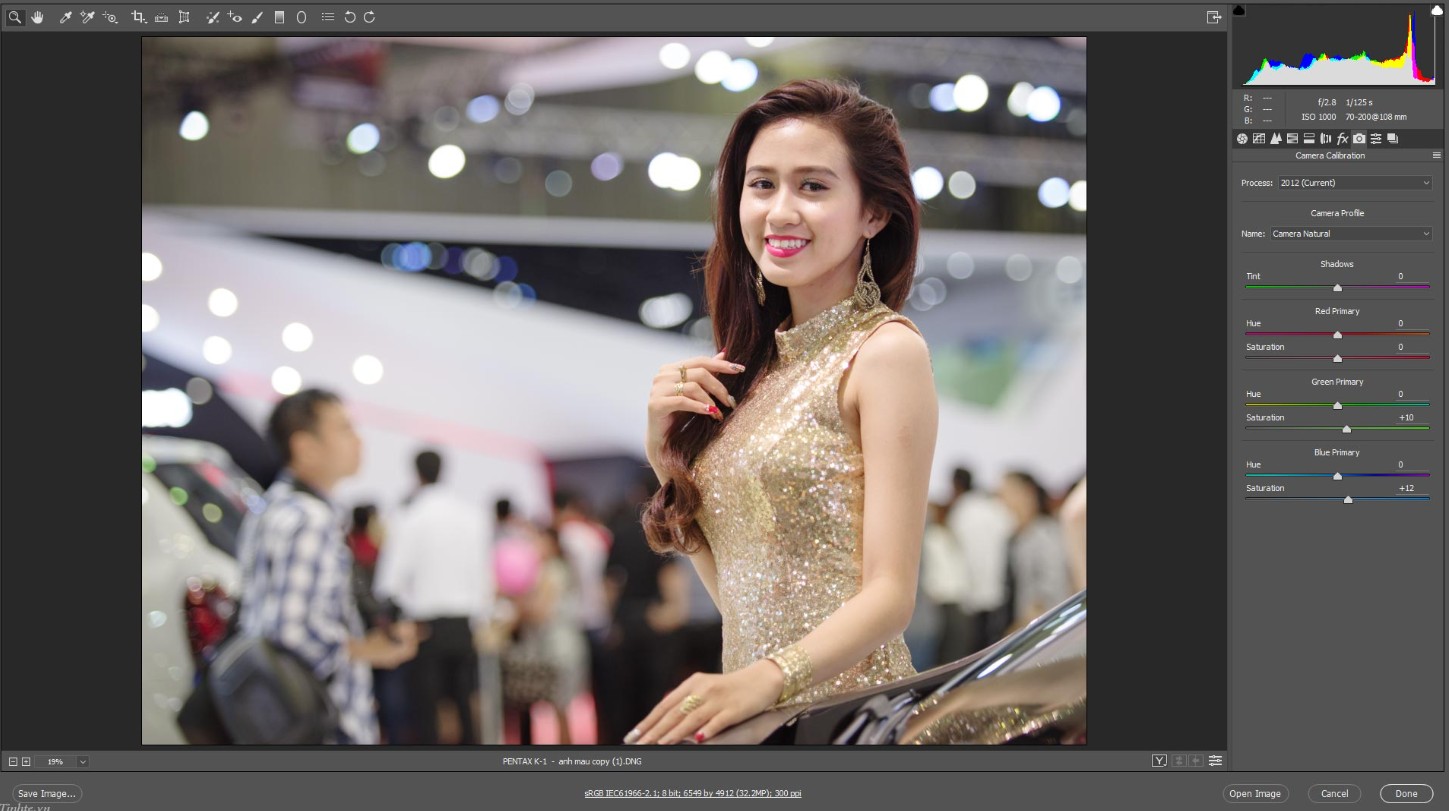
Next comes the detailed image processing step. At this stage, post-processors focus on sharpness, noise reduction, texture adjustment, and clarity to make the image look clear but not harsh. For portraits, this is also when processing skin, removing blemishes, small wrinkles, or unwanted details, while still maintaining a natural skin texture and avoiding the "plasticized" look often seen in overly edited photos.
Once the image is technically stable, special effects or advanced editing can be applied if needed. This includes using tools like clone stamps to remove unwanted objects, combining multiple images, or adding graphic elements to create a more creative image. In advertising or fashion, this is a crucial step in creating highly conceptual images.
In video production, post-production also includes processing audio in parallel with the video. Raw audio often needs to be cleaned of background noise, volume adjusted, and synchronized with the video. In professional productions, ADR – recording dialogue in a studio – is also used to ensure the clearest possible sound. Foley cables are also used to add sound effects such as footsteps and collisions, making the video more lively and realistic.
One of the most important steps in both photo and video post-production is color grading. This is the final color correction stage, where post-production professionals create a unique color style for the final product. Color grading isn't just about making the image "better," but also about conveying emotion, story, and brand personality. A feature film, a TV commercial, or even a fashion photoshoot can all be identified by their distinctive color style.
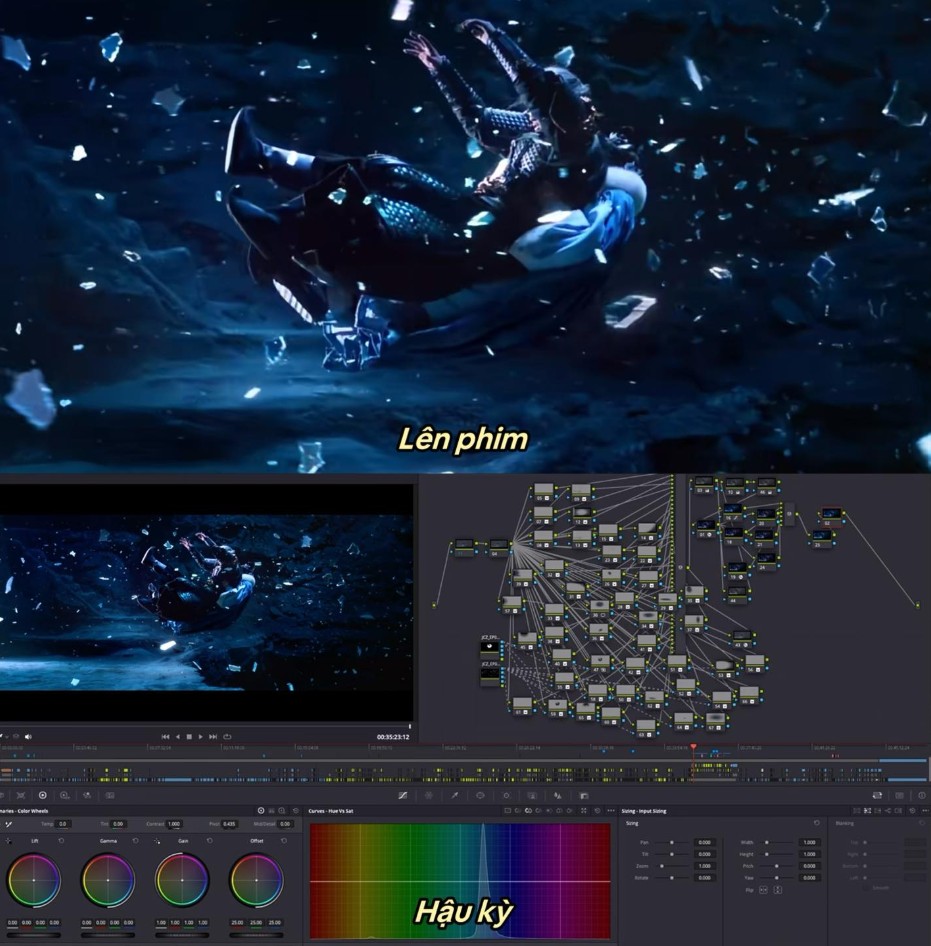
Once all the above steps are completed, the image or video will be exported in a format suitable for its intended use, such as printing, web posting, social media, or presentations. Applying the correct post-production process not only ensures high sharpness and aesthetics in the final product but also guarantees consistency and professionalism throughout the entire project.
3. Important Notes When Post-Processing Photos Using Software
Whether you're a beginner or an experienced designer and photographer, mastering the key considerations when post-processing photos using software will help you avoid common mistakes and save a lot of time.
Shoot in RAW format for flexible post-processing.
One of the most important principles of photo post-processing is to always prioritize shooting in RAW format over JPEG. RAW is the raw data recorded by the camera sensor, uncompressed and unprocessed. This allows post-processors to deeply manipulate lighting, color, and detail without compromising image quality.
In contrast, JPEGs have already been processed and compressed by the camera. When heavily edited, JPEG images are prone to color distortion, detail blurring, or unwanted noise. With software like Adobe Lightroom or Capture One, importing RAW files will help you unlock the full potential of your photos, especially in challenging lighting situations.
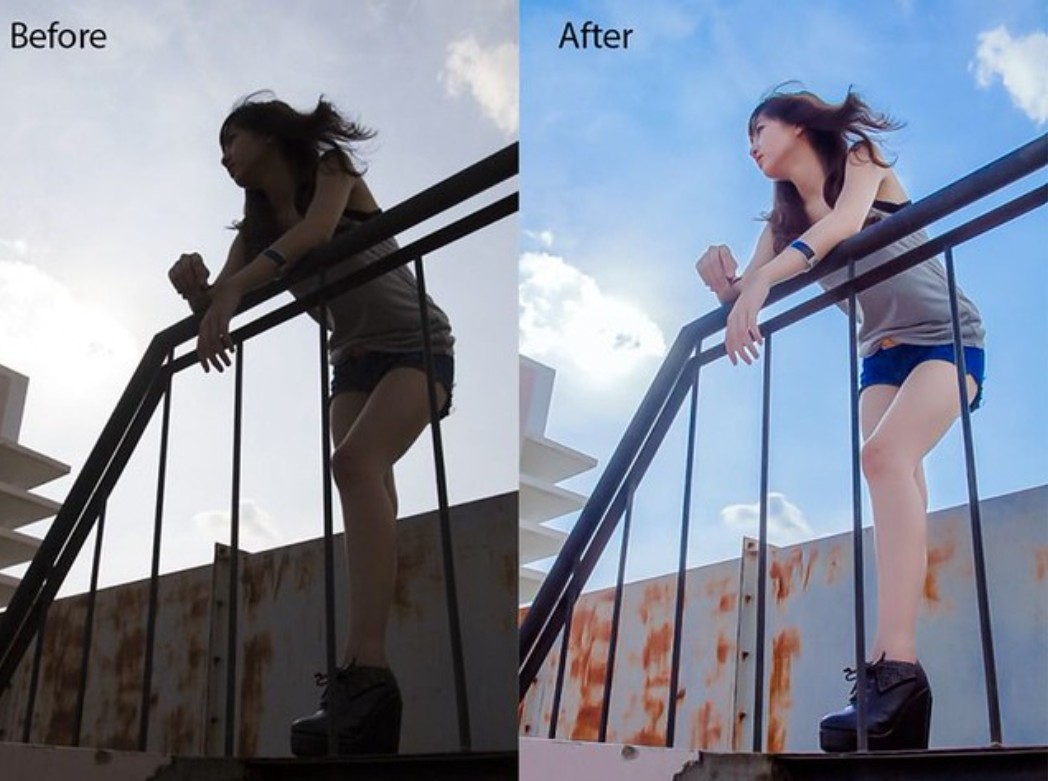
Accurate White Balance Before and After Shooting
White balance is a fundamental factor determining the overall color of a photograph. Cameras have an automatic white balance mode, but in many cases with mixed lighting, the results are often inaccurate. Using a Grey Card when shooting will give you a color benchmark, making it easier to recalibrate the white balance in post-processing.
In photo editing software, adjusting the white balance correctly will help skin tones look more natural and prevent scenes from appearing dull or color-cast. This is a small step, but it has a huge impact on the viewer's visual experience.
Calibrate the Monitor for Accurate Color Correction in Post-Production
A very common mistake made by post-production professionals is adjusting images on a monitor with inaccurate color reproduction. The colors you see on the screen might look great, but when printed or viewed on another device, they will be completely different.
To mitigate this, monitor calibration is essential. Monitors like the Dell Ultrasharp are often used in design due to their stable color reproduction. Setting your monitor to the sRGB color space, brightness and contrast at 70–80, RGB channels balanced at 50–50–50, and gamma around 1.8 will give you the closest view to real-world colors. Additionally, you should disable Dynamic Contrast or automatic color enhancement features to avoid inaccuracies in post-production.
Choose the Correct Camera Profile in Lightroom
In Lightroom, many people habitually use the default Adobe Standard profile without paying attention to the camera profile. However, each camera manufacturer, such as Canon, Nikon, or Sony, has its own color profile, accurately reflecting how the camera's sensor reproduces colors.

When opening the Develop module, selecting the Profile Matching that matches your camera will help the image's colors closely resemble the original preview on the camera screen, saving a lot of time on color correction. This is a small detail, but it demonstrates the professionalism of the post-production technician.
Post-processing isn't about fixing flawed photos; it's an integral part of the image creation process. Understanding what post-processing truly is will help you approach editing more seriously and strategically, rather than editing based on intuition.





















VIP Products








Best Selling Products
Genuine Adobe Illustrator account
99 USD
Capcut Pro 1 Year
39 USD
MidJourney Account
29 USD
Plugin Retouch4me
69 USD
Genuine Cheap Canva Pro
39 USD
Upgrade genuine Capture One account
120 USD
ChatGPT Plus Account (GPT-4)
16 USD
Windows 10 & 11 Pro Key
36 USD
Adobe Premiere Pro Account
99 USD
Upgrade Duolingo Super
29 USD
Autodesk All App Account Copyright
120 USD
Upgrade Genuine Office 365
49 USD
Adobe Photoshop Copyright - Full App
120 USD
Copyright Adobe Lightroom Account
59 USD
Freepik Premium Account
59 USD