Best Selling Products

Freepik Premium Account
59 USD

Adobe Premiere Pro Account
99 USD

Capcut Pro 1 Year
39 USD

Upgrade Genuine Office 365
49 USD

Plugin Retouch4me
69 USD

MidJourney Account
29 USD

Copyright Adobe Lightroom Account
59 USD

Adobe Photoshop Copyright - Full App
120 USD

Upgrade Duolingo Super
29 USD

Autodesk All App Account Copyright
120 USD

ChatGPT Plus Account (GPT-4)
16 USD

Windows 10 & 11 Pro Key
36 USD

Upgrade genuine Capture One account
120 USD

Genuine Cheap Canva Pro
39 USD

Genuine Adobe Illustrator account
99 USD
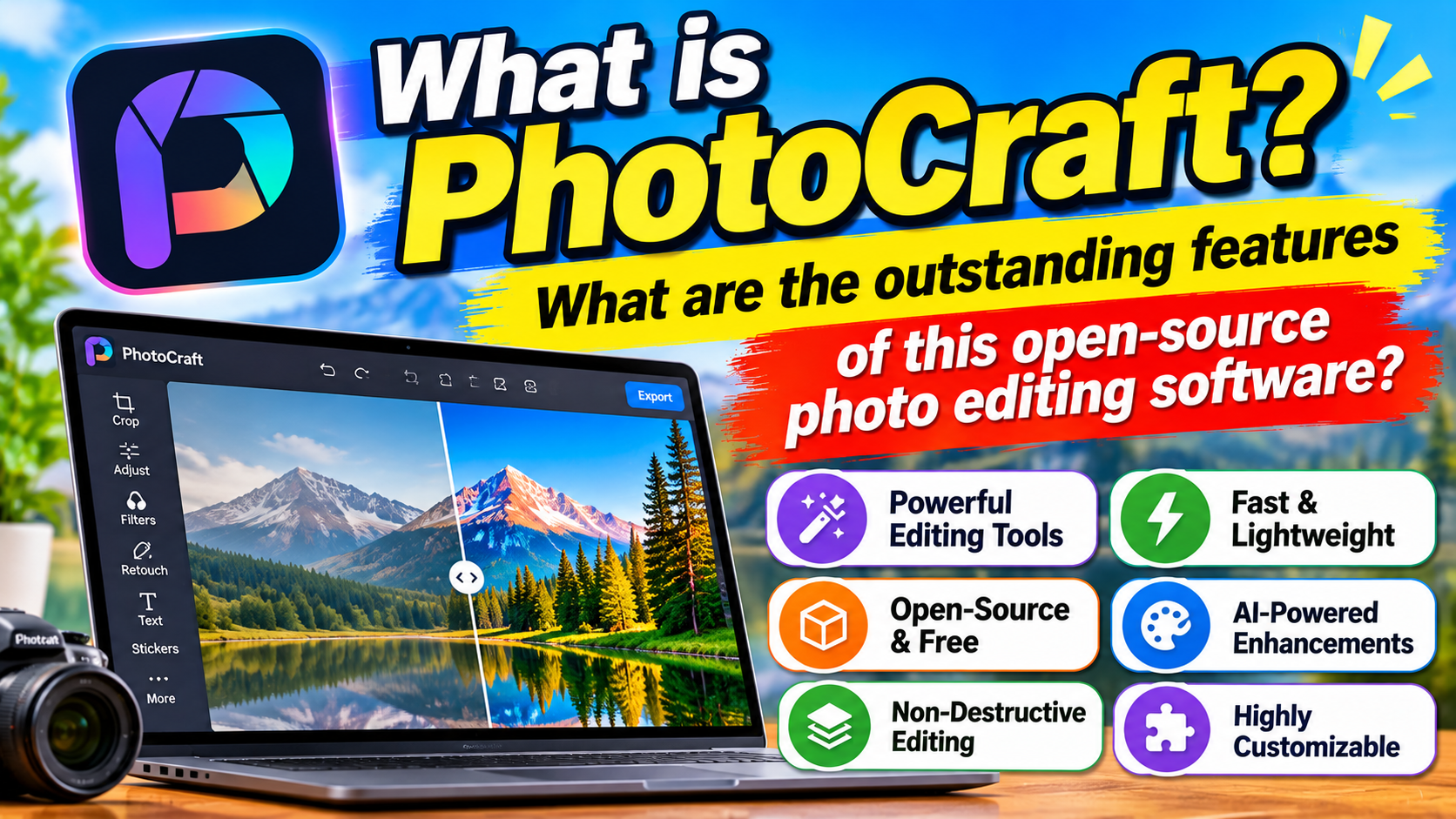
What is PhotoCraft? What are the outstanding features of this open-source photo editing software?
Nội dung
- 1. Familiar interface
- 2. Native Canvas GPU: Accelerates image processing.
- 3. Supports PSD and PSB
- 4. Non-destructive editing: adjustment layers, masks, and smart filters.
- 4.1. Layers and Masks
- 4.2. Adjustment Layers: Color adjustment layers
- 4.3. Layer Styles và Smart Objects
- 5. Select objects on the computer and manage colors professionally.
- 5.1. Select the subject and fine-tune the mask directly on the device.
- 5.2. Color and Bit Depth Support
- 6. Conclusion
PhotoCraft is an open-source image editing software project developed using the Rust language. This article helps you explore its outstanding features such as layers, masks, live filters, GPU support, and compatibility with Photoshop files.
1. Familiar interface
One of PhotoCraft's goals is to help Photoshop users quickly become familiar with the software. Menus, shortcuts, control panels, and tools are arranged in a familiar way, rather than forcing users to learn an entirely new editing process.
Main interface components
• Menu bar: a collection of functions for opening, saving, editing, selecting areas, processing images, and managing layers.
Toolbar : provides tools such as move, crop, select area, brush, eraser, pen, and text input.
• Layers panel: manages image layers, text layers, masks, and effects.
• Control panel: allows you to change color, brightness, contrast, and other image processing parameters.
• Shortcut keys: facilitate quick execution of frequently used operations.
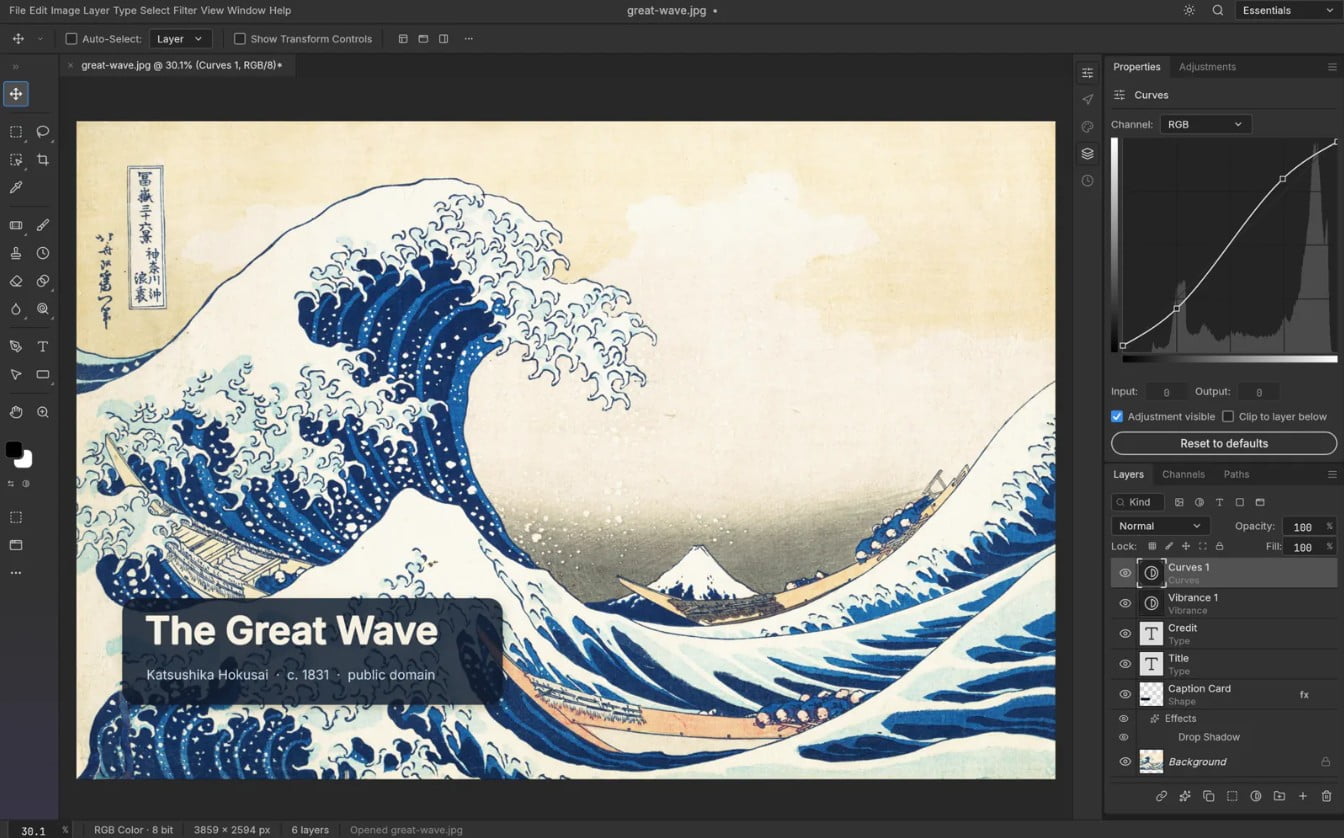
For example, someone already familiar with keyboard shortcuts for duplicating a layer or creating a selection can continue to use similar operations in PhotoCraft, depending on the functionality supported in the current version.
The familiar interface helps reduce learning time, but that doesn't mean PhotoCraft has all the tools, plugins, and workflows of Photoshop. Some advanced features may still operate differently or may not be fully implemented.
2. Native Canvas GPU: Accelerates image processing.
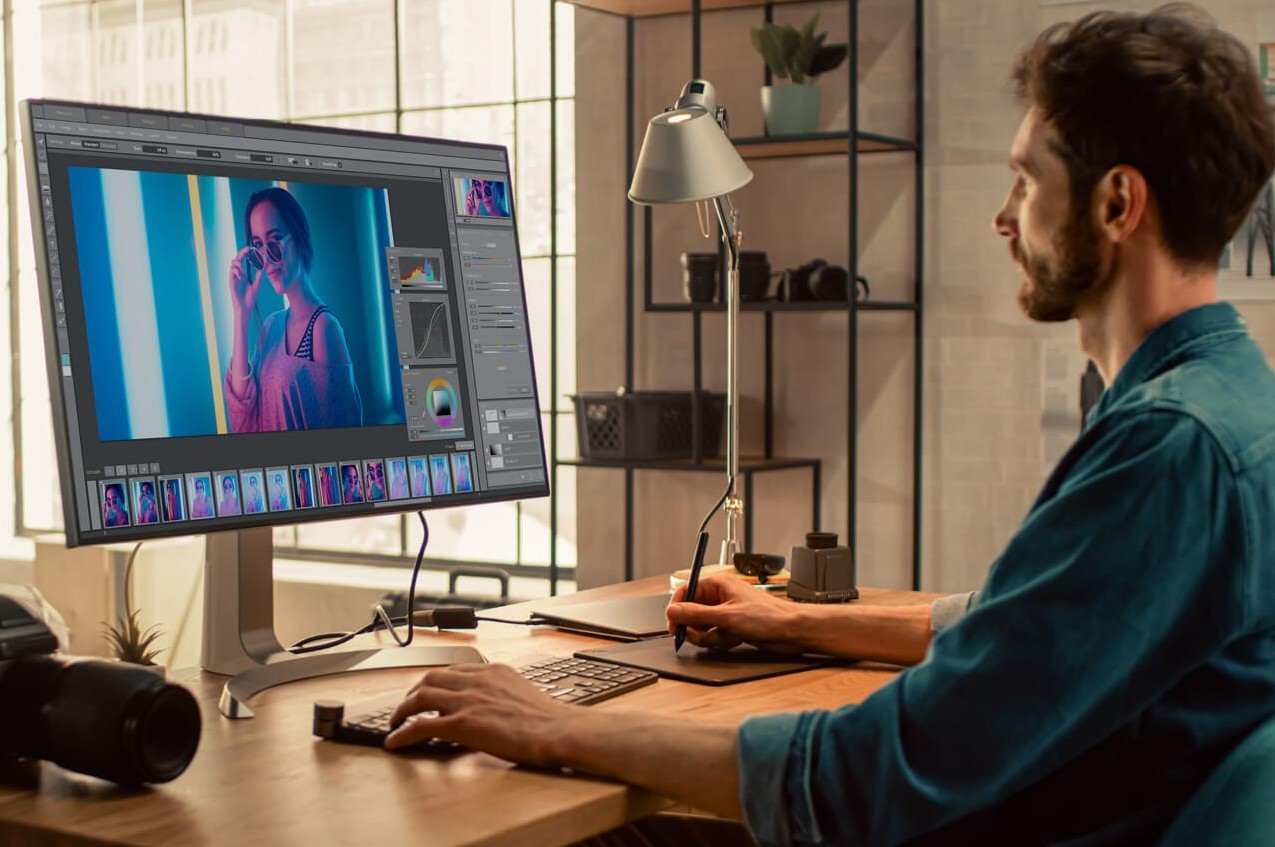
PhotoCraft uses a GPU-accelerated image compositor based on wgpu technology. According to project information, the system can work with graphics platforms such as Metal, Vulkan, DirectX 12, and WebGPU.
To understand the benefits of this approach, it's necessary to differentiate between CPU and GPU in image processing.
The CPU handles many tasks related to data coordination, management, and general calculations. The GPU is capable of processing multiple graphics calculations in parallel, making it suitable for combining image layers, rendering effects, and updating frames.
When editing an image with multiple layers, masks, and filters, the software must synthesize content from these multiple components to display the final result. GPU integration helps to perform this task more efficiently in appropriate situations.
Why not use electrons?
Electron allows for the development of desktop applications using web technologies, but typically includes a browser-based environment. PhotoCraft chose a native application, not relying on Electron or WebView, for its desktop interface, as described in the project.
This approach can reduce some intermediate layers and allow the application to connect more directly to the graphics system. However, actual performance still depends on the hardware, GPU drivers, and how the software implements each filter.
For designers, the expected benefits are smoother canvas manipulation, faster response to parameter changes, and more convenient handling of multi-layered documents. For accurate evaluation, testing on the same computer with similar image projects is necessary.
3. Supports PSD and PSB
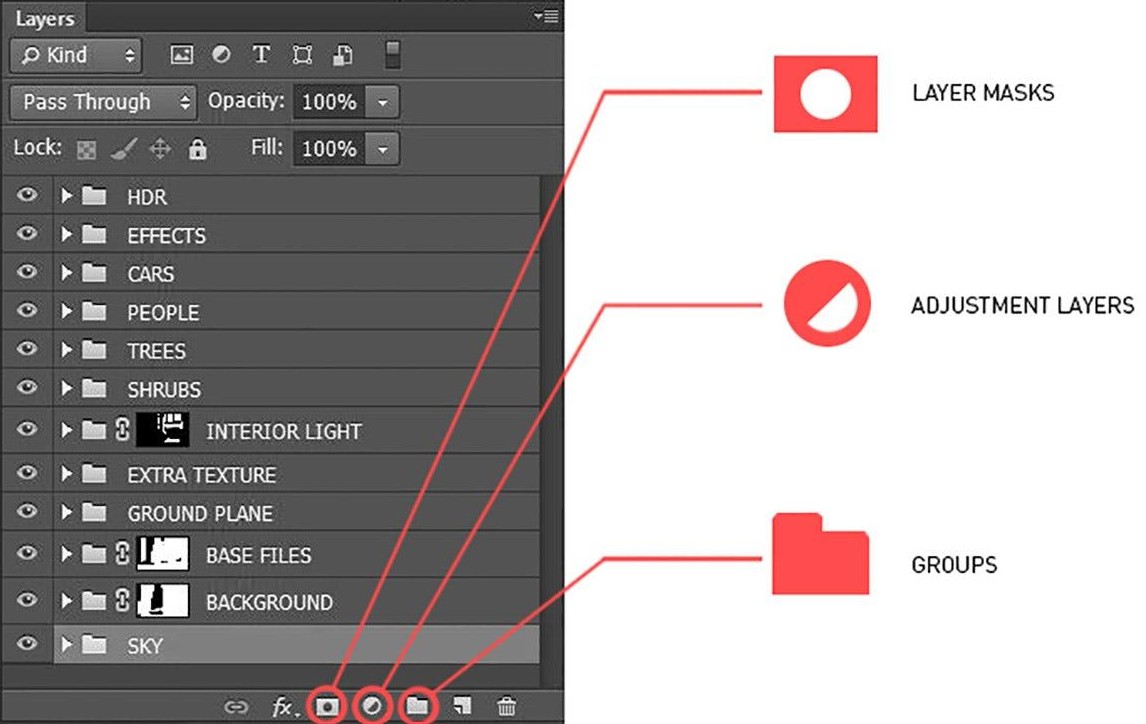
One of the biggest hurdles when switching from Photoshop to other software is the ability to preserve the PSD file. This isn't just a single image; it can contain dozens or hundreds of layers, layer groups, masks, text, effects, and editing data.
PhotoCraft is designed for reading, editing, and saving layered PSD and PSB documents.
These two formats serve different purposes:
-
PSD: A popular Photoshop document format used to save images along with editing elements such as layers, masks, and effects.
-
PSB: Photoshop's large document format, designed to handle projects that exceed the usual limits of PSD, such as very large images.
The key is the ability to retain the editing structure. If a design has separate background, text, decorative, and mask layers, the user needs to be able to continue editing each element after opening the file in another software.
4. Non-destructive editing: adjustment layers, masks, and smart filters.
Non-destructive editing is a key principle in professional image processing software. Instead of directly altering the original pixels, users can add separate adjustment layers or effects to modify the image and edit it again at any time.
According to project information, PhotoCraft offers 16 types of adjustment layers, over 70 live preview filters, Smart Objects with accompanying Smart Filters, and a Layer Styles system.
4.1. Layers and Masks
Layers allow you to divide a design into multiple independent components. For example, a poster might include a background layer, product image, title, logo, and decorative details.
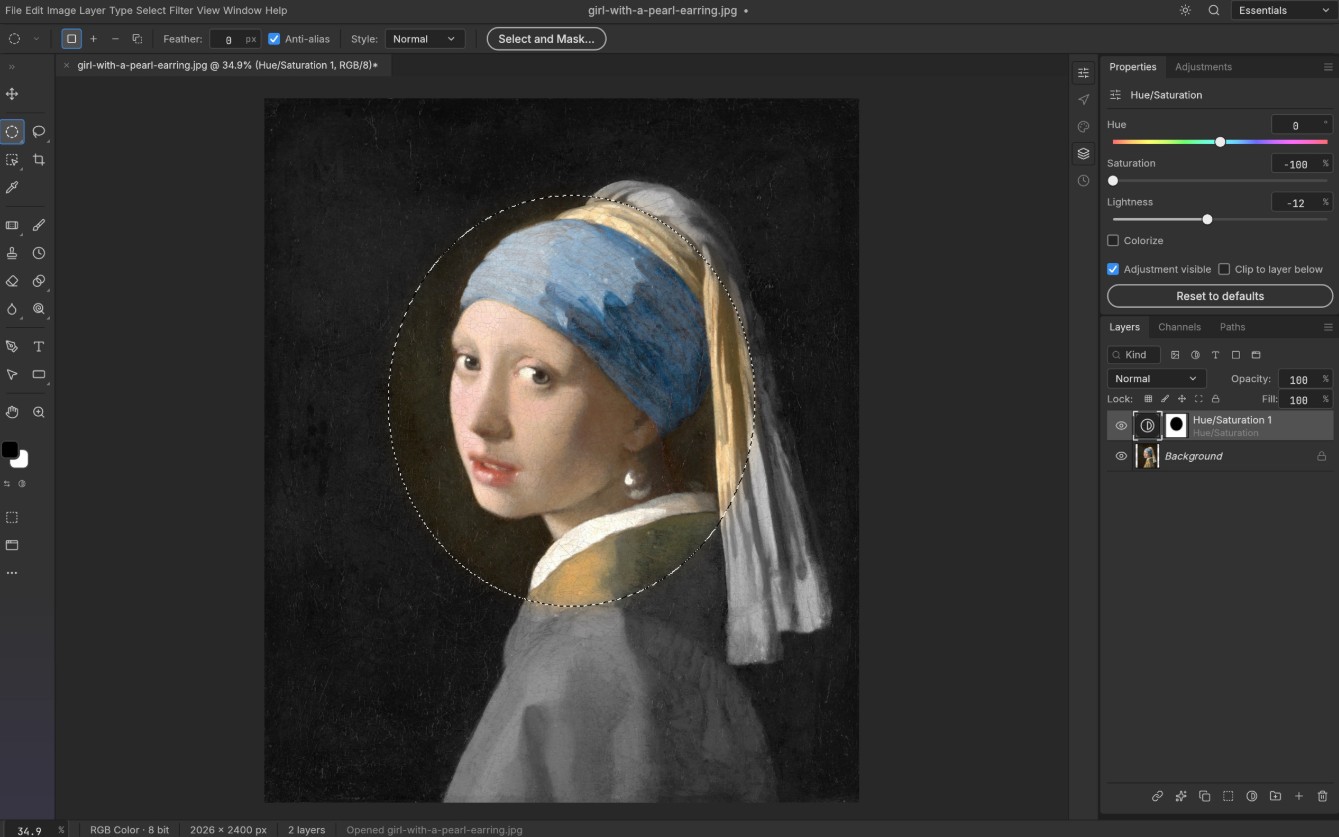
Masks help control which parts of a layer are displayed. Instead of permanently deleting an area of an image, users can hide that area using a mask and then adjust it later.
For example, when superimposing a person onto a new background, you can use a mask to cover the old background while preserving the original image data. If the hair outline isn't perfect, simply continue adjusting the mask.
4.2. Adjustment Layers: Color adjustment layers
PhotoCraft describes 16 types of adjustment layers, including tools such as Curves, Levels, Vibrance, Hue/Saturation, and other color processing tools.
-
Curves: adjusts brightness and contrast across tonal zones.
-
Levels: control the black point, white point, and intermediate area.
-
Vibrance: enhances color, focusing on areas of unsaturated color.
-
Hue/Saturation: changes the hue, saturation, and brightness of a color.
-
Black & White: Converts color photos to black and white with the ability to adjust the conversion method.
The advantage is that users can turn these layers on, off, rearrange, or adjust them without constantly editing the original image directly.
4.3. Layer Styles và Smart Objects
Layer Styles allow you to add effects such as shadows, borders, glows, embossing, color overlays, gradient overlays, or textures. These effects are especially useful when designing headlines, banners, advertisements, and cover photos.
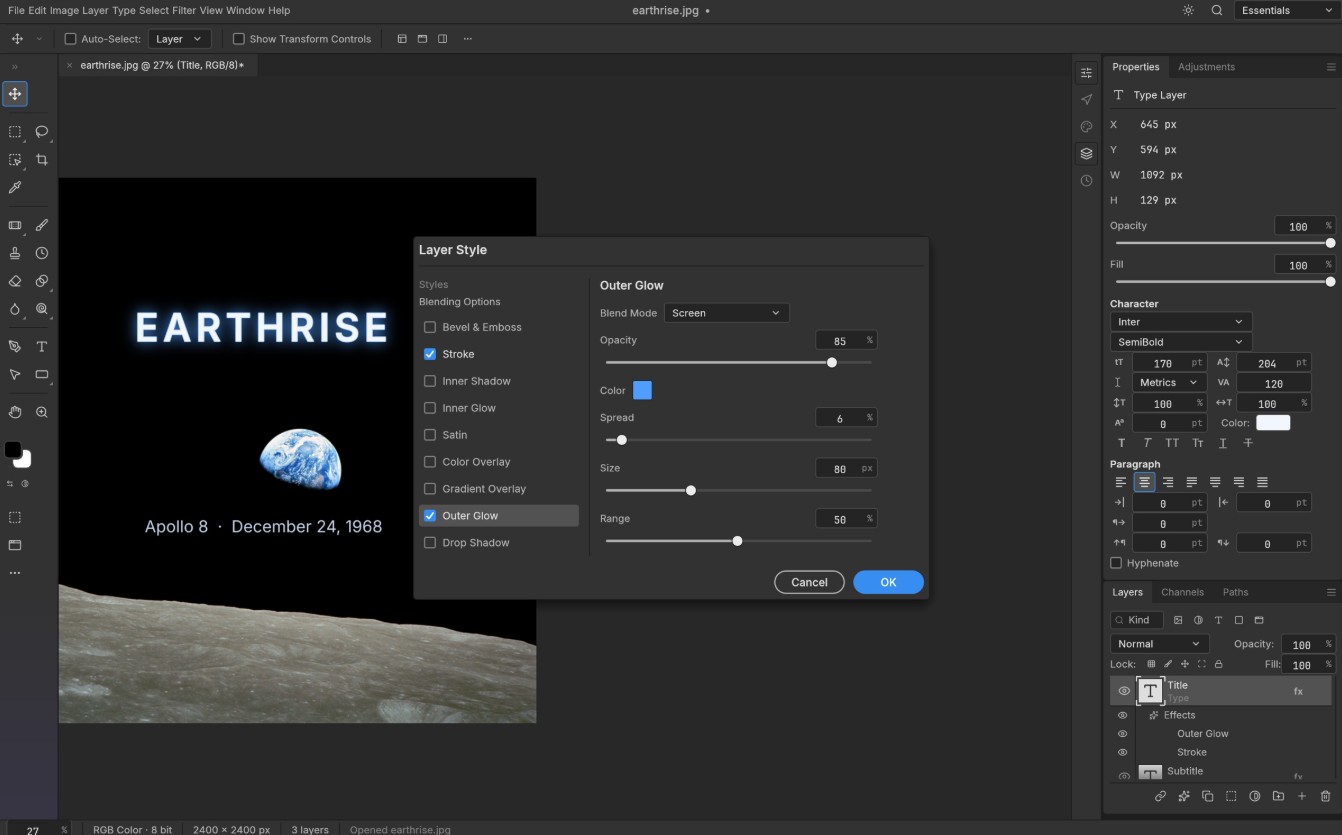
Smart Objects combined with Smart Filters aim to preserve the original content during transformation and filter application. Users can adjust the effect afterward instead of having to start over from scratch.
With over 70 filters available for live preview based on project information, PhotoCraft aims for a faster effect testing process. However, compatibility with each filter and effect in Photoshop still needs to be tested on a specific version.
5. Select objects on the computer and manage colors professionally.
5.1. Select the subject and fine-tune the mask directly on the device.
According to the project description, PhotoCraft supports traditional selection tools such as Marquee, Lasso, and Magic Wand, alongside more sophisticated tools like Quick Selection, Object Selection, and Select Subject. Users can also fine-tune the selection area using the Select and Mask tool.
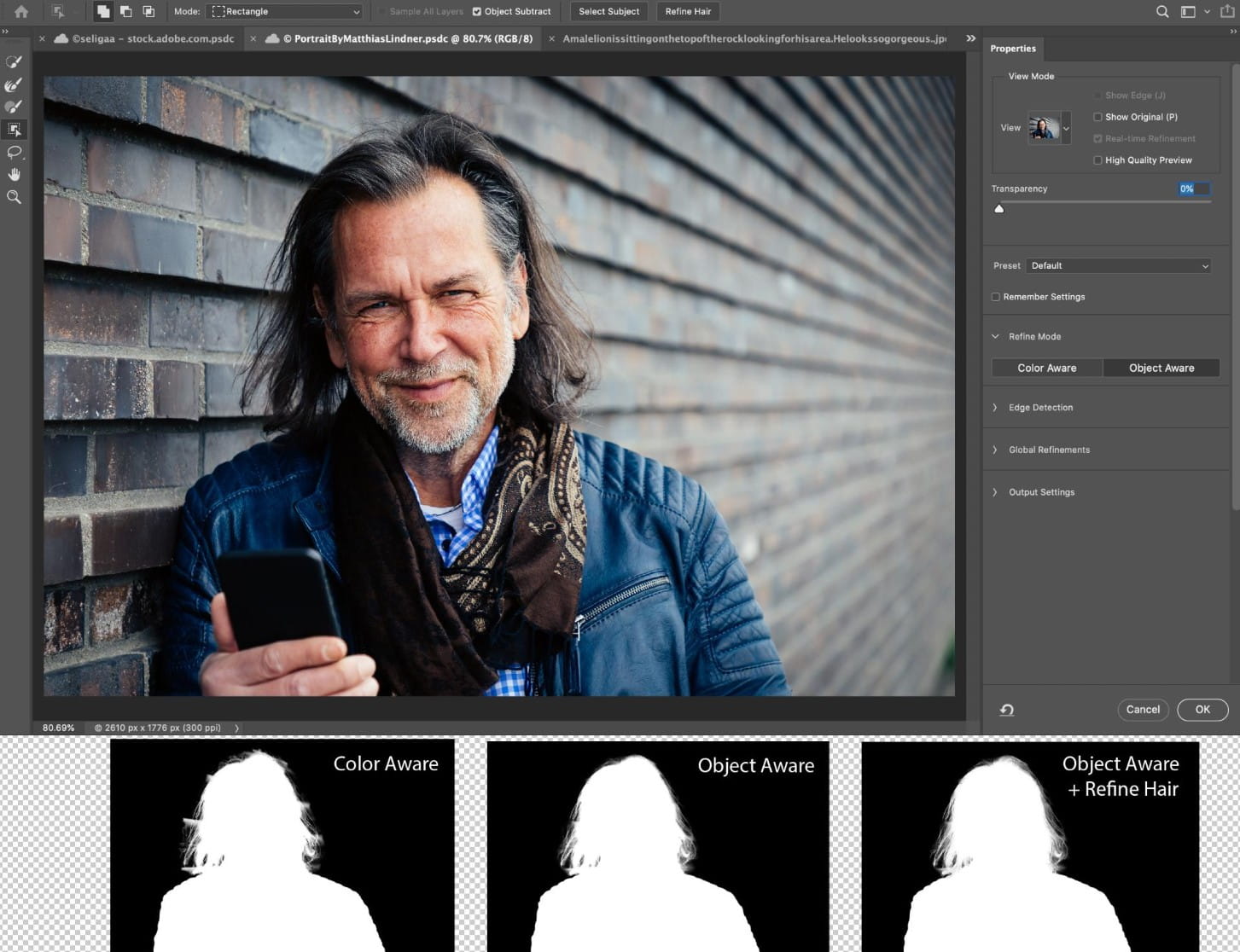
For example, when wanting to separate a person from the background of an image, the subject selection tool can automatically identify the area of the person to be kept. Users can then further refine the outline, especially in complex areas like hair, before creating a mask or replacing the background.
Notably, the object selection process is designed to run on the user's computer, rather than requiring images to be sent to a server for processing. This can increase privacy and reduce reliance on network connectivity.
However, the quality of recognition also depends on the model, machine configuration, and image characteristics. Images with complex backgrounds, obscured subjects, or low contrast may still require manual editing.
5.2. Color and Bit Depth Support
PhotoCraft aims to handle 8-bit, 16-bit, and 32-bit documents, along with RGB, CMYK, Lab, and Grayscale color spaces. The project also addresses ICC color management and soft proofing.
These concepts are crucial in photography and print design:
-
RGB: suitable for screens, websites, and digital content.
-
CMYK: commonly used in the printing process.
-
Lab: Represents color in terms of brightness and two color axes, useful in several calibration processes.
-
Grayscale: represents images in shades of gray, without containing the usual color information.
Bit depth indicates the number of value levels that can be represented in each channel. 16-bit files typically offer more tonal range than 8-bit files, helping to limit resolution issues during intensive editing. 32-bit data can support wide contrast range processing, depending on how the software implements it.
ICC color management helps software interpret colors based on the color profile of the device or document. Soft proofing allows for the simulation of how colors might appear under a specific output condition, such as a printing process.
However, support for these color spaces does not automatically guarantee absolute color accuracy in printing. Results also depend on the ICC profile, monitor, printer, materials, and color process setup.
6. Conclusion
PhotoCraft is a notable open-source photo editing project that combines the Rust architecture, GPU acceleration, and tools familiar to Photoshop users. Features such as layers, masks, adjustment layers, Layer Styles, Smart Objects, subject selection, and color management demonstrate the project's aim to be a photo editor capable of serving a wide range of professional needs.
Support for PSD and PSB is also a significant advantage for those who want to experiment with new software without immediately abandoning their existing design files. Local processing capabilities reduce reliance on cloud services, while open-source code allows for community testing and contribution to the project.
However, PhotoCraft should be considered a developing option, not a default replacement for Photoshop. Its stability, compatibility with complex files, color accuracy, and the completeness of its tools still need to be tested in real-world applications.





















VIP Products








Best Selling Products
Freepik Premium Account
59 USD
Adobe Premiere Pro Account
99 USD
Capcut Pro 1 Year
39 USD
Upgrade Genuine Office 365
49 USD
Plugin Retouch4me
69 USD
MidJourney Account
29 USD
Copyright Adobe Lightroom Account
59 USD
Adobe Photoshop Copyright - Full App
120 USD
Upgrade Duolingo Super
29 USD
Autodesk All App Account Copyright
120 USD
ChatGPT Plus Account (GPT-4)
16 USD
Windows 10 & 11 Pro Key
36 USD
Upgrade genuine Capture One account
120 USD
Genuine Cheap Canva Pro
39 USD
Genuine Adobe Illustrator account
99 USD