Best Selling Products

Windows 10 & 11 Pro Key
36 USD

Capcut Pro 1 Year
39 USD

Adobe Photoshop Copyright - Full App
120 USD

ChatGPT Plus Account (GPT-4)
16 USD

Plugin Retouch4me
69 USD

Genuine Cheap Canva Pro
39 USD

Upgrade Duolingo Super
29 USD

Upgrade Genuine Office 365
49 USD

Genuine Adobe Illustrator account
99 USD

Copyright Adobe Lightroom Account
59 USD

MidJourney Account
29 USD

Adobe Premiere Pro Account
99 USD

Autodesk All App Account Copyright
120 USD

Upgrade genuine Capture One account
120 USD

Freepik Premium Account
59 USD
What makes Figma Weave stand out? All the features that optimize the creative process using AI.
Nội dung
- 1. Figma Weave: An AI platform for modern creative workflows.
- 2. Build a visual creative process with Node-based Workflow
- 3. Connect multiple AI models on the same platform.
- 4. Professional editing tools combined with AI.
- 5. AI Agents and Creative Process Automation
- 6. The creative process is scalable for individuals and businesses.
- 7. Intelligent collaboration within the Figma ecosystem
- 8. Conclusion
Figma Weave opens up a new approach to content creation by combining multiple AI models and professional editing tools on an intuitive Node-based workflow platform.
1. Figma Weave: An AI platform for modern creative workflows.
The biggest difference between Figma Weave and other popular AI tools today is that it doesn't focus on a single AI model but rather aims to coordinate the entire creative process.
In reality, a designer or creative team often has to use many different tools to complete a project. There are tools specializing in image creation, powerful video platforms, text optimization services, and outstanding solutions for audio processing. Managing too many platforms leads to scattered data, a lack of workflow integration, and difficulty scaling as the project grows.
Figma Weave is designed to consolidate these processes into a single environment. Users can access multiple AI models and professional editing tools on the same interface, significantly reducing the time spent switching between applications and creating a seamless creative workflow.
Beyond serving individuals, Weave also targets businesses, creative studios, and product development teams that need a platform capable of standardizing workflows and ensuring consistency throughout the entire project lifecycle.
2. Build a visual creative process with Node-based Workflow
At the heart of Figma Weave is the Node-based Workflow model : a method of building workflows using nodes that are visually connected on a canvas.
Instead of handling each task independently, users can design the entire creative process as a diagram. Each node represents a specific function such as prompt input, image creation, image editing, video creation, audio processing, or data export. The nodes are linked together to form a complete process, making every step clear and easy to follow.

This approach offers numerous advantages in large-scale projects. When a new processing step needs to be added or the AI model needs to be changed, users simply add or adjust the corresponding node without having to rebuild the entire process. This makes Weave a flexible platform capable of adapting to the rapid development of AI technology.
In addition, presenting workflows visually helps team members easily understand how the project operates, thereby improving collaboration efficiency and minimizing errors during implementation.
3. Connect multiple AI models on the same platform.
One of Figma Weave's standout features is its ability to access and integrate multiple AI models within the same workspace.
Instead of being limited to a single technology, users can leverage the strengths of multiple AI models to solve various creative problems. Some models are suitable for image creation, others for video, and some are specialized for text processing or audio optimization. Weave acts as a central hub, connecting these models seamlessly within the same workflow.
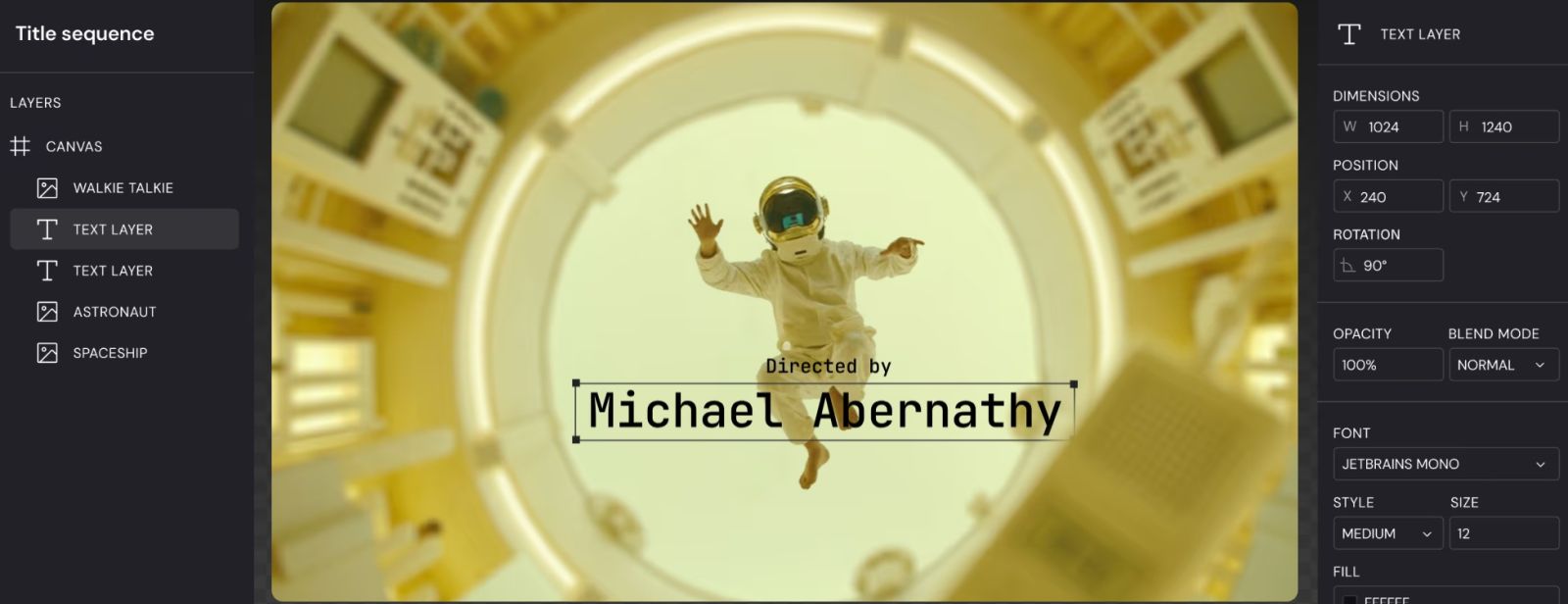
As a result, users don't need to constantly copy data between different platforms. All content is processed within the same working environment, saving time, reducing errors, and improving the consistency of the final product.
This also provides a foundation for businesses to easily update to new AI technologies in the future without having to change their entire existing workflows.
4. Professional editing tools combined with AI.
AI can generate content quickly, but to achieve professional quality, users still need powerful editing tools. Figma Weave addresses this by integrating editing features directly into the creative process.
After the AI creates the image or video, users can further adjust the color, layout, image details, and visual elements without switching to other software. Editing is done directly within the workflow, ensuring all changes are saved and managed consistently.
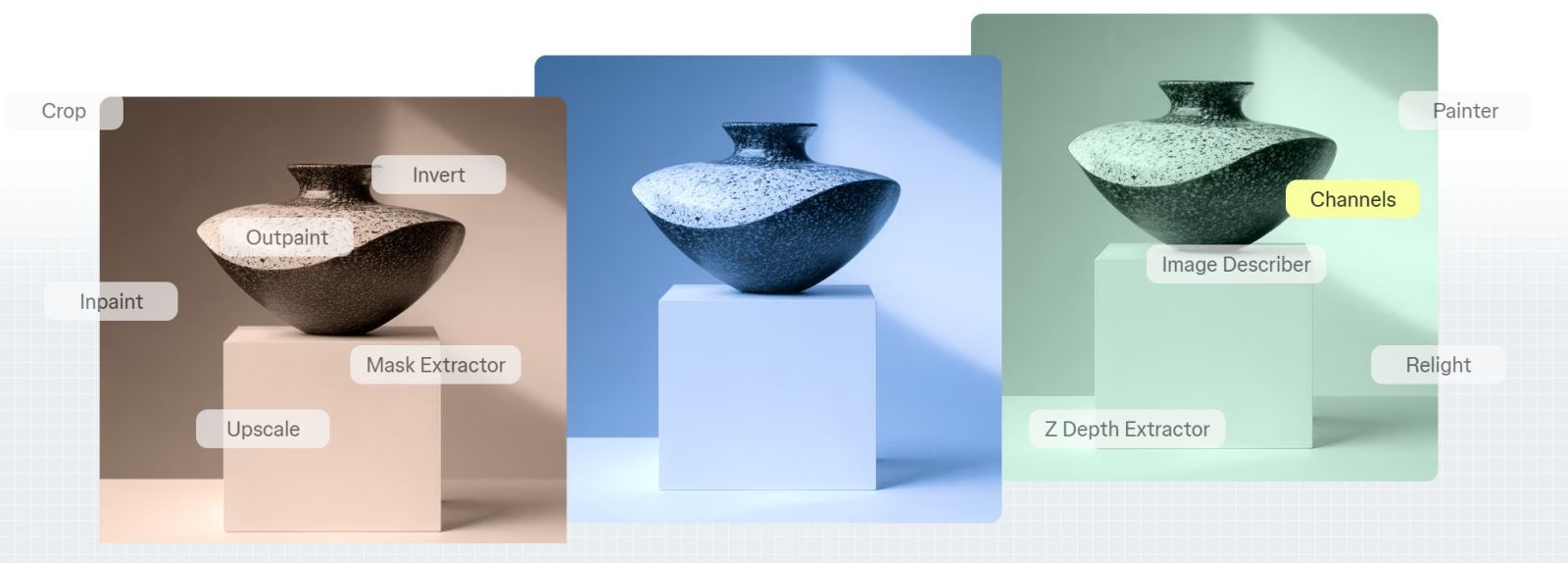
Beyond just image editing, Weave also supports processing a wide variety of multimedia content. This opens up the possibility of building complex content production workflows while ensuring they remain intuitive and easy to manage.
The combination of AI and professional editing tools allows creators to leverage the speed of artificial intelligence while maintaining control over the quality of the final product.
5. AI Agents and Creative Process Automation
One of the notable features of Figma Weave is its integrated AI Agent, designed to assist users throughout the workflow development process.
Instead of just creating content, AI agents can also suggest suitable workflows, provide prompts, optimize processing orders, and support the automation of repetitive tasks. This significantly reduces manual workload, especially in projects with a large volume of content to produce.
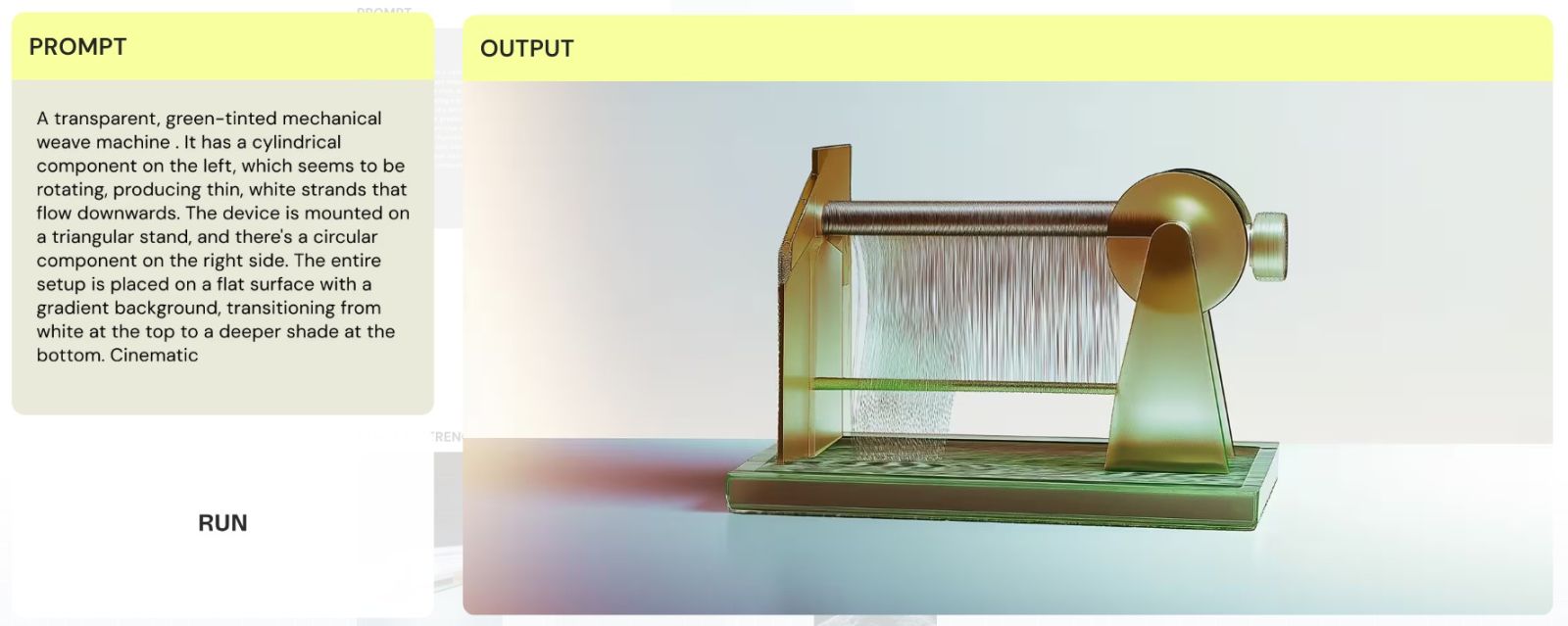
AI Agents also contribute to improved team performance by supporting the standardization of common processes. Optimized workflows can be stored, reused, or shared with other team members, helping businesses build a unified repository of innovative processes.
The combination of AI Agents and Node-based Workflows delivers a smarter work experience, where technology doesn't replace humans but acts as an assistant to help realize ideas more quickly and efficiently.
6. The creative process is scalable for individuals and businesses.
One of Figma Weave's key advantages is its ability to scale workflows to meet evolving needs.
For individuals, users can build simple workflows to create content for their daily work. As projects scale up, the same workflow can be expanded by adding new nodes, connecting more AI models, or adding review and editing steps.
For businesses, Weave helps standardize content production processes across the organization. Established workflows can be shared across multiple teams, ensuring all projects adhere to the same quality and branding standards.

The ability to reuse workflows also significantly reduces the time it takes to deploy new projects. Instead of starting from scratch, teams can simply replicate existing processes and adapt them to specific goals.
This is a key factor that makes Figma Weave a suitable platform for organizations that are accelerating digital transformation and applying AI in their creative operations.
7. Intelligent collaboration within the Figma ecosystem
As part of the Figma ecosystem, Weave inherits all the advantages of real-time collaboration that have made the platform so successful.
Team members can collaboratively build, edit, and review workflows on a single project. All changes are instantly synchronized, minimizing confusion between versions and improving collaboration efficiency.
Sharing workflows has also become simpler. A completed process can be reused across multiple projects or distributed to different teams to ensure consistency throughout the entire enterprise.
This collaboration capability is particularly useful for creative agencies, marketing teams, product development teams, and businesses that frequently produce content on a large scale.
8. Conclusion
Figma Weave marks a significant shift for Figma from a design platform to an ecosystem that orchestrates creative workflows using artificial intelligence. Instead of simply providing content creation tools, Weave helps users build intuitive, scalable, and reusable workflows across multiple projects.
With its Node-based Workflow model, the ability to connect multiple AI models, professional editing tools, AI Agents supporting automation, and powerful collaboration capabilities, Figma Weave offers a completely new approach to digital creativity. Every stage, from idea generation and content creation to editing, optimization, and publishing, is carried out within a single, unified platform.
In a context where AI is becoming an indispensable part of the design and media industries, Figma Weave not only accelerates content production but also opens up opportunities to build intelligent, flexible, and sustainable creative processes. It's the right solution for individuals, creative teams, and businesses who want to maximize the power of AI to transform ideas into high-quality products with efficient workflows and future growth potential.





















VIP Products








Best Selling Products
Windows 10 & 11 Pro Key
36 USD
Capcut Pro 1 Year
39 USD
Adobe Photoshop Copyright - Full App
120 USD
ChatGPT Plus Account (GPT-4)
16 USD
Plugin Retouch4me
69 USD
Genuine Cheap Canva Pro
39 USD
Upgrade Duolingo Super
29 USD
Upgrade Genuine Office 365
49 USD
Genuine Adobe Illustrator account
99 USD
Copyright Adobe Lightroom Account
59 USD
MidJourney Account
29 USD
Adobe Premiere Pro Account
99 USD
Autodesk All App Account Copyright
120 USD
Upgrade genuine Capture One account
120 USD
Freepik Premium Account
59 USD