1. What is Vibe Coding in 2026?
The term "vibe coding" was first mentioned by AI researcher Andrej Karpathy in early 2025, describing a way of working where programmers completely rely on AI, accepting the generated code almost without proofreading each line, focusing primarily on expressing intent in natural language. By 2026, this concept had matured significantly beyond its initial understanding. It was no longer simply about handing over control to machines, but had become a structured methodology in which programmers write specifications in natural language with high precision, while AI handles code generation under close human supervision.

The core difference between coding vibe and simply using AI to assist in writing code lies in the fact that users actively choose not to review every line of code generated; instead, they evaluate the results based on whether the program runs as expected. In operational practice in 2026, this trend has diverged into two distinct branches. The first is a fast, less constrained approach, suitable for prototyping or personal tools with low risk. The second is a more rigorous discipline, requiring thorough architectural review and testing before deploying the product to the real world, especially for applications involving payments, personal data, or real users. The most common model today combines both, allowing AI to build the majority of the initial workload at high speed, then dedicating time to thoroughly consolidate the most critical parts of the system. In other words, the coding vibe of 2026 isn't about forgetting existing source code, but rather shifting the focus from typing syntax to navigating, specifying, and monitoring a highly autonomous AI system.
2. Why is intuitive programming becoming increasingly popular among programmers and creators?
The surge in coding vibes isn't a single factor, but rather the result of a confluence of multiple parallel technological and market trends. First, the quality of large programming language models has reached a level of reliability sufficient for practical implementation, no longer remaining at the experimental stage as it was a few years ago. Modern models are capable of understanding the context of the entire source code repository, maintaining consistent logic across multiple steps, and self-correcting when problems arise—capabilities almost non-existent in previous generations of tools.
Secondly, the pressure to deliver products quickly in a fiercely competitive tech market has made deployment speed a crucial advantage. As the number of competitors in any product niche rapidly increases, teams that can transform an idea into a working product in hours instead of weeks gain a clear advantage. This explains why the majority of professional programmers today use AI tools daily, with adoption rates exceeding 90% in many developed markets.

Third, the coding vibe has significantly lowered the barrier to entry into the software development industry. People without a formal programming background, including startup founders, designers, marketers, or researchers, can now build web applications, automation tools, or product prototypes simply by describing what they want. This democratization significantly expands the number of people who can participate in creating digital products, rather than being limited to the traditional software engineering group.
Ultimately, investment flows into the AI programming tools sector have grown at an unprecedented rate, reflecting market confidence in the sustainability of this trend. The average transaction size in the AI programming tools sector has increased tenfold in just a few years, demonstrating that this is no longer a passing fad but is reshaping how the entire software industry operates in the long term.
3. How Claude AI assists in emotion encoding.
3.1 Claude Code: Central Engine
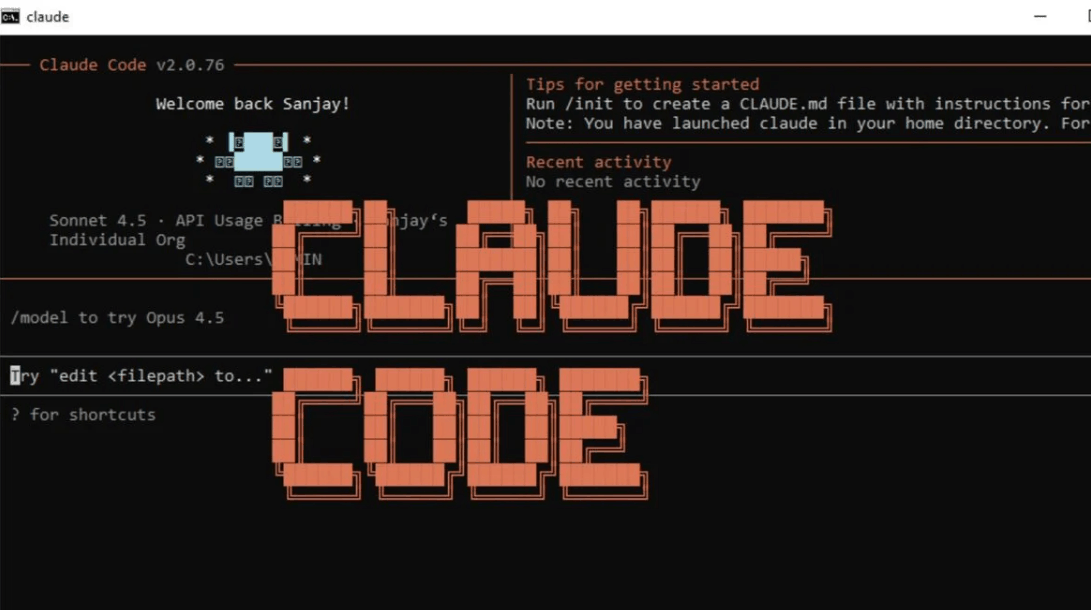
Claude Code is Anthropic's core programming tool, serving as the central engine for the entire coding vibe experience. Unlike a simple code-typing assistant, Claude Code operates on an agent model, meaning it can read files, execute commands, edit code, and call external tools in a continuous loop until the assigned task is completed. The tool is available on a variety of platforms, including a command-line interface in the terminal, a dedicated desktop application, a web interface, and extensions that integrate directly into popular development environments. Regardless of the platform, all connect to the same processing engine, sharing conversation history and established project rules.
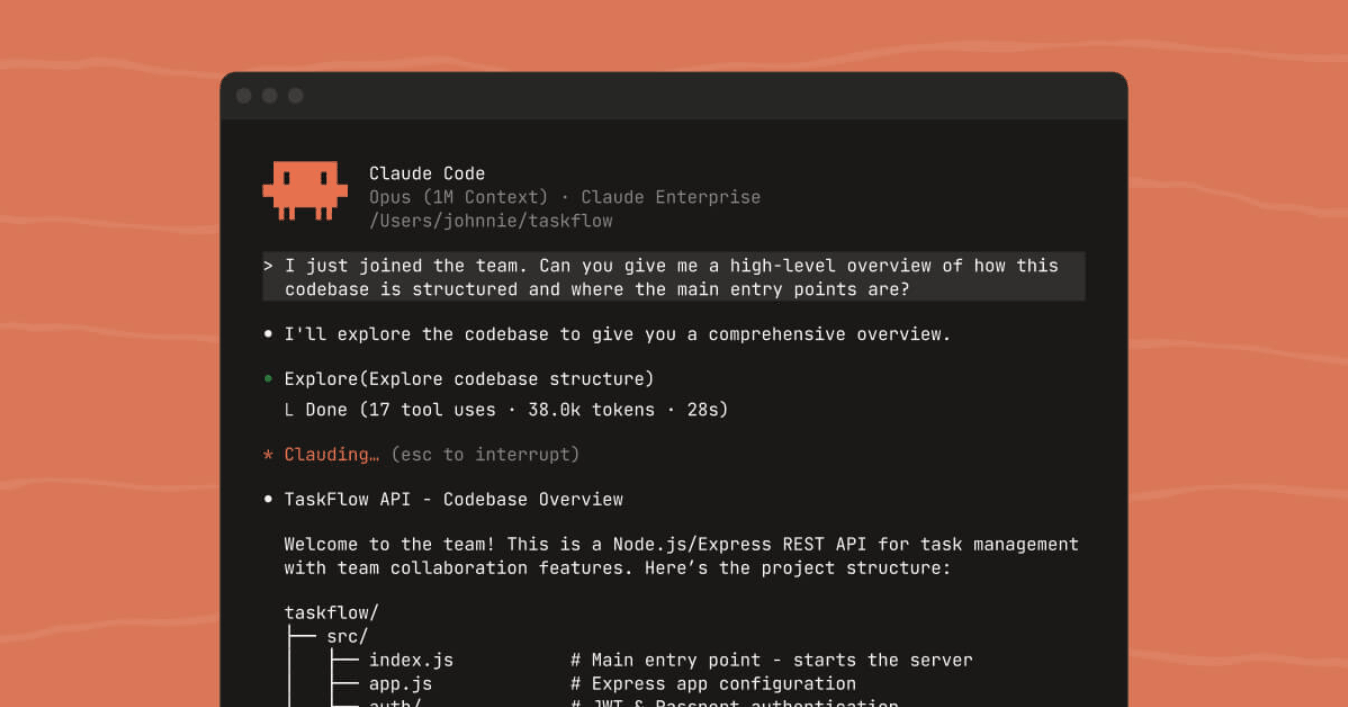
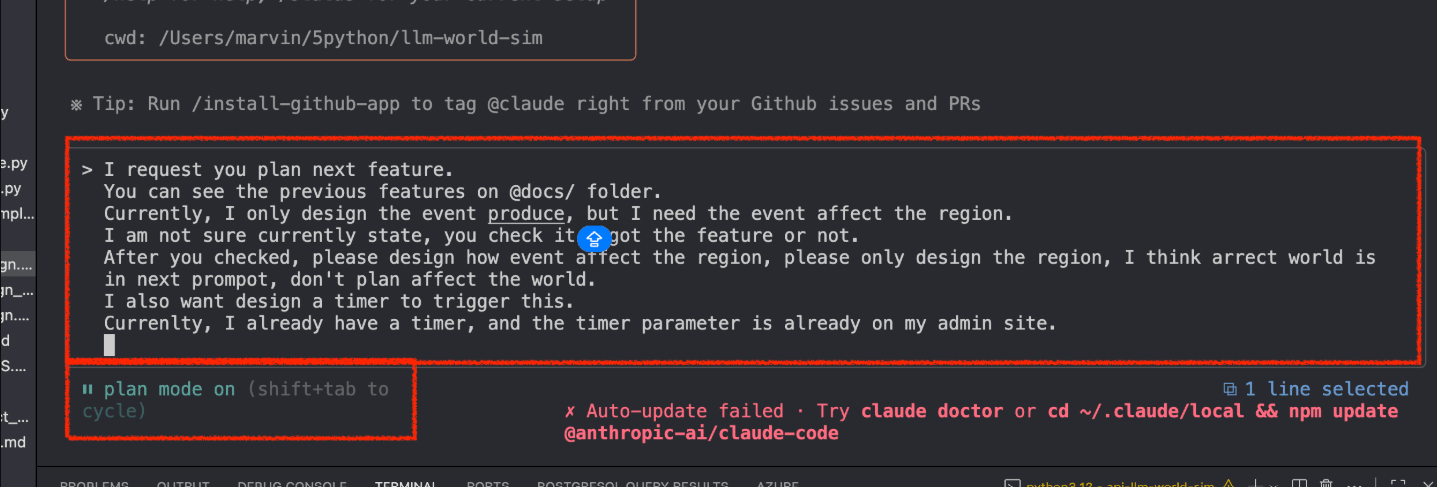
One of Claude Code's strengths lies in its flexible operating modes. The planning mode allows Claude to survey and suggest solutions before implementing any changes, which is useful for defining the scope of work before starting any modifications. The automatic restore point system saves the state before each significant change, allowing users to quickly undo actions if an approach doesn't yield the desired results. Furthermore, various permission modes allow users to choose the appropriate level of oversight, from requiring confirmation before each file write operation and system command to granting greater autonomy for repetitive and low-risk tasks.
3.2 Performance across benchmark tests
To assess the practical programming capabilities of AI models, the engineering community often relies on standardized tests, most notably those that measure the ability to solve real-world open-source problems directly from active code repositories. The latest generation of Claude models consistently scores highly on these tests. The most powerful model in the product line achieves a success rate exceeding 88% in the rigorously verified version of the test, and leads in the advanced version for more complex multi-step engineering tasks with a success rate of nearly 70%.
Notably, Claude's mid-range model scores very close to the top-of-the-line model, while costing only a fraction of the price. This makes the mid-range model a sensible default choice for most daily programming workloads, while the top-of-the-line model is reserved for long, autonomous, and highly precise work sessions. The score gap between Claude's model segments has narrowed significantly compared to previous generations, reflecting the rapid pace of improvement across the entire product line.
3.3 The Artifacts Layer
One of the most distinctive experiences Claude brings to the coding vibe is the Artifacts layer, a visual display space that allows users to see the output of their generated code immediately without leaving the chat window. When Claude creates a webpage, a data chart, an interactive UI component, or even a complete mini-application, Artifacts displays a runnable preview right away, allowing users to interact directly and provide feedback for further refinement.
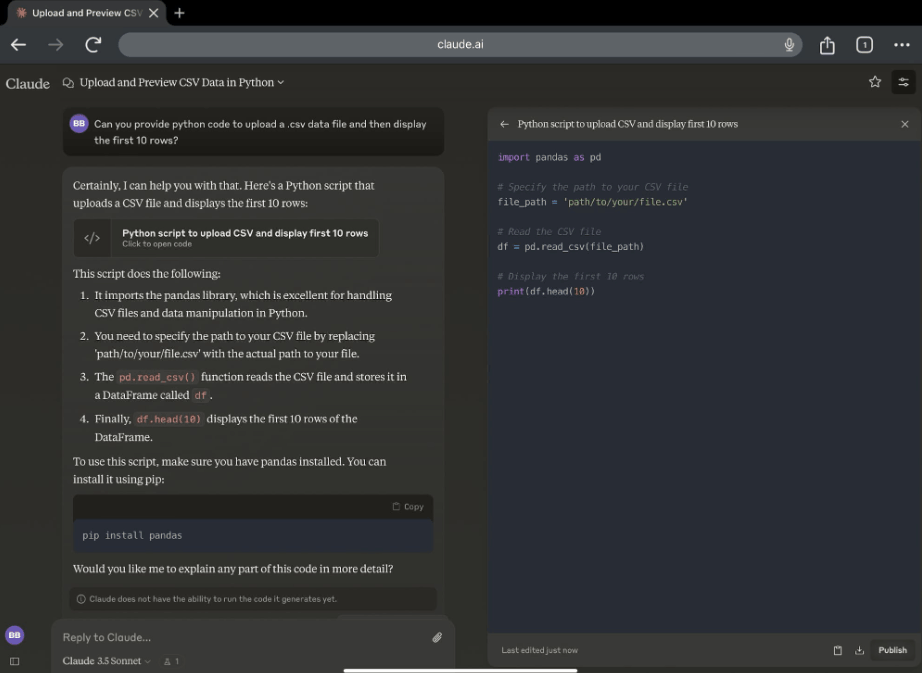
This capability is particularly valuable for those without a deep programming background, as it completely eliminates the need to set up a local development environment just to see if an idea works. Artifacts also supports public sharing and real-time collaboration, allowing multiple people to view and provide feedback on the same product under development. In recent versions, the Artifacts layer has been extended to connect to dynamic data sources via an open connection protocol, enabling the creation of dashboards and small applications that can retrieve real-world data instead of just displaying static content.
3.4 Ecosystem Integration
Claude's strength in coding vibe lies not only in the model itself but also in the integrated ecosystem surrounding it. The Model Context Connection Protocol is an open standard developed by Anthropic, allowing Claude to communicate with countless external tools and data sources through a unified mechanism, rather than having to build separate integrations for each service. Thanks to this standard, Claude can access source code repositories, databases, task management systems, design tools, and bug tracking platforms, all through the same consistent protocol.
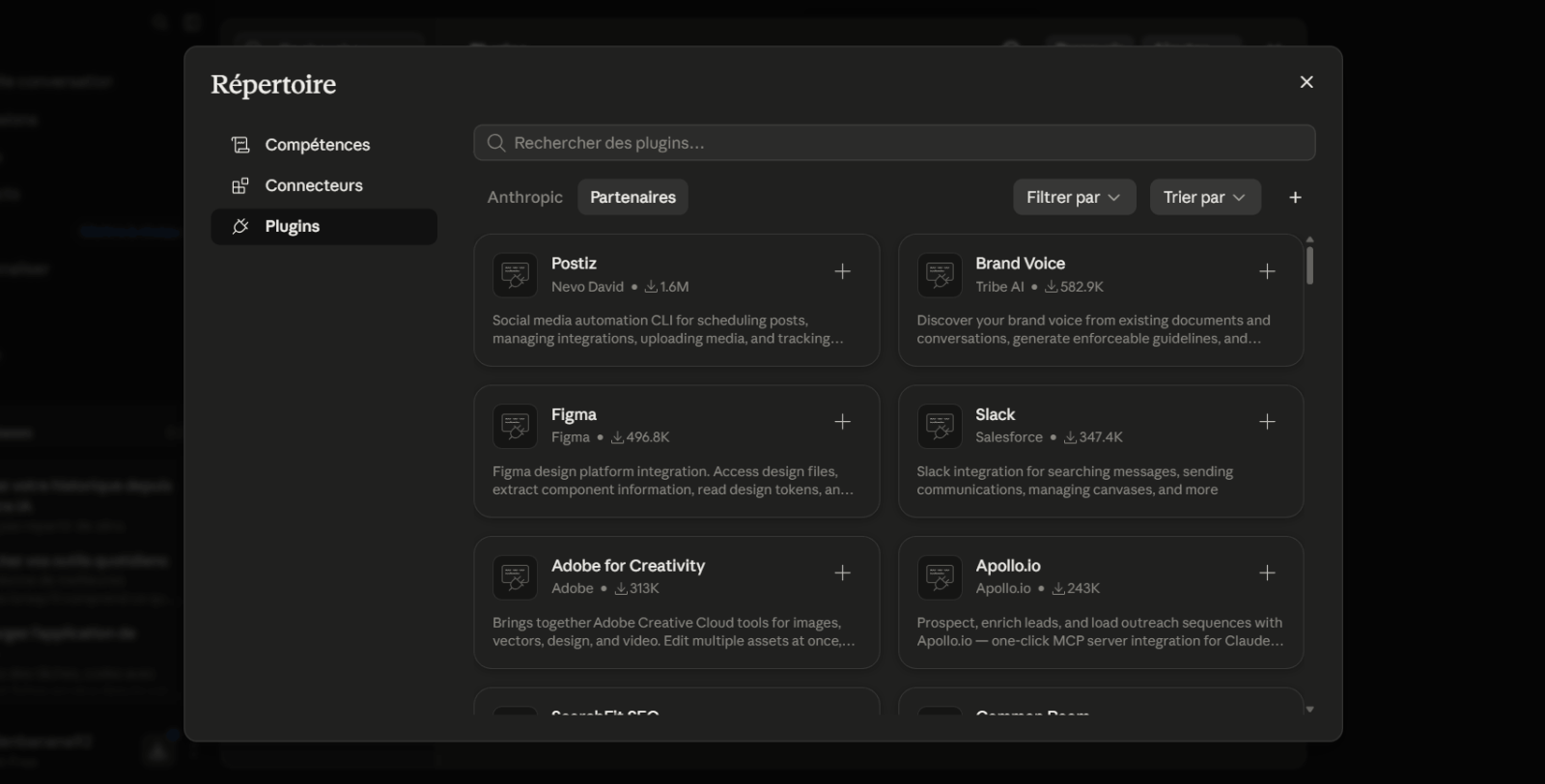
Beyond the connection protocol, the plugin system allows for packaging a complete set of skills, sub-agents, automation rules, and connection configurations into a single package, installed with a simple command. Claude also integrates deeply with popular development environments through dedicated extensions, enabling seamless code diffing, sharing editing context, and error diagnosis from the programming language within the familiar editor. The combination of a powerful model, intuitive visualization layer, and rich integration ecosystem is why Claude has become the platform of choice for many programmers and creators for their daily coding vibe.
4. The Claude AI models best suited for Vibe Coding
Not every programming task requires the most powerful model, so choosing the right model for each type of work helps balance output quality, response speed, and cost of use. The table below summarizes the characteristics of the Claude models best suited to coding vibes as of mid-2026.
| Model | Main strengths | Suitable use case |
|---|---|---|
| Claude Opus | Highest accuracy, deep reasoning capabilities, excellent handling of long work sessions, and autonomous operation. | Complex system restructuring, difficult debugging, and multi-step engineering tasks require maximum reliability. |
| Claude Sonnet | Performance is nearly on par with high-end models at a significantly lower cost, with fast response times. | Daily interactive programming, feature building, and most of the workload have a typical coding vibe. |
| Claude Haiku | Very fast processing speed, lowest cost in the product line. | Fast editing operations, routing tasks, and high-frequency sub-agent operation in multi-agent systems. |
A practical strategy adopted by many teams is to allocate tasks by complexity, using a mid-level model for most daily interactive programming tasks, reserving the most advanced model for tasks that the mid-level model cannot reliably complete, and pushing simple, high-frequency operations down to the lightest model to save costs. Regularly reviewing this allocation, as workloads and models themselves constantly change, helps maintain optimal efficiency in the long term.
5. Claude AI APIs and integrations for developers
In addition to its familiar chat interface, Anthropic offers a full API platform that allows developers to embed Claude's capabilities directly into their own products, workflows, or internal systems. This API system operates completely separately from individual subscription packages, charging based on the actual number of tokens processed, making scaling flexible and cost-predictable based on actual workload.
Technically, the API fully supports tool-calling capabilities, allowing the model to proactively decide when to query the database, call an external function, or execute code to complete the request, instead of simply returning plain text. This stream-based response capability allows the application to display results as the model is being generated, significantly improving the user experience in real-time applications. Furthermore, the agent development toolkit enables the construction of more complex autonomous AI systems capable of planning, executing multiple steps sequentially, and self-evaluating results before completing a task.
In terms of integration, Claude is not limited to the ecosystem built by Anthropic. Many popular development environments and programming tools on the market support direct connections to Claude models via APIs, allowing developers to retain familiar tools while still leveraging Claude's programming capabilities. Furthermore, its ability to integrate with ongoing automation processes, such as automated testing for new code changes or automated deployment processes, makes Claude an integral part of the entire software development lifecycle, not just the initial coding phase.
6. Recommended tools, plugins, and extensions
To fully leverage Claude's coding vibe, equipping yourself with the right tools is just as important as the model itself. The table below lists some toolkits worth considering.
| Tool group | Main functions | Benefits of using it with Claude |
|---|---|---|
| Extensions for the development environment | Connect Claude Code directly to your familiar text editor. | View code differences directly in the interface, and share editing context in real time. |
| The server connects to the model context for source code management. | Allows Claude to directly manipulate the repository, branches, and merge requests. | Automate the entire process from branch creation and code writing to opening merge requests using natural language. |
| Parsing plugin and programming language | Provides definition, reference, and error warning information for data types. | This helps Claude understand the exact structure of large source code, reducing errors when editing complex projects. |
| The server connects to the task management and design tool. | Bring data from the task tracking system and interface design into the working context. | This helps Claude understand the business requirements and interface specifications without manual copying. |
| Multitasking collaborative workspace | Coordinate multiple parallel sessions and sub-agents. | Suitable for large projects that require handling multiple independent workflows simultaneously. |
When selecting expansion tools, the most important security principle is to grant only the minimum necessary access to each connection, such as using read-only access keys for servers that only need to retrieve information rather than modify it. Clearly documenting the reasons for using each expansion tool and periodically reviewing the entire configuration also helps minimize security risks as the system has more external connection points.
7. Step-by-step Vibe Coding process with Claude AI
7.1 Defining the project's intent and style
The most important initial step in any coding vibe session is clarifying what actually needs to be built before writing any code for Claude. This includes clearly defining the product's functional goals, target end users, technical constraints such as deployment platforms or preferred programming languages, and the overall feel the product needs to convey, such as a minimalist interface style or a highly interactive experience. Drafting a concise yet comprehensive project description that can be saved as a guide for the entire project helps Claude maintain consistency across multiple sessions instead of having to re-explain the context each time.
7.2 Writing efficient prompts for code generation
The quality of the generated code depends heavily on how the requirements are phrased. An effective prompt typically clearly states the expected input and output, any special cases to handle, and any conventions regarding code structure or preferred libraries. Instead of a general requirement, breaking down a large task into specific, well-ordered steps often yields far more accurate results than asking Claude to guess the entire scope of work at once. For complex features, using a pre-planning mode before allowing Claude to execute changes helps detect misunderstandings about the requirements early, avoiding wasted time on corrections later.
7.3 Refine and improve results through multiple iterations
Vibe coding is essentially a continuous dialogue process, not a single request. After receiving the first version, users should test the results directly, note any discrepancies, and provide specific feedback to Claude on what needs adjusting, rather than just generally stating that the result isn't good. Keeping each feedback loop focused on one or a few specific issues is often more effective than cramming many different change requests into a single conversation. In complex projects, utilizing restore points to revert to a previous state when an approach fails also makes the iterative process faster and safer.
7.4 Testing, Debugging, and Optimizing Source Code
This is the most often overlooked step in undisciplined coding practices, yet it's crucial in determining whether a product is ready for real-world use. Once the functionality is basic, Claude should be asked to write automated test suites for critical functional flows, especially those involving sensitive data processing or core business logic. When errors occur, providing Claude with complete error messages, context for reproducing the error, and expected outcomes speeds up the debugging process significantly compared to simply describing something not working. During the optimization phase, Claude can be asked to review performance, identify bottlenecks or redundant code, and check for fundamental security issues such as exposed credentials in the source code—a common problem when code is generated too quickly without prior review.
7.5 Deploying projects built with Claude AI
Once the product has achieved sufficient quality through testing, the final step is to deploy the project to the real world. Claude can support this entire process, from preparing deployment configurations and setting environment variables to creating source code merge requests through direct integration with the source code management system. For projects already connected to a continuous automation process, Claude can participate in every step, from automated testing before merge to triggering the deployment process after code approval. After the product is live in the real world, maintaining a habit of tracking bugs and continuing to use Claude to address newly emerging issues helps keep the product development lifecycle seamless, transforming the coding vibe from a quick initiation technique into a sustainable working method throughout the product development process.